Check Bluetooth, use the Raycon app or a Bluetooth scanner, then retrace your steps and search common spots.
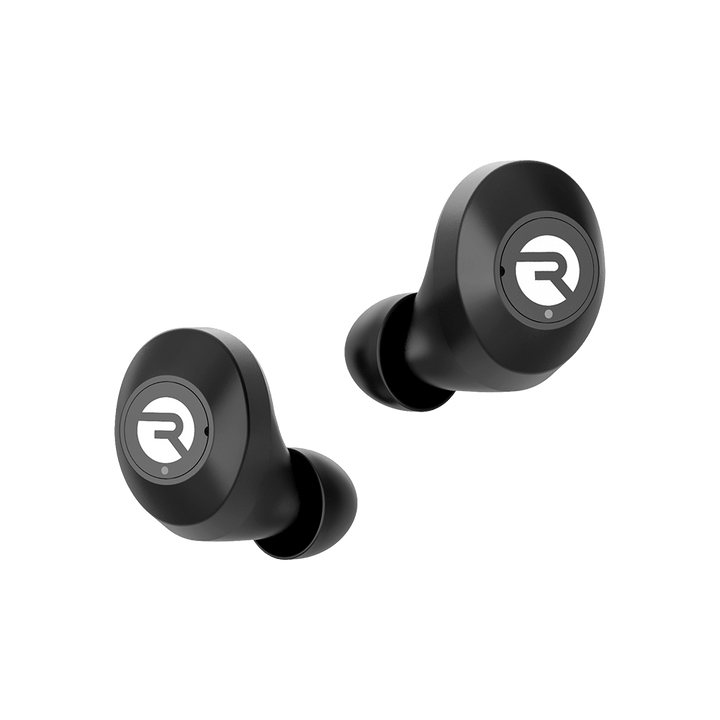
I've helped dozens of people recover misplaced earbuds, and I know exactly how frustrating losing a pair of Raycon earbuds can be. This guide explains how to find lost Raycon earbuds step by step, shows what tools actually work, and gives practical habits to prevent losses. I’ll draw on real search techniques, troubleshooting tips, and simple habits that make finding earbuds fast and painless.
How Raycon earbuds work and what limits tracking them
Raycon earbuds connect to phones via Bluetooth. That connection makes them discoverable and sometimes shows a last-connected timestamp in the Raycon app or your phone’s Bluetooth list. Knowing how Bluetooth works helps you set realistic expectations when learning how to find lost Raycon earbuds.
Bluetooth range is limited. Indoors you usually get 20 to 50 feet; outdoors that can expand but obstacles cut the signal. Raycon models typically do not have full GPS tracking, so you cannot track them on a map like a phone. This means most successful recoveries rely on Bluetooth signals, physical searches, and quick retracing.
Immediate steps to take when you realize the earbuds are missing
- Check your last location mentally and on your phone. Think of the last time you had sound, phone calls, or the case in hand.
- Open the Raycon app and your phone’s Bluetooth menu. Look for the earbuds in the device list and note the “last seen” or connection status.
- Call or play audio from your phone at moderate volume to see if the earbuds pair and play sound. If paired, move slowly and listen for sound.
- Retrace your steps right away. The sooner you start retracing, the higher your chances of finding them within Bluetooth range.
- Ask nearby people and check pockets, bags, and surfaces you used recently.
Using these quick tactics improves recovery odds and minimizes time spent searching for how to find lost Raycon earbuds.
Tools and techniques that actually help
- Bluetooth scanner apps
Use apps like nRF Connect or LightBlue to scan for nearby Bluetooth devices. These apps show signal strength (RSSI), which helps you narrow down direction and distance. - Raycon app features
Check the Raycon app for connection history or device status. Some models show last connected time or help you re-pair if they wake up. - Sound and playback checks
If the earbuds will pair, play a distinct sound or podcast. Walk slowly and listen closely; earbuds inside cushions or clothing often leak sound. - Flashlight and visual inspection
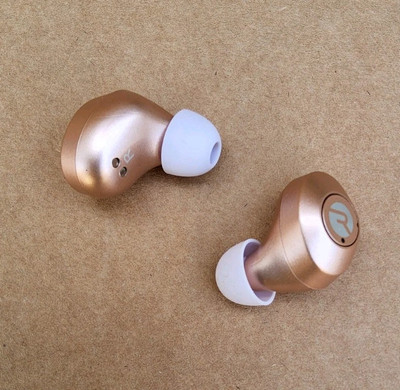
Shine a light under furniture and in dark pockets. White or reflective surfaces in some Raycon models make them easier to spot. - Physical tools for hidden spots
Use a long reacher, vacuum with a stocking over the hose, or slowly unstuff cushions to check crevices. - Enlist help
A second pair of eyes speeds searches. One person scans with a Bluetooth app while another inspects likely spots.
These tools cover most real-world scenarios when figuring out how to find lost Raycon earbuds.
Common questions while searching (PAA-style)
What if the earbuds don’t appear on my Bluetooth list?
If they don’t appear, they may be out of range, powered off, or low on battery. Move to the last known area, turn Bluetooth off and on, and try again.
Can I track Raycon earbuds on a map?
No. Most Raycon earbuds lack GPS tracking and cannot be shown on a live map. Bluetooth-based methods and physical searching are your primary options.
How far can Bluetooth locate earbuds?
Bluetooth direction finding is imprecise; expect reliable connection within roughly 20–50 feet indoors. Concrete, walls, and interference reduce range.
Searching inside your home: a room-by-room plan
- Start where you last used them
Check the couch, bed, kitchen counter, and entryway first. Those are high-probability zones. - Check clothing and bags thoroughly
Look inside jacket pockets, pants, backpacks, and gym bags. Earbuds often hide in zipper pockets. - Inspect soft furniture and crevices
Peel cushions, check under armrests, and look beneath the couch. Small items slip into seams. - Search laundry and appliances carefully
Check laundry baskets and the washer/dryer; don’t run a cycle until you confirm the earbuds aren’t inside. - Use audio and a Bluetooth scanner while searching
Walk through each room with Bluetooth scanning active and sound playing, if the earbuds will pair.
This systematic approach reduces random searching and helps you find lost Raycon earbuds faster.

Searching outdoors and in public places
- Retrace your route quickly
Go back to stops in the same order. Time matters because crowds and movement change conditions. - Use your phone to scan in the last area
Walk slowly, scanning with Bluetooth apps and listening carefully for any audio if paired. - Ask lost and found and staff at venues
Many people turn in earbuds at desks, bars, gyms, or transit stations. Leave your contact info with staff. - Check cameras and receipts when possible
If you lost earbuds at a store or gym, staff may review security footage or check key locations where they’ve been returned. - Post a quick lost notice online or community board
Local lost-and-found groups and neighborhood apps can help, especially if the earbuds were dropped in a park or cafe.
These steps are the practical side of how to find lost Raycon earbuds outside the home.
If the earbuds are dead, damaged, or out of range
- Consider the case and charging status first
If the earbuds sit in a closed case, they may be off or charging and won’t show on Bluetooth. Find the case first. - Expand your search area and timeline
If they are out of range, think about places you visited since you last used them and expand your search to those spots. - File a lost report with venues and local services
For public losses, file reports promptly and provide a clear description of the earbuds and case. - Prepare for replacement if necessary
If you can’t find them after a thorough search, check warranty and replacement options. Keep receipts or serial numbers handy.
Accepting the limits of Bluetooth and battery life helps you pivot quickly from searching to replacement when needed.
Prevention: habits and accessories that stop losses
- Always dock earbuds in their case when not in use
The case is the easiest single change that prevents misplacement. - Attach a small tracker to the case
Use a slim tracker, keyring tracker, or an AirTag on keys that stay with your case. This helps find the case, which is the most commonly misplaced part. - Develop a home habit zone
Designate a single spot near your door or desk where earbuds and cases always rest. Consistency beats luck. - Use visual cues and bright stickers
A bright sticker or contrasting skin makes the case easier to spot at a glance. - Check before laundry or couch diving
A quick pocket check before laundry saves a ruined pair and an expensive replacement.
Applying these habits cuts down how often you need to search for how to find lost Raycon earbuds.
Personal experience and lessons learned
Once I lost a pair of Raycon earbuds in a living room couch. I used a Bluetooth scanner and walked the couch edge slowly. The signal peaked at one cushion seam, and I recovered them in under five minutes. That taught me two things: use signal strength to narrow search zones, and always pause and retrace immediately.
A mistake I made before was searching a whole house without checking pockets first. Now I always do simple checks first. Another lesson: labeling or adding contrast to the case saves time in low light. These real actions show that smart habits and tools matter more than frantic searching.
Frequently Asked Questions of how to find lost raycon earbuds
How close do I need to be to detect Raycon earbuds with Bluetooth?
You usually need to be within about 20 to 50 feet indoors, though walls and interference can reduce that range significantly.
Can the Raycon app locate earbuds on a map?
No. Raycon earbuds generally do not support GPS map tracking; their location options rely on Bluetooth and the phone’s last connection info.
What if I can’t hear anything when I try to play sound?
If you can’t hear sound, the earbuds may be powered off, out of range, or not paired. Try moving back toward the last known area and restart Bluetooth on your phone.
Are there third-party tools that help find earbuds?
Yes. Bluetooth scanner apps show nearby device signals and can help you home in on a stronger signal to locate the earbuds.
Should I file a lost report at a venue?
Yes. If you lost earbuds in a gym, cafe, or transit area, file a report immediately and describe the earbuds and case clearly to improve recovery chances.
Conclusion
Finding lost Raycon earbuds depends on acting quickly, using Bluetooth scans and the Raycon app, and searching common hiding spots methodically. Build simple habits—use the case, pick a home spot, add a tracker—to avoid future searches. Try the steps above the next time you misplace a pair, and consider sharing your recovery story in the comments or subscribing for more practical tech tips.

Everett Ashford is a tech reviewer at mytechgrid.com specializing in SSDs, cameras, TVs, earbuds, headphones, and other consumer electronics. He provides honest, data-driven reviews based on hands-on testing and real-world performance analysis. Everett simplifies complex tech details to help readers make smart, confident buying decisions.