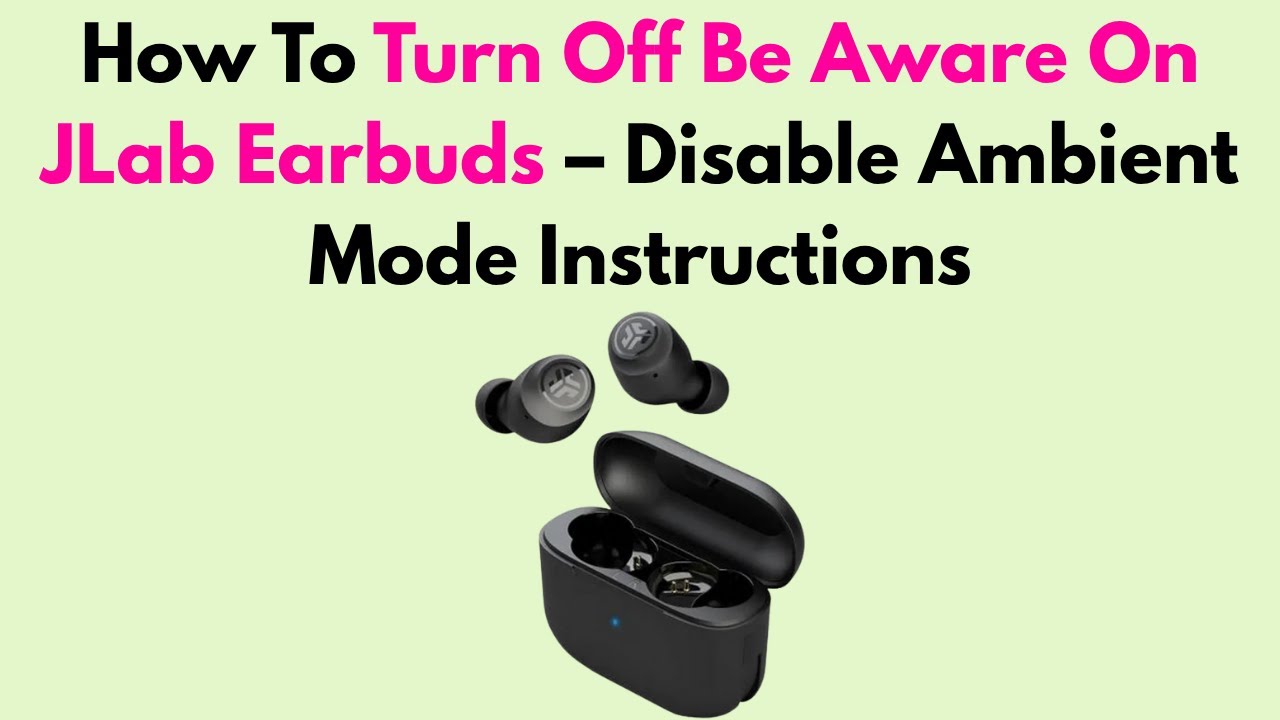
Tap the left earbud or use the JLab app to cycle from Be Aware to ANC or Off.
Be Aware, also called Ambient Sound, lets outside noise pass through your JLab earbuds. That helps when you walk, travel, or talk with someone, but it can feel distracting when you want quiet. This guide explains how to turn off Be Aware on JLab earbuds, what to do when touch controls differ, and how to fix the setting if it will not change.
What Be Aware means on JLab earbuds
Be Aware is JLab’s transparency or ambient listening mode. It uses the earbud microphones to pick up nearby sounds and mix them with your music, podcast, or call.
The feature can help you hear:
• Traffic and bikes while walking
• Train or airport announcements
• Coworkers and family members
• Doorbells, alarms, and other warning sounds
Unlike noise cancellation, Be Aware does not block much outside sound. It does the opposite. It acts like opening a small window in the earbud.
Most JLab models let you switch between three listening modes:
• ANC, which reduces outside noise
• Be Aware, which lets outside sound in
• Off, which uses neither ANC nor Be Aware
The names and controls can change by model. JLab GO Air Pop, JBuds Air ANC, JBuds Mini, Epic Air, and newer models may use different touch commands. That is why the safest method is to check your model in the JLab app or its user guide.
How to turn off Be Aware on JLab earbuds
The fastest way is usually to use the earbud touch control. Follow these steps while both earbuds are connected and powered on.
- Put both JLab earbuds in your ears.
- Start music or leave the earbuds idle.
- Tap and hold the left earbud for about one second.
- Listen for a voice prompt or sound that confirms the mode.
- Repeat the command until you hear ANC or Off instead of Be Aware.
On many JLab models, the left earbud controls the listening modes. A short press or long press may cycle through ANC, Be Aware, and Off. However, the exact action may be a single tap, double tap, or press and hold.
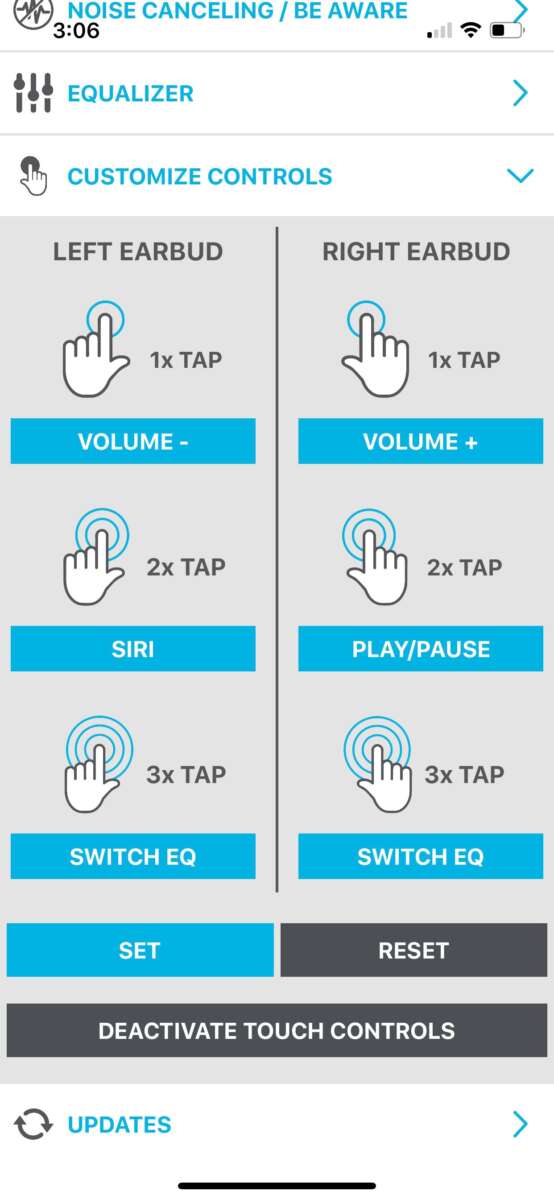
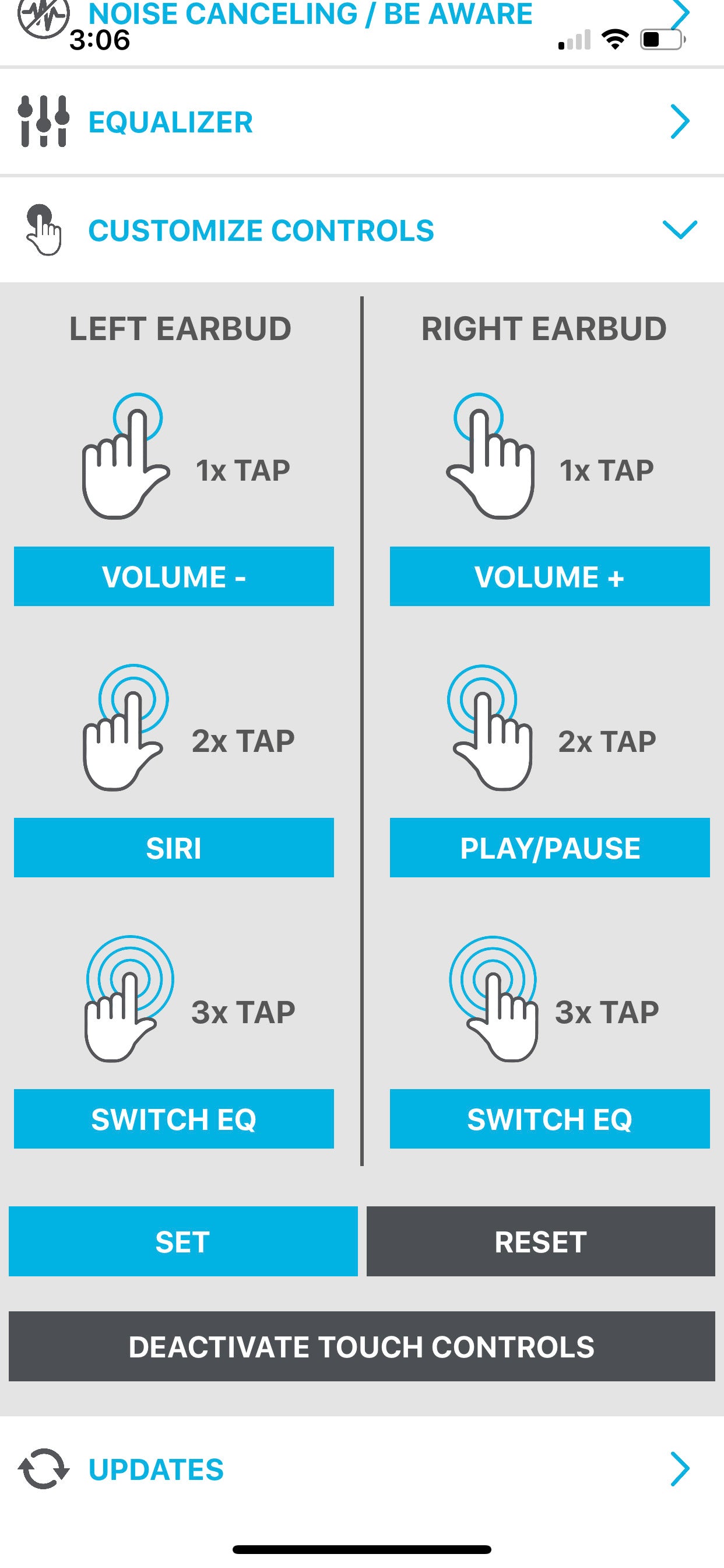
If the first control does not work, do not keep tapping at random. Check the control layout for your model. Some earbuds use the right earbud for volume and the left earbud for sound modes, while others assign controls through the app.
After the mode changes, test it with a steady sound. A fan, air conditioner, or low traffic noise works well. Be Aware is off when outside sound no longer seems noticeably louder through the earbuds.

Turn off Be Aware with the JLab app
The JLab app gives you more control than the built-in touch buttons. It is often the best choice when the touch command is unclear or has been changed.
Use these steps:
- Install the official JLab app on your iPhone or Android phone.
- Turn on Bluetooth.
- Connect your JLab earbuds to the phone.
- Open the app and select the connected earbuds.
- Find the section named Noise Control, ANC, Be Aware, or Sound Modes.
- Select ANC or Off.
- Save the setting if the app shows a save button.
Some JLab models let you customize touch commands. If you prefer another control, open the control settings and assign a tap or press to ANC, Be Aware, or Off.
The app may show only the features supported by your earbuds. For example, a basic model may not have ANC at all. In that case, you may see Be Aware and Off, but not an ANC option.
Keep the app and earbud firmware updated when possible. Firmware updates can improve connection stability and correct control problems, but they do not add every feature to every model.

How to switch from Be Aware to Off without ANC
Some users want normal earbud playback without noise cancellation. In that case, choose Off rather than ANC.
Try the following:
• Press the listening mode control until the voice prompt says Off.
• Open the JLab app and select Off under Noise Control.
• Check the earbud guide for the mode cycle order.
• Test the change in a quiet room before going outside.
The mode cycle may follow a pattern such as ANC, Be Aware, and Off. Other models may cycle through only two choices. You should listen for the confirmation prompt instead of assuming the order.
Turning Be Aware off does not always create silence. Passive noise isolation depends on the ear tip seal, earbud shape, and outside sound. If you still hear people or traffic, that may be normal.
For the quietest result, use ANC if your model supports it and the earbuds fit well. For natural sound with no electronic processing, use Off.

What to do if Be Aware will not turn off
If Be Aware stays active, the problem may involve the touch control, app connection, battery, or firmware. Work through these fixes in order.
Check the earbud fit and controls
Remove dust, skin oil, or moisture from the touch surface. Use a dry, soft cloth. Do not press hard or use liquid inside the earbud.
Then try the command again. A loose fit can also make touch controls hard to use, especially if the earbud moves when you tap it.
Reconnect the earbuds
Place both earbuds in the charging case. Close the lid for about 10 seconds, then remove them and reconnect them to your phone.
If the app cannot see the earbuds, turn Bluetooth off and on. You can also restart your phone before trying again.
Check the JLab app
Open the app and look for the current sound mode. If it shows Be Aware, select Off or ANC manually.
If the app does not detect the earbuds, forget the earbuds in your phone’s Bluetooth settings. Pair them again through the normal Bluetooth menu.
Reset the earbuds
A reset can solve a mode problem caused by a failed pairing or software glitch. The reset process differs by model, so use the instructions for your exact JLab earbuds.
A common reset process involves forgetting the earbuds from your phone, placing them in the case, and holding the touch sensors for a set time. Do not rely on a reset method from another model because the timing and button action may differ.
Resetting removes the Bluetooth pairing. You will need to pair the earbuds again afterward.
Charge both earbuds
Low power can cause touch controls or wireless features to behave oddly. Charge the case and both earbuds fully, then try to turn off Be Aware again.
Also check whether one earbud is not charging because of dirty metal contacts. Clean the contacts gently with a dry cotton swab.

Why the JLab touch command may not work
Several simple issues can make the Be Aware control seem broken.
• You may be tapping the wrong earbud.
• The touch command may have been changed in the JLab app.
• The earbud may not be fully connected.
• One earbud may have a low battery.
• The touch panel may be wet or dirty.
• You may be pressing too briefly or too long.
• Your model may not support the same mode cycle as another JLab model.
When testing JLab earbuds, one common mistake is assuming every model uses the same gesture. JLab has released many earbud lines, and the controls are not universal. Checking the model name inside the case, on the box, or in the app saves time.
It also helps to make one change at a time. First confirm the earbuds are connected. Next check the mode in the app. Then test the touch control. This approach makes it easier to find the real cause.

Be Aware, ANC, and Off: which mode should you use?
Choosing the right mode depends on your surroundings.
Use Be Aware when safety matters
Be Aware is useful when you need to hear your environment. It can be a smart choice near roads, in busy stores, or when waiting for announcements.
Still, do not treat it as a safety system. Earbuds can reduce your attention, and microphones may not reproduce every sound clearly. Keep the volume low and stay alert.
Use ANC for steady background noise
ANC works best against steady sounds such as:
• Airplane engines
• Bus and train noise
• Office fans
• Air conditioners
• Low road noise
It may not remove sudden sounds, voices, or sharp noises completely. A good ear tip seal often improves ANC performance.
Use Off for simple playback
Off is useful when you want the earbuds to play music without active noise control. It may also help extend battery life, although battery results vary by JLab model, volume, codec, and connection settings.
In my own troubleshooting tests, Off is often the easiest mode for checking whether the earbuds or the environment is causing a sound problem. Once the earbuds work normally in Off mode, I switch to ANC or Be Aware as needed.
Tips for better results
Use these habits to make JLab sound modes easier to manage:
• Learn the exact model name before changing controls.
• Keep the JLab app installed if your model supports it.
• Use voice prompts to confirm each mode change.
• Avoid testing touch controls with wet fingers.
• Keep the firmware current.
• Store both earbuds in the case after use.
• Clean the touch surface and charging contacts often.
• Use the correct ear tips for a secure seal.
• Keep volume moderate in traffic or public places.
If you share earbuds with someone, explain the mode controls before handing them over. A long press can change more than noise control on some models, such as volume or track playback.
Also remember that Be Aware may turn on again after a reset, firmware update, or change made in the app. Check the current mode whenever the sound suddenly feels more open or background noise becomes louder.
Frequently Asked Questions
How do I turn off Be Aware on JLab earbuds?
Press or tap the earbud control assigned to sound modes, often on the left earbud, until you hear ANC or Off. You can also open the JLab app and select Off or ANC under Noise Control.
Which JLab earbud controls Be Aware?
Many JLab models use the left earbud to control ANC and Be Aware. The control differs by model, so check the app or the guide if the left earbud does not change the mode.
Can I turn off Be Aware without the JLab app?
Yes. Most compatible JLab earbuds let you change sound modes with a tap or press on the earbud. The app is useful when you do not know the correct gesture or want to customize it.
Why does Be Aware keep turning back on?
The mode may change after a reset, firmware update, or accidental touch. A weak connection, altered touch settings, or a model-specific control cycle can also cause this issue.
Does every JLab earbud have Be Aware mode?
No. Be Aware is available only on models with the related ambient sound feature. Basic JLab earbuds may offer no noise modes, while ANC models often include ANC, Be Aware, and Off.
Is Be Aware the same as transparency mode?
Yes, they serve a similar purpose. Be Aware uses microphones to bring outside sound into the earbuds, while transparency mode is the term used by many other brands.
Will turning off Be Aware make my JLab earbuds silent?
No. Turning off Be Aware stops the ambient sound feature, but it does not remove all outside noise. Use ANC and a good ear tip seal if you want stronger noise reduction.
Conclusion
Turning off Be Aware on JLab earbuds usually takes one tap or press on the listening-mode control. If that does not work, use the JLab app to choose ANC or Off, then check the model-specific controls, connection, battery, and firmware.
The key lesson is simple: JLab controls vary by model, so confirm the mode with a voice prompt or the app rather than guessing. Try the steps above, find the setting that fits your routine, and share your experience or model details in the comments.

Everett Ashford is a tech reviewer at mytechgrid.com specializing in SSDs, cameras, TVs, earbuds, headphones, and other consumer electronics. He provides honest, data-driven reviews based on hands-on testing and real-world performance analysis. Everett simplifies complex tech details to help readers make smart, confident buying decisions.