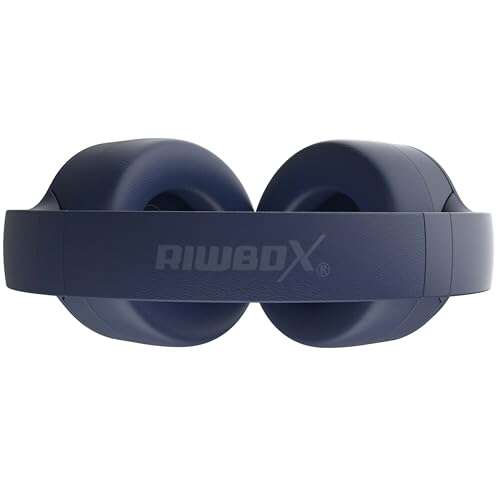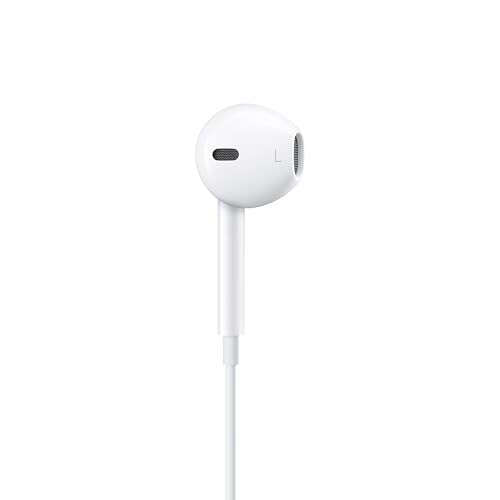
The best headphones for MacBook Pro balance clear sound, easy connection, comfort, and reliable controls.
You open your MacBook Pro for a meeting, music session, or late-night movie, then face a small but annoying problem: which headphones should you use? A good pair can make calls clearer, block office noise, and let you enjoy rich sound without cable clutter. I reviewed these wired, USB-C, 3.5mm, and wireless options with real MacBook Pro needs in mind. I focused on connection type, comfort, controls, portability, and value so you can choose with less guesswork.
Apple EarPods USB-C Wired Headphones

Apple EarPods with a USB-C plug are a simple match for newer MacBook Pro models. The wired design starts playing as soon as you connect it, so there is no pairing menu or battery to manage. The familiar earbud shape feels light during work, study, and short calls. I also like that the built-in remote gives you quick access to music, calls, and volume.
This pair makes sense for Mac users who want an Apple-style fit without paying for wireless earbuds. The USB-C connector suits MacBook Pro models with USB-C ports, but the fit remains personal because these earbuds do not use soft sealing tips. Sound is direct and clean for podcasts, video calls, and everyday music. For a long flight or loud room, though, the open fit will not block much outside noise.
Pros:
- Direct USB-C connection with no pairing
- Lightweight design for daily use
- Built-in remote for calls, volume, and music
- No charging is required
- Apple-friendly look and simple operation
- Useful choice for video meetings and study
Cons:
- Open fit offers limited noise isolation
- Earbud shape may not suit every ear
- Wire can snag while moving around
My Recommendation
I recommend these EarPods for MacBook Pro owners who want the easiest wired setup. They work well for students, office workers, and anyone who dislikes charging small devices. The remote is useful when your MacBook sits on a desk or stand. In my view, this is one of the best headphones for MacBook Pro options for simple calls and casual listening, especially when low cost matters.
| Best for | Why |
|---|---|
| Everyday Mac use | The USB-C plug makes setup fast and simple. |
| Calls and classes | The inline remote helps manage calls and sound. |
| Budget shoppers | The wired design avoids battery and wireless costs. |
Beats Studio Pro Wireless Headphones
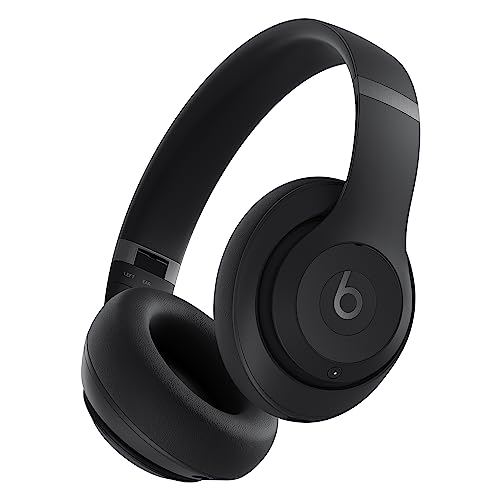
Beats Studio Pro is the most capable all-around choice in this list. It combines wireless listening, active noise cancellation, a transparency mode, and up to 40 hours of battery life as listed by the manufacturer. The over-ear design creates a more immersive feel than basic earbuds. It also supports USB-C audio and works with Apple and Android devices.
With a MacBook Pro, pairing is convenient, and the large earcups help soften office noise before you even turn on noise cancellation. I find this style better for long music sessions, travel, editing, and focused work. USB-C charging fits naturally into a modern Mac setup, while the included wired options can add flexibility depending on the package and connection mode. These headphones cost more than simple earbuds, but the extra features give them a wider role.
Pros:
- Active noise cancellation for busy spaces
- Transparency mode helps you hear your surroundings
- Up to 40 hours of battery life according to the listing
- Over-ear cups support a more immersive listening experience
- USB-C audio support adds connection flexibility
- Works with both Apple and Android devices
Cons:
- Costs more than basic wired headphones
- Over-ear design is larger in a laptop bag
- Fit and heat may bother some users during long sessions
My Recommendation
I would choose Beats Studio Pro for commuters, travelers, remote workers, and music fans who want one strong pair for many tasks. It is especially useful when your MacBook Pro shares space with a noisy room, plane, or coffee shop. The long battery claim reduces charging stress, and the USB-C features suit current laptops. If you want the best headphones for MacBook Pro with wireless freedom and noise control, this is the strongest premium pick here.
| Best for | Why |
|---|---|
| Travel and commuting | Noise cancellation and long battery life help on the move. |
| Focused work | Over-ear cups and ANC can reduce common distractions. |
| Mixed-device homes | Apple and Android compatibility adds value. |
Beats Studio Pro in Sandstone

The Sandstone version of Beats Studio Pro offers the same core headphone concept in a softer, more distinctive color. It provides wireless listening for your MacBook Pro, plus active noise cancellation and transparency mode. The listed battery life reaches up to 40 hours, which is useful for work trips and long study days. Its over-ear build gives music a fuller presentation than small in-ear models.
I see this version as a style-focused alternative rather than a different performance class. The neutral color can blend well with a desk, travel bag, or office outfit. USB-C audio support is a useful feature for users who want a modern wired connection, while Bluetooth keeps the desk clear. As with any large headset, check comfort and headband pressure during extended use before making it your only pair.
Pros:
- Modern Sandstone color offers a distinct look
- Active noise cancellation supports focused listening
- Transparency mode helps maintain awareness
- Up to 40 hours of listed battery life
- USB-C audio adds useful versatility
- Suitable for Apple and Android products
Cons:
- Large compared with wired earbuds
- Premium price may exceed a basic laptop budget
- Color preferences vary and may show marks
My Recommendation
I recommend the Sandstone model to MacBook Pro users who want premium features without a plain black design. It suits remote workers, creators, students, and travelers who value both comfort and appearance. The ANC, battery life, and USB-C support make it more than a fashion choice. For shoppers seeking the best headphones for MacBook Pro in a stylish finish, this model deserves a close look.
| Best for | Why |
|---|---|
| Style-conscious users | The Sandstone finish looks different from common black sets. |
| Long work days | The listed battery capacity supports extended use. |
| Quiet and aware listening | ANC and transparency provide two useful sound modes. |
3.5mm Wired Earbuds for MacBook Pro

These white 3.5mm wired earbuds target MacBook Pro and MacBook Air users who still want a traditional headphone jack. Their plug-and-play design keeps the experience simple. You do not need Bluetooth, an app, or a charging case. The compact shape also takes very little room in a laptop pouch.
This type of earbud can be a smart buy for older MacBook models or for anyone who already owns other devices with a 3.5mm port. The wired signal avoids wireless delay and pairing confusion during basic video calls and media playback. The white finish has a clean, familiar look. However, newer MacBook Pro models commonly rely on USB-C ports, so you may need a compatible adapter depending on your exact laptop.
Pros:
- Simple 3.5mm plug-and-play setup
- Lightweight and easy to carry
- No battery or charging case required
- Useful for older MacBook models with headphone ports
- Wired sound avoids Bluetooth pairing steps
- White design looks clean and familiar
Cons:
- May need an adapter for some newer MacBook Pro models
- Open earbuds provide limited outside-noise blocking
- Cable movement can create desk clutter
My Recommendation
I recommend these earbuds for users who want a low-cost backup pair or own a MacBook with a 3.5mm port. They fit students, shared offices, and families who need several simple headsets. They are not the best pick for loud commutes or deep bass, but they handle calls, lectures, and casual video well. Among budget choices, they can be the best headphones for MacBook Pro when a classic analog connection is the priority.
| Best for | Why |
|---|---|
| Older MacBook models | The 3.5mm plug connects without a USB adapter. |
| Backup listening | The wired design works whenever wireless headphones need charge. |
| Small bags | The earbuds take up very little space. |
USB-C to 3.5mm Adapter, Two-Pack

This two-pack is not a headphone set by itself. Instead, it lets you use compatible 3.5mm headphones with a MacBook Pro USB-C port. That makes it valuable for people who already own wired earbuds, gaming headsets, or studio headphones. Having two adapters can also help when one stays in a travel bag and one stays at your desk.
The listing describes compatibility with Apple, Samsung, Pixel, iPad, and other USB-C devices. I still suggest checking your exact MacBook model and headset controls before buying, since adapter support can vary. A good adapter should carry clear audio without adding a wireless delay. This is a practical way to extend the life of older headphones rather than replacing them.
Pros:
- Lets 3.5mm headphones work with USB-C ports
- Two-pack offers a spare or shared-use option
- Useful across phones, tablets, and laptops
- Preserves existing wired headphone investments
- Small size suits travel and desk storage
- No battery or Bluetooth setup is needed
Cons:
- It is an adapter, not a complete headphone solution
- Some headset buttons or microphones may need testing
- Extra connection length can be easy to misplace
My Recommendation
I recommend this adapter to MacBook Pro owners who already enjoy a favorite 3.5mm headset. It is also helpful for homes with several USB-C devices. The two-pack adds convenience and gives you a spare if one disappears in a backpack. If your goal is finding the best headphones for MacBook Pro without buying new headphones, this accessory may offer the best value.
| Best for | Why |
|---|---|
| Existing 3.5mm headphones | It bridges an analog plug and a USB-C laptop port. |
| Travelers | A second adapter can stay in a separate bag. |
| Multi-device homes | The design can support several USB-C products. |
USB-C Wired Earbuds, Two-Pack
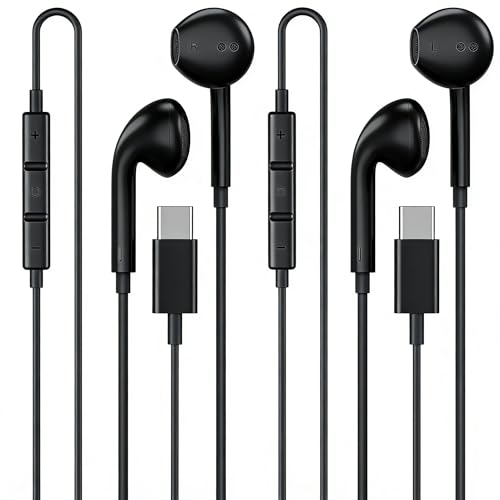
These USB-C wired earbuds come as a two-pack and are marketed as Apple MFi certified for newer iPhone models. For MacBook Pro users, the main appeal is direct USB-C connection and a spare set. Wired earbuds can be easier than Bluetooth when you need quick audio for a meeting or class. Their small shape makes them simple to keep in a desk drawer.
I would treat the two-pack as a convenience buy for families, students, or people who often lose small accessories. The USB-C plug should match a MacBook Pro port, but I always advise checking device support and the listing details before ordering. These earbuds are better for calls, podcasts, and daily video than for users who demand deep isolation. Their value comes from access and quantity rather than premium sound tuning.
Pros:
- Two earbuds provide a useful spare
- USB-C connection suits newer MacBook Pro ports
- No charging or wireless pairing is needed
- Compact design is easy to store
- Helpful for families and shared work areas
- MFi certification claim may appeal to Apple users
Cons:
- Open earbud fit may not block much noise
- Sound quality may not satisfy serious music listeners
- Check microphone and control support for your Mac
My Recommendation
I recommend this pack for students, families, and office users who want two basic USB-C sets. It is a sensible option when losing or forgetting earbuds is common. The direct connection keeps setup quick, and the spare adds peace of mind. For shoppers who want affordable best headphones for MacBook Pro choices in quantity, this pack is worth considering.
| Best for | Why |
|---|---|
| Shared households | Two sets can serve two users or two locations. |
| Students | Simple wired use works for class and study sessions. |
| Backup needs | A spare pair reduces downtime when one is lost. |
Apple USB-C to 3.5mm Headphone Adapter

This Apple USB-C to 3.5mm adapter is a compact bridge for users who prefer classic wired headphones. It can help connect compatible analog headphones to a MacBook Pro USB-C port. The small accessory fits easily beside a laptop charger or inside a sleeve pocket. It also avoids the battery concerns that come with wireless audio.
I like this type of adapter for users who already own comfortable wired headphones and do not want to replace them. It can also make a good emergency item for a work bag. Before purchase, confirm your MacBook has the needed USB-C port and that your headset uses a standard 3.5mm connector. Remember that an adapter adds one more piece to carry, but it can save money over a new premium headset.
Pros:
- Compact way to use 3.5mm headphones
- Designed for a USB-C connection
- No wireless pairing or charging required
- Useful for work bags and travel kits
- Can extend the life of existing headphones
- Simple setup for calls and media playback
Cons:
- Does not include headphones
- Easy to lose because of its small size
- Compatibility with every headset feature should be checked
My Recommendation
I recommend this adapter when you already own a trusted wired headset. It suits MacBook Pro users who value dependable sound and do not need wireless freedom. The compact form makes it a useful desk and travel accessory. If your current headphones are comfortable, this may be a smarter purchase than starting over when choosing the best headphones for MacBook Pro.
| Best for | Why |
|---|---|
| Wired headphone owners | It connects a familiar 3.5mm set to USB-C. |
| Emergency kits | Its small size fits in a laptop sleeve. |
| Simple audio | It avoids battery, apps, and pairing steps. |
USB-C Over-Ear Headphones With Mic

These black USB-C over-ear headphones focus on comfort, a built-in microphone, and easy controls. The over-ear shape can feel more secure than loose earbuds, especially during school or desk work. The wired USB-C connection keeps audio ready without charging. The listing also highlights volume control, which can make everyday laptop use more convenient.
This model seems aimed at students, classrooms, and home users who want a full headset without a premium price. The earcups may offer more passive noise reduction than open earbuds, though they should not be confused with active noise cancellation. The microphone can help with online lessons and calls, but room noise performance may vary. I would check the cable length and fit before using it for long recording sessions.
Pros:
- Over-ear design can feel stable during use
- USB-C plug supports newer MacBook Pro models
- Built-in microphone helps with calls and lessons
- Volume control adds quick access
- No battery or Bluetooth setup is needed
- Black finish suits school and office settings
Cons:
- Wired cable limits movement
- Not a replacement for active noise cancellation
- Fit and earcup pressure may vary by user
My Recommendation
I recommend these headphones for students, teachers, remote learners, and casual home users. They are a practical choice when you want a microphone and larger earcups at a modest cost. The USB-C plug makes them a natural match for many current MacBook Pro setups. For basic calls and lessons, they may be among the best headphones for MacBook Pro if you prefer a wired over-ear fit.
| Best for | Why |
|---|---|
| Online classes | The mic and volume control support simple lessons. |
| Desk work | USB-C audio works without charging or pairing. |
| Over-ear fans | The larger shape feels different from small earbuds. |
Two-Pack USB-C Headphones for Mac
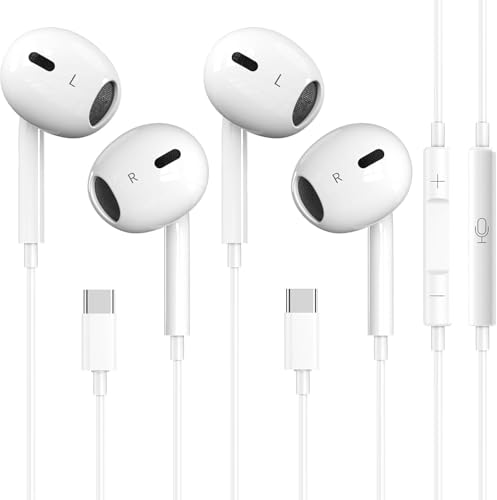
This two-pack is made for users who want basic USB-C headphones for a Mac, iPad, or compatible phone. The wired format keeps things quick: plug in, choose the output device if needed, and listen. Two sets provide a practical advantage for families, classrooms, or people who need a backup. The small earbuds are also easier to pack than full-size headphones.
I see this product as a value-first option rather than a high-end audio tool. It can handle podcasts, video calls, streaming, and general laptop sound. Since USB-C headphone support can vary by device, I suggest checking your exact MacBook Pro model and the seller’s compatibility notes. The two-pack is most useful when convenience matters more than advanced tuning or noise control.
Pros:
- Two wired sets offer extra value
- USB-C plug suits many newer Mac devices
- No battery or wireless pairing is needed
- Compact earbuds are easy to pack
- Useful for families and shared workspaces
- Good fit for basic calls and streaming
Cons:
- Limited noise isolation compared with sealed headphones
- Audio may not satisfy demanding listeners
- Check compatibility before ordering
My Recommendation
I recommend this pack for budget shoppers who need two basic sets at once. It is a strong fit for families, students, and shared offices where spare headphones disappear quickly. The direct USB-C connection keeps daily use simple. If you want affordable best headphones for MacBook Pro options and do not need ANC, this two-pack offers useful convenience.
| Best for | Why |
|---|---|
| Families | Two sets can cover more than one listener. |
| Budget setups | The pack adds value without wireless costs. |
| Light travel | Small earbuds fit easily in a carry case. |
USB-C Earbuds With Mic and Volume Control
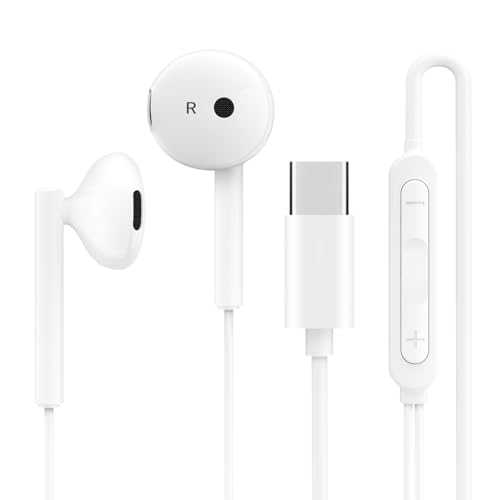
These USB-C earbuds are designed for several devices, including MacBook, iPad, Samsung, Google Pixel, Lenovo, and Dell products. The built-in microphone and volume controls make them more useful than bare listening earbuds. Their wired design removes the need to maintain a battery. For quick calls, videos, and music, the setup should feel familiar and direct.
The broad compatibility claim makes this model attractive to people who use more than one brand of device. I would still verify your exact MacBook Pro port and test the microphone with your preferred meeting app. The earbud style stays light and portable, but it will not create the same seal or bass response as quality over-ear headphones. This is a practical daily pair for users who value controls and cross-device use.
Pros:
- USB-C connection works with many listed devices
- Built-in microphone supports calls
- Volume control improves daily convenience
- Lightweight shape suits portable use
- No charging or Bluetooth pairing is required
- Useful for Mac, tablet, and phone owners
Cons:
- Open earbud design limits noise blocking
- Cross-device features should be verified
- Not ideal for users who want deep bass or ANC
My Recommendation
I recommend these earbuds for people who move between a MacBook Pro, tablet, and phone. They are especially handy for calls, podcasts, and short work sessions. The mic and volume buttons add real value over a plain pair of earbuds. For users who need flexible, low-maintenance best headphones for MacBook Pro, this model is a sensible everyday choice.
| Best for | Why |
|---|---|
| Multi-device users | The listing covers Mac, iPad, Android, and PC products. |
| Calls on the go | The inline mic and controls support quick communication. |
| Portable listening | The earbud shape stores easily in a small pocket. |
How to Choose the Best Headphones for MacBook Pro
Start with the port. Many recent MacBook Pro models use USB-C ports, but Apple laptops may also include a 3.5mm headphone jack depending on the model and year. A USB-C headset offers direct digital connection, while a 3.5mm headset may need an adapter. Check your laptop before you buy; this one step prevents many returns.
Next, decide between wired and wireless sound. Wired headphones turn on at once and do not need charging. Wireless headphones give you freedom to move and often include features such as ANC, transparency mode, and device switching. I prefer wired models for simple desk work and wireless models for travel or long periods away from a charger.
Fit matters as much as sound. Earbuds feel light, but their shape may not suit every ear. Over-ear headphones usually offer a fuller seal and better passive isolation, though they can feel warm or heavy. If you wear glasses, look for gentle earcup pressure and a flexible headband.
For calls, check the microphone and control layout. A volume button is useful, but not every headset control works the same way on every computer. A built-in mic can help with meetings, yet room noise and app settings still affect call quality. I recommend testing the mic in macOS before an important meeting.
Noise cancellation is useful in planes, shared rooms, and busy offices. It does not make every sound vanish, and it can change how music feels. Transparency mode is helpful when you need to hear a doorbell, coworker, or station announcement. Basic wired earbuds usually cost less, but premium wireless headphones offer more ways to manage sound.
MacBook Pro Headphone Compatibility Tips
After connecting headphones, open the sound controls in macOS and confirm the correct output device. A USB-C headset may appear as its own audio device. With Bluetooth headphones, pair them through the Mac’s Bluetooth settings and select them as the sound output. If sound does not play, disconnect other audio devices and check the volume slider.
Some USB-C ports support data and audio, while accessory behavior can differ by product. That is why I avoid promising that every USB-C headset will work with every device feature. Check the product details, your MacBook model, and return terms. This is especially important for headset buttons and microphone support.
For 3.5mm headphones, you may not need any setup if your MacBook has a headphone port. If it only has USB-C, use a compatible USB-C audio adapter. A good adapter should be firm in the port and should not cut out when you move the cable.
FAQs Of best headphones for macbook pro
Can I use USB-C headphones with a MacBook Pro?
Yes, many USB-C headphones work with MacBook Pro models that have compatible USB-C ports. Check the product listing and your exact laptop model first. Microphone and control support may vary.
Are wireless headphones better than wired headphones for MacBook Pro?
Wireless headphones offer freedom and useful features such as ANC. Wired headphones start instantly and never run out of battery. The better choice depends on whether convenience or mobility matters more to you.
Do I need an adapter for 3.5mm headphones?
You need an adapter if your MacBook Pro does not offer a 3.5mm headphone port. A USB-C to 3.5mm adapter can connect standard wired headphones to a compatible USB-C port.
What headphones are best for MacBook Pro video calls?
Choose a model with a clear microphone, comfortable fit, and stable connection. The USB-C over-ear model and USB-C earbuds with controls are practical wired choices. Beats Studio Pro is better if you also want wireless use and noise control.
Can I use Beats Studio Pro with a MacBook Pro?
Yes. The product listing identifies Beats Studio Pro as compatible with Apple devices. You can use its wireless connection, and its USB-C features add another option depending on your setup.
Final Verdict: Which Should You Buy?
Beats Studio Pro is my top pick for the best headphones for MacBook Pro because it combines wireless freedom, ANC, long battery life, and USB-C flexibility. For low cost, choose Apple EarPods or a USB-C wired pair.
Match the connector to your MacBook first, then choose the fit you can wear for hours. The best headphones for MacBook Pro should make work, calls, travel, and music feel easy.

Everett Ashford is a tech reviewer at mytechgrid.com specializing in SSDs, cameras, TVs, earbuds, headphones, and other consumer electronics. He provides honest, data-driven reviews based on hands-on testing and real-world performance analysis. Everett simplifies complex tech details to help readers make smart, confident buying decisions.