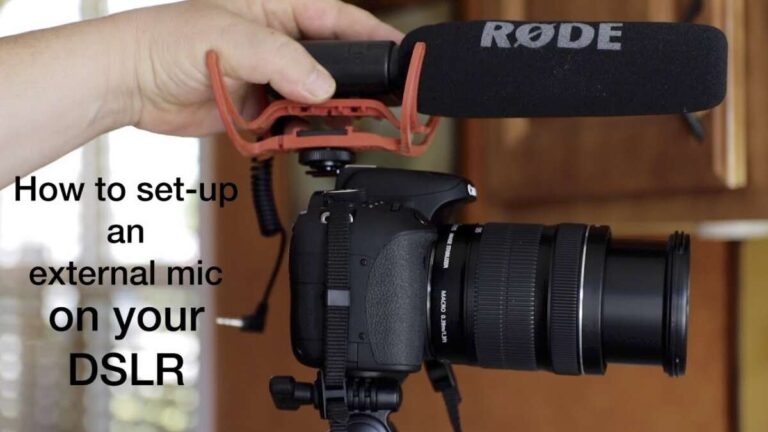
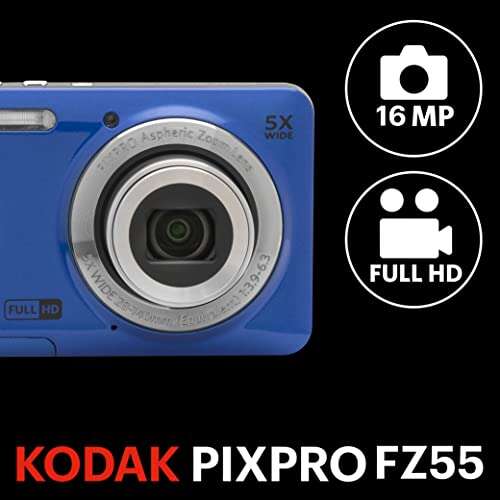
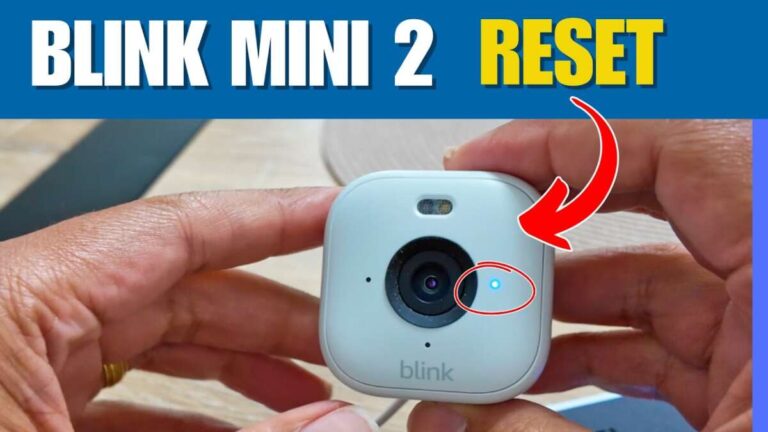
A digital camera contains a lens, image sensor, processor, memory, battery, screen, shutter, and many tiny control parts.
Understanding what’s inside a digital camera makes photography less mysterious. Each part has a clear job, from gathering light to saving a finished image. This guide explains the camera’s internal parts in simple terms, with practical tips based on common camera design and real-world use.
What’s Inside a Digital Camera?
A digital camera is a small electronic system that turns light into a digital image. It combines optical parts, electronic circuits, software, and mechanical controls.
The main parts inside most digital cameras include:
• Lens or lens mount: Directs light toward the sensor.
• Aperture: Controls how much light enters.
• Shutter: Controls how long the sensor sees light.
• Image sensor: Converts light into electrical signals.
• Image processor: Turns those signals into a photo.
• Memory card: Stores photos and videos.
• Battery: Supplies power to the camera.
• LCD screen or electronic viewfinder: Helps you frame and review images.
• Autofocus system: Finds and tracks subjects.
• Body and internal frame: Protects and supports the parts.
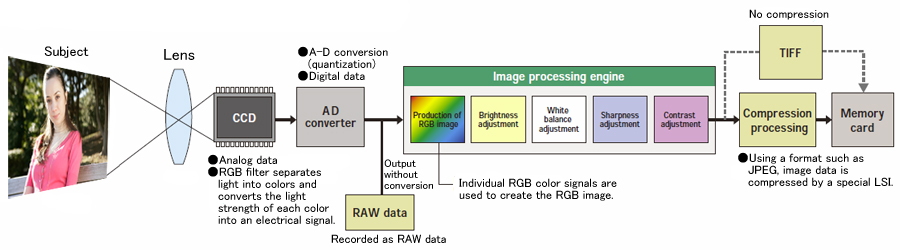
Think of the camera as a small factory. The lens brings in raw material, the sensor reads it, the processor improves it, and the memory card stores the final product.
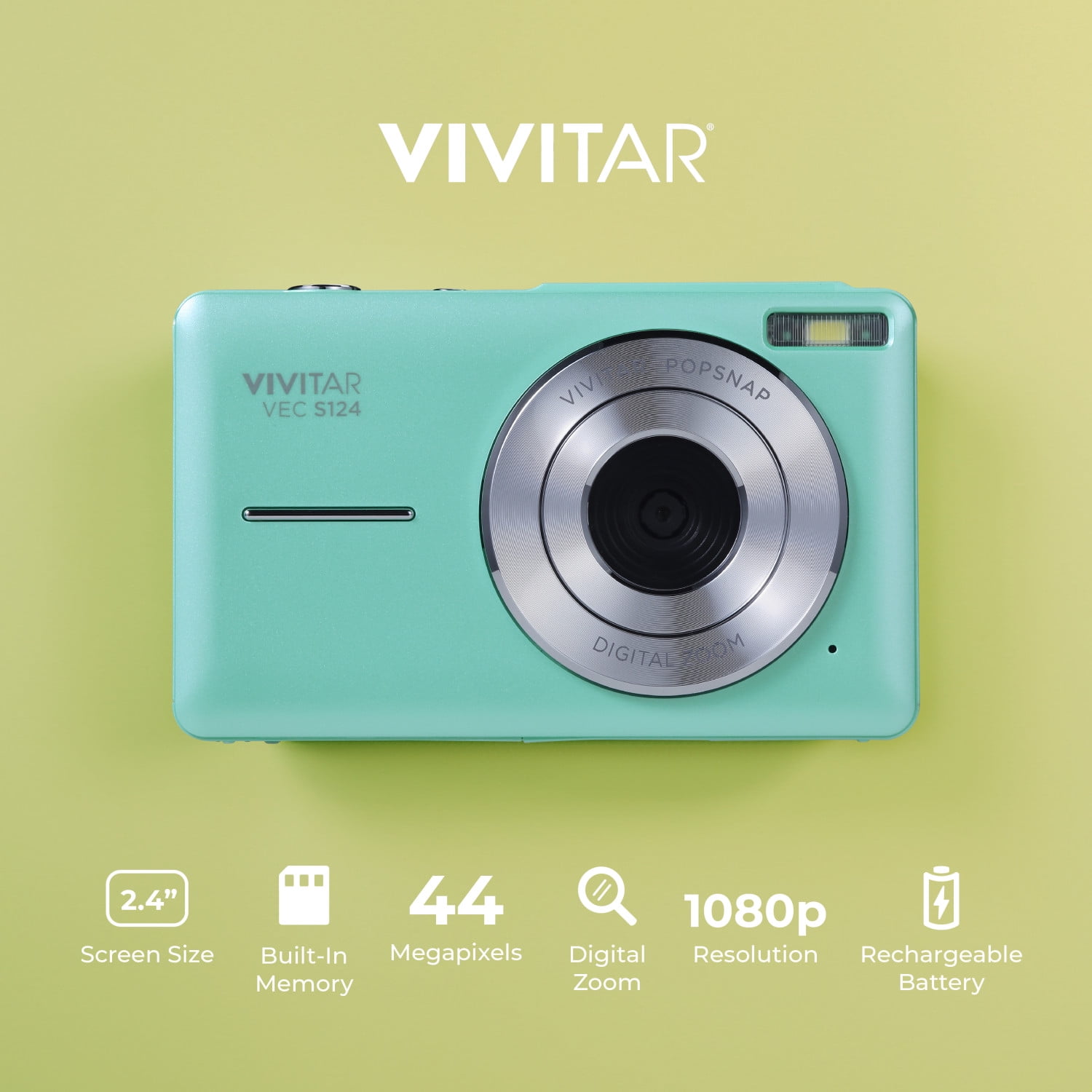
The Lens: The Camera’s First Light-Gathering Part
The lens is the first major answer to what’s inside a digital camera. It contains several glass or plastic elements that bend and focus light onto the image sensor.
A lens may be built into the camera body or attached through a lens mount. Compact cameras and smartphones usually use fixed lenses. Mirrorless and DSLR cameras use interchangeable lenses.
Lens elements
Modern lenses contain multiple elements. Each element has a specific curve and position. Together, they help control:
• Sharpness
• Zoom range
• Distortion
• Color fringing
• Light loss
• Background blur
A wide-angle lens shows more of a scene. A telephoto lens makes distant subjects appear closer. A macro lens focuses on very small objects, such as insects or jewelry.
Aperture blades
Inside the lens is an aperture. It often uses overlapping blades to form an opening. This opening changes size as you adjust the f-stop.
A wide aperture, such as f/1.8, lets in more light and can create a soft background. A narrow aperture, such as f/11, lets in less light but keeps more of the scene sharp.
One lesson many new photographers learn is that aperture does more than brighten or darken a photo. It also changes the mood and depth of the image.
The Image Sensor: Where Light Becomes Data
The image sensor is one of the most important parts inside a digital camera. It replaces the film used in older cameras.
A sensor contains millions of tiny light-sensitive sites called photosites. Each photosite measures the light that reaches it. The camera then combines these measurements to create pixels in the final image.
CMOS and other sensor types
Most modern digital cameras use CMOS sensors. CMOS technology is popular because it uses relatively little power and supports fast image capture.
Some cameras use other sensor designs. The exact technology varies, but the basic task remains the same: measure light and produce an electronic signal.
Sensor size
Sensor size affects image quality, low-light performance, and depth of field. Common sizes include:
• Full frame: About the size of 35mm film.
• APS-C: Smaller than full frame and common in enthusiast cameras.
• Micro Four Thirds: Smaller still, with compact lenses and bodies.
• One-inch type: Common in advanced compact cameras.
• Smartphone sensors: Usually smaller, though advanced phones use powerful software to improve results.
A larger sensor can collect more light, but it does not automatically make every photo better. Lens quality, focus, exposure, image processing, and technique also matter.
Color filters and pixels
Most sensors do not measure full color at every photosite. A color filter pattern usually places red, green, and blue filters over the photosites. The camera estimates full-color pixels from nearby readings.
This process is called demosaicing. It is one reason the image processor matters so much.
The Shutter: Controlling Exposure Time
The shutter controls how long light reaches the image sensor. It is another key part of what’s inside a digital camera.
Many interchangeable-lens cameras use a mechanical shutter. It contains thin curtains or blades that open and close. Some cameras also offer an electronic shutter, which reads the sensor without moving mechanical parts.
Mechanical shutters
A mechanical shutter can help create natural-looking motion and reduce certain electronic shutter effects. However, it has moving parts that can wear over time.
Electronic shutters
An electronic shutter can operate quietly and at very high speeds. It is useful for wildlife, stage performances, and situations where camera noise would be distracting.
Its main limitation is rolling shutter. If the sensor reads the scene line by line, fast movement may look bent or stretched.
Shutter speed
A fast shutter speed can freeze motion. A slow shutter speed can create blur or show movement as a smooth trail.
For example:
• 1/1000 second can freeze a running athlete.
• 1/125 second works well for many everyday photos.
• Several seconds can capture light trails at night.
A common mistake is blaming the lens for a blurry image when the real cause is a slow shutter speed or camera shake.

The Image Processor: The Camera’s Digital Brain
The image processor handles the data from the sensor. It is one of the most complex answers to what’s inside a digital camera.
The processor performs tasks such as:
• Converting raw sensor signals into color.
• Reducing digital noise.
• Correcting lens distortion.
• Sharpening details.
• Adjusting contrast and brightness.
• Creating JPEG or HEIF files.
• Recording video.
• Tracking subjects for autofocus.
• Managing face and eye detection.
The processor also controls the camera’s menus, display, wireless features, and file system.
JPEG and RAW processing
When a camera creates a JPEG, the processor makes many decisions for you. It applies color, contrast, sharpening, and noise reduction.
A RAW file keeps much more original sensor information. It gives you greater control during editing, but it requires software and more storage space.
Neither format is always best. JPEG is convenient for quick sharing. RAW is useful when you want to make careful edits or recover detail from bright and dark areas.

Autofocus and Metering Systems
Autofocus helps the camera find a sharp subject. Modern systems may use phase detection, contrast detection, or a combination of both.
Phase-detection autofocus can quickly estimate whether the lens needs to move forward or backward. Contrast detection checks image detail and adjusts the lens until the image appears sharp.
Many current cameras can detect:
• Faces
• Eyes
• Animals
• Birds
• Cars
• Planes
• Trains
The camera also has a metering system. Metering measures the light in the scene and recommends settings for shutter speed, aperture, and sensitivity.
Common metering modes include:
• Evaluative or matrix metering: Considers much of the frame.
• Center-weighted metering: Gives more importance to the middle.
• Spot metering: Measures a small area.
Autofocus and metering are helpful, but they can make mistakes. A very bright background may cause a subject to look too dark. A plain wall may confuse autofocus. Checking the screen and histogram can help you catch these problems.
The Viewfinder, LCD Screen, and Controls
The viewfinder and LCD screen show what the camera sees. A DSLR may use an optical viewfinder with a mirror and prism. A mirrorless camera usually uses an electronic viewfinder.
An electronic viewfinder displays a live feed from the sensor. It can show exposure changes, focus areas, color settings, and a preview of the final image.
The LCD screen may support touch controls. It can help with:
• Framing photos from unusual angles.
• Selecting focus points.
• Reviewing sharpness.
• Changing menu settings.
• Recording video.
Physical controls remain important. Dials and buttons often provide faster access than touch menus, especially while wearing gloves or working in bright sunlight.
One practical tip is to learn the location of the exposure, autofocus, and playback controls before an important event. Searching through menus at the wrong moment can cost a great shot.

The Battery, Circuit Boards, and Power System
A rechargeable battery powers nearly every electronic part inside a digital camera. It supplies energy to the sensor, processor, display, autofocus motor, memory system, and wireless hardware.
Inside the body, circuit boards connect these parts. They carry power and data through tiny pathways. A camera may contain several boards for processing, storage, controls, and communication.
Battery life depends on several factors:
• LCD or viewfinder use.
• Video recording.
• Image stabilization.
• Wireless connections.
• Autofocus activity.
• Temperature.
Cold weather can reduce battery performance. Video also uses more power than simple photo capture.
For important work, carry a spare battery and keep it warm in cold conditions. Avoid storing loose batteries with metal objects, because coins and keys can create a short circuit.
Memory Cards and Image Storage
A memory card stores photos and videos after the processor creates them. Common card types include SD, microSD, and CFexpress.
Card speed matters most when you shoot bursts or record high-resolution video. A slow card may cause the camera’s buffer to fill quickly.
Important card features include:
• Capacity: How much data the card can hold.
• Write speed: How quickly the camera can save data.
• Read speed: How quickly files can transfer to a computer.
• Reliability: How well the card handles regular use.
A useful workflow is to format the card in the camera after backing up your files. Do not remove the card while the camera is writing data. That can damage the file structure.
Memory cards are not permanent archives. Keep at least two copies of important photos on separate storage devices.
Image Stabilization and Other Moving Parts
Many cameras and lenses include image stabilization. This system reduces the effect of hand movement during shooting.
Optical stabilization may move lens elements. Sensor-shift stabilization moves the sensor itself. Some cameras combine both methods.
Image stabilization is helpful when photographing still subjects in low light. It does not usually freeze a moving person or animal. For moving subjects, you still need a fast shutter speed.
Other moving parts may include:
• Autofocus motors.
• Zoom mechanisms.
• Aperture blades.
• Mirror assemblies in DSLR cameras.
• Shutter curtains.
• Lens contacts.
These parts need careful handling. Dust, sand, moisture, and impact can cause problems. A camera bag is not just a comfort item; it helps protect a precise mechanical system.
DSLR and Mirrorless Camera Interiors
The answer to what’s inside a digital camera changes slightly between DSLR and mirrorless designs.
A DSLR uses a mirror to reflect light upward into an optical viewfinder. When you press the shutter button, the mirror moves up so light can reach the sensor.
A mirrorless camera removes this mirror box. Light travels directly to the sensor, and the electronic viewfinder displays the scene.
DSLR advantages
• Optical viewfinder with a direct view.
• Long battery life in some models.
• Mature lens systems.
• Strong performance for certain types of photography.
Mirrorless advantages
• Smaller body designs in many models.
• Electronic exposure preview.
• Fast subject detection.
• Quiet shooting options.
• Excellent video features.
Neither design is automatically better for every photographer. The best choice depends on lens selection, handling, battery needs, video use, and budget.
How a Digital Camera Takes a Photo
The complete process happens in a fraction of a second.
-
Light enters through the lens.
-
The aperture controls the amount of light.
-
The shutter controls the exposure time.
-
The sensor records the light.
-
The camera converts the signal into digital data.
-
The processor applies color and image corrections.
-
The camera creates a JPEG, RAW file, or video frame.
-
The memory card stores the file.
-
The screen or viewfinder shows the result.
This process explains why each setting matters. Aperture changes light and depth of field. Shutter speed changes motion. ISO changes the sensor’s signal strength, but higher ISO can also increase noise.
When I teach basic exposure, I compare these controls to a window. Aperture is the window size, shutter speed is how long it stays open, and ISO is how strongly the room’s light is amplified.
Common Problems Inside a Digital Camera
Most camera problems come from dust, moisture, impact, heat, or worn parts. Some problems are easy to prevent.
Dust on the sensor
Dust can appear as dark spots in the same position across many photos. Avoid changing lenses in dusty or windy places. Use a camera’s built-in sensor cleaning mode when appropriate, and seek professional cleaning if needed.
Moisture damage
Condensation can form when a cold camera enters a warm room. Keep the camera inside a sealed bag until it reaches room temperature.
Overheating
Long video recording, direct sun, and high temperatures can make a camera shut down. Give the camera time to cool and avoid blocking vents.
Shutter wear
Mechanical shutters have a rated life, but the rating is not a guarantee. Some shutters last far beyond it, while others may need service sooner.
Battery or charging faults
Use a compatible charger and approved battery. Low-quality power accessories can damage the camera or create a safety risk.
The safest rule is simple: do not open a camera body unless you have the right tools and training. Capacitors and other internal parts may hold electrical charge even after the battery is removed.
How to Care for the Parts Inside a Digital Camera
Good care extends the life of a camera and protects image quality.
• Use a body cap when no lens is attached.
• Change lenses with the camera opening pointed slightly downward.
• Keep the camera away from sand and spray.
• Store it in a dry, cool place.
• Carry spare batteries in protective cases.
• Back up photos before formatting memory cards.
• Clean the lens with a blower and proper lens cloth.
• Do not touch the sensor with your fingers.
• Use a weather cover in rain.
• Let the camera dry fully before long-term storage.
A soft blower is safer than blowing with your mouth. Breath can leave moisture on glass or sensor surfaces.
Frequently Asked Questions About What’s Inside a Digital Camera
What is the most important part inside a digital camera?
The image sensor is one of the most important parts because it records light and creates the image data. However, the lens and image processor also have major effects on final quality.
Does every digital camera have a mirror?
No. DSLR cameras use a mirror, while mirrorless cameras do not. Compact cameras and smartphones also work without the DSLR-style mirror system.
What is the sensor inside a digital camera made of?
A digital camera sensor is made from semiconductor material, commonly silicon, with millions of light-sensitive photosites. Color filter layers help the sensor record red, green, and blue information.
Can a digital camera work without a memory card?
Some cameras can capture a small number of images to internal memory, but most depend on a memory card for regular storage. Without a card, many cameras may allow you to shoot but cannot save the photo.
What does ISO do inside a digital camera?
ISO changes how strongly the camera amplifies the signal from the sensor. A higher ISO helps in dim light, but it may add visible noise and reduce fine detail.
Why do digital cameras have processors?
The processor converts sensor signals into image files and manages autofocus, exposure, color, noise reduction, video, menus, and wireless functions. It acts as the camera’s central control system.
Is it safe to clean the inside of a digital camera?
Cleaning the lens and exterior is usually safe when done correctly, but sensor cleaning requires care. Never touch internal circuits or open the body unless you have proper training, because delicate parts can be damaged.
Conclusion
A digital camera is more than a box with a lens. Inside, the lens gathers light, the aperture and shutter control exposure, the sensor records the scene, and the processor turns raw data into a usable image. The battery, autofocus system, viewfinder, memory card, and stabilization system all support that process.
Knowing what’s inside a digital camera helps you choose equipment wisely and avoid common mistakes. Learn one part at a time, practice with your camera’s settings, and protect the equipment from dust, moisture, and impact. Explore your camera’s manual, test different settings, and share your photography questions or experiences in the comments.

Everett Ashford is a tech reviewer at mytechgrid.com specializing in SSDs, cameras, TVs, earbuds, headphones, and other consumer electronics. He provides honest, data-driven reviews based on hands-on testing and real-world performance analysis. Everett simplifies complex tech details to help readers make smart, confident buying decisions.