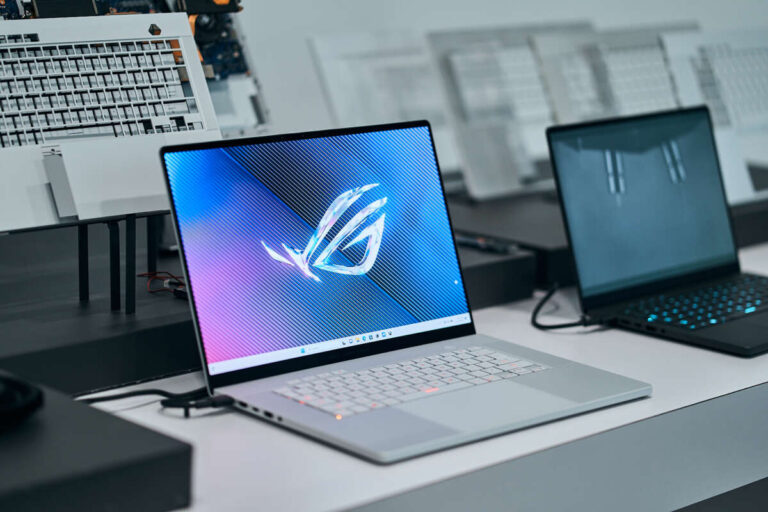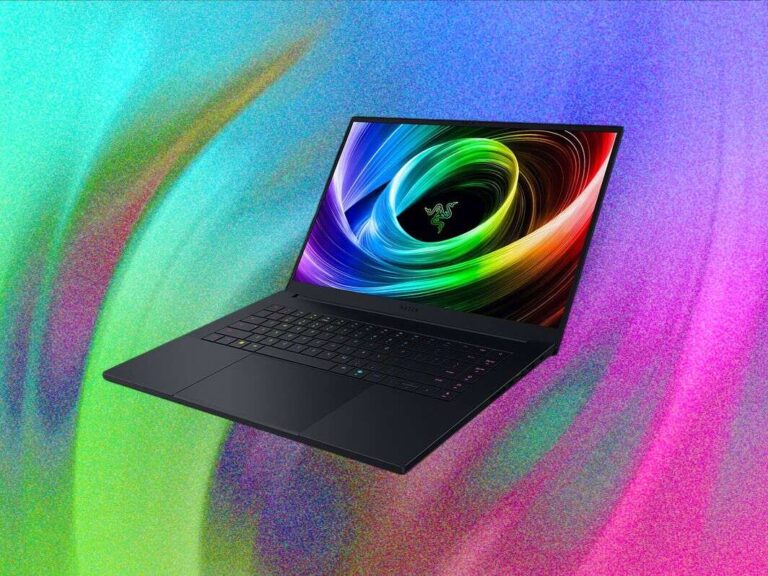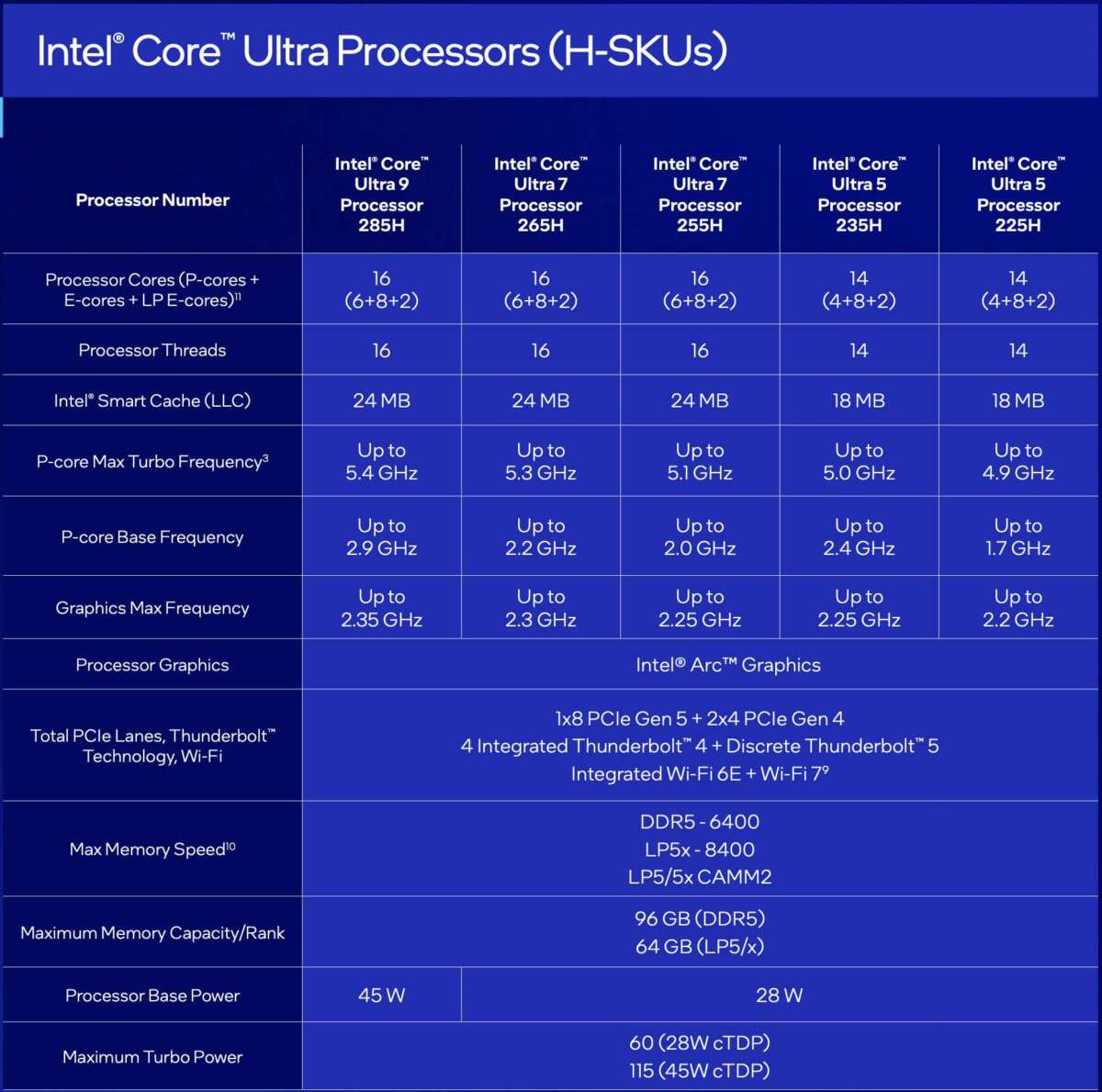
Intel’s latest laptop processors are the Core Ultra 200 series, led by Lunar Lake, Arrow Lake-H, and Arrow Lake-HX chips.
Choosing among the latest Intel processors for laptops is not as simple as picking the newest number. Intel now uses Core Ultra branding, dedicated AI hardware, integrated graphics improvements, and several chip designs for different laptop types. This guide explains what each processor family does best, how the chips compare, and which one makes sense for work, study, gaming, or creative tasks.
What are the latest Intel processors for laptops?
The latest Intel processors for laptops belong mainly to the Core Ultra 200 family. These chips replace many older 13th- and 14th-generation Core models and focus on three areas:
• Faster everyday performance
• Better battery life
• Built-in artificial intelligence features
Intel uses different designs within the Core Ultra 200 range. This matters because a thin laptop with a Core Ultra 200V chip behaves very differently from a gaming laptop with a Core Ultra 200HX processor.
The main laptop families include:
• Core Ultra 200V, also known as Lunar Lake, for thin and light laptops
• Core Ultra 200H, based on Arrow Lake, for powerful mainstream laptops
• Core Ultra 200HX, also based on Arrow Lake, for gaming and workstation laptops
• Core Ultra 200U models for efficient business and everyday laptops
Availability can vary by region and laptop maker. Some models may appear under different power limits or with different graphics configurations, even when they use similar processor names.

Intel Core Ultra 200V: The best choice for battery life
The Core Ultra 200V family is designed for premium thin and light laptops. These processors are often found in machines aimed at students, business users, travelers, and professionals who want long battery life without giving up modern features.
Core Ultra 200V chips use a hybrid design with:
• Performance cores for demanding work
• Low-power efficiency cores for light tasks
• An integrated neural processing unit, or NPU
• Intel Arc integrated graphics
• Built-in memory on the processor package
Common examples include the Core Ultra 5 226V, Core Ultra 7 258V, and Core Ultra 7 268V. The exact model can affect memory size, graphics power, and performance.
Why Lunar Lake stands out
The main strength of Core Ultra 200V is efficiency. When you browse the web, write documents, stream video, or attend online meetings, the processor can run many tasks without using much power.
Its Intel Arc graphics are also much stronger than the older Intel UHD Graphics found in many budget laptops. Light photo editing, casual gaming, and creative apps feel smoother as a result.
The NPU helps with supported AI tasks. These may include background blur, eye contact correction, live captions, and some local AI tools. However, an NPU does not make every application faster. Software must be designed to use it.
Who should buy Core Ultra 200V?
Choose a Core Ultra 200V laptop if you want:
• Excellent battery life
• A quiet and portable computer
• Strong integrated graphics
• Modern AI features
• Good performance for office work and study
It may not be the best choice for heavy 3D rendering, large software builds, or high-end gaming. These workloads benefit from more CPU cores and higher sustained power.

Intel Core Ultra 200H: A balanced option for power users
The Core Ultra 200H family targets users who need more performance than an ultraportable laptop can provide. These processors are common in larger premium laptops, creator systems, mobile workstations, and performance-focused business computers.
The Core Ultra 200H range includes chips such as:
• Core Ultra 5 225H
• Core Ultra 7 255H
• Core Ultra 9 285H
These processors combine performance cores and efficiency cores. They also include an NPU and Intel Arc graphics, although the final graphics performance depends on the specific chip and laptop cooling system.
What Core Ultra 200H does well
Core Ultra 200H processors offer a useful middle ground. They can handle:
• Large spreadsheets
• Programming and software development
• Photo editing
• Moderate video editing
• Multitasking with many browser tabs
• Light to medium gaming
Compared with Core Ultra 200V, the H series usually delivers higher peak performance. The trade-off is greater power use and, in many cases, a heavier laptop.
Cooling is important here. A well-designed laptop may maintain high speeds for much longer than a thin model with the same general processor class. This is why two laptops with similar Core Ultra names can feel different in daily use.
Is Core Ultra 200H good for gaming?
It can be good for gaming when paired with a dedicated graphics card. A laptop with Core Ultra 7 255H and an NVIDIA GeForce RTX GPU, for example, can handle modern games well.
The integrated Arc graphics are suitable for casual games, esports titles, and older games at sensible settings. They are not a replacement for a dedicated GPU in demanding games such as Cyberpunk 2077 or demanding 3D workloads.

Intel Core Ultra 200HX: Maximum laptop performance
Core Ultra 200HX processors are built for gaming laptops and mobile workstations. They use more power than the 200V and 200H families, but they provide much stronger sustained performance.
Examples include:
• Core Ultra 5 235HX
• Core Ultra 7 265HX
• Core Ultra 9 275HX
• Core Ultra 9 285HX
The HX series is designed for users who need speed more than portability. These laptops often have large cooling systems, powerful fans, high-wattage graphics cards, and larger power adapters.
What makes the HX series different?
An HX processor generally has more performance cores and a higher power limit than a thin laptop chip. That gives it an advantage in tasks that run for many minutes or hours, such as:
• 4K video export
• 3D rendering
• Game development
• Scientific workloads
• Large code compilation
• Advanced photo and video production
The laptop’s cooling system still matters. A powerful processor in a poorly cooled chassis may slow down under long workloads. When comparing the latest Intel processors for laptops, always check reviews that measure sustained performance rather than only short benchmark bursts.
Who needs Core Ultra 200HX?
A Core Ultra 200HX laptop makes sense if you:
• Play demanding PC games
• Use a dedicated graphics card
• Edit high-resolution video
• Build complex software projects
• Run virtual machines
• Work with 3D design or engineering software
For web browsing and office work, it is usually excessive. You will pay more, carry more weight, and often get shorter battery life.
Intel Core Ultra 200U: Efficient everyday computing
The Core Ultra 200U family is aimed at everyday laptops and business systems. These chips are designed to balance battery life, price, and performance.
They are a good fit for:
• Email and office work
• Online learning
• Video calls
• Web browsing
• Streaming media
• Basic photo editing
The U series usually runs at lower power than H and HX chips. That can help laptops stay cooler and quieter.
Performance varies by model, memory configuration, and cooling design. A Core Ultra 7 U-series chip is not automatically faster than every Core Ultra 5 H-series chip. The letter at the end of the processor name is often more useful than the number alone.

How Intel processor names work
Intel’s current naming system can look confusing at first. A processor name usually includes the family, tier, model number, and power class.
For example, consider Core Ultra 7 258V:
• Core Ultra identifies Intel’s newer premium processor family
• 7 shows the performance tier
• 258 identifies the model
• V identifies the Lunar Lake class
A name such as Core Ultra 9 285HX tells you that the chip belongs to the Ultra 9 tier and uses the high-power HX design.
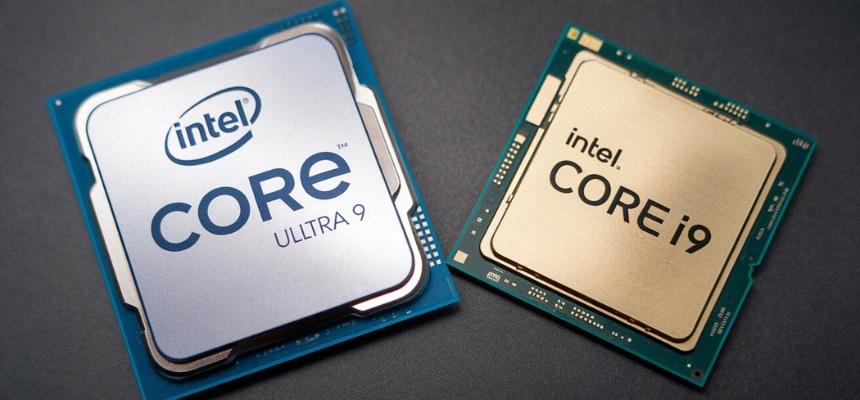
The number is not the whole story. A newer Core Ultra 5 processor may be a better fit than an older Core i9 processor because it can offer better efficiency, graphics, and AI support.
When comparing the latest Intel processors for laptops, look at these details:
• Processor family
• Power class
• Number of performance and efficiency cores
• Maximum turbo speed
• Integrated graphics model
• NPU performance
• Laptop cooling
• Battery capacity
• Memory type and capacity
Core Ultra versus older Intel Core processors
Intel’s older laptop processors include 12th-, 13th-, and 14th-generation Core chips. You may still see models such as Core i5-1335U, Core i7-1360P, or Core i9-14900HX in stores.
These processors can still be useful. A well-priced 13th- or 14th-generation laptop may offer excellent performance, especially when it includes a dedicated graphics card.
Core Ultra models add newer features, including:
• A dedicated NPU for local AI workloads
• Newer integrated Arc graphics on many models
• Improved power management
• Modern platform support
• Stronger media and display features
Do not assume that every Core Ultra laptop is faster in every task. An older Core i9 HX chip may beat a low-power Core Ultra 5 V chip in heavy multi-core work. In contrast, the newer V chip may offer better battery life and graphics efficiency.
The best choice depends on the full laptop, not just the processor label.

Intel laptop processors compared
The following comparison gives a simple overview of the latest Intel processors for laptops.
| Processor family | Main purpose | Battery life | Performance | Best for |
|---|---|---|---|---|
| Core Ultra 200V | Thin and light laptops | Excellent | Good | Travel, school, office work |
| Core Ultra 200U | Everyday and business laptops | Very good | Moderate | Browsing, documents, video calls |
| Core Ultra 200H | Performance laptops | Good | High | Content creation and multitasking |
| Core Ultra 200HX | Gaming and workstations | Moderate to low | Very high | Gaming, rendering, engineering |
This table is a starting point, not a complete buying rule. Laptop design can change the result. A laptop with better cooling, faster memory, and a larger battery may outperform a model with a theoretically stronger processor.

Which latest Intel processor is best for your needs?
Best for students
A Core Ultra 200V or Core Ultra 200U laptop is usually enough for school. It can handle documents, research, video calls, presentations, and streaming.
Choose at least 16GB of RAM if possible. Many modern laptops use soldered memory, so upgrading later may not be an option.
Best for office work
Business users should consider Core Ultra 5 or Core Ultra 7 models in the 200V or 200U families. These chips provide smooth productivity performance and support modern AI features for meetings and security tools.
Battery life, keyboard quality, webcam quality, and warranty service may matter more than a small processor speed difference.
Best for creators
Content creators should look at Core Ultra 200H or 200HX laptops. Video editing benefits from a strong processor, fast storage, enough memory, and a good dedicated GPU.
For serious 4K editing, 32GB of RAM is a safer target. A bright, color-accurate display is also essential.
Best for gaming
Gamers should focus on the graphics card first. A Core Ultra 200H or 200HX processor paired with a strong dedicated GPU is usually the right combination.
A fast display, good cooling, and a high-capacity SSD may improve the experience more than moving from one processor tier to another.
Best for battery life
Core Ultra 200V is the strongest choice when long battery life is the priority. It is especially suitable for frequent travelers and people who work away from a power outlet.
Remember that screen brightness, display resolution, wireless connections, and background apps also affect battery life.
What does the NPU do in Intel Core Ultra laptops?
An NPU is a neural processing unit. It is a specialized part of the processor that handles some AI calculations efficiently.
In practical use, an NPU may support:
• Video call background effects
• Noise removal
• Automatic framing
• Live captions
• Image tools
• Some local generative AI features
The NPU can reduce the workload on the CPU and GPU. This may improve battery life during supported tasks.
However, the NPU is not a magic speed button. Many applications still rely mainly on the CPU or GPU. Before paying extra for a specific AI feature, check whether the software you use supports local NPU acceleration.
Integrated graphics in the latest Intel laptop processors
Integrated graphics are built into the processor. They share system memory instead of using separate video memory.
Intel Arc graphics in many Core Ultra chips are a major step above older UHD Graphics. They can support:
• Casual gaming
• Esports gaming
• Photo editing
• Multiple monitors
• Hardware video encoding and decoding
• Some creative applications
Performance depends on memory speed and configuration. Two laptops with the same processor may show different graphics results if one uses faster memory or allows more power.
For serious gaming, a dedicated GPU remains better. Integrated graphics are best for users who value portability, battery life, and lower cost.
Mistakes to avoid when buying an Intel laptop
Buying by processor name alone is one of the most common mistakes. The processor is important, but it is only one part of the system.
Avoid these mistakes:
• Choosing a high-end processor with only 8GB of RAM
• Ignoring laptop cooling and fan noise
• Assuming Core Ultra always means maximum speed
• Buying a gaming laptop with a weak graphics card
• Overlooking screen quality
• Forgetting to check upgrade options
• Trusting short benchmark results without sustained tests
• Paying for AI features you will not use
A practical lesson from comparing laptop specifications is simple: balance matters. A Core Ultra 5 laptop with 16GB of RAM, a fast SSD, and a strong display can be more enjoyable than a Core Ultra 9 model with poor cooling and a dim screen.
How to compare laptop processor performance
Use real workloads that match your needs. Synthetic benchmarks can help, but they should not be the only evidence.
Check for:
• Single-core performance for quick everyday tasks
• Multi-core performance for rendering and heavy multitasking
• Sustained performance during long workloads
• Battery tests based on similar screen settings
• Fan noise under load
• Integrated graphics performance
• Application-specific results
For example, a video editor should study export times. A gamer should check frame rates with the exact graphics card. A student may care more about battery life, weight, and keyboard comfort.
Reviews that test the full laptop are more useful than processor charts alone.
Are the latest Intel processors for laptops worth upgrading to?
They can be worth upgrading to if your current laptop has poor battery life, slow integrated graphics, limited AI support, or an older processor that struggles with your work.
An upgrade is more valuable when it also improves:
• Display quality
• Storage speed
• Memory capacity
• Webcam quality
• Wireless connectivity
• Build quality
• Battery capacity
If your current laptop already handles your tasks well, a small processor upgrade may not feel dramatic. In that case, wait for a larger improvement or upgrade because of another major benefit, such as a better screen or much longer battery life.
Frequently asked questions
What are the latest Intel processors for laptops?
The latest major Intel laptop processors are the Core Ultra 200 series. The main groups are Core Ultra 200V for thin laptops, Core Ultra 200U for efficient everyday systems, Core Ultra 200H for performance laptops, and Core Ultra 200HX for gaming and workstation models.
Is Intel Core Ultra better than Core i7?
Core Ultra is newer and adds features such as an NPU and improved integrated graphics on many models. However, an older Core i7 or Core i9 can still be faster in some high-power workloads, so compare the exact processor and laptop design.
Which Intel laptop processor has the best battery life?
Core Ultra 200V processors are generally the best choice for battery life among the newest Intel laptop families. Actual battery results also depend on the screen, battery size, software, and laptop settings.
Is Core Ultra good for gaming?
Core Ultra is good for gaming when paired with a capable dedicated graphics card. Its integrated Arc graphics can handle casual and esports games, but demanding modern games usually need a dedicated GPU.
Do Intel Core Ultra laptops support AI?
Yes. Core Ultra processors include an NPU that can accelerate supported AI features. The benefit depends on the software, operating system, and specific processor model.
Should I buy Core Ultra 5, Core Ultra 7, or Core Ultra 9?
Core Ultra 5 is enough for most users. Core Ultra 7 suits heavier multitasking and creative work, while Core Ultra 9 is best for demanding workloads and high-end laptops where cooling and power delivery are strong.
Conclusion
The latest Intel processors for laptops are led by the Core Ultra 200 family. Core Ultra 200V is ideal for battery life and portability, Core Ultra 200U suits everyday work, Core Ultra 200H offers balanced power, and Core Ultra 200HX targets gaming and professional workloads.
The smartest choice is not always the processor with the biggest number. Match the chip to your work, then check the laptop’s cooling, battery, memory, display, storage, and graphics card. Use that approach, and you will be far more likely to choose a laptop that feels fast and useful for years.
Explore detailed laptop reviews, compare real battery tests, and share your questions or experience with Intel Core Ultra laptops in the comments.

Everett Ashford is a tech reviewer at mytechgrid.com specializing in SSDs, cameras, TVs, earbuds, headphones, and other consumer electronics. He provides honest, data-driven reviews based on hands-on testing and real-world performance analysis. Everett simplifies complex tech details to help readers make smart, confident buying decisions.