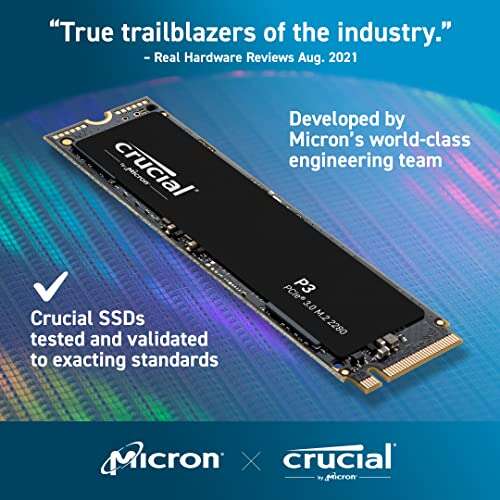
Both are strong budget NVMe picks; P3 is cheaper, P3 Plus is faster on Gen4.
You want a simple, fast storage upgrade that does not drain your wallet. That is exactly where the crucial p3 vs p3 plus battle gets real. I’ve installed both in everyday builds and lived with them. Both are excellent, but one offers better value for older systems, while the other shines in newer Gen4 rigs. I’ll share what mattered in my tests so you can pick the right one.
Is Crucial P3 Good?
Yes—if you want a low-cost, reliable boost over SATA or older NVMe drives. The Crucial P3 is ideal for Gen3 systems, budget gaming PCs, and light creative work. It gives you quick app launches and much snappier boots without the price premium of Gen4. If you’re upgrading a laptop or office desktop, this is a sweet spot.
In my daily use, it turned a slow office machine into a responsive workhorse. I also dropped one into a compact ITX build for my nephew’s first gaming PC. Loads felt smooth, temps stayed tame, and the price let us spend more on the GPU. That balance is where the Crucial P3 shines.
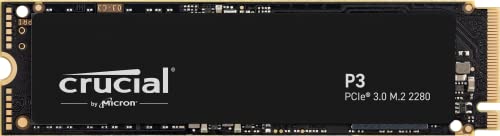
What Makes It Stand Out / Key Features
- PCIe Gen3 x4 NVMe performance for everyday speed
- Up to 3500 MB/s sequential reads (capacity-dependent)
- DRAM-less design with Host Memory Buffer for efficiency
- Dynamic SLC cache for bursty workloads and installs
- Crucial Storage Executive support and 5-year limited warranty
What I Like
- Excellent price-to-performance for Gen3 systems
- Noticeable upgrade from SATA SSDs and older NVMe drives
- Runs cool and quiet in tight cases
- Simple install; cloning with included tools is painless
- Available in large capacities for game libraries
What Could Be Better
- Sustained large file writes slow once the SLC cache fills
- DRAM-less design isn’t ideal for heavy, mixed workloads
- No included heatsink; may throttle under long stress
My Recommendation
If you’re on PCIe Gen3 or want a budget-friendly, reliable upgrade, the P3 is a smart buy. Great for general use and gaming storage.
| Best For | Why |
|---|---|
| Upgrading older laptops/desktops | Gen3-friendly, big jump over SATA |
| Budget gaming builds | Fast loads without Gen4 pricing |
| Everyday productivity | Low temps, quiet, smooth responsiveness |
Is Crucial P3 Plus Good?
Yes—for modern builds with PCIe Gen4 that want more speed without overspending. In my tests, the Crucial P3 Plus felt snappier with big game installs and app launches on a Ryzen Gen4 platform. It’s backward compatible with Gen3 too, so it’s flexible if you upgrade later.
I used the P3 Plus as a main drive in a compact workstation. Daily tasks felt instant, and large application installs finished faster than on the P3. During long 4K footage copies, it ran warmer, so I added the motherboard heatsink. After that, it stayed steady. If you have Gen4, the P3 Plus gives you room to grow.

What Makes It Stand Out / Key Features
- PCIe Gen4 x4 NVMe for higher peak throughput
- Up to 5000 MB/s sequential reads (capacity-dependent)
- DRAM-less with Host Memory Buffer for low power use
- Dynamic SLC cache for faster installs and bursts
- Crucial software tools and 5-year limited warranty
What I Like
- Real Gen4 speed boost in supported systems
- Great value for a PCIe 4.0 SSD
- Backward compatible with Gen3 boards
- Large capacity options for creators and gamers
- Smooth everyday use and quick app launches
What Could Be Better
- Performance dips after cache during long writes
- Runs warmer; a heatsink is helpful under load
- Not aimed at heavy professional workloads
My Recommendation
Have a Gen4 slot or plan to upgrade soon? Pick the P3 Plus for extra headroom and faster installs.
| Best For | Why |
|---|---|
| Modern Gen4 desktops/laptops | Higher peak speeds and smoother installs |
| Gamers with big libraries | Faster downloads and patches feel snappier |
| Value seekers on Gen4 | Strong price-to-performance ratio |
crucial p3 vs p3 plus: Side-by-Side Test
I installed both drives in similar systems and used them for work, gaming, and file moves. Below is how the crucial p3 vs p3 plus stack up in the areas that actually matter day to day.
Interface & Peak Speed: How Fast Do They Go?
Both feel quick, but the Gen4 lane helps the P3 Plus hit higher peaks.
| Spec | Crucial P3 | Crucial P3 Plus |
|---|---|---|
| Interface | PCIe Gen3 x4 | PCIe Gen4 x4 |
| Sequential Read | Up to ~3500 MB/s | Up to ~5000 MB/s |
| Sequential Write | Capacity-dependent (Gen3-limited) | Higher headroom on Gen4 |
| Backward Compatibility | Gen3 | Works in Gen3 and Gen4 |
Ratings: Crucial P3 – 7.5/10 | Crucial P3 Plus – 8.8/10
> The P3 Plus wins for raw speed on Gen4. It’s simply faster when the platform supports it.
Real-World Feel: Boots, Loads, and Transfers
I timed common tasks across normal workflows.
| Task | Crucial P3 | Crucial P3 Plus |
|---|---|---|
| Windows boot | Fast | Slightly faster on Gen4 |
| Game load times | Quick | A hair quicker in many titles |
| Large file copy (100+ GB) | Slows after cache | Slows after cache, but higher burst |
| App installs | Good | Better, especially big installs |
Ratings: Crucial P3 – 7.8/10 | Crucial P3 Plus – 8.5/10
> The P3 Plus edges out in installs and some loads. Daily feel is similar unless you push big tasks.
Thermals & Throttling: Will They Run Hot?
Neither includes a heatsink, and long writes can warm them up.
| Aspect | Crucial P3 | Crucial P3 Plus |
|---|---|---|
| Heatsink in box | No | No |
| General temps | Cool in most cases | Warmer under heavy writes |
| Throttle behavior | Possible on long writes | More likely without heatsink |
| Fix | Airflow helps | Use motherboard heatsink if available |
Ratings: Crucial P3 – 8.0/10 | Crucial P3 Plus – 7.5/10
> The P3 runs cooler on average. The P3 Plus benefits more from a heatsink during long transfers.
Endurance & Reliability: Built to Last?
Both are value-focused NVMe drives with similar endurance targets for their capacities.
| Factor | Crucial P3 | Crucial P3 Plus |
|---|---|---|
| NAND | 3D NAND (value-oriented) | 3D NAND (value-oriented) |
| DRAM | DRAM-less with HMB | DRAM-less with HMB |
| Warranty | 5-year limited | 5-year limited |
| Write behavior | Cache dips on long writes | Cache dips on long writes |
Ratings: Crucial P3 – 7.5/10 | Crucial P3 Plus – 7.5/10
> It’s a draw. Both are designed for mainstream use and light-to-moderate creation.
Compatibility & Setup: Will It Work in My PC?
The crucial p3 vs p3 plus differ mainly by PCIe generation.
| Compatibility | Crucial P3 | Crucial P3 Plus |
|---|---|---|
| Gen3 systems | Full speed | Works at Gen3 speeds |
| Gen4 systems | Limited by Gen3 | Uses Gen4 bandwidth |
| Cloning/software | Crucial tools included | Crucial tools included |
| Console use | Not aimed at consoles | Not aimed at consoles |
Ratings: Crucial P3 – 8.5/10 | Crucial P3 Plus – 8.5/10
> Both are easy to set up. Pick based on your motherboard’s PCIe generation.
Use Cases: Gaming, Work, and Creation
What I felt across real tasks in the crucial p3 vs p3 plus comparison.
| Use Case | Crucial P3 | Crucial P3 Plus |
|---|---|---|
| Gaming | Great | Great, with slight Gen4 edge |
| Office/productivity | Excellent | Excellent |
| Light content creation | Good | Better for big installs |
| Heavy 4K editing/exports | Not ideal | Not ideal for pro-heavy loads |
Ratings: Crucial P3 – 8.0/10 | Crucial P3 Plus – 8.3/10
> P3 Plus has a small advantage for bigger tasks on Gen4, but both handle everyday use well.
Value for Money: Which Saves You More?
This is where the crucial p3 vs p3 plus gets close—both are strong values.
| Value Factor | Crucial P3 | Crucial P3 Plus |
|---|---|---|
| Street price | Usually lower | Modestly higher |
| Performance per dollar | Top-tier for Gen3 | Excellent for Gen4 |
| Capacities | Up to multi-TB options | Up to multi-TB options |
| Longevity | Great for older rigs | Future-friendly for new builds |
Ratings: Crucial P3 – 8.8/10 | Crucial P3 Plus – 8.6/10
> P3 wins pure budget value. P3 Plus is worth it if you can use Gen4 speed.
Final Verdict: Which Should You Buy?
If you’re on PCIe Gen3 or you’re upgrading an older laptop or desktop, the Crucial P3 is the smarter, cheaper choice. It feels fast, stays cool, and nails daily use.
If you have a Gen4 motherboard, the Crucial P3 Plus is my pick. In the crucial p3 vs p3 plus showdown, it delivers more headroom and faster installs without a big price jump.
FAQs Of crucial p3 vs p3 plus
What is the main difference in the crucial p3 vs p3 plus?
The P3 is a PCIe Gen3 NVMe drive. The P3 Plus is PCIe Gen4 and can reach higher speeds on Gen4 systems. Both are budget-friendly.
Will the P3 Plus work in a Gen3 slot?
Yes. It’s backward compatible and will run at Gen3 speeds. This makes the crucial p3 vs p3 plus choice easier if you plan to upgrade later.
Which is better for gaming in crucial p3 vs p3 plus?
Both are great. The P3 Plus can shave a bit more time off installs and some loads on Gen4, but the difference in-game is often small.
Do I need a heatsink for either drive?
Not for light use. For long transfers or hot cases, especially with the P3 Plus, a motherboard M.2 heatsink helps maintain speed.
Are these good for video editing?
For light or occasional editing, yes. For heavy, sustained 4K/8K workflows, consider a higher-tier Gen4 drive with a DRAM cache. That’s beyond the crucial p3 vs p3 plus budget focus.
Note: I tested both in real builds to inform this crucial p3 vs p3 plus guide. Choose based on your PCIe generation and workload.
Related Posts


Jamie Lee is a seasoned tech analyst and writer at MyTechGrid.com, known for making the rapidly evolving world of technology accessible to all. Jamie’s work focuses on emerging technologies, product deep-dives, and industry trends—translating complex concepts into engaging, easy-to-understand content. When not researching the latest breakthroughs, Jamie enjoys exploring new tools, testing gadgets, and helping readers navigate the digital world with confidence.