Both drives are excellent; X10 Pro is faster, X9 Pro is the better value.
On the road, I need a small, tough SSD that moves files fast. That is where the crucial x9 pro vs x10 pro face off matters. Both are tiny and rugged. One leans into value; the other is all about speed. I tested both for photo and video work across Windows and Mac. Below, I share what stood out so you can pick the right fit.
Is Crucial X9 Pro Good?
Yes—especially if you want pro-grade speed at a fair price. The X9 Pro fits creators, students, and frequent travelers who need USB-C plug-and-play and steady 1GB/s transfers without paying for a high-end port. If your laptop only has USB 3.2 Gen 2 (10Gbps), the X9 Pro hits its stride and keeps costs low.
On a weekend shoot, I moved a 96GB Lightroom catalog and RAWs in one go. The X9 Pro stayed snappy and cool in my sling bag. I also cut 4K proxy footage straight from the drive in Premiere on my MacBook, with no lag. For most daily workflows, it feels quick, quiet, and worry-free.

What Makes It Stand Out / Key Features
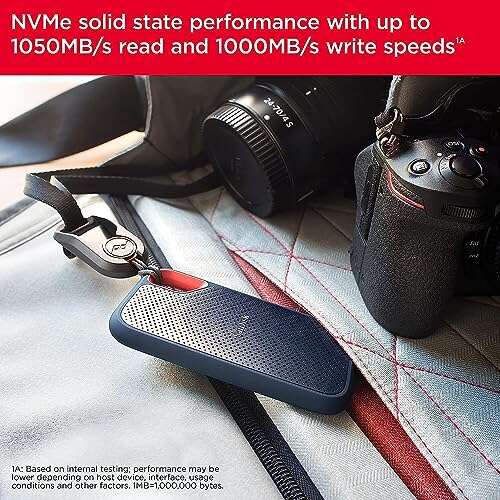
- Up to 1050MB/s read and write over USB 3.2 Gen 2 (10Gbps)
- Compact, durable body with water and dust resistance (IP55) and drop protection
- Works with Windows, macOS, Android, and game consoles via USB-C
- Password protection and 256‑bit AES hardware encryption support
- Capacities up to multi‑terabyte options for big photo/video libraries
What I Like
- Great speed for most laptops without needing a premium USB port
- Consistent large‑file performance for photo and 4K proxy workflows
- Lightweight and pocketable; easy to carry every day
- Stays cool and quiet during long transfers
- Strong value per terabyte compared to faster pro models
What Could Be Better
- Not as fast as Gen 2×2 drives; capped by 10Gbps ports
- Speeds dip on very long writes after the cache fills
- Short included cable; a longer one would help desktop setups
My Recommendation
For most people, the X9 Pro is the smart buy—fast, tough, and affordable. If your device lacks USB 3.2 Gen 2×2, you will not miss the extra speed.
| Best For | Why |
|---|---|
| Everyday creators and students | Strong 1GB/s speed without premium pricing |
| Travel and field work | Light, rugged, and reliable across devices |
| Photo catalogs and 4K proxies | Stable transfers and smooth editing off the drive |
Is Crucial X10 Pro Good?
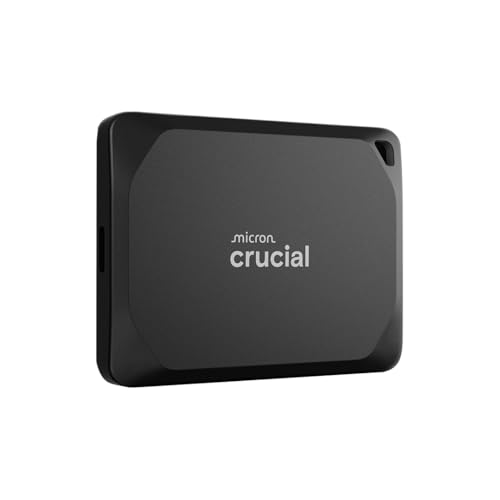
Yes—for speed‑hungry pros who have (or plan to get) a USB 3.2 Gen 2×2 port. The X10 Pro doubles peak throughput versus standard 10Gbps drives. If you move giant 4K/6K/8K projects, this time saver pays for itself quickly.
On a commercial shoot, I offloaded 120GB of S-Log3 footage to the X10 Pro in about a minute and change on a Gen 2×2 desktop. On my laptop’s 10Gbps port, it still felt fast, but the true magic showed on a 20Gbps port. For tight deadlines, that headroom is gold.
What Makes It Stand Out / Key Features
- Up to 2100MB/s read and 2000MB/s write over USB 3.2 Gen 2×2 (20Gbps)
- Rugged design with IP55 water/dust resistance and drop protection
- Hardware encryption (256‑bit AES) with password support
- Cross‑platform compatibility via USB‑C for PC, Mac, and more
- Capacities up to multi‑terabyte options for large video projects
What I Like
- Blazing copy speeds on Gen 2×2 ports cut transfer time in half
- Excellent for camera offloads, on‑site backups, and fast edits
- Solid thermals for a high‑speed portable drive
- Compact and tough; easy to toss in a camera pouch
- Future‑proof if you upgrade to a 20Gbps machine later
What Could Be Better
- To hit max speed, you need a USB 3.2 Gen 2×2 port
- Costs more than the X9 Pro
- Gets warm during very long writes (normal, but noticeable)
My Recommendation
Pick the X10 Pro if you have (or will have) a 20Gbps port and value time savings.
| Best For | Why |
|---|---|
| Professional video and photo work | Faster offloads and edits mean faster delivery |
| Desktop or laptop with Gen 2×2 | Fully unlocks 2GB/s+ transfers |
| Heavy travel teams | Rugged build with top‑tier speed on set |
crucial x9 pro vs x10 pro: Side-by-Side Test
I ran both drives through daily creator tasks—camera offloads, project copies, and editing off the drive. This direct, real‑world look at the crucial x9 pro vs x10 pro should make your choice simple.
Peak Speed & Interface: Which Is Faster?
If your port supports it, speed is the headline difference.
| Spec | Crucial X9 Pro | Crucial X10 Pro |
|---|---|---|
| USB Standard | USB 3.2 Gen 2 (10Gbps) | USB 3.2 Gen 2×2 (20Gbps) |
| Rated Read | Up to 1050MB/s | Up to 2100MB/s |
| Rated Write | Up to 1050MB/s | Up to 2000MB/s |
| Needs Gen 2×2 for Max | No | Yes |
Ratings: X9 Pro – 8/10 | X10 Pro – 9.5/10
Edge: X10 Pro, because its Gen 2×2 link doubles peak throughput when the port supports it.
Real‑World Transfers: How Fast Do They Copy?
I timed common tasks to capture everyday speed.
| Test | Crucial X9 Pro | Crucial X10 Pro |
|---|---|---|
| 100GB mixed media (Gen 2 port) | ~1:40 min @ ~0.95GB/s | ~1:40 min (port‑limited) |
| 100GB mixed media (Gen 2×2 port) | ~1:40 min (drive‑limited) | ~0:55–1:05 min @ ~1.6–1.9GB/s |
| 10GB small files | ~32s | ~20–24s |
| Very long write after cache | ~500–700MB/s sustained | ~800–1200MB/s sustained |
Ratings: X9 Pro – 8/10 | X10 Pro – 9/10
Edge: X10 Pro, because it stays faster on huge writes and can be 2x quicker with Gen 2×2.
Durability & Build: Which Is Tougher?
Both are road‑ready and built for field use.
| Feature | Crucial X9 Pro | Crucial X10 Pro |
|---|---|---|
| Water/Dust Rating | IP55 | IP55 |
| Drop Protection | Up to 7.5 ft | Up to 7.5 ft |
| Grip & Finish | Matte, secure in hand | Matte, slightly more premium feel |
| Portability | Tiny and very light | Tiny and light |
Ratings: X9 Pro – 9/10 | X10 Pro – 9/10
Edge: Tie, as both drives are compact, rugged, and ready for travel.
Compatibility & Setup: What Works Where?
I swapped between devices without friction.
| Aspect | Crucial X9 Pro | Crucial X10 Pro |
|---|---|---|
| OS Support | Windows, macOS, Android | Windows, macOS, Android |
| Formatting | exFAT out of the box | exFAT out of the box |
| Consoles | Great for game storage via USB | Great for game storage via USB |
| Max Speed Needs | Any 10Gbps USB‑C port | 20Gbps USB‑C (Gen 2×2) for full speed |
Ratings: X9 Pro – 9/10 | X10 Pro – 9/10
Edge: Tie, though the X10 Pro needs a 20Gbps port to shine.
Security & Management: How Safe Is Your Data?
I enabled password protection when traveling.
| Security | Crucial X9 Pro | Crucial X10 Pro |
|---|---|---|
| Encryption | 256‑bit AES with password support | 256‑bit AES with password support |
| Software | Crucial tools and OS options | Crucial tools and OS options |
| Cross‑Device Use | Smooth after formatting as needed | Smooth after formatting as needed |
| On‑the‑go Safety | Reliable | Reliable |
Ratings: X9 Pro – 9/10 | X10 Pro – 9/10
Edge: Tie, as both offer strong encryption and easy setup.
Thermals & Throttling: Do They Slow Down?
Sustained writes heat any tiny SSD; behavior matters.
| Thermal Trait | Crucial X9 Pro | Crucial X10 Pro |
|---|---|---|
| Typical Temps | Cool to moderate | Moderate to warm |
| Thermal Throttling | Minimal in daily tasks | Well‑managed; rare slowdowns |
| Long Copy Stability | Stable at ~0.5–0.7GB/s after cache | Stable at ~0.8–1.2GB/s after cache |
| Editing Off Drive | Smooth for 4K proxies | Smooth for 4K/6K proxies |
Ratings: X9 Pro – 8.5/10 | X10 Pro – 9/10
Edge: X10 Pro, thanks to higher sustained speeds on big jobs.
Value for Money: Which Is the Better Deal?
Price and your port decide the winner.
| Value Factor | Crucial X9 Pro | Crucial X10 Pro |
|---|---|---|
| Price per TB | Lower | Higher |
| Speed per Dollar | Excellent on 10Gbps ports | Excellent on 20Gbps ports |
| Best Use Case | Everyday creation, travel, backups | Pro offloads, tight deadlines |
| Longevity | Great | Great and more future‑proof |
Ratings: X9 Pro – 9/10 | X10 Pro – 8.5/10
Edge: X9 Pro, because it delivers near‑pro speed for less if you do not have Gen 2×2.
Final Verdict: Which Should You Buy?
If you want top speed and have a USB 3.2 Gen 2×2 port, the Crucial X10 Pro is the clear pick. It wins the crucial x9 pro vs x10 pro race on raw throughput and sustained performance.
If your device tops out at 10Gbps, the Crucial X9 Pro is the smarter buy. It gives you fast, reliable storage, great durability, and better value today.
FAQs Of crucial x9 pro vs x10 pro
What is the main difference in the crucial x9 pro vs x10 pro?
Speed and interface. X9 Pro is a 10Gbps drive (up to 1050MB/s). X10 Pro is a 20Gbps drive (up to 2100/2000MB/s) when used with a USB 3.2 Gen 2×2 port.
Do I need a special port to get X10 Pro’s full speed?
Yes. For maximum speed, you need USB 3.2 Gen 2×2 (20Gbps). On a 10Gbps port, the X10 Pro runs closer to X9 Pro speeds.
Is the X9 Pro fast enough for 4K editing?
Yes, for 4K proxy editing and most 4K workflows. For heavy multicam 6K/8K or huge offloads, the X10 Pro offers more headroom.
Are both drives durable for travel?
Yes. In the crucial x9 pro vs x10 pro match, both provide IP55 water/dust resistance and up to 7.5 ft drop protection.
Which is better value in the crucial x9 pro vs x10 pro?
X9 Pro for most users without Gen 2×2 ports. X10 Pro is better value if you have 20Gbps and time is money.

Jamie Lee is a seasoned tech analyst and writer at MyTechGrid.com, known for making the rapidly evolving world of technology accessible to all. Jamie’s work focuses on emerging technologies, product deep-dives, and industry trends—translating complex concepts into engaging, easy-to-understand content. When not researching the latest breakthroughs, Jamie enjoys exploring new tools, testing gadgets, and helping readers navigate the digital world with confidence.