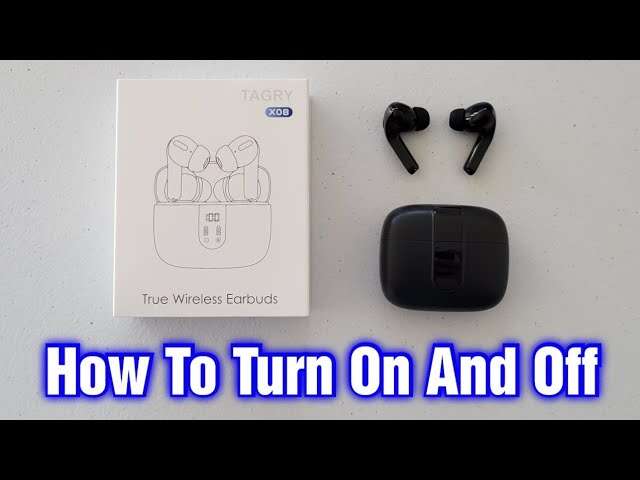
Hold the power button on the earbud or the charging case until LEDs blink and sound or pairing starts.
I’ve spent years testing many earbud models and helping friends fix audio gear. This guide explains how to turn on earbuds clearly and simply. You’ll learn step‑by‑step methods for most models, quick troubleshooting tips, and real tips from my hands‑on experience. Read on to feel confident the next time you reach for your earbuds.

Quick overview: basic principles for how to turn on earbuds
Most earbuds use a small power button, a long press on a multifunction button, or they turn on automatically when removed from the case. True wireless earbuds often start when you lift them from the charging case. Neckband and wired earbuds usually have a dedicated power or multifunction button. Understanding these basics helps you know what to try first when learning how to turn on earbuds.

Step‑by‑step: how to turn on earbuds (general method)
Follow these simple steps for most earbuds. The steps work for the majority of mainstream models and cover first‑time use.
- Check the charge on the case and earbuds. Low battery often prevents power on.
- Remove earbuds from the case. Many true wireless sets power on automatically.
- Press and hold the power or multifunction button for 2 to 5 seconds. Look for lights or hear a tone.
- Watch for LED blink patterns. A steady or flashing light usually means the earbud is on.
- If pairing, open Bluetooth on your device and select the earbud name.
My tip: when in doubt, hold the button for 7 seconds. That long press often forces boot or pairing mode. This is one of the easiest ways to learn how to turn on earbuds reliably.
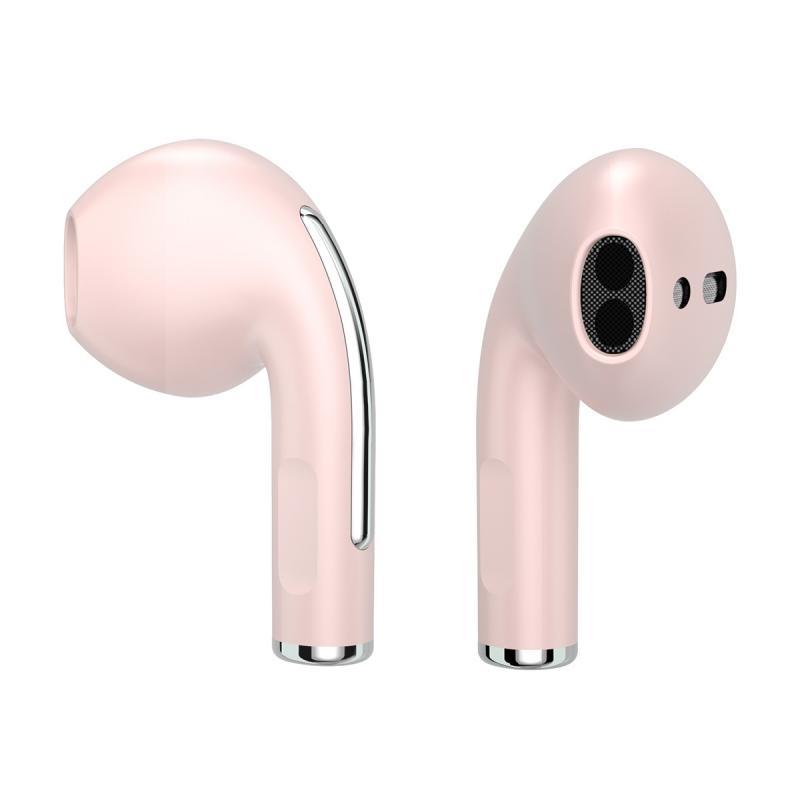
Turning on common earbud types
Different designs change the exact steps. Here’s what to try for each type when figuring out how to turn on earbuds.
-
True wireless earbuds
- Remove both buds from the case. They often power on automatically.
- If not, press and hold the touch area or button on each bud for 3 to 5 seconds.
- Look for flashing LEDs or a voice prompt.
-
Neckband or Bluetooth earphones
- Find the power or multifunction button on the control module.
- Press and hold for 2 to 4 seconds until lights or voice prompt appear.
- Some models use a short press to toggle play/pause and a long press to power on.
-
Wired earbuds with inline controls
- Most wired earbuds are always on when plugged into a device.
- For inline Bluetooth adapters, press and hold the adapter’s power button until LED shows power.
From my testing, true wireless buds are the most confusing at first. Treat the case like the hub. If the case is off, earbuds often won’t turn on. This matters when learning how to turn on earbuds for the first time.
Troubleshooting: when your earbuds won’t turn on
If your earbuds don’t power on, run this checklist. These fixes solved many issues I’ve seen in real use.
- Charge both the case and earbuds for at least 15 minutes. Dead batteries are the top cause.
- Try a different cable and charger. Faulty cables give no power.
- Clean the charging contacts on the case and earbuds. Dirt can block charging.
- Reset the earbuds using the manufacturer’s method. Resets often fix software hangs.
- Look for stuck buttons or moisture. Physical damage can stop power.
- Update the earbud firmware if possible. Firmware fixes can resolve boot issues.
I once helped a friend for hours. The earbuds would not turn on. Cleaning tiny dust from the case contacts fixed it in five minutes. Small things matter when you learn how to turn on earbuds.

Battery care and power tips
Good battery habits make it easier to turn on earbuds and keep them reliable. Follow these quick rules.
- Keep the case charged. Store earbuds in a charged case between uses.
- Avoid full discharge. Charge before the battery reaches zero.
- Use the right charger. Use the cable and power rating recommended by the maker.
- Avoid extreme heat and cold. Temperatures harm battery life and can prevent power on.
From my experience, charging the case every few days keeps your earbuds ready. That simple habit removes most "won’t turn on" moments.
Pairing and setup after you turn on earbuds
Turning them on is only step one. Here’s how to pair and set up for best use.
- Turn on the earbuds using the methods above.
- Open Bluetooth on your phone or computer.
- Select the earbud name from the device list.
- Follow voice or on‑screen prompts to finish pairing.
- Test audio and mic. Make a short test call or play a video.
If the earbuds don’t appear, turn Bluetooth off and on. Also forget old pairings to avoid conflicts. These steps help you move quickly from power‑on to good sound.

Frequently Asked Questions of how to turn on earbuds
How do I know if my earbuds are on?
Most earbuds show light patterns or play a tone when they power on. You can also check the Bluetooth list on your device for the earbud name.
My earbuds blink but won’t connect. What should I do?
Blinking often means pairing mode. Refresh your device’s Bluetooth, forget the device, and try pairing again. A reset can also clear pairing errors.
Can earbuds turn on in the case?
Yes. Many true wireless earbuds power on automatically when you remove them from the case. Some models also power on while charging in the case.
How long do I need to hold the button to turn them on?
Usually hold the power or multifunction button for 2 to 5 seconds. If nothing happens, extend to 7 seconds to force a start or enter pairing mode.
What if my earbuds don’t show any lights?
Charge the case and buds for at least 30 minutes. Clean the contacts and try again. If still dark, the battery or hardware may be faulty.
Conclusion
Turning on earbuds is usually quick. Check the charge, use the right press pattern, and watch for LEDs or voice prompts. Use charging and care tips to avoid future power problems. Try these steps the next time you reach for your earbuds, and leave a comment about what worked for your model. If you found this helpful, subscribe for more practical audio tips.

Everett Ashford is a tech reviewer at mytechgrid.com specializing in SSDs, cameras, TVs, earbuds, headphones, and other consumer electronics. He provides honest, data-driven reviews based on hands-on testing and real-world performance analysis. Everett simplifies complex tech details to help readers make smart, confident buying decisions.