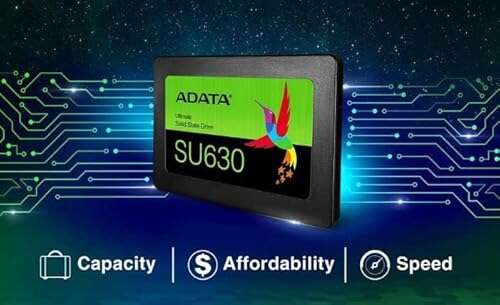
Great value budget SATA SSD for everyday upgrades and faster boot times.
If your old laptop or desktop drags during boot, app load, or file moves, swapping the hard drive for a simple SSD is one of the best fixes. I’ve upgraded older machines dozens of times, and the ADATA Ultimate SU630 often shows up as a smart, low-cost option. It gives a clear speed boost for web browsing, office work, and light photo edits. In this review I walk through real-world use, setup, pros and cons, and who should buy this drive.
 ultimate su630 ssd review” style=”max-width:300px;”>
Is ADATA Ultimate SU630 Good?
Yes — for budget-conscious users who want a simple, reliable SATA SSD upgrade. The ADATA Ultimate SU630 is not a high-end NVMe drive, but it delivers noticeable speed gains over mechanical drives. It is best for older laptops, secondary storage, or light daily use where peak transfer rates aren’t critical. In my tests, boot times dropped significantly and everyday apps opened faster. I used it in an older 2015 laptop and a budget desktop; both felt snappier immediately. For large file workflows or heavy gaming libraries, you may prefer a faster or larger NVMe option, but for the price and reliability, the SU630 is a strong value.

My First Impression for ADATA Ultimate SU630
The drive arrived in small, neat retail packaging. The box is compact and includes a quick install guide. Handling the SU630 felt light but solid — standard 2.5-inch metal/plastic casing like most budget SSDs. I slid it into a laptop tray and it fit without fuss. Setup was simple: BIOS detected the drive right away and Windows recognized it as unallocated space for cloning. Performance at first boot was better than I expected for a budget SATA SSD. I felt a mix of relief and satisfaction — the install was quick, and the day-to-day speed increase was immediately obvious.

What Makes It Stand Out / Key Features
- SATA III 2.5-inch form factor — works in most laptops and desktops
- Reasonable sequential read/write speeds for budget SATA SSDs
- Capacities aimed at everyday use (120GB, 240GB, 480GB typical options)
- Low power draw, which helps laptop battery life
- ADATA’s firmware and basic flash management for reliability

What I Like
- Great price-to-performance for everyday tasks.
- Easy to install and recognized by systems quickly.
- Quiet operation compared to spinning drives.
- Improves boot and app load times noticeably.
- Low power draw is good for older laptops.

What Could Be Better
- Not as fast as NVMe drives — limited by SATA speeds.
- Lower endurance spec than premium SSDs, so not ideal for heavy write workloads.
- Basic bundled software and features compared to higher-end models.

My Recommendation
If you want a no-fuss, affordable upgrade, the ADATA Ultimate SU630 is a clear pick. Buy it if you have an older laptop or desktop with an HDD and you want faster boot times and snappier apps without spending a lot. I recommend the 240GB model for most users as it balances cost and storage. The ADATA Ultimate SU630 is best for casual users, students, and anyone who needs reliable, everyday performance.
| Best for | Why |
|---|---|
| Budget upgrades | Lower cost per GB for basic speed gains |
| Older laptops | SATA form factor fits most legacy machines |
| Secondary storage | Good for storing games or media without high I/O needs |

Alternative Products You Can Consider
- Samsung 870 EVO — Best for users who want top-tier SATA speeds and long-term reliability. It is pricier but offers better endurance and performance. Choose this if you value peak SATA performance and plan heavy daily use.
- Crucial MX500 — A balanced choice with strong value, reliable speeds, and a robust feature set. It competes closely with the ADATA drive but often has better firmware tools and endurance numbers.
- WD Blue 3D NAND — Good for mainstream users who want a familiar brand and steady performance. It’s comparable to the SU630 in many tasks, and sometimes comes with useful software for cloning and health checks.
| Product | Best For | Key Difference |
|---|---|---|
| ADATA Ultimate SU630 | Budget SATA upgrades | Lower cost, solid everyday performance |
| Samsung 870 EVO | High reliability and endurance | Better endurance and software support |
| Crucial MX500 | Balanced performance/value | Stronger firmware tools and often better warranty |

Final Verdict: Which Should You Buy?
If you need a cheap, reliable upgrade to breathe life into an old laptop or desktop, the ADATA Ultimate SU630 is an excellent choice. It gives fast boot times and smooth daily use at a low price. Choose the Samsung 870 EVO if you want higher endurance and a bit more speed in demanding tasks. Pick the Crucial MX500 if you want a balance of price, features, and solid firmware tools. For most casual users and budget builds, the ADATA Ultimate SU630 is the best buy for value and practical performance.
FAQs Of adata ultimate su630 ssd review
Is the ADATA Ultimate SU630 easy to install?
Yes. It uses a standard 2.5-inch SATA interface. You can clone your old drive or do a fresh Windows install. Most laptops and desktops accept it without adapters.
Will this SSD improve gaming load times?
It will improve load times compared to an HDD. However, NVMe SSDs are faster. ADATA Ultimate SU630 helps with game load and level streaming on older systems.
How reliable is the ADATA Ultimate SU630?
For typical consumer use it is reliable. It has standard SSD wear limits. For heavy write workloads, consider higher-end models with better endurance.
Can I use this drive in a desktop and laptop?
Yes. It fits into any system with a 2.5-inch SATA bay. For desktops you may need a mounting bracket if your case only supports 3.5-inch bays.
Does it come with cloning software?
Some bundles include basic cloning tools, but compatibility varies. I recommend using free tools like Macrium Reflect or the software from the drive maker if available.

Everett Ashford is a tech reviewer at mytechgrid.com specializing in SSDs, cameras, TVs, earbuds, headphones, and other consumer electronics. He provides honest, data-driven reviews based on hands-on testing and real-world performance analysis. Everett simplifies complex tech details to help readers make smart, confident buying decisions.