Yes, some classrooms have cameras, but their use depends on district policy, state law, and the camera’s purpose.
The answer to “are there cameras in classrooms” is not the same in every school. Some districts use video for safety, special education support, or remote learning. Others prohibit routine classroom recording because of privacy, student rights, and legal concerns. This guide explains where cameras appear, why schools use them, what rules apply, and how parents, students, and teachers can ask informed questions.
Are There Cameras in Classrooms?
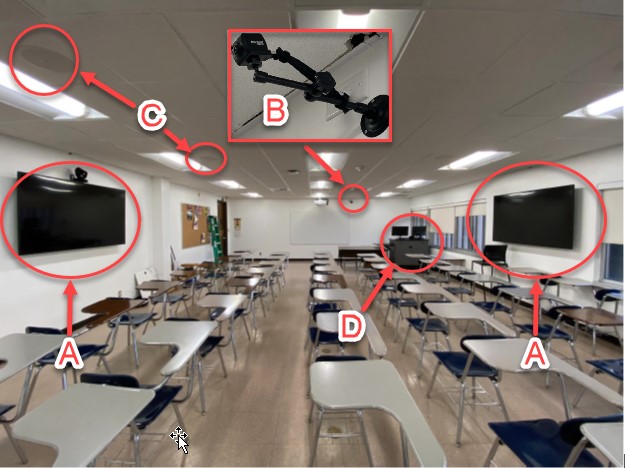
Yes, cameras may be installed in some classrooms, but they are not required in every school. Many schools place cameras in hallways, entrances, parking lots, gyms, and common areas instead of inside classrooms.
When cameras are inside classrooms, they often serve a specific purpose. For example, a school may use them for security, teacher training, special education services, or online instruction. A camera may also be used during a safety investigation, but that does not mean every class is recorded all day.
The most accurate answer to “are there cameras in classrooms” is: sometimes, but local rules control their use. A public school district may have a written camera policy that explains where cameras can be placed, who can view recordings, how long footage is kept, and when families must receive notice.
Cameras and microphones are also different. A video camera may show the room without recording sound. Audio recording can create extra legal issues because state wiretap and consent laws may apply.
Why Do Schools Put Cameras in Classrooms?
Schools usually install classroom cameras for a clear safety, learning, or access need. The goal is not always to watch teachers or students. In many cases, the camera supports a limited program with written rules.
Common reasons include:
• Safety and security: A camera may help explain what happened during a fight, medical emergency, threat, or other serious event.
• Special education support: Some states allow cameras in special education classrooms or settings when students may face a higher risk of abuse or harm. These rules often include strict notice, access, and storage requirements.
• Remote and hybrid learning: A classroom camera can help students join lessons from home. This became more common during and after the COVID-19 pandemic.
• Teacher training: A school may record a lesson for professional development. This should usually involve notice, consent, or a clear staff policy.
• Behavior review: Administrators may use footage to understand an incident. A camera should not replace fair interviews or a full investigation.
• Emergency response: Security staff may use live video to understand what is happening during an emergency.
A camera is a tool, not a complete safety plan. It cannot prevent every incident, detect every concern, or show what happened before a recording began. Good schools combine cameras with trained staff, clear reporting systems, supervision, and student support.
Where Are Classroom Cameras Usually Found?
The phrase “classroom camera” can describe several different devices. Understanding the type of camera helps explain the privacy risk and the school’s likely reason for using it.
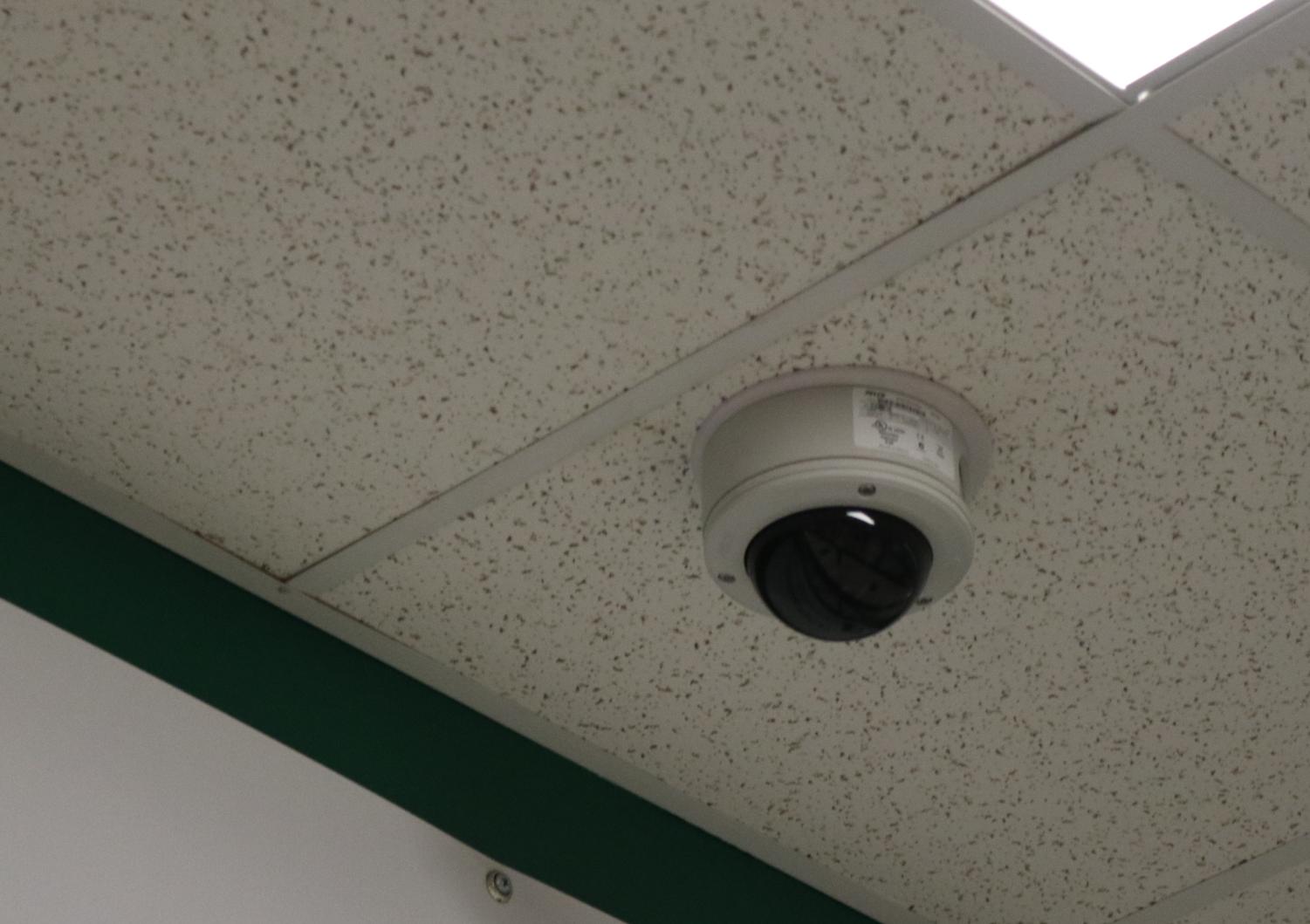
Fixed security cameras
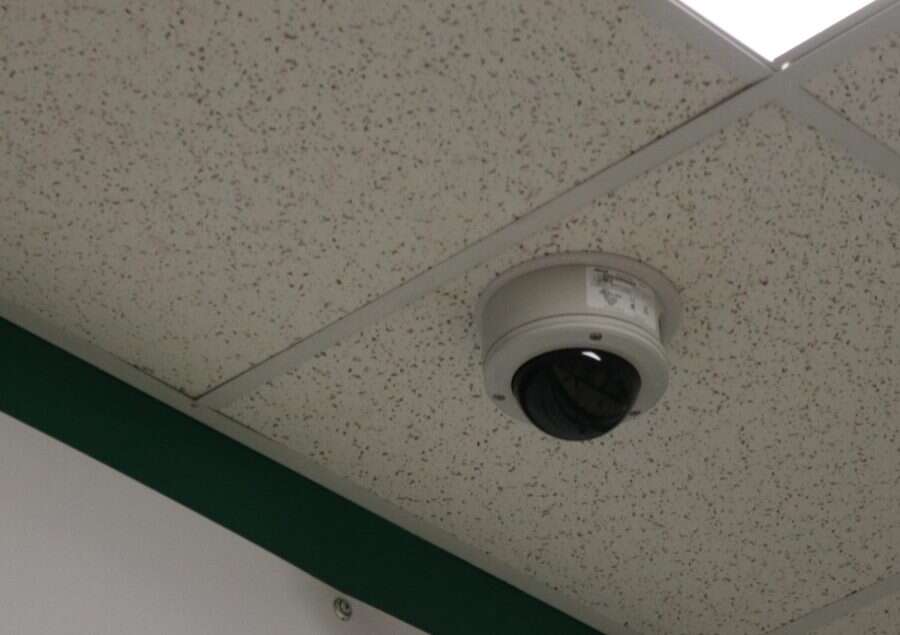
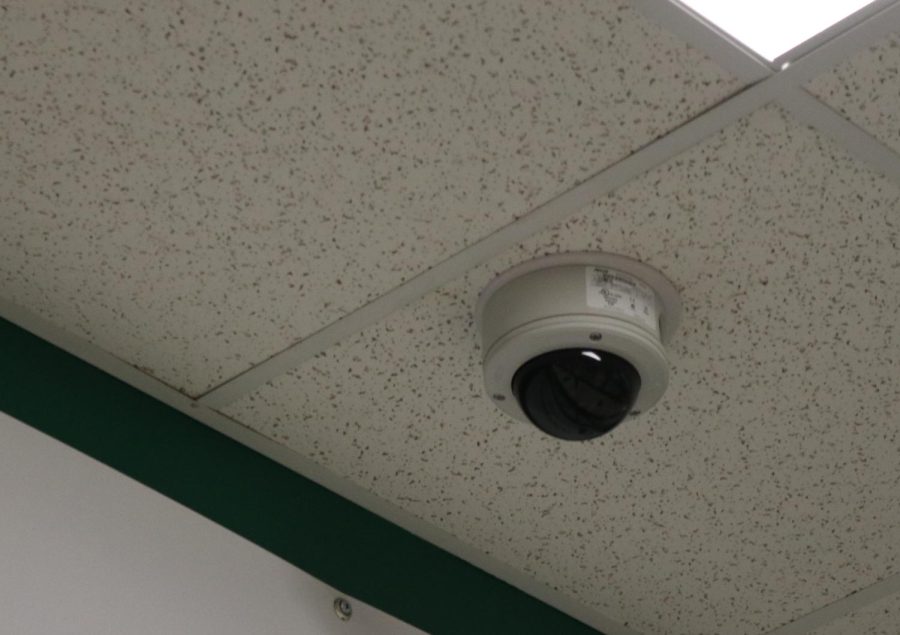
A fixed camera is mounted on a wall or ceiling. It may show the whole classroom, a door, or a specific area. These cameras often connect to the school’s security system.
A fixed camera may record continuously, record only during certain hours, or save video after motion is detected. The exact setup should be explained in the district’s policy.
Webcams and video conference cameras
A webcam is common in classrooms used for online lessons. It may be part of a computer, laptop, interactive display, or video conference system.
These cameras often turn on only during a live class. However, some platforms can record sessions, save chat messages, or store attendance data. Students and parents should ask whether the lesson is recorded and who can access it.
Special education classroom cameras
Some classroom camera laws focus on rooms where students receive special education services. In these settings, cameras may be required by state law or district policy after a qualifying request or incident.
Rules can differ sharply. Some states require cameras in certain rooms, while others only permit them. The law may also limit access to footage and forbid using it for routine teacher evaluation.
Portable or temporary cameras
A school may use a temporary camera after a serious incident or during a safety review. Portable devices should still follow the same privacy, notice, and access rules as permanent cameras.
A small device does not mean a school can ignore the law. The size or location of a camera does not decide whether its use is lawful.
How Do You Know If a Classroom Has a Camera?
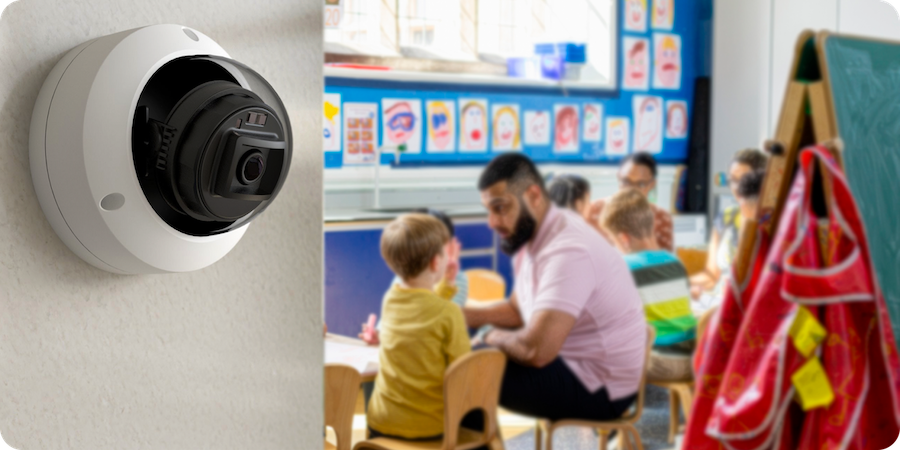
A visible camera often looks like a small dome, box, or lens mounted near the ceiling. A webcam may sit above a monitor or interactive board. Still, not every lens is recording, and some devices are used only for video calls.
To find out whether cameras are present, take these practical steps:
-
Look around the room for cameras, microphones, monitors, or signs about recording.
-
Ask the teacher whether the device is active and what it records.
-
Request the school district’s video surveillance or electronic monitoring policy.
-
Ask whether the system records sound, video, or both.
-
Ask who can view recordings and whether access is logged.
-
Find out how long the school keeps the footage.
-
Ask whether recordings are shared with police, parents, attorneys, or outside vendors.
-
Check whether students and families receive notice before recording begins.
Do not touch, cover, unplug, or damage a camera. If you believe a device is hidden or used improperly, write down the date, location, and concern. Then contact the principal, district privacy officer, superintendent, or school board.
In reviewing school technology policies, one lesson stands out: people often assume that a visible camera records everything. That assumption can be wrong. Some devices are inactive, some record only during a class session, and some transmit live video without saving it.

Can Schools Legally Record Classrooms?
The legal answer depends on the school, the state, the type of recording, and the people shown. There is no single nationwide rule that gives every school the same power to record every classroom.
Public schools must consider constitutional privacy rights, student education records, disability rights, state surveillance laws, and district policy. Private schools may have different legal duties, but contracts, handbooks, state law, and general privacy rules still matter.
Several legal issues are especially important:
Video privacy
Video from a classroom may identify students, teachers, visitors, or lessons. If the footage is directly related to a student and maintained by the school, it may raise questions under the Family Educational Rights and Privacy Act, commonly called FERPA.
FERPA does not simply ban all school video. It can regulate when a recording is treated as an education record and when it may be disclosed. Schools must review the facts of each situation.
Audio recording
Audio can be more legally sensitive than video. Federal law and state laws address the recording of conversations, and some states require all parties to consent.
A school that records classroom audio should explain the practice clearly. A camera that records sound without proper notice may create a serious legal problem.
Notice and consent
Some states require schools to notify parents, students, and staff about cameras. Others require consent in certain settings or for certain uses.
Notice may appear in a student handbook, board policy, enrollment form, classroom sign, or special education document. A general notice may not answer every question, so families can request the specific policy.
Special education rules
Several states have laws about video and audio monitoring in special education classrooms. These laws may apply when a parent or school requests monitoring because of safety concerns.
The rules may cover:
• Which rooms qualify
• How much notice must be given
• Who may request recording
• Who can view the footage
• How long the recording must be kept
• Whether the footage can be used in discipline or litigation
Because these rules vary, families should consult the state education agency or a qualified attorney for a dispute.
Who Can Watch Classroom Camera Footage?
Access should be limited to people with a legitimate reason. This may include school administrators, security staff, law enforcement in certain cases, or people handling a formal complaint.
Teachers may not automatically have access to every recording. Parents may also not have an unrestricted right to view footage showing other students. The school may need to redact, blur, or withhold parts of a recording to protect other children’s privacy.
Schools should use safeguards such as:
• Individual staff logins
• Access records
• Secure storage
• Limited retention periods
• Written release procedures
• Rules for police requests
• Restrictions on copying or sharing
A school should not treat classroom video like casual phone footage. Posting a recording online, sending it to a group chat, or sharing it with unrelated people may expose students and staff to harm.
Parents who request footage should make the request in writing. Include the date, approximate time, classroom, and event involved. Ask the school to preserve the recording because many systems automatically delete older footage.

How Long Do Schools Keep Classroom Recordings?
Retention periods vary. A school may keep ordinary security footage for a few days or several weeks. A recording connected to an incident, complaint, lawsuit, or police inquiry may be preserved longer.
There is no universal rule that every school must keep classroom footage for the same number of days. The district’s records policy should explain the normal retention period and the exceptions.
Storage may also depend on the camera system. Some systems save footage on a local recorder. Others use cloud storage. Online systems can create extra questions about vendors, data security, and where the information is stored.
If a serious event appears on camera, ask the school to preserve the relevant footage as soon as possible. A polite written request can prevent automatic deletion while the school reviews the matter.
Benefits of Cameras in Classrooms
When used carefully, cameras can offer real value. They may provide facts when people remember an event differently. They can also support students who cannot attend in person.
Potential benefits include:
• Faster review of safety incidents
• Support for students learning from home
• Evidence during abuse or neglect investigations
• Better understanding of classroom access issues
• Improved emergency response
• Training opportunities for teachers, with proper safeguards
• Documentation of events that may otherwise depend only on conflicting accounts
Cameras can also protect teachers from false claims. A clear recording may show that an accusation is inaccurate or missing important context.
Still, a recording is only one piece of evidence. It may not capture a student’s earlier behavior, a private conversation, or events outside the camera’s view. Administrators should avoid making major decisions from a short clip without hearing from the people involved.
Concerns and Drawbacks of Classroom Cameras
The main concern is privacy. Students need a safe place to learn, ask questions, make mistakes, and receive support. Constant recording can make a classroom feel less like a learning space and more like a stage.
Other concerns include:
• Student anxiety or self-consciousness
• Misuse of footage
• Unauthorized sharing
• Data breaches
• Bias in interpreting student behavior
• Monitoring that affects teacher freedom
• Audio recording without clear consent
• Footage being used for discipline in ways families did not expect
• Cameras missing important context
There is also a risk of “function creep.” A camera installed for emergencies may later be used for teacher evaluation, student discipline, or facial recognition. A strong policy should state exactly what the camera is for and prohibit unrelated uses.
Schools should also consider fairness. Students with disabilities, English learners, and students from heavily monitored communities may experience surveillance differently. A camera policy should protect safety without creating unequal treatment.
What Should a Good School Camera Policy Include?
A clear policy helps families and staff understand the limits of classroom surveillance. It should be easy to find, written in plain language, and reviewed on a regular schedule.
Look for answers to these questions:
• Where may cameras be installed?
• Are classrooms, buses, offices, and special education rooms treated differently?
• Does the system record audio?
• When does recording begin and end?
• Who approves a camera installation?
• Who may watch live video?
• Who may review stored footage?
• How is access tracked?
• How long is footage retained?
• Can parents request a copy?
• How are other students protected?
• When may police receive footage?
• Can footage be used for discipline or teacher evaluation?
• What happens after a privacy complaint?
• Which staff member handles questions?
A useful policy balances safety with restraint. It should collect only the information the school needs, protect it carefully, and delete it when there is no valid reason to keep it.
What Parents and Students Can Do
If you are asking “are there cameras in classrooms” because something feels unclear, start with calm, specific questions. You do not need to make an accusation to request basic information.
You can ask:
-
Is there a camera in this classroom?
-
Does it record video, audio, or both?
-
Is it always on?
-
Is the lesson recorded or only streamed live?
-
Who has access?
-
How long is the recording kept?
-
What policy authorizes the recording?
-
Can the school show the notice given to families?
-
How can I report a concern?
Keep copies of emails, policy documents, and written responses. If the school does not respond, contact the district office or school board. For a serious privacy, disability, or discrimination concern, consider speaking with an education advocate or attorney.
Avoid posting allegations or suspected footage on social media. Public sharing can harm students, violate privacy rights, and make a fair investigation harder.
Cameras in Classrooms Versus Cameras in Common Areas
Many people ask “are there cameras in classrooms” because they have seen cameras in school hallways. These situations are not identical.
Common-area cameras usually monitor places where people have a lower expectation of privacy, such as entrances, hallways, and parking lots. Classroom cameras capture teaching, student work, conversations, and sometimes sensitive services.
That difference does not make hallway cameras automatically legal or classroom cameras automatically illegal. It does mean the school should use a stronger reason, tighter controls, and clearer notice for classroom recording.
Bathrooms, locker rooms, and changing areas are generally treated as highly private spaces. Cameras should not be used where people reasonably expect privacy, except under very limited and legally controlled circumstances.
Frequently Asked Questions About Cameras in Classrooms
Are cameras common in public school classrooms?
They are less common in classrooms than in hallways, entrances, and outdoor areas. Some public schools use them for special education monitoring, remote instruction, or specific safety programs.
Can a teacher record students without telling parents?
That depends on the recording method, purpose, school policy, and state law. Audio recording can require stronger consent or notice, so families should ask the school for its written rule.
Do classroom cameras record sound?
Not always. Some cameras record video only, while others include microphones; ask whether audio is enabled and how consent or notice requirements are handled.
Can parents watch classroom camera footage?
Parents may request footage in some situations, especially when it relates to their child or a reported incident. The school may limit viewing or blur other students to protect their privacy.
Can schools use cameras to evaluate teachers?
Some districts may permit limited instructional observation, but a security camera policy may not allow routine teacher evaluation. The school should clearly state whether footage can be used for employment decisions.
How can I report a hidden classroom camera?
Write down where you saw it and contact the principal or district privacy officer. Do not remove or damage the device, and request the policy that explains its purpose and operation.
Conclusion
So, are there cameras in classrooms? Sometimes. Their presence depends on the school district, state law, classroom purpose, and privacy rules. Cameras may improve safety and support remote or special education services, but they also create real concerns about consent, audio recording, data security, access, and misuse.
The best approach is to ask specific questions and read the school’s written surveillance policy. If a recording relates to a serious event, request that the footage be preserved quickly. Stay informed, protect student privacy, and encourage your school to use cameras only when the safety or learning benefit clearly justifies them. If this guide helped, share your experience or explore your district’s camera policy next.

Everett Ashford is a tech reviewer at mytechgrid.com specializing in SSDs, cameras, TVs, earbuds, headphones, and other consumer electronics. He provides honest, data-driven reviews based on hands-on testing and real-world performance analysis. Everett simplifies complex tech details to help readers make smart, confident buying decisions.