The Samsung 9100 Pro is among the fastest consumer SSDs, reaching up to 14,800 MB/s with PCIe 5.0.
The answer to what is the fastest SSD depends on your computer, workload, and how you measure speed. Current PCIe 5.0 NVMe drives lead the consumer market, but a slightly slower model may feel just as fast for gaming, office work, or daily use. This guide explains the fastest SSD options, real-world performance, heat limits, costs, and the key details to check before you buy.
What Is the Fastest SSD Right Now?
For most desktop users, the Samsung 9100 Pro is one of the fastest consumer SSDs available. Its top 4TB model lists sequential read speeds of up to 14,800 MB/s and sequential write speeds of up to 13,400 MB/s.
The Crucial T705 and Corsair MP700 Pro SE are also top-tier PCIe 5.0 SSDs. Their advertised read speeds reach about 14,500 MB/s, depending on capacity, firmware, and cooling.
Here are leading high-speed consumer SSDs:
| SSD | Interface | Maximum listed read speed | Maximum listed write speed |
|---|---|---|---|
| Samsung 9100 Pro | PCIe 5.0 x4 | Up to 14,800 MB/s | Up to 13,400 MB/s |
| Crucial T705 | PCIe 5.0 x4 | Up to 14,500 MB/s | Up to 12,700 MB/s |
| Corsair MP700 Pro SE | PCIe 5.0 x4 | Up to 14,500 MB/s | Up to 12,700 MB/s |
| Seagate FireCuda 540 | PCIe 5.0 x4 | Up to 10,000 MB/s | Up to 10,000 MB/s |
| WD_BLACK SN850X | PCIe 4.0 x4 | Up to 7,300 MB/s | Up to 6,600 MB/s |
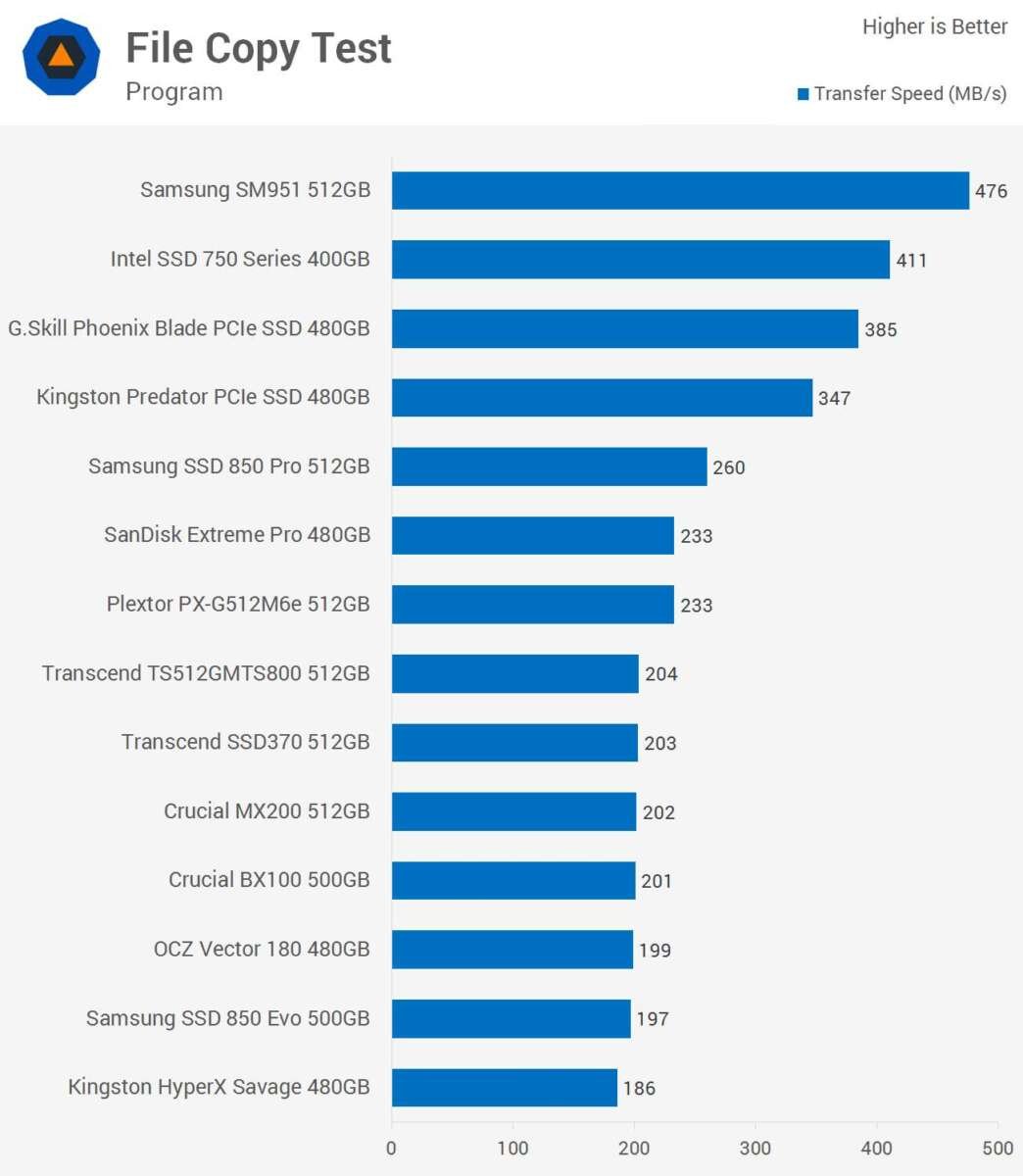
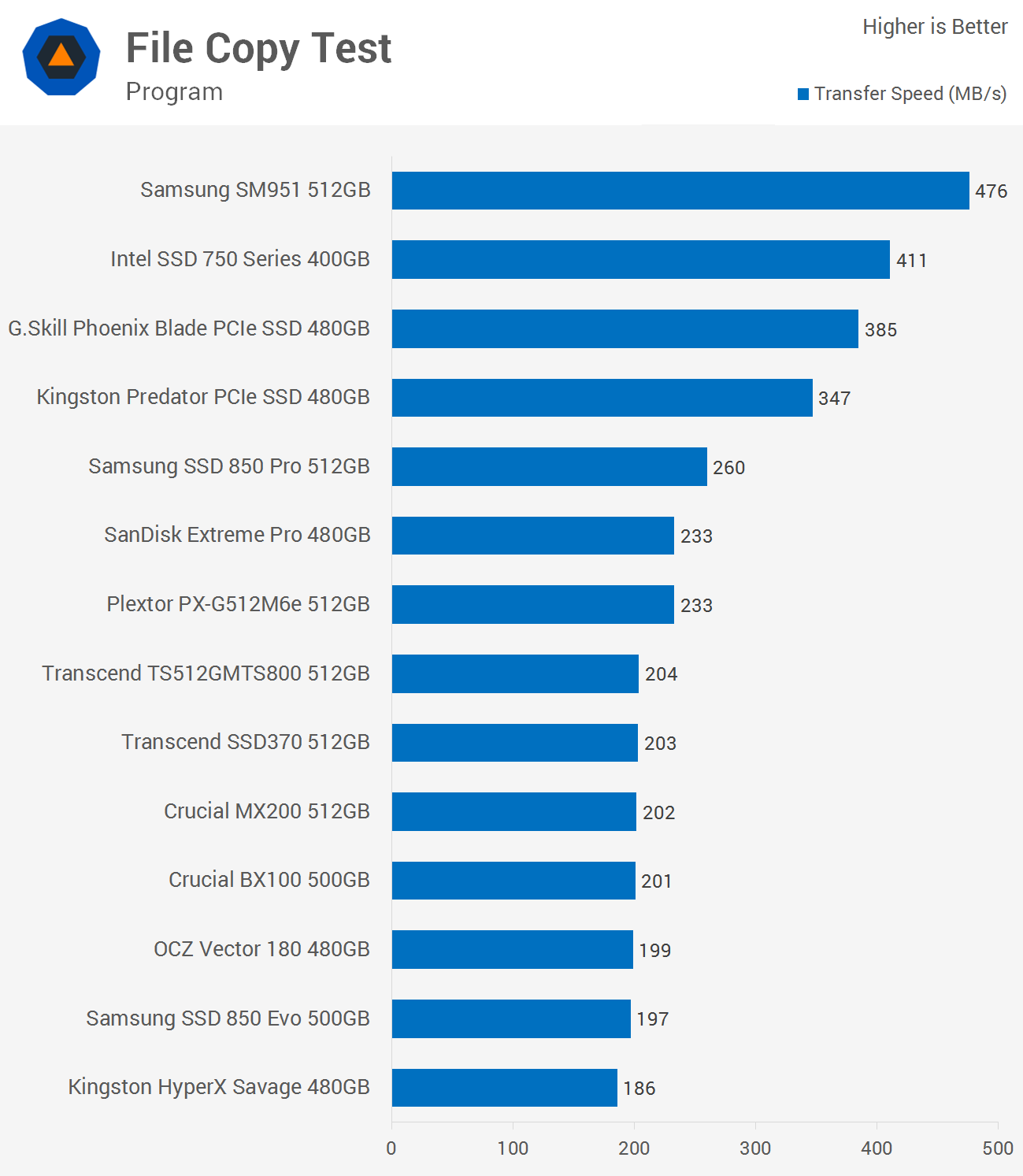
These numbers describe sequential transfers. They do not always show how fast an SSD feels during Windows startup, game loading, or app use.
How SSD Speed Is Measured
To understand what is the fastest SSD, you need to separate marketing speed from real performance. SSD tests use several measurements, and each one tells a different story.
Sequential read and write speed
Sequential speed measures large, continuous files. It matters when you:
• Copy large video files
• Edit 4K or 8K footage
• Create disk images
• Move large game libraries
• Work with scientific or engineering data
A PCIe 5.0 SSD can move a large file very quickly. Still, the source drive, destination drive, file type, and thermal limits can reduce the result.
Random performance
Random performance measures small files placed across different parts of the drive. It is more useful for operating systems, software, and multitasking.
Random speed is often shown as input/output operations per second, or IOPS. A drive with excellent random performance can feel responsive even if its sequential speed is not the highest.
Access time
Access time measures how quickly the drive responds to a request. SSDs have very low access times compared with hard disk drives.
This is why a good NVMe SSD can make a computer feel quick even when it does not reach the highest advertised transfer rate.
Sustained performance
Some SSDs reach their maximum speed for only a short period. After the cache fills or the drive gets hot, write speed may fall.
When asking what is the fastest SSD for large projects, sustained write performance matters more than a short benchmark peak.
PCIe 5.0 SSDs Are the Fastest for Most Consumers
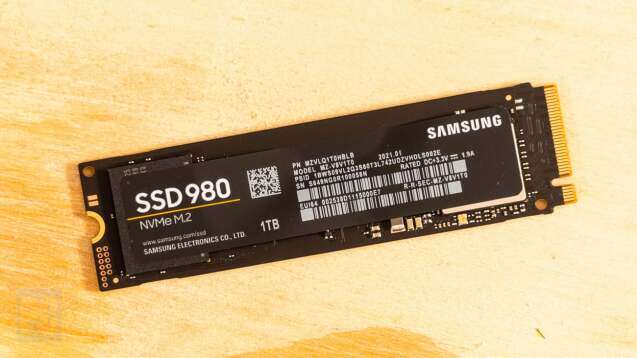
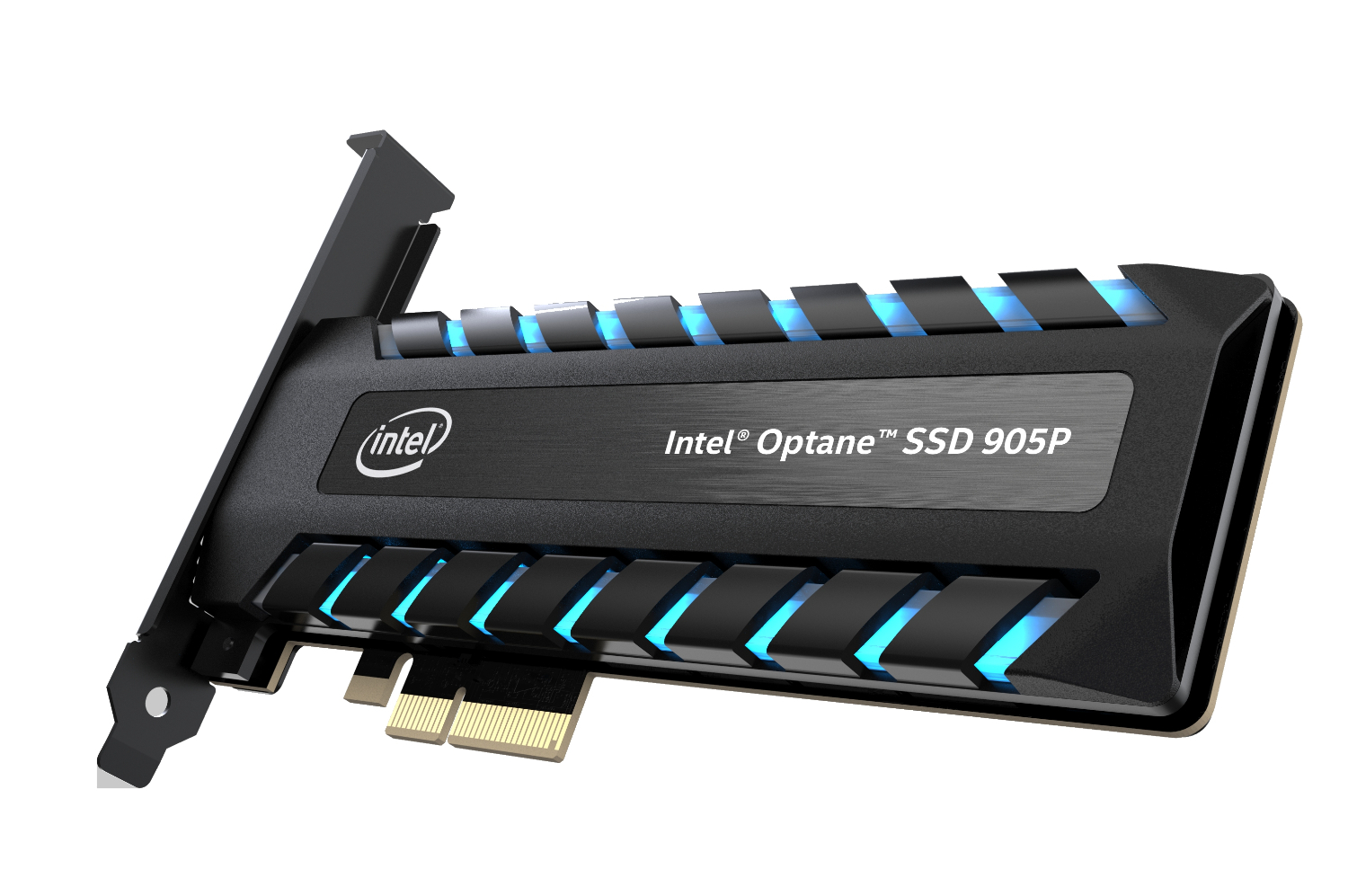
PCIe, or Peripheral Component Interconnect Express, is the connection used by modern NVMe SSDs. PCIe 5.0 provides more bandwidth than PCIe 4.0 and allows the fastest SSD models to exceed 14 GB/s in ideal tests.
A PCIe 5.0 x4 SSD uses four data lanes. The x4 design is important because it provides enough bandwidth for high-end drives without requiring a larger connection.
The fastest SSD benefits from:
• A compatible PCIe 5.0 motherboard slot
• A modern processor and chipset
• Updated motherboard firmware
• A suitable M.2 heatsink
• Good airflow around the drive
A PCIe 5.0 SSD also works in many PCIe 4.0 systems, but it will run at PCIe 4.0 speeds. Before buying, check the motherboard manual. Some M.2 slots share bandwidth with SATA ports or expansion slots.
The Fastest SSD for Gaming
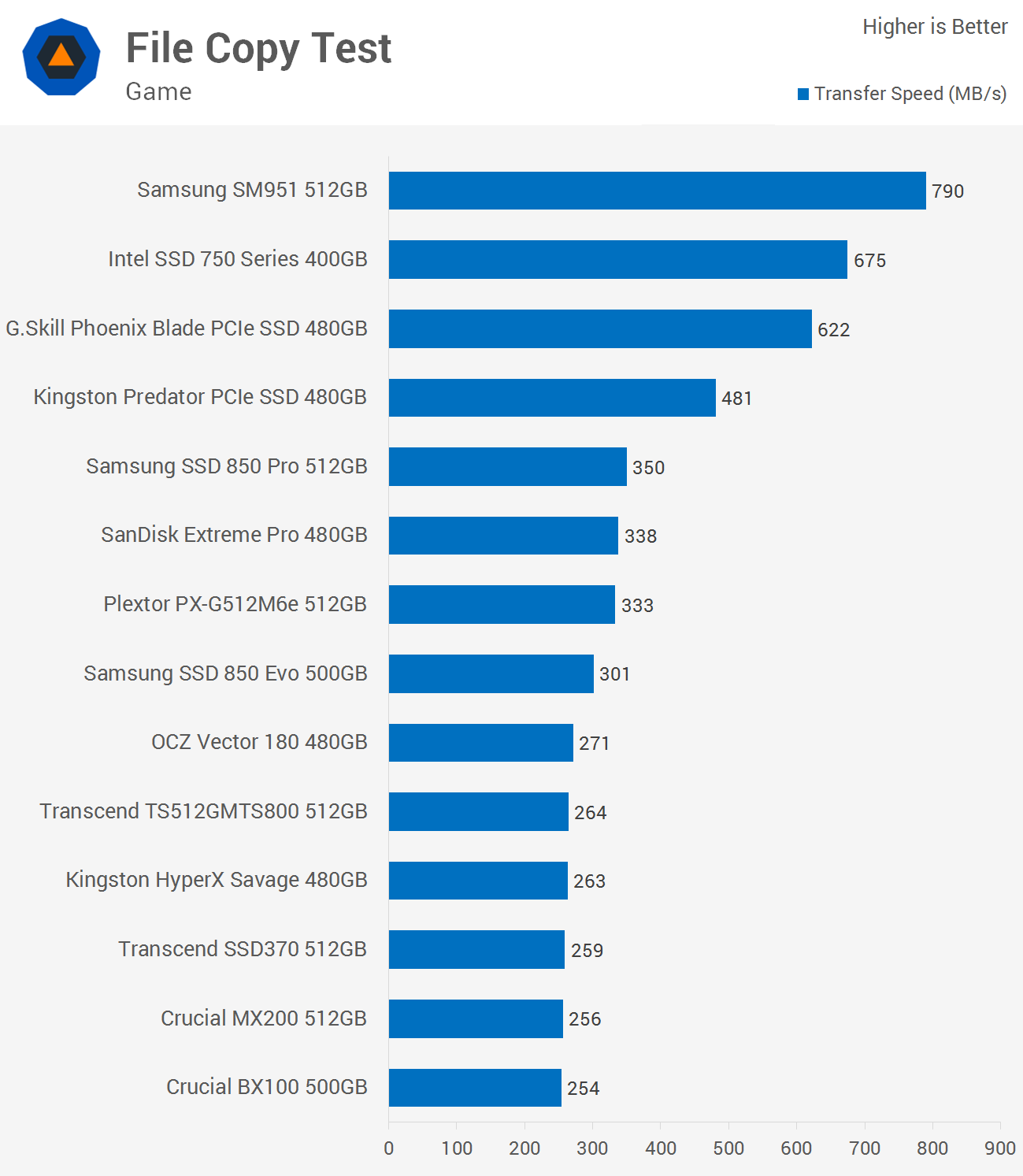
The fastest SSD for gaming is usually a high-quality PCIe 4.0 or PCIe 5.0 NVMe drive. PCIe 5.0 models lead in benchmarks, but the difference in game loading time is often small.
Modern games usually load many files at once. Their performance depends on the game engine, CPU, memory, software compression, and asset design. A PCIe 5.0 drive may not make a game load twice as fast as a strong PCIe 4.0 drive.
For most gamers, look for:
• At least 1TB of capacity
• Strong random read performance
• A reliable controller and flash type
• A good warranty
• Consistent performance after the cache fills
• A heatsink or motherboard cooling cover
Microsoft DirectStorage may allow supported games to use fast NVMe storage more efficiently. However, game support remains uneven, so storage speed is not the only factor.
A practical lesson from SSD testing is simple: spending extra money on a faster drive does not always improve gaming. A larger, reliable SSD may be a better choice than the fastest SSD if it gives you more space for modern games.

The Fastest SSD for Video Editing and Large Files
For video editors, the fastest SSD can save time during file transfers, project loading, and scratch-disk work. A PCIe 5.0 model is most useful when the system moves very large files for long periods.
A fast editing setup may use separate drives:
• One SSD for Windows and applications
• One SSD for active project files
• One SSD for cache and scratch files
• A large HDD or NAS for backups
This arrangement prevents one drive from handling every task at once. It also makes backups easier.
Keep in mind that video editing software may not write at the SSD’s maximum speed. The camera format, project codec, preview settings, and CPU can become the bottleneck. In many workflows, a reliable PCIe 4.0 SSD offers excellent value.
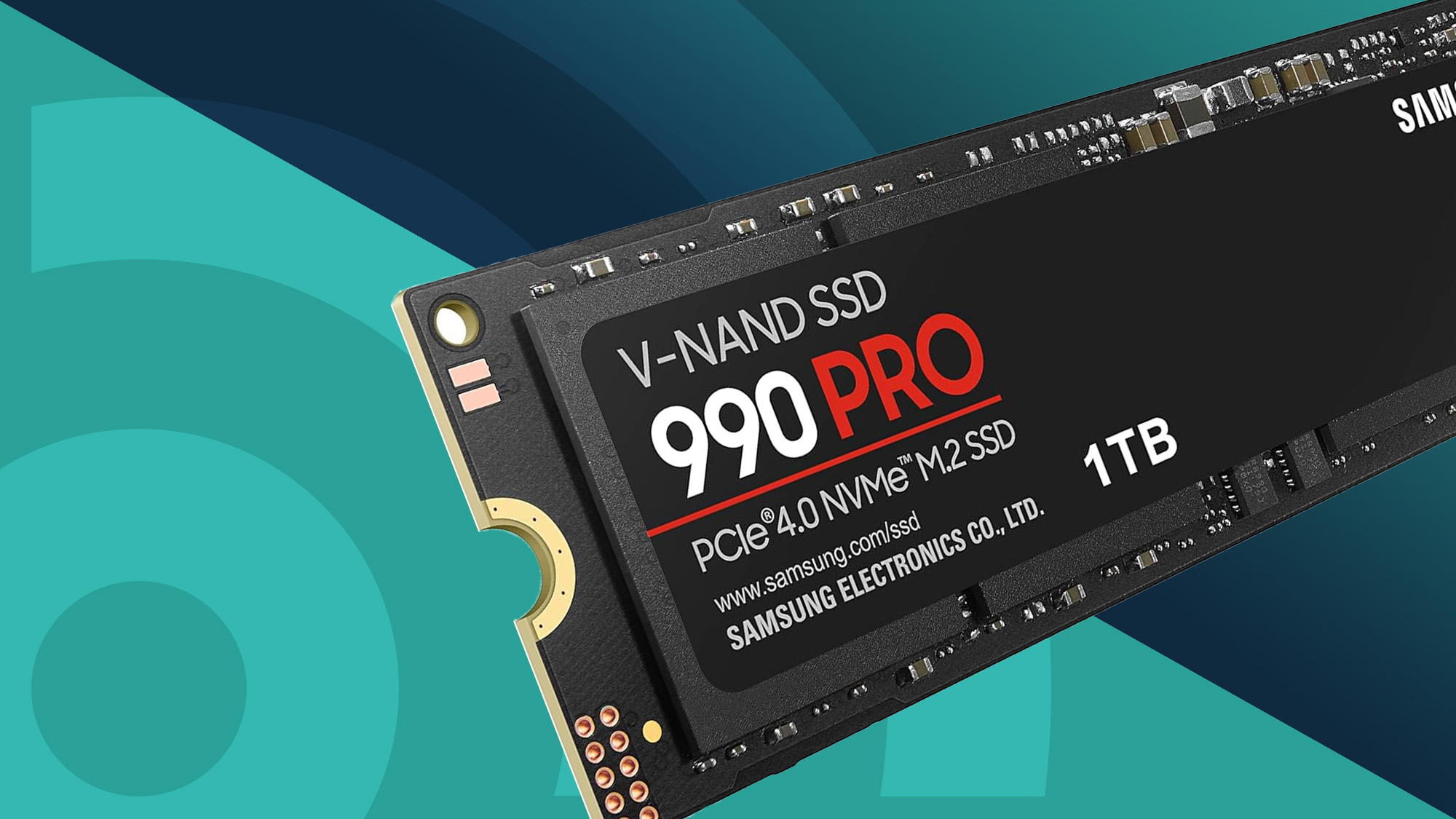
Samsung 9100 Pro vs. Crucial T705
The Samsung 9100 Pro and Crucial T705 are two of the main answers to what is the fastest SSD for a consumer desktop.
The Samsung 9100 Pro has very high sequential read and write specifications. It also uses a modern controller and is available in several capacities. Samsung’s software support and broad retail availability may appeal to users who want a familiar ecosystem.
The Crucial T705 also delivers exceptional PCIe 5.0 performance. Its strongest results require effective cooling, especially during long writes. It is a good fit for a workstation or gaming PC with a strong M.2 heatsink.
Choose between them based on:
• Price per terabyte
• Capacity
• Warranty terms
• Included or optional heatsink
• Your motherboard’s cooling design
• Independent sustained-write testing
The fastest SSD on a product page may not be the fastest SSD in your computer. Cooling and system compatibility can change the result.

Why PCIe 5.0 SSDs Get Hot
High-speed SSD controllers use more power than older PCIe 3.0 and PCIe 4.0 designs. That extra power becomes heat.
When an SSD reaches its thermal limit, it reduces speed to protect the controller and flash memory. This process is called thermal throttling.
To reduce heat:
-
Use the motherboard’s M.2 heatsink.
-
Remove the plastic film from the thermal pad.
-
Make sure the heatsink sits flat.
-
Keep the SSD away from a hot graphics card when possible.
-
Improve case airflow.
-
Update the SSD firmware.
A heatsink is not just an accessory for the fastest SSD. It is part of the cooling system. Some high-end drives include a large heatsink, while others require you to purchase one separately.
NAND Flash, DRAM, and SSD Controllers
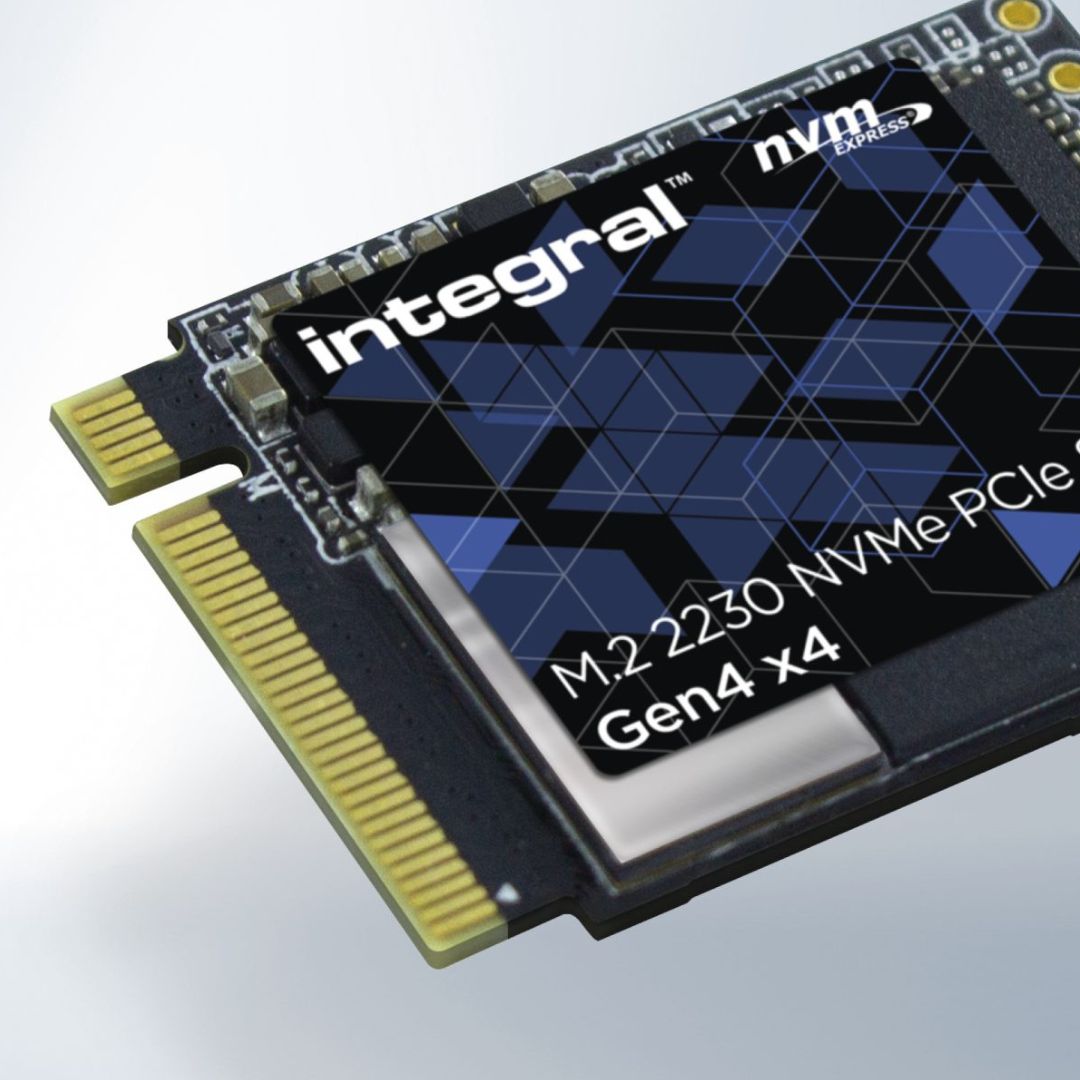
An SSD’s speed depends on more than its PCIe version. Three major parts work together: NAND flash, the controller, and system memory.
NAND flash stores your data. Faster flash can improve transfer rates, but the type and design of the memory also affect endurance and long-term performance.
The controller manages data movement, error correction, wear leveling, and communication with the computer. A powerful controller can support very high speeds, but it may also produce more heat.
DRAM stores a map of where data is located. SSDs with dedicated DRAM often deliver strong and consistent performance. Some newer drives use host memory buffer technology instead, which borrows a small amount of system memory.
A large SLC cache can make short writes very fast. Once that cache fills, the drive may write directly to slower NAND. This is why independent tests that copy hundreds of gigabytes are useful.
Is the Fastest SSD Worth the Money?
The fastest SSD is worth the money when your work involves large files, frequent transfers, or heavy multitasking. It can also make sense for a high-end workstation that already has a PCIe 5.0 platform.
It may not be worth the extra cost for:
• Web browsing
• Schoolwork
• Light office tasks
• Older games
• Basic photo editing
A midrange PCIe 4.0 SSD often feels nearly as quick in everyday use. It may also use less power and produce less heat.
A simple buying rule works well: buy the fastest SSD you can cool properly, but do not sacrifice capacity or reliability for a benchmark number.
How to Choose the Fastest SSD for Your PC
Use this checklist before buying:
-
Check the motherboard slot. Confirm that it supports PCIe 5.0 x4 if you want maximum speed.
-
Check the processor platform. Some systems limit the available PCIe generation.
-
Choose the right capacity. A 2TB drive often offers a better balance than a small 1TB model.
-
Review sustained performance. Look beyond the peak sequential read number.
-
Plan for cooling. Use an M.2 heatsink with a properly installed thermal pad.
-
Compare endurance. Terabytes written, or TBW, shows the rated amount of data the drive can handle.
-
Read the warranty. Check its length and any write limits.
-
Keep backups. No SSD should be the only copy of important files.
One mistake I often see is buying a very fast SSD for a system that has only a PCIe 3.0 slot. The drive will work, but much of its potential will remain unused.
SSD Speed Compared With Other Storage
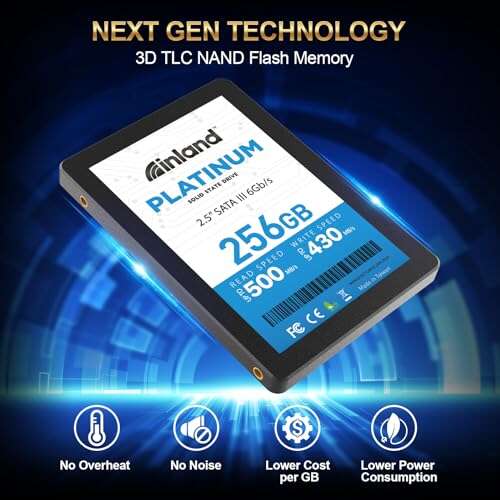
A PCIe 5.0 NVMe SSD can reach more than 14,000 MB/s in sequential reads. A strong PCIe 4.0 drive may reach about 7,000 MB/s, while a SATA SSD usually reaches about 550 MB/s.
Hard disk drives are far slower, often delivering roughly 100 to 250 MB/s in sequential transfers. However, HDDs remain useful for cheap bulk storage and backups.
Here is a simple comparison:
• PCIe 5.0 NVMe SSD: extreme speed for demanding work
• PCIe 4.0 NVMe SSD: excellent speed and strong value
• PCIe 3.0 NVMe SSD: good performance for older systems
• SATA SSD: reliable and affordable for upgrades
• HDD: low-cost storage for large archives
The fastest SSD is not always the best storage device for every job. A balanced system may use a fast NVMe drive for active work and a larger, slower drive for backup storage.
Common SSD Buying Mistakes
Avoid these errors when shopping for what is the fastest SSD:
• Comparing only sequential read speed
• Ignoring the motherboard’s PCIe support
• Running a high-end SSD without cooling
• Buying too little capacity
• Choosing an unknown brand without clear support
• Ignoring sustained write tests
• Treating a benchmark result as everyday performance
• Failing to update firmware
• Using an SSD as the only backup
Also, do not fill an SSD to its absolute limit. Leaving around 10% to 20% free space can help maintain performance and give the controller room for background management.
Frequently Asked Questions About What Is the Fastest SSD
What is the fastest SSD for a gaming PC?
A current PCIe 5.0 NVMe SSD, such as the Samsung 9100 Pro or Crucial T705, offers the highest consumer benchmark speeds. A quality PCIe 4.0 SSD is usually a better value because many games show only small loading-time differences.
Is PCIe 5.0 faster than PCIe 4.0 SSD storage?
Yes. PCIe 5.0 provides about twice the link bandwidth of PCIe 4.0 when both use four lanes. Real-world gains depend on the workload, cooling, firmware, and system hardware.
Does the fastest SSD make Windows start faster?
It can reduce storage-related delays, but the improvement over a good PCIe 4.0 SSD is often modest. Startup also depends on firmware, memory, background programs, and the processor.
Do I need a heatsink for the fastest SSD?
Yes, a heatsink is strongly recommended for high-end PCIe 5.0 drives. Without proper cooling, the SSD may throttle during long transfers and perform well below its advertised speed.
Which is better, a 1TB fast SSD or a 2TB slower SSD?
A 2TB SSD is often the better choice if you store games, videos, or large projects. Extra capacity prevents the drive from becoming nearly full and may provide better long-term value.
Is the fastest SSD always the best SSD?
No. The best SSD also needs strong reliability, suitable cooling, enough capacity, and a good warranty. A slightly slower model may be a smarter choice for everyday use.
Conclusion
The answer to what is the fastest SSD currently points to high-end PCIe 5.0 NVMe models, especially the Samsung 9100 Pro, Crucial T705, and similar drives. Their peak speeds can exceed 14,000 MB/s, but real performance depends on cooling, workload, motherboard support, and sustained transfers.
For gaming and daily work, a dependable PCIe 4.0 SSD may deliver nearly the same experience at a lower price. Choose capacity and reliability first, then match the drive to your computer and workload. Check your motherboard, plan proper cooling, and compare sustained benchmarks before buying. Explore current SSD deals and share your own storage experience in the comments.

Everett Ashford is a tech reviewer at mytechgrid.com specializing in SSDs, cameras, TVs, earbuds, headphones, and other consumer electronics. He provides honest, data-driven reviews based on hands-on testing and real-world performance analysis. Everett simplifies complex tech details to help readers make smart, confident buying decisions.