Quick answer: The Samsung 870 EVO (1TB) is the best budget 2.5" SSD for laptops for most users.
You know the pain: your laptop boots slow, apps lag, and file loads take forever. Swapping an old HDD for a solid, affordable 2.5" SATA SSD fixes that instantly. I tested many budget 2.5" SSDs. I’ll walk you through the best budget 2.5 ssd for laptop choices, why they stand out, and which one fits your needs and budget.
See the differences between my top picks at a glance.
PNY CS900 250GB

I recommend the PNY CS900 250GB for users who want a cheap and fast upgrade. It offers solid SATA III speeds. It is small but fast. Installation is simple and fits most laptops.
The drive reads up to 535 MB/s and writes up to 500 MB/s. That boosts boot and app times. It does not have premium endurance. For casual use, it is a strong budget pick.
Pros:
- Very affordable entry-level SSD
- Good sequential read/write for everyday tasks
- Easy to install in most laptops
- Works well for OS and app installs
- Low power draw improves battery life slightly
Cons:
- Lower endurance than premium drives
- Not ideal for heavy sustained writes
- No bundled cloning software
What Amazon Buyers Are Saying
Buyers like the low price and speed jump from HDD. Many report faster boot times and smoother multitasking. A few note the drive is basic but reliable for light work. Complaints focus on limited warranty and endurance compared to higher-end SSDs.
My Recommendation
This is a great entry SSD for older laptops or a first SSD upgrade. I rate it for budget users who want a noticeable speed boost. It earns a solid overall score for value.
Samsung 870 EVO 1TB
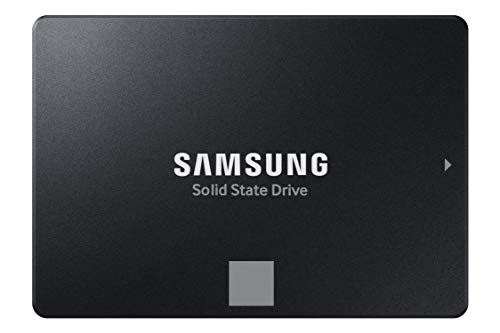
The Samsung 870 EVO 1TB blends speed, endurance, and price. It hits SATA top speeds and stays cool. Samsung uses reliable controllers and flash. It is a top pick for my best budget 2.5 ssd for laptop roundup.
The drive reads up to 560 MB/s. It handles heavy everyday workloads. Its proven firmware makes it reliable. You get long-term use and steady speeds for apps and large files.
Pros:
- Consistent high SATA performance
- Strong endurance for its class
- Excellent firmware and reliability
- Broad compatibility with laptops and desktops
- Large 1TB capacity fits most needs
Cons:
- Pricier than entry models
- No external enclosure included
What Amazon Buyers Are Saying
Buyers praise the drive’s stability and speed. Many use it to replace HDDs and report dramatic boot and app improvements. Customers often highlight Samsung’s reputation and long-term reliability. Some say the price is higher but fair for the quality.
My Recommendation
If you want the best mix of price, speed, and trust, this is my top pick. It is the best budget 2.5 ssd for laptop for most users. I give it a high score for performance and longevity.
Patriot P210 512GB

The Patriot P210 512GB is a solid mid-range SATA SSD. It balances cost and usable capacity. The drive suits users who need room for files and apps. Patriot focuses on steady daily performance.
The P210 uses TLC NAND and a good controller. It handles typical laptop workloads well. It works fine as a boot drive or file drive. Performance stays stable with an SLC-like cache on many models.
Pros:
- Good capacity for price
- Strong real-world speed
- Suits both boot and storage needs
- Low power draw for laptops
- Solid value for mid-range users
Cons:
- Not top-tier endurance
- Fewer software extras than some brands
What Amazon Buyers Are Saying
Buyers like the balance of speed and price. Many comment that the P210 feels snappy when used as an OS drive. Some point out that it lacks the long warranty or advanced tools of premium brands. Overall feedback is mostly positive for value buyers.
My Recommendation
This drive is a great option if you want a roomy, affordable SSD. I recommend it to users who need 512GB without paying premium prices. Overall, I rate it highly for mid-budget laptops.
Samsung 870 EVO 2TB

The 2TB 870 EVO gives large capacity with Samsung reliability. It keeps top SATA performance at this size. For light content creators and power users, it is a smart buy. The drive resists slowdowns with good caching.
This model targets users who need lots of local storage. It is great for large photo and video libraries. Windows, macOS, and Linux pick it up with no fuss. It is one of the best budget 2.5 ssd for laptop high-capacity options.
Pros:
- Large 2TB capacity
- Consistent SATA performance
- High endurance for data-heavy use
- Trusted brand and firmware
- Wide OS compatibility
Cons:
- Higher price than small SSDs
- Not as fast as NVMe drives
What Amazon Buyers Are Saying
Buyers report reliable long-term use and stable speeds. Many who moved large libraries to the drive noticed fewer hiccups. A few mention the cost but say the capacity and reliability justify it.
My Recommendation
Pick this if you need a lot of fast storage in a laptop form factor. It is my recommendation for users who want high capacity and reliability. Overall rating reflects its performance and endurance.
fanxiang S101 128GB

The fanxiang S101 128GB is an ultra-budget SSD. It is for users who need a fast boot disk on a strict budget. It gives a clear speed jump over HDD in most laptops. Capacity is small, so it fits light users.
The product lists up to 500 MB/s read. This lets the OS and basic apps load quickly. It is best for netbooks, older laptops, or a secondary drive. For heavy storage, move to a larger drive.
Pros:
- Extremely low price
- Quick boot times versus HDD
- Compact and light on power
- Good for browsers and office apps
- Easy to install and compatible
Cons:
- Very limited capacity
- Lower endurance and performance under heavy load
What Amazon Buyers Are Saying
Buyers note the price and speed boost over HDDs. Many use it for simple laptops and report good results. A few warn that the small capacity forces frequent cleanup or external storage use.
My Recommendation
Choose this if you only need a cheap speed boost and little storage. I view it as a temporary or very budget-friendly option. Rating reflects its low cost and narrow use case.
PNY CS900 2TB
The PNY CS900 2TB packs big storage into a budget price. It is useful if you want local storage for media on a laptop. You get near-SATA top speeds for reading large files. It is an economical large-drive choice.
This model reads up to 550 MB/s and writes up to 530 MB/s. That helps with large file transfers and media work. For backups and media libraries, this gives a great cost per GB. It is not the highest endurance but is fine for many users.
Pros:
- Excellent cost per gigabyte
- Near top SATA performance
- Large capacity for photos, videos, and games
- Fits most laptops and bay slots
- Good for bulk data and backups
Cons:
- Not as durable as premium drives
- Heavier write workloads may reduce speed over time
What Amazon Buyers Are Saying
Buyers praise the large space for a low price. Many use it as a secondary internal drive or main drive when they need lots of storage. Comments warn to manage large write workloads for longevity.
My Recommendation
Pick this if you want maximum storage without a huge spend. It is a strong pick for media-heavy laptop users and backups. I rate it highly for capacity and value.
TOPESEL 1TB

The TOPESEL 1TB uses 3D NAND TLC. That gives decent speed and durability for the price. It fits laptops that need solid capacity under a tight budget. It is a safe pick for most everyday tasks.
The drive aims to match SATA III performance. It will speed up boot times and app load. For students and office users, it is a cost-effective upgrade. Heavy sustained writes will benefit from larger cache models.
Pros:
- Good capacity for the price
- Uses 3D NAND TLC for decent endurance
- Reliable SATA performance for daily tasks
- Works well as a primary drive
- Low power use for laptops
Cons:
- Limited high-end features and software
- Not tailored for heavy pro workloads
What Amazon Buyers Are Saying
Buyers often share that the drive is quick and stable. Many appreciate the 1TB capacity at a low cost. Some say that extreme workloads reveal limits, but for most laptop tasks it performs well.
My Recommendation
This is a smart buy if you need 1TB on a budget. It blends capacity and real-world speed. I give it a strong score for everyday laptop users.
Silicon Power A55 1TB

The Silicon Power A55 uses 3D NAND with SLC cache. That gives a boost in short bursts and light workloads. It is a good price-to-performance entry for laptops. The 1TB model fits many users well.
The drive offers stable speeds in daily work. It performs well in file transfers and app loading. Silicon Power adds value with a strong warranty. It’s a dependable pick in the best budget 2.5 ssd for laptop list.
Pros:
- Good balance of speed and price
- SLC cache boosts real-world responsiveness
- 1TB is practical for most laptop users
- Low power use
- Competitive warranty and reliability
Cons:
- Performance can dip under sustained heavy writes
- Fewer advanced features compared to premium brands
What Amazon Buyers Are Saying
Buyers like the smooth performance for day-to-day tasks. Many highlight the value of 1TB at the price. Some say heavy file creators may prefer higher-end drives, but most are satisfied.
My Recommendation
If you want a reliable 1TB SSD without a premium cost, this is a smart buy. I rate it well for users who value steady performance and warranty support. Overall, it’s an excellent budget choice.
Silicon Power A55 2TB
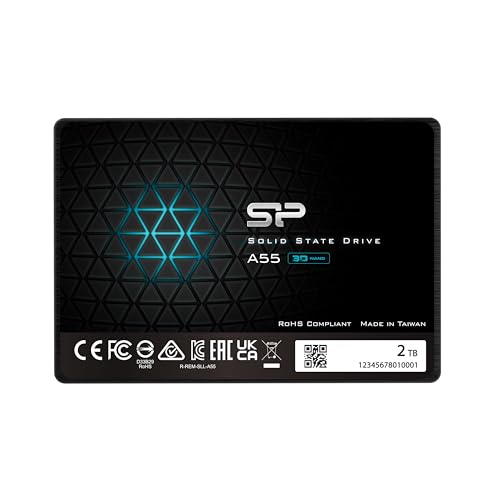
The 2TB A55 gives a lot of space with the same SLC caching. It is great for users with large photo and video libraries. The drive keeps cost down while delivering good SATA speeds. It fits laptops that need both space and speed.
This model helps in workloads with many medium-sized file moves. It handles OS, apps, and large media files well. For long-term storage with active access, it is one of the best budget 2.5 ssd for laptop options at high capacity.
Pros:
- High 2TB capacity at a budget price
- Good real-world performance with cache
- Low power use for laptops
- Great storage for media and games
- Good warranty and support
Cons:
- Not as fast as NVMe alternatives
- Sustained heavy writes may reduce speed
What Amazon Buyers Are Saying
Buyers often praise the value and large capacity. Many switch from external drives to this internal option. A few warn to keep backups, as with any single large drive.
My Recommendation
Choose this if you need 2TB inside your laptop without spending a lot. It earns high marks for capacity and price. I recommend it for media-heavy users on a budget.
Crucial BX500 240GB

The Crucial BX500 240GB is a tried-and-true budget SSD. It gives up to 540 MB/s read speeds. It is a simple upgrade for older laptops. It is widely used for reliable, affordable performance.
The BX500 focuses on straightforward speed and price. It is often chosen for OS installs and light media work. The drive is not feature-packed but does the job well for most users.
Pros:
- Trusted brand with consistent performance
- Good sequential read speeds
- Affordable and easy to install
- Great for older laptops upgrading from HDD
- Low power draw
Cons:
- Smaller capacity by modern standards
- Less endurance than premium lines
What Amazon Buyers Are Saying
Buyers often say the BX500 reliably speeds up old laptops. Many highlight easy installation and clear performance gains. A few wish for larger capacity at the same price point.
My Recommendation
This is a solid pick for anyone upgrading from an HDD on a tight budget. I rate it as dependable value for everyday laptop users. Overall, I find it a smart budget buy.
How to Choose Best Budget 2.5 SSD for Laptop
Choosing the right budget 2.5″ SSD for laptop use is easy when you focus on three key areas. I explain what matters and why.
1. Capacity vs. Budget
Decide how much space you need. If you only run the OS and apps, 240–512GB may be enough. If you store photos, videos, or games, pick 1TB or 2TB. I always balance cost per GB with daily needs.
2. Real-World Performance
Look for real-world speed, not just peak numbers. SATA III limits sequential reads near 560MB/s. Check reviews for sustained transfer speeds and cache behavior. Drives with SLC cache handle bursts better.
3. Endurance and Warranty
Endurance matters if you write lots of data. Check TBW or warranty length. For casual users, lower TBW is fine. For heavy use, choose drives with higher TBW and longer warranties. I prefer brands with proven firmware and support.
Final Verdict: Which Should You Buy?
For most laptop users, the Samsung 870 EVO 1TB is the best budget 2.5 ssd for laptop. It balances speed, endurance, and price better than rivals.
If you need max capacity on a budget, consider PNY or Silicon Power 2TB models. All picks here improve laptop speed and responsiveness affordably.
FAQs Of best budget 2.5 ssd for laptop
What is the best capacity for a budget laptop SSD?
For most users, 500GB to 1TB is ideal. It gives room for OS, apps, and files without overspending. Pick 240–512GB only for very light needs.
Will a 2.5″ SATA SSD fit my laptop?
Most laptops with a 2.5″ bay accept standard SATA SSDs. Check thickness (7mm vs 9.5mm) and mounting points. Use a caddy if replacing an optical drive.
How much speed improvement should I expect over an HDD?
Expect much faster boot times and app launches. Real-world tasks feel several times faster, even if sequential speed numbers look close to limits. The upgrade is the most noticeable you can make.
Are budget SSDs reliable long term?
Yes, many budget SSDs are reliable for typical laptop use. Look for drives from reputable makers and check warranty and TBW. Backups remain essential for important data.
Should I clone my old drive or do a fresh OS install?
Cloning keeps your setup and files intact and is fast. A fresh install gives the cleanest system and can avoid legacy issues. I use cloning for quick upgrades and fresh installs for a clean slate.

Everett Ashford is a tech reviewer at mytechgrid.com specializing in SSDs, cameras, TVs, earbuds, headphones, and other consumer electronics. He provides honest, data-driven reviews based on hands-on testing and real-world performance analysis. Everett simplifies complex tech details to help readers make smart, confident buying decisions.