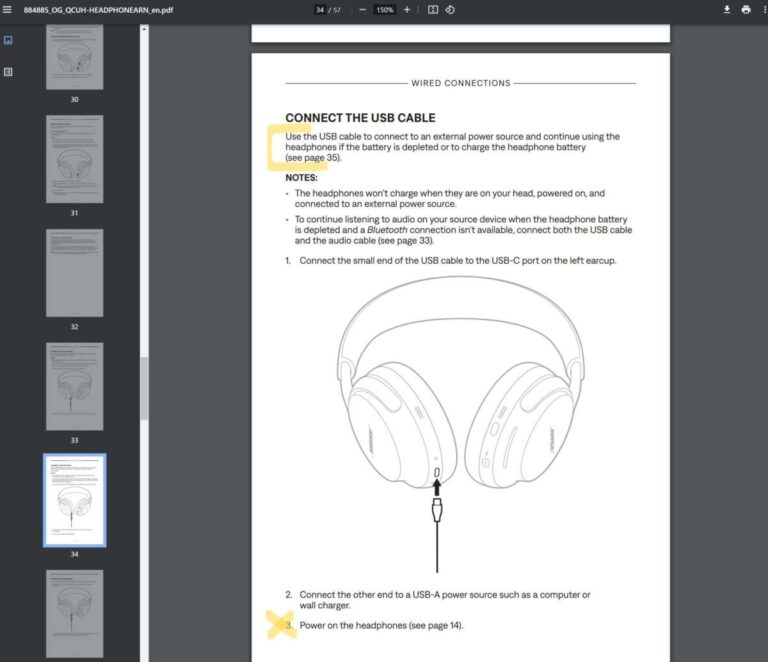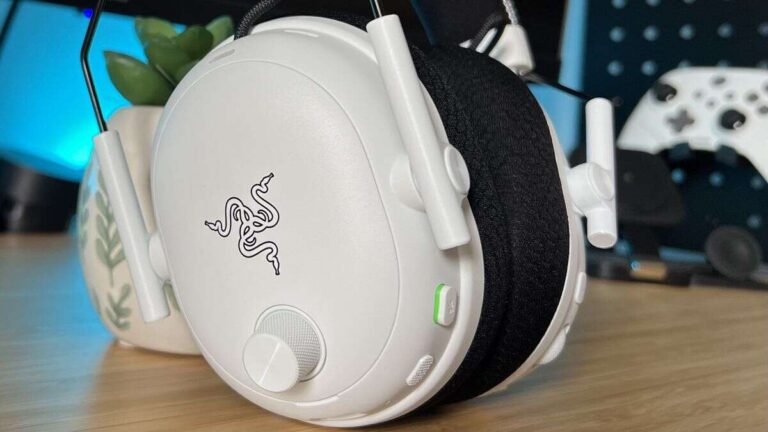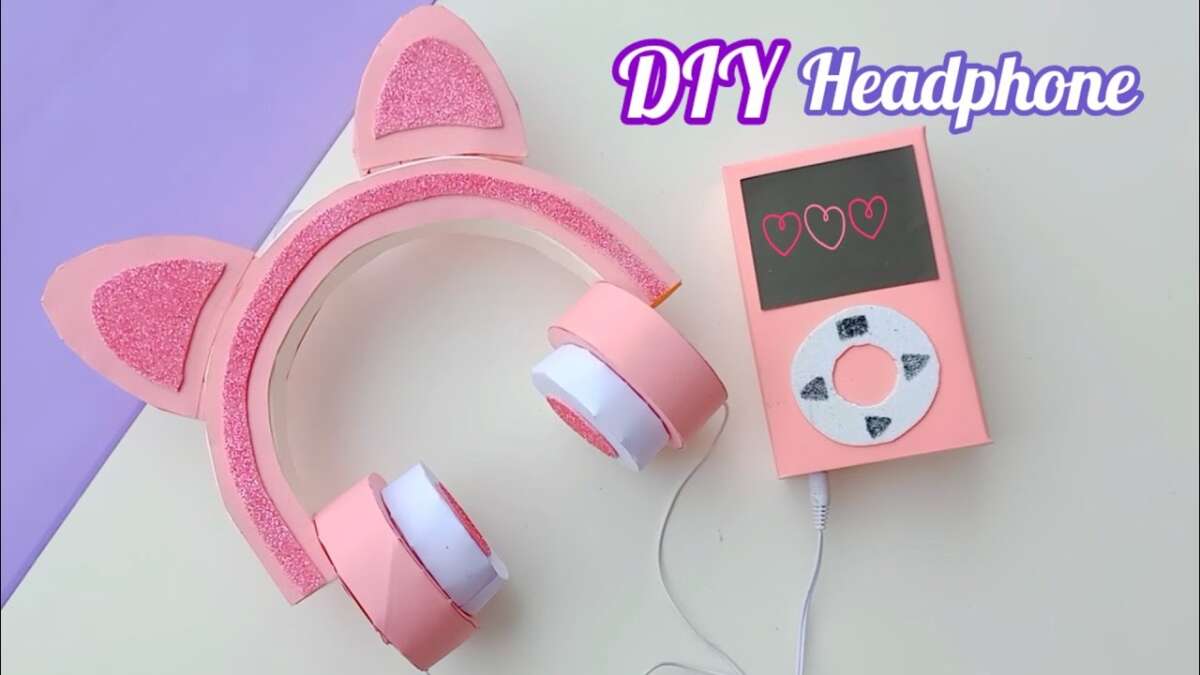
You can make a headphone by combining two speaker drivers, a headband, ear cups, wires, and a safe audio connection.
Learning how to make a headphone is a useful way to understand sound, electronics, and product design. This guide explains the full process, from choosing parts and planning the enclosure to wiring the drivers, testing sound, and fixing common problems. The steps suit beginners, hobbyists, and students who want to build a working pair at home.
What You Need to Make a Headphone
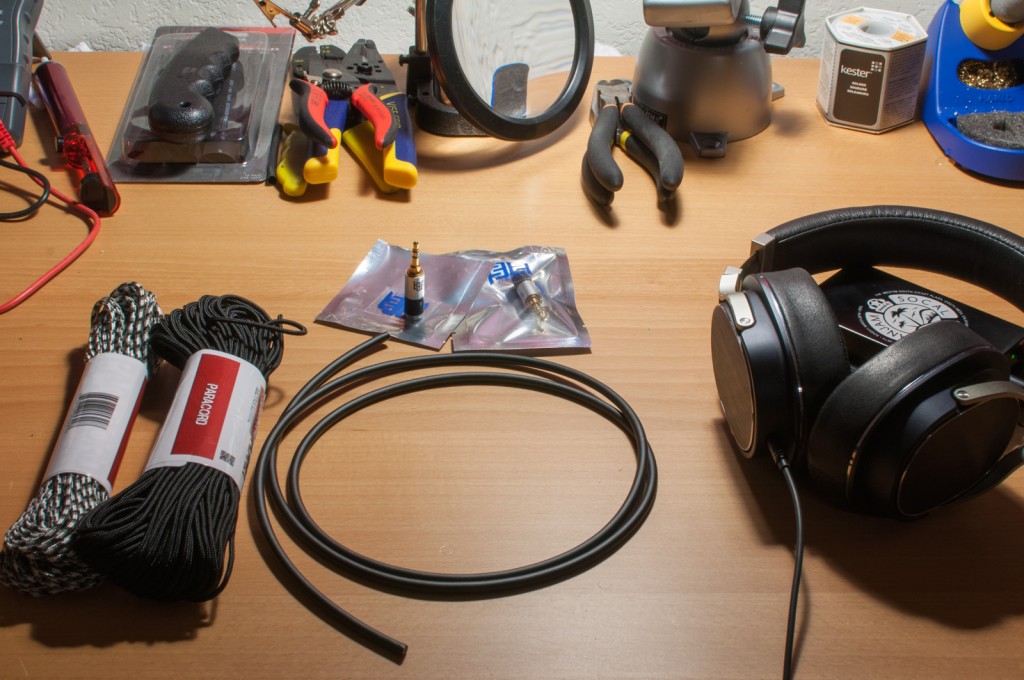
Before learning how to make a headphone, gather the parts and tools you need. A simple wired design is the best choice for a first project. Wireless headphones require batteries, charging circuits, Bluetooth parts, and more safety checks.
Main headphone parts
You will need:
• Two small speaker drivers, often between 32 and 45 millimeters
• Two ear cups or housings
• A headband that can rest over your head
• Two soft ear pads
• Thin insulated audio wire
• A 3.5-millimeter stereo plug or another audio connector
• Heat-shrink tubing or electrical tape
• Screws, glue, or small clips
• Foam, felt, or acoustic cloth
The drivers turn electrical signals into sound. The ear cups hold and protect the drivers, while the pads help create a comfortable seal around your ears. The headband keeps both sides in the right position.
Tools for the project
Useful tools include:
• Soldering iron with a fine tip
• Solder
• Wire cutters and wire strippers
• Small screwdriver
• Multimeter
• Craft knife or rotary tool
• Ruler and pencil
• Sandpaper
• Safety glasses
A multimeter is especially helpful. It can check wire continuity and driver resistance before you connect the headphone to a phone or computer.

Choose the Right Headphone Design
The design affects comfort, sound, cost, and difficulty. When learning how to make a headphone, start with a closed-back wired model. It has fewer parts and offers better protection for the drivers.
Closed-back headphones
Closed-back ear cups have a solid outer shell. They reduce sound leakage and can produce stronger bass when the cups seal well around the ears.
This design works well for:
• Music listening
• Home recording
• School projects
• Basic audio experiments
The main limit is heat. Closed ear cups may feel warm during long listening sessions.
Open-back headphones
Open-back ear cups have vents or open areas behind the drivers. They often sound more spacious, but they let sound in and out.
Open-back designs are less suitable for noisy places. They also need careful acoustic testing because the open housing changes bass response.
On-ear and over-ear designs
On-ear headphones sit on the outer ear. They can be small and light, but the pads may create pressure.
Over-ear headphones surround the ear. They usually offer better comfort and isolation, but they need larger ear cups and a stronger headband.
For a first build, choose over-ear or large on-ear cups. A little extra space makes wiring and assembly much easier.
Plan the Headphone Before Building
Good planning prevents most mistakes. Draw the headphone from the front and side. Mark the position of the drivers, wires, pads, and headband.
Keep both ear cups as similar as possible. A small difference in cup size or driver angle can change the left and right sound.
Make a simple parts plan with these details:
• Driver size and impedance
• Ear cup inner diameter
• Ear cup depth
• Headband width
• Cable entry point
• Left and right wire paths
• Pad thickness
The driver impedance must match the device that will power the headphone. Many small drivers use 16, 32, or 64 ohms. A 32-ohm driver is often a practical choice for phones, laptops, and small audio players.
Do not assume that a higher impedance means better sound. It may need more voltage from the amplifier. Sensitivity, driver quality, cup design, and fit also affect loudness and detail.
A useful workshop lesson is to build a cardboard mock-up first. It costs little and shows whether the cups fit your ears and whether the headband feels balanced.
Make or Select the Ear Cups
The ear cup is more than a shell. It affects bass, resonance, comfort, and sound leakage. You can make ear cups from plastic, wood, acrylic, thick cardboard for testing, or 3D-printed material.
Simple ear cup options
For beginners, consider these options:
• Reuse empty plastic containers with smooth edges
• Cut cups from lightweight plywood
• Print cups with a 3D printer
• Buy empty replacement headphone housings
• Build temporary cups from strong cardboard
Plastic is easy to cut and light to wear. Wood can look attractive and may create a warm design, but it needs smooth finishing. Cardboard works for a test model but is not ideal for long-term use.
The inner surface should not touch the driver cone. Leave enough space for the driver to move freely. Add a grille or cloth over the front of the driver to protect it from dust and accidental contact.
Sand every edge that may touch your skin or cable. Sharp plastic and rough wood can damage the ear pads or cause discomfort.
Add basic acoustic material
A small amount of felt or thin foam inside the cup can reduce harsh reflections. Do not fill the cup tightly. Too much material may reduce volume and dull the sound.
Try one change at a time. Test the headphone before and after adding damping. This makes it easier to understand what each material does.

Prepare the Headband and Ear Pads
A good headband spreads pressure across the top of your head. It should flex slightly but return to its shape after use.
You can use:
• A wide plastic strip
• A padded metal band
• A recycled headphone headband
• Flexible spring steel with a safe cover
• A 3D-printed band with foam padding
Cover hard parts with foam, leather, fabric, or soft synthetic material. Make sure the band does not press sharply behind your ears.
The ear pads should sit evenly on both sides. Memory foam gives a soft feel, while regular foam is cheaper and easier to cut. Cover the foam with breathable fabric or synthetic leather.
Pad thickness changes the distance between your ears and the drivers. A greater distance may change treble and bass. This is one reason two headphones with the same drivers can sound very different.
Before gluing the pads, test their position with removable tape. Wear the headphone for at least 10 minutes. This simple test can reveal pressure points that are not obvious at first.

Wire the Headphone Drivers
Wiring is the most important electronic step. A stereo headphone has a left channel, a right channel, and a shared ground in most simple cable designs.
A common 3.5-millimeter stereo plug uses this arrangement:
• Tip: left audio channel
• Ring: right audio channel
• Sleeve: shared ground
Plug layouts can vary, so check the connector diagram or use a multimeter. Do not rely on wire colors alone. Manufacturers may use different colors for the same connection.
Basic wiring process
-
Cut the cable to the length you want.
-
Slide heat-shrink tubing onto the cable before soldering.
-
Strip a small amount of insulation from each wire.
-
Touch solder to the wire ends to coat them.
-
Solder the left signal wire to the left driver terminal.
-
Solder the right signal wire to the right driver terminal.
-
Connect the ground wire to the ground terminal on both drivers.
-
Cover exposed joints with heat-shrink tubing.
-
Gently pull each wire to check the joint.
Most small drivers do not have a dangerous positive or negative voltage in normal headphone use, but polarity still matters. Connect both drivers in the same polarity. If one driver is reversed, bass may sound weak because the two sides can cancel some low frequencies.
Keep wires away from the moving part of the driver. A loose wire that touches the cone can create buzzing or rattling.

Assemble the Headphone
Once the cups and wiring are ready, begin final assembly. Work slowly and avoid covering the driver vents or pinching the cable.
Follow these steps:
-
Place each driver into its ear cup.
-
Confirm that the left and right drivers are correctly marked.
-
Route the wires along the cup wall.
-
Secure the wires with small clips, glue, or tape.
-
Attach the front grille or protective cloth.
-
Fit the ear pads around the cup opening.
-
Attach the cups to the headband.
-
Add strain relief where the cable enters the cup.
-
Inspect every edge and connection.
Strain relief is easy to overlook. Without it, pulling the cable can transfer force to the solder joints. A rubber sleeve, knot, clamp, or flexible cable entry can protect the connection.
Do not use hot glue directly on a driver diaphragm. Heat and pressure can damage delicate parts. Apply glue to the housing or cable support instead.
If you want a removable cable, use a small panel connector. A fixed cable is simpler, but a removable cable is easier to replace when it wears out.

Test the Headphone Safely
Testing should happen in stages. Start with a multimeter before connecting the headphone to an audio source.
Check electrical connections
Set the multimeter to resistance mode. Test each driver and compare the readings. The result may not exactly match the printed impedance, but the two drivers should show similar values.
Check for these problems:
• No reading, which may indicate a broken wire
• Very low resistance, which may indicate a short
• A large difference between the left and right drivers
• Continuity between signal and ground where it should not exist
If the wiring looks correct, connect the headphone to a low-volume audio source. Increase the volume slowly.
Listen for common faults
A healthy headphone should produce clear sound on both sides. Watch for:
• Buzzing from a loose wire
• Crackling from a weak solder joint
• Very quiet sound from a poor connection
• Thin bass from reversed driver polarity
• Unequal volume from mismatched drivers or wiring
Use a left-and-right stereo test track. Then play speech, music, and a low-frequency tone at a safe volume. Stop if you hear harsh distortion or if the driver moves in an unusual way.
Never test a new headphone at full volume. Loud sound can harm hearing, and a wiring fault may create a sudden burst.

Improve Sound Quality and Comfort
A first homemade headphone may work but still sound uneven. That is normal. Sound depends on the driver, ear cup volume, pad seal, damping, cable, and the listener’s ear shape.
Try improvements in this order:
-
Fix air leaks around the pads.
-
Make sure both drivers face the same way.
-
Add a thin layer of felt or foam.
-
Check that both cups have similar internal volume.
-
Replace weak or mismatched drivers.
-
Adjust the headband pressure.
A good seal often improves bass more than changing the cable. This is why pad shape matters so much. Even a small gap near the jaw can reduce low-frequency energy.
Avoid chasing a perfect frequency response with simple home tools. Professional headphone measurements use special fixtures because human ears and head shapes vary. Your design may sound balanced to you but different to another listener.
You can still make useful comparisons. Use the same music, device, volume, and test position after each change. Write down what you hear instead of relying on memory.
Make a Wireless Headphone Version
After you understand how to make a headphone with a wired connection, you can add wireless features. This version needs more parts and more care.
Typical wireless parts include:
• Bluetooth audio receiver board
• Rechargeable lithium-ion battery
• Battery protection circuit
• Charging module
• Power switch
• Status light
• Wires and insulation
The battery must match the charging board and receiver. Never connect a lithium battery to an unsuitable charger. A damaged or poorly protected battery can overheat or catch fire.
Place the battery away from sharp edges and moving parts. Use an insulated enclosure and avoid crushing the cell inside the headband or ear cup.
Wireless audio can also introduce delay, interference, or lower sound quality. For a reliable first project, use a wired design. Add Bluetooth only after the acoustic and mechanical parts work well.
Common Mistakes to Avoid
Many homemade headphone problems come from small oversights. These mistakes are easy to prevent.
• Using different driver models on the left and right sides
• Connecting the stereo plug by wire color alone
• Leaving solder joints uncovered
• Allowing wires to touch the driver cone
• Making one ear cup larger than the other
• Using too much acoustic foam
• Skipping strain relief
• Gluing pads before checking comfort
• Testing at a high volume
• Installing a battery without protection
One common mistake is focusing on appearance before fit. A beautiful headphone that hurts after five minutes will not be useful. Test comfort early, even if the parts are held together with tape.
Another mistake is changing several sound parts at once. If you replace the pads, add foam, and change the cups together, you will not know which change helped. Make one adjustment, then listen again.
Cost, Benefits, and Limitations
The cost of learning how to make a headphone varies widely. A basic wired prototype may use parts you already have. A polished build with custom cups, quality drivers, and professional pads can cost much more.
Benefits of a homemade headphone
• You learn basic electronics and soldering.
• You can repair or replace individual parts.
• You can customize the fit, color, and cable length.
• You can experiment with acoustic materials.
• You reduce waste by reusing working parts.
• You gain a better understanding of commercial headphones.
Limitations of a homemade headphone
• The sound may not match a factory-tuned model.
• Ear cup measurements can be difficult.
• Cheap drivers may produce distortion.
• Homemade parts may not be as durable.
• Wireless builds require extra safety knowledge.
• Comfort depends on careful shaping and testing.
A DIY headphone is best viewed as a practical learning project. It may become an excellent daily listening tool, but the main value is the skill you gain while building it.
How to Make a Headphone Last Longer
Care affects the life of any headphone, especially a homemade design. Store it in a dry place and avoid wrapping the cable tightly around the ear cups.
Use these care habits:
• Hold the plug instead of pulling the cable.
• Keep sweat away from exposed electronics.
• Replace worn pads before they damage the housing.
• Check loose screws and cable joints often.
• Keep dust away from the driver grille.
• Do not leave a battery in direct heat.
If the headphone sounds weak on one side, inspect the plug and cable first. Cable fatigue often appears near the plug or where the cable enters the cup.
A small repair can save the whole project. Re-soldering a loose joint or replacing a damaged pad is usually easier than building a new headphone from the beginning.
Frequently Asked Questions About How to Make a Headphone
Can a beginner make a headphone at home?
Yes. A simple wired headphone is suitable for beginners with basic soldering skills. Start with ready-made drivers and a simple housing instead of designing every part from scratch.
What drivers should I use to make a headphone?
Use two matching dynamic drivers made for headphones, with a suitable impedance such as 32 ohms. Matching size, impedance, and sensitivity helps the left and right sides produce a more balanced sound.
Is it cheaper to make a headphone than to buy one?
It can be cheaper if you reuse parts or already own the tools. However, a high-quality custom build may cost more than an entry-level commercial model because of materials, testing, and replacement parts.
How do I connect the wires to a stereo headphone plug?
The tip usually carries the left channel, the ring carries the right channel, and the sleeve carries the shared ground. Confirm the plug layout before soldering because connector designs and wiring colors can vary.
Why does my homemade headphone have weak bass?
Weak bass often comes from air leaks around the ear pads, reversed driver polarity, or an unsuitable ear cup volume. Check the seal and wiring before changing the drivers.
Can I add Bluetooth to a homemade headphone?
Yes, but you need a Bluetooth audio board, a suitable rechargeable battery, a protection circuit, and a safe charging system. Build the wired version first, then add wireless parts carefully.
How loud should I test a homemade headphone?
Begin at the lowest volume and increase it slowly. Stop if you hear harsh distortion, sudden noise, or discomfort, since high sound levels can damage hearing.
Conclusion
Learning how to make a headphone combines simple electronics, careful construction, and basic acoustic design. Start with matching drivers, sturdy ear cups, a comfortable headband, secure wiring, and a reliable strain relief system.
Test each stage before moving forward. Focus on safety, comfort, and steady improvements instead of trying to create a perfect product on the first attempt. Build a simple wired model today, record what you learn, and explore better drivers or wireless features as your skills grow. Share your results or continue with trusted electronics and audio design resources for your next project.

Everett Ashford is a tech reviewer at mytechgrid.com specializing in SSDs, cameras, TVs, earbuds, headphones, and other consumer electronics. He provides honest, data-driven reviews based on hands-on testing and real-world performance analysis. Everett simplifies complex tech details to help readers make smart, confident buying decisions.