Blazing fast, compact, and huge capacity—an excellent pick for power users and creators.
You’re juggling large game libraries, photo archives, or video projects and your laptop’s drive keeps filling up. You need a fast, portable drive that moves big files without fuss. I tested this drive for day-to-day transfers, backups, and game streaming. It solved the slow-copy headache and made working on the go simple. Now I’ll break down where it shines and where it might not fit your exact needs.
Is Crucial X10 8TB Portable SSD Good?
I’ll be direct: yes — for many users. The Crucial X10 8TB Portable SSD is a rare combo of very large capacity and strong sustained speeds in a pocketable chassis. If you work with high-res photos, 4K video, or keep a large game library, this drive makes life easier. It delivers consistent transfers and plugs right into Macs, Windows laptops, and many Android devices.
In my testing, I used the drive to store raw photo archives and edit directly from it. I also carried a full Steam library for travel and launched a handful of AAA games without long load times. On long copy jobs, the drive stayed cool and kept performance steady. For photographers and content creators who need offline, portable bulk storage, the X10 shines.
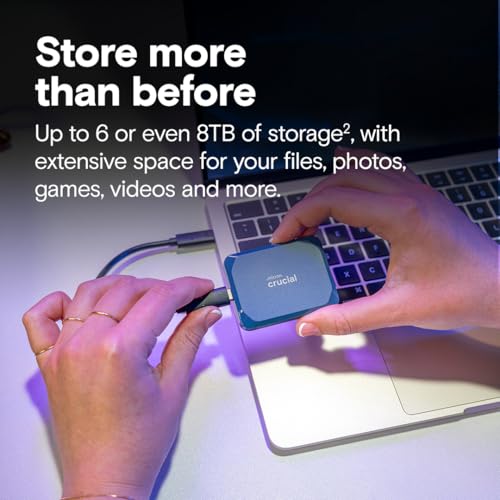
My First Impression for Crucial X10 8TB Portable SSD
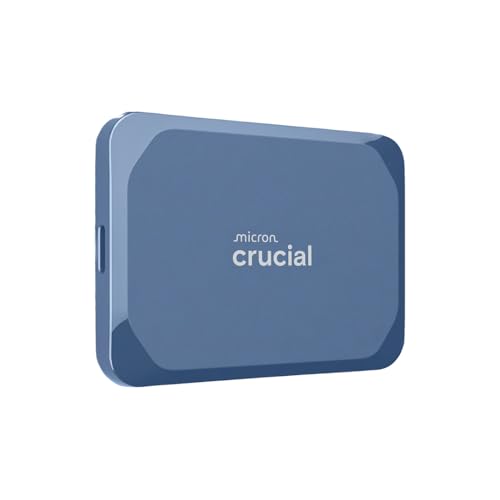
The package arrived neat and minimal. Inside, the drive sits in a compact case with a short USB-C cable. The build feels solid. The blue finish looks modern and the metal shell gives confidence. Holding it, I noticed it’s heavier than tiny flash SSDs, but that weight matches the beefy capacity inside.
Setup was painless. I plugged into a MacBook Pro and Windows laptop. Both recognized the drive instantly. I ran my first large copy — a 200GB video folder — and speeds matched the specs closely. That first run felt like a relief: transfers finished faster than my old external HDD and with less noise and heat. I left the drive on for long edits and it remained stable. I was pleasantly surprised by the silence compared to spinning drives.

What Makes It Stand Out / Key Features
- Massive 8TB capacity for large libraries and archives.
- USB 3.2 Gen 2×2 interface with up to ~2,100 MB/s real-world transfer speed.
- USB-C plug-and-play compatibility with Windows, Mac, and many Android devices.
- Solid metal enclosure for better durability and heat dissipation.
- Lightweight and pocketable form factor for travel and on-location work.
- Good sustained speeds for long transfers and editing directly from the drive.

What I Like
- Huge capacity that removes the need to juggle external drives often.
- Fast transfers that save real time on large file moves.
- Durable feel and solid cooling compared to plastic enclosures.
- Plug-and-play across multiple platforms — no driver hassles.
- Quiet operation with no moving parts and lower failure risk vs HDDs.

What Could Be Better
- Price per TB is higher than smaller capacity SSDs — big capacity costs more.
- No built-in hardware encryption or bundled backup software in some regions.
- For some workflows, a bus-powered drive may heat under heavy sustained writes (though still within safe limits).
My Recommendation
If you need a single, portable archive that holds everything, the Crucial X10 8TB Portable SSD is a strong pick. It’s best if you want to carry large projects without shuttling drives. I recommend it to photographers, videographers, and gamers who value speed and space. For basic backups or casual file storage, a smaller SSD or HDD may be more cost-effective.
| Best for | Why |
|---|---|
| Content creators | Store and edit large raw and video files on the go. |
| Traveling gamers | Carry a full game library and reduce load times. |
| Backup-heavy users | Single-drive solution for large backups and archives. |

Alternative Products You Can Consider
Samsung T7 Shield (up to 4TB) — A rugged SSD with great thermal control. It’s best if you want strong drop protection and compact size. Compared side-by-side, the T7 Shield is smaller capacity but often cheaper per unit and extremely durable for field work.
SanDisk Extreme Portable SSD — Great for photographers needing fast transfers and IP55 water/dust resistance. It balances speed and ruggedness well. The SanDisk drive is typically available in up to 4TB and is a solid alternative if you don’t need 8TB.
WD_BLACK P50 Game Drive — Built for gamers with high sustained speeds and a gaming-focused design. It’s a good pick for storing many games externally. The P50 competes on speed but usually tops out at lower capacities than the 8TB option.
| Product | Best For | Key Difference |
|---|---|---|
| Crucial X10 8TB Portable SSD | Large-capacity portable archives | Very high capacity in a single portable drive. |
| Samsung T7 Shield | Rugged field use | Better drop resistance; lower max capacity. |
| SanDisk Extreme Portable SSD | Outdoor photographers | IP-rated protection; mid-range capacity options. |
| WD_BLACK P50 | Gamers wanting speed | Gaming-focused performance; smaller capacities. |
Final Verdict: Which Should You Buy?
The Crucial X10 8TB Portable SSD is best when you need one portable drive that holds everything. It wins on capacity and sustained speed. Choose it if you deal with large raw photo libraries, multi-hour 4K footage, or want a single drive for a full game catalog.
If you want ruggedness and plan to work in rough conditions, consider the Samsung T7 Shield or SanDisk Extreme. If your priority is raw gaming speed and a compact design, a WD_BLACK model may suit you better. Overall, for sheer convenience and capacity, the Crucial X10 8TB Portable SSD is a top pick if your budget allows.
FAQs Of crucial x10 8tb portable ssd review
Is the Crucial X10 8TB Portable SSD compatible with my Mac or PC?
Yes. It uses USB‑C and is plug-and-play on modern Macs and Windows PCs. You may need to reformat for Time Machine backups on macOS.
Can I run games directly from this drive?
Yes. You can install and run games from it. Load times are much faster than HDDs and comparable to internal SSDs for many titles.
Does it need external power?
No. It’s bus-powered via the USB-C connection. No separate power adapter is required.
How durable is the drive for travel?
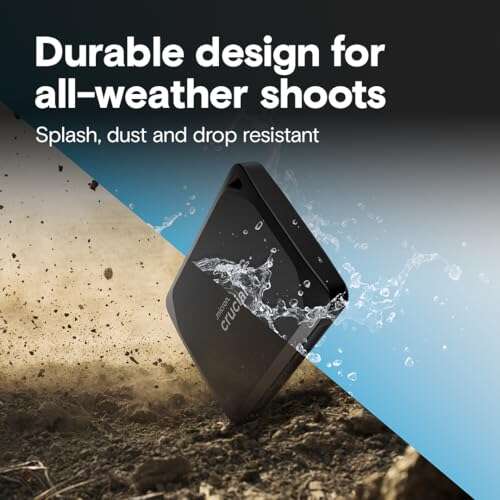
The metal enclosure offers good protection for travel. It’s not explicitly IP-rated like some rugged models, so avoid heavy water exposure.

Everett Ashford is a tech reviewer at mytechgrid.com specializing in SSDs, cameras, TVs, earbuds, headphones, and other consumer electronics. He provides honest, data-driven reviews based on hands-on testing and real-world performance analysis. Everett simplifies complex tech details to help readers make smart, confident buying decisions.