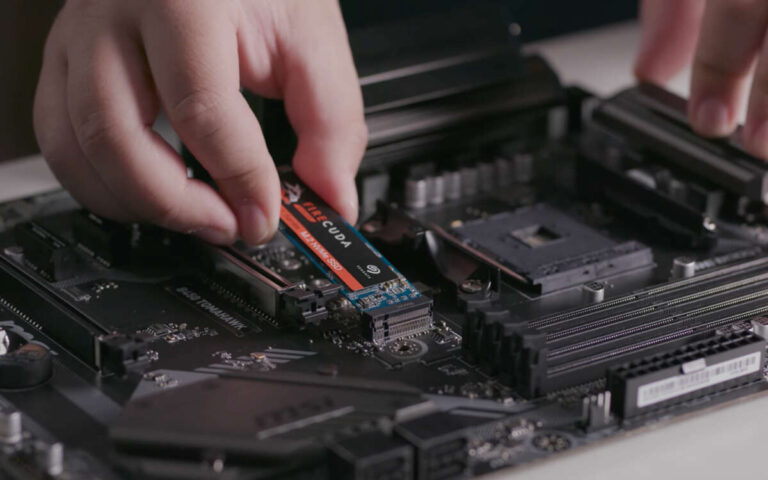
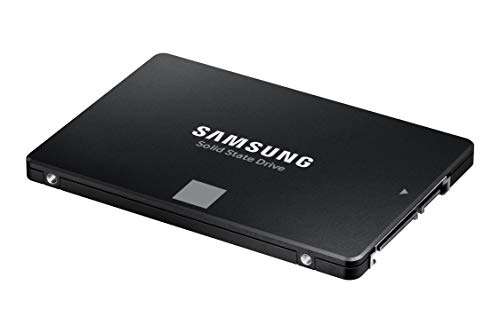
An SSD stores data as electrical charges inside NAND flash memory cells, then reads those charges as digital bits.
Understanding how does ssd store data helps explain why solid-state drives are fast, quiet, and more resistant to shock than hard disk drives. Unlike a hard drive, an SSD has no spinning platter or moving read head. It uses flash memory, a controller, error correction, and software tables to turn electrical states into your files, apps, photos, and operating system.
How does SSD store data at the hardware level?
An SSD stores data in NAND flash memory. NAND is a type of nonvolatile memory, which means it keeps information even when the drive has no power.
Inside the memory are billions of tiny cells. Each cell holds an electrical charge. The charge changes the cell’s voltage, and the SSD reads that voltage as a digital value.
A simple way to picture it is to imagine a row of small cups. Each cup can hold a certain amount of water. The water level represents the electrical charge. A basic cell may use two levels, while newer cells use many levels.
When people ask how does ssd store data, the short technical answer is this: the drive changes and measures electrical charges in NAND cells.

What is NAND flash memory?
NAND flash is the main storage medium in most modern SSDs. It is built from transistors that can trap electrons inside an insulated area.
Two common cell designs are:
• Floating-gate cells use a conductive layer that holds electrons.
• Charge-trap cells use an insulating layer that traps electrons.
Both designs work in a similar way. The trapped charge changes the transistor’s electrical behavior. The SSD controller measures that behavior to determine the stored value.
NAND flash is arranged in a hierarchy:
• Cells hold electrical charges.
• Pages contain many cells and are the usual unit for reading and writing.
• Blocks contain many pages and are the usual unit for erasing.
• Dies contain groups of memory cells.
• NAND packages may contain several dies.
This structure explains one important difference between SSDs and hard drives. An SSD can read data from pages, but it usually must erase a whole block before reusing those pages.
That erase process takes time and slowly wears the memory. The SSD controller uses several methods to manage this limitation.

How do SSD cells represent bits?
The number of voltage levels in a flash cell determines how many bits it can store. More levels increase storage density, but they also make the cell harder to read and manage.
Here are the main NAND types:
SLC
Single-level cell, or SLC, stores one bit per cell. It uses two voltage states, so it is fast and durable. SLC is costly because it stores less data in the same physical space.
MLC
Multi-level cell, or MLC, stores two bits per cell. It uses four voltage states. MLC offers a balance of speed, capacity, and endurance.
TLC
Triple-level cell, or TLC, stores three bits per cell. It uses eight voltage states and is common in consumer SSDs.
QLC
Quad-level cell, or QLC, stores four bits per cell. It uses 16 voltage states. QLC provides high capacity at a lower price, but it usually has lower write endurance than TLC.
PLC
Penta-level cell, or PLC, would store five bits per cell. It remains less common in consumer drives because each cell must distinguish many voltage levels.
The more bits a cell stores, the narrower the gap between voltage states becomes. Small changes caused by wear, heat, or electrical noise can make the data harder to read. This is why modern SSDs rely heavily on error correction.
How does an SSD write data?
When your computer saves a file, the operating system sends a write request to the SSD. The drive’s controller then decides where to place the data.
The process usually follows these steps:
-
The operating system sends logical block addresses to the SSD.
-
The SSD controller translates those addresses into physical NAND locations.
-
The controller checks whether usable pages are available.
-
It programs electrical charges into the selected cells.
-
It records the new location in its mapping table.
-
Error correction information is stored with the data.
The SSD does not always overwrite the old data in place. NAND flash cannot simply replace old cell values like a magnetic hard drive can overwrite a sector.
Instead, the SSD writes the updated data to a new, empty page. It marks the old page as invalid. Later, the controller collects valid pages and erases the old block.
This process is called garbage collection.
A practical lesson from hands-on SSD testing is that free space matters. A drive with some unused capacity has more room to move data, balance wear, and maintain write speed.

How does an SSD read data?
Reading data is usually faster than writing it. The controller selects a NAND page and measures the voltage of each cell.
The measured voltage is compared with reference levels. The controller then converts those readings into binary data, such as zeros and ones.
For example, a simple SLC cell may use:
• A low charge level for 0
• A high charge level for 1
A TLC cell uses more voltage ranges. The controller must identify which range each cell belongs to and then rebuild the stored bit pattern.
The controller also checks the error correction data. If a few bits changed because of normal wear or electrical noise, the controller can often repair them before sending the file to your computer.
This is one reason an SSD may continue working even when some memory cells are no longer perfect.

What does the SSD controller do?
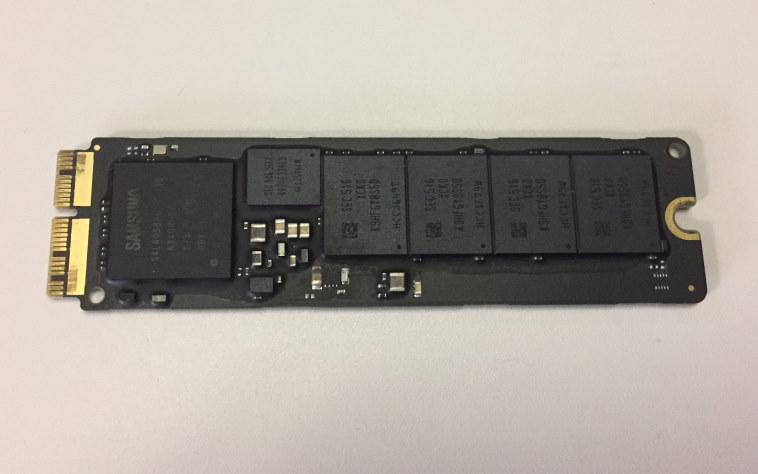
The controller is the drive’s manager. It connects the computer’s storage commands to the physical NAND memory.
A controller handles many tasks:
• It translates logical addresses into physical addresses.
• It manages read and write operations.
• It performs error correction.
• It spreads writes across the NAND cells.
• It runs garbage collection.
• It supports TRIM commands.
• It manages bad blocks.
• It may compress data in some drive designs.
• It controls the cache and communicates with the computer.
Without the controller, the NAND chips would not act like a normal drive. Your computer expects a simple list of logical sectors. The NAND itself uses pages, blocks, dies, and complex voltage states.
The controller hides that complexity. It makes the SSD appear as one clean storage device.
What is the flash translation layer?
The flash translation layer, often called the FTL, is the system that maps logical addresses to physical NAND locations.
Your operating system may ask the SSD to save data at logical block address 10,000. The FTL decides which physical page should hold that data.
That physical page may change later. The FTL updates its mapping when the SSD moves data during garbage collection or wear leveling.
This flexible address system provides several benefits:
• The SSD can avoid worn-out cells.
• It can write to a fresh page instead of overwriting an old one.
• It can recover from some bad blocks.
• It can move data during maintenance without confusing the operating system.
The FTL often keeps part of its mapping information in the SSD’s controller memory. Some drives include DRAM for this purpose. Others use host memory or store mapping data in NAND.
A drive with DRAM may handle large workloads more smoothly, although performance depends on the entire design, not one feature alone.
How does SSD wear leveling protect data?
Every NAND cell has a limited number of program and erase cycles. The exact endurance depends on the NAND type, the design of the drive, and the workload.
Wear leveling spreads write activity across the drive. Without it, a small group of cells could wear out while most of the drive remains unused.
There are two common forms:
• Dynamic wear leveling places new data on less-used blocks.
• Static wear leveling sometimes moves old data so that rarely changed blocks do not remain in one location forever.
Imagine writing notes in the same few pages of a notebook. Those pages would become damaged first. Wear leveling is like choosing different pages over time.
Drive health tools may show values such as total bytes written, percentage used, or remaining life. These numbers are estimates, not perfect predictions. A drive can fail before its rated limit, while another can work well beyond it.
What are pages, blocks, and overprovisioning?
Pages are the units that SSDs normally read and program. Blocks are groups of pages that the drive erases together.
This creates a problem when a block contains both valid and outdated pages. The controller must copy the valid pages to another block, erase the original block, and then reuse it.
That extra movement is called write amplification. It means the NAND may write more data internally than the computer requested.
Overprovisioning gives the controller extra space for this work. Some of that space is hidden from the user, while some can come from leaving part of the drive unused.
For example, a 1 TB SSD may not expose every physical byte as user capacity. The reserved area can help with:
• Garbage collection
• Bad block replacement
• Wear leveling
• Sustained write performance
Keeping around 10% to 20% of a consumer SSD free can help the drive manage its workload. The ideal amount varies by model and use.
How does TRIM help an SSD store data?
When you delete a file, the operating system usually removes its file-system reference. The actual data may remain in the NAND until the SSD reuses that space.
TRIM tells the SSD which logical pages no longer contain useful files. The controller can then treat those pages as invalid during future cleanup.
TRIM helps reduce unnecessary copying. It also gives the SSD a clearer view of available space.
TRIM is not the same as secure erasure. In many cases, deleted data may remain recoverable until the drive reuses or erases the related blocks. For sensitive information, use the secure erase or sanitize feature supported by the drive.
Modern versions of Windows, macOS, and Linux generally support TRIM. The operating system, file system, connection type, and drive firmware all affect how it works.
How does SSD store data when power is off?
NAND flash is nonvolatile. It can hold data without continuous power because electrons remain trapped in the memory cells.
Over time, however, charge can slowly change. This is known as data retention loss. Temperature, cell wear, and storage conditions affect retention.
Important points include:
• A healthy SSD can retain data for a long time when stored properly.
• A worn SSD may have shorter retention.
• High temperatures can increase charge leakage.
• A powered drive can refresh or manage data in ways that an unused drive cannot.
For long-term storage, keep backup copies on separate devices. An SSD should not be the only copy of important photos, tax files, business records, or creative work.
A useful backup rule is the 3-2-1 approach:
-
Keep three copies of important data.
-
Store them on at least two different types of media.
-
Keep one copy in a separate location.
How does SSD store data compared with an HDD?
An SSD stores data as electrical charge in flash cells. A hard disk drive stores data as magnetic patterns on spinning platters.
The differences affect everyday performance:
• SSDs have no moving parts.
• SSDs usually provide much faster access times.
• HDDs can offer lower cost per terabyte.
• SSDs are silent during normal use.
• HDDs can be damaged by physical shock while operating.
• SSDs have limited write endurance, although modern drives can handle substantial everyday workloads.
An SSD is like a well-organized electronic library with instant shelf access. An HDD is like a physical library where a motor must move to the correct shelf and spin the correct page into place.
SSDs are often better for operating systems, games, applications, and laptops. HDDs can still make sense for large backups, media libraries, and lower-cost bulk storage.
What can damage or slow down an SSD?
SSDs are reliable, but they are not indestructible. Several conditions can affect performance or lifespan.
Nearly full capacity
A nearly full drive has fewer empty pages for new writes and maintenance. This can increase write amplification and reduce sustained performance.
Heavy write workloads
Video editing, database work, virtual machines, and constant surveillance recording can write far more data than normal office use. Choose a drive designed for that workload.
Heat
High temperatures can trigger thermal throttling. Some high-speed NVMe drives may need a heatsink or better airflow.
Sudden power loss
A sudden outage can interrupt data or mapping updates. Enterprise drives may include power-loss protection, but many consumer drives do not.
Poor backups
A drive can fail because of controller faults, firmware problems, damaged NAND, or external issues. RAID is not a complete backup because it does not protect against accidental deletion, malware, or many site-wide problems.
To protect your SSD:
• Keep the firmware updated when the manufacturer recommends it.
• Maintain free space.
• Monitor drive health.
• Use a reliable power source.
• Avoid extreme heat.
• Back up important data.
How does SSD store data securely?
Many SSDs support encryption. This can be handled by the operating system, the drive controller, or both.
Hardware encryption may process data inside the drive. Software encryption may encrypt files before the SSD receives them. Modern systems often use standards such as AES for storage encryption.
Encryption protects data if someone removes the drive and tries to read it elsewhere. It does not protect an unlocked computer from every threat.
For secure disposal, deleting files is not enough. Use a supported sanitize command, secure erase process, or full-disk encryption with proper key destruction. The correct method depends on the SSD type and the data sensitivity.
Always check the manufacturer’s instructions before using a secure erase tool. A mistake can remove every file on the drive.
Practical tips for choosing and using an SSD
When selecting an SSD, focus on the workload rather than only the advertised speed.
Consider these factors:
• Capacity: Choose enough space for the operating system, applications, and future files.
• Interface: SATA SSDs are widely compatible, while NVMe SSDs use PCIe for higher performance.
• NAND type: TLC often offers a strong balance for general use. QLC can suit large, mostly-read libraries.
• Endurance rating: Check the manufacturer’s total bytes written rating for heavy workloads.
• Warranty: Review both the length and the written conditions.
• DRAM or memory design: Look at independent tests for sustained performance.
• Thermal behavior: Fast NVMe drives may need cooling.
A mistake I often see in real-world storage setups is buying based only on the highest sequential speed. Many daily tasks depend more on access time, random performance, system support, and drive capacity.
For most people, a dependable TLC SSD with enough free space is a better choice than a very fast drive that stays nearly full.
How does SSD store data: key points to remember
How does SSD store data? It stores electrical charge in NAND flash cells and interprets different voltage levels as digital bits.
The controller makes the system practical by managing the flash translation layer, error correction, garbage collection, wear leveling, and TRIM. Data is written in pages, erased in blocks, and moved as the drive balances speed, space, and endurance.
The technology has limits. SSDs can wear out, lose data over very long storage periods, or fail without much warning. Good free-space management, proper cooling, health monitoring, and regular backups greatly reduce the risk.
Frequently Asked Questions About How Does SSD Store Data
Does an SSD store data without power?
Yes. NAND flash is nonvolatile, so it can retain data after the computer is turned off. Retention time depends on cell wear, temperature, and storage conditions.
Does an SSD overwrite old data directly?
Usually, no. The SSD writes new data to an available page and marks the old page as invalid, then erases the larger block later during garbage collection.
How long can an SSD keep data?
The time varies by drive health, NAND type, temperature, and storage conditions. For important files, do not depend on an unpowered SSD as the only long-term archive.
Does deleting a file erase it from an SSD?
Not immediately. Deleting a file usually removes its file-system reference, while TRIM tells the SSD that the related pages are no longer needed for future cleanup.
Are SSDs more reliable than hard drives?
SSDs resist shock and have no moving parts, which is helpful in laptops and mobile systems. However, both SSDs and hard drives can fail, so regular backups remain essential.
What is the difference between TLC and QLC SSDs?
TLC stores three bits per cell, while QLC stores four bits per cell. QLC can offer more capacity at a lower price, but TLC often provides better write endurance and sustained performance.
Can an SSD lose data when it gets old?
Yes. NAND cells become less able to hold precise electrical charges as they wear. Heat, long storage without power, and high write activity can also affect data retention.
Conclusion
An SSD stores data by placing electrical charges inside NAND flash cells. Its controller reads those charges, corrects errors, maps logical addresses, spreads wear, and clears unused blocks so the drive can work quickly.
The best way to protect SSD performance is simple: leave free space, control heat, install sensible firmware updates, monitor drive health, and keep reliable backups. If this guide helped you understand solid-state storage, explore your drive’s health tools and share your questions or experience in the comments.

Everett Ashford is a tech reviewer at mytechgrid.com specializing in SSDs, cameras, TVs, earbuds, headphones, and other consumer electronics. He provides honest, data-driven reviews based on hands-on testing and real-world performance analysis. Everett simplifies complex tech details to help readers make smart, confident buying decisions.