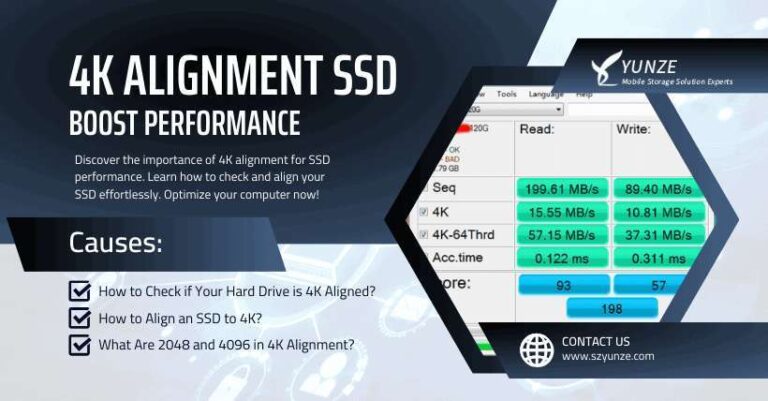
An SSD usually costs $30 to $250, depending on its storage size, speed, type, and brand.
Understanding how much is an SSD can help you avoid overpaying for storage you do not need. Prices vary widely between a basic SATA drive, a fast NVMe model, and a portable external SSD. This guide breaks down current US price ranges, key buying factors, real-world value, and simple ways to choose the right drive.
How Much Is an SSD?
In the United States, an SSD usually costs between $30 and $250 for common consumer models. Larger drives, high-speed PCIe 5.0 models, and professional storage can cost much more.
Here is a practical price guide:
| SSD capacity | Typical price range | Best for |
|---|---|---|
| 250GB | $20 to $35 | Basic office use |
| 500GB | $30 to $55 | Everyday computers |
| 1TB | $45 to $90 | Most users and gamers |
| 2TB | $90 to $170 | Games, photos, and video |
| 4TB | $180 to $350 | Large media libraries |
| 8TB or more | $500 and up | Professional work and servers |
The answer to how much is an SSD depends most on capacity. A 1TB drive often gives the best balance of price, speed, and usable space.
Prices can change during holiday sales, product launches, and supply shifts. A 1TB SSD may cost $100 one month and drop below $60 during a major sale.
SSD Price by Storage Capacity
Storage capacity is one of the clearest ways to compare SSD prices. Think of capacity as the size of your digital closet. A larger closet costs more, but it also keeps your files, apps, and games in one place.
250GB SSD
A 250GB SSD is often the cheapest option. It works well for a basic operating system, web browsing, documents, and a few small apps.
However, modern operating systems and games can use space quickly. After installing Windows, updates, programs, and recovery files, a 250GB SSD may feel cramped.
500GB SSD
A 500GB SSD is a good low-cost upgrade for an older laptop or desktop. It can hold an operating system, office software, photos, and several games.
For many home users, this size offers strong value. It is also a common choice when the goal is to replace a slow hard disk drive without spending much.
1TB SSD
A 1TB SSD is the most practical choice for many people. It provides enough space for Windows, work files, photos, creative apps, and a useful game library.
When people ask how much is an SSD for a normal computer, the 1TB price is often the most useful figure. Expect to pay about $45 to $90 for a reliable internal model.
2TB SSD
A 2TB SSD makes sense for gamers, photographers, video editors, and people who keep large files locally. Modern games can exceed 100GB each, so extra space can disappear faster than expected.
A 2TB drive may cost twice as much as a 1TB model, but sales often make the larger drive a better value per gigabyte.
4TB and larger SSDs
A 4TB SSD is useful for large photo collections, 4K video, music libraries, virtual machines, and multiple operating systems. Prices are higher, but the convenience can be worth it.
Drives above 4TB are usually aimed at professionals, enthusiasts, and business users. For long-term archives, hard disk drives or cloud storage may cost less per terabyte.

What Affects the Cost of an SSD?
Several technical and market factors affect how much an SSD costs. Capacity matters, but it is not the only factor.
SSD form factor
The form factor describes the drive’s physical shape and connection method.
Common types include:
• 2.5-inch SATA SSDs: These fit many older desktops and laptops.
• M.2 SATA SSDs: These are small circuit boards that use the SATA interface.
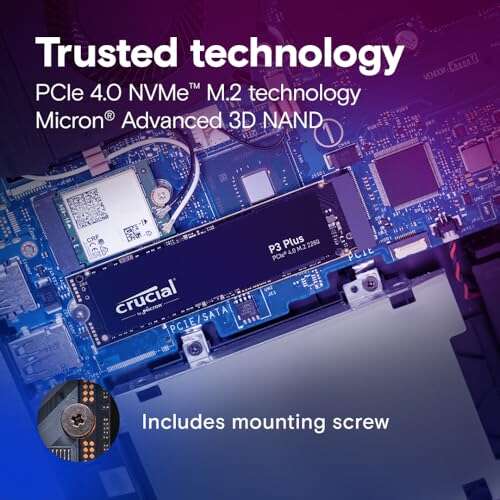
• M.2 NVMe SSDs: These use PCI Express and are much faster than SATA models.
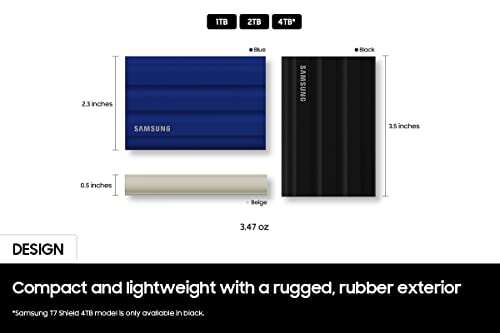
• External SSDs: These sit inside a portable case and connect through USB.
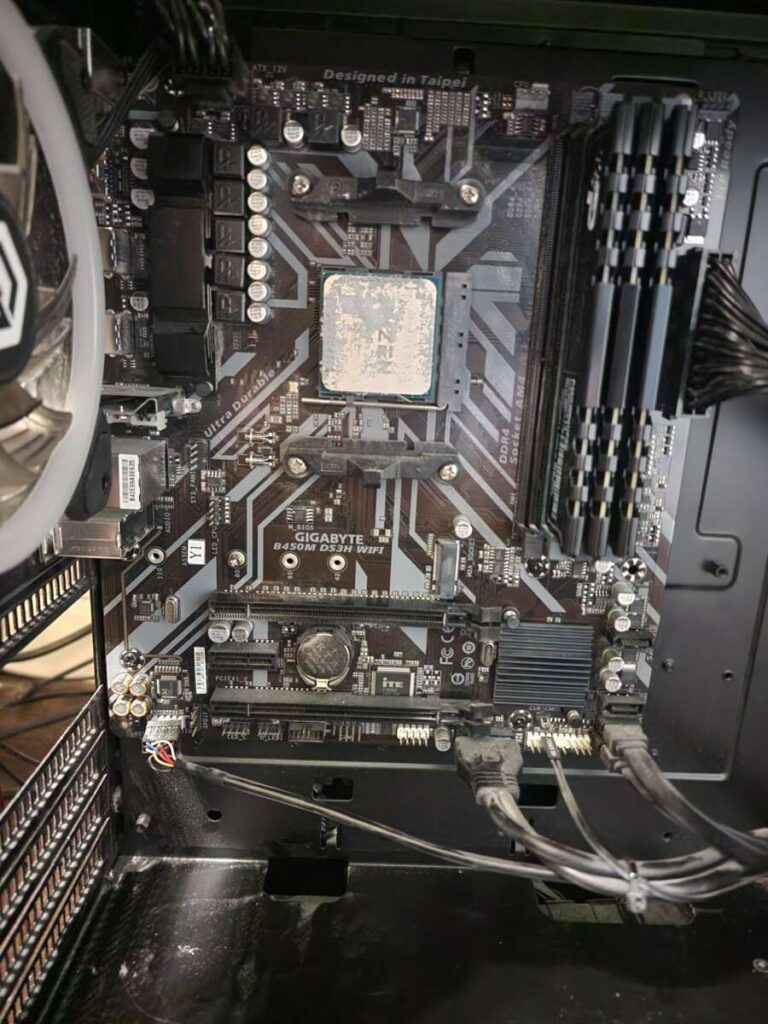
A small M.2 drive is not automatically compatible with every computer. Your motherboard or laptop must support the correct slot and interface.
Interface and speed
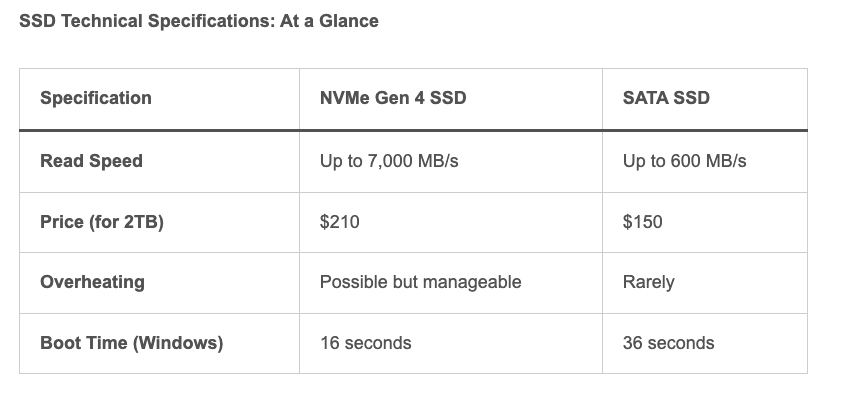
SATA SSDs usually reach about 500 to 560 megabytes per second in sequential read speed. NVMe SSDs can reach several thousand megabytes per second.
New PCIe 4.0 and PCIe 5.0 drives offer higher speeds. Yet most people will not notice a major difference during web browsing or basic office work.
For everyday use, a reliable PCIe 3.0 or PCIe 4.0 NVMe SSD often provides better value than the fastest model available.
NAND flash type
SSD manufacturers use different types of NAND flash memory. The main types include:
• SLC: Very fast and durable, but expensive.
• MLC: Strong performance and endurance, but less common in consumer drives.
• TLC: A common balance of cost, speed, and durability.
• QLC: Offers more storage at a lower price, but may have lower write endurance.
Most home users should look for a reputable TLC SSD. A QLC model can still be a good choice for game storage, media playback, and normal home use.
DRAM and cache
Some SSDs include DRAM, while others use a DRAM-less design. DRAM helps the drive manage file locations and can improve sustained performance.
A DRAM-less SSD is not always bad. Newer designs may use host memory buffer technology to reduce cost while maintaining good everyday speed.
For heavy workloads, such as video editing or frequent large file transfers, a drive with DRAM or a strong controller may be worth the extra money.
Brand and warranty
Well-known SSD brands often charge more because they provide better firmware support, testing, warranties, and customer service.
A low-cost drive can look attractive, but poor quality control may lead to slow performance or early failure. Check the warranty period, endurance rating, independent reviews, and manufacturer support before buying.

Internal SSD vs. External SSD Prices
The answer to how much is an SSD also depends on whether you need an internal or external drive. External SSDs usually cost more because they include a case, USB controller, cable, and portable design.
Internal SSD prices
Internal SSDs are installed inside a desktop or laptop. Typical prices include:
• 500GB SATA SSD: $30 to $50
• 1TB SATA SSD: $50 to $80
• 1TB NVMe SSD: $45 to $90
• 2TB NVMe SSD: $90 to $170
Internal drives are usually the best choice for upgrading system storage. They provide a clean installation and do not use a USB port.
External SSD prices
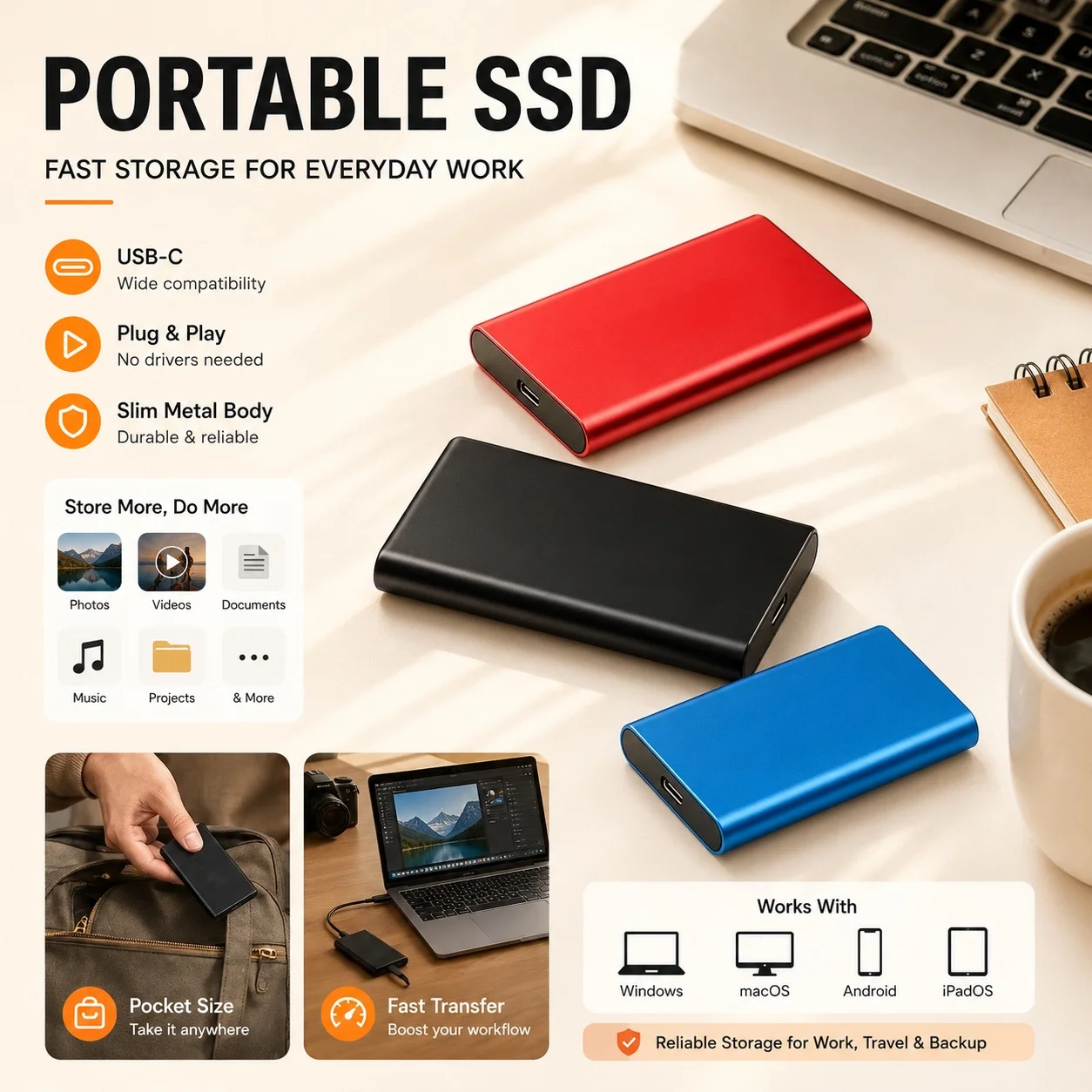
External SSDs are convenient for backups, travel, and moving files between computers. Typical prices include:
• 500GB external SSD: $45 to $80
• 1TB external SSD: $60 to $120
• 2TB external SSD: $110 to $220
• 4TB external SSD: $250 to $450
An external SSD can be much faster than a portable hard drive. It is also quieter and more resistant to movement because it has no spinning parts.
Still, an external SSD can be limited by the USB port. A fast internal NVMe drive may perform far below its advertised speed when connected through an older USB interface.

SATA SSD vs. NVMe SSD: Which Costs More?
SATA and NVMe SSDs both use flash memory, but they communicate with the computer in different ways.
SATA SSDs connect through the older SATA interface. They are limited by SATA bandwidth, but they still feel much faster than traditional hard drives.
NVMe SSDs connect through PCI Express. They offer lower latency and much higher transfer speeds, especially when handling large files or demanding workloads.
Here is a simple comparison:
| Feature | SATA SSD | NVMe SSD |
|---|---|---|
| Typical speed | Up to about 550 MB/s | About 1,500 to 14,000+ MB/s |
| Common shape | 2.5-inch or M.2 | M.2 |
| Best use | Older computers and basic upgrades | New desktops, laptops, and gaming |
| Typical 1TB price | $50 to $80 | $45 to $90 |
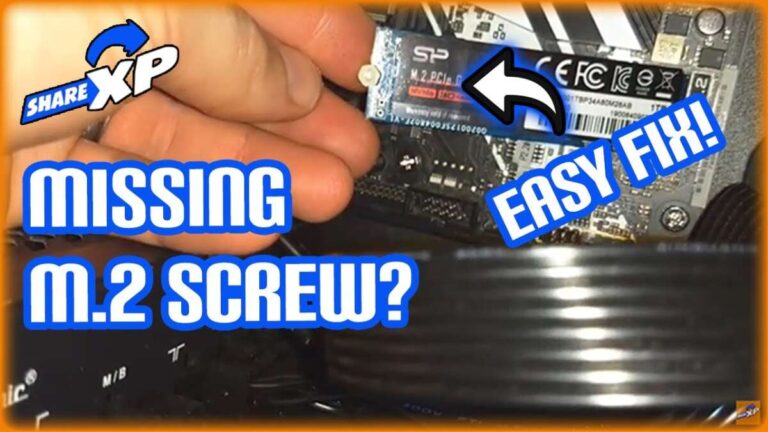
| Installation | Cable or compatible slot | M.2 slot and mounting screw |
In some cases, a 1TB NVMe SSD costs the same as a 1TB SATA model. That is why checking your computer’s compatibility is more important than assuming SATA will always be cheaper.
For gaming, both types can work well. NVMe may reduce loading times, but the difference is not always dramatic in ordinary gameplay.

How Much Is an SSD for a Laptop?
A laptop SSD upgrade usually costs $40 to $150 for the drive alone. Installation may add $50 to $150 if a repair shop performs the work.
Before buying, check these points:
• The laptop may need a 2.5-inch SATA SSD.
• Some laptops use an M.2 SATA drive.
• Newer laptops often use an M.2 NVMe drive.
• Certain thin laptops have storage soldered to the motherboard.
• The laptop may support only a specific M.2 length.
Replacing a laptop hard drive with an SSD can make startup, app loading, and file searches feel much faster. It may also extend the useful life of an older computer.
I have seen people buy an M.2 NVMe drive because it was on sale, only to discover that their laptop supported only 2.5-inch SATA storage. Checking the manual or manufacturer support page first prevents this costly mistake.
How Much Is an SSD for a Gaming PC?
A gaming SSD usually costs $50 to $170, depending on capacity and speed. A 1TB NVMe SSD is a strong starting point for a gaming computer.
A sensible gaming setup may look like this:
-
Choose a 1TB SSD for the operating system and several large games.
-
Choose a 2TB SSD if you install many modern games.
-
Add a second SSD if your game library grows.
-
Use a hard drive for recordings, older games, and general archives.
Game loading times depend on the game, processor, memory, and storage design. A faster SSD does not automatically improve frame rates.
For most gamers, capacity is more important than chasing the highest advertised read speed. A dependable 2TB PCIe 4.0 drive may be a better purchase than a smaller PCIe 5.0 model.
Is an SSD Worth the Price?
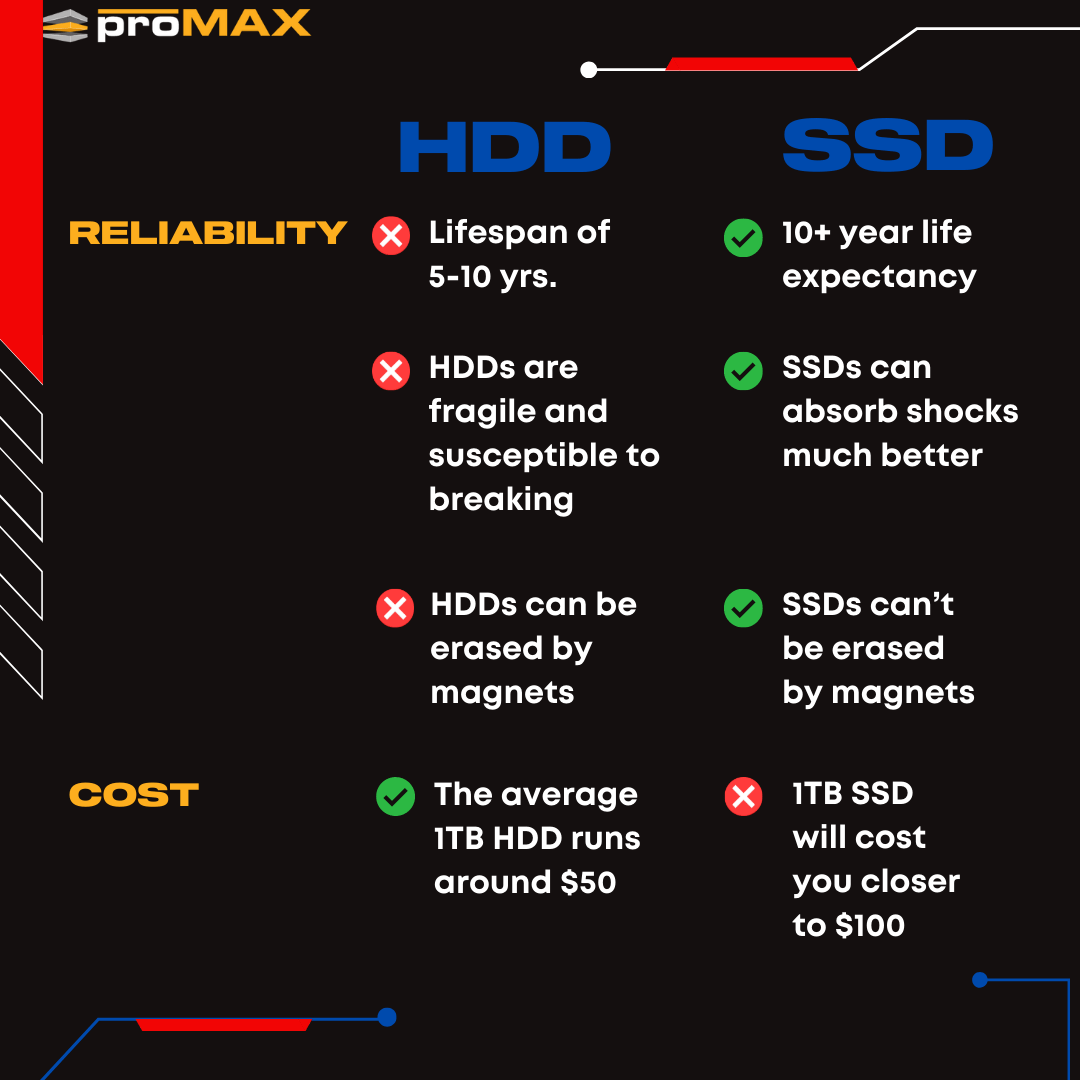
For most computers, an SSD is worth the price. It can make a system feel more responsive without replacing the processor or motherboard.
The main benefits include:
• Faster startup and shutdown.
• Quicker application loading.
• Faster file searches.
• Lower noise.
• Less power use than many hard drives.
• Better resistance to bumps and movement.
• More consistent performance over time.
An SSD does have limits. Flash memory can wear out, deleted files may be difficult to recover, and a failed drive can lose data without warning.
The best protection is a backup plan. Keep important files in at least two locations, such as an external drive and a trusted cloud service.
SSD Cost Compared With a Hard Drive
Hard disk drives usually cost less per terabyte. A 4TB hard drive may cost less than a 2TB SSD, especially during sales.
SSDs are better for speed and daily use. Hard drives are often better for cheap bulk storage.
A balanced setup may include:
• An SSD for the operating system and active programs.
• A second SSD for games or creative projects.
• A hard drive for backups and older files.
• Cloud storage for important documents and photos.
This approach treats the SSD like a work desk and the hard drive like a storage room. You use the fast space for current tasks and the cheaper space for items you do not need every day.
How to Choose the Right SSD
Choosing the right SSD is easier when you follow a simple process.
1. Check compatibility
Find out whether your computer supports 2.5-inch SATA, M.2 SATA, or M.2 NVMe storage. Confirm the supported M.2 length, such as 2280.
2. Choose enough capacity
Select at least 500GB for a basic computer. Choose 1TB for general use, and 2TB or more for games, videos, and large photo libraries.
3. Compare total value
Do not compare only the sticker price. Check price per terabyte, warranty length, endurance, software support, and independent performance tests.
4. Consider your workload
Basic users do not need extreme speeds. Video editors, developers, content creators, and professionals who move large files may benefit from higher sustained write performance.
5. Keep a backup
An SSD is not a backup. Even an expensive model can fail, so protect valuable data before installing or cloning a drive.
In my experience, buyers often spend too much on speed and too little on capacity. For most people, a reliable 1TB or 2TB SSD offers a better daily experience than a tiny drive with impressive benchmark numbers.
Ways to Save Money on an SSD
You can reduce SSD costs without choosing an unreliable product.
• Watch for seasonal sales around major shopping events.
• Compare several retailers before buying.
• Consider last-generation PCIe 3.0 or PCIe 4.0 models.
• Buy a 1TB drive instead of two 500GB drives when possible.
• Use a SATA SSD for an older computer.
• Avoid paying extra for speeds your computer cannot use.
• Check whether the product is new, refurbished, or used.
• Review the return policy and warranty.
Be cautious with unusually cheap marketplace listings. Counterfeit storage can report the wrong capacity or fail after you copy important files.
A quick test with a trusted disk utility can confirm the drive’s real capacity and health after purchase. Always test new storage before relying on it for important data.
SSD Installation and Upgrade Costs
Installing an SSD yourself may cost nothing beyond the drive. A repair shop may charge about $50 to $150, depending on the device and whether data must be copied.
You may also need:
• A SATA data cable for some desktop installations.
• A mounting bracket for a 2.5-inch drive.
• An M.2 screw for an NVMe installation.
• A USB enclosure for cloning a laptop drive.
• Backup software or disk-cloning software.
Desktop installation is often simple. Laptop installation can be more complex because the case may use small screws, clips, or proprietary parts.
If you are replacing the boot drive, cloning the old drive can save time. A clean installation may provide a fresher system, but it requires reinstalling apps and restoring files.
Common SSD Buying Mistakes
Many SSD problems begin before installation. Avoid these common errors:
Buying the wrong interface
An M.2 slot does not always support NVMe. Some M.2 slots support SATA only, while others support both types.
Ignoring capacity needs
A nearly full SSD can become difficult to manage. Leave free space for updates, temporary files, and normal performance.
Choosing only by speed
Advertised sequential speed does not tell the whole story. Random performance, sustained writes, firmware quality, and thermal control also matter.
Skipping backups
An SSD can fail suddenly. Store important files elsewhere before migrating data.
Forgetting heat
High-speed NVMe drives can become warm during long transfers. A motherboard heatsink or proper airflow can help maintain performance.
Trusting every review
Some reviews test short bursts rather than long workloads. Look for tests that show sustained performance, temperatures, warranty details, and real-world use.
How Much Is an SSD
The cost of an SSD ranges from about $20 for a small basic drive to several hundred dollars for large, high-speed models. For most shoppers, the practical answer is $45 to $170 for a 1TB or 2TB internal SSD.
The best price depends on your computer, workload, and storage needs. A budget SATA SSD may be perfect for an old laptop, while a PCIe 4.0 NVMe drive may suit a new gaming PC.
Frequently Asked Questions About How Much Is an SSD
How much does a 1TB SSD cost?
A 1TB internal SSD commonly costs $45 to $90 in the US. External 1TB SSDs often cost $60 to $120 because they include a portable enclosure and USB controller.
Is a 256GB SSD enough?
A 256GB SSD can be enough for web browsing, documents, and light office work. It may feel too small if you install many apps, games, or large media files.
Is a 1TB SSD better than a 512GB SSD?
A 1TB SSD provides twice the storage and usually offers better value per gigabyte. It is a better choice for gaming, creative work, and long-term use.
Are NVMe SSDs worth the extra cost?
NVMe SSDs are worth considering when your computer supports them and the price is close to a SATA model. For basic tasks, a SATA SSD can still feel very fast.
How long does an SSD last?
An SSD can last for many years under normal consumer use. Lifespan depends on write volume, drive quality, operating temperature, and available free space.
Can an SSD replace a hard drive?
Yes, an SSD can replace a hard drive if the size and interface are compatible. You can install the operating system from scratch or clone the existing hard drive.
Does an SSD improve gaming performance?
An SSD can reduce game loading times and improve system responsiveness. It usually does not increase average frame rates because those depend mainly on the graphics card and processor.
Conclusion
The answer to how much is an SSD is usually between $30 and $250, with 1TB and 2TB models offering the best balance for most users. Capacity, interface, speed, NAND type, warranty, and brand all influence the final price.
Check your computer’s compatibility before buying, choose enough space for future needs, and keep a separate backup of important files. Compare reliable 1TB and 2TB models today, and share your SSD choice or upgrade experience in the comments.

Everett Ashford is a tech reviewer at mytechgrid.com specializing in SSDs, cameras, TVs, earbuds, headphones, and other consumer electronics. He provides honest, data-driven reviews based on hands-on testing and real-world performance analysis. Everett simplifies complex tech details to help readers make smart, confident buying decisions.