Use your phone’s tracking app, retrace your steps, and search the small spaces where headphone cases often hide.
Learning how to find lost headphones in case is easier when you act quickly and search in a set order. Modern earbuds may show a last known location, play a sound, or connect through Bluetooth, but each feature has limits. This guide explains the best methods for AirPods, Galaxy Buds, Pixel Buds, and other wireless headphones, along with simple habits that can prevent the next loss.
Check the Most Likely Places First
Before opening an app, pause and think about the last time you used the headphones. Most lost headphone cases are not far away. They are often under a cushion, inside a pocket, or near a charging spot.
Start with the places you used during the last few hours:
• Pants, jacket, hoodie, and bag pockets
• Bed sheets, blankets, sofa cushions, and chair gaps
• Desk drawers, nightstands, and charging areas
• Car seats, cup holders, door pockets, and floor mats
• Bathroom counters, kitchen tables, and gym lockers
• The space beside your bed or under nearby furniture
Use a flashlight, even during the day. A dark case can blend into fabric and floor edges. Shine the light across the surface at a low angle. This helps reveal the case’s shape and shadow.
If you removed the earbuds while carrying other items, check the path between rooms. A case can fall when you take out your keys, wallet, or phone. Search slowly instead of looking everywhere at once.
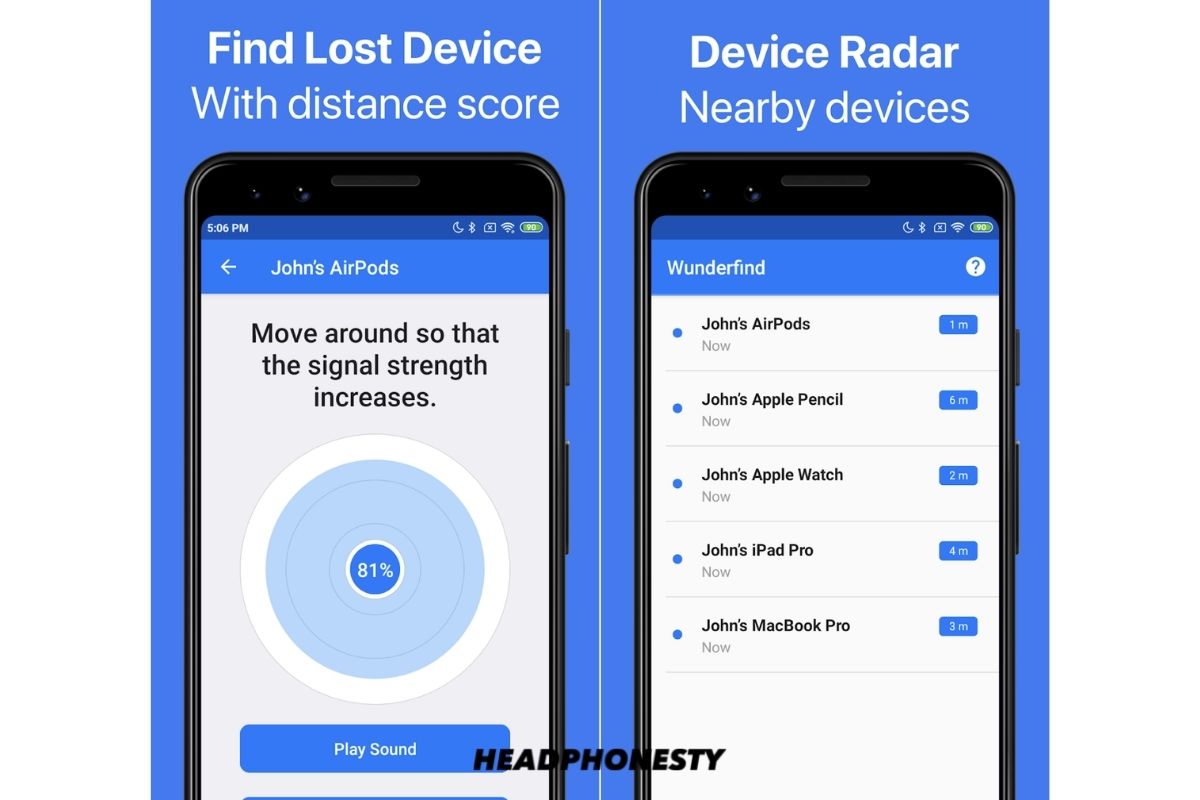
Use a Tracking App to Find Lost Headphones
A tracking app is often the fastest way to find lost headphones in case, but the exact steps depend on the brand. The app may show the current location, the last connected location, or an approximate nearby signal.
Apple AirPods
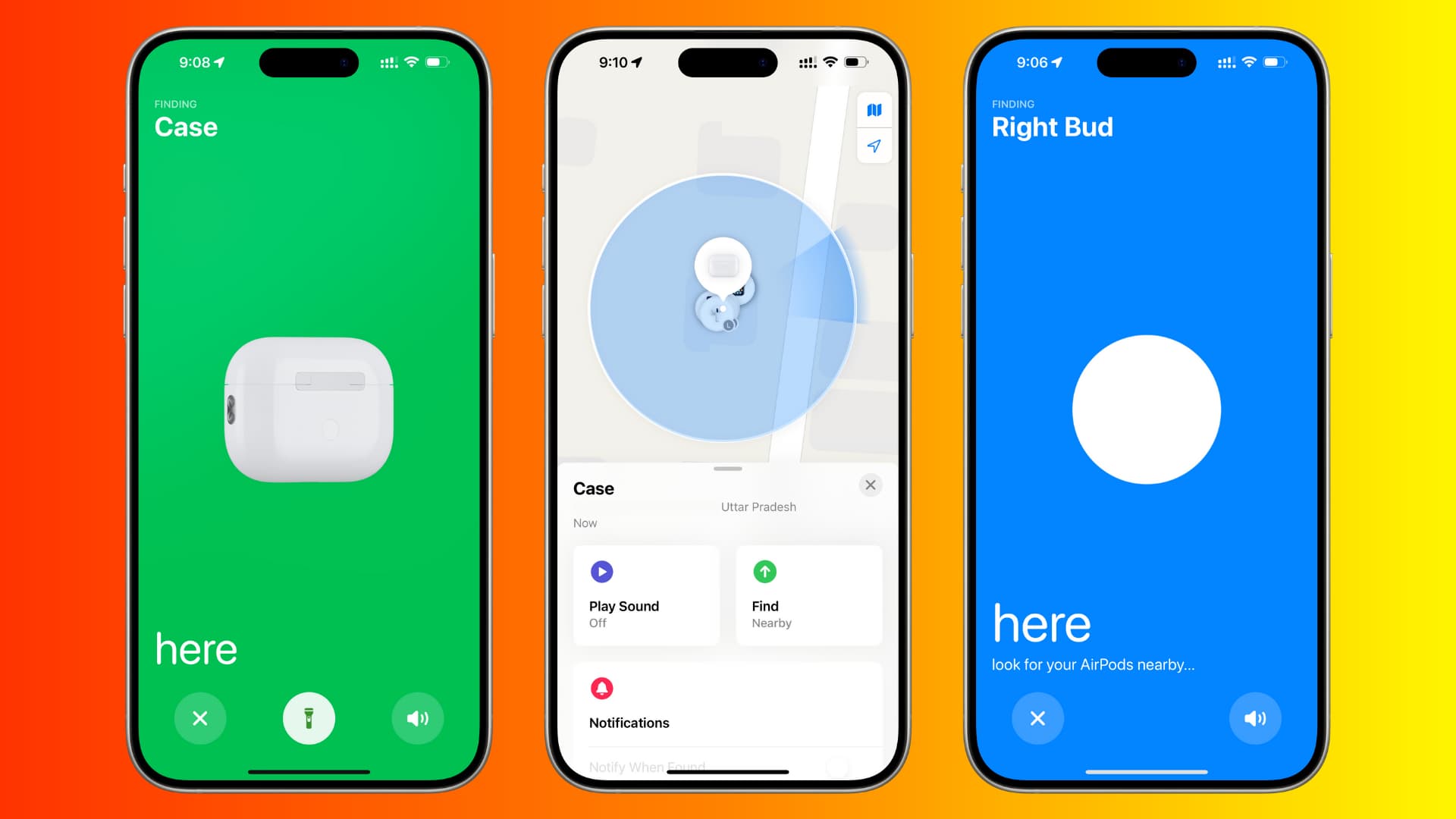
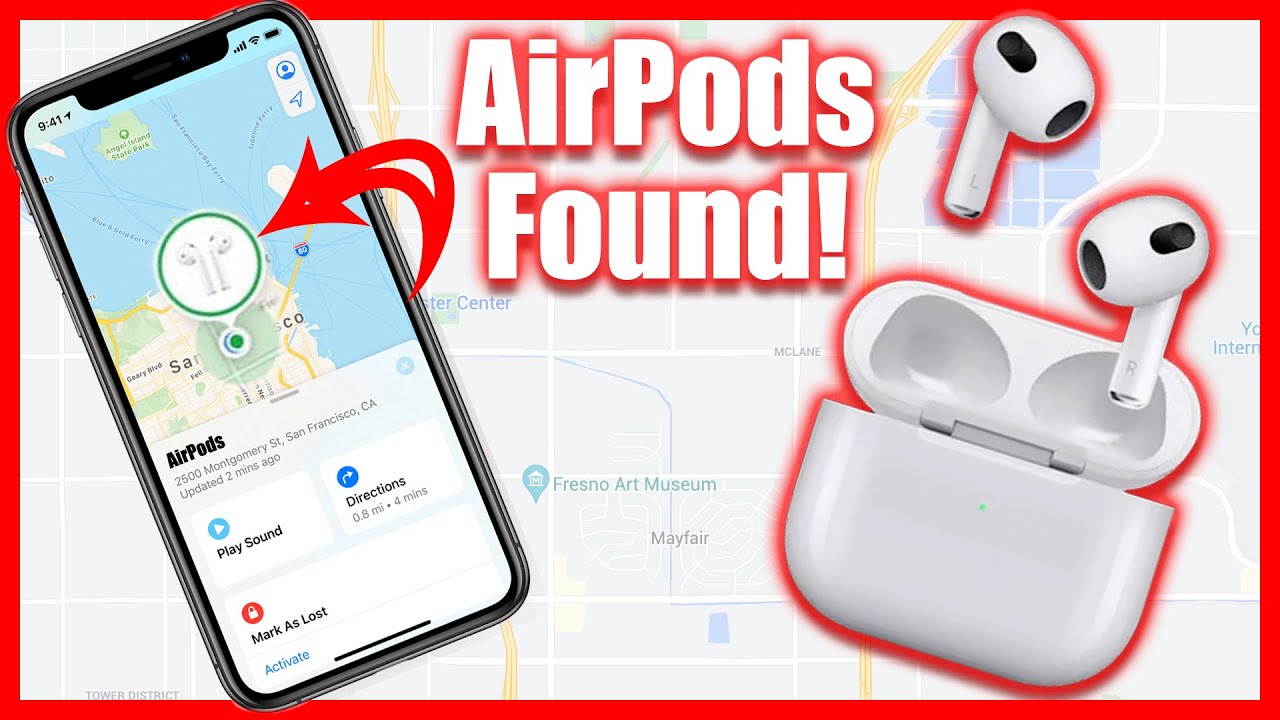
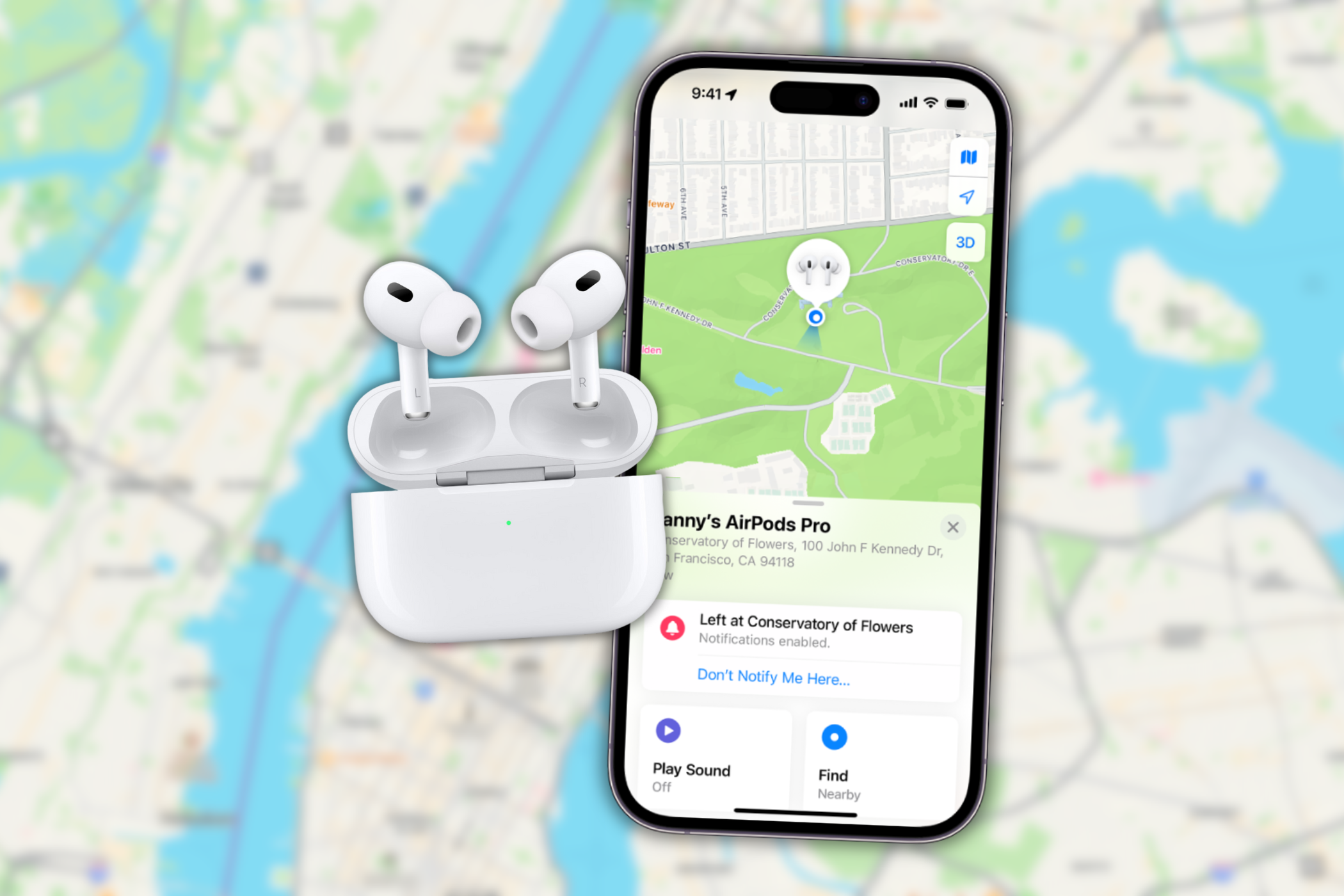
Use the Find My app on an iPhone, iPad, or Mac. You can also sign in through Apple’s Find Devices service on the web.
Select your AirPods and check the map. Then review the available options:
• Play a sound if the earbuds or case can respond
• Get directions to the last known location
• Mark the AirPods as lost when that option is available
• Check each earbud separately if the model supports separate tracking
Newer AirPods cases may include a built in speaker. Some newer models can also share more accurate location data through the Find My network. Older models may only show the last place they connected.
If the case is closed, empty, out of battery, or outside the tracking network, live tracking may not work. The map can still provide a useful clue, but it is not proof that the headphones are still there.
Samsung Galaxy Buds
Open the Galaxy Wearable app or Samsung’s SmartThings Find service. Depending on the model, you may be able to see a last location or play a sound.
Try these steps:
-
Open SmartThings Find.
-
Choose your Galaxy Buds.
-
Review the last detected location.
-
Tap the sound option if it is available.
-
Walk slowly around the displayed area.
Some Galaxy Buds can make a sound through the earbuds. The sound may not play if the earbuds are inside a closed case, the battery is empty, or the connection is blocked.
Google Pixel Buds and Other Android Headphones
For Pixel Buds, open the Pixel Buds settings or use Google’s device finding tools when supported. Other brands may use a separate app, such as Tile, Bose, Jabra, or Sony.
Look for terms such as:
• Find my device
• Find my earbuds
• Last known location
• Ring device
• Nearby search
Read the setup instructions for your model. Tracking must usually be enabled before the headphones disappear. An app cannot create a past location record if the device was never linked to it.

Check the Last Known Location
A last known location is one of the most useful clues when you need to find lost headphones in case. It usually shows where the headphones last connected to your phone or a tracking network.
For example, the map may show your home, office, gym, or a coffee shop. Do not search the whole area at once. Break it into small zones and check each zone carefully.
If the map points to your home, begin near the place where you last used the headphones. Then check nearby rooms and entry points. If it points to a store or restaurant, call the business before returning. Staff may have placed the case in a lost and found area.
Remember that a map location can be delayed. It may show where the headphones were several hours ago. Treat it like a trail of footprints, not a live camera view.
Use Bluetooth to Find Headphones Nearby
Bluetooth can help you find lost headphones in case when they still have battery power and are within range. Most Bluetooth devices work best within about 30 feet in open space, though walls, furniture, and other signals can reduce that range.
Open your phone’s Bluetooth settings. If the headphones show as connected, they are likely nearby and powered on. Walk around the room while watching the connection status.
Try this search method:
-
Turn off other Bluetooth devices you do not need.
-
Open the headphone brand’s app if it has a signal or connection screen.
-
Walk through each room slowly.
-
Check whether the headphones connect or disconnect.
-
Search the area where the connection becomes stable.
A Bluetooth connection does not always mean the case is nearby. Some cases disconnect while the earbuds remain inside. Also, a phone may display a saved device even when the headphones are not actively connected.
Bluetooth scanning apps may estimate signal strength, but results can be rough. Use them as a guide, not as a guarantee.
Play a Sound and Listen Carefully
When supported, playing a sound is one of the best ways to find lost headphones in case. First, turn off music, television, fans, and other background noise. Ask people in the room to stay quiet for a minute.
Search at floor level. A sound may be easier to hear under a sofa or behind a nightstand than from the center of the room. Listen after every few steps.
Keep in mind that sound features have limits:
• The earbuds may need to be outside the case
• The battery may be too low
• The case may block the speaker
• The phone may need an internet connection
• The headphones may be out of Bluetooth range
If you find one earbud, do not assume the case is close. Search the earbud’s last location and then retrace your actions. Earbuds can fall out of a case at different times.

Search With a Simple Grid
Random searching feels fast, but it often causes you to miss the same small object again and again. A grid search is more reliable.
Divide the room into sections. Search one section from left to right. Then move to the next section. Check both high and low areas.
Use this order:
-
Open surfaces, such as tables and shelves
-
Soft areas, such as beds and sofas
-
Pockets, bags, and clothing
-
Floor edges and furniture gaps
-
Drawers, bins, and containers
-
Cars, entryways, and nearby outdoor areas
Move objects as you search. Look inside shoes, reusable grocery bags, toiletry kits, and coat pockets. A case can hide in a place that seems unrelated because people often carry it with several items.
When helping others find lost headphones in case, I recommend using one person to search and another to check the tracking app. Too many people searching at once can disturb the area and make the process harder.

Retrace Your Steps Outside the Home
If the headphones are not at home, rebuild your route from the last confirmed use. Think about where you sat, stood, paid, changed clothes, or removed your jacket.
Check these locations:
• Rideshare vehicles and public transit seats
• Work desks and conference rooms
• School classrooms and libraries
• Fitness centers and locker rooms
• Cafes, restaurants, and store counters
• Airport security bins and waiting areas
Contact each location as soon as possible. Give staff a clear description of the brand, color, case shape, and any identifying marks.
If the tracking app shows a private home or unfamiliar location, do not confront anyone. Use the lost mode feature, contact the platform or local authorities when appropriate, and protect your personal safety.
What to Do When the Case Is Empty
Sometimes the case is found, but one or both earbuds are missing. This changes the search.
Place the remaining earbud in the case and check the tracking app again. Many systems can show each earbud separately. Play a sound on the missing earbud if the feature is available.
Then search places where the earbud could have fallen:
• Bedding and clothing folds
• Car seats and floor mats
• Carpet near desks and sofas
• Bags with small inner pockets
• The space beside a charging station
Do not vacuum until you finish the search. A small earbud can disappear into a vacuum cleaner or become damaged. If you must clean, inspect the area first.
Why Headphone Tracking Sometimes Fails
Understanding the limits of tracking helps you avoid wasted time. The technology is useful, but it is not magic.
Tracking may fail when:
• The battery has died
• The case has no tracking hardware
• The earbuds are closed inside the case
• The headphones were never paired with the phone
• Find My or another tracking service was disabled
• The device is outside network or Bluetooth range
• The location data is old
• The app has not synced with the headphones
Some low cost wireless headphones only store a Bluetooth connection. They may not have GPS, a speaker, or a community finding network. In that situation, physical searching and retracing your route are the main options.
Location privacy also matters. Tracking services may depend on nearby devices and account settings. Review the manufacturer’s privacy information before enabling any feature you do not understand.
Common Mistakes to Avoid
Many people make the search harder without realizing it. Avoid these common mistakes when trying to find lost headphones in case.
• Do not rely on one map location as exact proof.
• Do not keep playing loud audio while searching.
• Do not reset or remove the headphones from your account too soon.
• Do not search only at eye level.
• Do not assume the case is near the last place you remember.
• Do not delay calling a business with a lost and found desk.
• Do not share your home address or account details with strangers.
Another mistake is buying a replacement before checking warranty or loss coverage. Some credit cards, retailers, and insurance plans offer limited protection, but coverage varies. Keep the purchase receipt and model number if you need to file a claim.
Prevent Losing Headphones Again
The best way to find lost headphones in case is to make them harder to lose. Small routines work better than memory.
Choose one storage spot at home. Keep the case there whenever you are not using it. At work or school, use the same pocket in your bag every time.
Helpful habits include:
• Turn on the tracking service as soon as you pair the headphones.
• Add a small label or contact card to the case.
• Use a bright case or protective cover.
• Keep the case charged.
• Close the lid before placing it in a pocket.
• Check your seat and pockets before leaving.
• Use a case with a clip when traveling.
• Avoid placing the case on unstable surfaces.
A tracker tag can help with some headphone cases. It may show the tag’s location even when the earbuds have no built in tracking. However, a tracker adds weight, needs its own battery, and may not fit every case.
A Fast Five Minute Search Plan
When you need to find lost headphones in case quickly, follow this short plan.
-
Check your pockets, bag, bed, sofa, and car.
-
Open the correct tracking app.
-
Review the last known location.
-
Try Bluetooth or play a sound if available.
-
Search the mapped area with a flashlight.
-
Call the last business or transit service you visited.
-
Mark the headphones as lost if the feature supports it.
This plan combines digital clues with physical searching. Neither method is perfect alone. Together, they give you the best chance of recovering the case before it is moved or overlooked.
Frequently Asked Questions About How to Find Lost Headphones in Case
Can I find headphones if they are inside the charging case?
It depends on the model. Some newer cases can report their location or play a sound, while many older cases cannot be tracked when closed. Check the manufacturer’s app and the case’s battery status first.
How do I find lost headphones with no battery?
You usually cannot receive a live signal from headphones with a dead battery. Use the last known location, retrace your route, and contact places you visited.
Can Bluetooth find headphones inside my house?
Bluetooth may help if the headphones are powered on and nearby. Walk slowly through each room and watch for a connection, but remember that walls and furniture can weaken the signal.
How do I find one missing earbud?
Open the tracking app and select the individual earbud when that option is available. Search soft surfaces, clothing, bags, car seats, and floor edges while using the sound feature.
Can I find lost headphones without the original phone?
Possibly. Sign in to the same Apple, Google, Samsung, or headphone brand account on another device. If tracking was never enabled, you may need to rely on Bluetooth pairing or a physical search.
Does Find My work when AirPods are in the case?
The answer depends on the AirPods model and case. Some newer cases support location and sound features, while older cases may only provide a last known location when the earbuds were connected.
Should I report lost headphones to a store or transit service?
Yes, especially if the tracking map points to a public place. Give staff the brand, color, model, and case details, but avoid sharing private account information.
Conclusion
Finding lost headphones in case works best when you combine a calm physical search with the right tracking app. Check pockets and soft furniture first, review the last known location, test Bluetooth nearby, and contact the last places you visited.
Tracking has limits, especially when the battery is dead or the case lacks smart features. Still, a clear search plan can turn a frustrating hunt into a quick recovery. Set up device tracking today, choose one storage spot, and share your best headphone finding tip in the comments.

Everett Ashford is a tech reviewer at mytechgrid.com specializing in SSDs, cameras, TVs, earbuds, headphones, and other consumer electronics. He provides honest, data-driven reviews based on hands-on testing and real-world performance analysis. Everett simplifies complex tech details to help readers make smart, confident buying decisions.