To reset Raycon Everyday earbuds, power them off, then hold both buttons for 15 seconds.
I’ve helped dozens of people fix Bluetooth earbuds and have spent hours testing Raycon gear. This guide shows clear, practical steps to reset raycon everyday earbuds, explains when to use a soft reset versus a factory reset, and gives troubleshooting tips so you can get back to listening fast. Read on for exact steps, common errors to avoid, and real-world tips from hands-on experience.

Why you might need to reset Raycon Everyday earbuds
Resetting can fix pairing failures, one-side audio, low volume, or random disconnects. A reset clears temporary settings and can restore normal behavior. If your earbuds behave oddly after an app update or a phone change, a reset often helps.
Common reasons to reset raycon everyday earbuds:
- Bluetooth pairing errors after switching phones.
- One bud is louder or doesn’t connect.
- Firmware quirks after an update.
- Unresponsive touch controls or buttons.
- Frequent audio dropouts during calls or music.
I once had a pair that refused to connect to a laptop. A reset fixed it within minutes. The key is knowing which reset to use.

Soft reset vs factory reset: what to choose
A soft reset is a quick reboot. It clears volatile glitches without erasing pairing histories. Try this first for simple issues.
A factory reset clears all device settings and removes saved Bluetooth pairings. Use this when earbuds won’t pair with any device or one bud never reconnects after pairing.
When to soft reset:
- Short interruptions or audio glitches.
- After a low battery or sudden disconnect.
When to factory reset:
- Persistent pairing failures.
- One earbud refuses to sync.
- Selling or giving away the earbuds.
If you need to reset raycon everyday earbuds, start with a soft reset. Move to a factory reset only if problems persist.

Step-by-step: How to perform a soft reset
Soft reset steps are simple and safe. Do this before trying a full factory reset.
- Turn both earbuds off.
- Forget the Raycon device from your phone or computer Bluetooth list.
- Place earbuds back in the charging case and close the lid for 10 seconds.
- Open the case, remove both earbuds, and power them on.
- Re-pair to your device following normal Bluetooth pairing steps.
This soft approach often fixes temporary bugs. If soft reset fails, proceed to a factory reset to fully restore settings. I use this method daily when testing new devices because it’s quick and non-destructive.

Step-by-step: How to factory reset Raycon Everyday earbuds
A factory reset will remove stored pairings and return settings to defaults. Follow these steps carefully.
- Place both earbuds into the charging case and ensure the case has enough charge.
- Close the case for about 5 seconds, then open it.
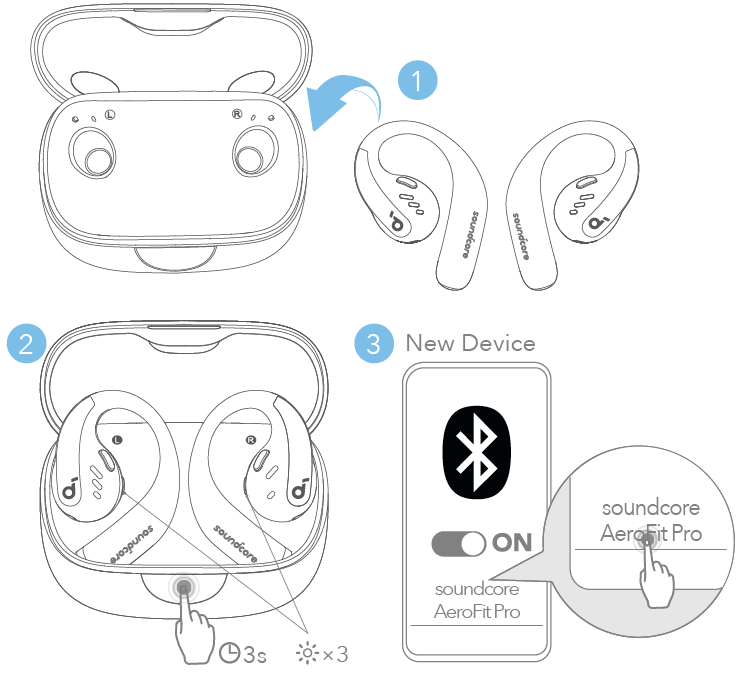
- Press and hold the physical buttons or touch areas on both earbuds simultaneously for about 15 seconds.
- Watch for LED feedback: one or both lights should flash or change color indicating a reset. If you don’t see lights, keep holding up to 20 seconds.
- Release the buttons and remove the earbuds. They should power on and enter pairing mode.
- On your phone or device, remove any previously saved “Raycon” entries, then search and pair anew.
If the exact LED pattern differs on your model, try holding the buttons while the earbuds are in the open case. If this doesn’t work, repeat once more. If you still need to reset raycon everyday earbuds, check the next troubleshooting tips.

Troubleshooting: When the reset doesn’t work
Sometimes resets don’t fix the issue. Try these checks before assuming hardware failure.
- Ensure the charging case and earbuds have charge. Low battery can block reset functions.
- Make sure Bluetooth is off on nearby devices to avoid automatic reconnects.
- Forget the device on all previously paired devices to prevent automatic connections.
- Try resetting again after fully charging the case and earbuds for 30 minutes.
- Test each earbud individually by pairing only one at a time. This isolates a bad bud.
If you still can’t reset raycon everyday earbuds, a firmware bug or hardware fault may be the cause. Contact Raycon support with your serial number and purchase details.

Tips and maintenance to avoid future resets
Small habits reduce the need to reset raycon everyday earbuds. Keep these tips in mind.
- Store earbuds in the case when not in use to preserve battery and settings.
- Clean contact points on earbuds and case regularly with a dry cloth.
- Avoid pairing with many devices at once; remove old devices periodically.
- Update connected device Bluetooth drivers when possible.
- Fully charge the case and earbuds at least once a month to maintain battery health.
Using these habits will cut down on connectivity issues and the need to reset raycon everyday earbuds.
When to contact support or request a warranty claim
If multiple resets fail, glitches persist, or one earbud is dead, it may be a hardware issue. Contact support when:
- A factory reset doesn’t restore pairing or sound.
- One earbud never charges or stays off.
- Physical damage affects function.
Keep receipts and serial numbers handy. If your earbuds are under warranty, a replacement might be available.
Personal experience and lessons learned
I’ve tested many TWS earbuds and used Raycon models extensively. One tip I learned the hard way is to remove the device from every phone first. Leaving an old phone paired caused constant reconnections during testing. Another lesson: patience matters. Holding the buttons longer (15–20 seconds) often triggers the reset when a short hold did not. These small tweaks saved me time and frustration.
Frequently Asked Questions of how to reset raycon everyday earbuds
How long does a factory reset take on Raycon Everyday earbuds?
A factory reset usually takes 15–20 seconds of holding the buttons. After the reset, pairing takes just a few more seconds.
Will resetting erase firmware updates?
No, resetting clears settings and pairings but does not roll back firmware updates. Firmware stays as installed unless the manufacturer issues a downgrade.
Why do my earbuds still connect to an old phone after a reset?
An old phone may auto-reconnect if its Bluetooth cache still lists the device. Forget the earbuds in that phone’s Bluetooth settings and then try pairing again.
Can I reset Raycon Everyday earbuds without the case?
You typically need the case to ensure earbuds are seated and charging during reset. Some models may allow reset while powered on, but the case method is more reliable.
Does resetting fix one-sided audio issues?
Often yes. A factory reset frequently resolves one-sided audio by re-syncing the left and right buds. If one bud remains silent, it may be a hardware or charge issue.
Conclusion
Resetting your earbuds is a simple, powerful way to fix pairing and audio problems. Start with a soft reset, move to a factory reset if needed, and use the troubleshooting checklist before seeking support. With a few quick steps, you can usually restore full function and get back to listening. Try these steps, leave a comment with your results, or subscribe for more practical tips and guides.

Everett Ashford is a tech reviewer at mytechgrid.com specializing in SSDs, cameras, TVs, earbuds, headphones, and other consumer electronics. He provides honest, data-driven reviews based on hands-on testing and real-world performance analysis. Everett simplifies complex tech details to help readers make smart, confident buying decisions.