A fake Canon camera is often hard to identify from one clue alone. In the United States, the safest approach is to check the exact model, serial number, body details, menus, accessories, seller, and payment protection as one evidence trail.
A strange box does not always mean the camera is fake. It may be an imported model, a used camera with replaced parts, or a genuine camera sold with counterfeit accessories. The goal is to separate those cases before you pay.
Key takeaways
- Compare the camera with official Canon photos, manuals, and specifications for the exact model.
- Treat a serial number as useful evidence, not final proof. A fake camera may copy a real serial number.
- Check the body, menus, firmware, mount, ports, buttons, and image files.
- Be cautious when the price is far below the normal U.S. used price.
- Ask for a dated receipt, clear serial photos, and a written return policy.
- For a costly purchase, ask Canon or an authorized service center to inspect the camera.
What counts as a fake Canon camera?
A counterfeit camera is made to look like a Canon product but was not made by Canon. It may have a copied logo, model name, body design, label, or packaging.
That is not the only risk. A genuine Canon camera can also be sold through a misleading listing. Common examples include:
- A real camera listed as a newer or higher model
- A camera with a swapped body shell or internal parts
- A camera with a cloned or altered serial number
- A gray-market import sold without clear U.S. warranty support
- A genuine camera bundled with fake Canon batteries or a fake charger
- A stolen camera with no reliable proof of ownership
- A listing that uses Canon photos but ships a different product
A gray-market camera is not automatically counterfeit. It may be genuine but intended for sale in another country. Its menu language, charger, warranty, and service options may differ from a U.S. model.
This difference matters. A fake product is an authenticity problem. A gray import is mainly a warranty, region, and seller-support problem.
Start with the exact Canon model
First, find the full model name and compare it with Canon’s U.S. product information. Do not rely on a seller’s title alone.
Canon model names can look similar. For example, an EOS R10, EOS R7, and EOS R50 are all mirrorless cameras, but their bodies, controls, ports, batteries, and features differ. A seller may also confuse an original model with a later version.
Check these items:
- Model name: Look at the body label, box, menu, and receipt.
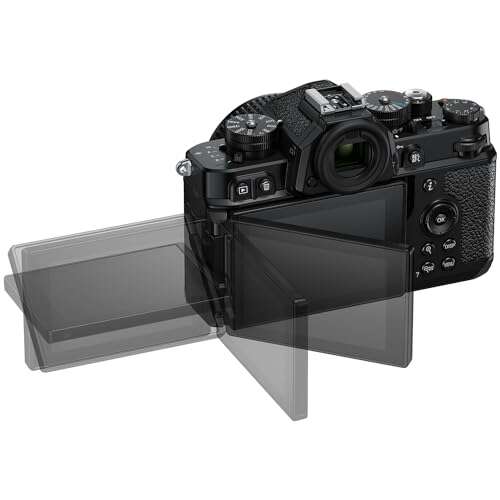
- Body shape: Compare buttons, dials, grips, ports, and hot-shoe placement.
- Lens mount: Confirm that the mount matches the model.
- Battery type: Check the battery model against Canon’s official manual.
- Screen and viewfinder: Compare their shape and position.
- Video and photo features: Test only features listed for that exact model.
- Firmware menu: Compare menu names with the official Canon manual.
Use Canon USA’s support pages and product pages as your main reference. Product photos can change slightly by region, so use the manual and technical specifications as well.
A copied box can look convincing. A copied body often fails when you compare small details, such as the shape of a button, the number of ports, or the location of a label.
Inspect the body, labels, and serial number
The body should look like a well-made product with clean printing and even seams. Small signs of wear are normal on a used camera. Signs of alteration are more concerning.
Look closely at:
- The Canon logo and model lettering
- Screws, seams, and rubber grips
- The serial-number plate or label
- The hot shoe and tripod socket
- The battery door and memory-card door
- Port covers and hinge points
- Paint color and texture
- Button labels and control dials
Watch for uneven letters, incorrect spacing, loose labels, misspelled words, cheap plastic, or a logo that looks too thick or thin. A label that sits over scratches or glue marks may have been replaced.
The serial number should appear in the expected location for that model. Compare the body number with:
- The box
- The receipt
- The warranty card, if included
- The camera menu, if the model displays a serial number
- The image metadata, when available
A mismatch does not prove the camera is fake. A seller may have used the wrong box, or the body may have been replaced during service. But the seller should explain the mismatch clearly and provide records.
A matching serial number is not proof by itself. Fraudsters can copy a valid serial number from a real Canon camera. Canon may also limit what it can confirm to the public for privacy, warranty, or service reasons. Contact Canon USA before relying on a serial-number claim.
Check the menus, firmware, and image files
A fake body may look right but fail basic software checks. Turn the camera on and inspect its menus.
Check whether:
- The menu layout matches the official manual
- The model name appears correctly
- The firmware screen uses normal Canon wording
- The camera saves photos to the expected card type
- The camera records the claimed image size and file type
- The date, time, language, and region settings work normally
- The camera connects to the expected Canon app or computer software
Take a photo in both JPEG and RAW, if the camera claims to support RAW. Open the files on a computer and inspect the metadata with a trusted image program.
The file should show a plausible Canon camera model. Metadata is useful, but it is not conclusive. Metadata can be edited, removed, or changed when a file is exported.
A camera that claims to be a full-frame model but creates files with the wrong dimensions is a strong warning sign. Still, check the settings first. Cropping, small-image modes, and unusual video settings can explain some differences.
Firmware alone is not a perfect test. A camera may have old firmware, unofficial service firmware, or a regional version. Use it as one part of the check.
Test the camera before you buy it
If you can inspect the camera in person, bring a known-good memory card, lens, battery, and card reader. If you cannot, ask the seller for fresh photos and sample files made for your request.
Test the following:
1. Power and battery
The camera should start without unusual heat, smoke, smell, or rapid battery loss. Stop at once if the battery swells, becomes very hot, or shows damage.
2. Buttons and dials
Press every button. Turn each dial. Check the shutter button, control wheel, menu button, playback button, and lock switch.
A dial that skips settings may mean wear. A button that does nothing may mean damage or a false control layout.
3. Lens mount
Mount a compatible lens. It should lock firmly without excessive play. The camera should communicate with the lens and show an aperture value.
Do not force a lens onto the mount. A wrong mount can damage both the lens and camera.
4. Autofocus and exposure
Take photos in bright and dim indoor light. Test single-shot autofocus, continuous autofocus if listed for the model, and manual focus.
The goal is not to prove that the camera performs perfectly. The goal is to confirm that the main systems work and match the claimed model.
5. Sensor and image quality
Photograph a plain wall or clear sky at a small aperture, such as f/16, if your lens allows it. A few dust spots can be normal. Large marks, repeated lines, or groups of bright pixels may need service.
Do not confuse a dirty sensor with a fake camera. Sensor dust is common in interchangeable-lens cameras.
6. Card and file recording
Take several photos and record a short video if the model supports it. Confirm that files save, play back, transfer, and show the expected model information.
A fake product may fail several of these checks. A genuine but damaged camera may fail them too. The result tells you to investigate further; it does not identify the cause by itself.
Check the battery, charger, and other accessories
Counterfeit Canon accessories are more common than counterfeit camera bodies. A genuine camera may come with a fake battery, fake charger, or unsafe power adapter.
Look for:
- Poor print quality
- Misspelled safety text
- Loose battery fit
- Incorrect model numbers
- Very light or cheap-feeling construction
- Excessive heat during charging
- Contacts that do not line up well
- A charger that lacks expected markings or documentation
Do not charge a battery that is swollen, cracked, leaking, or unusually hot. Use a known-good Canon battery or a reputable replacement from a traceable U.S. seller while you investigate.
A third-party battery does not prove the camera is fake. Many used cameras are sold without their original battery. The seller should state what is included and should not describe a third-party part as an original Canon accessory.
Packaging also provides clues, but it is weak evidence. Boxes can be replaced, reused, or printed by counterfeiters. Focus more on the camera, records, seller, and test results.
Evaluate the price and seller
Price is a useful warning sign, but it is not an authenticity test.
A low price may have a normal reason:
- Heavy cosmetic wear
- High shutter use
- Missing battery or charger
- A damaged screen
- An older model
- No return period
- A gray-market warranty
- A private seller who needs a quick sale
It may also signal a scam. Compare the offer with several U.S. listings for the same model in similar condition. Do not compare a camera-only price with a complete kit price.
Ask the seller for:
- Clear photos of the front, back, bottom, and serial label
- A photo of the camera powered on
- A new sample image with a note showing the current date
- The exact included accessories
- Purchase date and original retailer
- Shutter-count information, if available
- A written return period
- The reason for the low price
Avoid sellers who:
- Refuse to show the actual camera
- Use only Canon’s stock photos
- Pressure you to pay quickly
- Move the conversation off a protected marketplace
- Demand cash, wire transfer, gift cards, cryptocurrency, or a “friends and family” payment
- Claim that a serial number “guarantees” authenticity
- Offer no way to return the camera
For an expensive purchase, pay through a method with clear buyer protection. Keep the listing, messages, payment record, photos, and shipping label. These records can help if the item is not as described.
In the United States, suspected fraud can be reported to the Federal Trade Commission at ReportFraud.ftc.gov. You may also report the listing to the marketplace and contact your payment provider.
Use this decision table before you buy
The table below helps you weigh several clues without treating one clue as final proof.
| Finding | What it may mean | Recommended action |
|---|---|---|
| The model name does not match the body design | Wrong listing, modified body, or counterfeit product | Stop and compare with the official manual |
| Serial number is missing or altered | Possible tampering or stolen identity | Do not buy without Canon or service-center guidance |
| Serial number matches the box but not the body | Wrong box or replaced body | Ask for service records and a clear explanation |
| Menu lacks expected Canon features | Wrong model, damaged firmware, or counterfeit body | Request testing and Canon verification |
| Metadata shows another model | Wrong camera, edited file, or export issue | Make a fresh file and inspect it directly |
| Battery is third-party | Common with used gear | Confirm the camera itself before deciding |
| Price is far below similar U.S. listings | Scam, damage, missing parts, or gray import | Ask for proof and use protected payment |
| Seller refuses a return | High buyer risk | Choose another seller |
| Camera works but has no U.S. warranty | May be a genuine gray-market model | Confirm service and warranty limits before buying |
The strongest warning is not one cosmetic flaw. It is a pattern: a low price, unclear seller, missing records, mismatched serial number, and failed menu or file checks.
What to do if you already bought a suspicious camera
Do not open the body or attempt an internal repair. Opening it can remove evidence and may affect a return or service claim.
Instead:
- Stop using any battery or charger that becomes hot, swells, leaks, or smells unusual.
- Photograph the camera, labels, packaging, seller listing, and shipping box.
- Save the receipt, messages, payment record, and tracking details.
- Contact the seller in writing and request a return if the product is not as described.
- Open a marketplace or payment dispute within its deadline.
- Contact Canon USA or an authorized Canon service center.
- Report suspected fraud to the marketplace and the FTC.
- If the camera may be stolen, contact local law enforcement rather than trying to resell it.
Canon may be able to explain service options or inspect the product. An authorized service center is better placed than an informal online comment to assess a body with altered labels or internal parts.
Common mistakes to avoid
Mistake 1: Trusting a real-looking box
Boxes are easy to replace. The camera body and its records matter more.
Mistake 2: Treating a serial number as proof
A copied serial number can look valid. Check the full evidence trail.
Mistake 3: Calling every import fake
A genuine camera made for another market is not necessarily counterfeit. Confirm warranty, charger, language, and service limits.
Mistake 4: Using shutter count as the main test
Shutter count can be useful for assessing wear, but it does not prove authenticity. It may be unavailable, inaccurate, reset, or affected by electronic shutter use.
Mistake 5: Ignoring accessories
A fake battery or charger can create a safety risk even when the camera body is genuine.
Mistake 6: Paying first and checking later
A protected return is helpful, but checking before payment is safer and simpler.
FAQs about fake Canon cameras
Can a fake Canon camera have a real serial number?
Yes. A counterfeit seller can copy a serial number from a genuine camera. A matching number supports the claim but does not prove it.
Are gray-market Canon cameras fake?
No. A gray-market camera may be genuine but imported outside Canon’s normal U.S. distribution channel. Confirm the model’s region, warranty, charger, language, and repair options.
Can Canon verify a camera serial number?
Canon may be able to provide guidance or service information, but public verification options can vary by model, region, and case. Contact Canon USA or an authorized service center directly.
How can I tell if a Canon battery is fake?
Look for poor printing, a wrong model number, a loose fit, unusual heat, damaged contacts, and unsafe charging behavior. Buy replacement batteries from Canon or a traceable, reputable seller.
Should I buy a Canon camera without a box?
Yes, a genuine used camera can be sold without its original box. Ask for the body serial number, clear photos, test files, proof of ownership, and a return option.
Conclusion: use several checks, not one clue
The best way to spot a fake Canon camera is to build a simple chain of proof. Confirm the exact model, inspect the body and serial number, test the menus and files, check the accessories, and evaluate the seller.
If several details do not match, walk away. For a high-value camera, Canon or an authorized service center can provide the most reliable next check.

Everett Ashford is a tech reviewer at mytechgrid.com specializing in SSDs, cameras, TVs, earbuds, headphones, and other consumer electronics. He provides honest, data-driven reviews based on hands-on testing and real-world performance analysis. Everett simplifies complex tech details to help readers make smart, confident buying decisions.