Use the JLab Sound app, Tile, or your phone’s last Bluetooth location to find compatible JLab earbuds.
Losing wireless earbuds is frustrating, especially when they disappear between the couch cushions or get left in a car. After testing Bluetooth tracking methods and checking how JLab models work, I can tell you one key fact: how to track my JLab earbuds depends on the model, app support, and whether the earbuds still have battery power. This guide explains each reliable method, its limits, and the best steps to take before buying a replacement pair.
Can You Track JLab Earbuds?
You may be able to track JLab earbuds, but most models do not contain built-in GPS. Instead, tracking usually depends on Bluetooth, the JLab Sound app, or a third-party service such as Tile.
Bluetooth tracking works like finding a friend in a crowded room by listening for their voice. Your phone must be close enough to detect the earbuds. If the earbuds are far away, inside their charging case, turned off, or out of battery, live tracking usually will not work.
The best method depends on your JLab model:
• JLab earbuds with Tile support can be located through the Tile app.
• Some models may work with a JLab app feature that shows a recent connection or helps identify the earbuds nearby.
• Standard Bluetooth models can often be found by reconnecting them and following the signal.
• Apple Find My and Google Find My Device usually cannot track ordinary JLab earbuds like they track AirPods or Android phones.

How to Track My JLab Earbuds With the JLab Sound App
The JLab Sound app supports many newer JLab products. Its exact features can vary by model, region, and app version. Before trying this method, charge the earbuds and install the official JLab Sound app from the Apple App Store or Google Play Store.
Follow these steps:
-
Open the JLab Sound app on your phone.
-
Turn on Bluetooth in your phone settings.
-
Remove the earbuds from the case.
-
Put the earbuds into pairing mode if they do not connect automatically.
-
Select your JLab earbuds in the app.
-
Look for a find, locate, connection, or last-used feature.
-
Walk slowly around the area while watching for a Bluetooth connection.
If the app connects to the earbuds, they are likely within Bluetooth range. Play audio at a safe volume to help locate them. A short tone, podcast, or music track may make them easier to hear under a bed or behind furniture.
Some JLab apps show battery information and connection status rather than a true map location. This is an important difference. A battery reading can confirm that the earbuds are active, but it does not prove their exact location.
When researching how to track my JLab earbuds, check your model’s product page and user guide. Do not assume that every JLab model has the same tracking feature.

How to Track My JLab Earbuds With Tile
Some JLab earbuds include Tile tracking support. Tile uses Bluetooth and its community network to help locate compatible products. If your earbuds have a Tile logo, Tile wording on the box, or a listing that says “Works with Tile,” this may be the most useful tracking option.
To set up Tile, use these steps:
-
Download the Tile app.
-
Create or sign in to your Tile account.
-
Enable Bluetooth and location permissions.
-
Add a new device in the Tile app.
-
Choose the JLab product from the available list.
-
Press the pairing or Tile button on the earbuds or case when requested.
-
Complete the setup while the earbuds are close to your phone.
After setup, open the Tile app whenever the earbuds go missing. If they are nearby and have power, tap the option to make them ring. Walk around the room and follow the sound.
Tile can also show the last place where your phone connected to the earbuds. This location is helpful, but it is not a live GPS position. For example, it may show that your earbuds were last detected at your gym, even if they are now in a locker or another person’s bag.
Tile support is model-specific. If the app cannot find your JLab earbuds during setup, confirm compatibility before spending time resetting the product.

How to Track JLab Earbuds With Bluetooth
If your JLab earbuds do not support Tile, you can still use Bluetooth to search for them. This method is simple, free, and useful when you think the earbuds are nearby.
First, open the Bluetooth settings on your phone. Look for the JLab device in the list of saved or available products. If the earbuds show as connected, walk around the area and listen for sound or connection changes.
You can also use a Bluetooth signal-strength app. These apps estimate whether you are moving closer to or farther from a Bluetooth device. They do not provide an exact map location, and many apps cannot detect earbuds inside a closed case.
Use this search pattern:
• Start in the last place you remember using the earbuds.
• Check pockets, bags, coat sleeves, and car seats.
• Move slowly toward furniture and walls.
• Watch whether the Bluetooth signal becomes stronger.
• Play a loud but safe sound if one earbud connects.
• Search near charging cables and outlets.
Bluetooth has a limited range. Walls, metal objects, water, and other wireless devices can weaken the signal. In an open space, the range may seem fairly long. Inside a home, it can become much shorter.
One lesson I have learned while testing Bluetooth accessories is that people often walk too fast during a search. A slow search works better because the signal can change within a few feet. Treat it like a warm-or-cold game, not a satellite map.
How to Track JLab Earbuds When They Are in the Case
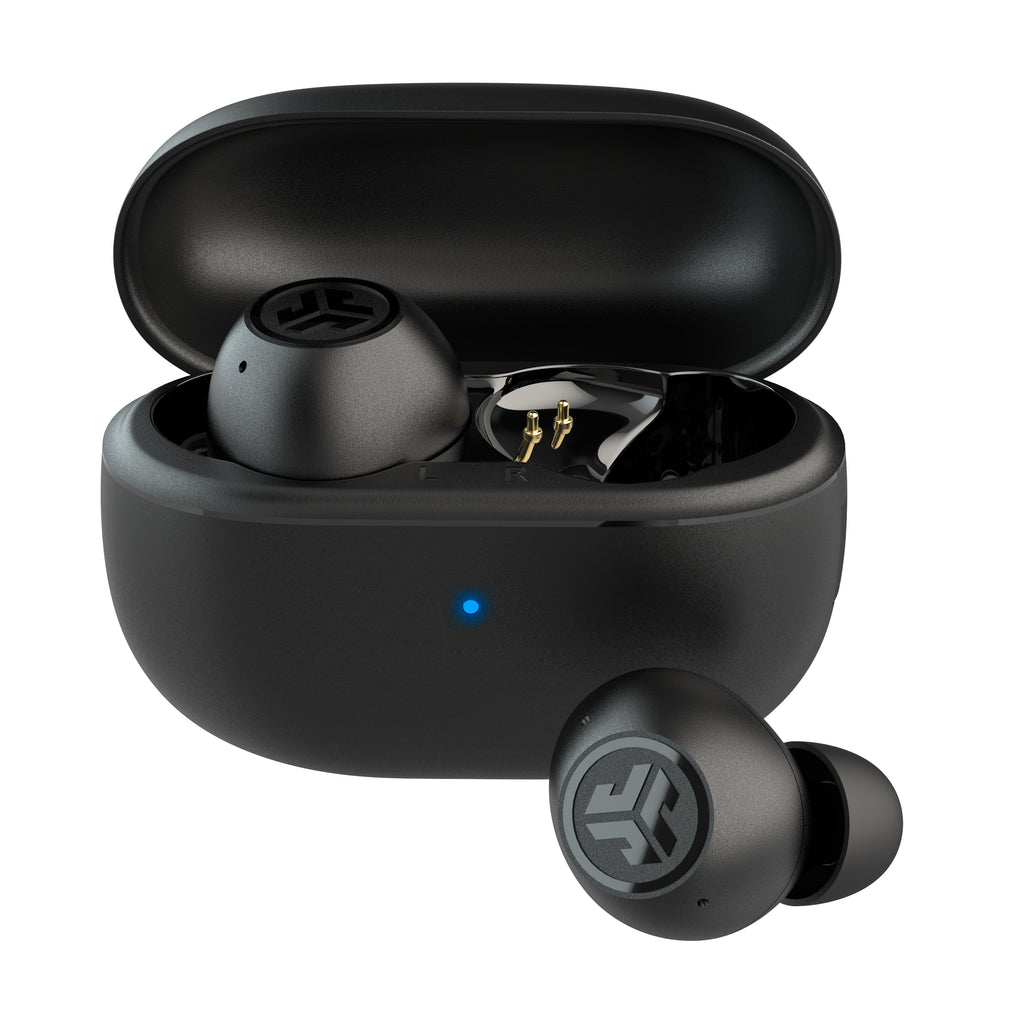
Finding earbuds inside the charging case can be harder than finding loose earbuds. The case may block the Bluetooth signal, and some cases turn the earbuds off or place them into a low-power state.
Try these steps:
-
Search for the charging case first.
-
Check the last location shown in the JLab or Tile app.
-
Look in bags, cup holders, drawers, and coat pockets.
-
Check beside your bed, desk, and charging area.
-
Use a Bluetooth scanner if the case still broadcasts a signal.
-
Call places you visited after using the earbuds.
If the case has no battery, the earbuds may not connect or make a sound. Charge the case as soon as you find it. If you find only one earbud, place it in the case and check whether the app recognizes it.
Most wireless earbuds are small and easy to overlook. They often hide in soft places because they slide between cushions, blankets, and clothing. A flashlight held at a low angle can help reveal their shape under furniture.
When people ask how to track my JLab earbuds, they often expect the case and earbuds to appear as separate map items. In many models, they do not. The tracking system may identify only the earbuds, only the case, or the last Bluetooth connection.

How to Find JLab Earbuds Without an App
You can still search for JLab earbuds without a tracking app. Start by replaying your routine. Think about the last time you used them, removed them, or placed them down.
Search in this order:
• Your pockets and clothing from the last day.
• Your backpack, purse, gym bag, and laptop case.
• Your car, especially under the seats.
• Your bed, sofa, nightstand, and desk.
• The kitchen counter or bathroom sink.
• Any charging station or power outlet.
• Work, school, public transit, or a friend’s home.
Use your phone’s Bluetooth menu to check for a connection. If the earbuds appear, keep your phone unlocked and move through each room. You may hear the earbuds reconnect or see their status change.
Do not reset the earbuds at the start of the search. A factory reset can remove the saved Bluetooth connection and make the search more difficult. Reset them only after you are sure they are nearby but cannot connect, or after you have recovered them and need to solve a pairing problem.
What to Do If Your JLab Earbuds Are Offline
Offline earbuds are not necessarily lost forever. They may be offline because they are in the charging case, out of battery, outside Bluetooth range, or connected to another device.
Try the following:
-
Charge your phone and turn Bluetooth on.
-
Reopen the JLab Sound or Tile app.
-
Enable location permissions for the app.
-
Turn off Bluetooth on nearby phones and tablets.
-
Visit the last known location.
-
Check whether the earbuds reconnect.
-
Ask nearby people or staff if they found them.
If the earbuds were left in a public place, use the app’s last known location as a clue rather than proof. Bluetooth location records can be delayed or inaccurate. A last-seen point may identify the building but not the room.
If someone else picked up the earbuds, they may connect to that person’s phone. Keep checking the app and contact the location’s lost-and-found desk. Avoid confronting strangers or trying to recover the earbuds from a private location yourself.

Why JLab Earbud Tracking May Not Work
Tracking has practical limits. Understanding them can save time and prevent false expectations.
The earbuds have no battery
A dead earbud cannot send a Bluetooth signal. Charge the case and earbuds before searching again.
The earbuds are inside a closed case
Some cases stop the earbuds from broadcasting. The case itself may not have a tracking chip.
The model does not support Tile
Only compatible JLab products can use Tile features. The JLab brand alone does not guarantee tracking support.
Bluetooth range is too short
Bluetooth tracking works best nearby. It cannot usually find earbuds across town or provide continuous GPS movement.
App permissions are blocked
Location, Bluetooth, and nearby-device permissions may be required. Check your phone’s privacy settings if the app cannot detect the earbuds.
The earbuds were reset
A reset can erase pairing information. This may stop the app from recognizing them until you pair them again.
The earbuds are connected to another device
A tablet, laptop, or second phone may have connected to them. Turn off Bluetooth on devices that you used with the earbuds.
These limits explain why how to track my JLab earbuds is not always a simple map search. Tracking works best when you prepare before the earbuds go missing.
How to Prevent Losing JLab Earbuds Again
The best tracking method is prevention. Set up any compatible tracking feature as soon as you open the box, not after the earbuds disappear.
Use these habits:
• Store the earbuds in their case after every use.
• Keep the case in one regular place.
• Add a bright sticker or protective cover to the case.
• Attach a small Bluetooth tracker to the case if the model has no built-in support.
• Check the battery before leaving home.
• Avoid placing loose earbuds on beds or sofas.
• Keep the JLab app and phone software updated.
• Record the model name and serial number.
• Add your contact details to a small case label.
A separate tracker attached to the case can help, but it may not find loose earbuds. Choose a small tracker that does not interfere with the charging port or case hinge.
I also recommend taking a quick photo of the earbuds and case. It can help when talking to a store’s lost-and-found team or filing a report. Small details, such as the color and case design, make recovery more likely.
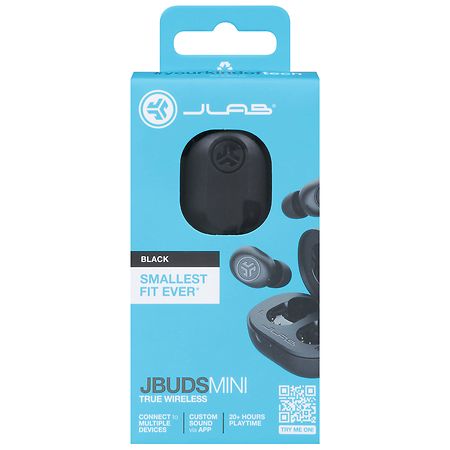
JLab Earbuds, Apple Find My, and Google Find My Device
Many people expect every wireless earbud to work with Apple Find My or Google Find My Device. That is not how standard Bluetooth accessories work.
Apple Find My support requires specific hardware and certification. Google Find My Device support also depends on compatible hardware and software. Unless your JLab product clearly states that it supports one of these networks, do not assume it can appear on the map.
An iPhone may remember where it last connected to your JLab earbuds, but that is different from tracking them through Apple’s Find My network. Similarly, an Android phone may remember a Bluetooth device without being able to locate it remotely.
For accurate information, check the packaging, product listing, official user guide, and current app details for your exact model. Product features can change across generations, so advice for one JLab series may not apply to another.
A Simple Recovery Plan
If your earbuds are missing right now, use this short plan:
-
Think of the last place you used them.
-
Open Bluetooth settings and the JLab Sound app.
-
Check whether the earbuds connect.
-
Open Tile if your model supports it.
-
Search slowly for the case, pockets, bags, and furniture.
-
Check the last known location.
-
Contact lost-and-found services if you used them in public.
-
Avoid resetting the earbuds until you finish searching.
If the earbuds do not connect, wait a few minutes and try again near the last known location. They may be asleep, inside the case, or temporarily out of range.
Frequently Asked Questions About How to Track My JLab Earbuds
Can I track JLab earbuds with GPS?
Most JLab earbuds do not include built-in GPS. Compatible models may use Tile or Bluetooth to show a nearby location or last connected location, but this is not the same as live GPS tracking.
Does the JLab Sound app find every JLab earbud?
No. App features vary by model. The app may show connection and battery details, while only certain products support a dedicated finding feature.
Can I use Tile to find my JLab earbuds?
You can use Tile only if your specific JLab model supports Tile. Check the product packaging, user guide, or product specifications, then add the earbuds through the Tile app before they go missing.
Can I track JLab earbuds after they run out of battery?
No app can maintain a live Bluetooth connection when the earbuds have no power. You may still use their last known connection or search the places where they were recently used.
Can Apple Find My locate JLab earbuds?
Only JLab models with clear Apple Find My support can use that network. Ordinary Bluetooth JLab earbuds generally will not appear in Apple Find My like AirPods.
How do I find one missing JLab earbud?
Place the earbud you still have in the case, then try connecting to the missing one through the JLab app or Bluetooth settings. Search nearby areas and play audio if the missing earbud still has battery power.
Can I track the JLab charging case?
Usually, the charging case is not tracked separately unless the model or an attached third-party tracker supports that feature. Search for the case first because the earbuds may be unable to broadcast while inside it.
Conclusion
Learning how to track my JLab earbuds starts with identifying the model and checking whether it supports the JLab Sound app, Tile, or only standard Bluetooth. A nearby connection can help you find them, while a last-known location can point you in the right direction. Dead batteries, closed cases, short range, and missing app support are the most common limits.
Set up tracking before you need it, keep the earbuds in one place, and search slowly when they disappear. Check your model’s official instructions for the most accurate features, then share your own recovery tip or explore more device-tracking guides.

Everett Ashford is a tech reviewer at mytechgrid.com specializing in SSDs, cameras, TVs, earbuds, headphones, and other consumer electronics. He provides honest, data-driven reviews based on hands-on testing and real-world performance analysis. Everett simplifies complex tech details to help readers make smart, confident buying decisions.