
Introduction
No. Meta AI is not only for iPhone. People in the United States can use Meta AI on many Android phones, iPhones, computers, and supported Meta apps.
You may find Meta AI in the Meta AI app, WhatsApp, Facebook, Instagram, Messenger, and the Meta AI website. The exact features can change by app, device, account, and location. Some tools may also need a newer app version or a compatible phone.

<figcaption style=”font-size:14px;color:#555;margin-top:8px;”>
Source: techzle.com
What devices support Meta AI?
Meta AI works on both iPhone and Android devices. It can also work through a web browser on a computer.
| Device or service | Can you use Meta AI? | What to know |
|---|---|---|
| iPhone | Yes | Use the Meta AI app or supported Meta apps |
| Android phone | Yes | Use the Meta AI app or supported Meta apps |
| iPad | Often yes | Support may depend on the app and iPadOS version |
| Windows PC | Yes, through the web | Open Meta AI in a supported browser |
| Mac | Yes, through the web | A browser is usually enough |
| Yes, in supported regions | Meta AI may appear as a chat or search option | |
| Yes, in supported regions | Access may appear in search or chat tools | |
| Yes, in supported regions | Availability can vary by account | |
| Messenger | Yes, in supported regions | Use Meta AI in supported chats |
| Ray-Ban Meta glasses | Yes, with limits | The glasses use Meta AI through a connected phone |
The key point is that Meta AI is a Meta service, not an Apple-only feature. An iPhone is one way to access it, but it is not required.
Meta often releases features in stages. Two people in the same city may see different tools because they use different apps, phone systems, account types, or app versions.
How to use Meta AI on an Android phone
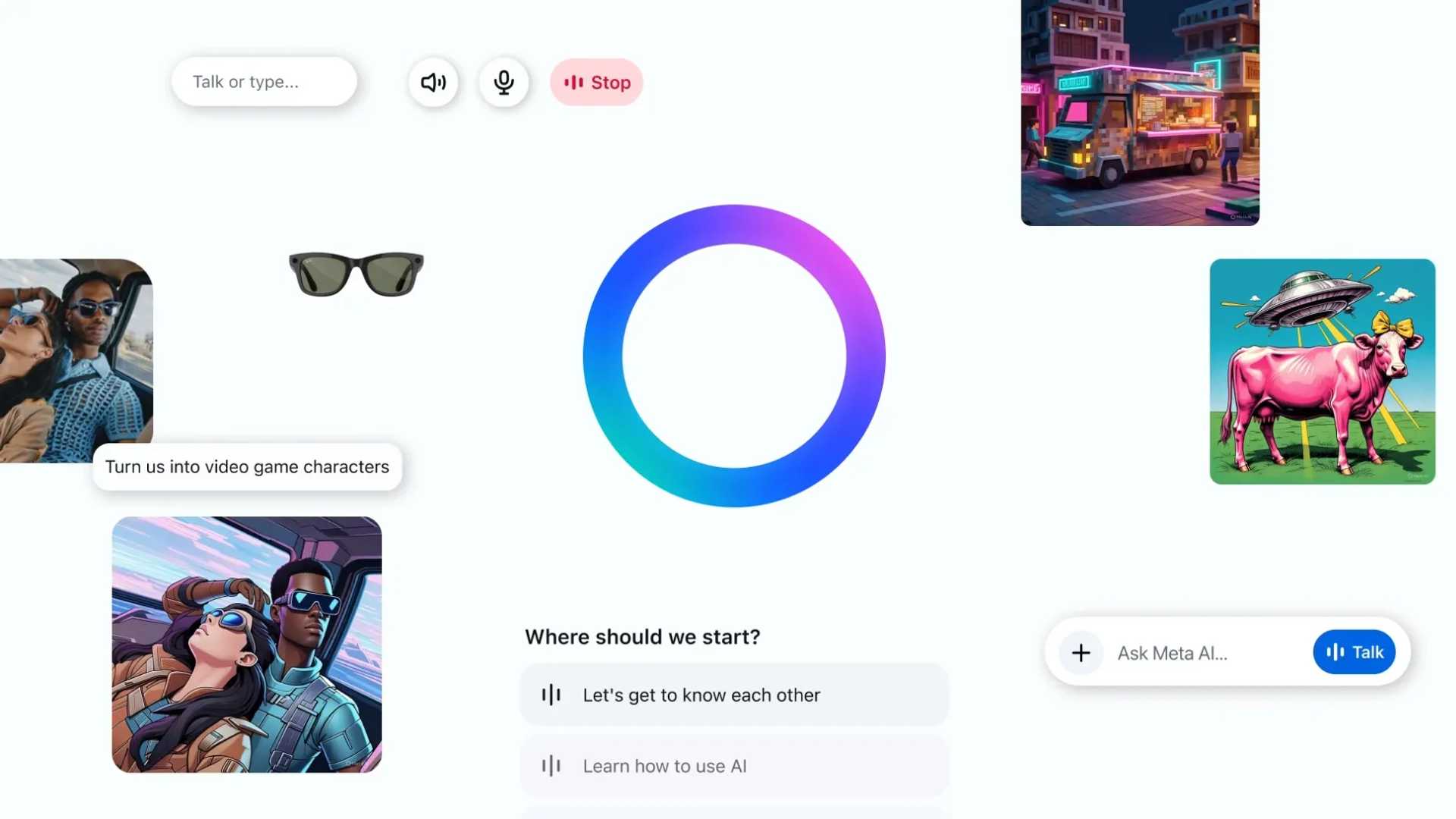
The simplest way is to install the official Meta AI app, if it is available for your Android device and region.
Method 1: Use the Meta AI app
- Open the Google Play Store.
- Search for Meta AI.
- Check that the app is published by Meta.
- Install or update the app.
- Open the app and sign in with a Meta account if asked.
- Type a question or use the available voice features.
- Review the answer before relying on it.
Do not install an app just because its name contains “Meta AI.” Check the publisher, app listing, permissions, and reviews. Fake or unrelated apps can copy popular names.
Method 2: Use Meta AI on the web
You can also try Meta AI in a web browser:
- Open Chrome, Edge, Safari, or another supported browser.
- Go to meta.ai.
- Sign in if the site requests an account.
- Enter your question in the chat box.
- Check whether the feature is available in your location.
A web browser can help when the mobile app is not available. It may also offer a similar experience on Windows or Mac.
Method 3: Use Meta AI inside another Meta app
meta AI may appear in:
- Messenger
Look for a Meta AI icon, a search option, or a chat that mentions Meta AI. In some apps, Meta AI may respond when you start a message with a special command, such as an AI mention. The exact command and feature set can change, so follow the instructions shown in the app.

Is the Meta AI app available on Android and iPhone?
Yes. Meta has released a dedicated Meta AI app for both major mobile systems. That means the choice is not “iPhone or no Meta AI.” The better question is whether the app is available for your country, account, and phone software.
The app may need:
- A supported Android or iOS version
- An internet connection
- A Meta account
- The latest version of the app
- Access in your location
- Permission to use features such as a microphone, camera, or location
Availability does not mean every feature works on every phone. A newer iPhone may support tools that an older Android phone cannot run well. The difference may come from hardware, operating-system support, or a staged rollout.
Meta’s official Meta AI help pages and the app store listing are the best places to check current requirements. App store pages can change, so check them before troubleshooting.
Why do some people think Meta AI is only for iPhone?
The confusion often comes from how Meta releases new features.
A company may launch a feature on iPhone first, promote it in an iPhone app, or make a feature visible to some iOS users before Android users. That can create the impression that the whole service is Apple-only.
Other causes include:
- The Android app is not available in a particular country.
- The user has an older Android version.
- The Meta app is out of date.
- The feature is being tested with selected accounts.
- The person is looking for a separate app instead of an in-app tool.
- The feature is available in WhatsApp but not Instagram, or the reverse.
- The user has not signed in to a supported Meta account.
A rollout difference is not the same as permanent device exclusion. Check the specific feature, app, and region before deciding that Android does not support Meta AI.

What can Meta AI do on different devices?
Meta AI can answer questions, help draft text, explain topics, summarize information, and support some creative tasks. Its exact abilities depend on where you use it.
For example:
- The Meta AI app may provide a direct chat experience.
- WhatsApp may let you ask questions inside a conversation.
- Instagram may provide AI help through search or messaging.
- Facebook and Messenger may offer AI chat and content assistance.
- The web version can be useful on a laptop or desktop.
- Ray-Ban Meta glasses can provide hands-free help when paired with a compatible phone.
These are related experiences, but they are not always identical. A tool in one app may be missing from another. Voice, image, search, memory, and image-generation features may also have separate limits.
Treat Meta AI as an assistant, not as a guaranteed source of truth. It can make errors, misunderstand a request, or give an answer that sounds confident but lacks support.
Meta AI on iPhone vs. Android
For basic access, there is no major reason to choose an iPhone over Android solely to use Meta AI. Both platforms can support Meta AI.
The practical differences usually come from the following factors:
| Factor | iPhone | Android |
|---|---|---|
| App source | Apple App Store | Google Play Store |
| Main requirement | Supported iOS version | Supported Android version |
| Feature timing | May receive some tests first | May receive some tests first |
| Device range | Fewer hardware models | Many phone brands and models |
| App behavior | Controlled iOS permissions | Varies by phone maker and Android version |
| Browser access | Available | Available |
A current phone with updated software should provide the smoothest experience. However, an older phone may still use Meta AI through a browser even if the newest app features do not work.
The deciding factor is usually feature availability, not the Apple or Android label.

How to fix Meta AI when it does not appear
If Meta AI is missing on an Android phone, iPhone, or computer, check the most likely causes in this order.
1. Update the Meta app
Open the Google Play Store or Apple App Store. Search for the app you want to use, such as WhatsApp, Instagram, Facebook, Messenger, or Meta AI. Install any available update.
2. Check the account and location
Meta AI is not available in every country or account. Make sure you are signed in to the correct account. Avoid using location-changing tools to bypass availability rules, since that may create account or service problems.
3. Try the web version
Open meta.ai in a browser. If the website works but the app does not, the issue may relate to the app version, device software, or a staged app rollout.
4. Restart the app and phone
Close the app fully, restart the phone, and open the app again. This can clear a temporary loading or account-sync problem.
5. Check permissions
If voice or image features fail, review the app’s microphone, camera, photo, and notification permissions. Grant only the permissions needed for the feature you want.
6. Check your connection
Meta AI needs an internet connection. Try Wi-Fi and mobile data separately. A weak connection may cause an empty chat, slow reply, or failed image upload.
7. Wait for the rollout
If the app and phone are supported but the feature is still missing, Meta may not have enabled it for your account. There may be no setting that can turn it on immediately.
Do not download modified app files or give your Meta password to a website that claims it can unlock Meta AI. That creates unnecessary security risk.

Privacy and safety limits to understand
Meta AI may process the messages, images, voice input, or other information needed to provide a feature. The details depend on the product and the settings shown in the relevant Meta service.
Before sharing information, consider these safeguards:
- Do not enter Social Security numbers, bank details, passwords, or private medical records.
- Check whether a chat is personal or part of a group conversation.
- Review app permissions on your phone.
- Read the current privacy information in the app or on Meta’s help site.
- Confirm important facts with a trusted source.
- Do not treat AI output as legal, medical, financial, or emergency advice.
Meta AI can be useful for planning and general information. It should not replace a doctor, lawyer, financial professional, emergency service, or official government source.
Does Meta AI work without an iPhone?
Yes. Meta AI can work without an iPhone. You can use it on a supported Android phone, through a computer browser, or inside supported Meta services.
You also do not always need the standalone Meta AI app. If Meta AI is enabled in WhatsApp, Facebook, Instagram, or Messenger, you may be able to use it there instead.
The main limits are account access, regional availability, app support, device software, and internet access. If one access route fails, try another official route rather than assuming the service is iPhone-only.

Key takeaways
- Meta AI is available on Android as well as iPhone.
- You may also use it through meta.ai on a computer or phone browser.
- Meta AI can appear in WhatsApp, Facebook, Instagram, and Messenger.
- Features vary by app, account, device, software version, and location.
- Update the app, check availability, and try the web version if Meta AI is missing.
- Avoid sharing sensitive data or treating AI answers as professional advice.
Frequently asked questions
Is Meta AI free on Android?
Basic Meta AI access may be free where the service is offered. Meta can change features, limits, and availability, so check the current app listing and Meta’s official help information.
Can I use Meta AI without downloading an app?
Often, yes. Try meta.ai in a supported browser. You may also find Meta AI inside WhatsApp, Facebook, Instagram, or Messenger.
Why is Meta AI on my iPhone but not my Android phone?
The apps may have different rollout stages, software requirements, or account settings. Update the Android app, check your Android version, confirm your account, and try the web version.
Does Meta AI work on older Android phones?
It may work through a browser or an older supported app version, but newer features may need newer software or hardware. The current Google Play listing gives the most reliable compatibility information for your device.
Is Meta AI the same as ChatGPT?
No. Meta AI and ChatGPT are different AI services made by different companies. They may offer similar tasks, but their apps, data practices, features, and access rules differ.
Can I use Meta AI on a computer?
Yes. A supported browser may let you use Meta AI through its website. You can also encounter Meta AI within some Meta services accessed on a computer.
Conclusion
Meta AI is not only for iPhone. In the United States, it can be available on Android phones, iPhones, computers, and several Meta platforms.
If you cannot find it, first update the relevant app and check your account and location. Then try Meta AI on the web. If it still does not appear, the feature may not yet be enabled for your device or account.

Everett Ashford is a tech reviewer at mytechgrid.com specializing in SSDs, cameras, TVs, earbuds, headphones, and other consumer electronics. He provides honest, data-driven reviews based on hands-on testing and real-world performance analysis. Everett simplifies complex tech details to help readers make smart, confident buying decisions.