Earbuds are small personal audio devices that turn digital signals into sound through tiny built-in speakers.
If you have ever wondered what are ear buds and how do they work, you are not alone. These compact devices combine speakers, batteries, microphones, wireless chips, and software in a space smaller than a coin.
This guide explains what are ear buds and how do they work in simple terms. You will learn how earbuds create sound, connect to phones, reduce noise, manage power, and protect your hearing. You will also learn what to look for when buying and using them.
What Are Earbuds?
Earbuds are small audio devices that sit inside or just outside the ear canal. They play sound from a phone, tablet, computer, music player, or other audio source. Most modern models use Bluetooth, although some earbuds still connect with a cable.
The term “earbuds” can describe several designs:
• Wired earbuds connect to a device through a cable and plug.
• Wireless earbuds connect through Bluetooth but may still have a cable between the left and right sides.
• True wireless earbuds have no cable between either earpiece.
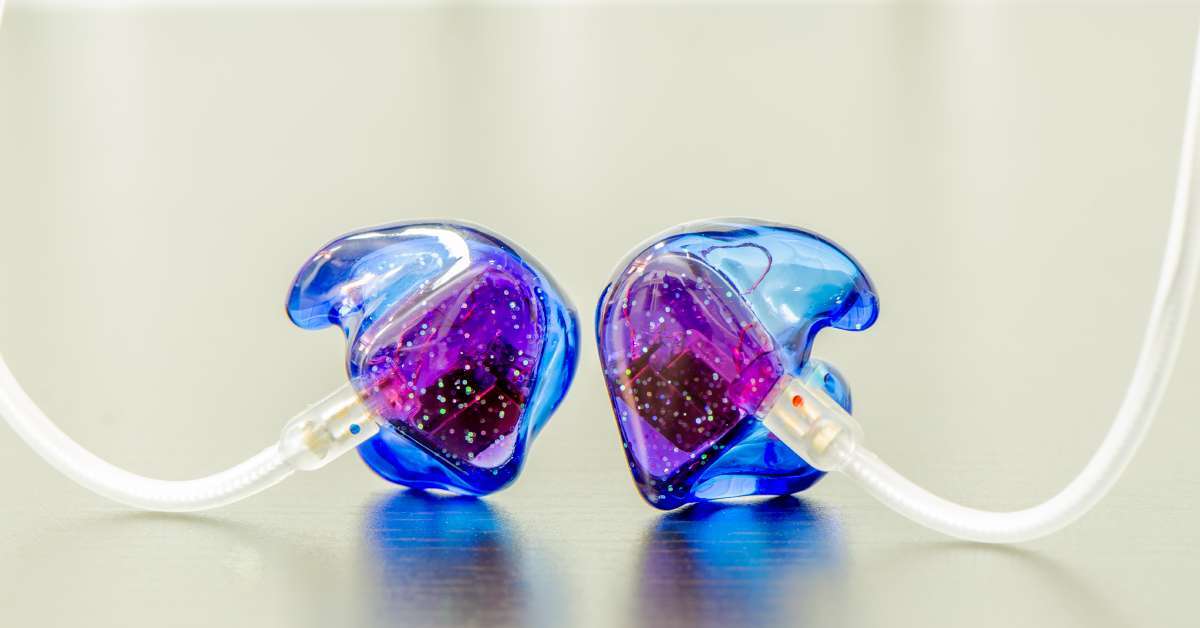
• In-ear monitors, or IEMs, fit deeper in the ear and often provide strong sound detail.
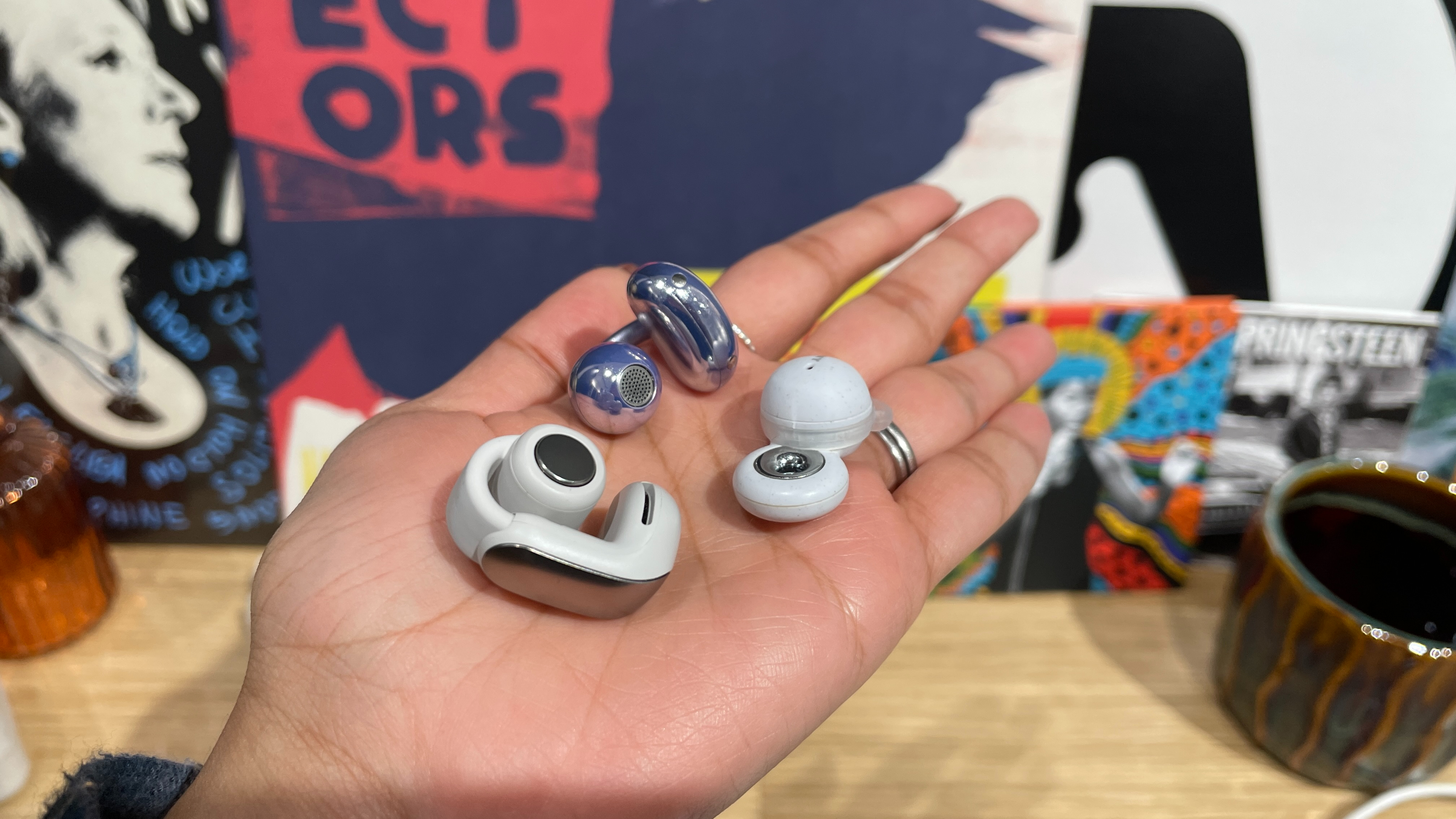
• Open-fit earbuds rest near the ear canal instead of sealing it fully.
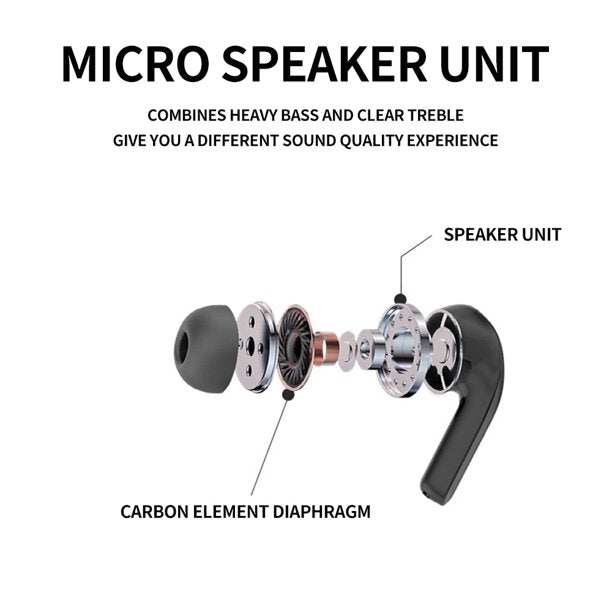
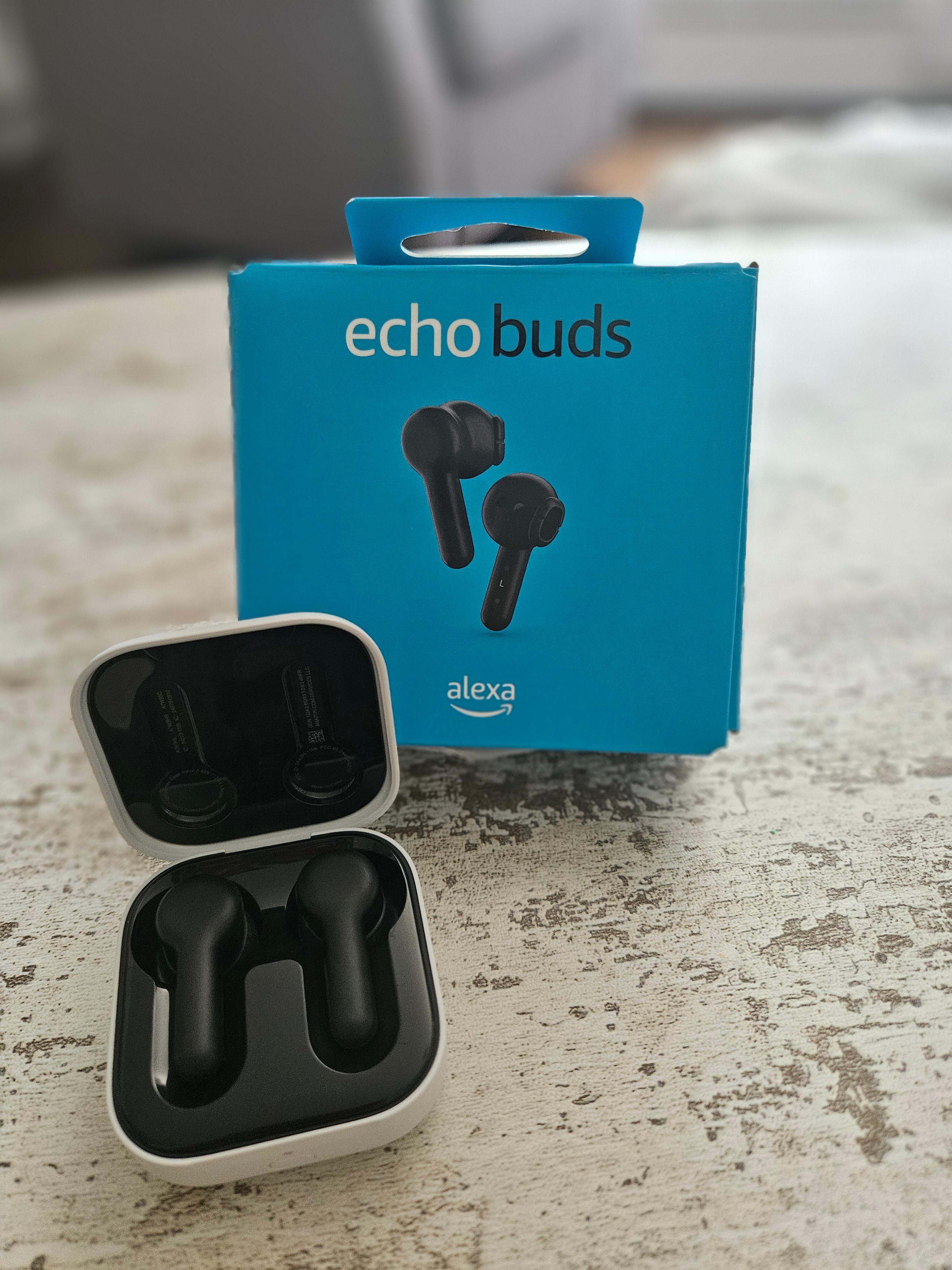
A typical earbud contains a miniature speaker called a driver. It may also contain a battery, charging contacts, microphones, touch controls, sensors, and a wireless processor. Together, these parts make earbuds portable but surprisingly advanced.
The simplest way to understand what are ear buds and how do they work is to think of them as tiny loudspeakers. They receive an audio signal, change that signal into movement, and create pressure waves that your ears recognize as music, speech, or other sound.
How Do Earbuds Work?
The answer to what are ear buds and how do they work starts with the audio signal. When you play a song, your device stores or streams digital information. That information describes the shape, timing, and strength of the sound wave.
Your phone sends this information to the earbuds. In wired models, the signal travels through the cable. In wireless models, Bluetooth sends the signal through short-range radio waves.
Inside each earbud, a small electronic circuit receives the signal. The circuit converts the digital data into an electrical audio signal. This process is called digital-to-analog conversion, or DAC.
The electrical signal then reaches the earbud driver. The driver moves back and forth very quickly. Its movement pushes nearby air and creates sound waves. Those waves travel into your ear and vibrate your eardrum.
Your brain processes these vibrations as sound. This entire process happens in a fraction of a second, so music feels instant when the system works well.
The role of the driver
The driver is the heart of an earbud. It changes electrical energy into physical movement.
Many earbuds use dynamic drivers. A dynamic driver contains:
• A diaphragm that moves air
• A voice coil that carries the electrical signal
• A magnet that helps move the coil
• A suspension system that keeps the movement controlled
when the electrical signal changes, the voice coil moves near the magnet. That movement shifts the diaphragm. The diaphragm then creates the sound waves you hear.
Some advanced earbuds use balanced armature drivers. These drivers can reproduce fine detail in a small space. Other models use planar magnetic, piezoelectric, or hybrid driver systems.
A larger driver does not always mean better sound. Tuning, materials, software, fit, and amplifier quality also matter.
How earbuds create bass, mids, and treble
Sound contains different frequencies. Bass includes low sounds, such as a kick drum or deep movie effect. Midrange includes voices and many instruments. Treble includes high sounds, such as cymbals and bright vocal details.
A single driver can reproduce all of these ranges. More complex earbuds may use several drivers. A crossover divides the audio signal and sends different frequencies to different drivers.
This design can improve separation. However, poor tuning can make the sound harsh, weak, or unnatural. Good sound depends on balance, not simply on the number of drivers.
How Do Wireless Earbuds Connect to Your Phone?
When people ask what are ear buds and how do they work, they often mean how Bluetooth audio works. Bluetooth earbuds use a short-range wireless connection to receive sound from a phone or another device.
The connection usually follows these steps:
-
Turn on Bluetooth on your phone.
-
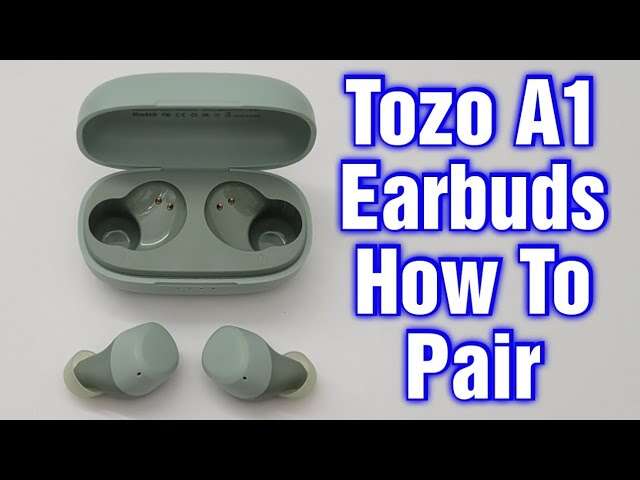
Open the earbud case or press the pairing button.
-
Select the earbuds from the Bluetooth menu.
-
The phone and earbuds exchange connection details.
-
The phone sends compressed audio data to the earbuds.
-
The earbuds decode the data and play the sound.
Bluetooth does not normally send the full, uncompressed music file. Instead, it uses an audio codec. A codec compresses the audio so it can travel efficiently over a wireless connection.
Common Bluetooth audio codecs include:
• SBC, which is widely supported and reliable
• AAC, which is common on Apple devices
• aptX, which can provide improved sound on compatible devices
• aptX Adaptive, which can adjust quality and delay
• LDAC, which can send higher-resolution audio on supported products
• LC3, which is linked to newer Bluetooth LE Audio features
Both the phone and earbuds must support a codec for it to work. If they support different codecs, they usually use a shared option such as SBC.
What is Bluetooth latency?
Latency is the delay between an action and the sound you hear. It is easy to notice when watching video or playing games. A person may move their lips, but the voice arrives a moment later.
Modern earbuds can reduce latency through better codecs, software, and device support. Some gaming earbuds use a special low-latency mode. Wired earbuds usually have less delay because the signal does not need wireless encoding and decoding.
For calls and videos, small delays may not matter. For competitive games or live music, low latency matters much more.
Why do earbuds sometimes disconnect?
Wireless earbuds can lose connection for several reasons:
• The phone and earbuds are too far apart.
• Walls, crowded wireless areas, or other devices cause interference.
• The earbud battery is low.
• The Bluetooth software has a temporary error.
• The earbuds have outdated firmware.
• The phone is connected to too many devices.
A useful fix is to place the earbuds in their case, close the lid, wait a few seconds, and pair them again. If the problem continues, remove the earbuds from the phone’s Bluetooth list and set them up again.
What Parts Are Inside Earbuds?
Understanding what are ear buds and how do they work becomes easier when you examine their main parts. Even a basic pair contains several systems that must work together.
The speaker driver
The driver produces sound. Its size, material, and design affect frequency response, loudness, and detail.
The battery
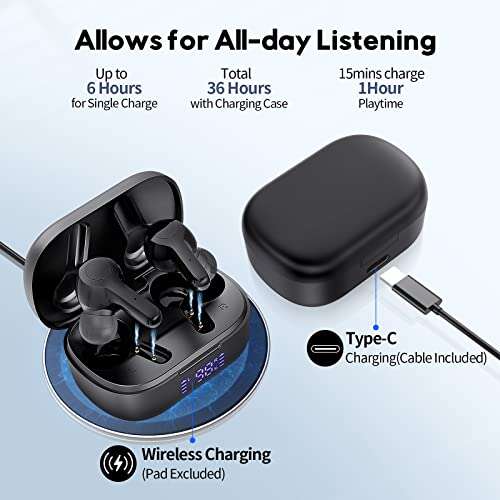
Wireless earbuds use small rechargeable lithium-ion or lithium-polymer batteries. Each earbud usually has its own battery. The charging case contains another battery that recharges the earbuds when they are stored.
Battery life depends on volume, codec, noise cancellation, call use, and other features. Turning on active noise cancellation often uses more power.
The Bluetooth chip
The Bluetooth chip manages wireless communication. It receives audio data, helps control pairing, and may manage features such as multipoint connection.
The microphone
Earbuds may contain several microphones. These microphones support phone calls, voice commands, transparency mode, and active noise cancellation.
Sensors and controls
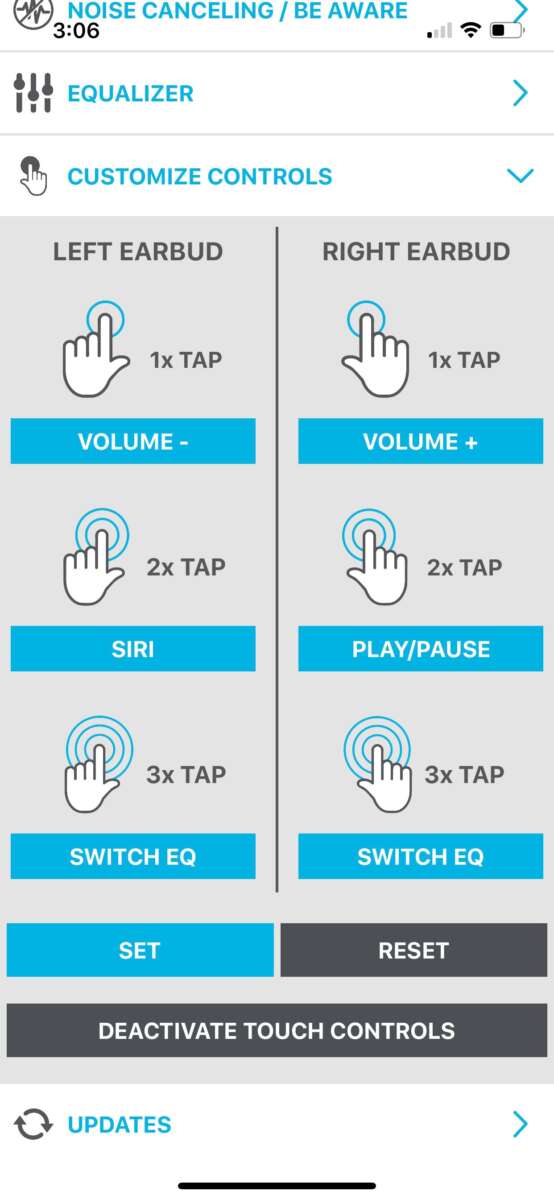
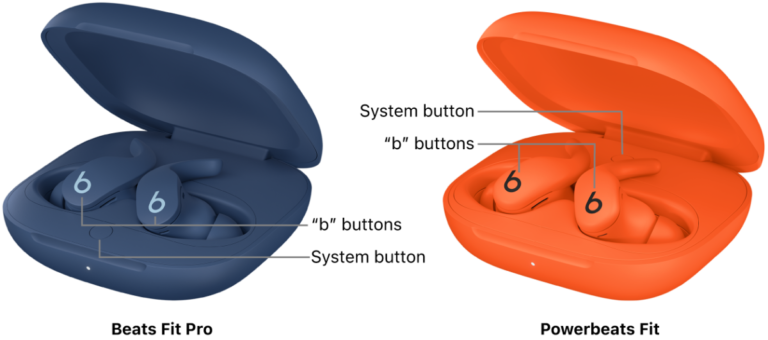
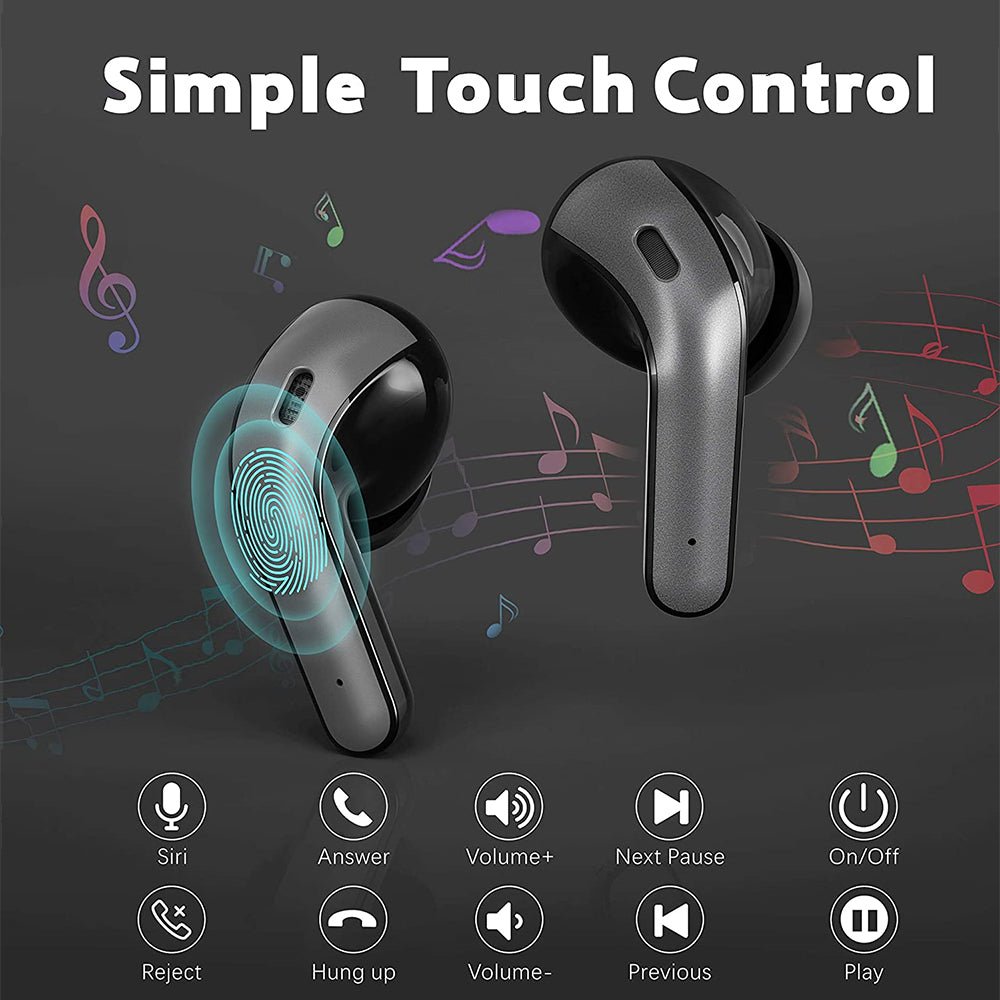
Many models use touch panels, buttons, or pressure sensors. Some also use optical or proximity sensors to detect when you remove an earbud.
These sensors can pause music, answer calls, or switch listening modes. They can also cause accidental touches if the controls are too sensitive.
The charging case
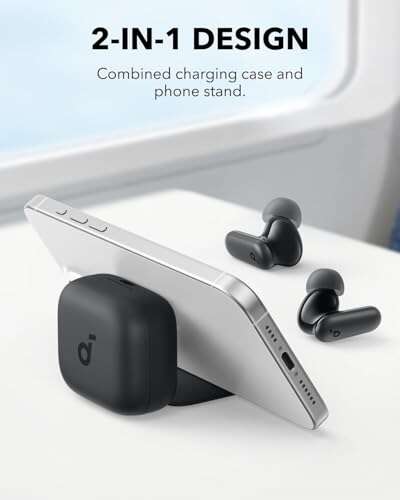
The case protects the earbuds and provides extra battery power. It may charge through USB-C, wireless charging, or both.
Keep the charging contacts clean. Dust, skin oil, and moisture can stop an earbud from charging properly.

How Does Active Noise Cancellation Work?
Active noise cancellation, often called ANC, uses microphones and electronic processing to reduce outside sound. This feature is one of the most useful examples of what are ear buds and how do they work in everyday life.
External microphones listen to surrounding noise. The earbuds then create a second sound wave with an opposite pattern. When the outside wave and the opposite wave meet, they reduce each other.
This process works best with steady, low sounds. Examples include:
• Airplane engine noise
• Bus and train sounds
• Air conditioners
• Office fans
ANC is less effective against sudden sounds, such as a hand clap or a nearby conversation. The microphones and processor need time to analyze the sound, and irregular noise is harder to cancel.
Passive noise isolation
Passive isolation comes from the physical fit of the earbuds. Silicone tips form a seal, while foam tips expand inside the ear and block some sound.
A good seal can improve bass and reduce outside noise without using extra battery power. It can also make ANC work better.
Transparency mode
Transparency mode uses microphones to bring outside sound into the earbuds. This lets you hear announcements, traffic, or a nearby person without removing the earbuds.
Use transparency mode near roads and in busy public places. No electronic mode can replace careful awareness of your surroundings.

How Do Earbuds Work for Phone Calls?
Earbuds use built-in microphones to capture your voice during a call. The microphones convert your voice into an electrical signal. The earbuds then send that signal to your phone through Bluetooth.
Many models use beamforming. This system compares sound from several microphones and focuses on the voice near your mouth. Software may also reduce wind, traffic, and background noise.
Call quality depends on more than the number of microphones. The microphone location, software, wind protection, network quality, and fit all affect the result.
In real use, a person may sound clear indoors but less clear outside on a windy day. Small earbuds have limited space for microphones, so no model removes every background sound.
For the best call quality:
• Keep the microphone openings clean.
• Avoid covering the microphones with hair or clothing.
• Face away from strong wind.
• Keep your phone within a reasonable Bluetooth range.
• Use a quiet space when possible.

Benefits of Using Earbuds
Earbuds offer several practical benefits. The best choice depends on how and where you plan to use them.
Portability
Earbuds fit in a pocket and weigh very little. A charging case protects them during travel. This makes them useful for commuting, work, exercise, and study.
Privacy
Earbuds let you listen without playing sound across a room. This helps in shared homes, offices, libraries, and public spaces.
Hands-free calls
Built-in microphones support calls and voice assistants. You can keep your hands free while walking or working.
Noise control
Noise isolation, ANC, and transparency modes let you adjust your listening environment. This can make a long flight or noisy commute more comfortable.
Smart features
Many earbuds offer features such as:
• Touch controls
• Voice assistant access
• Device switching
• Fitness sensors
• Spatial audio
• Hearing tests
• Find-my-device tools
• Custom equalizer settings
Not every feature works on every phone. Check compatibility before you buy.
Limitations and Common Problems
A complete answer to what are ear buds and how do they work should include their limits. Earbuds are convenient, but they are not perfect.
Battery dependence
Wireless earbuds need regular charging. A dead battery can stop playback and calls. Battery capacity also declines over time, as it does with most rechargeable devices.
Fit problems
One ear may fit well while the other feels loose. A poor fit can reduce bass, increase outside noise, and make the earbuds fall out during exercise.
Try different ear tip sizes. Some open-fit earbuds have no seal and may feel more comfortable, but they often provide less bass and isolation.
Connection issues
Bluetooth connections can fail or switch between devices. Firmware updates may fix problems, but updates can sometimes introduce new bugs.
Water and sweat damage
Some earbuds resist water, but few are fully waterproof. Look for an IP rating.
The first number shows protection from solid particles. The second number shows water protection. For example, IPX4 means the product has water-splash protection but no tested dust rating.
Do not assume that a water-resistant earbud is safe for swimming. Follow the manufacturer’s limits.
Ear health concerns
Earbuds do not automatically damage hearing. The main risk comes from loud sound and long listening sessions.
The World Health Organization recommends keeping personal audio at a safe level and taking listening breaks. A simple habit is to lower the volume when you are in a quiet place and avoid raising it to overpower background noise.
Signs that you may be listening too loudly include ringing, muffled hearing, or discomfort after use. If these signs continue, stop using the earbuds and speak with a qualified health professional.

How to Choose the Right Earbuds
Knowing what are ear buds and how do they work helps you compare features more wisely. Do not choose based only on brand, price, or a large feature list.
Consider the fit first
Comfort affects how often you will use the earbuds. Look for models with several tip sizes or a shape that matches your ear.
For exercise, choose a secure design with an appropriate sweat-resistance rating. For long work sessions, comfort may matter more than maximum bass.
Check sound quality
Look for a balanced sound profile. Reviewers may describe a product as warm, bright, neutral, or bass-heavy.
A strong bass response can make music exciting, but excessive bass may hide voices and instruments. An equalizer can help, but it cannot fully fix poor hardware or a bad fit.
Compare battery life
Check both single-charge battery life and total battery life with the case. Remember that ANC, calls, and high volume can reduce the stated figure.
Review device compatibility
Some features work best inside a brand’s own ecosystem. Check whether the earbuds support your phone, computer, tablet, and preferred voice assistant.
Consider repair and replacement
Small batteries are difficult to replace in many earbuds. Before buying, check the warranty, replacement policy, and availability of individual left or right earbuds.
A slightly more expensive pair may be better value if it has reliable support and a longer useful life.
How to Use and Care for Earbuds
Good care can improve comfort, sound, and battery life. These simple habits also reduce the chance of charging problems.
-
Clean the ear tips and outer surfaces with a soft, dry cloth.
-
Keep water away from charging contacts.
-
Store the earbuds in their case when you are not using them.
-
Avoid leaving the case in a hot car or direct sunlight.
-
Charge with a safe, compatible cable or charger.
-
Update firmware through the official app when needed.
-
Keep the volume at a comfortable level.
-
Take breaks during long listening sessions.
-
Replace damaged ear tips or loose parts.
-
Do not share earbuds without cleaning them first.
A practical lesson many users learn is that fit matters more than expensive accessories. A proper seal can improve sound more than a small change in codec or equalizer settings.
If one earbud sounds quieter, clean the mesh first. Then check the phone’s left-right balance setting, battery level, and accessibility options. These simple checks solve many common problems.
Wired Earbuds Versus Wireless Earbuds
The question what are ear buds and how do they work often leads to a comparison between wired and wireless designs.
Wired earbuds receive power and audio through a cable. They do not need a built-in battery for playback, and they usually have very low delay. They can also work with devices that have a headphone jack or an adapter.
Wireless earbuds offer more freedom of movement. They are easier to use during exercise and reduce cable tangles. However, they need charging and may experience connection issues.
Choose wired earbuds if you value:
• Low delay
• No battery charging
• Reliable audio connection
Choose wireless earbuds if you value:
• Freedom from cables
• Small storage cases
• Easy phone calls
• Touch controls and smart features
Neither design is always better. The right option depends on your devices, routine, budget, and tolerance for charging.
Frequently Asked Questions About What Are Ear Buds and How Do They Work
What are earbuds used for?
Earbuds are used for listening to music, podcasts, videos, audiobooks, games, and phone calls. Some models also provide noise cancellation, voice assistant access, and hearing-related features.
How do wireless earbuds produce sound?
Wireless earbuds receive compressed audio data through Bluetooth. Internal circuits convert the data into an electrical signal, and a tiny driver changes that signal into sound waves.
Do earbuds work without Bluetooth?
Wired earbuds work without Bluetooth when connected to a compatible device. Most true wireless earbuds require Bluetooth for audio, although some newer models also support special wireless systems for gaming or other devices.
Are earbuds bad for your ears?
Earbuds are not automatically harmful, but loud volume and long listening sessions can increase the risk of hearing damage. Keep the volume moderate, take breaks, and stop using them if you notice pain, ringing, or muffled hearing.
Why does one earbud sound quieter than the other?
A blocked speaker mesh, low battery, poor fit, or incorrect left-right balance can cause uneven sound. Clean the earbud gently, check the device settings, and reconnect it before assuming the hardware has failed.
How long do wireless earbuds last?
A single charge often lasts several hours, but the exact time depends on the model and features. The total product life may be shorter than that of wired earbuds because the internal rechargeable batteries gradually lose capacity.
Conclusion
Understanding what are ear buds and how do they work makes it easier to choose, use, and care for them. Earbuds receive an audio signal, process it, and use tiny drivers to create sound waves. Wireless models add Bluetooth, batteries, microphones, sensors, and software to the system.
Fit, safe volume, battery life, connection quality, and water protection all matter. Try different ear tip sizes, keep the earbuds clean, and take regular listening breaks.
Use this knowledge to compare earbuds with confidence, then explore trusted product reviews and user guides before making your next purchase.

Everett Ashford is a tech reviewer at mytechgrid.com specializing in SSDs, cameras, TVs, earbuds, headphones, and other consumer electronics. He provides honest, data-driven reviews based on hands-on testing and real-world performance analysis. Everett simplifies complex tech details to help readers make smart, confident buying decisions.