Introduction
Canon cameras sold in the United States usually save photos as JPEG, HEIF, or RAW files. Many models also offer C-RAW, Canon’s smaller RAW option. For video, Canon cameras commonly use MP4, while some advanced EOS and Cinema EOS models also support MOV, XF-AVC, or Cinema RAW Light.
The exact format depends on your Canon model, shooting mode, and menu settings. A basic Rebel, an EOS R mirrorless camera, and a Cinema EOS camera will not offer the same choices.

The short answer: Which file format does a Canon camera use?
Most Canon cameras use these formats:


| Type of file | Common Canon format | Best for |
|---|---|---|
| Standard photo | JPEG | Easy sharing, printing, and posting |
| High-efficiency photo | HEIF | Newer Canon models and wider tonal range |
| Full RAW photo | CR3 or CR2 | Maximum editing control |
| Smaller RAW photo | C-RAW | Saving space while keeping RAW control |
| Standard video | MP4 | Easy playback and sharing |
| Higher-end video | MOV or XF-AVC | Editing and professional workflows |
| Cinema RAW video | Cinema RAW Light | High-end color grading |
| Audio | WAV or camera-specific audio track | Video recording and editing |
The file name tells you the format. For example:
IMG_1234.JPGis a JPEG photo.IMG_1234.CR3is a newer Canon RAW photo.IMG_1234.CR2is an older Canon RAW photo.MVI_1234.MP4is a video file.CIN_1234.CRMmay be a Cinema RAW Light file on supported Cinema EOS cameras.
Canon uses the EOS name for many interchangeable-lens cameras and PowerShot for compact and bridge cameras. Both product families can use different formats, so the camera model matters.
Canon photo formats explained
JPEG: the simplest Canon photo format
JPEG is the most widely supported Canon photo format. The camera processes the image before saving it, applying settings such as:
- Picture Style
- White balance
- Contrast
- Sharpness
- Noise reduction
- Lens corrections on supported models
JPEG files are ready to view, print, email, and upload. They also take less space than most RAW files.
Choose JPEG when you want a quick workflow. It is useful for family photos, events, travel, school projects, and web posts.
The main limit is editing range. A JPEG has already been processed and compressed. You can still edit it, but strong changes to exposure or white balance may create visible quality loss.


RAW: the best format for serious editing
Canon RAW files store much more original image data than JPEG files. Newer Canon cameras commonly use the CR3 extension. Many older Canon EOS cameras use CR2.
A RAW file is not a finished picture in the same way as a JPEG. It is more like a digital negative. You need software such as Canon Digital Photo Professional, Adobe Lightroom, Adobe Camera Raw, Capture One, or another compatible editor to process it.
RAW is useful when you need to:
- Recover detail in bright skies
- Lift dark shadows
- Correct a wrong white balance
- Change exposure after taking the photo
- Fine-tune color
- Apply a different picture style later
RAW files are larger than JPEG files. They also need a compatible program or operating system. A phone, website, or older application may not open a CR3 file without an update.
Canon’s official support pages and camera manuals identify the supported RAW type for each model. You can find model-specific manuals through Canon USA Support.
C-RAW: a smaller RAW option
Many newer Canon EOS cameras offer C-RAW, often shown as C-RAW in the image quality menu. C-RAW files still provide RAW editing control, but they use less storage than full-resolution RAW files.
C-RAW can help when:
- Your memory card is nearly full
- You take long bursts of photos
- You want smaller computer files
- You do not need every bit of available RAW data
C-RAW is not identical to full RAW. The exact file size and image-data differences vary by camera. If you plan heavy edits, large prints, or demanding professional work, full RAW gives you the safest margin.
HEIF: a newer high-efficiency photo format
Some newer Canon cameras can save photos as HEIF, pronounced “heef.” HEIF can hold more color information than a standard 8-bit JPEG while often using efficient compression.
HEIF may be useful for:
- Newer computers and phones
- HDR-compatible workflows
- Keeping more tonal information than standard JPEG
- Users who want processed images without full RAW files
Compatibility is the main concern. Some websites, printers, older computers, and editing programs may not accept HEIF files. On supported Canon cameras, changing certain image settings may also affect whether HEIF is available.
If you need the broadest compatibility, choose JPEG. If you need maximum editing control, choose RAW. HEIF sits between those options for supported models.

What format does a Canon camera use for video?
Canon cameras use different video formats based on the model and recording settings. MP4 is common on consumer and enthusiast cameras because it works well with computers, phones, and video editors.
Higher-end cameras may offer:


- MOV
- XF-AVC
- H.264
- H.265 or HEVC
- Cinema RAW Light
- Proxy recording files
The file container and video codec are not the same thing.
- A container is the file wrapper, such as MP4 or MOV.
- A codec compresses the video, such as H.264 or H.265.
- A resolution describes the image size, such as 4K or Full HD.
- A bit rate describes how much data the camera records each second.
For example, a camera may record 4K video in an MP4 container using H.264 or H.265. Another model may record professional video in a MOV container using a higher-data-rate codec.
MP4
MP4 is a practical choice for most users. It is widely supported by:
- Windows computers
- Mac computers
- iPhones and iPads
- Android devices
- YouTube
- Social media apps
- Common editing programs
MP4 does not automatically mean low quality. The final quality depends on resolution, frame rate, bit rate, color depth, and compression settings.
MOV
MOV is common on professional and advanced Canon cameras. It can hold higher-quality video settings and may fit better into professional editing workflows.
A MOV file may be larger than an MP4 file. Some basic devices and apps may also have trouble playing it. If your computer cannot open a MOV file, update your media player or use a video editor that supports the camera’s codec.
XF-AVC
XF-AVC is a professional video format used by some Canon Cinema EOS and advanced EOS cameras. It is designed for editing and production work rather than simple phone sharing.
Support depends on the editing software and computer. Check the software maker’s current format list before choosing XF-AVC for a large project.
Cinema RAW Light
Some Canon Cinema EOS cameras can record Cinema RAW Light. This format preserves extensive image data for color correction and post-production.
It also creates large files and needs a fast memory card, compatible card reader, and suitable editing software. It is not the best choice for casual clips or quick social posts.
Canon’s Cinema EOS product information and the manual for your exact model explain which video formats and recording media it supports.
Which Canon format should you choose?
Your best format depends on what you plan to do after pressing the shutter.
| Your goal | Recommended setting | Reason |
|---|---|---|
| Send photos by phone | JPEG | Small and widely supported |
| Print and edit lightly | JPEG or HEIF | Ready to use with modest file sizes |
| Edit exposure and color | RAW | More control after capture |
| Save card space while editing | C-RAW | Smaller RAW files on supported models |
| Record simple video | MP4 | Broad playback support |
| Edit professional video | MOV or XF-AVC | More production-focused options |
| Perform major color grading | Cinema RAW Light | More post-production data |
| Capture a backup | RAW + JPEG | Keeps both editable and ready-to-share versions |
RAW plus JPEG
Many Canon cameras can record RAW and JPEG at the same time. This creates two files for each photo.
This setting is useful when one person needs a quick JPEG while you want to keep the RAW file for later editing. It also gives you a ready-to-view copy without giving up the original RAW data.


The trade-off is storage. A RAW-plus-JPEG pair uses more card space and creates more files to organize.
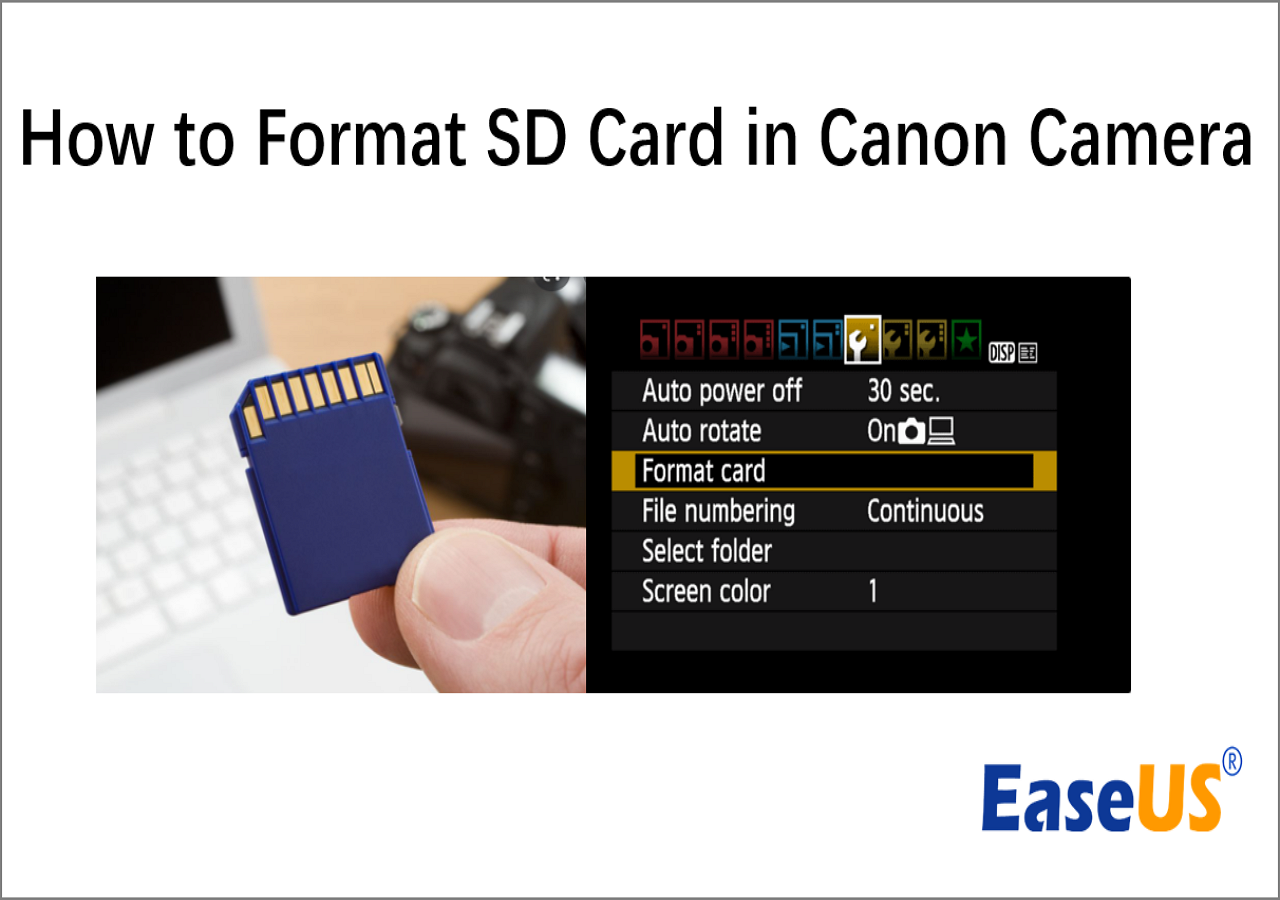
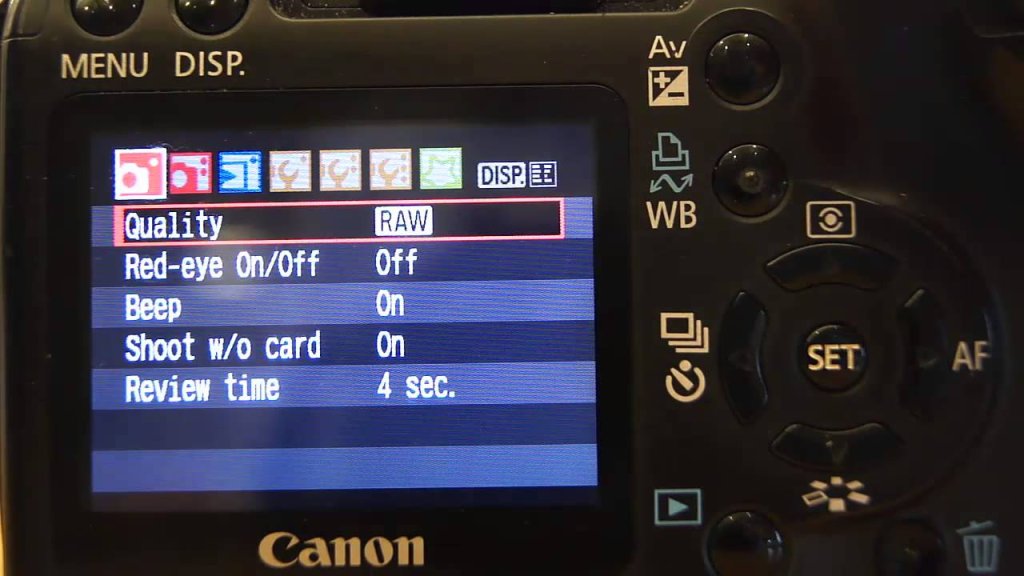
Choosing the right image quality menu option
On a Canon EOS camera, look for a menu item such as:
- Image quality
- Image recording quality
- Still image quality
- Record quality
- Movie recording quality
The menu name changes by model. Icons may show a large L, a smaller M or S, JPEG, RAW, or both.
A larger JPEG setting gives you more pixels. A smaller JPEG setting saves space but reduces resolution. RAW files usually keep the camera’s full sensor resolution, although crop modes and special shooting modes can change the result.
What memory card format does a Canon camera use?
The camera’s file format and the memory card’s format are different things.
A photo may be a CR3 file, while the card uses a file system such as exFAT or FAT32. The card itself may be an SD card, CFexpress card, or another supported type.
Common Canon memory card types include:
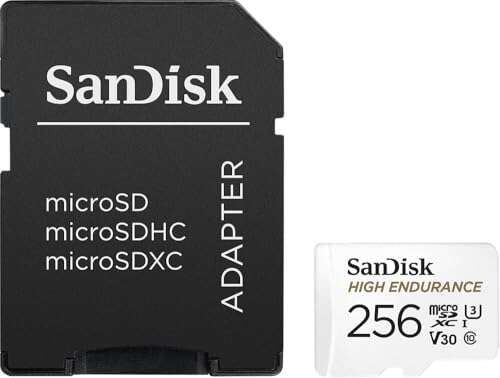
- SD, SDHC, and SDXC cards
- UHS-I or UHS-II SD cards on supported models
- CFexpress cards on some high-speed cameras
- CFast cards on some Cinema EOS models
- CompactFlash cards on certain older professional cameras
The camera manual is the final authority. It tells you:
- Which card types work
- Which speed class is needed
- Whether a card is required for a video mode
- Whether the camera supports card slots in relay or backup mode
- Which card capacity limits apply
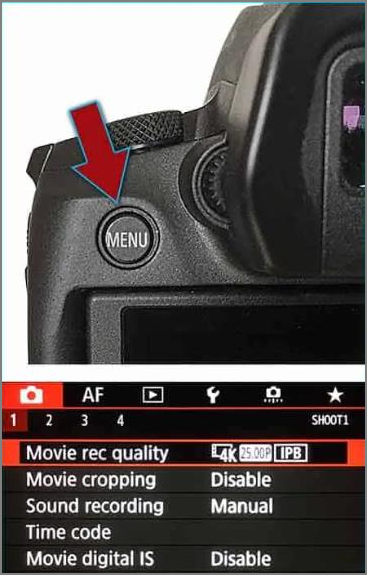
Format the card in the camera
For best reliability, format a new card in the Canon camera that will use it. First copy any needed files to a computer or backup drive because formatting deletes the card’s contents.
Use the camera’s built-in Format card command instead of repeatedly moving a card between cameras, computers, and other devices. If the camera displays a card error, stop recording and back up the files before trying repair or reformatting.
A slow or unsuitable card may cause:
- Recording to stop
- A movie recording error
- Short burst shooting
- Corrupted clips
- A “card cannot be used” message
Do not remove the card or battery while the camera is writing data. Wait until the access lamp stops flashing.

How to open Canon CR3 and CR2 files
To open a Canon RAW file, use software that supports the camera model and RAW version.


Common choices include:
-
Canon Digital Photo Professional
Canon provides this software for compatible cameras. It is designed to process Canon RAW files. -
Adobe Lightroom or Camera Raw
Update the application if it does not recognize a newer CR3 file. -
Capture One and other editors
Check the software maker’s supported-camera list. -
Operating system photo apps
Newer versions of Windows and macOS may support some Canon RAW files, but support varies by camera and software version.
If a CR3 file will not open, check these items in order:
- Confirm the file copied fully from the card.
- Update the photo application.
- Check whether the application supports your exact Canon model.
- Copy the file to a local drive before editing.
- Use Canon Digital Photo Professional as a compatibility check.
- Do not rename a CR3 file to JPG. Changing the extension does not convert the file.
Some older editing programs may need a camera RAW update. If no update exists, convert a copy of the file to DNG with a trusted converter, while keeping the original CR3 file unchanged.
Common Canon format problems and fixes
“My computer cannot open the CR3 file”
The software may be too old. Update the operating system and photo application, then check support for the exact camera model.
“My phone cannot display the HEIF file”
The phone or app may lack HEIF support. Set the camera to JPEG for future photos, or convert a copy of the HEIF file to JPEG.
“My video has no sound”
Check whether the camera recorded audio, whether the microphone was muted, and whether the editing app supports the video’s audio track. Some professional formats also need specific software support.
“The camera says the card is too slow”
Use a card that meets the speed requirement for the selected video mode or burst mode. A card that works for JPEG photos may not be fast enough for high-bit-rate 4K video.
“The photo looks different on my computer”
JPEG, HEIF, and RAW files are processed in different ways. A RAW preview may look bright or colorful on the camera because the camera shows an embedded preview. The appearance can change when editing software renders the RAW file.
“The file extension looks wrong”
Do not change the extension by hand. A file ending in .CR3 is not converted into a JPEG by renaming it to .JPG. Export the image from photo software instead.

Key takeaways
- Canon cameras commonly use JPEG, HEIF, CR3, CR2, and C-RAW for photos.
- Newer Canon cameras usually use CR3 for full RAW files.
- Older Canon models often use CR2.
- MP4 is common for video, while advanced models may support MOV, XF-AVC, or Cinema RAW Light.
- JPEG is easiest to share; RAW is best for serious editing.
- HEIF may offer efficient, higher-quality processed images, but compatibility varies.
- The exact format depends on the Canon model and menu settings.
- Format memory cards in the camera after backing up important files.
Frequently asked questions
Do all Canon cameras use CR3?
No. CR3 is common on newer Canon cameras, but many older EOS models use CR2. Some compact Canon cameras do not provide RAW at all, while others use a different RAW option. Check the camera manual or the extension shown on the file.
Is CR3 better than JPEG?
CR3 gives you more editing control, but it is not always more convenient. JPEG is smaller and ready to share. CR3 is usually the better choice when you plan to adjust exposure, white balance, color, or shadows.
Can I use a Canon CR3 file on an iPhone?
Some current iPhones and apps can display or edit supported RAW files. Support depends on the iPhone software version, app, and Canon camera model. If the file does not open, use Canon software or convert a copy to a compatible format.
Should I shoot RAW or JPEG for professional work?
Use RAW when the job requires strong editing, maximum image control, or large prints. JPEG may be suitable when speed matters and the lighting is reliable. Many photographers choose RAW plus JPEG when they need both flexibility and quick delivery.
What format is best for YouTube videos from a Canon camera?
MP4 is usually the easiest starting point because it is widely supported. The best setting still depends on your resolution, frame rate, editing program, and computer. Record a short test clip before an important shoot.
How can I find the exact format for my Canon camera?
Look at the camera’s Image quality or Movie recording quality menu. You can also search the exact model on Canon USA Support and open its official instruction manual. The manual lists supported photo formats, video containers, codecs, and memory cards.
Conclusion
For most Canon users, the practical choice is simple: use JPEG for easy sharing, RAW or C-RAW for editing, and MP4 for general video. Advanced EOS and Cinema EOS cameras may offer HEIF, MOV, XF-AVC, or Cinema RAW Light.
Before a major shoot, confirm the format in the manual for your exact Canon model. Then test one photo, one video clip, and the memory card on the device and software you plan to use.

Everett Ashford is a tech reviewer at mytechgrid.com specializing in SSDs, cameras, TVs, earbuds, headphones, and other consumer electronics. He provides honest, data-driven reviews based on hands-on testing and real-world performance analysis. Everett simplifies complex tech details to help readers make smart, confident buying decisions.