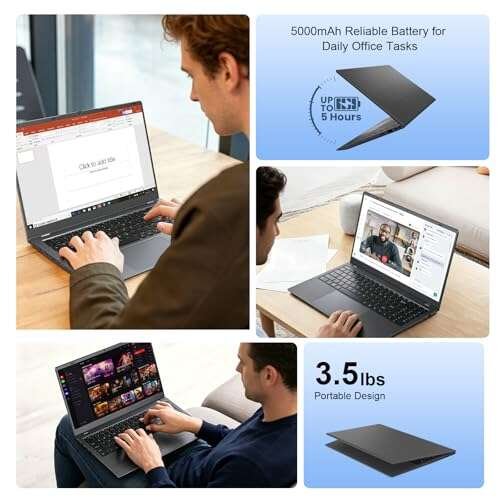
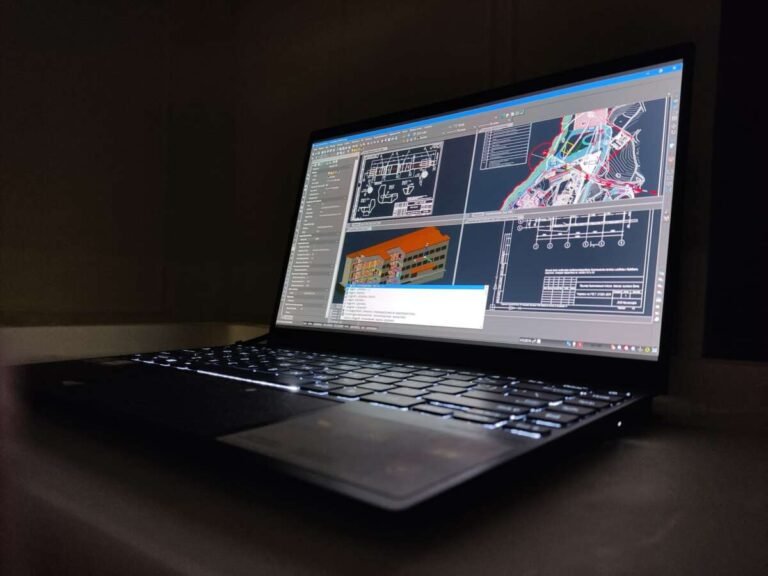
For most engineering students in the United States, the best laptop is a Windows 11 laptop with a modern Intel Core Ultra 7 or AMD Ryzen 7 processor, 32GB of RAM, a 1TB SSD, and a dedicated NVIDIA RTX 4060 or RTX 4070 graphics card.
This setup handles CAD, simulation, programming, data work, and reports without forcing you to replace the laptop after one year. A good example is a Lenovo Legion 5, Lenovo Legion Pro 5, ASUS ROG Zephyrus G16, or similar Windows laptop with these specifications.
The right choice still depends on your major:
- Mechanical, civil, aerospace, or industrial engineering: Choose Windows with an NVIDIA RTX GPU.
- Electrical or computer engineering: Prioritize CPU speed, RAM, ports, and battery life.
- Software engineering: A lighter laptop with 16GB to 32GB of RAM may be enough.
- Chemical, biomedical, or data-focused programs: Choose a strong CPU, plenty of RAM, and a large SSD.
- Engineering students who need professional CAD certification: Consider a mobile workstation such as a Dell Precision, HP ZBook, or Lenovo ThinkPad P series.
Laptop prices and model names change often. Focus on the hardware class rather than one exact model.
Introduction
Engineering students in the United States often use more than essays and web apps. A single semester may involve MATLAB, Python, SolidWorks, AutoCAD, Revit, Altium Designer, ANSYS, LabVIEW, or large data files.
That mix makes laptop shopping harder than choosing a general college computer. A thin laptop may have great battery life but lack graphics power. A gaming laptop may run CAD well but feel heavy in a lecture hall. A MacBook may be excellent for coding but unsuitable for some Windows-only engineering tools.
The best laptop is the one that matches your software, budget, and daily routine. This guide explains the key parts, gives practical buying targets, and shows where each type of laptop fits.
Quick Answer: Which Laptop Should Most Engineering Students Buy?
Choose a Windows laptop with these target specifications:
| Part | Recommended target | Why it matters |
|---|---|---|
| Processor | Intel Core Ultra 7, Intel Core i7, AMD Ryzen 7, or better | Helps with coding, simulation, CAD, and multitasking |
| Memory | 32GB RAM | Gives room for CAD, browsers, virtual machines, and analysis tools |
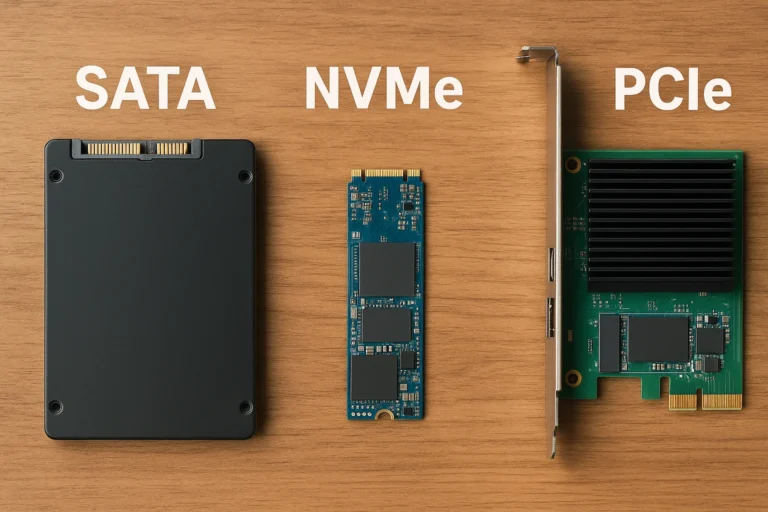
| Storage | 1TB NVMe SSD | Provides fast loading and space for software and project files |
| Graphics | NVIDIA RTX 4060 or RTX 4070 | Helps with 3D CAD, rendering, and GPU-supported workloads |
| Display | 15 or 16 inches, 1080p or higher | Balances workspace and portability |
| Operating system | Windows 11 | Offers the broadest engineering software support |
| Battery | At least a medium-size battery | Helps during classes and travel |
| Warranty | One year or more, with optional accidental damage coverage | Protects a costly school tool |
For lighter majors, 16GB of RAM and integrated graphics may be enough. For 3D design, finite element analysis, computational fluid dynamics, or machine learning, 32GB or 64GB of RAM and a stronger GPU can be worth the cost.
The most balanced purchase is usually a Windows performance laptop, not an entry-level Chromebook and not necessarily an expensive workstation.
Best Laptop Types for Engineering Students
The best laptop category depends on the type of work you will do.
Best overall: Windows performance laptop
A Windows performance laptop offers the best mix of price and power. Common examples include the Lenovo Legion series, ASUS ROG and TUF models, Acer Predator Helios, and similar laptops from Dell and HP.
Look for:
- Intel Core Ultra 7, Core i7, or AMD Ryzen 7
- NVIDIA RTX 4060 or RTX 4070
- 32GB RAM
- 1TB SSD
- A 15-inch or 16-inch display
- Good cooling and a full-size power adapter
These laptops often cost less than certified mobile workstations. They can run many demanding engineering programs well, but they may be heavier and louder.
Best for professional CAD and simulation: Mobile workstation
A mobile workstation is designed for professional engineering and design work. Examples include:
- Dell Precision
- HP ZBook
- Lenovo ThinkPad P series
Workstations may offer:
- NVIDIA RTX professional graphics
- ISV certification
- More durable chassis designs
- Better support options
- Easier service in some models
- More RAM and storage upgrade choices
ISV certification means that a software company has tested a particular workstation and driver combination. This does not make the laptop faster in every task. It can, however, reduce compatibility risk for supported professional applications.
A workstation is a strong choice if your department uses demanding CAD or simulation tools, your employer requires certified hardware, or you need business-class support. It is often not the best value for a student who mainly writes code and uses light CAD.
Best value: Gaming laptop
A gaming laptop can be an excellent engineering laptop. Models with an NVIDIA RTX GPU often provide strong 3D performance for less money than a workstation.
The trade-offs are clear:
- They can weigh more.
- Fans may run loudly.
- Battery life may be short during heavy work.
- The design may look less formal.
- Some models have weak displays or limited ports.
A gaming laptop makes sense when performance matters more than weight. It is often the best option for mechanical engineering students on a mid-range budget.
Best for portability: Premium thin-and-light laptop
A premium thin laptop is easier to carry across a large campus. Some models offer strong processors, good screens, and long battery life.
The main limit is cooling. A thin laptop may slow down during long simulations or rendering tasks. It may also lack a dedicated GPU.
Choose this type if you mostly use:
- Python
- MATLAB at a light or moderate level
- Web-based tools
- Electronics software
- Office apps
- Remote lab systems
- Programming tools
Best for battery life and coding: MacBook
A MacBook can be a very good choice for programming, writing, Unix-based development, and many data tasks. Apple silicon models are fast and efficient.
The problem is software compatibility. Some engineering programs are built for Windows x86 systems. Compatibility layers or virtual machines may not support every feature, plug-in, driver, or lab tool.
Before buying a MacBook, check your department's exact software list. A Mac is safer for software engineering and some electrical or computer engineering paths. It is riskier for mechanical, civil, manufacturing, and architecture programs that depend on Windows-only CAD applications.

The Best Specifications for Engineering School
Processor
The processor affects general speed, compiling, calculations, simulation, and multitasking.
A modern Core Ultra 7, Core i7, or Ryzen 7 is a good starting point. A Core Ultra 9, Core i9, or Ryzen 9 can help with heavy work, but the benefit depends on the program.
Do not judge a CPU by its name alone. Check:
- The exact generation
- The number of performance and efficiency cores
- Sustained power limits
- Cooling
- Single-core performance
- Multi-core performance
Many student tasks respond well to fast single-core performance. Some simulations and renders use many cores. A laptop with a top-level CPU can still perform poorly if it cannot cool itself.
RAM
RAM holds the apps and files that are active. More RAM helps when you use several tools at once.
Use these targets:
- 16GB: Good for programming, office work, light CAD, and basic MATLAB.
- 32GB: Best target for most engineering students.
- 64GB: Useful for virtual machines, large assemblies, advanced simulation, data science, and heavy multitasking.
RAM that is soldered to the motherboard may not be upgradeable. If you choose 16GB, confirm whether the laptop supports a later upgrade.
Storage
Choose a 1TB NVMe solid-state drive when possible. An SSD makes the operating system, software, and project files load quickly.
A 512GB SSD can work, but space disappears fast. Engineering software, simulation files, local datasets, and virtual machines can use hundreds of gigabytes.
Do not treat external storage as your only copy. Keep important school work in at least two places, such as:
- The laptop.
- A cloud service or external drive.
Sync tools are useful, but they are not always full backups. A deleted or corrupted file may also sync the problem.
Graphics card
The graphics card matters most for 3D CAD, rendering, visualization, and some simulation or machine-learning workloads.
A practical guide:
- Integrated graphics: Fine for coding, 2D CAD, documents, and light technical work.
- RTX 4050: Suitable for basic to moderate 3D work.
- RTX 4060: A strong balance for most student CAD use.
- RTX 4070: Better for larger assemblies, rendering, and GPU-supported workloads.
- RTX 4080 or higher: Usually unnecessary unless you have a special research or professional need.
Graphics memory, or VRAM, also matters. Large models and detailed scenes can exceed the limits of lower-end GPUs.
A dedicated GPU does not automatically improve every program. Some tools rely more on the processor, RAM, or storage.
Display
A 15-inch or 16-inch display is a useful middle ground. It gives enough room for code, tool panels, drawings, and spreadsheets without becoming too difficult to carry.
Useful display features include:
- At least 1920 × 1080 resolution
- Good brightness for classrooms
- Matte or low-glare treatment
- Accurate color if you design products or graphics
- A 16:10 aspect ratio for more vertical space
A high refresh rate is helpful for games but is not essential for engineering work. A bright, sharp screen is usually more valuable.
Keyboard, ports, and webcam
Students type reports, code, notes, and commands for hours. A firm keyboard and comfortable palm rest can matter more than a small performance gain.
Check for:
- USB-A ports
- USB-C
- HDMI
- Headphone support
- Ethernet or an adapter option
- A reliable webcam
- Wi-Fi 6 or newer
- A backlit keyboard
Some labs use USB devices, development boards, sensors, or specialized hardware. Port selection can prevent a frustrating search for adapters.
Recommended Laptop Choices by Engineering Major
Mechanical engineering
Mechanical engineering students often use SolidWorks, Autodesk Inventor, CATIA, Fusion, MATLAB, and simulation tools.
Recommended target:
- Windows 11
- Core Ultra 7, Core i7, or Ryzen 7
- 32GB RAM
- RTX 4060 or RTX 4070
- 1TB SSD
A Windows performance laptop is usually the best value. A mobile workstation is worth considering if your program requires certified drivers or large assemblies.
Civil engineering
Civil engineering may involve AutoCAD, Civil 3D, Revit, GIS tools, structural analysis, and spreadsheets.
Recommended target:
- Windows 11
- 32GB RAM
- 1TB SSD
- RTX 4050 or RTX 4060
- A bright 15-inch or 16-inch screen
Civil 3D and Revit can benefit from a dedicated GPU. GIS and large models also reward extra RAM.
Electrical engineering
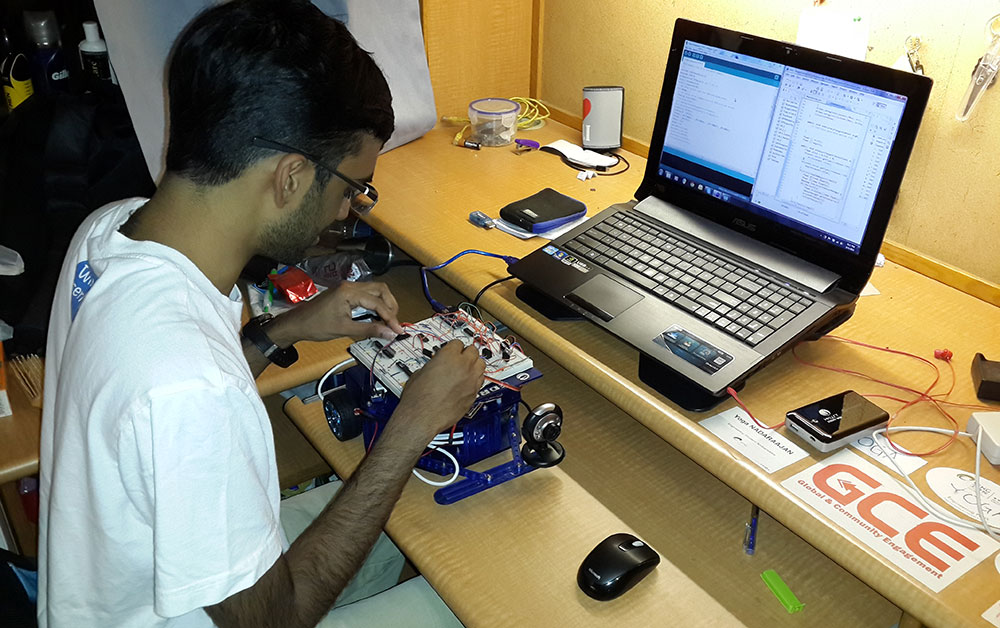
Electrical engineering software varies widely. Students may use MATLAB, LTspice, Altium Designer, Cadence tools, LabVIEW, and microcontroller development environments.
Recommended target:
- Core Ultra 7, Core i7, or Ryzen 7
- 16GB to 32GB RAM
- 1TB SSD
- Reliable USB ports
- Windows 11 if required by the lab
A powerful GPU may not be necessary unless you also work with 3D design, machine learning, or computer vision. Port selection and compatibility may matter more.
Computer engineering
Computer engineering students may compile code, run Linux virtual machines, use FPGA tools, and build embedded systems.
Recommended target:
- 32GB RAM
- 1TB SSD
- Strong multi-core processor
- Good cooling
- USB-A and USB-C ports
- Windows or Linux support, based on course requirements
If you plan to run several virtual machines, 64GB RAM can be helpful. Confirm that the laptop's virtualization features work with your selected operating system.
Software engineering and computer science
Software-focused students usually need less graphics power. CPU performance, RAM, battery life, keyboard quality, and screen comfort should lead the decision.
Recommended target:
- Core Ultra 5, Core Ultra 7, Ryzen 5, or Ryzen 7
- 16GB RAM minimum
- 32GB for containers, virtual machines, or large projects
- 512GB SSD minimum
- 1TB SSD preferred
A MacBook can work well if your courses support macOS. A Windows laptop gives broader compatibility with school tools.
Aerospace engineering
Aerospace engineering can involve CAD, MATLAB, computational fluid dynamics, finite element analysis, and large technical datasets.
Recommended target:
- Core Ultra 7, Core i7, Ryzen 7, or better
- 32GB RAM
- RTX 4060 or better
- 1TB SSD
- Strong cooling
For advanced simulation, more RAM and CPU cores may help more than a high-end gaming GPU. Check the software requirements for your specific lab.
Chemical and biomedical engineering
These students may use MATLAB, Python, data analysis, process simulation, statistics, and lab software.
Recommended target:
- 16GB to 32GB RAM
- A modern Core 5/Core 7 or Ryzen 5/Ryzen 7 processor
- 1TB SSD
- Comfortable keyboard and display
- Long battery life
A dedicated GPU is usually optional unless your coursework includes machine learning, imaging, 3D modeling, or specialized research software.

Best Choices by Budget
Prices change by retailer, sales event, and configuration. Use these ranges as planning estimates, not fixed prices.
Under $800
Look for:
- Ryzen 5 or Core i5
- 16GB RAM
- 512GB SSD
- Integrated graphics
This can work for programming, office work, basic MATLAB, and light CAD. It is less suitable for large 3D assemblies or advanced simulations.
Avoid buying 8GB RAM if the laptop cannot be upgraded. That limitation can become painful before graduation.
$800 to $1,300
This is the strongest value range for many students. Look for:
- Ryzen 7 or Core Ultra 7
- 16GB or 32GB RAM
- 1TB SSD
- RTX 4050 or RTX 4060
A sale-priced gaming laptop in this range may outperform a more expensive thin business laptop in CAD and rendering.
$1,300 to $2,000
This range can provide:
- RTX 4060 or RTX 4070
- 32GB RAM
- Better screens
- Larger batteries
- Stronger cooling
- Better build quality
It is a good range for mechanical, civil, aerospace, and industrial engineering students.
More than $2,000
At this level, compare carefully. You may be paying for:
- A lighter chassis
- A professional GPU
- A better display
- More RAM
- A larger SSD
- Premium support
- A stronger warranty
A more expensive laptop is not automatically faster. Compare the actual CPU, GPU, RAM, storage, and warranty.
Windows Laptop vs. MacBook for Engineering
Windows is the safer choice when you do not yet know which engineering tools your courses will require.
Many engineering programs support Windows first. Some applications may not have a native Mac version. Others may run through virtualization, but that can add setup work and may limit hardware access.
A MacBook is reasonable when:
- Your department confirms macOS support.
- You mainly write code or use web tools.
- You do not need Windows-only CAD.
- Your required software supports Apple silicon.
- You are comfortable using a remote Windows computer if needed.
A Windows laptop is safer when:
- You need SolidWorks, Revit, Civil 3D, or similar tools.
- You will use specialized lab hardware.
- Your school provides Windows-only installers.
- You need NVIDIA CUDA support.
- You want broad game and software compatibility.
Do not assume that installing Windows in a virtual machine solves every problem. Drivers, graphics acceleration, USB devices, and license systems can still cause trouble.
Mobile Workstation vs. Gaming Laptop
Both can run demanding engineering applications, but they serve different needs.
| Feature | Mobile workstation | Gaming laptop |
|---|---|---|
| Main goal | Professional reliability and certification | High performance per dollar |
| Graphics | Often professional RTX graphics | Usually consumer RTX graphics |
| Certification | May have ISV certification | Usually not certified |
| Design | Business-focused | Performance or gaming-focused |
| Weight | Often heavy | Often heavy |
| Value | Higher cost | Usually better value |
| Support | Business support options | Consumer support options |
Choose a workstation when compatibility, support, and professional workflows matter more than price.
Choose a gaming laptop when you want strong performance at a lower cost and your department does not require certified hardware.

Features Students Often Overlook
Upgradeability
A laptop with replaceable RAM or storage can last longer. Check the service manual before buying. Some thin laptops have soldered memory and only one storage slot.
Cooling
Engineering software may run for hours. A laptop that performs well for five minutes may slow down during a long simulation.
Look for independent testing when available. Pay attention to sustained performance, fan noise, and surface temperature, not just peak benchmark scores.
Warranty and repair
A broken laptop near an exam or project deadline can create a serious problem. Check:
- Warranty length
- Repair turnaround
- Accidental damage coverage
- Battery coverage
- On-site service options
- Availability of replacement parts
A protection plan is not always worth its cost, but it may make sense for students who commute daily or work in busy labs.
Battery life
Manufacturers often quote battery results under controlled conditions. Heavy CAD, gaming, rendering, and simulation can reduce battery life sharply.
A performance laptop may need to stay plugged in during demanding work. If you need all-day classroom use, consider a lighter laptop with a dedicated workstation or lab computer for heavy tasks.
Power adapter size
A powerful laptop often has a large charger. Add that weight to the laptop when comparing portability.
School access
Some colleges provide remote access to engineering software or campus workstations. If so, a lighter laptop may be enough for daily work. Confirm whether remote access is reliable and whether you can use it off campus.

Common Laptop-Buying Mistakes
Buying based only on brand
A brand name does not tell you enough. Two laptops from the same company may use different cooling systems, screens, batteries, and GPUs.
Compare the exact configuration.
Choosing 8GB of RAM
Eight gigabytes may work for basic school tasks, but it leaves little room for CAD, browsers, virtual machines, and analysis software.
Choose 16GB at minimum. Choose 32GB if your budget allows.
Paying for a high-resolution display instead of RAM
A sharp screen looks good, but extra RAM can have a greater effect on engineering work. Balance visual quality with performance.
Assuming every RTX GPU is the same
An RTX 4060 in one laptop may run at a different power level than an RTX 4060 in another. Cooling and power settings affect performance.
Ignoring software requirements
Check your department's required software before you buy. This is the most important step for avoiding an expensive mismatch.
Buying a Chromebook for a software-heavy major
Chromebooks are useful for web work and light school tasks. They are usually a poor primary computer for engineering programs that require installed Windows applications.
Using one copy of important files
Laptop failure, theft, and accidental deletion happen. Keep current work in a second location.
A Simple Buying Process
Use this process before placing an order.
- List the software for your first two years. Include CAD, simulation, coding, electronics, and lab tools.
- Check the official requirements. Look at the software maker's support page, not only a retailer's summary.
- Mark the heaviest program. This program should guide the CPU, RAM, GPU, and operating system.
- Set your minimum specifications. For many students, that means 32GB RAM, a 1TB SSD, and an RTX 4060.
- Check the exact model number. Retailers may use similar names for different configurations.
- Review ports and upgrade options.
- Compare warranty and return terms.
- Plan a backup system before classes begin.
- Keep the purchase receipt and configuration details.
- Test the laptop during the return period.
A successful test includes installing required programs, connecting school devices, opening sample project files, and checking sleep, charging, Wi-Fi, and external display behavior.
If a required application fails, do not wait until a major deadline. Check the developer's support page, contact your school's IT department, and use a campus computer or remote system as a temporary solution.
Frequently Asked Questions
Is 16GB RAM enough for engineering students?
Yes, 16GB can be enough for programming, office work, light CAD, and many undergraduate tasks. 32GB is a better long-term target if you use 3D CAD, virtual machines, simulation software, or many apps at once.
Do engineering students need a dedicated graphics card?
Not all students do. A dedicated GPU is useful for 3D CAD, rendering, visualization, and some simulation tools. Students focused on programming, electronics, or light data work may be fine with integrated graphics.
Is a gaming laptop good for engineering school?
Yes. A gaming laptop with an RTX GPU can offer strong CAD and rendering performance at a reasonable price. The main disadvantages are weight, fan noise, battery life, and a less professional design.
Can I use a MacBook for engineering?
Sometimes. A MacBook can work well for programming and courses that support macOS. It may be a poor fit for Windows-only CAD, specialized lab tools, or software that needs NVIDIA features. Confirm compatibility with your school before buying.
Should I buy a laptop or use a school computer lab?
A personal laptop is more convenient, but a lab can provide powerful software and hardware. A lighter personal laptop may be enough if your school offers reliable remote access or well-equipped labs.
How much storage does an engineering student need?
A 1TB SSD is a practical target. A 512GB drive can work, but large software packages, datasets, virtual machines, and project files can fill it quickly.
Is a professional workstation worth the extra cost?
It can be worth it for certified CAD workflows, large projects, advanced simulation, and business support. For many students, a well-cooled Windows performance laptop offers better value.
Final Recommendation
For most engineering students in the United States, buy a Windows 11 laptop with a modern Core Ultra 7, Core i7, or Ryzen 7 processor; 32GB of RAM; a 1TB NVMe SSD; and an NVIDIA RTX 4060 or RTX 4070 GPU.
Choose a mobile workstation if your department requires certified drivers or professional support. Choose a MacBook only after confirming that every required application works on macOS and Apple silicon. Choose a lighter laptop if your courses focus on coding and your school provides remote access to powerful computers.
The safest next step is simple: make a list of your required software, find the most demanding program, and buy a laptop that meets or exceeds its recommended specifications. That approach is more reliable than choosing by brand, appearance, or a short-term sale.
Sources to Check Before Buying
- Autodesk product system requirements
- SOLIDWORKS system requirements
- MATLAB system requirements
- ANSYS customer support and system information
- Microsoft Windows 11 specifications and requirements
- NVIDIA GeForce RTX laptop GPU information
- Apple Mac technical specifications
Always check the software requirements for your specific course, department, and software version before purchasing.

Everett Ashford is a tech reviewer at mytechgrid.com specializing in SSDs, cameras, TVs, earbuds, headphones, and other consumer electronics. He provides honest, data-driven reviews based on hands-on testing and real-world performance analysis. Everett simplifies complex tech details to help readers make smart, confident buying decisions.