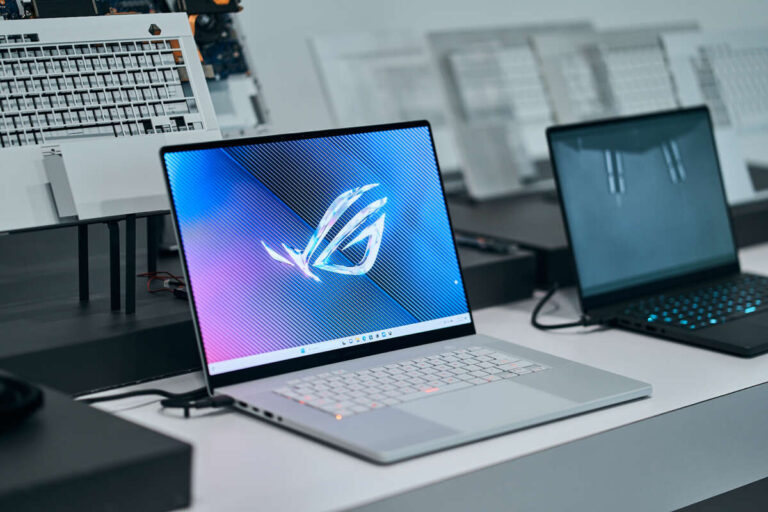
For most players in the United States, the best laptop for Minecraft is a Windows laptop with 16GB of RAM, a modern six-core processor, an SSD, and either strong integrated graphics or an NVIDIA GeForce RTX 4050-class GPU.
The right choice depends on how you play:
- Vanilla Minecraft or Bedrock: A laptop with integrated graphics can be enough.
- Java Edition with mods: Choose 16GB of RAM and a stronger processor.
- Shaders, high render distance, or modpacks: Get a dedicated graphics card, such as an RTX 4050 or RTX 4060.
- Minecraft with other games: A gaming laptop offers better long-term value.
A good overall target is a laptop with an AMD Ryzen 5 or Intel Core i5 processor, 16GB of RAM, a 512GB SSD, and a 1080p display. This balance gives Minecraft room to run well without paying for hardware you may not use.

Quick Answer: Which Laptop Should You Buy for Minecraft?
The Lenovo LOQ 15, ASUS TUF Gaming A15, and Acer Nitro V 15 are strong examples of the type of laptop that suits Minecraft well. Look for configurations with:
- AMD Ryzen 5, Ryzen 7, Intel Core i5, or Core i7
- 16GB of RAM
- A 512GB or larger solid-state drive
- NVIDIA GeForce RTX 4050 or RTX 4060 graphics for shaders and demanding modpacks
- A 15- or 16-inch 1080p display
- Good cooling and a full-size power adapter
Exact hardware varies by model and retailer. A laptop with the same name may come with different RAM, storage, or graphics options. Always check the full specification before buying.
For basic Minecraft, a less expensive laptop with integrated AMD Radeon or Intel graphics may be enough. The dedicated graphics card matters most when you use shaders, high-resolution texture packs, or other demanding games.
What Laptop Specs Does Minecraft Need?
Minecraft is not equally demanding in every version or game mode. The Java Edition relies heavily on the processor, while shaders and visual effects place much more demand on the graphics processor.
Mojang’s official Java Edition requirements list modest minimum hardware. Those minimums are enough to launch the game, but they are not a good target for a new laptop. A system near the minimum may struggle with large worlds, high render distance, mods, or background apps.
| Laptop part | Good target for basic Minecraft | Better target for mods and shaders |
|---|---|---|
| Processor | Modern Core i3, Core i5, Ryzen 3, or Ryzen 5 | Core i5/Core i7 or Ryzen 5/Ryzen 7 |
| Memory | 8GB | 16GB |
| Storage | 256GB SSD | 512GB or larger SSD |
| Graphics | Modern integrated graphics | RTX 4050, RTX 4060, or similar |
| Display | 1080p | 1080p or 1440p with a suitable GPU |
| Operating system | Windows 10 or Windows 11 | Windows 11 is usually the simplest choice |
These are practical buying targets, not official minimum requirements. Minecraft’s performance also changes with the game version, Java version, mods, world size, render distance, and graphics settings.
Processor
The processor affects world loading, chunk generation, simulation distance, and frame-time consistency. A laptop with a modern six-core processor is a safe choice for most players.
For basic play, a recent Ryzen 5 or Core i5 is usually more useful than an older high-end chip. Check the processor generation, not just the brand name. A newer mid-range chip can beat an old Core i7.
Memory
Choose 16GB of RAM if your budget allows it. Minecraft Java can use more memory when you add mods, resource packs, launchers, voice chat, browsers, or recording software.
An 8GB laptop may work for vanilla Minecraft, but it leaves less room for other programs. Some thin laptops also have memory soldered to the motherboard, so you may not be able to upgrade them later.
Storage
An SSD makes Windows, Minecraft, and world loading feel much faster than an older hard disk. A 512GB SSD is a useful starting point because the operating system, games, screenshots, mods, and updates all use space.
A 256GB SSD can work, but it may feel cramped after installing several games.
Graphics
Minecraft without shaders can run on many modern integrated graphics systems. Shaders, ray tracing, high-resolution textures, and some large modpacks need much more graphics power.
An RTX 4050-class laptop GPU is a practical middle ground. An RTX 4060 provides more headroom for higher settings and other games. The exact GPU wattage also matters because two laptops with the same GPU name can perform differently.
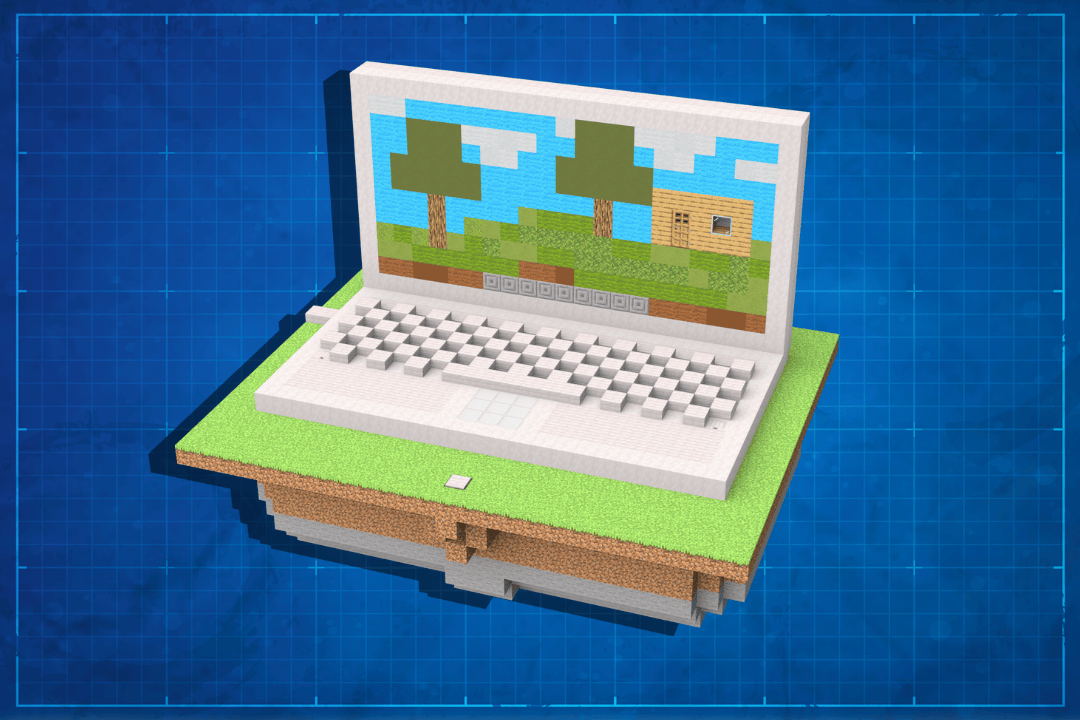
The Best Laptop Type for Each Minecraft Player
The best laptop for you depends on the version, settings, and other games you plan to play.
Best for basic Minecraft: a modern everyday laptop
Choose a mainstream Windows laptop with:
- A recent Ryzen 5 or Core i5 processor
- 8GB to 16GB of RAM
- Integrated graphics
- A 512GB SSD
- A 1080p screen
This type of laptop suits vanilla Minecraft, Bedrock Edition, schoolwork, web browsing, and streaming. It is often lighter and quieter than a gaming laptop.
Look for models with upgradeable RAM when possible. An everyday laptop with only 8GB of soldered memory may have a shorter useful life.
Best for Java mods: a laptop with 16GB of RAM
Java Edition mods can add new creatures, machines, dimensions, maps, and visual effects. Large modpacks can also increase memory use and loading times.
For modded Minecraft, choose:
- A modern Ryzen 5, Ryzen 7, Core i5, or Core i7
- 16GB of RAM
- A 512GB SSD or larger
- Strong cooling
- Dedicated graphics if the modpack includes shaders
The processor is especially important for large worlds and complex simulation. More graphics power will not solve every performance problem if the game is limited by the processor.
Best for shaders: an RTX 4050 or RTX 4060 gaming laptop
Shaders change lighting, shadows, water, clouds, and reflections. They can make Minecraft look much better, but they also raise graphics demands.
A laptop with an RTX 4050 can be a sensible choice for 1080p shaders. An RTX 4060 is better if you want higher settings, a higher refresh rate, or more performance in games besides Minecraft.
A gaming laptop usually offers better cooling and more upgrade options. The trade-offs are extra weight, fan noise, shorter battery life during play, and a larger charger.
Best for Minecraft and other PC games: a midrange gaming laptop
If Minecraft is only one of several games you want to play, a dedicated GPU gives you more flexibility. Models such as the Lenovo LOQ 15, ASUS TUF Gaming A15, and Acer Nitro V 15 often appear in this class, but configurations differ.
Do not buy by model name alone. Check:
- The exact processor.
- The graphics card.
- The GPU power rating, if listed.
- The installed RAM.
- Whether RAM and storage can be upgraded.
- The display resolution and refresh rate.
- The return policy and warranty.

Recommended Laptop Specifications by Budget
Laptop prices change often in the United States, so specifications are more useful than a fixed price list.
| Buyer type | Recommended hardware | What it handles |
|---|---|---|
| Basic player | Ryzen 5/Core i5, 8GB–16GB RAM, integrated graphics | Vanilla Minecraft and Bedrock |
| Mod player | Ryzen 5/Core i5 or better, 16GB RAM, 512GB SSD | Most mods and medium modpacks |
| Shader player | Ryzen 5/Core i5 or better, 16GB RAM, RTX 4050 | 1080p shaders and many modpacks |
| Heavy modpack player | Ryzen 7/Core i7, 16GB–32GB RAM, RTX 4060 | Large modpacks and higher settings |
| Minecraft plus new games | Ryzen 7/Core i7, 16GB RAM, RTX 4060 or better | Minecraft and demanding PC games |
These categories are estimates, not guaranteed frame rates. Performance depends on settings, cooling, game version, mod loaders, and the laptop’s power limits.
A laptop with 32GB of RAM is useful for very large modpacks, content creation, or heavy multitasking. It is not necessary for ordinary Minecraft.
Minecraft Java Edition vs. Bedrock Edition
The edition you play can change the best laptop choice.
Minecraft: Java Edition is common on Windows PC and supports a large modding community. It can be more sensitive to processor performance, Java settings, mod conflicts, and render distance.
Minecraft for Windows, commonly called Bedrock Edition, is designed for cross-platform play and often runs well on less powerful hardware. It also supports features such as ray tracing on compatible systems.
On a Windows laptop, the Minecraft Launcher can provide access to both editions when your account and purchase support them. Check Microsoft’s current account and purchase terms before buying.
If you mainly play with friends on consoles or mobile devices, Bedrock may be the more convenient edition. If you want extensive mods, Java is usually the better fit.
What About a Chromebook or MacBook?
A Chromebook is not the safest choice for Minecraft unless you confirm the exact edition and support for that model. ChromeOS devices vary widely, and some cannot run the Windows launcher or Java Edition in the same way as a Windows PC.
A MacBook can run Minecraft Java Edition, including on Apple silicon models, but it is not the best universal choice for every player. Compatibility with mods, launchers, shaders, and other PC games can vary. Apple laptops also do not use NVIDIA RTX graphics, which limits some Windows-focused features.
Choose a Windows laptop if you want:
- Broad mod and launcher support
- Easy access to PC game stores
- NVIDIA shader and ray-tracing options
- More choice at different budgets
- Easier hardware upgrades
Choose a MacBook if you value battery life, build quality, macOS, and Minecraft is one of only a few games you plan to play.
How to Avoid Buying the Wrong Minecraft Laptop
Several common buying mistakes can make a laptop feel slow even when its product page looks impressive.
Do not focus only on the Core i7 or Ryzen 7 label
Processor names cover many generations and power levels. A low-power chip in a thin laptop may perform differently from a higher-power chip in a gaming laptop.
Read the full processor model and compare the laptop’s cooling design.
Do not buy 8GB of non-upgradeable RAM for heavy modding
Eight gigabytes can be enough for simple play. It is a weak starting point for large modpacks and multitasking, especially if the laptop reserves some memory for integrated graphics.
Do not assume every RTX 4050 performs the same
Laptop GPUs can have different power limits. Cooling, fan profiles, and the laptop chassis also affect sustained performance.
If the manufacturer lists the GPU’s maximum graphics power, use that information when comparing models.
Do not ignore the display
A 1080p screen is usually a good match for a midrange laptop GPU. A 1440p display demands more graphics power, especially with shaders.
A high refresh rate can make movement look smoother, but it does not create more frames by itself. The laptop must render those frames first.
Do not expect gaming performance on battery
Gaming laptops usually reduce performance when unplugged. This protects the battery and limits heat. For the best results, play while connected to the included charger.

How to Improve Minecraft Performance on a Laptop
If Minecraft runs poorly, change the settings before replacing the laptop.
- Update Windows and the graphics driver.
- Confirm that the game uses the dedicated GPU when one is installed.
- Lower render distance and simulation distance.
- Reduce shader quality or turn shaders off.
- Close browsers, recording tools, and other heavy programs.
- Use a performance-focused mod that supports your edition and mod loader.
- Keep the laptop on a hard surface so air can reach the cooling vents.
- Check for overheating, dust, or a blocked fan.
- Allocate Minecraft memory carefully rather than assigning nearly all system RAM.
- Test the game in a new world to separate world-specific problems from hardware limits.
More allocated memory does not always mean better performance. Too much can increase pauses from memory cleanup. For many Java setups, the launcher’s default allocation is a reasonable starting point.
If frame rates fall after several minutes, heat may be the cause. A cooling pad can help airflow in some setups, but it cannot fix a blocked vent, failing fan, or weak laptop cooling system.
Is a Gaming Laptop Worth It for Minecraft?
A gaming laptop is worth considering if you want shaders, large modpacks, higher frame rates, or other demanding games.
It is less attractive if you only play basic Minecraft and need a light laptop for school or travel. An everyday laptop with 16GB of RAM may offer a better balance of weight, battery life, and price.
The main trade-off is simple:
- Everyday laptop: lighter, quieter, and often better for battery life.
- Gaming laptop: faster graphics, better cooling, and more upgrade potential.
- Thin performance laptop: portable, but it may run hotter and offer fewer upgrades.
For many US buyers, a midrange gaming laptop is the safest all-purpose choice because it handles Minecraft easily and leaves room for other games.

Frequently Asked Questions
Can Minecraft run on a laptop with 8GB of RAM?
Yes. Eight gigabytes can run basic Minecraft, especially Bedrock Edition or a lightly configured Java installation. Choose 16GB if you use mods, shaders, recording software, or several programs at once.
Is an integrated graphics card enough for Minecraft?
Yes, for vanilla Minecraft and many Bedrock setups. Integrated graphics may struggle with demanding shaders, ray tracing, high-resolution texture packs, or large modpacks.
Is an RTX 3050 enough for Minecraft?
An RTX 3050 can handle Minecraft, including many shader setups at 1080p. However, an RTX 4050 or newer GPU may offer better efficiency and longer useful life, depending on the laptop’s price and configuration.
Does Minecraft need a gaming laptop?
No. Minecraft does not always need a gaming laptop. A modern everyday laptop can work well for basic play. A gaming laptop becomes more useful for shaders, large modpacks, high render distance, and other demanding games.
Should I choose Windows 11 for Minecraft?
Windows 11 is a practical choice for a new Windows laptop. Check the current system requirements for the Minecraft Launcher and your selected edition. Keep Windows, graphics drivers, and the launcher updated.
Final Recommendation
For most US players, buy a Windows laptop with 16GB of RAM, a recent Ryzen 5 or Core i5 processor, a 512GB SSD, and a 1080p screen.
Choose integrated graphics if you only play standard Minecraft. Choose an RTX 4050 for shaders and a wider range of games. Choose an RTX 4060 if you use large modpacks, want higher settings, or expect to keep the laptop for several years.
Before checkout, verify the exact configuration. The processor, GPU power limit, RAM upgrade path, cooling, display, warranty, and return policy matter more than the laptop’s name alone.

Everett Ashford is a tech reviewer at mytechgrid.com specializing in SSDs, cameras, TVs, earbuds, headphones, and other consumer electronics. He provides honest, data-driven reviews based on hands-on testing and real-world performance analysis. Everett simplifies complex tech details to help readers make smart, confident buying decisions.