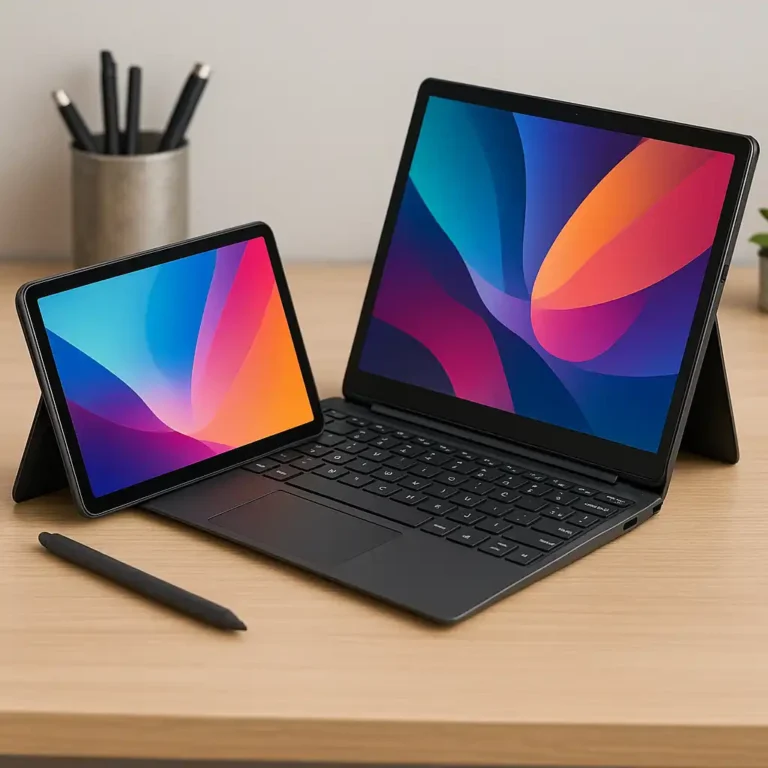
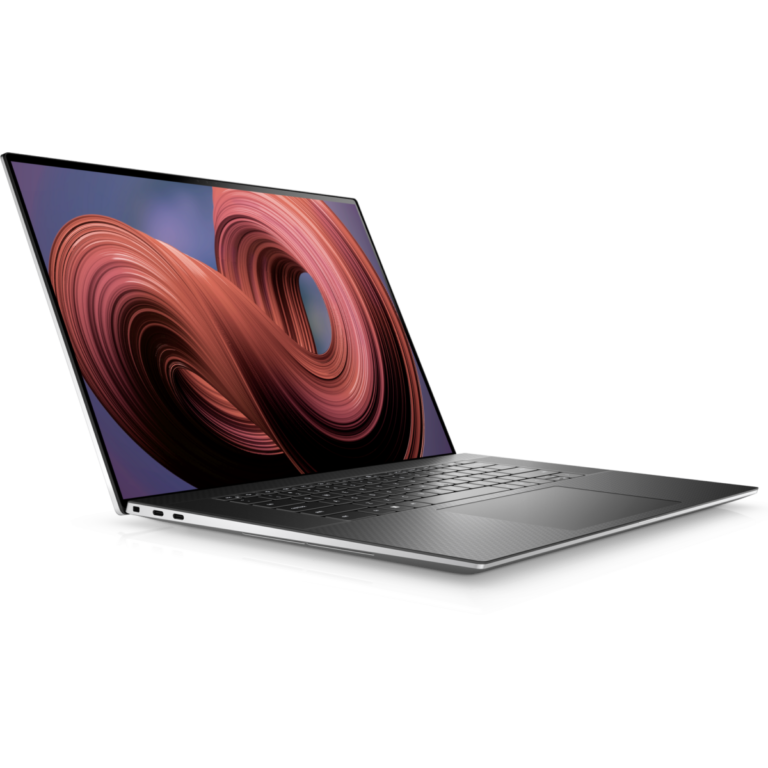
For most people in the United States, the 13-inch MacBook Air is the best portable laptop overall. It is light, thin, fast enough for school and office work, quiet, and easy to carry through a U.S. airport, campus, office, or coffee shop.
The best choice changes if you need Windows, built-in business ports, gaming power, or a very low price. A Windows user may prefer the Microsoft Surface Laptop 13.8-inch or Lenovo ThinkPad X1 Carbon. Buyers on a tighter budget should compare lighter 13- or 14-inch laptops rather than simply choosing the cheapest model.
This guide compares portability by weight, size, battery life, charging, durability, screen comfort, operating system, and real travel needs. Manufacturer specifications can change by model, storage, memory, and region, so check the final configuration before buying.
Quick Takeaways
- Best portable laptop for most U.S. buyers: Apple MacBook Air 13-inch
- Best portable Windows laptop for most users: Microsoft Surface Laptop 13.8-inch
- Best for business travel: Lenovo ThinkPad X1 Carbon
- Best for a lower price: A well-built 13- or 14-inch Acer Swift, ASUS Zenbook, or Lenovo IdeaPad Slim
- Best for creative work on the go: MacBook Air 15-inch or MacBook Pro 14-inch, if you accept extra weight
- Best for gaming portability: A compact gaming laptop, but expect shorter battery life and a heavier charger
Portability is not just a low number on a scale. A laptop that weighs 2.7 pounds but needs a large charger may be less convenient than a 3-pound laptop with excellent battery life and USB-C charging.
What Makes a Laptop Portable?
A portable laptop is easy to carry, use, charge, and protect while you are away from a desk. Weight matters, but it is only one part of the decision.
The most useful factors are:
- Weight: How much the computer weighs by itself
- Charger size: Whether the power adapter adds significant bulk
- Screen size: Smaller screens reduce weight but may feel cramped
- Thickness: A thinner body fits more easily in a bag
- Battery life: Longer life reduces the need to carry a charger
- Build quality: Strong materials help the laptop survive daily travel
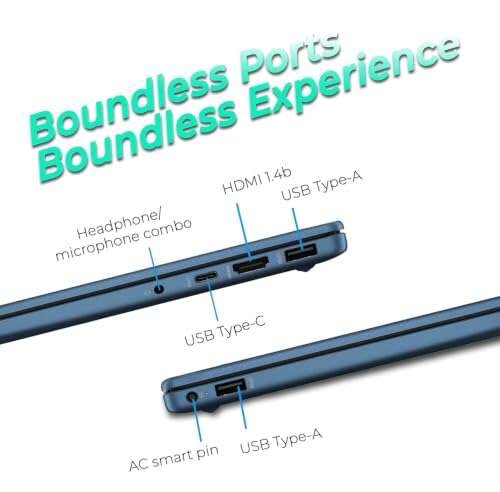
- Ports: USB-A, HDMI, an audio jack, and a memory card slot may reduce the need for adapters
- Keyboard and trackpad: These affect comfort when you work without a desk
- Wireless support: Wi-Fi quality matters in hotels, libraries, airports, and classrooms
For many buyers, a good target is a laptop between 2.5 and 3.2 pounds with a 13- or 14-inch display. A 14-inch model can still be highly portable if its screen bezels are narrow and its power adapter is small.
A laptop under 2.5 pounds may be easier to carry, but it can have trade-offs. It may offer fewer ports, a smaller battery, a less rigid body, or a keyboard with less key travel.
The Best Portable Laptop for Most People: MacBook Air 13-Inch
The MacBook Air 13-inch is the strongest all-around choice when you are comfortable with macOS. Its low weight, slim design, long battery life, quiet operation, sharp display, and strong performance make it well suited to travel.
It handles common tasks such as:
- Web browsing
- Microsoft 365 and Google Workspace
- Video calls
- College work
- Photo editing
- Coding
- Streaming
- Light video editing
- Managing many browser tabs
The MacBook Air is also fanless, so it does not use a cooling fan during normal work. That makes it quiet in a library, airplane cabin, or meeting room.
Why it is portable
The 13-inch model is small enough for most backpacks and laptop sleeves. Its charger is compact, and USB-C charging makes it possible to use compatible travel chargers and power banks.
The main limit is the port selection. The MacBook Air relies mainly on USB-C ports and a headphone jack. If you need HDMI, USB-A, Ethernet, or an SD card slot, you may need a hub.
Who should skip it
Choose another laptop if you:
- Need Windows-only software
- Depend on older business applications
- Want to upgrade memory or storage later
- Need many built-in ports
- Want to play a large range of PC games
- Prefer a touch screen or built-in Windows features
MacBooks also use Apple’s operating system, so switching from Windows can require an adjustment. Many popular apps have Mac versions, but not every program, game, or company tool works the same way.
Best Portable Windows Laptop: Microsoft Surface Laptop 13.8-Inch
The Microsoft Surface Laptop 13.8-inch is a strong Windows choice for people who want a clean design, a sharp screen, a comfortable keyboard, and good battery endurance.
It fits users who need a portable laptop for:
- Office work
- School
- Web research
- Video calls
- Writing
- Light programming
- Streaming
- Microsoft services
Its aspect ratio gives more vertical screen space than many older 16:9 laptops. That can make documents and web pages easier to read without scrolling as much.
The key trade-off: Windows on an Arm processor
Some Surface Laptop models use an Arm-based Snapdragon processor. Arm laptops can offer strong battery life and low heat, but software compatibility needs more care.
Many modern Windows apps run well through native support or translation. However, older drivers, specialized business tools, some utilities, and certain games may not work perfectly. Before buying, check the software requirements for your school, employer, printer, security tool, or creative app.
When the Surface Laptop is a better choice than a MacBook Air
The Surface Laptop may suit you better if you:
- Need Windows
- Use Microsoft 365 every day
- Prefer a touch screen
- Want a familiar Windows desktop
- Need PC-focused accessories
- Do not rely on software with uncertain Arm support
Check the exact processor before ordering. Two laptops with similar names may have different chips, battery results, ports, and app compatibility.
Best for Business Travel: Lenovo ThinkPad X1 Carbon
The Lenovo ThinkPad X1 Carbon is one of the best portable business laptops for people who value a low weight, a strong keyboard, useful ports, and enterprise features.
Its strengths often include:
- A comfortable keyboard
- A traditional business design
- Multiple USB-C ports
- USB-A connectivity
- HDMI on many configurations
- Strong security options
- Business-focused support choices
- A lightweight carbon-fiber or composite construction
The X1 Carbon can be a better travel tool than a thinner consumer laptop because it often reduces the number of adapters you need. That matters when you connect to a projector, office monitor, wired network, or older USB device.
Its main weakness
ThinkPad X1 Carbon models can cost much more than mainstream laptops. The display, memory, storage, and warranty options also vary widely.
Do not assume every X1 Carbon configuration has the same battery life or screen. A high-resolution OLED display may look better but can use more power than a lower-resolution panel. Check the exact model number and configuration.
Best Portable Laptop by User Type
The best portable laptop depends on what you do and what you are willing to carry.
| User | Strong starting choice | Why it fits | Main limitation |
|---|---|---|---|
| College student | 13-inch MacBook Air or Surface Laptop | Light, quiet, long battery life | Check school software support |
| Office worker | MacBook Air, Surface Laptop, or ThinkPad X1 Carbon | Good keyboard, video calls, and document work | Ports differ by model |
| Frequent business traveler | ThinkPad X1 Carbon | Light body and useful business ports | High price |
| Windows home user | Surface Laptop or ASUS Zenbook | Portable design and familiar software | Arm compatibility may matter |
| Photo editor | MacBook Air 15-inch or MacBook Pro 14-inch | Better screen space and performance | Heavier than a 13-inch model |
| Video editor | MacBook Pro 14-inch or a performance Windows laptop | Better sustained performance | More weight and a larger charger |
| Gamer | Compact gaming laptop | Dedicated graphics performance | Shorter battery life and more bulk |
| Budget buyer | Acer Swift, Lenovo IdeaPad Slim, or ASUS Vivobook | Often good value | Build, screen, and battery vary |
This table is a starting point, not a universal ranking. A student who uses engineering software may need a Windows workstation. A writer who travels by train every day may value battery life and keyboard comfort more than graphics power.
How Much Should a Portable Laptop Weigh?
For regular travel, aim for a total carry weight that you will not resent after a full day. The laptop itself is only part of that load.
A simple calculation is:
Total travel weight = laptop + charger + case + hub + accessories
For example, a hypothetical setup might look like this:
| Item | Example weight |
|---|---|
| Laptop | 2.8 lb |
| Charger | 0.6 lb |
| Protective sleeve | 0.4 lb |
| USB-C hub | 0.2 lb |
| Total | 4.0 lb |
A laptop that weighs 2.4 pounds may become a 3.5-pound kit after adding its charger and accessories. A 3-pound laptop with USB-C charging and several built-in ports may have a similar total load.
Useful weight ranges
- Under 2.5 pounds: Very easy to carry; may have fewer ports or a smaller keyboard
- 2.5 to 3.2 pounds: A practical balance for most travelers
- 3.3 to 4.0 pounds: Still portable, but more noticeable in a backpack
- Over 4 pounds: Better for desk use unless you need the extra power
Do not sacrifice durability just to save a few ounces. A rigid body, strong hinge, and good keyboard can matter more over several years than an extremely low starting weight.
Battery Life Matters More Than Thinness
Battery life is one of the most important parts of portability because it determines whether you need to carry a charger.
Manufacturer battery claims are useful for comparing models from the same brand, but they are not a guarantee of real use. Results can change with screen brightness, video calls, browser tabs, Wi-Fi strength, processor load, and battery health.
For dependable travel, look for:
- A manufacturer claim of at least a full workday under its stated test
- USB-C charging
- A charger that supports the laptop's required power
- A battery capacity that is reasonable for the laptop size
- Independent testing from a trusted review source
- A low-power display setting or adaptive refresh rate
Video calls often use more power than reading documents. Bright OLED screens can also reduce battery life during demanding work.
USB-C charging and power banks
USB-C charging can make travel easier, but compatibility is not automatic. Confirm that:
- The laptop accepts charging through USB-C.
- The charger supports USB Power Delivery.
- The charger provides enough wattage.
- The cable supports the required power level.
A small phone charger may not charge a laptop while you use it. It may charge slowly, maintain the battery level, or fail to charge at all.
Screen Size: 13 Inches or 14 Inches?
A 13-inch laptop is usually the best choice when low weight and small bag size come first. A 14-inch laptop often gives a better work area while remaining easy to carry.
Choose a 13-inch laptop if you:
- Travel every day
- Use small tables or airplane trays
- Prefer a compact bag
- Mostly write, browse, and email
- Use an external monitor at home
Choose a 14-inch laptop if you:
- Work in split-screen windows
- Read large documents
- Edit photos
- Code for long periods
- Want a more comfortable keyboard
- Do not mind a small increase in weight
A 15-inch laptop can still be portable, especially when it is thin and light. It is usually less convenient on an airplane or a crowded train, though.
Screen resolution and scaling matter as well. A very high-resolution display may look sharp but can use more power. A glossy screen may look rich indoors but create reflections near windows or outdoors.
Portability for Air Travel in the United States
A portable laptop should fit easily in your personal item or carry-on bag and remain accessible during security screening. U.S. travelers should check the current Transportation Security Administration guidance before flying because screening procedures can change by airport and circumstance.
For air travel, consider:
- A protective sleeve
- A compact USB-C charger
- A short charging cable
- A backup copy of important files
- A privacy screen if you work in public
- A laptop with a reliable sleep and wake process
- A bag with padding and a separate laptop compartment
Do not place a laptop loose in checked luggage. Besides the risk of damage or loss, lithium-battery rules may restrict electronic devices in checked bags. Check the current TSA and airline rules before your trip.
A bright screen, strong Wi-Fi, and a comfortable keyboard are often more valuable on a long trip than a very thin case.
Portability and Durability: What to Check
A portable laptop needs to survive movement, not just look thin in a product photo. Check the hinge, lid, keyboard deck, charging port, and warranty terms.
Look for:
- A firm hinge with little wobble
- A lid that does not flex easily
- A keyboard deck that stays stable while typing
- A charger connection that does not feel loose
- A warranty that covers your U.S. location
- A service process you can use while traveling
- Repair and replacement-part information
- A return period long enough to test the laptop
Military-standard testing claims can describe a test method, but they do not guarantee that every unit will survive every fall or spill. Manufacturer durability claims are not the same as independent long-term testing.
A case or sleeve is still worthwhile. Thin aluminum, magnesium, and composite bodies can resist normal travel, but no laptop should be treated as drop-proof or waterproof unless the maker clearly documents those limits.
Common Mistakes When Buying a Portable Laptop
The most common mistake is choosing the lightest laptop without checking what you must carry with it. A small computer may require a hub, dongle, special charger, and external storage.
Avoid these errors:
- Ignoring software compatibility: Confirm that school, work, accounting, design, or security apps run on the operating system and processor.
- Comparing battery claims without conditions: Test methods differ, so treat battery figures as estimates.
- Buying too little memory: For long-term use, many buyers should consider at least 16 GB of RAM when available.
- Choosing a tiny screen for heavy work: A 13-inch display is portable but may feel cramped for spreadsheets or editing.
- Forgetting the charger: Include the full travel kit in your weight comparison.
- Assuming every USB-C port does everything: Some ports support charging, display output, or fast data only on certain models.
- Skipping the return policy: Use the return period to test the keyboard, screen, battery, software, and ports.
- Buying based only on brand: The exact configuration matters more than the logo.
Memory and storage may be soldered in many thin laptops. Choose enough at purchase because an upgrade may not be possible later.
A Simple Method for Choosing the Right Portable Laptop
Use this five-step process before you buy.
1. List your essential software
Write down the apps you use for work, school, creative tasks, communication, and security. Check the developer's current system requirements.
2. Set a maximum total carry weight
Include the laptop, charger, case, hub, and any adapters. This gives you a more useful number than laptop weight alone.
3. Choose the smallest comfortable screen
Select 13 inches for maximum mobility, 14 inches for a broader work area, or 15 inches if screen space matters more than compact size.
4. Check ports and charging
Count the devices you connect. If you need HDMI, USB-A, an SD card slot, or wired internet, decide whether built-in ports or a hub is more convenient.
5. Verify the exact configuration
Check:
- Processor
- Memory
- Storage
- Display type
- Display brightness
- Battery claim
- Weight
- Charger wattage
- Wireless standard
- Warranty
- Return policy
A successful choice should let you work for your normal day, fit your bag, run your required apps, and connect to your key devices without constant workarounds.
Best Portable Laptop: Final Recommendation
The 13-inch MacBook Air is the best portable laptop for most U.S. buyers who are comfortable with macOS. It offers a strong balance of low weight, quiet performance, battery life, screen quality, and everyday speed.
Choose the Microsoft Surface Laptop if you want Windows and prefer a polished, touch-friendly design. Choose the Lenovo ThinkPad X1 Carbon if business ports, keyboard comfort, and enterprise use matter more than price. Choose a 14-inch budget model if you want portability without paying for a premium brand.
Before ordering, compare the complete travel kit rather than the laptop alone. The best portable laptop is the one that you can carry easily, use comfortably, charge simply, and rely on for the software you need.
Frequently Asked Questions
Is a 13-inch laptop better for portability than a 15-inch laptop?
Usually, yes. A 13-inch laptop tends to weigh less and take up less bag space. A 15-inch laptop may be better for spreadsheets, photo editing, video work, or split-screen tasks. Choose based on how much screen space you need each day.
Is a 2-pound laptop always more portable?
No. Weight is only one factor. A 2-pound laptop with a large charger, fragile body, poor battery life, and several adapters may be less convenient than a 3-pound laptop with a small charger and useful built-in ports.
Is a MacBook Air good for college students?
Yes, if the student's required software works on macOS. It is light, quiet, and well suited to writing, research, video calls, and web-based school tools. Students in engineering, gaming, architecture, or specialized programs should check their school's software requirements first.
Are Windows Arm laptops safe to buy?
They can be a good choice for battery life and everyday Windows use. Check compatibility before buying if you depend on older drivers, specialized business software, certain games, or tools that need direct hardware access.
How much RAM should a portable laptop have?
For many buyers, 16 GB is a sensible starting point for office work, school, browsing, and light creative work. More memory may help with video editing, virtual machines, software development, or large creative projects. Because memory may not be upgradeable, plan for how you will use the laptop later.
Should I buy a laptop with an OLED display?
OLED can provide strong contrast and rich color. It may also use more power in some tasks, create reflections, and cost more. Choose OLED when image quality is a high priority, but compare battery claims and screen brightness before deciding.
Sources and Verification Notes
This guide is based on documented manufacturer specifications and general laptop selection principles. Exact weight, ports, processors, battery claims, warranty terms, and availability can change by configuration and date.
Check the current product information from:
- Apple MacBook Air specifications
- Microsoft Surface Laptop specifications
- Lenovo ThinkPad product information
- Microsoft Windows on Arm app compatibility
- Transportation Security Administration guidance
Use independent reviews for real-world battery tests, fan noise, display measurements, and sustained performance. Manufacturer battery numbers should not be treated as guaranteed results for every user.
Conclusion
For most people in the United States, start with the 13-inch MacBook Air. It is light, quiet, powerful enough for common work, and simple to carry.
If you need Windows, compare the Surface Laptop and ThinkPad X1 Carbon. If your work needs a larger screen or more graphics power, accept some extra weight instead of forcing a tiny laptop to do a large laptop's job.

Everett Ashford is a tech reviewer at mytechgrid.com specializing in SSDs, cameras, TVs, earbuds, headphones, and other consumer electronics. He provides honest, data-driven reviews based on hands-on testing and real-world performance analysis. Everett simplifies complex tech details to help readers make smart, confident buying decisions.