Look for sound quality, a secure fit, battery life, comfort, useful features, and reliable support before buying wireless earbuds.
Knowing what to look for when buying wireless earbuds can save you from poor sound, weak batteries, and uncomfortable tips. After testing many pairs for commutes, calls, workouts, and daily listening, I have learned that the most expensive model is not always the best choice. The right earbuds should match your ears, phone, habits, and budget. This guide explains the key details in simple terms so you can buy with confidence.
Start With Your Main Use
The best wireless earbuds depend on how you plan to use them. Earbuds made for quiet home listening may not work well on a noisy train or during a sweaty workout. Before comparing brands, think about your daily routine.
Ask yourself:
- Do you mainly listen to music, podcasts, or audiobooks?
- Do you take work calls or video meetings?
- Will you use the earbuds at the gym or outdoors?
- Do you need strong noise cancellation for travel?
- Do you use an iPhone, Android phone, or both?
- Will you wear them for several hours at a time?
For example, a commuter may value active noise cancellation and long battery life. A runner may care more about a secure fit and water resistance. Someone who takes many calls should focus on microphone quality, wind control, and connection stability.
One mistake I often see is buying earbuds based only on sound reviews. A pair can sound excellent in a quiet room but fail during calls or fall out during a walk. A good buying decision starts with your real use, not a product’s feature list.
Sound Quality and Audio Features
Sound quality is one of the most important answers to what to look for when buying wireless earbuds. However, good sound does not mean the same thing to everyone. Some listeners want deep bass, while others prefer clear vocals, soft treble, or a balanced sound.
Look for these audio features:
- A balanced sound profile for music, speech, and podcasts
- Clear vocals that do not sound buried under bass
- An equalizer in the companion app
- Support for high-quality Bluetooth codecs
- Low distortion at higher volume
- A useful transparency mode for hearing your surroundings
Most wireless earbuds use Bluetooth codecs to send audio from your phone. SBC is widely supported, while AAC often works well with Apple devices. Some Android phones and earbuds support aptX, aptX Adaptive, or LDAC. These codecs may improve audio quality, but both the phone and earbuds must support the same codec.
Do not assume a high-resolution codec will always sound better. The result also depends on the recording, the earbuds’ speakers, the fit, and your listening environment. A stable connection and good seal often matter more than a codec printed on the box.
Driver Size Is Not Everything
Earbud drivers turn electrical signals into sound. Larger drivers can help create a fuller sound, but driver size alone does not prove quality. Tuning, materials, software, and ear tip design also affect the result.
Think of the driver as a small speaker in a room. The room’s shape changes how the speaker sounds. In the same way, the fit inside your ear changes the sound you hear.
Fit, Comfort, and Ear Tip options
fit is a central part of what to look for when buying wireless earbuds. If the earbuds do not seal your ears well, bass may sound weak, outside noise may enter, and the buds may fall out. A poor fit can also make even premium earbuds uncomfortable.
Choose a model that includes several ear tip sizes. Small, medium, and large tips give you a better chance of finding a secure seal. Some earbuds also include foam tips, which can offer a snug fit and better passive noise blocking.
When testing fit, check for these signs:
- The earbuds stay in place when you turn your head.
- They do not create painful pressure after 30 minutes.
- Voices and music sound full, not thin.
- You can walk without constantly adjusting them.
- The charging case closes with the tips attached.
Comfort is personal. One person may love a deep in ear design, while another may prefer a shallow fit. If possible, buy from a store with a clear return policy. Ear shape varies widely, so an online review cannot guarantee that a model will fit you.
In my own testing, I once chose a compact pair because the case was easy to carry. The earbuds sounded good, but the housing pressed against my ear after an hour. I eventually preferred a slightly larger model with a smoother shape. That experience taught me that comfort matters more than a few extra features.
 options”
style=”max-width: 100%; height: auto; border: 2px solid black; border-radius: 10px; display: block; margin: 0 auto;”
loading=”lazy”
/>
Active Noise Cancellation and Transparency Mode
Active noise cancellation, or ANC, uses microphones and electronic processing to reduce outside sound. It works best with steady, low sounds such as airplane engines, air conditioners, buses, and train noise.
ANC is less effective against sudden sounds, nearby voices, or a crying child. It can reduce those sounds, but it may not remove them completely. Ear tip fit also affects ANC performance because a poor seal lets outside noise pass through.
When comparing noise cancellation, look for:
- Adjustable ANC levels
- An automatic or adaptive mode
- A transparency or ambient sound mode
- Wind noise control
- The ability to turn ANC off
- A setting that reduces sudden loud sounds
Transparency mode uses external microphones to bring outside sound into the earbuds. This feature is useful when crossing a street, speaking with a coworker, or hearing an airport announcement. Good transparency mode should sound natural rather than robotic.
ANC can also reduce battery life. If you do not travel often, a cheaper pair with strong passive isolation may meet your needs. This is an important part of what to look for when buying wireless earbuds because premium noise cancellation can raise the price.
Battery Life and Charging
Battery life is another key factor in what to look for when buying wireless earbuds. Check both the listening time of the earbuds and the total time provided by the charging case.
Many products advertise battery life with ANC turned off. Battery performance may drop when ANC, high volume, calls, or high-quality codecs are active. Read the small details instead of relying only on the largest number on the package.
Consider these battery questions:
- How many hours do the earbuds play on one charge?
- How many full charges does the case provide?
- How long does a quick charge last?
- Does the case use USB C?
- Does it support wireless charging?
- Can you replace the battery when it wears out?
A short five or ten minute charge can provide enough power for a commute or meeting. This feature is helpful when you forget to charge overnight.
Wireless earbud batteries naturally lose capacity over time. Most small earbuds use built-in rechargeable batteries, and replacing them is often difficult or costly. A pair with slightly less advertised battery life may still be a better choice if the case is compact, charges quickly, and has a strong warranty.

Microphone Quality for Calls
If you work from home, attend online meetings, or make frequent calls, microphone quality should be high on your list. Earbuds use small microphones to capture your voice and reduce background noise. Some models use beamforming, which focuses on the direction of your voice.
A good call microphone should:
- Make your voice sound clear and natural
- Reduce light traffic and office noise
- Control wind noise outdoors
- Keep your voice stable when you move
- Prevent loud background sounds from overpowering speech
Many earbuds sound excellent for music but perform poorly on calls. Before buying, listen to microphone samples from trusted reviewers who test in quiet and noisy places. Reviews based only on indoor recordings may not show how the earbuds perform outside.
Try to keep expectations realistic. Tiny microphones cannot match a dedicated headset in every situation. Strong wind, loud restaurants, and busy streets can challenge even expensive models. Still, a well-designed pair should work well for normal meetings and phone calls.
Bluetooth Connection and Device Support
A reliable Bluetooth connection is essential for a good experience. Most current wireless earbuds use Bluetooth 5.2, 5.3, or a newer version. A newer Bluetooth number can improve efficiency and connection features, but it does not guarantee perfect performance.
Check whether the earbuds support:
- Fast pairing with your phone
- Automatic reconnection
- Multipoint Bluetooth
- A stable range in open spaces
- Separate use of either earbud
- Compatibility with your phone and computer
Multipoint allows the earbuds to connect to two devices at once. For example, you can listen to music from a laptop and answer a call from your phone without manually switching. This feature is valuable for office workers, but not every model supports it.
Some earbuds offer special pairing features within one ecosystem. Apple users may benefit from seamless switching with AirPods, while Android users may prefer Google Fast Pair or a brand’s own switching system. If you regularly use several devices, confirm exactly how switching works before buying.
Connection range can vary because of walls, crowds, interference, and the phone’s Bluetooth hardware. A product may advertise a long range, but real indoor performance is usually less predictable.
Water and Sweat Resistance
Water resistance is important if you exercise, commute in rain, or live in a humid area. Look for an IP rating, which describes protection against dust and water under controlled testing conditions.
The first number refers to solid particles, such as dust. The second number refers to water protection. For example, an IPX4 rating indicates resistance to water splashes but does not provide a dust rating. An IP57 rating provides a higher level of protection against dust and temporary water immersion.
For many users:
- IPX4 is suitable for light sweat and splashes.
- IPX5 or IPX6 offers stronger protection from water jets.
- IPX7 can protect against temporary immersion under stated test conditions.
Water resistance does not mean waterproofing. Do not swim with earbuds unless the product clearly supports that use. Charging cases may have a lower rating than the earbuds, so keep the case dry even when the buds have water protection.
Sweat, salt, soap, and chlorine can damage electronics over time. Wipe the earbuds with a soft, dry cloth and let them dry before placing them in the case. These simple habits can extend their life.

Controls, Voice Features, and Companion Apps
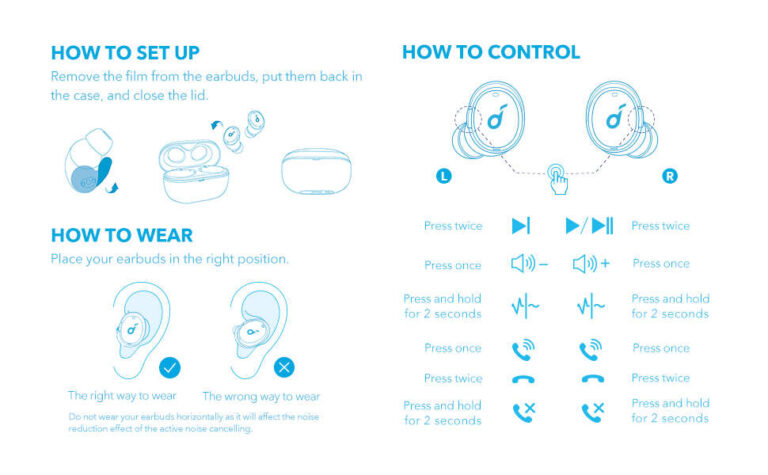
Controls affect how easy earbuds are to use each day. Some models use touch panels, while others use physical buttons. Touch controls look clean, but physical buttons can be easier to use when wearing gloves or when your fingers are wet.
Check whether you can control:
- Play and pause
- Volume
- Track selection
- Calls
- Noise cancellation
- Transparency mode
- Voice assistants
A companion app may let you change the equalizer, adjust ANC, update firmware, locate the earbuds, or customize controls. An app is helpful, but it should not be required for basic use. You should still be able to pair, play audio, and answer calls without creating an account whenever possible.
Review the app’s privacy settings as well. Some apps may request location access to help find lost earbuds or provide location-based features. Read the permissions and disable anything you do not need.
Firmware updates can fix bugs and improve performance. However, updates may also change sound or controls. Reliable brands explain updates clearly and provide support for a reasonable period.
Build Quality and Everyday Design
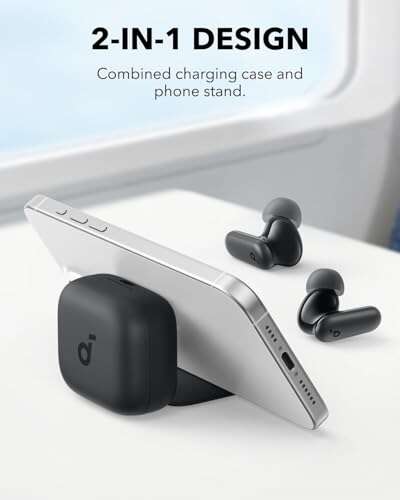
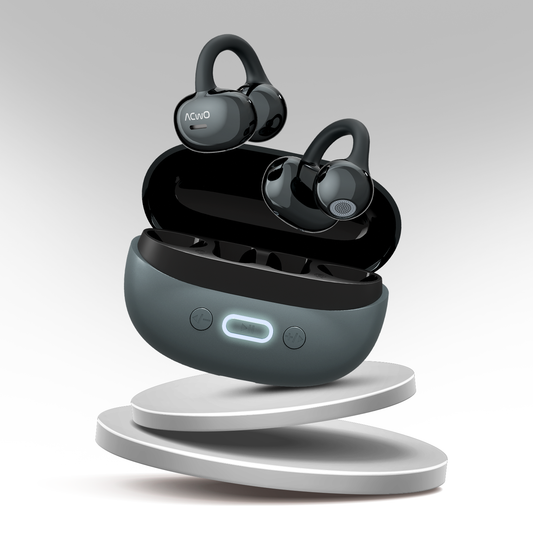
The design of the earbuds and case affects daily convenience. A small case fits easily in a pocket, but a very small case may have limited battery capacity. A larger case may offer more charges but become annoying to carry.
Inspect these design details:
- The hinge feels firm and does not wobble.
- The lid closes securely.
- The earbuds are easy to remove.
- The charging contacts are visible and clean.
- The case has clear battery indicators.
- The earbuds do not have sharp edges.
- The finish does not become slippery with sweat.
Stem-style earbuds often provide space for larger microphones and may be easier to remove. Rounder earbuds can look more discreet but may be harder to grip. Neither shape is always better. Your ear shape and daily use matter more than appearance.
Also consider repairability and replacement parts. Can you buy replacement ear tips? Is the case sold separately? Does the company offer battery service? These details matter because a lost case can make otherwise good earbuds useless.
Price, Warranty, and Long-Term Value
Price is an important part of what to look for when buying wireless earbuds, but value is more useful than a low price. A cheap pair may seem attractive until the battery weakens, the case breaks, or support disappears.
Compare the total value by checking:
- Sound and call performance
- Battery life with ANC enabled
- Comfort and included ear tips
- App quality and firmware support
- Warranty length
- Return policy
- Replacement case availability
- Customer service reputation
A warranty does not cover every problem. It may exclude water damage, accidental drops, or normal battery wear. Read the terms before buying, especially for workout earbuds.
Avoid buying solely because a product has a large discount. Some old models receive heavy discounts after newer versions launch. That can be a good deal if the older model still receives updates and meets your needs. It can be a poor deal if its battery is already outdated or replacement parts are unavailable.
A practical budget method is to set a price range, list your top three needs, and ignore features you will never use. This keeps marketing from turning a simple purchase into an expensive one.
Common Mistakes to Avoid
Understanding what to look for when buying wireless earbuds also means knowing what to avoid. Many disappointing purchases come from small oversights rather than major technical flaws.
Avoid these common mistakes:
-
Buying without checking the return policy
Ear fit is personal, and even well-reviewed earbuds may cause pressure or fall out. -
Trusting advertised battery life without reading the test conditions
ANC, calls, volume, and codec choice can lower real-world battery time. -
Choosing maximum bass without checking clarity
Heavy bass can hide voices and make podcasts tiring to hear. -
Ignoring microphone tests
Music reviews may not reveal poor call quality. -
Assuming water resistance means waterproofing
Sweat protection does not automatically make earbuds safe for swimming. -
Forgetting the charging case
A case that is bulky, fragile, or slow to charge can become a daily annoyance. -
Paying for features that do not match your routine
You may not need premium ANC if you listen mainly at home. -
Skipping software support
Weak apps and rare updates can reduce the value of otherwise capable earbuds.
One lesson from testing many products is that balance wins. A slightly less impressive feature list often produces a better daily experience when the earbuds fit well, connect quickly, and last through your routine.
How to Test Wireless Earbuds After Buying
A short test can reveal more than a product page. Test the earbuds during the situations that matter most to you, while staying within the return period.
Use this simple process:
-
Test the fit for at least 30 minutes
Walk, sit, and move your head. Watch for pressure or slipping. -
Try several ear tip sizes
The best size may not be the one you expect. -
Listen to different content
Use music with vocals, bass, acoustic instruments, and spoken audio. -
Make a call in a quiet room
Ask the other person if your voice sounds clear. -
Make another call outdoors
Check how the microphones handle wind and traffic. -
Test ANC and transparency mode
Try them near a fan, on a sidewalk, or in public transport. -
Check controls without looking
You should be able to pause music and change modes easily. -
Test battery performance
Compare real use with the manufacturer’s stated time. -
Try your usual devices
Switch between your phone, computer, and tablet if needed. -
Inspect the case and charging behavior
Confirm that both earbuds charge and that the case shows its battery level.
This process helps you judge the complete product instead of focusing on one impressive specification.
What Features Matter Most for Different Buyers?
Different listeners should prioritize different features. There is no single best pair for every person.
For commuters and frequent travelers
Prioritize strong ANC, comfortable ear tips, long battery life, and good transparency mode. A compact case and fast charging are also useful during travel.
For runners and gym users
Choose a secure fit, sweat resistance, stable controls, and a design that does not loosen with movement. Bone conduction headphones may be worth considering if you need to hear traffic, although they usually provide a different sound experience from sealed earbuds.
For office workers
Focus on microphone quality, multipoint connection, comfort, and clear transparency mode. Fast switching between a work computer and phone can save time every day.
For music lovers
Look for balanced tuning, a customizable equalizer, low distortion, and support for a codec that works with your phone. Fit remains essential because a poor seal can ruin bass response.
For iPhone users
Consider seamless pairing, device switching, Find My support, and Apple ecosystem features. These features may be more useful than small differences in codec support.
For Android users
Check Fast Pair support, app compatibility, codec options, multipoint, and access to firmware updates. Android phones vary, so confirm support for your specific device.
How to Compare Wireless Earbuds Quickly
If you do not want to compare dozens of specifications, use a short decision checklist. This is a practical way to apply what to look for when buying wireless earbuds.
Rate each model from one to five for:
- Comfort
- Sound quality
- Call quality
- Noise cancellation
- Battery life
- Connection stability
- Water resistance
- App and control options
- Price and warranty
Give comfort and connection stability extra weight. You will use the earbuds often, and problems in these areas can make every other feature less useful.
A good choice usually meets your essential needs without major weaknesses. It does not need the highest score in every category. For example, a comfortable pair with strong calls and average ANC may be better for office work than a powerful ANC model that hurts your ears.
Frequently Asked Questions About What to Look for When Buying Wireless Earbuds
What should I look for first when buying wireless earbuds?
Start with fit, comfort, sound quality, and battery life. Then compare features such as ANC, call quality, water resistance, and device compatibility based on your daily routine.
Are expensive wireless earbuds worth the money?
They can be worth it when you need better ANC, microphones, comfort, software, or support. A less expensive model may be the better value if it meets your needs without major weaknesses.
How much battery life is enough for wireless earbuds?
For many people, six to eight hours from the earbuds and two or more extra charges from the case is enough. Frequent travelers may prefer longer battery life, while quick charging can help occasional users.
Is active noise cancellation necessary?
ANC is useful for planes, trains, offices, and other noisy places, but it is not essential for everyone. If you mainly listen at home, a comfortable fit with good passive isolation may be enough.
Are wireless earbuds safe to use every day?
Wireless earbuds are generally designed for everyday use when used at a reasonable volume. Follow the 60/60 approach as a simple guide: listen at about 60 percent volume and take breaks after roughly 60 minutes.
What IP rating should workout earbuds have?
An IPX4 rating can suit light sweat and splashes, while IPX5 or higher offers more protection from water. Check the case rating too, because the case may not have the same protection as the earbuds.
Do wireless earbuds work with both iPhone and Android?
Most Bluetooth earbuds work with both platforms for basic audio and calls. Some features, such as automatic switching, advanced controls, or high-quality codecs, may work better within a specific device ecosystem.
Conclusion
The most important part of what to look for when buying wireless earbuds is finding the right match for your ears and routine. Focus on comfort, sound, battery life, call quality, connection strength, noise control, water resistance, and long-term support. Specifications can guide you, but real-world fit and reliable daily use matter more.
Set your priorities before shopping, test the earbuds carefully, and use the return period wisely. A thoughtful comparison can help you avoid discomfort, weak calls, and wasted money. Explore trusted reviews, compare models that fit your needs, and share your experience if you find a pair that works well for you.

Everett Ashford is a tech reviewer at mytechgrid.com specializing in SSDs, cameras, TVs, earbuds, headphones, and other consumer electronics. He provides honest, data-driven reviews based on hands-on testing and real-world performance analysis. Everett simplifies complex tech details to help readers make smart, confident buying decisions.