SSDs cost more because NAND flash, controllers, and factory capacity are costly to make.
If you are asking why are ssd so expensive, the answer goes beyond simple supply and demand. Solid-state drives use complex flash memory, advanced controllers, error correction, and large chip factories. These parts make SSDs much faster and more durable than hard disk drives, but they also raise production costs. This guide explains the main reasons behind SSD prices, when those prices may fall, and how to choose the right drive without overspending.
What makes an SSD different from a hard drive?
An SSD stores data on NAND flash memory chips. These chips hold data even when the power is off. An HDD, by contrast, stores data on spinning magnetic disks.
An HDD needs a motor, platter, read head, and moving arm. An SSD has no moving parts. It uses memory cells and a controller to read and write data.
This design gives SSDs several benefits:
• Faster boot times and app launches
• Better resistance to drops and vibration
• Lower noise
• Lower power use in many laptops
• Faster file transfers
• More consistent performance
The trade-off is price. Flash memory costs more to build than magnetic storage. That is the first major clue in understanding why are ssd so expensive.
A 1TB SSD may cost more than a 2TB or 4TB HDD. Yet the SSD can make a computer feel much faster. Think of an HDD as a warehouse with a moving forklift. An SSD is more like a set of instant-access shelves. The shelves cost more, but they save time every day.

The main reasons SSDs cost so much
There is no single answer to why are ssd so expensive. Several parts of the supply chain affect the final price.
NAND flash is difficult to manufacture
NAND flash is made on silicon wafers in highly advanced factories. These factories need clean rooms, special equipment, and strict quality controls.
A tiny defect can damage many memory cells on a wafer. Manufacturers must test, sort, and discard faulty parts. That waste adds to the cost of working chips.
The process also uses many layers of memory cells. Modern 3D NAND stacks cells vertically to store more data in less space. This can lower costs over time, but building and improving the process requires huge investment.
SSD controllers are specialized
The controller is the brain of an SSD. It manages data, error correction, wear leveling, encryption, and communication with the computer.
A good controller must handle several complex jobs:
• It spreads writes across memory cells.
• It corrects damaged or weak data.
• It translates logical addresses into physical flash locations.
• It manages background maintenance.
• It controls heat and power use.
High-end controllers can be costly. They also need firmware development and testing. This helps explain why are ssd so expensive, even when NAND prices are falling.
Error correction adds cost
Flash cells become less reliable as they store more bits. SSDs use error-correcting code, often called ECC, to detect and fix errors.
Without error correction, data could become corrupted as cells wear out. Modern SSDs use powerful correction systems, such as LDPC technology, to maintain reliability.
These systems need processing power, memory, and careful firmware design. They improve drive life, but they also increase the bill of materials.
SSD factories require huge investments
Semiconductor plants can cost billions of dollars to build and operate. Manufacturers must pay for:
• Wafer production equipment
• Clean-room systems
• Skilled engineers and technicians
• Research and development
• Energy and water
• Testing and packaging
These costs do not disappear when demand drops. Companies may reduce production to avoid selling chips at a loss. That can tighten supply and make SSD prices rise again.
Retail prices include more than memory
The price you see in a store includes more than NAND chips. It may also cover the controller, DRAM, circuit board, casing, firmware, testing, shipping, marketing, retailer costs, and warranty service.
This is another reason why are ssd so expensive compared with raw flash memory prices reported in the semiconductor market.

How NAND flash type affects SSD prices
NAND flash stores data in cells. The number of bits stored in each cell affects price, speed, endurance, and reliability.
SLC
Single-level cell, or SLC, stores one bit per cell. It is fast and durable, but it is very expensive.
Most consumer SSDs do not use pure SLC storage. Instead, they may use a small SLC cache to improve short bursts of speed.
MLC
Multi-level cell, or MLC, stores two bits per cell. It offers strong endurance and performance, but it costs more than newer types.
MLC was once common in premium consumer drives. It is now more common in enterprise and specialist products.
TLC
Triple-level cell, or TLC, stores three bits per cell. It offers a useful balance of price, speed, and endurance.
Many of the best consumer SSDs use TLC NAND. A good TLC drive can serve well for gaming, office work, photo editing, and general use.
QLC
Quad-level cell, or QLC, stores four bits per cell. It can reduce the cost per gigabyte, but it usually has lower write endurance and slower sustained performance.
QLC drives can still be a smart choice for large game libraries, media storage, and backups. They may become slower during long writes after their cache fills.
This range of flash types adds complexity to the question why are ssd so expensive. A cheap-looking SSD may use QLC NAND, a small cache, or a basic controller. A premium model may use TLC NAND, DRAM, and stronger firmware.
Why SSD prices change so often
SSD prices can move quickly because the NAND market is cyclical. Manufacturers may produce too many chips during strong demand. When supply becomes larger than demand, prices fall.
Later, companies may cut production. Demand may then recover while supply remains tight. Prices can rise again.
Several factors influence SSD pricing:
• Computer and smartphone sales
• Data center expansion
• Cloud storage demand
• Gaming console production
• Factory outages
• Trade rules and tariffs
• Currency changes
• New NAND technology
• Retail promotions
This cycle explains why are ssd so expensive at one time and surprisingly cheap a few months later. A drive that costs $100 during a sale may return to $140 after inventory declines.
Enterprise demand can also affect consumer prices. Cloud providers buy large quantities of high-capacity SSDs. If data centers need more flash storage, they can compete with consumer electronics companies for supply.
Why low prices can disappear
Retailers often discount SSDs to clear old stock. A sale may reflect a product refresh, a new controller, or excess inventory rather than a permanent market change.
When a discount ends, shoppers may think SSD prices suddenly became unreasonable. In reality, the earlier price may have been unusually low.

Why larger SSDs can cost much more
SSD pricing does not always rise in a straight line. A 2TB SSD may cost more than twice the price of a 1TB model.
Larger drives need more NAND packages and more testing. Some models also use higher-quality flash or a stronger controller.
Capacity can affect performance too. A larger SSD may have more memory channels available. That can improve parallel read and write activity.
However, price per gigabyte often falls as capacity increases. For example, a 2TB drive may offer better value than two separate 1TB drives.
Before buying, compare these details:
| Feature | Why it matters |
|---|---|
| Capacity | Determines how much data the drive can hold |
| NAND type | Affects price, speed, and endurance |
| Interface | PCIe drives are usually faster than SATA drives |
| PCIe generation | Newer generations can offer higher bandwidth |
| DRAM | Helps some drives manage data more efficiently |
| Endurance rating | Shows estimated write life |
| Warranty | Adds support and buyer protection |
| Sustained write speed | Matters for large file transfers |
Do not judge value by capacity alone. A low-cost 2TB SSD may slow down during long writes or use lower-end flash. That does not make it bad, but it explains why are ssd so expensive when comparing premium models.

Are expensive SSDs worth the extra money?
Sometimes. The right choice depends on your workload.
A premium SSD may offer:
• Higher sustained write speed
• Better random access performance
• Stronger endurance
• More consistent operation
• Better thermal control
• Longer warranty coverage
For ordinary web browsing and office work, you may not notice a large difference between a mid-range SATA SSD and a high-end PCIe NVMe drive. Both can feel much faster than an HDD.
For demanding work, the difference can matter. Video editors, software developers, photographers, and content creators may write large files every day. They can benefit from stronger sustained performance and endurance.
Gamers often gain faster loading times from NVMe storage. Yet the difference between a good SATA SSD and a fast NVMe SSD may be smaller than expected in many games.
The question why are ssd so expensive should always be linked to your use case. Paying extra for speed you never use is not good value.
When a budget SSD makes sense
A budget SSD may be suitable for:
• Office computers
• Older laptops
• Secondary game storage
• Basic home servers
• School projects
• Media playback
Check reviews for real-world performance. Look for information about cache behavior, flash type, warranty length, and thermal limits.
When a premium SSD makes sense
A premium SSD may be useful for:
• Daily video editing
• Large database work
• Professional photo workflows
• Frequent virtual machine use
• Heavy software development
• Business systems with high write activity
In these cases, stability and sustained performance may matter more than the lowest price.

SATA SSDs versus NVMe SSDs
SATA SSDs use the older SATA interface. Their practical speed usually reaches around 500 to 550 MB per second.
NVMe SSDs use the PCI Express interface. Depending on the generation and model, they can reach several thousand megabytes per second.
NVMe drives are often more expensive because they use newer interfaces, faster controllers, and more advanced designs. However, competition has made many NVMe drives affordable.
Here is a simple comparison:
| Drive type | Typical use | Main advantage |
|---|---|---|
| SATA SSD | Older laptops and desktops | Affordable and widely compatible |
| PCIe 3.0 NVMe | General upgrades | Good speed and value |
| PCIe 4.0 NVMe | Gaming and creative work | High performance |
| PCIe 5.0 NVMe | Enthusiasts and heavy workloads | Very high peak speed |
Compatibility matters. An M.2 slot does not always support NVMe. Some M.2 slots support only SATA drives. Check your computer manual before ordering.
A fast SSD can also produce more heat. Some PCIe 4.0 and PCIe 5.0 models need a heatsink. Without cooling, the drive may slow down to protect itself.
This is another part of why are ssd so expensive: performance often requires better hardware around the memory chips.

Common mistakes that make SSDs seem overpriced
Many buyers focus only on the advertised speed. That can lead to poor choices.
Here are mistakes worth avoiding:
-
Buying more speed than your computer supports
A PCIe 5.0 drive will not reach its full speed in a PCIe 3.0 slot. -
Ignoring sustained performance
A drive may advertise a high peak speed but slow down after its cache fills. -
Choosing capacity without checking endurance
Two drives with the same capacity may have very different write ratings. -
Forgetting the warranty
A longer warranty can provide useful protection for important data. -
Buying from an unknown seller
Counterfeit or used drives can appear in online marketplaces. Check the model number and test the drive after purchase. -
Using an SSD without backups
SSDs can fail suddenly. No storage device should be your only copy of important files.
A practical lesson from testing storage systems is simple: peak benchmark numbers do not tell the whole story. Real use includes heat, long writes, background maintenance, and mixed workloads.
For most people, a reliable mid-range TLC NVMe SSD offers the best balance. You often do not need the fastest model on the shelf.

How to save money on an SSD
You can reduce the cost without choosing an unsafe or poor-quality drive.
Buy during market dips
SSD sales often appear during major shopping periods and product transitions. Compare the price per terabyte rather than looking only at the discount percentage.
Choose the right capacity
A 1TB SSD is often a strong value for a main computer. A 2TB model may offer better cost per gigabyte if you store many games, videos, or photos.
Consider SATA for older systems
If your computer has a SATA interface, a SATA SSD can provide a major upgrade over an HDD. You may not need an expensive NVMe drive.
Use different drives for different jobs
You can install the operating system and apps on a fast SSD. Large media files or backups can stay on a cheaper HDD or external drive.
Check total ownership cost
A reliable drive with a good warranty may cost slightly more at purchase but reduce the risk of data loss and replacement.
When people ask why are ssd so expensive, I often point out that the cheapest drive is not always the cheapest choice over time. A failed drive can cost far more than the original savings.
Will SSD prices become cheaper?
SSD prices may become cheaper over the long term, but the path will not be smooth.
Manufacturers continue to improve 3D NAND. More layers and better production methods can increase storage density and reduce the cost per gigabyte.
Still, new technology requires major investment. Companies may also limit production when prices become too low. This creates a repeating cycle of discounts and price increases.
Future SSD prices will also depend on:
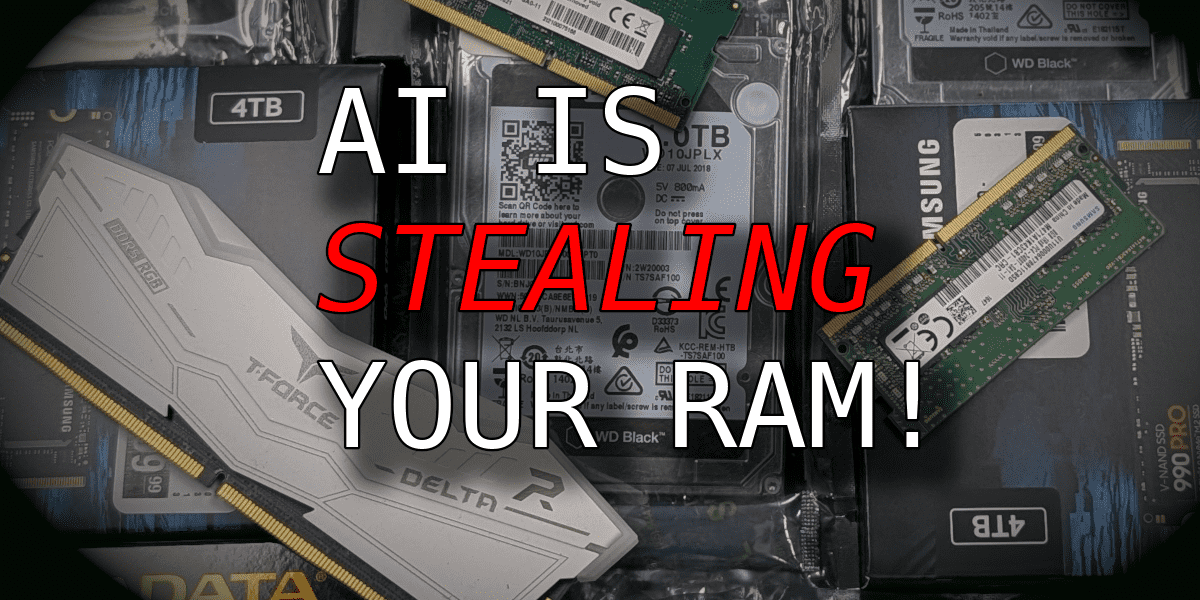
• Artificial intelligence data centers
• Cloud storage growth
• New computer sales
• Game file sizes
• Enterprise storage demand
• NAND factory expansion
• Global trade conditions
It is reasonable to expect better capacity and performance over time. It is not reasonable to expect prices to fall every month.
The best approach is to buy when you need the storage and when the price is fair. Waiting forever for the next sale can leave you with a slow or failing drive.
Frequently Asked Questions About Why Are SSD So Expensive
Why are SSDs more expensive than hard drives?
SSDs use NAND flash memory, advanced controllers, and semiconductor manufacturing. HDDs use magnetic platters and mechanical parts, which usually cost less per terabyte.
Why are SSD prices rising?
SSD prices can rise when manufacturers reduce output or when demand from computers, phones, and data centers increases. Supply shortages, factory problems, tariffs, and currency changes can also affect prices.
Are expensive SSDs better?
Expensive SSDs often offer faster sustained writes, better endurance, stronger controllers, or longer warranties. However, a premium SSD is not always necessary for browsing, office work, or casual gaming.
Is NVMe worth the extra cost?
NVMe is worth considering when you need fast file transfers, quick project loads, or strong performance in demanding software. For basic tasks, a good SATA SSD may provide nearly the same everyday experience.
Is a cheap SSD safe to buy?
A cheap SSD can be safe if it comes from a trusted brand and seller. Check independent reviews, warranty terms, NAND type, endurance rating, and real-world performance before buying.
Do SSDs last longer than HDDs?
Neither type is guaranteed to last forever. SSDs have no moving parts, but their flash cells have limited write endurance; HDDs can suffer mechanical failures. Backups remain essential for both.
Should I buy a larger SSD?
Buy enough space for your operating system, apps, and files, while leaving free space for normal performance. A 1TB drive suits many users, while 2TB or more may be better for large games and media libraries.
Conclusion
The answer to why are ssd so expensive comes down to advanced NAND flash, costly semiconductor factories, specialized controllers, error correction, market cycles, and product quality. SSDs cost more than HDDs, but they provide much faster access, quiet operation, low latency, and strong resistance to physical shock.
You do not need the most expensive SSD. Compare capacity, NAND type, interface, endurance, sustained speed, warranty, and compatibility. For most users, a trusted mid-range TLC NVMe drive offers excellent value.
Check current prices, measure your real storage needs, and keep backups of important files. If this guide helped, explore more storage advice or share your SSD buying experience in the comments.

Everett Ashford is a tech reviewer at mytechgrid.com specializing in SSDs, cameras, TVs, earbuds, headphones, and other consumer electronics. He provides honest, data-driven reviews based on hands-on testing and real-world performance analysis. Everett simplifies complex tech details to help readers make smart, confident buying decisions.