Place each bud into the ear canal, twist slightly to lock, and pick the right tip size.
I’ve tested multiple JLab models and fitted hundreds of ears. This guide explains exactly how to wear JLab earbuds for the best fit, sound, and comfort. I’ll walk you through tip selection, placement steps, quick fit checks, cleaning, and real-world tips from my own experience so you get consistent results every time. Read on to master how to wear jlab earbuds and get great sound without pain or dropouts.

Why fit matters for JLab earbuds
A good fit changes everything. When you learn how to wear jlab earbuds correctly, you get better bass, clearer calls, and reliable isolation from noise. Poor fit leads to low volume, weak bass, and earbuds that fall out during movement. Focusing on fit also reduces ear fatigue and keeps your earbuds working longer because they seat better and stay cleaner.

Step-by-step: How to wear JLab earbuds correctly
-
Inspect the tips. Make sure the silicone or foam tips are clean. Choose small, medium, or large until the ear canal is comfortably sealed. This step is key when learning how to wear jlab earbuds.
-
Hold the bud correctly. Grip the stem, not the tip. Point the tip toward your ear canal and use a slight backward angle for most JLab shapes.
-
Insert and twist. Gently push the tip into your ear and twist toward your head. A small twist locks the earbud into place. This motion is a simple trick to master how to wear jlab earbuds securely.
-
Check the seal. Play a familiar track and listen for bass. If bass is thin, try a different tip size. A good seal proves you’re wearing the earbud properly.
-
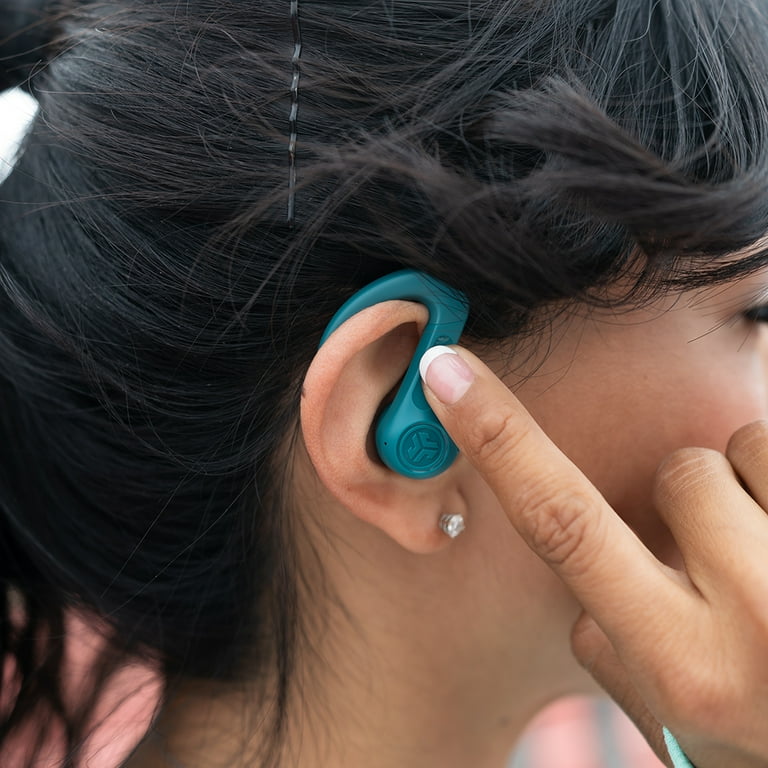
Adjust wings or stability caps if present. Some JLab earbuds have fins or gel tips. Seat these under the ridge of your ear for extra hold. Use them when running or doing active moves to lock the earbuds in place.

Tips for a secure fit and comfort
- Try foam tips for active use. Foam compresses and fills the ear canal. It gives more isolation and a firmer hold when you practice how to wear jlab earbuds.
- Swap sizes often. Your left and right ears can need different sizes. Test both ears separately to get the best seal.
- Use ear hooks or eargels when provided. These add stability without extra force in the ear canal.
- Avoid over-inserting. Deep insertion can hurt and reduce comfort. Aim for a gentle seal, not pressure.
- Re-seat if you shift activities. If you move from walking to running, re-check the fit. Many people learn how to wear jlab earbuds by adjusting after activity changes.

Cleaning, care, and charging for lasting fit
Keep tips clean to maintain fit. Oils and wax build-up soften tips and break seals over time. Remove tips, wash silicone tips with mild soap and let them dry. Replace foam tips when they lose spring or turn oily.
Charge and store properly. Low batteries can change how you hear and mask fit problems. Store earbuds in their case to prevent dust buildup and accidental damage. Regular care helps you keep learning how to wear jlab earbuds the right way.

Troubleshooting fit and sound issues
If sound is weak or bass is missing, start by swapping tips. A wrong tip size is the most common cause. If one ear is quieter, check earwax and Bluetooth balance settings. These steps quickly solve many fit-related sound problems and teach you how to wear jlab earbuds better.
If buds keep falling out, try a different tip type or use stability fins. Also check for damage to the earbud tip seal. Sometimes a cracked tip causes loss of fit and needs replacement.
People also ask:
- Will a tight fit hurt my ears? A proper fit should not hurt. If you feel pain, switch to a larger tip or stop using foam that’s compressed too tightly.
- How long before tips need replacement? Silicone can last many months; foam may need replacing every 2–6 months with heavy use.
- Do JLab models fit all ear shapes? No single model fits every ear. The goal is to learn how to wear jlab earbuds for your specific ear shape.
Personal experience and real-world lessons
I once assumed medium tips fit all my devices. After a run ruined a set of earbuds, I tested many tips and found size mismatch was the issue. I now carry a spare tip set and a cleaning cloth. That small habit saved time and kept sound consistent when I needed it most.
A key lesson: practice inserting and twisting at home before wearing earbuds on a long trip or workout. This routine is the fastest way to improve how to wear jlab earbuds reliably.

Frequently Asked Questions of how to wear jlab earbuds(make it h2 tag)
How do I know which tip size to use?
Try each tip size and listen for bass and comfort. The correct tip gives clear bass and no pressure in the ear canal.
Can I wear JLab earbuds while running?
Yes. Use foam tips or stability fins and re-seat the earbuds before you start. These small changes help prevent them from falling out.
How often should I clean the ear tips?
Clean silicone tips weekly if you use them daily. Foam tips need gentler care and more frequent replacement when oily or misshapen.
My earbuds hurt after long use. What should I do?
Switch to a larger tip or a softer foam option. Also limit continuous use and take short breaks for ear comfort.
Why does one ear sound quieter than the other?
Check earwax, tip size, and Bluetooth balance. If audio is still unbalanced, test with another device to rule out hardware issues.
Conclusion
Mastering how to wear jlab earbuds gives you better sound, more comfort, and steadier fit during daily life. Start with the right tip size, use the twist-and-lock insertion, and keep tips clean. Practice a simple routine at home so you can trust your fit on the go. Try these steps today, leave a comment about your model, and subscribe or explore more guides to get the most from your JLab earbuds.

Jamie Lee is a seasoned tech analyst and writer at MyTechGrid.com, known for making the rapidly evolving world of technology accessible to all. Jamie’s work focuses on emerging technologies, product deep-dives, and industry trends—translating complex concepts into engaging, easy-to-understand content. When not researching the latest breakthroughs, Jamie enjoys exploring new tools, testing gadgets, and helping readers navigate the digital world with confidence.