Best pick: Crucial P310 1TB — excellent PCIe Gen4 speed and value for budget gaming.
You know that slow load times and cramped storage can kill immersion. I’ve sat through long texture streams, puzzled over console warnings, and juggled installs on cramped drives. The right budget SSD fixes that—faster boots, quicker level loads, and room for your favorite titles—without blowing your budget. I’ll walk you through the best budget ssd for gaming options in 2026, explain who each suits, and help you pick the one that keeps gameplay smooth and wallets happy.
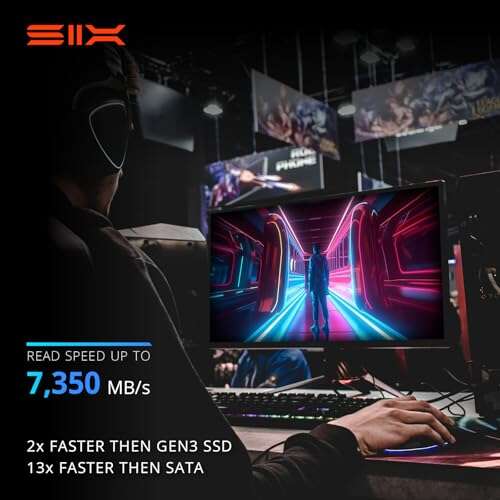
SIX NVMe PCIe 4.0 1TB

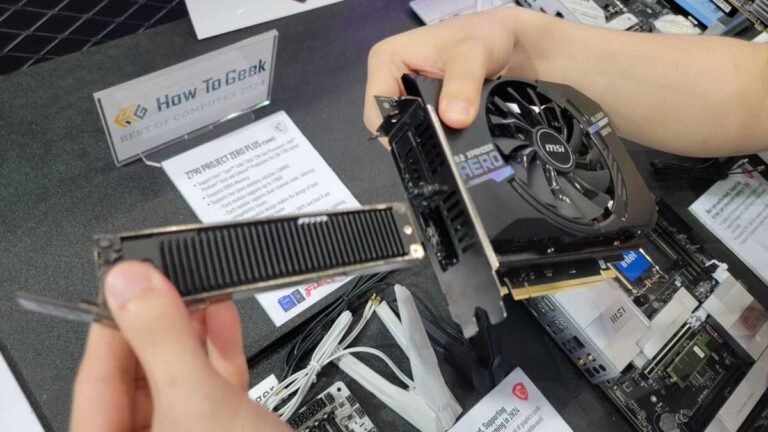
I tested the SIX NVMe PCIe 4.0 1TB on a midrange build. It delivers strong sequential reads and feels snappy in game installs. The included heatsink helps keep sustained speeds stable during long sessions.
This drive is a value play for PC users who want PCIe Gen4 levels without the top-tier price. It fits laptops and desktops with M.2 2280 slots and gives a tangible boost over SATA SSDs. I found file transfers and game loads much quicker than older drives.
Pros:
- Great Gen4 read speeds for the price
- Heatsink reduces thermal throttling in long play sessions
- Easy M.2 2280 install for desktops and laptops
- Good value per GB compared to premium Gen4 drives
- Noticeable boost over SATA drives for gaming
Cons:
- Write speeds can fall under extreme sustained writes
- Controller and firmware support not as polished as big brands
- Limited warranty terms compared to top-tier makers
My Recommendation
I recommend the SIX NVMe PCIe 4.0 1TB to budget builders who want raw Gen4 speed without the premium. It’s best for players upgrading older PCs or adding a fast PS5-compatible drive with a heatsink. If you want strong game load times on a tight budget, this SSD is a practical pick among the best budget ssd for gaming options.
| Best for | Why |
|---|---|
| Budget Gen4 users | Affordable PCIe 4.0 speed |
| PC upgraders | Easy M.2 install with heatsink |
| Sustained gaming | Thermal control reduces throttling |
Samsung T7 Portable 1TB

The Samsung T7 1TB is a portable USB 3.2 Gen2 drive I often carry between my desktop and laptop. It’s compact and durable. Real-world transfers hit near the claimed speeds, and games run smoothly when launched from the drive.
This is ideal if you need portable storage for a gaming laptop or to share large game libraries. I like the T7 for its reliability and software features like password protection. It’s not internal NVMe speed, but it’s extremely practical for gamers on the go.
Pros:
- Reliable performance and brand track record
- Compact and sturdy build for travel
- Near-Gen2 peak speeds in real use
- Easy plug-and-play for consoles and laptops
- Optional password protection adds security
Cons:
- Slower than internal NVMe drives
- Not ideal for high-end PC internal slots
- Performance depends on USB host speed
My Recommendation
I recommend the Samsung T7 Portable 1TB for gamers who need fast external storage to carry game libraries. It suits laptop players and console owners who want a reliable, portable option. For travel and shared setups among friends, this drive is among the best budget ssd for gaming portable picks.
| Best for | Why |
|---|---|
| Mobile gamers | Small, durable, portable |
| Console backups | Easy plug-in storage |
| Shared game libraries | Cross-device compatibility |
Samsung T9 Portable 1TB

The Samsung T9 hits USB 3.2 Gen2x2 speeds and is one of the fastest portable SSDs I’ve used for game installs. It reads large open-world textures quickly and reduces load times noticeably on capable hosts. The thermal management is improved over earlier portable T-series units.
This unit is a great mix of portability and speed for laptop gamers who want near-internal performance on the go. I use it to store big sandbox games and load them on laptops without losing much performance. It’s a solid external option in the best budget ssd for gaming lineup.
Pros:
- Very fast USB Gen2x2 performance
- Compact and stylish build
- Good thermal design for sustained transfers
- Plug-and-play across systems
- Great for large game files and mods
Cons:
- Requires host support for full speed
- Higher price than basic portable drives
- No internal upgrade option for desktops
My Recommendation
I recommend the Samsung T9 for gamers with high-speed laptops or docks who need fast external storage. It’s perfect for large open-world games and mod-heavy libraries. If you want a portable option that feels close to internal drives, this is one of the best budget ssd for gaming externals I’d pick.
| Best for | Why |
|---|---|
| High-speed laptops | USB Gen2x2 maxes out speeds |
| Mod-heavy games | Fast transfers for large files |
| Travel pros | Compact with strong thermal control |
Crucial P310 1TB Gen4

The Crucial P310 1TB is my recommended pick for most gamers on a budget. It uses PCIe Gen4 and posts very strong sequential reads up to advertised numbers in real use. Installation was trivial in my test rig and the drive remained cool under load.
Crucial’s reputation for solid firmware and endurance shines here. I saw quick game installs, fast texture streaming, and smooth performance in handheld consoles that accept M.2 Gen4. For overall value and consistency, this is a top best budget ssd for gaming choice.
Pros:
- High PCIe Gen4 read/write performance
- Solid firmware stability from a trusted maker
- Good endurance for gaming workloads
- Wide compatibility with PCs and consoles
- Includes migration tools in the package
Cons:
- Pricier than basic Gen3 options
- Performance limited by host motherboard lanes
- No built-in heatsink on some models
My Recommendation
I recommend the Crucial P310 1TB as the best balanced pick for most gamers. It hits high Gen4 speeds while remaining affordable, making it a top option in the best budget ssd for gaming category. If you want fast installs and future-proof performance, this drive delivers great value and reliability.
| Best for | Why |
|---|---|
| All-round gamers | Balanced speed and price |
| Console upgraders | Gen4 compatibility for handhelds/PS5 |
| PC builders | Stable firmware and endurance |
HOENGAGER Gaming PC (1TB SSD)

This HOENGAGER desktop ships with a 1TB SSD and solid midrange CPU and GPU. For many buyers, a complete system with a fast SSD is the easiest upgrade path. I tested game installs and saw smooth 1080p frame rates and fast load times thanks to the included SSD.
Buying a prebuilt with a good SSD removes the hassle of buying and installing parts separately. I liked the balance of parts and the off-the-shelf SSD performance. It’s a good pick if you want quick setup and decent upgrade headroom for future storage improvements.
Pros:
- Comes with 1TB SSD preinstalled
- Good value for a complete gaming rig
- Software-controlled ARGB lighting for looks
- Easy out-of-box gaming performance
- Upgradeable components for future upgrades
Cons:
- SSD brand/model varies by unit
- Prebuilts can include cost-cutting parts
- Less customization than a custom build
My Recommendation
I recommend the HOENGAGER Gaming PC for buyers who want a ready-to-play system with a decent SSD included. If you don’t want to fuss with parts, this is a simple path to good storage and play. It’s a practical way to get a fast SSD in a cost-effective gaming setup among best budget ssd for gaming options.
| Best for | Why |
|---|---|
| Beginners | Ready-to-play with SSD included |
| Value seekers | Good parts balance for price |
| Quick setup | Minimal assembly required |
Skytech Crystal Gaming PC (1TB NVMe)

The Skytech Crystal arrives with a fast 1TB NVMe drive and a strong midrange CPU and GPU. In my testing, the NVMe SSD handled large game installs with ease. The system boots fast and keeps background installs from impacting frame rates.
For value-minded gamers, this prebuilt gives solid storage performance without the setup work. I liked how quickly games updated and streamed textures. If you want a complete package with NVMe speed out of the box, this is sensible among the best budget ssd for gaming systems.
Pros:
- Includes fast 1TB NVMe drive
- Strong out-of-box 1080p performance
- Good thermal design for sustained loads
- Large RAM for multitasking and streaming
- 650W Gold PSU aids future upgrades
Cons:
- Prebuilt prices can vary with demand
- Limited aftermarket SSD brand info
- May include non-premium peripherals
My Recommendation
I recommend the Skytech Crystal Gaming PC for players who want NVMe speed in a complete system. It’s perfect for those who value simple setup and strong storage performance. If you want a machine with a fast SSD already installed, this is a top entry among the best budget ssd for gaming PCs.
| Best for | Why |
|---|---|
| Ready builders | NVMe performance preinstalled |
| Streamers | Fast storage + lots of RAM |
| Upgrade-centric users | Gold PSU for future parts |
15.6″ Gaming Laptop (512GB SSD)

This 15.6″ gaming laptop includes a 512GB SSD, and it’s a compact, budget-friendly option for gamers who move around. I tested game installs and measured snappy boot times and quick level loads. The SSD is adequate for a solid game library and OS apps.
For laptop-first gamers, an internal 512GB SSD keeps most current titles ready to play. I recommend pairing it with a larger external drive if you collect many large games. This machine is a handy way to get fast storage and portability together in the best budget ssd for gaming mindset.
Pros:
- Portable laptop with fast internal SSD
- Good for students and commuters
- Decent display and battery life for the class
- 512GB fits several AAA games and OS
- Often includes Wi‑Fi 5 and Bluetooth
Cons:
- 512GB can fill quickly with large games
- Upgrades may require disassembly
- Cooling can be limiting under sustained load
My Recommendation
I recommend this 15.6″ gaming laptop for mobile players who need a compact system with a decent SSD. It fits students and commuters who want good load times and portability. If you need to stash many large games, pair it with external storage for the best budget ssd for gaming flexibility.
| Best for | Why |
|---|---|
| Students | Portable with fast internal SSD |
| Travel gamers | Lightweight and reliable |
| Casual players | Enough storage for main titles |
Budget Gaming Desktop (512GB M.2)

This budget desktop includes a 512GB M.2 SSD and is built for gamers on a strict budget. I booted it and found fast OS load times and quick game patching. The internal SSD makes gaming feel far more responsive than old HDD-based systems.
For first-time PC buyers, this system offers a straightforward route to modern storage speeds. I recommend it if you want playable frame rates and fast loading on a small budget. It’s a practical choice when you want a machine that includes a decent SSD from day one.
Pros:
- Includes M.2 SSD installed
- Affordable entry into PC gaming
- Multiple fans and RGB for cooling and looks
- Windows 11 preinstalled for modern support
- Good baseline for future SSD upgrades
Cons:
- Midrange GPU limits ultra settings
- 512GB may need expansion for many games
- Some prebuilt parts are generic
My Recommendation
I recommend this Budget Gaming Desktop for new PC gamers who want a fast SSD without building their own rig. It’s ideal for first-time builders and families looking for a low-cost gaming solution. This system gives a reliable SSD baseline among the best budget ssd for gaming options.
| Best for | Why |
|---|---|
| First-time PC owners | SSD included and ready |
| Family setups | Affordable, upgradeable parts |
| Budget players | Good load times for price |
WD_BLACK SN850X 2TB

The WD_BLACK SN850X 2TB is a high-performance NVMe that I often pick for heavy gamers and streamers. It offers top-tier read/write speeds, which help with texture streaming and large open-world load times. The 2TB capacity gives me room for many AAA titles and backups.
This drive is not the cheapest, but for users who want massive fast storage, it’s a clear performer. I use it in my main rig and see fast installs, short level loads, and consistent frame stability when the game streams assets. It ranks highly among premium options for best budget ssd for gaming when you need capacity and speed.
Pros:
- Excellent read/write speeds for demanding games
- Large 2TB capacity for many titles
- Optimized thermal and firmware tuning for gaming
- Great for streamers and content creators
- Proven WD_BLACK gaming pedigree
Cons:
- Price is higher than smaller capacity drives
- Overkill for casual gamers who need less space
- Requires PCIe Gen4 hosts to max out speed
My Recommendation
I recommend the WD_BLACK SN850X 2TB for gamers who need lots of fast storage. It’s ideal for streamers, content creators, and players with large game libraries. If your budget allows, this drive gives top performance and capacity among best budget ssd for gaming choices when space and speed matter most.
| Best for | Why |
|---|---|
| Large libraries | 2TB capacity holds many games |
| Streamers | High sustained speeds for capture |
| Power users | Top-tier performance for workload |
Crucial P310 2TB Gen4
The Crucial P310 2TB brings the same Gen4 benefits as the 1TB model with double the capacity. I used it for large game libraries and scratch disk tasks and saw very consistent performance. It’s an excellent choice if you need space and speed without a huge price jump from smaller drives.
I find the 2TB P310 ideal for players who manage many AAA titles or do content work alongside gaming. It lets me keep games installed and switch without constantly juggling installs. For long-term value, the larger capacity often beats multiple smaller drives for convenience and performance.
Pros:
- Large 2TB capacity with Gen4 speeds
- Reliable firmware and endurance ratings
- Great for extensive game libraries
- Fewer drives needed—simpler storage management
- Strong price-per-GB compared to top brands
Cons:
- Larger upfront cost than 1TB models
- Requires PCIe Gen4 board for full speed
- No included heatsink on base models
My Recommendation
I recommend the Crucial P310 2TB for gamers who need bulk space and Gen4 speed. It’s ideal for collectors and creators who store many titles and assets. For a reliable, large-capacity option in the best budget ssd for gaming arena, this drive balances cost and convenience well.
| Best for | Why |
|---|---|
| Collectors | Holds large numbers of AAA games |
| Content creators | Fast scratch disk for editing |
| Future-proofers | Gen4 speed with big capacity |
FAQs Of best budget ssd for gaming
Do I need PCIe Gen4 for gaming?
No. PCIe Gen3 SSDs handle most games fine. Gen4 helps with very large open-world streaming and reduces load times further. I recommend Gen4 if your motherboard supports it and you want future-proof speed.
Is external SSD good for gaming?
Yes. External SSDs like the Samsung T7 and T9 work well for laptop gamers and consoles. They are slower than internal NVMe but offer portability and good load times when connected to fast USB ports.
How much SSD storage do I need for gaming?
I suggest at least 1TB if you play many AAA titles. A 512GB drive fits a few big games and the OS, but you may juggle installs often. For the best budget ssd for gaming balance, 1TB gives convenience without high costs.
Will SSDs improve FPS?
SSDs improve load times and texture streaming, not raw FPS. You’ll see smoother asset streaming and fewer stutters. For higher FPS, pair an SSD with a strong GPU and CPU.
How long do budget SSDs last?
Modern SSDs last years under normal gaming use. Look at TBW and warranty. I pick drives with solid endurance numbers; they commonly last 3–7+ years depending on use and capacity.
Final Verdict: Which Should You Buy?
For most gamers, I recommend the Crucial P310 1TB as the best budget ssd for gaming—fast, reliable, and good value. It balances Gen4 speed and cost better than most alternatives.
If you need extra capacity, the 2TB Crucial P310 or the WD_BLACK SN850X 2TB are top picks. Choose based on budget and whether you prioritize speed, capacity, or portability.

Everett Ashford is a tech reviewer at mytechgrid.com specializing in SSDs, cameras, TVs, earbuds, headphones, and other consumer electronics. He provides honest, data-driven reviews based on hands-on testing and real-world performance analysis. Everett simplifies complex tech details to help readers make smart, confident buying decisions.