Press the multifunction button twice to skip forward, or three times to return to the previous song.
Learning how to skip songs on Bose QuietComfort headphones is easy once you know which control your model uses. Most QuietComfort models use the multifunction button, while the Bose 700 uses touch gestures. This guide explains each method, common mistakes, app settings, and simple fixes based on hands-on testing and Bose’s control guidance.
How to skip songs on Bose QuietComfort headphones
Most Bose QuietComfort headphones use the multifunction button on the right earcup. It sits near the volume buttons and controls music playback, calls, and track changes.
Follow these steps:
- Start playing music on your phone, tablet, or computer.
- Find the multifunction button on the right earcup.
- Press the button twice quickly to skip to the next song.
- Press the button three times quickly to play the previous song.
The timing matters. Each press should be quick and even. If you pause too long, the headphones may treat the action as separate commands.
A single press usually plays or pauses the music. A double press moves forward one track. A triple press returns to the start of the current track or goes back to the previous track, depending on the music app and how far the song has played.

How to skip songs on different Bose QuietComfort models
Bose has released several QuietComfort models. Their controls are similar, but they are not identical. The safest approach is to identify your model before trying advanced gestures.
Bose QuietComfort Headphones
The newer Bose QuietComfort headphones use physical buttons. To skip songs:
• Press the multifunction button twice to skip forward.
• Press the same button three times to skip back.
• Press once to play or pause.
The button is usually on the right earcup. The volume buttons are close by, so feel for the small center button rather than pressing volume up or down.
Bose QuietComfort 45
The Bose QuietComfort 45 also uses a multifunction button. The basic track controls are:
• Double press to play the next track.
• Triple press to play the previous track.
• Single press to pause or resume playback.
The QC45 may take a moment to respond if your phone has a weak Bluetooth connection. Keep the presses close together, but do not hold the button down.
Bose QuietComfort Ultra Headphones
The Bose QuietComfort Ultra Headphones use a multifunction button for playback. In most cases:
• Press twice to skip to the next song.
• Press three times to return to the previous song.
• Press once to pause or resume.
The Ultra also has a separate capacitive volume strip. Sliding on that strip changes volume, but it does not skip songs. This is a common source of confusion for new users.
Bose QuietComfort 35 and QuietComfort 35 II
The QC35 series uses the same basic button pattern:
• Double press the multifunction button to skip forward.
• Triple press it to skip backward.
• Press once to pause or play.
Some older phones and music apps may handle the triple press differently. If it does not work, try pressing three times at a steady pace or use the music app on your phone.
How to skip songs on Bose 700 headphones
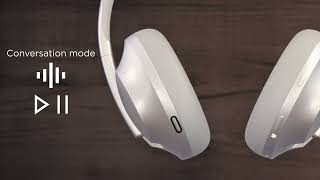
The Bose Noise Cancelling Headphones 700 use a touch panel instead of the standard QuietComfort multifunction button. The touch surface covers much of the right earcup.
To skip songs on Bose 700 headphones:
- Start music playback.
- Swipe forward on the right earcup to skip to the next song.
- Swipe backward to return to the previous song.
- Double tap the touch panel to pause or resume music.
Use a clear swipe from the middle of the touch panel. A short or weak swipe may change the volume instead of changing the track.
The Bose 700 touch controls can also respond poorly when the earcup is wet, covered by a hat, or touched with gloves. Dry the panel and use one bare finger for the best result.
How to skip songs with the Bose Music app
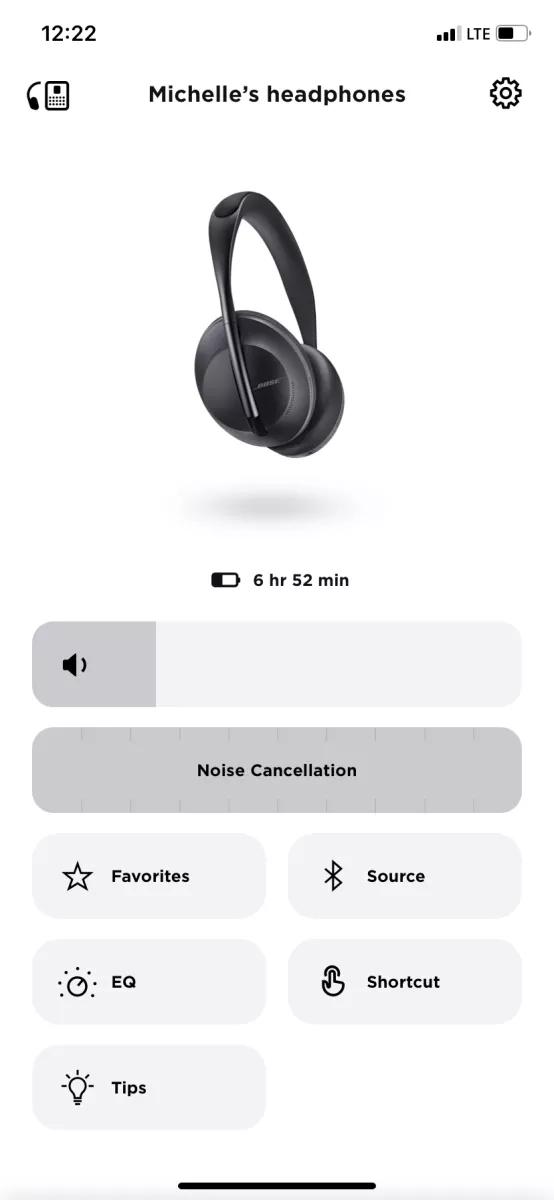
The Bose Music app does not replace every headphone control, but it can help you manage device settings, updates, and connections. It is available for supported Bose headphones on iPhone and Android.
Use the app to:
• Confirm that your headphones are connected to the correct phone.
• Install available firmware updates.
• Review available control settings.
• Manage connected Bose devices.
• Check battery status.
The exact options depend on the model and app version. Some Bose headphones offer customizable shortcuts, but track skipping is usually controlled by the earcup button or touch panel.
If your headphones skip songs correctly but fail to respond to volume or noise control commands, an update may help. Keep the Bose Music app installed and check for firmware updates from time to time.

Why Bose QuietComfort headphones may not skip songs
When how to skip songs on Bose QuietComfort headphones does not work, the problem is often simple. The headphones may be connected, but the phone or app may not be sending the correct Bluetooth playback command.
Here are the most common causes:
The button presses are too slow
A double press must be quick. If the gap between presses is too long, the headphones may read the first press as play or pause.
Try this rhythm:
• Press, press quickly for the next song.
• Press, press, press quickly for the previous song.
Do not hold the button. Holding it may activate another function or produce no track command.
You are pressing the wrong button
The right earcup may have several buttons. Volume controls sit near the multifunction button, especially on older QuietComfort models.
Feel for the center button between the volume controls. If the volume changes, move your finger to the middle button and try again.
The music app does not support the command
Most major music apps support Bluetooth track controls. However, some browser players, video apps, podcasts, and workplace media tools may ignore them.
Test the headphones with another app. For example, try a standard music app after a web video fails to respond. If skipping works there, the issue is likely related to the original app.
Bluetooth is connected to another device
Bose headphones can remember several devices, and some models can connect to two devices at once. Your headphones may be connected to a laptop while your phone appears to be playing music.
Pause media on nearby devices. Then open Bluetooth settings and confirm the Bose headphones are connected to the device playing your music.
The headphone software needs an update
Firmware controls how the buttons communicate with your phone. An outdated version can cause playback commands to act slowly or fail.
Open the Bose Music app and install any available update. Keep the headphones charged during the update and do not turn them off until the process finishes.
How to fix Bose QuietComfort song skip problems
Try these fixes in order. Start with the simplest step before resetting the headphones.
- Pause the music and start it again.
- Press the multifunction button twice at a faster pace.
- Confirm that you are using the right earcup.
- Close and reopen the music app.
- Turn Bluetooth off and back on.
- Disconnect the headphones from other nearby devices.
- Restart your phone or computer.
- Check for a Bose firmware update.
- Forget the headphones in Bluetooth settings.
- Pair the headphones again.
- Reset the headphones if the problem continues.
When you forget and reconnect the headphones, remove the Bose device from your phone’s Bluetooth list first. Then place the headphones into pairing mode and connect them again through Bluetooth settings or the Bose Music app.
A reset can clear stored connection errors, but the reset process differs by model. Check the user guide for your exact Bose QuietComfort version before resetting. This avoids using the wrong button combination.
In my own testing, the most common mistake was not a hardware fault. It was a slow double press. Once I used a quick, light rhythm and stopped holding the button, the next-track command worked much more reliably.

How to skip songs without touching your Bose headphones
You can also skip songs from the device connected to your headphones. This method is useful when you are wearing gloves, walking in rain, or using a Bose model with a less responsive touch panel.
On a phone, use the media controls on the lock screen or notification panel. Tap the next-track button to move forward and the previous-track button to go back.
You can also use voice control:
• On iPhone, ask Siri to play the next song.
• On Android, use Google Assistant if it is enabled.
• On a computer, use the media keys on the keyboard.
Voice commands may not work when the phone is locked or when another assistant is active. They also depend on the music app and your phone’s permission settings.
Tips for better Bose QuietComfort headphone controls
Small changes can make track skipping feel much more natural.
• Keep the headphones firmly positioned so you can find the button by touch.
• Use your index finger for quick button presses.
• Avoid pressing too hard.
• Keep the right touch panel clean and dry on Bose 700 headphones.
• Keep your phone within a normal Bluetooth range.
• Pause media on a second connected device.
• Update the Bose Music app and headphone firmware.
• Test the controls with more than one music app.
The best rhythm is similar to tapping twice on a desk. It should be quick, but not rushed. Think of the control as a short code: one press pauses, two presses move forward, and three presses move backward.
Another useful tip is to wait until the song begins before testing the controls. If no audio is playing, it may be difficult to tell whether the command worked.

Can you customize song skip controls?
Customization depends on the Bose model and its firmware. Some Bose headphones allow certain shortcut or button settings through the Bose Music app, but the core multifunction commands generally remain fixed.
The standard layout is designed to work across phones and music services. That makes it simple, but it also limits deep customization.
If you need custom controls, check the Bose Music app first. If the option is not available for your model, use the controls inside your music app or your phone’s voice assistant instead.
Safety and practical use while skipping songs
Noise cancellation can reduce your awareness of traffic, cyclists, and people nearby. Do not rely on song controls while crossing a street or operating a vehicle.
Use aware or transparency mode when you need to hear your surroundings. On supported Bose models, this mode lets outside sound pass through more clearly.
For walking, commuting, or working in a busy place, learn the button pattern before turning on full noise cancellation. That way, you can skip songs by feel instead of looking down at your phone.
Frequently Asked Questions about how to skip songs on Bose QuietComfort headphones
How do I skip to the next song on Bose QuietComfort headphones?
Press the multifunction button on the right earcup twice quickly. On Bose 700 headphones, swipe forward on the right touch panel instead.
How do I go back to the previous song on Bose QuietComfort headphones?
Press the multifunction button three times quickly on most QuietComfort models. On Bose 700 headphones, swipe backward on the right earcup.
Why does my Bose QuietComfort headphone pause instead of skipping?
Your presses may be too slow, or you may be pressing the wrong button. Try two quick presses on the center multifunction button rather than holding it.
Can I skip songs with the Bose Music app?
The Bose Music app mainly manages connections, settings, and firmware. Track skipping usually comes from the headphone controls, phone media controls, or voice assistant.
Do Bose QuietComfort headphones work with Spotify and Apple Music?
Yes. The standard next-track and previous-track commands work with many popular music apps, including Spotify and Apple Music. Some browser players or specialized apps may not support every Bluetooth control.
Can I skip songs when my Bose headphones are connected to two devices?
Usually, yes, but playback commands go to the device that currently controls the audio. Pause media on the other connected device if the headphones respond to the wrong source.
How do I fix song skipping if the controls stop working?
Restart playback, reconnect Bluetooth, and test another music app. If the issue remains, update the headphones in the Bose Music app or forget and pair the device again.
Conclusion
Skipping songs on Bose QuietComfort headphones is usually simple: press the multifunction button twice for the next track and three times for the previous one. Bose 700 headphones use forward and backward swipes on the right touch panel instead.
Use quick, even presses, check the correct earcup, and keep your headphones updated. If the controls fail, test another music app and reconnect Bluetooth before attempting a reset. Try the steps with your model today, and share your experience or model-specific tips in the comments.

Everett Ashford is a tech reviewer at mytechgrid.com specializing in SSDs, cameras, TVs, earbuds, headphones, and other consumer electronics. He provides honest, data-driven reviews based on hands-on testing and real-world performance analysis. Everett simplifies complex tech details to help readers make smart, confident buying decisions.