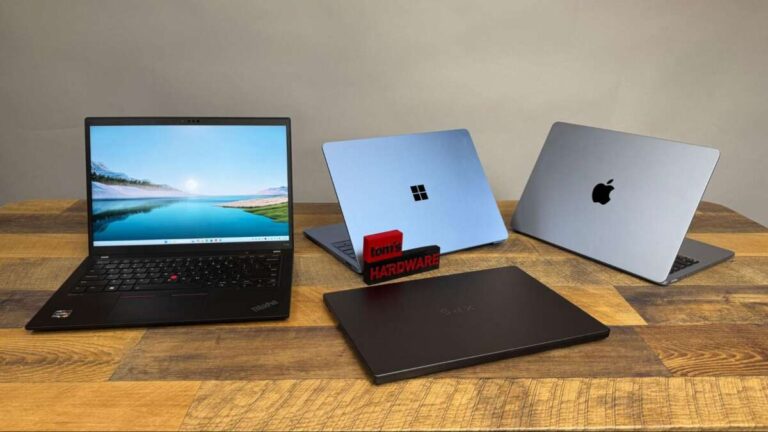
Apple makes the best laptop for many people, while Lenovo, Dell, and ASUS lead in other key areas.
The answer to who makes the best laptop depends on your budget, work, software, and daily habits. After comparing build quality, keyboards, displays, battery life, repair options, performance, and support, one fact stands out: no single laptop brand wins for everyone. This guide breaks down the strengths and limits of each major maker so you can choose with confidence.

Who makes the best laptop overall?
Apple makes the best laptop overall for many buyers. Its MacBook Air and MacBook Pro models offer strong performance, long battery life, quiet operation, excellent screens, and reliable build quality.
The MacBook Air is especially easy to recommend. It is thin, light, fast, and quiet because it has no cooling fan. It works well for school, office work, writing, coding, photo editing, and everyday browsing.
Still, Apple is not the perfect choice for every user. Windows laptops offer more variety, better gaming support, wider software compatibility, and more ports in many cases.
Here is a simple overview:
• Best overall for most people: Apple
• Best Windows brand for business: Lenovo
• Best for premium Windows laptops: Dell
• Best for gaming: ASUS, Lenovo, and Razer
• Best for value: Acer and ASUS
• Best for creative professionals: Apple, Dell, and Microsoft
• Best for flexible 2-in-1 designs: Lenovo, HP, and Microsoft
The best laptop maker is the one that matches your needs without forcing you to pay for features you will not use.

Best laptop brands compared
Brand reputation matters, but the laptop model matters even more. A great brand can still sell an average budget laptop, while a less famous brand may offer an excellent machine at a lower price.
Apple
Apple is known for polished hardware and software. Its current MacBooks use Apple-designed processors that deliver fast performance while using little power.
Key strengths include:
• Excellent battery life
• Fast and efficient processors
• Sharp, bright displays
• Strong speakers and microphones
• Premium aluminum construction
• Quiet performance
• Long software support
Apple laptops are a strong fit for students, writers, developers, business users, and creative workers. They are also popular with people who already use an iPhone, iPad, or Apple Watch.
The main limits are price, limited gaming support, and fewer upgrade options. You also cannot replace the memory or storage later on most modern MacBooks, so choose the right configuration at purchase.
Lenovo
Lenovo makes some of the best business laptops available. Its ThinkPad line is famous for a comfortable keyboard, strong durability, useful ports, and a practical design.
Lenovo also offers Yoga 2-in-1 laptops and Legion gaming laptops. This broad range gives the company a strong position across many price levels.
Key strengths include:
• Excellent keyboards
• Durable business designs
• Many ports and connection options
• Strong 2-in-1 choices
• Good value across several product lines
• Reliable business features
A Lenovo ThinkPad may look plain, but it often performs like a dependable tool rather than a fashion product. It is a good choice for office work, travel, programming, and long typing sessions.
Dell
Dell makes some of the best premium Windows laptops. Its XPS line has a clean design, high quality materials, and strong displays. Its Latitude line targets business users, while Alienware focuses on gaming.
Dell laptops often provide:
• Premium build quality
• Excellent display options
• Strong business support
• Good performance choices
• Wide availability in the United States
Dell’s main weakness is model consistency. Some models have excellent keyboards and ports, while others make compromises to stay thin. Always check the exact model, processor, memory, storage, and display before buying.
HP
HP sells laptops for nearly every type of user. Its Pavilion models target everyday buyers, Envy models offer a more premium feel, Spectre models focus on design, and EliteBook systems serve business users.
HP’s strengths include:
• Wide product selection
• Attractive designs
• Good 2-in-1 options
• Strong business models
• Frequent discounts
HP can be a smart choice during major sales events. However, budget models may use dim displays, basic webcams, or plastic bodies. Compare the full specifications instead of choosing by brand name alone.
ASUS
ASUS is one of the most innovative laptop makers. It produces thin Zenbook models, gaming-focused ROG systems, creator laptops, and affordable VivoBook computers.
ASUS often stands out with:
• High refresh rate screens
• Strong gaming hardware
• Creative designs
• OLED display options
• Competitive pricing
• Good performance per dollar
ASUS is a strong pick for gamers and creative users who want powerful hardware. Its software experience and customer support may not feel as consistent as Apple, Lenovo, or Dell, so warranty service should be part of your buying decision.
Acer
Acer focuses heavily on value. Its Aspire line serves everyday users, while Swift models provide lighter designs. Nitro systems target budget gaming buyers.
Acer laptops often offer:
• Competitive prices
• Useful performance
• Affordable gaming options
• Simple designs
• Good choices for students
The trade-off is that cheaper Acer models may have weaker hinges, modest speakers, or less impressive screens. Acer is often a good budget choice, but you should avoid buying the cheapest model without checking its display and build quality.
Microsoft
Microsoft makes Surface laptops and 2-in-1 devices. These systems offer clean designs, high quality screens, and a simple Windows experience.
Surface models are useful for:
• Students
• Office workers
• Travelers
• Note takers
• People who want a light laptop
Microsoft laptops can cost more than similar Windows machines. Some models also provide fewer ports and limited repair access. They are attractive and easy to use, but they may not deliver the best value for power users.
Razer
Razer makes premium gaming laptops with slim designs and powerful components. Its Blade line is popular with gamers who want strong performance without a bulky body.
Razer laptops offer:
• High performance
• Excellent displays
• Premium metal designs
• Strong gaming graphics
• Portable designs
The biggest issue is price. Razer laptops often cost more than competing ASUS, Lenovo, or Acer gaming models with similar hardware. They are best for buyers who value design and portability as much as frame rate.

What makes a laptop brand the best?
A laptop brand earns trust through more than fast processors. The best laptop makers balance performance, quality, support, design, and long-term value.
Build quality
A well-built laptop should feel firm when you open the lid. The keyboard deck should not bend easily, and the hinge should feel smooth without wobbling.
Metal bodies often feel more premium, but a strong plastic design can also be durable. Build quality depends on engineering, not just the material.
Performance
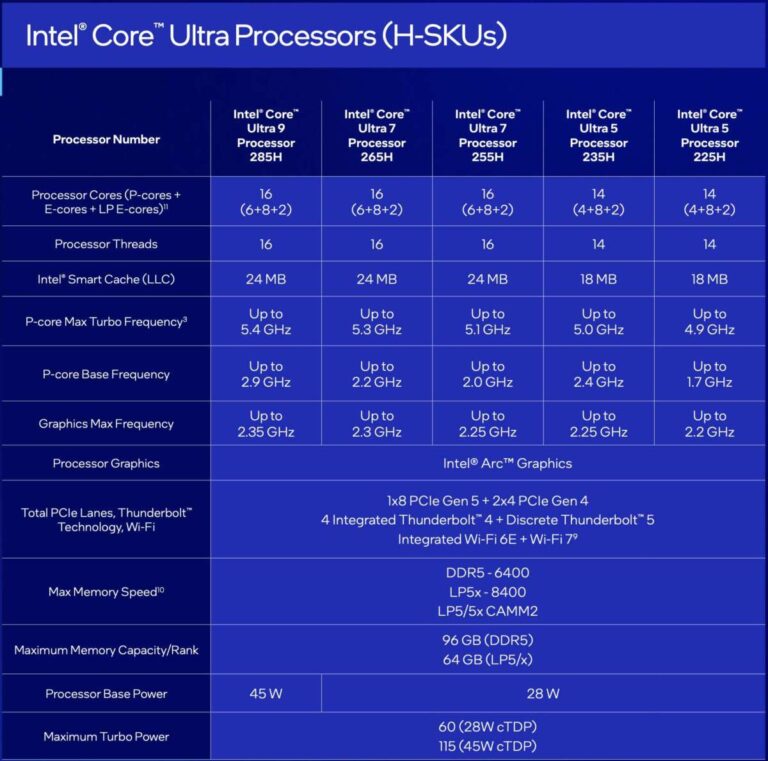
The processor affects how quickly a laptop handles tasks. For simple work, a modern entry-level chip is often enough. For video editing, software development, gaming, or data work, you may need a stronger processor and a dedicated graphics card.
Memory also matters. Eight gigabytes may work for basic use, but 16 GB is a better starting point for most new laptops. Creative professionals and gamers may benefit from 32 GB or more.
Battery life
Battery life can change your daily experience. A laptop that lasts all day feels freeing. One that needs a charger after a few hours can feel like a desktop computer with a handle.
Battery claims from manufacturers often use controlled tests. Real use varies based on screen brightness, software, Wi-Fi, video calls, and background tasks. Look for independent testing when possible.
Display quality
Do not judge a screen by size alone. Check resolution, brightness, color coverage, refresh rate, and panel type.
For most people, a good laptop display should have:
• Full HD resolution or higher
• At least about 300 nits of brightness
• Good viewing angles
• Accurate enough colors for normal work
• A matte or glossy finish that fits your environment
Gamers may prefer a high refresh rate. Photographers and designers may care more about color accuracy. Outdoor users need strong brightness.
Keyboard and touchpad
A good keyboard reduces hand strain during long work sessions. Key travel, spacing, backlighting, and layout all affect comfort.
The touchpad should track smoothly and support modern gestures. Apple, Microsoft, and many premium Dell and Lenovo models perform well here. Cheap laptops often cut costs with small touchpads and stiff keyboards.
Ports and wireless features
Thin laptops may remove ports to save space. Before buying, check whether you need:
• USB A
• USB C
• Thunderbolt or high speed USB
• HDMI
• A headphone jack
• An SD card slot
• Wi Fi 6 or newer
A laptop may look sleek, but carrying several adapters can become annoying. This is one area where a slightly thicker model may be more practical.
Customer support and warranty
Support becomes important when a laptop fails. Check warranty length, repair locations, replacement policies, and customer reviews from verified buyers.
Business laptop lines often provide better support than budget consumer lines. Some manufacturers also offer accidental damage coverage, which may be worthwhile for students and frequent travelers.
Best laptop maker by type of user
The right answer to who makes the best laptop changes when your use case changes. A college student needs different features than a video editor or a competitive gamer.
Best laptop for students
Apple, Lenovo, ASUS, Acer, and HP all make good student laptops.
A student laptop should be:
• Light enough to carry
• Reliable during long classes
• Able to last through a school day
• Comfortable for writing
• Easy to repair or service
A MacBook Air is a strong premium choice. A Lenovo IdeaPad, ASUS VivoBook, Acer Swift, or HP Pavilion can provide good value at a lower price.
Do not spend extra on gaming graphics unless you actually play demanding games. Put that money toward more memory, a better screen, or a larger solid state drive.
Best laptop for business
Lenovo ThinkPad, Dell Latitude, HP EliteBook, and Apple MacBook models are strong business choices.
Business users should focus on:
• A comfortable keyboard
• Strong webcam quality
• Reliable Wi Fi
• Long battery life
• Security features
• Warranty support
• Easy connection to monitors and docks
A business laptop is like a dependable car. It may not be exciting, but it should start every morning and work without drama.
Best laptop for gaming
ASUS, Lenovo, Dell, HP, and Razer all make capable gaming laptops.
A gaming laptop needs more than a powerful processor. Look for:
• A dedicated graphics card
• At least 16 GB of memory
• Fast solid state storage
• Strong cooling
• A high refresh rate display
• A keyboard with good controls
Gaming laptops are often heavier and louder than regular laptops. They also use more battery power. If you want portability, choose a thinner model but understand that it may run warmer and cost more.
Best laptop for video editing
Apple, Dell, ASUS, and Lenovo are strong choices for video editing.
Editors should prioritize:
• A fast multi-core processor
• At least 16 GB of memory
• A color accurate display
• Fast solid state storage
• A capable graphics processor
• Good cooling
A MacBook Pro is popular because it combines strong performance with long battery life. Windows users may prefer a Dell XPS, ASUS ProArt, Lenovo Yoga Pro, or another creator-focused laptop.
Best laptop for programming
Apple, Lenovo, Dell, and ASUS all serve programmers well.
The best programming laptop usually has:
• A comfortable keyboard
• At least 16 GB of memory
• A fast solid state drive
• Strong battery life
• A clear display
• Good support for development tools
MacBooks work well for many web and software development tasks. Windows laptops offer broader compatibility with enterprise software and some engineering tools. Linux users should check hardware support before buying.
Best laptop for travel
Apple, Lenovo, ASUS, and Microsoft make excellent travel laptops.
A travel laptop should be light, strong, and easy to charge. A USB C charger can reduce the number of cables you carry. A bright display helps in airports, trains, and coffee shops.
Avoid choosing a laptop only because it is thin. A weak hinge, poor battery life, or uncomfortable keyboard can ruin the travel experience.
Apple versus Windows laptops
The Apple versus Windows decision is often more important than the brand decision.
Apple laptops run macOS. Windows laptops come from many brands and offer more hardware variety. Both systems are secure when updated and used carefully.
Choose a MacBook if you want:
• Long battery life
• Quiet performance
• A simple setup
• Strong build quality
• Good integration with Apple devices
• Reliable performance for creative and office work
Choose Windows if you want:
• More laptop choices
• Better gaming support
• Broader software compatibility
• More ports and designs
• Touchscreens and 2-in-1 options
• Easier hardware variety across price levels
Software should guide your choice. Some professional programs work best on Windows. Others run especially well on macOS. Check the applications you use before buying.
A common mistake is choosing a laptop based on brand loyalty alone. I have seen buyers select a familiar logo, then discover that the laptop has a dim screen, poor keyboard, or too little memory. The model and configuration matter more than the logo on the lid.
How much should you spend on a laptop?
A good laptop does not need to be the most expensive one. Set a budget based on your tasks, not on marketing claims.
Under $500
Laptops in this range are best for web browsing, email, documents, streaming, and basic schoolwork. Look for at least 8 GB of memory and solid state storage.
Expect compromises in screen quality, speed, build materials, and battery life. Avoid models with very small storage drives unless you use cloud storage for nearly everything.
$500 to $900
This range offers some of the best value. You can often find a laptop with 16 GB of memory, a modern processor, a better display, and stronger construction.
Students, office users, and many home users can find everything they need here.
$900 to $1,500
This is the premium mainstream range. You can expect better screens, longer battery life, lighter bodies, and faster performance.
MacBook Air, Dell XPS, Lenovo Yoga, HP Envy, and ASUS Zenbook models often compete here.
More than $1,500
High-end laptops are designed for demanding work, gaming, professional editing, or luxury design. You may get a stronger processor, dedicated graphics, more memory, a high quality display, or better materials.
Do not assume a higher price always means a better experience. A $2,000 gaming laptop may be worse for travel than a $1,000 ultrabook.

Laptop buying mistakes to avoid
Even experienced buyers can make poor choices when they focus on one impressive specification.
Buying too much processor
A powerful processor does not help much if you only browse the web and write documents. Extra speed can raise the price, reduce battery life, and create more heat.
Ignoring memory
Many modern applications use more memory than they did a few years ago. For a new Windows laptop, 16 GB is a sensible target for most people.
Choosing a poor display
A fast laptop with a dull, low brightness screen can be frustrating every day. The display is the part you look at most, so treat it as a major feature.
Trusting battery claims
Battery results depend on settings and workload. A laptop may last many hours during light reading but far less during video calls or gaming.
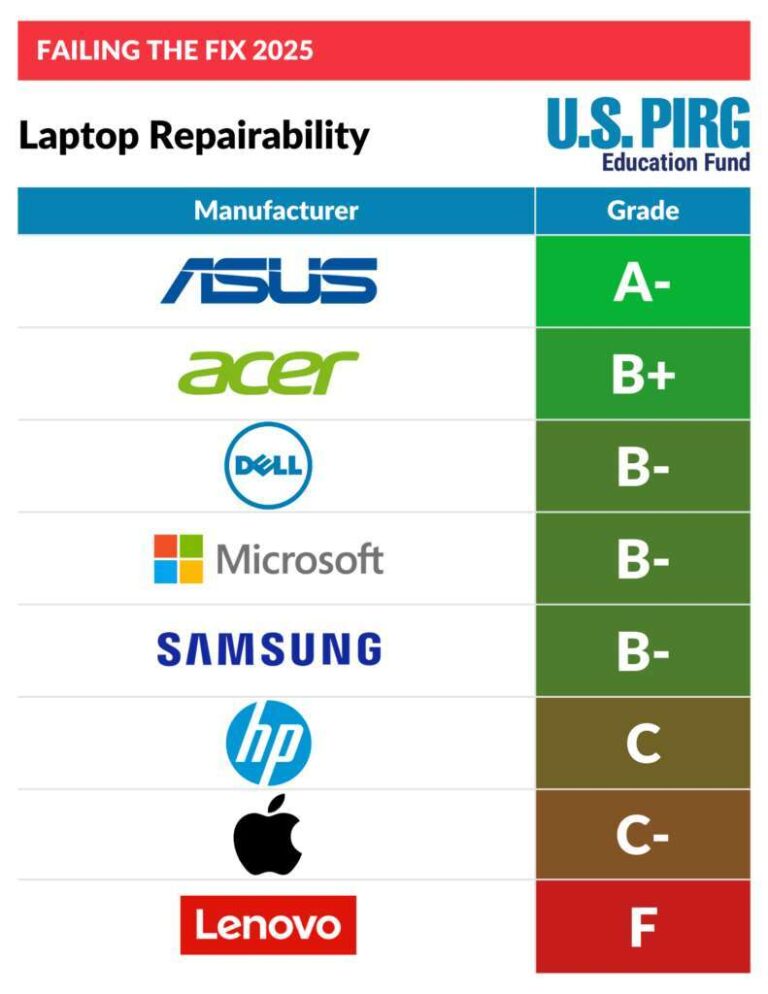
Forgetting repair and upgrades
Some laptops allow storage upgrades. Others seal nearly every component. Check repair guides, warranty terms, and replacement costs before buying.
Paying for features you will not use
A touchscreen, dedicated graphics, or a premium processor may sound useful. If those features do not match your work, spend the money on comfort, battery life, or storage instead.
How to choose the best laptop brand
Use this step by step process before you buy.
-
List your main tasks, such as schoolwork, gaming, editing, or office work.
-
Set a realistic budget, including accessories and extended warranty costs.
-
Choose between macOS and Windows based on your software needs.
-
Look for at least 16 GB of memory if you want the laptop to last several years.
-
Choose solid state storage, preferably 512 GB or more for general use.
-
Check the display brightness, resolution, and color quality.
-
Read independent reviews that test battery life, heat, noise, and performance.
-
Review ports, weight, webcam quality, and charger size.
-
Check the return period and warranty support.
-
Compare the exact model number before placing the order.
This process makes the question “who makes the best laptop” much easier to answer. You move from a broad brand debate to a clear match between your needs and the right device.
Frequently asked questions about who makes the best laptop
Who makes the best laptop for most people?
Apple makes the best laptop for many people because MacBooks offer strong battery life, fast performance, quiet operation, and high build quality. Lenovo, Dell, and ASUS may be better if you need Windows, gaming support, or a lower price.
Is Apple better than Dell for laptops?
Apple is often better for battery life, quiet performance, and simple long-term use. Dell offers more Windows choices, stronger gaming options through Alienware, and useful business models through Latitude.
Which brand makes the most reliable laptop?
Apple, Lenovo, and Dell are commonly viewed as reliable choices, especially in their midrange and premium lines. Reliability still depends on the exact model, proper care, warranty coverage, and how heavily you use the machine.
What is the best laptop brand for students?
Apple, Lenovo, ASUS, Acer, and HP all make good student laptops. The best choice should be light, durable, comfortable to type on, and able to last through classes without constant charging.
Which laptop brand is best for gaming?
ASUS, Lenovo, Dell, HP, and Razer all make strong gaming laptops. ASUS and Lenovo often offer good performance for the price, while Razer focuses on premium design and portability.
Is Lenovo better than HP?
Lenovo often has an advantage in keyboard quality and business laptops, especially with ThinkPad models. HP offers a wider range of stylish consumer and 2-in-1 laptops, so the better choice depends on the specific model and price.
How long should a good laptop last?
A good laptop can last about four to seven years with careful use, though battery capacity may decline sooner. Models with strong processors, 16 GB or more memory, solid construction, and repair support usually age better.
Conclusion
So, who makes the best laptop? Apple is the strongest overall choice for many users, but Lenovo, Dell, ASUS, HP, Acer, Microsoft, and Razer each lead in different areas. The best laptop brand depends on your operating system preference, budget, workload, portability needs, and expectations for support.
Focus on the complete laptop rather than the logo. Compare the display, memory, storage, keyboard, battery, ports, warranty, and real-world reviews before you buy. Use this guide to narrow your choices, then compare two or three exact models and choose the one that fits your daily life best.

Everett Ashford is a tech reviewer at mytechgrid.com specializing in SSDs, cameras, TVs, earbuds, headphones, and other consumer electronics. He provides honest, data-driven reviews based on hands-on testing and real-world performance analysis. Everett simplifies complex tech details to help readers make smart, confident buying decisions.