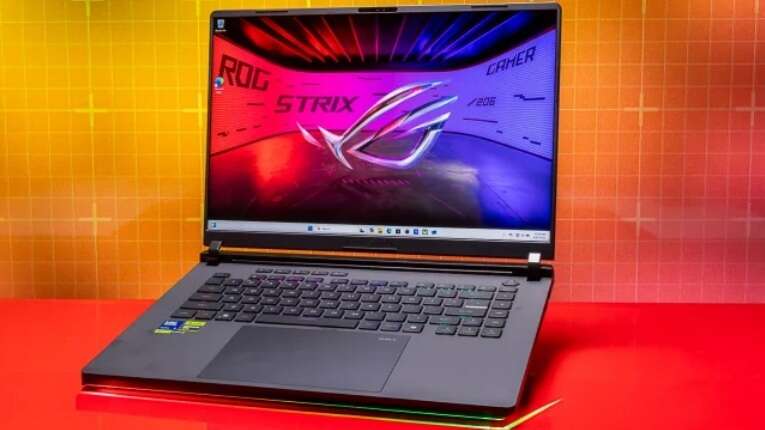
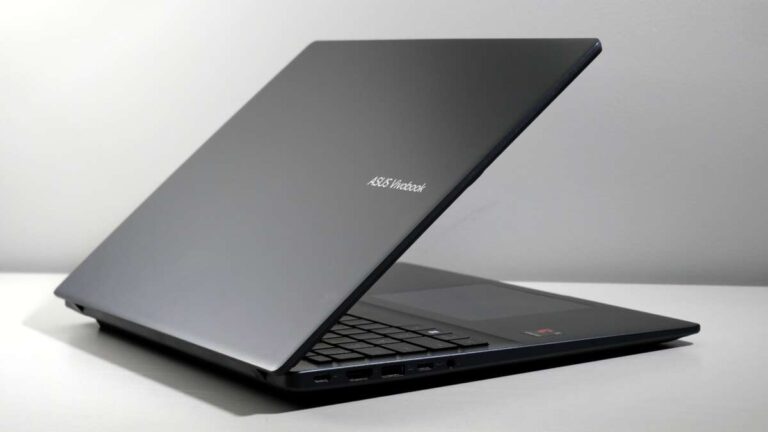
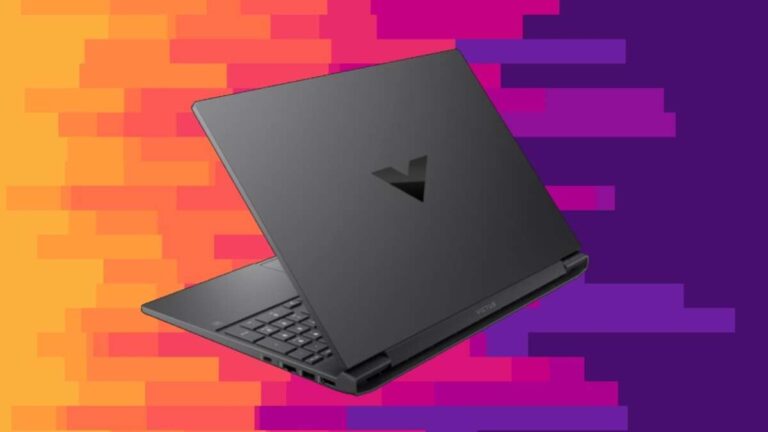
A decent laptop usually costs $600 to $1,000, depending on your work, speed needs, and upgrade plans.
Knowing how much is a decent laptop can save you from paying for power you will never use or buying a cheap model that feels slow within a year. After comparing laptop classes, processors, displays, battery life, and real-world workloads, I find that the best value often sits in the middle of the market. This guide will help you match your budget to your needs with confidence.
How Much Is a Decent Laptop?
For most people, a decent laptop costs between $600 and $1,000 in the United States. This range usually includes a modern processor, 8GB to 16GB of RAM, a solid-state drive, a sharp Full HD display, and enough battery life for daily work.
A laptop under $600 can still work well for school, web browsing, and basic office tasks. However, cheaper models may use slower processors, dim screens, small storage drives, or plastic bodies that show wear faster.
Laptops above $1,000 often add better build quality, brighter screens, longer battery life, stronger graphics, and premium support. These features matter most if you work with photos, video, code, large files, or demanding software.
Here is a simple price guide:
• $300 to $500: Basic browsing, email, streaming, and light schoolwork
• $500 to $700: Better student laptops and everyday work machines
• $700 to $1,000: Strong all-around laptops for work, school, and multitasking
• $1,000 to $1,500: Premium productivity laptops and entry-level creative machines
• $1,500 and up: Professional workstations, gaming laptops, and high-end creator systems

Laptop Price Ranges Explained
The answer to how much is a decent laptop depends on what “decent” means for you. A college student may need a light laptop with long battery life, while a video editor may need a powerful processor, a color-accurate display, and a dedicated graphics card.
Budget laptops: $300 to $500
Budget laptops are best for simple tasks. They can handle web browsing, video calls, online classes, Microsoft 365, Google Docs, and streaming.
Look for at least:
• 8GB of RAM
• 128GB or 256GB of SSD storage
• A recent Intel Core i3, AMD Ryzen 3, or equivalent processor
• A 1080p display
• Wi-Fi 5 or Wi-Fi 6
Avoid buying a laptop with only 4GB of RAM or a traditional hard drive unless the price is extremely low. Those parts can make the system feel slow, even during basic use.
Mid-range laptops: $600 to $1,000
This is the sweet spot for many buyers. A decent laptop in this range should offer 16GB of RAM, 512GB of SSD storage, a recent Intel Core Ultra 5, Core i5, AMD Ryzen 5, or similar chip.
Mid-range laptops are suitable for:
• Office work
• Remote work
• College studies
• Light photo editing
• Programming
• Many browser tabs
• Video calls and streaming
This category often provides the best balance of price, speed, comfort, and lifespan. In my experience advising buyers, spending a little more here often prevents the frustration of replacing an underpowered laptop too soon.
Premium laptops: $1,000 to $1,500
Premium models usually provide a better keyboard, trackpad, display, webcam, speakers, and battery. They may also include aluminum construction, a quieter cooling system, and stronger customer support.
These laptops make sense for professionals who carry their computer daily or use it for several hours at a time. The extra cost is often less about raw speed and more about comfort, durability, and reliability.
Gaming and creator laptops: $1,000 and up
Gaming laptops and creator systems cost more because they need powerful graphics hardware and better cooling. A good model may include a dedicated NVIDIA GeForce RTX or AMD Radeon GPU, a fast display, and a high-wattage processor.
For smooth modern gaming, a budget of $1,000 to $1,500 is common. Video editors, 3D artists, and engineers may need to spend $1,500 to $3,000 or more, depending on software and project size.

What Makes a Laptop Decent?
A decent laptop should feel responsive, remain useful for several years, and match your daily workload. Price alone does not define quality.
Focus on these key features:
• Processor: Choose a recent Intel, AMD, or Apple processor. The model generation matters more than the brand name alone.
• RAM: Choose 8GB for basic work and 16GB for smoother multitasking. Creative users may need 32GB or more.
• Storage: Choose an SSD, not a mechanical hard drive. A 512GB SSD is a practical starting point for most people.
• Display: A 1920 by 1080 resolution is the minimum I recommend for comfortable daily use. Higher resolutions can look better but may reduce battery life.
• Battery: Look for a manufacturer rating of eight hours or more, but remember that real use often produces lower results.
• Build quality: A strong hinge, firm keyboard deck, and sturdy chassis can make a laptop last longer.
• Ports: Check for USB-C, USB-A, HDMI, an audio jack, and a memory card slot if you need them.
• Webcam: A 1080p webcam is useful for work calls and online classes.
Windows 11 requires compatible hardware, including a supported processor, TPM 2.0, Secure Boot capability, and enough memory and storage. Checking these requirements helps you avoid buying an older laptop that may have limited software support.

How Much Is a Decent Laptop for Different Users?
The best laptop budget changes with your routine. Think of a laptop as a tool, not a trophy. A carpenter does not buy a power saw for every small repair, and you do not need a workstation for email and Netflix.
For students
Students can usually find a decent laptop between $500 and $800. Prioritize low weight, battery life, a comfortable keyboard, and a reliable webcam.
A 13-inch or 14-inch model works well for carrying between classes. If you study design, engineering, or computer science, check your course software before choosing a basic machine.
For remote workers
Remote workers should spend about $600 to $1,000. Video calls, spreadsheets, browser tabs, and cloud apps benefit from 16GB of RAM and a modern processor.
A bright screen and good webcam can matter more than a small speed increase. If you work near a window, avoid dim displays that force you to squint.
For families
A family laptop should cost around $500 to $800. Look for a sturdy design, simple maintenance, strong parental controls, and enough storage for documents and photos.
If several people will share the device, 16GB of RAM is a smart choice. Multiple browser profiles and background apps can use memory quickly.
For programming
Most developers can work comfortably with a $700 to $1,200 laptop. Web development may need only a strong mid-range processor, 16GB of RAM, and a 512GB SSD.
Mobile development, virtual machines, data science, and large software projects may require 32GB of RAM and a faster processor.
For photo and video editing
Photo editors should plan for $900 to $1,500. Video editors may need $1,200 to $2,500 or more.
Look for a color-accurate display, 16GB or 32GB of RAM, a fast SSD, and a dedicated GPU. Editing high-resolution video on a basic laptop can feel like trying to fill a swimming pool with a garden hose.
For gaming
A decent gaming laptop often begins near $900, but $1,200 to $1,800 usually offers a stronger experience. Focus on the GPU first, then check cooling, screen refresh rate, RAM, and storage.
A high refresh rate display can make games feel smoother, but it does not replace a capable graphics card. Marketing terms such as “gaming-ready” are not enough by themselves.

Which Specifications Should You Prioritize?
When deciding how much is a decent laptop, prioritize the parts that affect daily use. A flashy design cannot fix weak hardware.
Processor
The processor controls many tasks, including app launches, file compression, and multitasking. Recent mid-range chips are fast enough for most people.
Do not compare processors by brand alone. A newer mid-range processor can outperform an older high-end model while using less power.
RAM
RAM is the laptop’s short-term workspace. More RAM lets you keep more apps and browser tabs open without slowdowns.
Choose:
• 8GB for basic tasks
• 16GB for most users
• 32GB for editing, development, engineering, and heavy multitasking
Some thin laptops have soldered RAM, which means you cannot upgrade it later. Check this before buying.
Storage
An SSD makes a major difference in startup time and app loading. For most buyers, 512GB offers a useful balance.
A 256GB drive may fill quickly after installing apps, saving photos, and downloading videos. If you store large files, consider a 1TB SSD or an external drive.
Display
A good display reduces eye strain and makes work more pleasant. Look for Full HD resolution, an IPS or OLED panel, and at least 300 nits of brightness when possible.
Creative professionals should also check color coverage and factory calibration. A bright, colorful screen is not always accurate.
Battery life
Battery claims are measured under controlled conditions. Real battery life changes with screen brightness, video calls, gaming, Wi-Fi use, and background programs.
Read independent reviews that test web browsing and video playback. These results are usually more useful than a manufacturer’s best-case rating.

Hidden Costs That Affect the Real Price
The purchase price is not always the full cost of owning a laptop. Accessories, software, repairs, and storage can raise your final budget.
Plan for possible extras such as:
• A laptop sleeve or protective case
• A USB-C hub
• An external monitor
• A wireless mouse
• A backup drive
• Microsoft 365 or other paid software
• Extended warranty coverage
• A replacement charger
A $700 laptop may become a $900 setup after adding a monitor, dock, and accessories. That is not necessarily bad, but it helps you plan honestly.
Warranty terms also differ. Some low-cost laptops include limited coverage and expensive repairs. Premium brands may offer better service, but always read the policy before paying more.
When Is the Best Time to Buy?
Laptop prices often change during major sales periods. Back-to-school promotions, holiday sales, and new processor launches can create strong discounts.
Still, a large discount does not automatically mean a good deal. Retailers may reduce the price of an old model with weak battery life or outdated hardware.
Before buying, check:
• The processor generation
• RAM and storage capacity
• Display resolution and brightness
• Battery condition for used laptops
• Warranty length
• The normal selling price
One mistake I often see is focusing on the percentage discount instead of the final specifications. A 30 percent discount on an outdated laptop may be worse than a small discount on a newer model.

New, Refurbished, or Used: Which Offers Better Value?
A refurbished laptop can provide excellent value if it comes from a trusted seller. It may have been inspected, repaired, cleaned, and tested before resale.
Refurbished models are worth considering when:
• The seller offers a clear warranty
• The battery health is disclosed
• The return period is reasonable
• The laptop supports current software
• Replacement parts are available
Used laptops can cost less, but they carry more risk. Check the screen, keyboard, ports, battery, hinge, charger, and serial number before paying.
Avoid any laptop with a locked account, missing charger, swollen battery, cracked hinge, or uncertain ownership history. A low price is not a bargain if the computer cannot be used safely.

Common Mistakes to Avoid
Many buyers ask how much is a decent laptop after purchasing a model that looked good on paper but performed poorly in daily use. These mistakes are easy to avoid.
• Buying based only on processor branding: Model generation and power limits matter.
• Choosing 4GB of RAM: This can create slowdowns with modern apps.
• Accepting a low-resolution display: A 1366 by 768 screen often feels cramped.
• Ignoring keyboard quality: You may use the keyboard more than any other part.
• Forgetting upgrade limits: Soldered memory and storage can reduce future flexibility.
• Trusting battery claims without reviews: Real battery life may be much lower.
• Buying too much power: A gaming laptop is bulky and loud for simple office work.
• Choosing too little storage: A nearly full drive can make everyday management frustrating.
• Skipping the return policy: Even a well-reviewed laptop may have a poor screen or uncomfortable keyboard.
A simple rule helps: buy for the tasks you perform every week, not the rare task you might perform once a year.
A Practical Laptop Buying Checklist
Use this checklist before you place an order:
-
Write down your main tasks.
-
Set a total budget, including accessories.
-
Choose 16GB of RAM if you want several years of comfortable use.
-
Choose at least a 512GB SSD when possible.
-
Confirm that the processor is recent enough for your software.
-
Check the display size, resolution, brightness, and panel type.
-
Read independent reviews for battery life and heat.
-
Confirm the ports you need.
-
Check upgrade options and warranty coverage.
-
Compare the return policy before buying.
If you are unsure, compare two or three laptops with the same price. Look at what each model gives up. One may have a faster processor, while another offers a better screen and battery.
Frequently Asked Questions About How Much Is a Decent Laptop
Is $500 enough for a decent laptop?
Yes, $500 can buy a decent laptop for browsing, schoolwork, streaming, and basic office tasks. Look for 8GB of RAM, an SSD, a Full HD screen, and a recent entry-level processor.
Is $700 a good laptop budget?
Yes, $700 is a strong budget for an everyday laptop. At this price, you can often find 16GB of RAM, a 512GB SSD, a better display, and enough performance for work, school, and multitasking.
How much should I spend on a laptop for college?
Most college students should plan to spend $500 to $900. Students in design, engineering, computer science, and media programs may need $900 to $1,500 for specialized software.
Is a $1,000 laptop worth it?
A $1,000 laptop can be worth it if you value speed, battery life, screen quality, durability, or long-term comfort. It may also last longer than a cheaper model when its specifications match your workload.
How long should a decent laptop last?
A decent laptop should provide about four to seven years of useful service, depending on its build quality, battery, software needs, and care. Heavy gaming and professional workloads can shorten that period.
Should I buy a laptop with 8GB or 16GB of RAM?
Choose 16GB if your budget allows it. Eight gigabytes works for basic tasks, but 16GB provides more room for browser tabs, video calls, office apps, and future software updates.
Is a Chromebook a decent laptop?
A Chromebook can be a good choice for web apps, schoolwork, email, and streaming. It may not suit users who need Windows software, advanced photo editing, desktop development tools, or professional applications.
Conclusion
So, how much is a decent laptop? For most people, the best target is $600 to $1,000. Spend less for simple tasks, and spend more only when you need better graphics, a premium display, longer battery life, or professional performance.
Start with your daily workload, then compare the processor, RAM, SSD, display, battery, ports, and warranty. A balanced laptop will serve you better than a flashy model with one impressive feature and several weak ones. Use this guide to compare current deals, check independent reviews, and choose the machine that fits your real life.

Everett Ashford is a tech reviewer at mytechgrid.com specializing in SSDs, cameras, TVs, earbuds, headphones, and other consumer electronics. He provides honest, data-driven reviews based on hands-on testing and real-world performance analysis. Everett simplifies complex tech details to help readers make smart, confident buying decisions.