For most accountants, bookkeepers, and small-business owners in the United States, the best laptop is a business-class Windows laptop with 16 GB of RAM, a 512 GB solid-state drive, a recent Intel Core 5/Core Ultra 5 or AMD Ryzen 5 processor, and a comfortable 14- or 15-inch screen.
This setup handles QuickBooks, Microsoft Excel, payroll tools, tax software, video calls, web research, and many browser tabs without wasting money on gaming-level hardware. A MacBook Air can also work well, but Windows is usually the safer choice for accountants who use QuickBooks Desktop, Microsoft Access, specialized tax tools, or Windows-only business software.
The right choice depends on your workload. A person who tracks invoices for a small business needs far less power than a CPA who works with large Excel files, tax programs, virtual machines, or several monitors.

Quick answer: Which laptop is best for accounting?
The best laptop for accounting is not the one with the fastest processor. It is the one that gives you:
- Reliable performance during long work sessions
- A clear screen with enough room for spreadsheets
- A full-size or comfortable keyboard
- Strong battery life
- Good ports for monitors and accessories
- Business-grade support and security
- Enough memory and storage for your software and files
Best overall type: Windows business laptop
A Windows business laptop is the most flexible option for accounting work in the United States. It supports the widest range of accounting, payroll, tax, office, and banking tools.
Good laptop families to consider include:
- Lenovo ThinkPad
- Dell Latitude
- HP ProBook
- Microsoft Surface Laptop
- ASUS ExpertBook
Look for a current model with 16 GB of RAM and a 512 GB SSD. A Core 5, Core Ultra 5, Ryzen 5, or similar processor is enough for most accounting work.
Best for accountants who prefer macOS: MacBook Air
A MacBook Air with an Apple silicon chip offers strong battery life, a sharp screen, and quiet operation. It is a good fit for accountants who mainly use:
- QuickBooks Online
- Microsoft Excel for Mac
- Google Sheets
- Browser-based payroll tools
- Cloud document systems
- Video conferencing apps
Before buying one, check whether your tax, payroll, document, or accounting software supports macOS. QuickBooks Online runs in a browser, but QuickBooks Desktop and some professional tax programs may require Windows or a virtual Windows setup.
Best budget target
For a lower-cost accounting laptop, aim for:
- 16 GB RAM
- 512 GB SSD
- A recent Intel Core i5 or Core 5 processor
- AMD Ryzen 5
- A 14-inch Full HD screen
- Windows 11
- A backlit keyboard if you work in low light
Avoid buying a laptop with only 4 GB of RAM or a small 128 GB storage drive. It may work at first, but it can feel slow once you add office apps, browser tabs, updates, and local files.
What specifications do accountants need?
Accounting software is not usually as demanding as video editing or 3D design. The main needs are smooth multitasking, fast file access, a good display, and dependable operation.
Processor
The processor handles calculations and general laptop tasks. For most accounting work, a mid-range current processor is the best value.
Choose one of these types:
- Intel Core 5 or Core Ultra 5
- Intel Core i5 from a recent generation
– AMD Ryzen 5 - Apple M-series chip
- Higher-tier Core 7, Core Ultra 7, Ryzen 7, or Apple Pro chip for heavy work
You do not need a high-end gaming processor for normal bookkeeping. A stronger processor becomes useful when you:
- Open very large Excel workbooks
- Run multiple accounting programs at once
- Use virtual machines
- Work with large databases
- Connect several displays
- Process many files in batches
Processor names can be confusing. A newer mid-range chip can be a better choice than an older high-end chip. Compare the exact laptop model, not just the brand name or the number in the processor label.
Memory, also called RAM
RAM lets the laptop keep active apps and files ready for use. More RAM helps when you switch between Excel, QuickBooks, email, a browser, and video meetings.
Use these targets:
| Accounting workload | Recommended RAM |
|---|---|
| Basic invoices and bookkeeping | 8 GB minimum; 16 GB preferred |
| QuickBooks, Excel, email, and many browser tabs | 16 GB |
| Large spreadsheets and multitasking | 16 GB to 32 GB |
| Virtual machines, databases, or advanced analysis | 32 GB or more |
For a new laptop, 16 GB is the practical starting point. It gives you room to grow and reduces the chance that the laptop will feel dated soon.
Do not assume that RAM can be upgraded later. Many thin laptops have memory built into the main board. Check the exact configuration before you buy.
Storage
A solid-state drive, or SSD, makes Windows start faster and helps programs and files open quickly. It has no spinning disk, so it is also quieter and more resistant to movement than an older hard drive.
Choose:
- 512 GB SSD for most users
- 1 TB SSD if you store many client files locally
- 256 GB SSD only if most files stay in cloud storage
Storage space is not the same as backup. One copy of a client file on your laptop is not a safe backup. Use a business-approved backup system, cloud storage with version history, or another secure method.
Screen size and resolution
A 14-inch laptop is often the best balance of portability and workspace. A 15- or 16-inch model gives spreadsheets more room but may weigh more.
Look for:
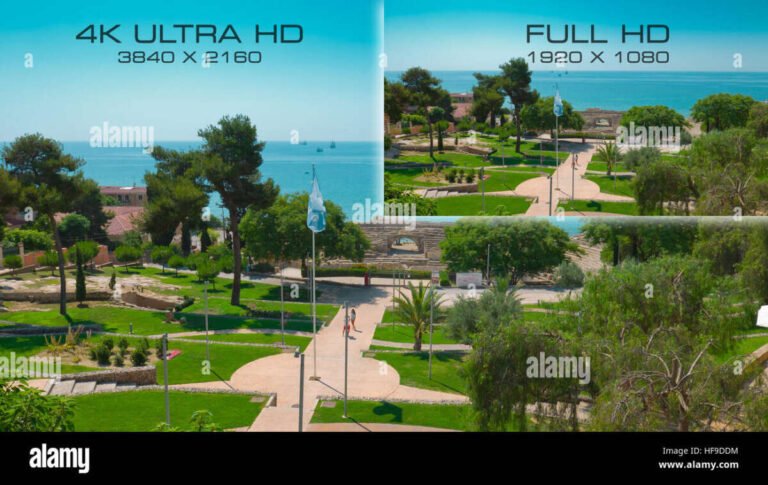
- Full HD resolution or better
- A matte or anti-glare finish when possible
- At least 300 nits of brightness for mixed indoor use
- A 16:10 aspect ratio if you want more vertical room
- Good viewing angles
A very small 13-inch screen can work for travel, but long spreadsheet sessions may feel cramped. A large screen is helpful when you work without an external monitor.
Keyboard and number pad
A comfortable keyboard matters more to an accountant than flashy graphics. You may enter numbers, dates, account codes, and notes for hours.
A full-size keyboard with a number pad can help if you enter many figures. However, many 14-inch laptops do not have a number pad. In that case, a separate USB or Bluetooth number pad may be more comfortable than choosing a larger laptop you do not want to carry.
Check for:
- Clear key labels
- Good key travel
- A firm keyboard deck
- Backlighting
- Separate Home, End, and arrow keys
- A responsive touchpad
Ports and external monitors
Accounting work often improves with a second monitor. Before buying, check whether the laptop supports the monitor connection you plan to use.
Useful ports include:
- USB-C
- USB-A
- HDMI
- Headphone jack
- An SD card slot if your work requires one
- A docking connection on some business models
USB-C does not always mean the same thing. One port may support charging and video output, while another may support only data. Read the manufacturer’s specifications for the exact model.
Battery life
Battery life varies with screen brightness, software, network use, and battery size. Manufacturer claims are measured under set conditions and may not match your workday.
For accounting, prioritize:
- A recent efficient processor
- A battery rated for a full workday when practical
- USB-C charging
- A charger that is easy to replace
- A power setting that does not reduce performance too much
If you work with financial records in a client office or while traveling, battery life is useful. If you work at a desk, a good dock and charger may matter more.
Windows or Mac: Which is better for accounting?
Windows is the safer default for accounting because many business and tax applications are designed for it first. A Mac is a strong option when your work is cloud-based and all required software supports macOS.
Choose Windows if you use:
- QuickBooks Desktop
- Windows-only tax software
- Microsoft Access
- Specialized accounting databases
- Legacy business applications
- Multiple office tools built for Windows
- Firm systems that require Windows security or device management
Windows also gives you more choice across prices, screen sizes, ports, and repair options.
Choose a Mac if you use:
- QuickBooks Online
- Cloud-based bookkeeping tools
- Excel for Mac
- Google Workspace
- Browser-based payroll systems
- macOS-compatible document and tax tools
MacBook Air models with Apple silicon are fast for everyday accounting and tend to run quietly. Their main limitation is software compatibility, not basic performance.
What about running Windows on a Mac?
Some Mac models can run Windows through virtualization software, but this adds cost and complexity. Compatibility may vary by software, especially when a program expects a traditional Windows PC, special drivers, or specific security tools.
Do not buy a Mac and assume that every Windows accounting program will work perfectly. Confirm compatibility with the software publisher and your employer or accounting firm before you commit.
Best laptop choices by accounting workload
The best laptop changes with the work. Use the table below as a starting point rather than a strict ranking.
| User | Recommended laptop type | Suggested configuration |
|---|---|---|
| Student learning accounting | Affordable Windows laptop | 16 GB RAM, 512 GB SSD, Core 5 or Ryzen 5 |
| Small-business owner | Windows business laptop or MacBook Air | 16 GB RAM, 512 GB SSD |
| Bookkeeper using cloud apps | Lightweight Windows laptop or MacBook Air | 16 GB RAM, strong battery life |
| CPA using tax and desktop software | Windows business laptop | 16 GB RAM, 512 GB SSD, good ports |
| Financial analyst | Business laptop with a larger screen | 16 GB to 32 GB RAM, 1 TB SSD if needed |
| Accountant using several monitors | Windows laptop with dock support | 16 GB RAM, USB-C video support |
| Accounting firm with sensitive data | Business laptop with security tools | 16 GB RAM, TPM, biometric login, business support |
Best overall: Lenovo ThinkPad or Dell Latitude
These business laptop families are strong general choices because they commonly offer:
- Comfortable keyboards
- Business support options
- Docking support
- Multiple screen sizes
- Durable designs across many models
- Security features such as a fingerprint reader or hardware security module
The exact quality depends on the model and configuration. An entry-level business laptop may have a dim screen or limited ports, while a premium model may cost much more without improving accounting performance.
Best value: HP ProBook or similar business model
A mid-range business laptop can offer the features most accountants need without the cost of a premium workstation. Look for a model with 16 GB of RAM, a 512 GB SSD, and a screen with at least Full HD resolution.
Check the warranty and upgrade options. A low price is less useful if the laptop has poor support or if the memory cannot be expanded.
Best for mobility: MacBook Air or a lightweight Windows laptop
A lightweight laptop suits accountants who travel between offices, work at client sites, or commute by train or plane. A 13- or 14-inch screen keeps the bag lighter.
The trade-off is fewer ports and, in some models, less room for a number pad. Carrying a compact dock can solve the port problem, but it adds another item to your bag.
Best for large spreadsheets: 15- or 16-inch business laptop
A larger display makes wide worksheets easier to view. It can reduce the need to scroll sideways, especially when you compare accounts, periods, or departments.
A large screen does not automatically mean faster calculations. Pair it with 16 GB or 32 GB of RAM and a current mid-range processor.
Best for heavy data work: 32 GB business laptop or mobile workstation
Some accountants work with large data sets, financial models, databases, or virtual machines. In that case, choose a laptop with:
- 32 GB RAM
- A fast current processor
- A 1 TB SSD if local files require it
- Good cooling
- Reliable docking and display support
A dedicated graphics card is usually unnecessary unless you also use 3D, video, engineering, or specialized visual software. Spending on RAM, storage, warranty coverage, and a better screen often helps more.
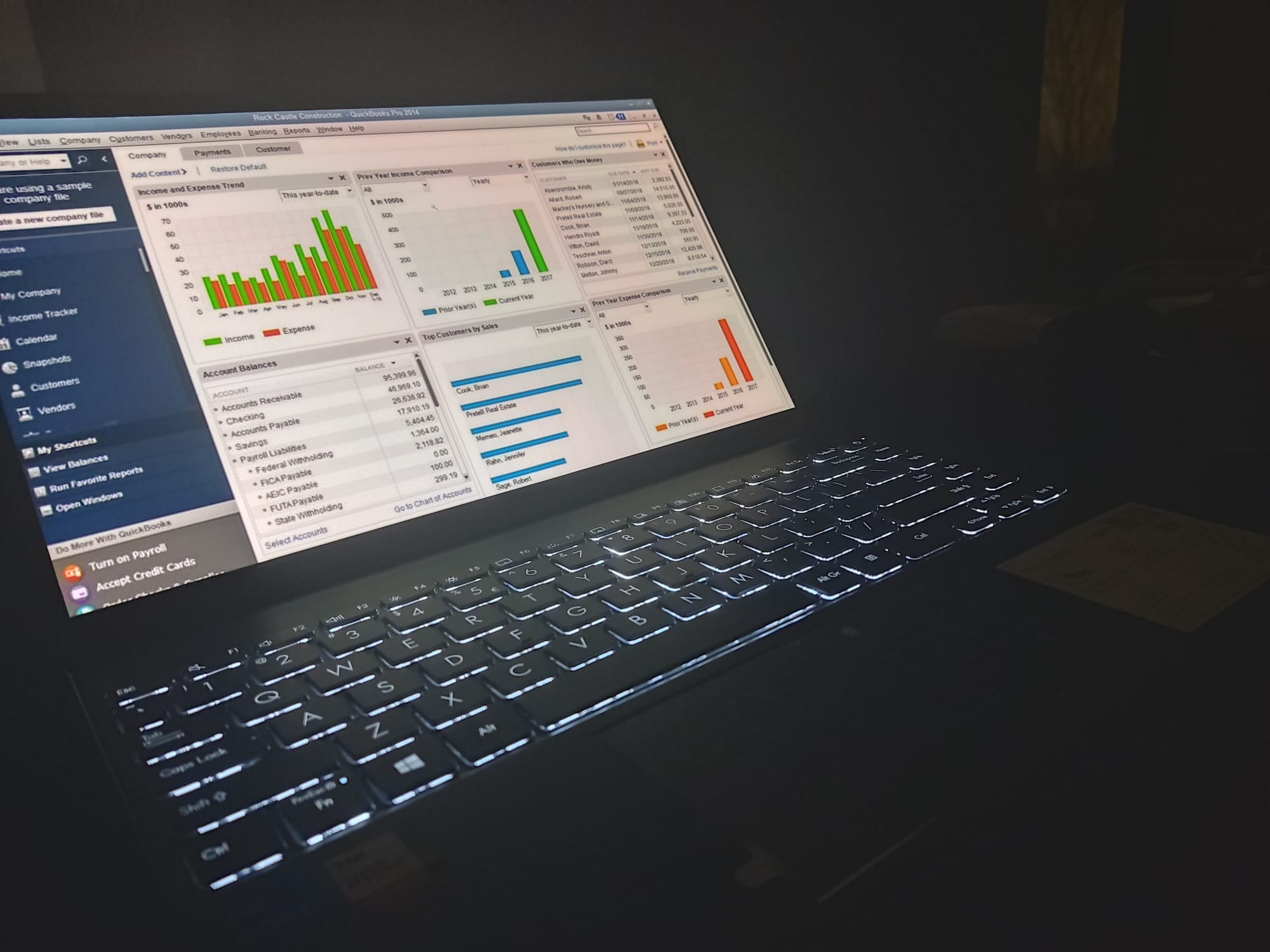
How much should you spend on an accounting laptop?
A useful accounting laptop usually falls into a mid-range price band, but prices change with sales, processor generations, memory, and business support.
Think in terms of value rather than a fixed dollar amount:
- Budget range: Enough for basic cloud accounting and office work
- Mid-range: Best balance for most accountants
- Premium: Better materials, battery life, displays, support, and mobility
- Workstation range: Only for heavy data, virtual machines, or demanding applications
A cheaper laptop may cost more over time if it has a weak battery, poor keyboard, limited storage, or no repair support. On the other hand, an expensive laptop is not automatically better for QuickBooks or Excel.
Spend more when the upgrade gives you a clear benefit:
- 16 GB instead of 8 GB RAM
- 512 GB instead of 256 GB storage
- A brighter screen
- A better keyboard
- A larger battery
- Better warranty or business support
- More useful ports
- More durable construction
Do not spend more only for a gaming graphics card unless your other work needs it.
Security and privacy features accountants should check
Accounting laptops store information that may include bank details, payroll records, tax documents, and client data. Hardware choice is only one part of security, but it can help.
Look for:
- Windows 11 or a supported macOS version
- A hardware security module, such as TPM on Windows laptops
- Fingerprint login or an infrared camera
- A privacy shutter for the webcam
- Automatic security updates
- Full-disk encryption support
- A business warranty
- A secure docking and charging setup
Use a strong sign-in method and enable encryption when appropriate. Keep accounting files in approved locations, not on an unprotected USB drive.
A laptop cannot protect you from every risk. Use multi-factor authentication for email, accounting software, banking systems, and cloud storage. Keep separate user accounts when several people share a computer.
For a business or accounting firm, ask an IT professional about device management, access control, backup rules, and client-data retention. Those needs can be more important than choosing between two similar processors.
Common mistakes when buying an accounting laptop
Many buyers focus on the processor and overlook the parts they use all day.
Buying only 8 GB of RAM
Eight gigabytes may work for light tasks, but modern browsers and office apps can use a large share of it. Sixteen gigabytes gives you a better buffer.
Choosing a small storage drive
A 128 GB or 256 GB drive can fill quickly after system updates, office software, downloads, and local documents. A 512 GB SSD is a safer starting point.
Assuming every USB-C port supports monitors
Some USB-C ports transfer data and charge the laptop but do not send video. Confirm the port features before buying a dock or monitor.
Ignoring software compatibility
A laptop may be powerful enough but still unsuitable if your tax or accounting program does not support its operating system. Check the software maker’s current requirements.
Buying a consumer laptop for a business-critical role
Consumer laptops can be good values. However, business models may offer better support, keyboard design, security tools, docking options, and repair services.
Treating cloud storage as a backup
Cloud syncing can copy mistakes or deleted files. Use a backup system with version history and test that you can restore a file.
Choosing a touchscreen without considering glare
A touchscreen can help with some tasks, but glossy screens may reflect office lights. A matte screen may be better for long spreadsheet sessions.

How to set up a new laptop for accounting
Set up the laptop before storing sensitive client information on it.
- Install all operating system updates. Restart the laptop when required.
- Create a strong sign-in method. Use a long password, PIN, or biometric login supported by the device.
- Turn on multi-factor authentication. Start with email, accounting software, banking, and cloud storage.
- Install software from official sources. Avoid unknown download sites and unofficial “free” versions.
- Set up approved cloud storage or backup. Check that files can be restored.
- Install a password manager. Avoid reusing passwords across financial accounts.
- Connect your printer, scanner, monitor, and dock. Confirm that drivers and display settings work.
- Create a separate work profile if needed. This helps keep personal and business files apart.
- Test your accounting software. Open a sample file or a non-sensitive copy before using live data.
- Record the device details. Save the serial number, warranty information, and recovery instructions in a secure place.
You know the setup is working when your accounting software opens normally, files sync or back up as expected, external displays work, and you can restore a test file.
If a program fails, check the publisher’s system requirements first. Then update the operating system and software. If the problem involves live financial records, stop before changing file locations or restoring a backup, and contact the software provider or your IT support team.
Frequently asked questions
Is 8 GB RAM enough for QuickBooks?
Eight gigabytes may be enough for basic use, especially with a small company file and few other apps open. For a new laptop, 16 GB is a better choice because it handles QuickBooks, Excel, browsers, email, and video calls more comfortably.
Is a Chromebook good for accounting?
A Chromebook can work for browser-based tools such as QuickBooks Online and Google Sheets. It is not a good default choice for QuickBooks Desktop, Windows tax software, Microsoft Access, or other applications that require Windows or macOS.
Is a MacBook good for accountants?
Yes, a MacBook can be good for accountants who use cloud software and Mac-compatible office tools. Confirm compatibility before buying if you use desktop accounting software, professional tax programs, firm-managed systems, or Windows-only add-ons.
Do accountants need a number pad?
Not always. A number pad helps people who enter many transactions or figures each day. If your preferred 14-inch laptop lacks one, an external number pad can provide the same function.
Should an accountant buy a gaming laptop?
Usually not. Gaming laptops often have powerful graphics hardware, loud fans, heavier bodies, and shorter battery life. A business laptop is usually a better fit unless you also need the gaming laptop for graphics, video, engineering, or other demanding work.
Is a touchscreen useful for accounting?
A touchscreen is optional. It may help with navigation or signatures, but it does not make Excel or accounting calculations faster. A clear, matte screen and comfortable keyboard usually matter more.
How long should an accounting laptop last?
A well-chosen business laptop may remain useful for several years, but its lifespan depends on updates, battery wear, repairs, workload, and software requirements. Replace it when it no longer receives needed security updates, cannot run required software, or becomes unreliable—not simply because a newer model exists.
Final recommendation
For most people in the United States, buy a Windows business laptop with 16 GB of RAM, a 512 GB SSD, a current mid-range processor, a Full HD or better display, and dependable USB-C or dock support. A Lenovo ThinkPad, Dell Latitude, or HP ProBook configuration that meets those specifications is a sensible starting point.
Choose a MacBook Air when your accounting work is cloud-based and every required application supports macOS. Choose a larger Windows laptop or a 32 GB model when you work with wide spreadsheets, large databases, virtual machines, or several demanding apps at once.
Before checkout, verify the exact model’s RAM, storage, ports, operating system, warranty, and software compatibility. Those details determine whether the laptop will support your accounting work—not the brand name alone.

Everett Ashford is a tech reviewer at mytechgrid.com specializing in SSDs, cameras, TVs, earbuds, headphones, and other consumer electronics. He provides honest, data-driven reviews based on hands-on testing and real-world performance analysis. Everett simplifies complex tech details to help readers make smart, confident buying decisions.