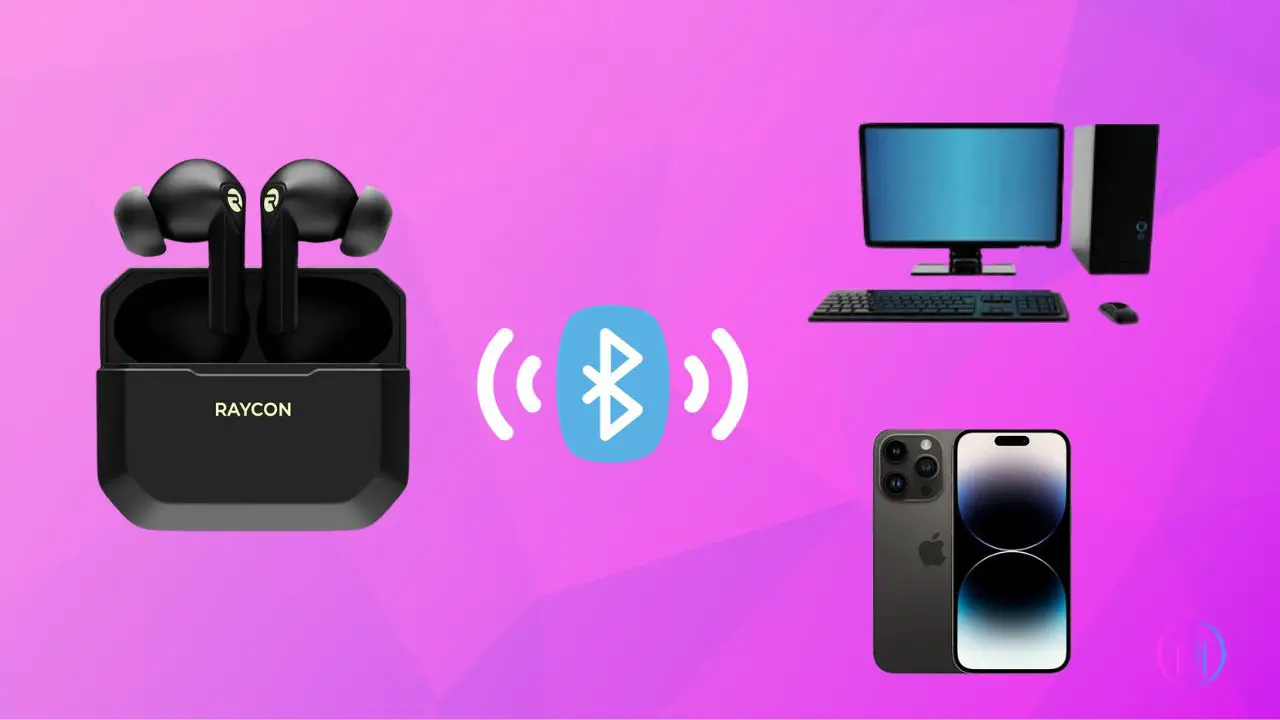
Put the earbuds in pairing mode, open Bluetooth on your device, and select Raycon.
I’ve paired Raycon earbuds and headphones across phones, laptops, and tablets for years. This guide shows you exactly how to pair Raycon headphones step-by-step, fixes common problems, and shares tips based on hands-on experience so you can connect fast and keep listening.

Why pairing matters
Pairing links your Raycon headphones to a device. Without a successful pairing, audio won't stream and features like calls or voice assistants won't work.
Good pairing saves battery and avoids connection drops. Learning how to pair raycon headphones properly reduces frustration and speeds up every listening session.

Before you start: what you need
Prepare these simple things before you try to pair Raycon headphones.
- Fully charged earbuds and case if applicable.
- A device with Bluetooth turned on and in range.
- Bluetooth permissions enabled on your phone or computer.
- Latest OS updates on your device for best compatibility.
- A quick look at the user manual for model-specific cues.
Doing these checks makes how to pair raycon headphones faster and more reliable.

Step-by-step: how to pair raycon headphones with iPhone and Android
Follow these steps for most Raycon true wireless earbuds and on-ear models.
- Turn on Bluetooth on your phone
- iPhone: Settings > Bluetooth > toggle on
- Android: Settings > Connections or Bluetooth > toggle on
- Power on the Raycon earbuds or headphones
- Take earbuds out of the case or press the power button on on-ear models.
- Wait for LED flash or a voice prompt that indicates pairing mode.
- Enter pairing mode if needed
- If they don't auto-enter pairing, press and hold the multi-function button for 3–5 seconds until blinking or voice prompt says pairing.
- Find Raycon on the device Bluetooth list
- Look for names like Raycon, Raycon E25, or the specific model name.
- Tap the name to connect.
- Confirm connection
- Phone will show “Connected” or “Paired” and audio will route to the earbuds.
If asked to enter a PIN, try 0000 or 1234. Most Raycon models do not require a PIN. These steps explain how to pair raycon headphones with phones clearly and reliably.

Pairing both earbuds (true wireless stereo)
If you have two wireless earbuds, here’s how to make them work as a pair.
- Start fresh by placing both buds in the case and closing it for 10 seconds.
- Remove both earbuds together; many Raycon models auto-power on and sync.
- If only one bud connects to the phone, power off both, then power them on again while holding both buttons to force re-sync.
- If sync fails, reset by holding buttons for 10–15 seconds until LED patterns repeat, then re-pair to your device.
When you follow these steps, how to pair raycon headphones in stereo becomes predictable and fast.

Pair with Windows, Mac, and non-smart devices
Here’s how to pair Raycon headphones beyond phones.
- Windows 10/11
- Open Settings > Devices > Bluetooth & other devices > Add Bluetooth or other device.
- Select Bluetooth and then choose your Raycon from the list.
- macOS
- Open System Settings > Bluetooth, toggle on Bluetooth, then click Connect next to your Raycon.
- Non-smart devices with Bluetooth transmitters
- Put the transmitter in pairing mode and the Raycon in pairing mode. They should find each other like a phone would.
These steps make how to pair raycon headphones with laptops and other devices easy.

Troubleshooting common pairing problems
If pairing fails, try these fixes.
- No LED or voice prompt
- Charge the earbuds for 15–30 minutes and try again.
- Device not finding Raycon
- Turn Bluetooth off and on, or restart your device. Remove old Raycon entries from the Bluetooth list first.
- Only one earbud connects
- Power off both earbuds, then power on together. Reset if needed by holding buttons for 10–15 seconds.
- Frequent disconnects
- Keep the source device and earbuds within 10 meters and away from strong Wi-Fi routers or other Bluetooth devices.
- Still can't pair
- Update your device OS, restart both devices, and try pairing again. If all else fails, contact support.
These steps solve most issues people face when learning how to pair raycon headphones.

Tips, best practices, and real-life experience
From testing Raycon models, here are practical tips I use every day.
- Always charge the case before a long trip. I once boarded a flight with low battery and missed hours of music.
- Keep firmware and phone OS updated. Small updates fix Bluetooth quirks.
- Move away from crowded Bluetooth areas during initial pairing. Airports can make pairing fail.
- Store earbuds in the case between uses for consistent pairing behavior.
- Label your Raycon in your Bluetooth list if you handle many devices; it saves time.
These simple habits improve how to pair raycon headphones and prevent repeated headaches.
Frequently Asked Questions of how to pair raycon headphones
How do I put Raycon earbuds into pairing mode?
Most Raycon earbuds enter pairing mode when taken out of the case for the first time. If not, press and hold the multi-function button for about 3–5 seconds until an LED blinks or you hear a pairing voice prompt.
Why won't my phone find my Raycon headphones?
Your phone may need Bluetooth toggled off and on or a restart. Also remove old or duplicate Raycon entries in Bluetooth settings, then try pairing again.
Can I use one Raycon earbud alone?
Yes, you can usually use a single earbud for calls or music. Take one earbud out of the case and ensure it connects as the primary earbud before removing the second.
How do I reset Raycon earbuds when pairing fails?
Reset by holding the touch or multifunction buttons on both earbuds for 10–15 seconds until LEDs flash in a pattern. Then re-pair from your device's Bluetooth menu.
Will Raycon work with any Bluetooth device?
Raycon headphones are compatible with standard Bluetooth devices like phones, laptops, and tablets. Some older Bluetooth transmitters or devices may need a firmware update or a compatible adapter.
Conclusion
You can pair Raycon headphones quickly with a little preparation and the right steps. Start by charging, enabling Bluetooth, and using the earbud buttons to enter pairing mode; follow the device-specific steps and use resets when needed. Try the troubleshooting tips if you hit snags, and adopt simple habits like keeping firmware updated to avoid repeat issues.
Take action now: follow the step-by-step guide above to pair your Raycon, test a short audio clip, and leave a comment with your model and any troubles you faced so others can learn from your experience.

Everett Ashford is a tech reviewer at mytechgrid.com specializing in SSDs, cameras, TVs, earbuds, headphones, and other consumer electronics. He provides honest, data-driven reviews based on hands-on testing and real-world performance analysis. Everett simplifies complex tech details to help readers make smart, confident buying decisions.