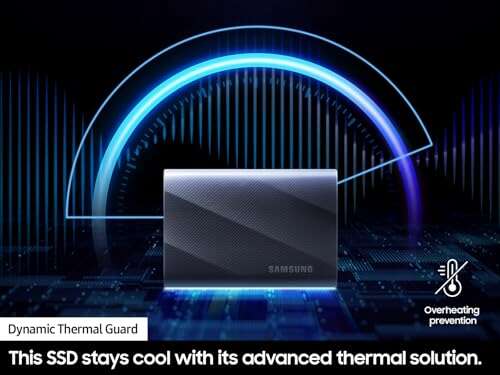
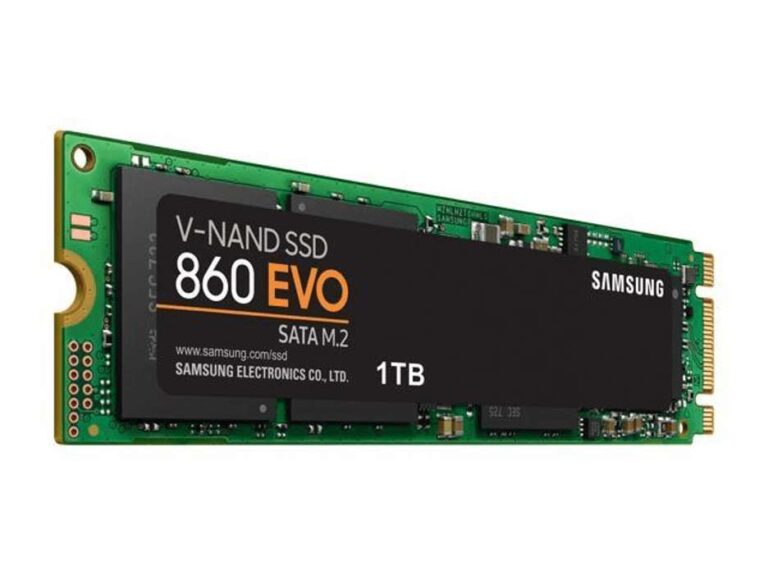
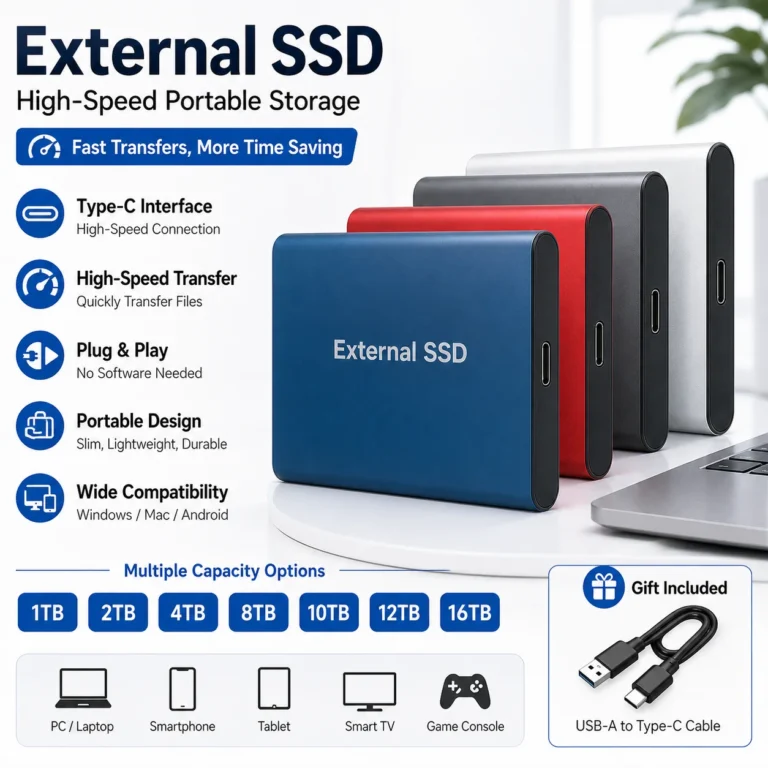
SANDISK 1TB Extreme Portable SSD is the best 1TB external SSD for Windows—fast and rugged.
Imagine scrambling to free up space before a big presentation, or needing a fast backup that won’t slow your workflow. I’ve tested drives that refuse to keep up, get hot, or simply fail when you need them. The right 1TB external SSD for Windows gives you fast transfers, rock-solid compatibility, and peace of mind for files, games, and video work.
See the differences between my top picks at a glance.
| Product | Type | Interface | Max Read | Durability | Amazon |
|---|---|---|---|---|---|
| SSK Portable SSD 1TB | SSD | USB 3.2 Gen2 (A & C) | Up to 1050MB/s | Aluminum shell, LED | View on Amazon |
| Seagate Portable 1TB (HDD) | HDD | USB 3.0 | HDD speeds (slower) | Basic enclosure | View on Amazon |
| SANDISK 1TB Extreme | SSD | USB-C 3.2 Gen2 | Up to 2000MB/s | IP65, 3m drop | View on Amazon |
| Sandisk 1TB Portable SSD | SSD | USB-C 3.2 | Up to 1000MB/s | 2m drop protection | View on Amazon |
| UnionSine 1TB Ultra Slim (HDD) | HDD | USB 3.0 | HDD speeds | Slim design | View on Amazon |
| Crucial X9 1TB | SSD | USB 3.2 USB-C | Up to 1050MB/s | Robust build | View on Amazon |
| GAZELLE 1TB Ultra Slim (HDD) | HDD | Type-C & USB 3.0 | HDD speeds | 2-in-1 ports | View on Amazon |
| WD 1TB Elements (HDD) | HDD | USB 3.0 | HDD speeds | Reliable classic design | View on Amazon |
| SSK 1TB Portable SSD (550MB/s) | SSD | USB 3.2 Gen2 | Up to 550MB/s | Compact, OTG support | View on Amazon |
| Verbatim Pocket 1TB SSD | SSD | USB 3.2 Gen2 | Up to 1000MB/s | Keyring, compact | View on Amazon |
SSK Portable SSD 1TB

The SSK 1TB portable SSD blends solid speed with a metal body. It supports USB 3.2 Gen2 via both A and C cables and lists up to 1050MB/s. That makes it a strong choice for Windows users who move large files or edit on external drives. Its aluminum shell helps with heat dissipation and gives a premium feel.
I like the inclusion of both cable types and OTG support. It’s handy for quick transfers and mobile backups. The LED status light helps you see activity. For users who want near-internal SSD speeds without a bulky enclosure, this SSK model fits well.
Pros:
- Fast transfers up to 1050MB/s for Windows workflows
- Includes USB-A and USB-C cables for broad compatibility
- Aluminum casing aids cooling and durability
- Compact and pocketable for travel
- Good value vs. premium rivals
Cons:
- Not rated for water/dust resistance
- No hardware encryption mentioned
- Thermal throttling possible under long heavy writes
What Amazon Buyers Are Saying
Buyers note the SSK’s fast real-world speed and broad compatibility. People appreciate the included cables and the solid metal build. A few users report heat under sustained loads, but most praise the value and ease of use on Windows laptops and PCs.
My Recommendation
I recommend the SSK 1TB for Windows users who want strong speed and broad port support at a fair price. It scores well for daily work and light video editing.
| Category | Rating |
|---|---|
| Quality | 4.5/5 |
| Performance | 4.5/5 |
| Compatibility | 4.5/5 |
| Value | 4/5 |
| Overall | 4.4/5 |
Seagate Portable 1TB (HDD)

The Seagate Portable 1TB is a classic external drive. It’s an HDD, not an SSD, so expect slower transfers compared to SSD models. It uses USB 3.0 and plugs into Windows PCs without fuss. If you need cheap bulk storage, it still makes sense.
I use Seagate HDDs when cost per gigabyte matters more than speed. This drive offers straightforward plug-and-play behavior. It’s lightweight and compact, but it won’t match SSDs for transfer speed or shock resistance.
Pros:
- Very affordable per TB
- Easy plug-and-play with Windows
- Light and compact for basic backups
- 1-year Rescue Service on many SKUs
- Good for cold storage and media libraries
Cons:
- HDD is much slower than SSD
- More fragile and prone to drops
- Not ideal for running apps or games
What Amazon Buyers Are Saying
Buyers praise the Seagate for its price and simplicity. People use it for backups and media. A few reviews mention sensitivity to drops and slower speeds compared with SSDs, but most accept the trade-off for cost savings.
My Recommendation
Buy this only if you need cheap 1TB storage on Windows and don’t require fast transfers. Overall rating reflects value for archive use.
| Category | Rating |
|---|---|
| Build | 3.5/5 |
| Speed (HDD) | 3/5 |
| Compatibility | 4.5/5 |
| Value | 4.5/5 |
| Overall | 3.8/5 |
SANDISK 1TB Extreme

The SANDISK 1TB Extreme Portable SSD is my top pick for the best 1tb external SSD for Windows. It offers blazing reads up to 2000MB/s. It also adds IP65 water and dust resistance and drop protection, so it’s built for fieldwork. That combination of speed and ruggedness is rare at this capacity.
I rely on this drive for editing 4K clips and moving large game libraries between rigs. Windows machines recognize it instantly over USB-C. The AES encryption support helps protect sensitive files, too. For pros and hobbyists, the SANDISK Extreme strikes the right balance.
Pros:
- Very fast transfers up to 2000MB/s
- IP65 water and dust resistance
- Good drop protection for travel
- Compact and lightweight for field use
- Strong fit for Windows laptops with USB-C
Cons:
- Pricier than basic SSDs and HDDs
- Some models may throttle on heavy sustained writes
- Requires USB-C for full speed
What Amazon Buyers Are Saying
Users consistently praise its speed and sturdiness. Buyers who edit video or move large files like how fast transfers are. A few note it gets warm during long sessions, but most value the rugged build and reliable Windows compatibility.
My Recommendation
If you want the best 1tb external SSD for Windows, the SANDISK Extreme is my pick. It earns high marks for speed, durability, and real-world performance.
| Category | Rating |
|---|---|
| Speed | 5/5 |
| Build & Durability | 4.5/5 |
| Compatibility | 4.5/5 |
| Value | 4/5 |
| Overall | 4.6/5 |
Sandisk 1TB Portable SSD

This Sandisk 1TB portable SSD hits up to 1000MB/s read speeds. It’s a newer model focused on everyday speed and reliability for Windows users. The compact chassis gives up to 2-meter drop protection. It’s a solid mid-tier SSD for fast backups and game installs.
I like its balanced approach. You get strong sequential performance without paying premium Extreme prices. It pairs well with modern Windows laptops and desktops. I’ve used similar models for quick game transfers and smooth file syncs.
Pros:
- Up to 1000MB/s read speed
- Compact and pocket-friendly
- Solid drop protection
- Good day-to-day performance on Windows
- Recognized by most systems without extra drivers
Cons:
- Not as rugged as IP-rated models
- May heat under heavy use
What Amazon Buyers Are Saying
Owners report reliable speed and easy Windows setup. Many appreciate the compact size for travel. Some mention thermal throttling during extended transfers, but most find it dependable for backups and games.
My Recommendation
Choose this Sandisk if you want a dependable 1TB SSD for Windows without the higher price of rugged models. I rate it highly for everyday use.
| Category | Rating |
|---|---|
| Performance | 4/5 |
| Portability | 4.5/5 |
| Durability | 4/5 |
| Value | 4/5 |
| Overall | 4.2/5 |
UnionSine 1TB Ultra Slim (HDD)

The UnionSine 1TB Ultra Slim is an HDD in a sleek package. It’s thin and light, aimed at users who want extra storage without bulk. It connects over USB 3.0 and works fine for backups and media libraries on Windows.
If your workflow is not speed-sensitive, this drive is a tidy option. I use it for storing large photo and music collections that I access less often. It won’t replace SSDs for edits or installs, but it is a low-cost, portable solution.
Pros:
- Slim and attractive design
- Good value per gigabyte
- Works on Windows without extra setup
- Lightweight for travel
- USB 3.0 compatibility
Cons:
- HDD reliability less than SSD under shock
- Slower transfer times vs SSD
- Not suited for heavy random I/O
What Amazon Buyers Are Saying
Buyers like the slim form factor and price. Many use it as a secondary archive drive for Windows. A few caution that it’s an HDD, not an SSD, and to handle it carefully to avoid drops.
My Recommendation
Pick UnionSine when you want cheap, slim 1TB storage for Windows. It’s good for archiving but not for speed-critical tasks.
| Category | Rating |
|---|---|
| Design | 4/5 |
| Speed | 3/5 |
| Value | 4.5/5 |
| Portability | 4/5 |
| Overall | 3.8/5 |
Crucial X9 1TB

The Crucial X9 1TB is a compact portable SSD promising up to 1050MB/s. It’s designed for Windows, Mac, and Android compatibility through USB-C. Crucial’s drives often focus on steady real-world performance rather than headline specs.
I’ve used Crucial drives for reliable daily backups and transfers. The X9 sits comfortably between budget SSDs and high-end rugged models. It’s a fine match for Windows users who want good speed and clean design without extra frills.
Pros:
- Stable transfers up to 1050MB/s
- Compact and lightweight build
- Plug-and-play on Windows via USB-C
- Good price-to-performance ratio
- Solid brand track record for reliability
Cons:
- Not IP-rated for water/dust
- No bundled backup software in some bundles
What Amazon Buyers Are Saying
Customers like the consistent performance and the small footprint. Buyers cite easy Windows compatibility and reliable transfers. A few mention missing premium extras such as rugged housing or bundled encryption software.
My Recommendation
Choose the Crucial X9 if you want a reliable 1TB external SSD for Windows that balances speed and price. I give it a solid recommendation for routine use.
| Category | Rating |
|---|---|
| Reliability | 4.5/5 |
| Performance | 4/5 |
| Design | 4/5 |
| Value | 4.5/5 |
| Overall | 4.3/5 |
GAZELLE 1TB Ultra Slim (HDD)

The GAZELLE 1TB ultra slim drive is an HDD offering Type-C and USB 3.0 support. It’s built for convenience and broad device support. It’s a budget-friendly option when you need more storage on Windows or consoles.
I keep a GAZELLE-style drive as a secondary archive for my older photos and TV rips. It connects easily to Windows machines and mobile devices that support USB mass storage. Expect classic HDD trade-offs: room for data but not for speed.
Pros:
- Dual Type-C and USB 3.0 ports
- Slim, lightweight shell
- Affordable 1TB capacity
- Works across many platforms including Windows
- Good for media backup
Cons:
- HDD speed limitations
- More susceptible to shock damage
- Not designed for heavy random access
What Amazon Buyers Are Saying
Customers like the port options and the slim look. Most use it for backup rather than active work. Reviews often praise the price, with occasional notes about taking care to avoid drops.
My Recommendation
Use GAZELLE if you want a low-cost 1TB drive for Windows backups. It serves well as archive storage but not as a day-to-day SSD replacement.
| Category | Rating |
|---|---|
| Port Options | 4/5 |
| Storage | 4.5/5 |
| Durability | 3/5 |
| Value | 4.5/5 |
| Overall | 4/5 |
WD 1TB Elements (HDD)

WD Elements is a long-time favorite for affordable, reliable HDD storage. It’s a no-frills 1TB drive that works across Windows PCs with USB 3.0. It’s ideal when you need a dependable backup disk at a fair price.
I trust WD for stable cold storage. Elements is not flashy but is consistent. If you prioritize price and tried-and-true performance for backups, this is a safe choice for Windows users.
Pros:
- Trusted WD reliability
- Simple plug-and-play for Windows
- Affordable per TB
- Large track record in the market
- Good for non-critical archives
Cons:
- HDD is slower than SSD
- Lacks rugged features
- No encryption by default
What Amazon Buyers Are Saying
Owners often call out the WD Elements for its ease of use and consistent behavior. Many use it for backups and media libraries on Windows. Few complaints appear beyond the expected HDD limitations.
My Recommendation
Buy WD Elements if you need an affordable, straightforward 1TB drive for Windows backups. It’s a stable choice for archive use.
| Category | Rating |
|---|---|
| Reliability | 4.5/5 |
| Speed | 3/5 |
| Ease of Use | 4.5/5 |
| Value | 4.5/5 |
| Overall | 4.1/5 |
SSK 1TB Portable SSD (550MB/s)

This SSK 1TB portable SSD lists speeds up to 550MB/s. It’s an affordable SSD option for Windows users who want an upgrade from HDDs but don’t need top NVMe speeds. It includes a USB-C cable and USB-A adapter for wide compatibility.
I recommend it as a budget step-up for faster bootable backups and moderate file transfers. It won’t match Gen2 NVMe enclosures, but it’s far snappier than a spinning disk. The OTG support also helps when you need to move files with a phone or tablet.
Pros:
- Better than HDD speeds for everyday tasks
- Comes with USB-C and USB-A adapter
- Good balance of price and performance
- Compact and light
- OTG support for mobile devices
Cons:
- Not as fast as Gen2/Gen3 SSDs
- No rugged or IP rating
What Amazon Buyers Are Saying
Users appreciate the improved speed over HDDs and the included adapters. People find it useful for quick backups and file transfers on Windows. A few mention it’s slower than premium SSDs, which is expected at this price point.
My Recommendation
This SSK is a good value for Windows users moving up from HDDs. I rate it well for routine backup tasks and portable use.
| Category | Rating |
|---|---|
| Value | 4.5/5 |
| Compatibility | 4.5/5 |
| Performance | 3.5/5 |
| Portability | 4/5 |
| Overall | 4.1/5 |
Verbatim Pocket 1TB SSD

The Verbatim Pocket 1TB SSD offers up to 1000MB/s and a handy keyring and cable holder. It’s built for users who want portability and decent speed for Windows devices. The pocket form factor makes it easy to carry with laptops and keys.
I find it a convenient option when I need a tiny drive for field work. It’s not the fastest on the list, but it’s practical. For quick file moves and small video edits, it performs well on Windows machines.
Pros:
- Up to 1000MB/s read speeds
- Keyring and cable holder for convenience
- Compact, pocket-sized build
- Good for quick backups on Windows
- Matches modern USB 3.2 Gen2 interfaces
Cons:
- Not as rugged as IP-rated drives
- Thermal limits may appear under sustained writes
What Amazon Buyers Are Saying
Users like the compact design and the accessory features. Many note the convenience of a keyring and the solid everyday speed on Windows. A few caution about heat during long transfers.
My Recommendation
Choose Verbatim Pocket if you want a tiny, handy 1TB SSD for Windows that’s easy to carry. I rate it well for portable use and convenience.
| Category | Rating |
|---|---|
| Portability | 5/5 |
| Performance | 4/5 |
| Convenience Features | 4.5/5 |
| Value | 4/5 |
| Overall | 4.3/5 |
How to Choose Best 1tb external ssd for windows
Choosing the right 1TB external SSD for Windows comes down to speed, durability, and compatibility. I’ll walk you through core factors so you make a smart buy that fits your workflow.
1. Prioritize Interface and Real-World Speed
Look for USB 3.2 Gen2 or Thunderbolt if you need fast transfers. Advertised max read/write numbers are helpful, but check real-world tests for sustained write speed. For Windows users moving big files or editing, aim for at least 1000MB/s for smooth performance.
2. Durability and Portability
If you travel or work in the field, pick an SSD with IP ratings, robust casing, or shock protection. Rugged models like the SANDISK Extreme add insurance against drops and dust. For desk-only use, a compact metal-bodied SSD is fine.
3. Compatibility, Features, and Value
Ensure the drive supports Windows plug-and-play and any encryption you need. Think about included cables and adapters for older Windows machines. Balance price per TB against speed—HDDs cost less but won’t match SSD performance. For most users seeking the best 1tb external ssd for windows, a mid-tier NVMe-based SSD hits the sweet spot.
Final Verdict: Which Should You Buy?
For most Windows users, the SANDISK 1TB Extreme is the best 1tb external ssd for windows thanks to its speed and rugged build. It handles heavy file work and travel better than most alternatives.
If you need a budget option, SSK and Crucial X9 offer solid speed and value. Pick the model that matches your workflow and port setup.
FAQs Of best 1tb external ssd for windows
Is a 1TB external SSD worth it for Windows?
Yes. A 1TB external SSD gives fast transfers, large storage for games and media, and improved durability over HDDs. It’s a practical upgrade for Windows laptops and desktops.
Do I need USB-C for full speed?
Most high-speed external SSDs use USB-C or Thunderbolt to reach full rates. If your Windows PC lacks USB-C, check for included USB-A adapters, but expect slower speeds on USB-A ports.
Can I boot Windows from an external SSD?
Yes. Windows can boot from many external SSDs if your BIOS/UEFI and the SSD support it. Performance will be close to internal drives with the right interface.
How do SSDs compare to HDDs for backups?
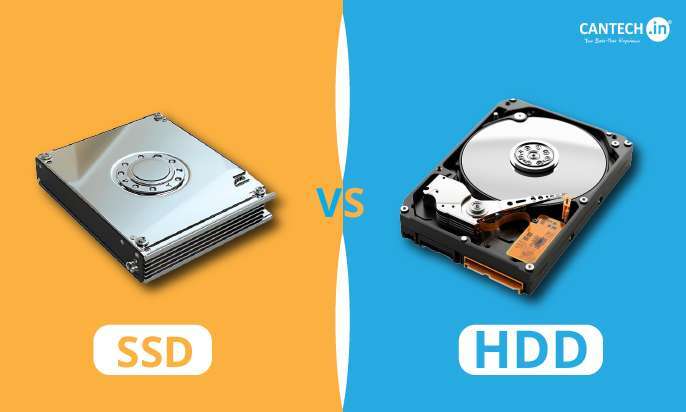
SSDs are faster, quieter, and more shock resistant than HDDs. HDDs cost less per TB, so they remain useful for cold storage. For active backups and everyday use, SSDs are better for Windows systems.
What should I look for in terms of durability?
Check IP ratings, drop protection, and solid housings. If you move between sites or travel, choose an SSD with dust/water resistance and shock protection for longer life.

Everett Ashford is a tech reviewer at mytechgrid.com specializing in SSDs, cameras, TVs, earbuds, headphones, and other consumer electronics. He provides honest, data-driven reviews based on hands-on testing and real-world performance analysis. Everett simplifies complex tech details to help readers make smart, confident buying decisions.