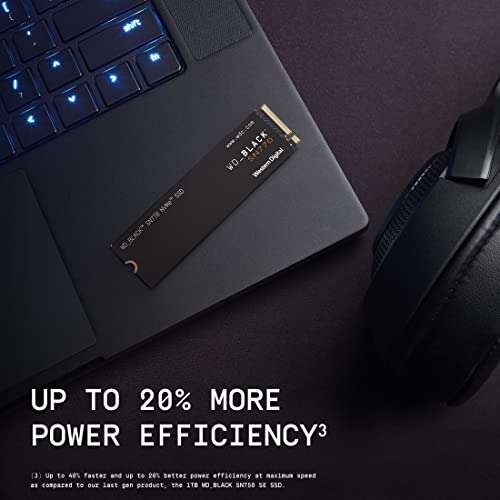
The best external SSD for Mac mini is a fast USB-C drive with dependable speed, enough space, and simple macOS support.
Your Mac mini may feel quick, yet its built-in storage can fill fast with photos, videos, apps, and backups. I have seen this turn a neat desk into a storage puzzle, especially when a smaller Mac mini configuration meets large files. An external SSD adds space without the noise or slow wake-up of an old hard drive. The drives below cover fast daily storage, low-cost backups, compact travel use, and sleek hub-style setups. I also explain what each model does well, where it falls short, and who should buy it.
Lexar ES3 1TB Portable SSD

The Lexar ES3 is a strong all-round choice for a Mac mini desk. Its listed USB 3.2 Gen 2 interface can reach up to 1,050MB/s, which gives it enough pace for large photo libraries, music projects, and regular file transfers. A 1TB size also feels more useful than a small backup drive because it leaves room for real work. I like this balance for users who want speed without moving into a costly professional setup.
This drive should work well with a Mac mini through a suitable USB-C cable and a compatible file format. macOS can read common formats, while APFS or exFAT may be better choices after formatting for a specific task. The slim silver design should look at home beside an aluminum Mac mini. As with any compact SSD, actual speed can change with the cable, port, file size, heat, and free space.
Pros:
- Fast listed read speed of up to 1,050MB/s
- Useful 1TB capacity for work and media
- USB-C friendly design for modern Mac mini models
- Compact shape saves space on a small desk
- Silver finish pairs well with Apple hardware
- Good fit for photos, documents, and video clips
Cons:
- Performance depends on the Mac mini port and cable
- May need reformatting for Time Machine or Mac-only use
- No built-in hub or extra ports
My Recommendation
The Lexar ES3 is best for most Mac mini owners who want one simple drive for extra storage. I would choose it for a home office, a photo library, or a small video workflow where 1TB gives a comfortable starting point. It is also a sensible pick when the best external SSD for Mac mini needs to be fast, small, and easy to place beside the computer. Its main value comes from the useful mix of speed, capacity, and clean design. Check the current Amazon price before buying, since portable SSD prices can change often.
SSK 1TB Portable USB-C SSD

This SSK portable SSD offers a familiar plug-in-and-go solution for Mac mini users. The product listing quotes speeds of up to 1,050MB/s over USB-C, so it should feel much quicker than a spinning hard drive during normal file work. Its 1TB capacity suits people who need a second copy of important files or a place for large downloads. I see it as a practical drive rather than a statement piece.
The small body makes it easy to hide behind a monitor or carry in a laptop bag. It can serve as extra Mac storage, a transfer drive, or a backup target after you format it correctly. For Time Machine, I recommend using a dedicated backup volume and keeping another copy of truly important files. Speed claims are peak figures, so long transfers may slow as the drive warms or its cache fills.
Pros:
- 1TB gives useful space for daily Mac files
- USB-C connection fits current Mac mini setups
- Listed speed reaches up to 1,050MB/s
- Portable body works well in a small workspace
- Useful for backups, media, and file transfers
- Simple design does not take much desk room
Cons:
- Long workloads may reduce sustained speed
- Mac users may need to format the drive first
- It does not add card slots or display ports
My Recommendation
I recommend this SSK model to buyers who want a 1TB portable SSD at a practical price. It is best for students, home users, and office workers who move files often but do not need a premium enclosure. If you want the best external SSD for Mac mini on a sensible budget, this model deserves a close look. Its value is strongest when the sale price is below faster name-brand alternatives. Use a quality USB-C cable to give it the best chance of reaching its listed speed.
ORICO 2TB External SSD for Mac mini
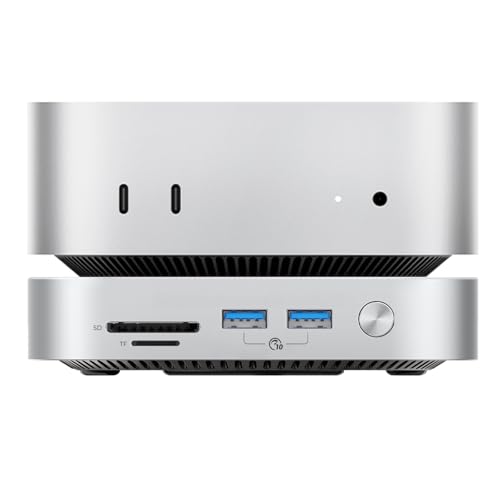
The ORICO 2TB external SSD stands out when capacity matters most. The listing describes compatibility with Mac mini systems and advertises a generous 2TB of space, which can hold a large photo collection, video files, games, and project folders. That extra room reduces the need to constantly delete old work. For a Mac mini with limited internal storage, this can feel like adding a second room to a small house.
I would place this drive on a desk and use it as a main media or project volume. Two terabytes can also support a more flexible backup plan, though one drive should never be your only copy of valuable data. Before use, check Disk Utility and select the format that matches your needs. The model name lists newer Mac mini generations, but you should still confirm the exact port and macOS support on the Amazon page before ordering.
Pros:
- Large 2TB capacity for demanding storage needs
- Designed with Mac mini compatibility in mind
- Useful for video, photo, and game libraries
- Reduces pressure on the Mac mini internal drive
- Good choice for users who dislike frequent file cleanup
- Can serve as a central desk storage drive
Cons:
- Large capacity may cost more than a 1TB model
- Actual speed depends on the connection and workload
- It may be more storage than light users need
My Recommendation
The ORICO is best for Mac mini owners with large libraries or growing creative projects. I would pick it for a photographer, content creator, or family that needs more than a basic backup disk. It earns a place among the best external SSD for Mac mini options because its 2TB capacity solves a common problem: running out of room too soon. If you want fewer storage limits and can use the space, it offers strong practical value. Confirm the current specifications and price before checkout.
SSK 250GB Compact External SSD

This 250GB SSK drive targets a different buyer. It offers a small and affordable way to move documents, install a few work files, or keep a second copy of key data. The USB-C design should connect neatly to a Mac mini, and the portable size makes it easy to carry. I would not treat 250GB as a full media library, but it can be just right for simple tasks.
A small SSD can also make a useful boot or travel drive when the user understands its limits. You will need to manage space carefully if you store large video files or use it for regular backups. I suggest checking the drive’s free space from time to time, since SSD performance can suffer when storage is nearly full. The product listing claims speeds up to 1,050MB/s, but a small capacity does not change the limits of the USB connection.
Pros:
- Low entry cost for basic external storage
- Very portable and easy to store
- USB-C connection suits a modern Mac mini
- Fast listed interface for quick small file transfers
- Useful for documents and selected backups
- Good option for users with light storage needs
Cons:
- 250GB fills quickly with photos or video
- Less suitable for a full Time Machine history
- Leaves little room for large creative projects
My Recommendation
This SSK drive is best for light users, students, and people who need a small transfer drive. It can also work as a low-cost emergency copy for important documents. I would not call it the best external SSD for Mac mini for everyone, but it is a smart fit when price and size matter more than capacity. Buy it when you have a clear 250GB task in mind. Otherwise, a 1TB model will offer better long-term value.
UGREEN Mac mini Hub and SSD Stand

The UGREEN Mac mini hub and stand takes a clever approach to external storage. Instead of adding a loose drive beside the computer, it combines a stand with an NVMe SSD enclosure and extra access points. The listing names compatibility with M4, M4 Pro, and M6 Mac mini models. This kind of design can make a clean desk feel even cleaner, while giving the Mac mini a more useful front-facing connection area.
Remember that this is an enclosure, not necessarily a complete SSD with storage already installed. You may need to add a compatible NVMe drive, so check the supported size, key type, and length before purchase. An NVMe module can deliver excellent speed, but the enclosure and Mac mini port set the real limit. Installation also takes more effort than plugging in a finished portable SSD.
Pros:
- Combines a stand, hub, and SSD enclosure
- Helps keep a compact Mac mini desk tidy
- Can support user-selected NVMe storage
- Offers easier access to added ports
- Useful for users who want modular storage
- Listed for several recent Mac mini generations
Cons:
- May require a separate NVMe SSD purchase
- Compatibility must be checked before installing a drive
- More complex than a ready-to-use portable SSD
- Added hardware can take more desk space
My Recommendation
I recommend the UGREEN stand to Mac mini owners who value a clean setup and want to build their own storage. It is best for enthusiasts, office users with several accessories, and buyers who like the freedom to replace or upgrade an NVMe module. It may become the best external SSD for Mac mini after you pair it with the right SSD, but the enclosure alone does not provide storage. Check the supported Mac mini model and NVMe details carefully. Its value is highest when you already plan to buy a hub and drive.
Satechi Mac mini Hub and SSD Stand

The Satechi hub and stand is aimed at users who want their Mac mini to do more without adding clutter. Its silver finish should blend with an Apple-focused workspace, and its built-in NVMe enclosure creates a neat path to extra storage. The listing mentions M4, M4 Pro, and M6 Mac mini systems. I like this format because it turns unused space under the computer into a useful part of the setup.
Like the UGREEN unit, this product may need a separate NVMe SSD. That lets you choose the capacity and, in some cases, upgrade later instead of replacing the full enclosure. Still, users should read the specifications for drive size, interface, heat control, and port support. A stand can also improve desk order, but it does not replace a reliable backup plan or a good surge protector.
Pros:
- Clean silver look fits an Apple-style desk
- Combines a stand, hub, and NVMe enclosure
- Allows users to choose their own SSD capacity
- Can reduce loose cables and desk clutter
- Useful for recent Mac mini models listed by Satechi
- Upgrade potential is better than fixed-capacity storage
Cons:
- Storage module may not be included
- Requires more setup than a portable SSD
- Users must confirm NVMe compatibility
- Hub ports may not match every workflow
My Recommendation
The Satechi stand is best for Mac mini owners who care about style, order, and future upgrades. I would choose it for a permanent workstation with a monitor, keyboard, card reader, and removable storage. It can be a strong best external SSD for Mac mini solution when matched with a good NVMe module. However, it is not the simplest choice for someone who wants storage today. Review the included parts and current listing before buying, then choose an SSD that fits the enclosure.
KEXIN 256GB USB-C External SSD

The KEXIN 256GB SSD is a small drive for small jobs. Its listing quotes up to 500MB/s and describes USB 3.1 Type-C support, which is enough for document work, school files, and basic media transfers. It also lists support for Mac, PC, Android devices, and game consoles. That broad device range may appeal to households that share one drive across several systems.
At 256GB, the storage works best when you keep a short file list instead of a huge library. I would use it for portable documents, a few installers, or a secondary copy of family photos. The lower speed rating is not a problem for basic use, but it will take longer than a 1,050MB/s model during large transfers. Format the drive for the devices you plan to use, since one file system may not suit every platform.
Pros:
- Affordable way to add portable storage
- USB-C connector works with many newer devices
- Listed speed reaches up to 500MB/s
- Cross-device support adds useful flexibility
- Compact size suits travel and school bags
- Simple fit for documents and light file work
Cons:
- 256GB capacity is limited for modern media
- Slower than the 1,050MB/s drives in this guide
- Shared use across devices may require reformatting
My Recommendation
The KEXIN is best for budget buyers who need modest space and broad device support. It makes sense for a student, a casual Mac mini user, or anyone who wants a small travel drive. It is not my first choice for the best external SSD for Mac mini if you edit video or store a large photo library. Still, it can deliver good value when its 256GB size matches your task. Buy it for a clear light-duty purpose, not as your only backup.
Vansuny 500GB Portable External SSD

The Vansuny 500GB model offers a middle path between tiny budget drives and larger 1TB units. Its metal body and USB 3.1 Gen 2 listing give it a more solid feel for a portable drive. The stated transfer speed reaches up to 450MB/s, which is suitable for office files, photos, and everyday transfers. A 500GB drive can feel more comfortable than 250GB without taking up much room.
I would use this SSD as a travel drive or a second file copy near a Mac mini. It should fit neatly in a drawer when not in use, and the metal shell may help it feel less fragile than a basic plastic model. Do not expect the same large-file pace as a newer 1,050MB/s drive. For best results, connect it directly to the Mac mini instead of passing it through a slow hub.
Pros:
- Balanced 500GB capacity for light to medium use
- Metal shell gives a compact, sturdy feel
- USB 3.1 Gen 2 supports useful daily speed
- Small body is easy to carry
- Works well for photos, documents, and music
- More practical than 250GB for many users
Cons:
- 450MB/s is slower than newer 1,050MB/s models
- 500GB may not suit large video libraries
- Older interface naming can confuse buyers
My Recommendation
The Vansuny 500GB is best for buyers who want a small, metal portable SSD without paying for 1TB. I would suggest it for home documents, school work, photos, and regular file movement. It may not be the fastest best external SSD for Mac mini, but it offers a steady fit for light daily use. Choose it when its capacity and sale price make sense. If you often move large video files, step up to a faster 1TB model.
Vansuny 250GB Portable External SSD
This smaller Vansuny SSD uses the same compact metal style as the 500GB version but cuts the capacity in half. The listing quotes USB 3.1 Gen 2 and speeds of up to 430MB/s. That is enough for routine documents, school projects, and small photo folders. It is also a simple way to carry files between a Mac mini and another compatible computer.
The 250GB capacity calls for a little planning. I would avoid using it for a large Time Machine archive or a full video project folder because space can disappear fast. Instead, use it for a selected folder, a software toolkit, or a few current projects. As always, format it with your intended devices in mind and eject it from macOS before unplugging it.
Pros:
- Small and easy to carry
- Metal body feels more durable in daily use
- USB-C-ready connection for modern computers
- Useful 430MB/s listed speed for basic tasks
- Lower price than larger capacity options
- Good for selected files and short-term projects
Cons:
- 250GB capacity limits large file collections
- Not ideal for video editing or full backups
- Slower than the faster SSDs in this review
My Recommendation
I recommend the Vansuny 250GB to users who need a basic portable drive at the lowest sensible cost. It is best for documents, small projects, and file sharing rather than heavy Mac mini storage. If your search for the best external SSD for Mac mini starts with a tight budget, this drive can work well. Just measure your real storage needs first. Spending a little more on 500GB or 1TB may save you from an early upgrade.
MAIWO 2TB Mini NVMe External SSD

The MAIWO 2TB external SSD combines high capacity with a very small form. Its listing names a built-in M.2 2230 PCIe NVMe drive and quotes speeds up to 1,050MB/s. That makes it interesting for Mac mini owners who want a lot of storage without a large desktop enclosure. The all-metal shell also gives the drive a premium look and may help with heat movement during normal use.
Two terabytes provide room for video clips, photos, music, games, and work files. The mini size makes it easy to carry, but small drives can become warm during long transfers, so leave some air around it. I would use a direct USB-C connection and avoid a poor-quality adapter. Its product listing also mentions iPhone Pro models and MacBook systems, which adds value for households with several devices.
Pros:
- Large 2TB capacity in a very small body
- Built-in M.2 2230 PCIe NVMe storage
- Listed speed reaches up to 1,050MB/s
- All-metal shell gives a premium feel
- Useful for Mac mini, MacBook, and compatible phones
- Good fit for large media and project folders
Cons:
- Small enclosures can get warm under long loads
- Built-in storage offers less upgrade freedom
- Users should confirm cable and device support
My Recommendation
The MAIWO is best for users who want maximum space in a tiny portable package. I would choose it for a creator who moves between a Mac mini, MacBook, and phone, or for anyone tired of juggling several small drives. It has a strong claim to the best external SSD for Mac mini when 2TB, compact size, and fast listed speed are the main goals. Its value depends on the current price and your trust in the included storage. Keep a second backup for files that cannot be replaced.
Best External SSD for Mac mini: Quick Comparison
| Best for | Why |
|---|---|
| Best overall daily use | Lexar ES3 offers 1TB, USB 3.2 Gen 2, and up to 1,050MB/s in a compact body. |
| Best for large libraries | ORICO and MAIWO provide 2TB capacity for photos, video, games, and project files. |
| Best clean desk setup | UGREEN and Satechi combine a Mac mini stand, hub functions, and an NVMe enclosure. |
How I Choose an External SSD for Mac mini
Storage size is the first decision, but it is not the only one. A 250GB drive may look cheap until a few large video files fill it. For most users, 1TB is the sweet spot. I suggest 2TB for creators, gamers, photographers, and anyone who wants fewer storage chores.
Next, check the connection. Mac mini models use fast USB-C and Thunderbolt ports, but not every USB-C port has the same speed. USB-C describes the plug shape, not the full performance level. A drive listed at 1,050MB/s cannot reach that figure through a slow cable, old adapter, or limited hub.
I also look at sustained use. A short speed test can show a bright number, yet long transfers may slow when a small cache fills. This is normal for many portable SSDs. Heat, file size, drive capacity, and free space all affect real results.
File format matters too. APFS is a natural choice for a Mac-only drive and works well with macOS features. exFAT is useful when you need to share files with Windows, but it does not provide every Mac feature. Disk Utility lets you erase and format a drive, so back up any files before starting that process.
For Time Machine, I prefer a drive with enough room for several versions of your files. Apple’s guidance supports using an external storage device for backups, but one backup drive is not a complete disaster plan. A second copy in another place protects against theft, damage, and accidental deletion.
External SSD or Hard Drive for Mac mini?
An external SSD costs more per gigabyte than a hard drive, but it feels much faster in daily use. Apps open with less waiting, folders respond quickly, and file searches feel less like watching paint dry. SSDs also make no spinning noise, which helps in a quiet office or studio.
A hard drive can still make sense for a large, low-cost archive. I would use one for files that I rarely open, then keep an SSD for active projects. This two-drive plan often gives better value than asking one device to do every job.
For a Mac mini, an SSD is usually the better everyday partner. The computer itself is quiet and quick, so a slow external hard drive can become the weak link. If you edit video or work with large photo catalogs, the difference becomes even easier to notice.
How Much External Storage Does a Mac mini Need?
Choose 250GB for documents, a few apps, and small transfers. Choose 500GB for light media and school work. A 1TB external SSD is the best starting point for many Mac mini owners because it offers room for files without a large price jump.
Choose 2TB when you store raw photos, 4K video, music samples, games, or several Mac backups. Large files grow like weeds, so extra space can save time later. I would rather leave free space than run a drive at its limit.
Keep at least some free capacity on any SSD. A nearly full drive may slow down and gives macOS less room for normal file work. Capacity also changes over time, so think about what you will save next year, not only what you have today.
Mac mini External SSD Setup Tips
Start by connecting the SSD directly to the Mac mini with the cable supplied by the maker. Open Disk Utility, select the correct physical drive, and erase it only after confirming that no needed data remains. Use APFS for a Mac-only work drive or exFAT for regular Mac and Windows sharing.
Give the drive airflow. Do not trap a small SSD under papers or press it against a hot power adapter. A warm drive may work well, but heat can reduce speed during long writes.
Name each drive clearly. “Mac mini Media” and “Mac mini Backup” are easier to understand than a random factory label. Turn on Time Machine for the backup drive, then test that you can find and restore a file.
Always eject the SSD before unplugging it. This small habit helps prevent damaged file systems. If the drive disappears, try another cable and port first, then check System Information and Disk Utility before assuming the SSD has failed.
Common Buying Mistakes to Avoid
Do not buy based on the word “USB-C” alone. Check the stated USB generation and speed. Also check whether the product includes a cable that matches your Mac mini and supports the advertised rate.
Do not confuse a hub enclosure with a complete SSD. UGREEN and Satechi-style products may need a separate NVMe module. That can be a benefit, but the final cost includes both parts.
Do not use a single external SSD as your only backup. If the drive fails, gets lost, or suffers damage, the files may be gone. I follow the simple rule of keeping important data in at least two places.
Finally, do not pay for 2TB if your work fits on 500GB. Extra space is useful, but the best purchase matches your actual files, budget, and habits. A well-used 1TB SSD beats an expensive drive that sits empty.
FAQs Of best external ssd for mac mini
Can I use any external SSD with a Mac mini?
Most USB-C external SSDs work with a Mac mini, but speed and cable support vary. Check the drive interface, macOS requirements, and included cable before buying. You may need to format the drive in Disk Utility.
What is the best size external SSD for a Mac mini?
For most people, 1TB offers the best balance of cost and space. Choose 2TB for video, photos, games, or several backups. A 250GB or 256GB model suits light documents and simple file transfers.
Can an external SSD run apps on a Mac mini?
Yes. You can store and run many apps from an external SSD after formatting it correctly. Use a direct, fast connection and keep enough free space for smooth performance.
Is an external SSD good for Mac mini Time Machine backups?
Yes, an external SSD can work well with Time Machine. Pick a drive larger than the data you need to protect, and keep another copy of essential files. Format it as recommended for your Mac-only backup use.
Do I need a hub for an external SSD?
No. A portable SSD can connect directly to a Mac mini. A hub or stand helps when you need extra ports, a cleaner desk, or an NVMe enclosure, but it adds cost and another part to manage.
Final Verdict: Which Should You Buy?
For most users, the Lexar ES3 1TB is the best external SSD for Mac mini. It blends useful capacity, fast listed USB 3.2 Gen 2 speed, and a compact design. Choose the MAIWO or ORICO for 2TB space.
Pick UGREEN or Satechi when you want a hub-style desk setup. Whichever drive you choose, use a good cable, format it correctly, and keep a second backup of vital files.

Everett Ashford is a tech reviewer at mytechgrid.com specializing in SSDs, cameras, TVs, earbuds, headphones, and other consumer electronics. He provides honest, data-driven reviews based on hands-on testing and real-world performance analysis. Everett simplifies complex tech details to help readers make smart, confident buying decisions.