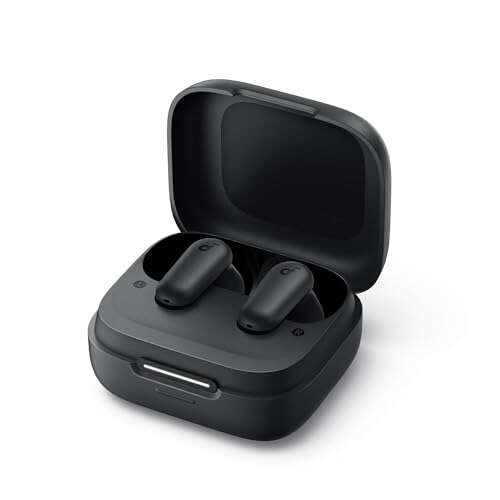
Most Heyday earbuds reset by charging both buds, forgetting them in Bluetooth, and holding both controls together.
When Heyday earbuds stop pairing, play sound in one ear, or connect to the wrong phone, a reset often clears the problem. The exact button timing can vary by model, so this guide explains how to reset Heyday earbuds safely, how to pair them again, and what to do when a basic reset does not work.
Before you reset Heyday earbuds
A reset removes saved pairing data from the earbuds. It does not usually repair a broken speaker, damaged battery, or water damage. Still, it is one of the best first steps for Bluetooth problems.
Before learning how to reset Heyday earbuds, check these simple points:
• Charge the earbuds and charging case for at least 15 minutes.
• Remove both earbuds from the case and check that the charging contacts are clean.
• Keep the earbuds close to your phone during setup.
• Turn off Bluetooth on nearby phones, tablets, and laptops.
• Find the model name or number on the case, box, or manual.
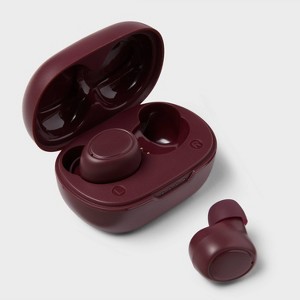
The model matters because Heyday has released several earbud designs. Some use touch controls, while others use physical buttons. The reset gesture may also differ.
How to reset Heyday earbuds: the standard method
This method works for many Heyday true wireless models. Follow the steps in order and do not skip the Bluetooth removal step.
-
Put both Heyday earbuds into the charging case.
-
Make sure each earbud sits firmly on its charging contact.
-
Close the lid for about 10 seconds.
-
Open the lid and remove both earbuds.
-
On your phone, open Settings, then Bluetooth.
-
Tap the information icon beside the Heyday earbuds.
-
Choose Forget This Device, Unpair, or Remove Device.
-
Turn Bluetooth off on your phone.
-
Touch and hold both earbud controls at the same time.
-
Continue holding for about 10 to 15 seconds.
-
Place both earbuds back in the case.
-
Close the lid for 10 seconds, then open it again.
-
Turn Bluetooth back on and search for the earbuds.
-
Select the Heyday earbuds from the available devices list.
The indicator lights may flash during this process. The color pattern depends on the model, so do not rely on one exact color as proof of a reset. The most reliable signs are that the old Bluetooth connection disappears and the earbuds enter pairing mode again.
This is the most useful answer for people searching how to reset Heyday earbuds, but some models require a different button sequence. If the standard method fails, use the model-specific method below.

How to reset Heyday earbuds with touch controls
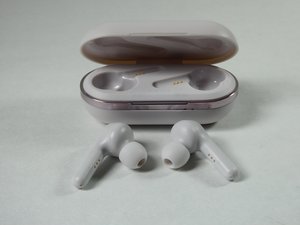
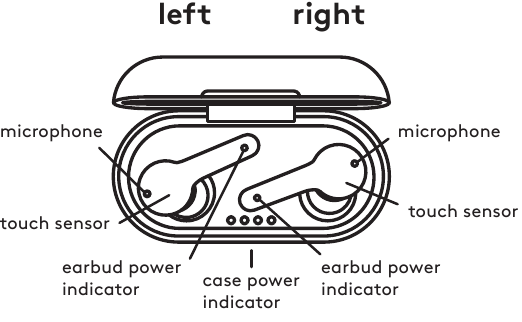
Many Heyday earbuds use a flat touch surface instead of a click button. Touch controls can be sensitive, so use a firm, steady touch rather than repeated taps.
Try these steps:
-
Forget the Heyday earbuds from every phone or computer that has used them.
-
Turn Bluetooth off on nearby devices.
-
Place both earbuds in the case.
-
Remove both earbuds at the same time.
-
Touch and hold the center of both earbuds for 10 to 15 seconds.
-
Watch for a change in the LED pattern.
-
Return the earbuds to the case.
-
Remove them again and wait for pairing mode.
If nothing happens, keep the earbuds in the case while holding the touch areas. Some designs accept the reset command only when the buds are seated in the case. Try holding the controls for up to 20 seconds, but avoid pressing with sharp objects or excessive force.
A common mistake is touching one earbud first and the other several seconds later. That can start normal play or pairing commands instead of a reset. For the cleanest result, touch both controls together.
How to reset Heyday earbuds with physical buttons
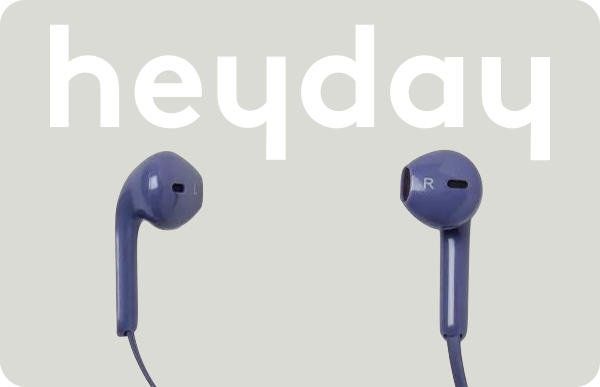
Some Heyday models have small physical buttons. These usually need a longer press than normal playback controls.
Use this process:
-
Remove the earbuds from your phone’s Bluetooth list.
-
Turn off Bluetooth on the phone.
-
Place both earbuds in the charging case.
-
Remove both earbuds together.
-
Press and hold both physical buttons for 10 to 15 seconds.
-
Release the buttons when the LEDs change or flash.
-
Put the earbuds into the case for about 10 seconds.
-
Remove them and turn Bluetooth back on.
-
Pair them as a new device.
If your earbuds turn off when you hold the buttons, continue holding them after they power down. Some models power off first and then enter reset mode. If the earbuds have separate left and right buttons, both must usually be pressed at the same time.
Do not assume that a quick five-second press is a full reset. On many Bluetooth earbuds, a short press only powers the device off or on.
How to pair Heyday earbuds after a reset
Resetting the earbuds is only half the process. You must create a fresh Bluetooth connection afterward.
Follow these steps:
-
Charge both earbuds and the case.
-
Remove the old Heyday entry from your phone.
-
Turn Bluetooth off for a few seconds, then turn it on again.
-
Remove both earbuds from the case.
-
Wait for the indicator lights to flash or for the earbuds to announce pairing mode.
-
Open the Bluetooth menu on your phone.
-
Tap the Heyday device name.
-
Accept the pairing request if your phone displays one.
-
Play audio in both ears.
If you see two separate entries, such as a left and right earbud listed separately, do not connect to both at once. Cancel the connections, reset the earbuds again, and let the two earbuds link to each other before pairing with your phone.
This is one of the most important parts of how to reset Heyday earbuds. A reset can work correctly, yet pairing may still fail if the phone keeps using the old Bluetooth record.
What to do if only one Heyday earbud works
One-sided audio often means the earbuds lost their left-right connection. It does not always mean one earbud is broken.
Try this repair sequence:
• Forget the Heyday earbuds from your phone.
• Turn Bluetooth off.
• Place both earbuds in the case.
• Confirm that both earbuds are charging.
• Remove both earbuds together.
• Hold both controls until the LEDs change.
• Return both earbuds to the case.
• Remove them together and wait for them to sync.
• Turn Bluetooth on and pair again.
Also check your phone’s audio balance. On an iPhone, open Accessibility and then Audio/Visual. On many Android phones, search Settings for “audio balance.” Make sure the balance slider is centered.
Clean the metal charging contacts with a dry cotton swab. Pocket lint can stop one earbud from charging, which makes it appear dead after a reset. Never pour water or cleaning fluid into the case.
How to reset Heyday earbuds when they will not connect
If the earbuds do not appear in the Bluetooth menu, use a full power and connection check.
-
Charge the case with a known-good cable.
-
Leave the earbuds in the case while it charges.
-
Restart your phone.
-
Turn off Bluetooth on other nearby devices.
-
Forget old Heyday entries.
-
Reset both earbuds together.
-
Keep the phone within a few feet of the case.
-
Search for the earbuds again.
Bluetooth connections can fail because of old saved profiles, interference, low battery, or a device that is already connected elsewhere. Wi-Fi routers, smart watches, cars, and other wireless accessories can add confusion, especially in crowded places such as airports or gyms.
If the earbuds connect to another phone but not yours, the earbuds are probably working. Reset your phone’s network settings only as a last resort because this can remove saved Wi-Fi passwords and other network data.
How to reset Heyday earbuds when the case shows no light
A dark case does not always mean the earbuds need a reset. It may indicate a drained battery, a bad cable, or dirty charging contacts.
Try the following checks:
• Use another USB charging cable.
• Try a different wall adapter or USB port.
• Charge the case for 30 minutes.
• Check whether the charging port feels loose.
• Clean the charging contacts gently with a dry swab.
• Place each earbud in the case and press it down lightly.
• Look for even a brief LED flash.
If the case stays completely unresponsive after charging, the battery or charging circuit may have failed. A reset cannot fix a dead battery. Avoid opening the case because small lithium batteries can be hazardous when pierced or shorted.
The manufacturer’s model guide is the best reference when the LED behavior differs from the general steps in this article. Heyday product designs change over time, and a model-specific manual may list a unique reset gesture.
Common mistakes when resetting Heyday earbuds
A few small errors can prevent a successful reset. These are the problems I most often see when helping people troubleshoot wireless earbuds.
• Resetting only one earbud: Both earbuds usually need to reset together.
• Keeping Bluetooth on: The phone may reconnect before the reset finishes.
• Skipping “Forget Device”: The phone can keep an old pairing profile.
• Using a low battery: The earbuds may shut down before saving the reset.
• Holding one control longer than the other: This can trigger a normal command.
• Pairing too soon: Wait until the earbuds sync with each other.
• Ignoring the case contacts: One earbud may not receive power.
• Testing in a crowded wireless area: Nearby devices can make pairing harder.
My practical tip is to start with a clean slate. I turn Bluetooth off on every nearby device, charge the case, forget the old connection, and then reset both earbuds at the same time. This takes less than five minutes and avoids most repeated pairing attempts.
When a Heyday earbud reset does not solve the problem
A reset helps with software and pairing faults. It cannot solve every issue.
Contact the retailer or manufacturer when:
• One earbud never lights up after charging.
• The case will not charge with more than one cable.
• Audio cuts out after a full reset and fresh pairing.
• The earbuds become very hot.
• The case or earbud is swollen, cracked, or wet.
• The earbuds disconnect from several different phones.
Test the earbuds with another compatible phone before deciding they are defective. This simple test separates a phone problem from an earbud problem.
Also check the return or warranty terms for your purchase. Keep your receipt, model number, and a short description of the fault. Clear details can make support much faster.
Safety and care tips after resetting Heyday earbuds
Good care can prevent many connection and charging problems.
• Keep the earbuds and case dry.
• Store them in the case when not in use.
• Clean the charging contacts with a dry, soft cloth.
• Avoid leaving the case in a hot car.
• Do not use metal tools on the charging pins.
• Update your phone’s operating system when practical.
• Keep the earbuds within a normal Bluetooth range.
Most wireless earbuds use rechargeable lithium-ion batteries. Heat, moisture, and physical damage can reduce battery life and create safety risks. Stop using the device if it swells, smells unusual, leaks, or becomes unusually hot.
A reset is like erasing a messy instruction card and writing a new one. It can restore a clean connection, but it cannot restore worn hardware.
Frequently Asked Questions About How to Reset Heyday Earbuds
How do I reset Heyday earbuds without a phone?
Place both earbuds in the case, remove them, and hold both touch controls or buttons for about 10 to 15 seconds. Then place them back in the case, remove them again, and pair them with a phone as a new Bluetooth device.
Why are my Heyday earbuds not showing up after a reset?
They may still be connected to another phone, or they may not have entered pairing mode. Turn off Bluetooth on nearby devices, charge the earbuds, repeat the reset, and search again.
Do I need to forget Heyday earbuds before resetting them?
Yes, forgetting the old Bluetooth profile is strongly recommended. It prevents your phone from reusing damaged or outdated pairing data.
How long should I hold the Heyday earbud buttons?
Start with 10 to 15 seconds while holding both controls together. Some models may need up to 20 seconds, so check the model guide if the LEDs do not change.
Why does only one Heyday earbud work after resetting?
The earbuds may not have synced with each other, or one side may not be charging. Reset both together, clean the charging contacts, and pair them again only after both earbuds enter pairing mode.
Can resetting Heyday earbuds improve battery life?
A reset may fix incorrect battery readings caused by a connection error, but it cannot restore an aging battery. If the earbuds still drain quickly after a reset, the battery may be worn out.
Will resetting Heyday earbuds delete music or phone data?
No. A reset removes the earbuds’ saved Bluetooth connection data. It does not delete music, contacts, photos, or other files from your phone.
Conclusion
The best way to reset Heyday earbuds is to charge both earbuds, forget the old Bluetooth connection, hold both controls together, and pair them again as a new device. If the first method fails, check the model, charging contacts, battery level, and nearby Bluetooth connections.
Start with the simple steps before assuming the earbuds are broken. Follow the process carefully, test both sides, and use the model guide when the button or LED pattern differs. If this guide solved your problem, share your experience or explore more device troubleshooting resources.

Everett Ashford is a tech reviewer at mytechgrid.com specializing in SSDs, cameras, TVs, earbuds, headphones, and other consumer electronics. He provides honest, data-driven reviews based on hands-on testing and real-world performance analysis. Everett simplifies complex tech details to help readers make smart, confident buying decisions.