Trail cameras use motion and heat sensors to trigger a camera, capturing photos or video day and night.
I’ve spent years testing and using trail cameras for wildlife study and property monitoring, so I know what makes them tick. In this guide I’ll explain clearly how do trail cameras work, from the sensor that wakes the unit to the flash that lights up night scenes. You’ll learn the key components, types of units, setup tips, power and storage choices, and practical troubleshooting. Read on to get a full, hands-on view that helps you pick, place, and use a trail camera with confidence.

How do trail cameras work — basic principles
Trail cameras are automated cameras made to run in the field without a person nearby. They watch for movement and changes in temperature. When triggered, they take still photos, short video clips, or both. Many models also log the time, date, and environmental data for each event.
Trail cameras use simple sensors and timing logic to decide when to record. The two most common sensors are passive infrared (PIR) detectors and active triggers like beam-break systems. The camera's processor handles the decision to shoot, saves the file to storage, and then goes back to sleep to save power.
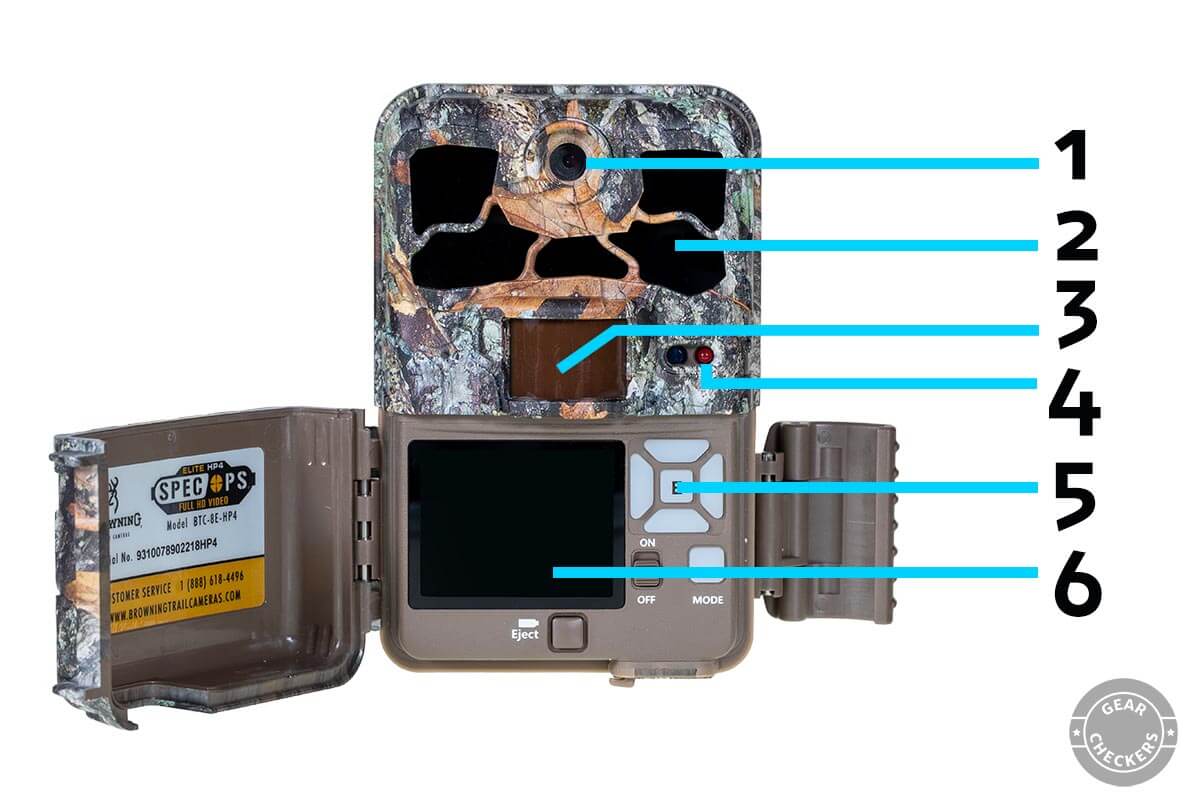
Key components and how each part works
Understanding parts helps you use trail cameras better. Below are the main components and what each one does.
-
Camera lens and image sensor
The lens focuses light onto a digital image sensor. The sensor converts light into an electronic signal that becomes a photo or video. Sensor size and resolution affect image clarity and low-light performance. -
Motion and heat detection (PIR)
Most cameras use a passive infrared sensor to detect temperature shifts when an animal moves by. This sensor does not emit energy. It simply senses differences between ambient temperature and a warm object. -
Trigger speed and recovery time
Trigger speed is how fast the camera fires after sensing motion. Recovery time is how long the camera waits before it can trigger again. Faster trigger speeds catch quick-moving animals. Short recovery times capture multiple frames or follow-up action. -
Flash and night illumination
Cameras use infrared or low-glow LEDs for night pictures. No-glow IR is invisible to animals. Low-glow flashes are dimly visible but give better color. White flash gives true color but may startle wildlife. -
Processor, firmware, and storage
The camera’s processor decides when to save photos and manage settings. Firmware controls behavior like burst mode and time-lapse. Images are stored on SD cards or sent over a network if the camera is cellular. -
Power system
Most units run on alkaline or lithium batteries. Some support external battery packs or solar panels. Power affects uptime and the number of events you can record.
These parts work in concert to answer how do trail cameras work in real conditions. A good model balances sensitivity, battery life, and image quality.

Types of trail cameras and how they differ
Trail cameras come in types that change how they work in the field.
-
Basic cam with still photos
These record photos on SD cards. They are simple and very power efficient. -
Hybrid photo/video cams
These shoot photos and short video clips. They use more power but give context to animal behavior. -
Cellular trail cameras
These send photos via cellular networks. They use mobile data and let you check images remotely. They are great for security and active monitoring. -
Time-lapse only cameras
These take regular photos at set intervals. They are useful for monitoring habitat changes and construction. -
Active-trigger systems
These use a beam or pressure pad to trigger the camera. They are useful for precise counting or when you want guaranteed triggers.
Knowing the type helps answer practical questions about how do trail cameras work for your use case. Choose based on image needs, budget, and how often you can visit the site.
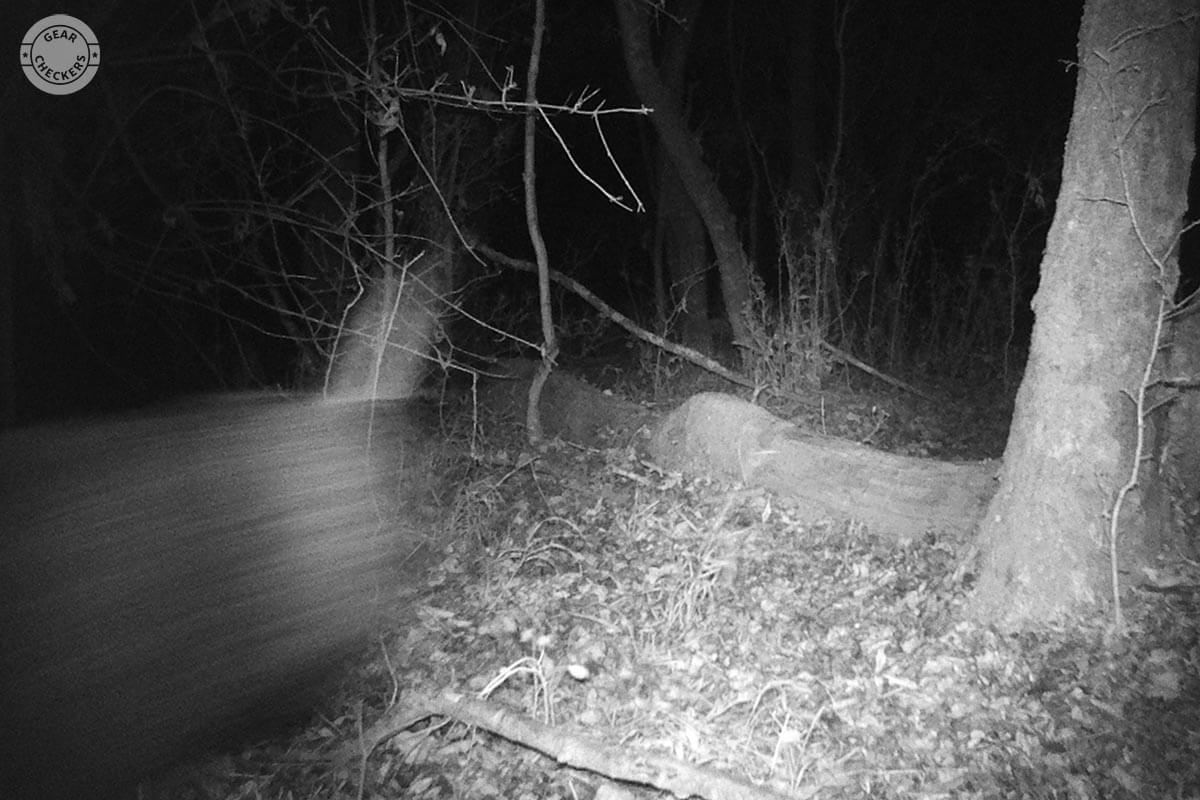
Placement, setup, and field techniques
Correct placement makes a big difference in how do trail cameras work for you. A good setup increases capture rates and image quality.
-
Pick the right height and angle
Position the camera 2.5 to 4 feet off the ground for deer. For small mammals, set it lower. Angle the camera slightly downward to reduce sky and heat sources. -
Aim along game trails, not across
Place the camera parallel to a trail rather than facing it head-on. Animals crossing the field of view trigger the PIR longer, yielding clearer photos. -
Avoid direct sun and reflective backgrounds
Sun in the frame can blow out images and confuse the PIR. Place the camera with the sun at its back in the morning and front in the late afternoon. -
Use scent control and concealment sparingly
Minimal scent helps avoid attracting or repelling wildlife unnaturally. Camouflage and natural cover reduce theft risk and keep animals undisturbed. -
Check trigger zone distance
Test how far your PIR detects by walking the expected path. Adjust sensitivity and placement so the detection zone overlaps the most likely animal path.
From personal trials, I found small angle tweaks often doubled capture rates. Trail cameras work best when they are positioned to match animal movement, not just placed randomly.
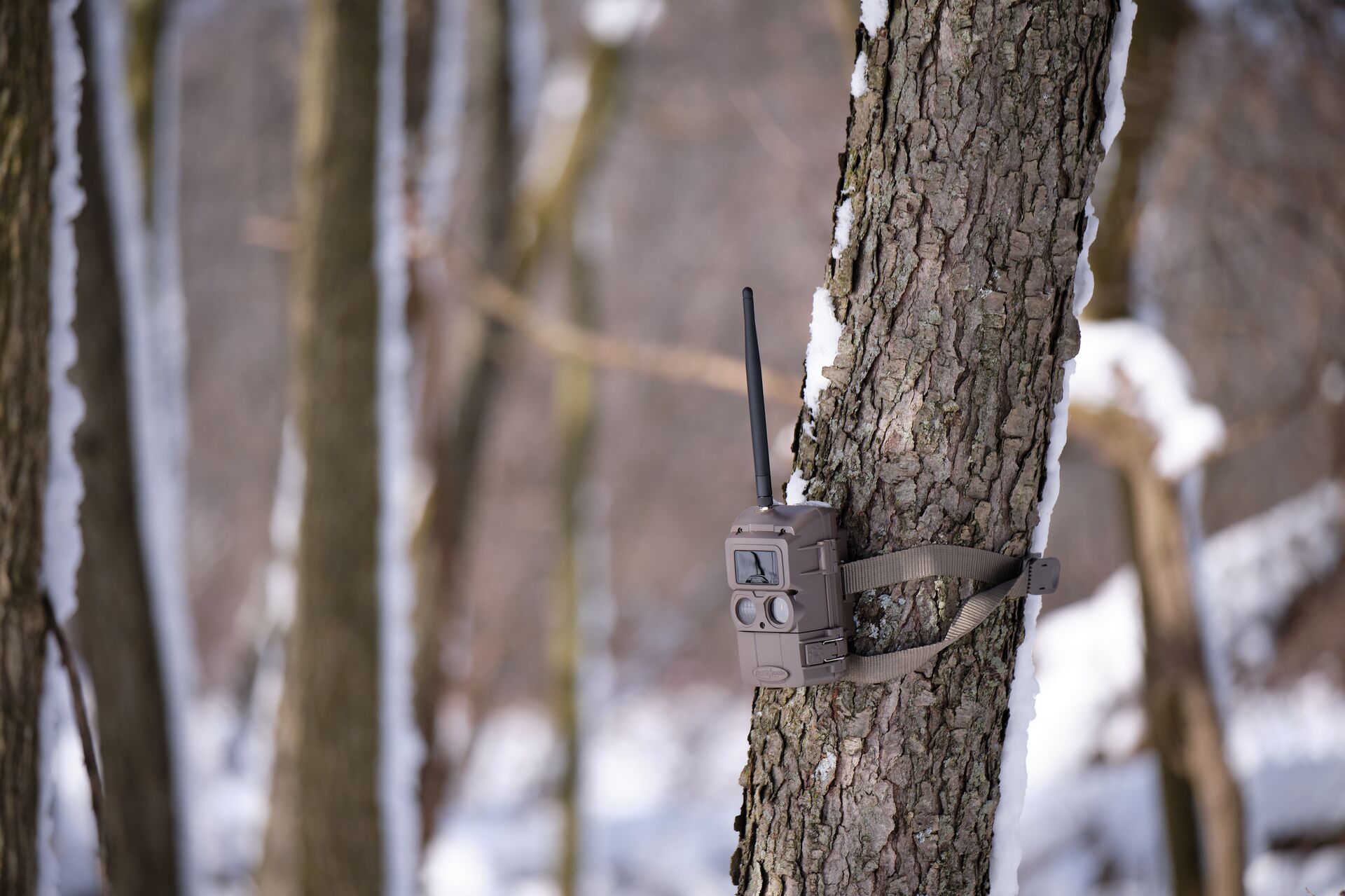
Power, storage, and data management
Managing power and storage is a core part of how do trail cameras work over long deployments.
-
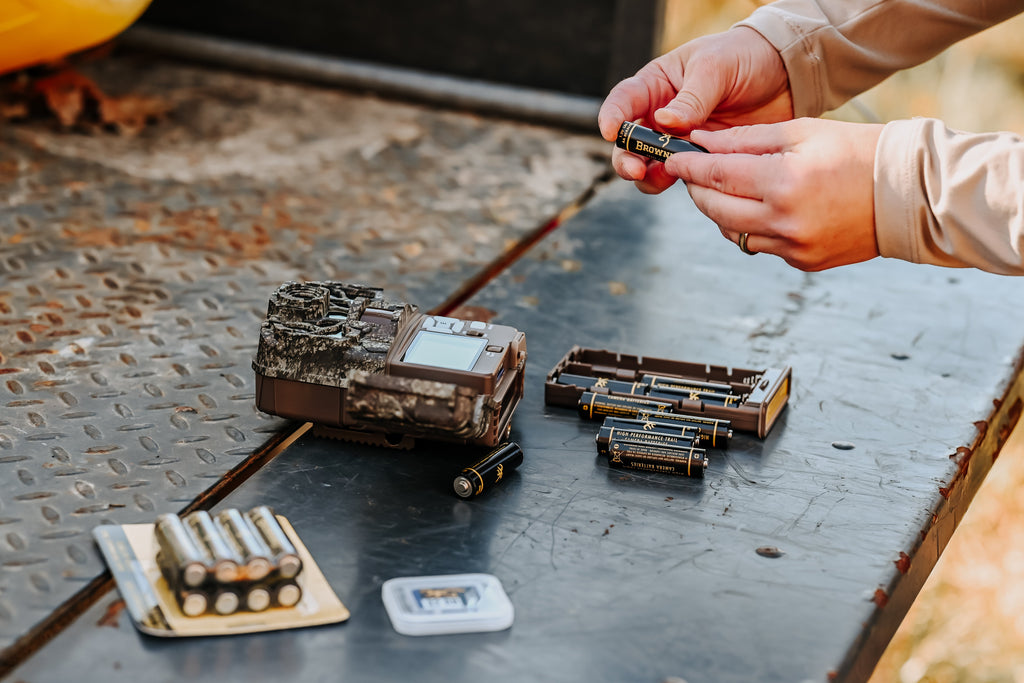
Battery choices and life
Lithium AA batteries last longer than alkaline. Rechargeable NiMH cells are safe but require frequent charging. External battery packs and solar panels extend runtime. -
Memory and file handling
Use high-quality SD cards with good write speeds. Set overwrite or cycle preferences if you can't visit the site often. For cellular cams, monitor data usage and plan a data plan. -
Scheduling and remote management
Many cameras let you set active hours or motion sensitivity. Cellular and Wi-Fi models permit remote setting changes. Remote access saves site visits and keeps batteries in check. -
Records and logs
Keep a simple log of battery swaps, memory card swaps, and weather events. This helps you understand patterns and troubleshoot later.
I once left a camera running for six months with solar support. It worked well until a winter with heavy snow reduced the solar gain. Expect seasonal variations and plan battery and panel capacity accordingly.
Common uses, legal and ethical considerations
Trail cameras serve many uses. But they also carry responsibilities.
-
Wildlife monitoring and research
Scientists and hobbyists use cameras to survey species, count animals, and study behavior. -
Hunting and scouting
Hunters use cameras to learn animal patterns and plan stands. Follow local hunting rules on camera use. -
Property security and trespass detection
Landowners use cellular cameras to monitor gates and remote assets. Be mindful of privacy laws. -
Legal and privacy limits
Laws vary by state and country. Do not place cameras where people have a reasonable expectation of privacy. Check local regulations before placement. -
Ethical best practices
Avoid baiting in sensitive habitats. Use no-glow IR when you want to minimize disturbance. Turn off cameras when trespassers or minors might be involved.
Trail cameras work best when used responsibly. Respect wildlife and neighbors to avoid conflicts and legal trouble.

Troubleshooting and practical tips
Problems happen. Here are clear fixes and tips from real use.
-
Blurry photos or missed animals
Try a faster trigger speed or move the camera closer to the trail. Clean the lens and check mounting stability. -
False triggers from sun or wind
Lower sensitivity or change the angle. Remove moving vegetation from the detection zone. -
Battery drains fast
Reduce video capture, lower the number of photos per trigger, or add solar support. Disable wireless uploads when not needed. -
Poor night images
Use a camera with no-glow IR for clearer images at night. Check for obstructions near the IR LEDs that can cause backscatter. -
Theft and vandalism prevention
Locking straps, camo cases, and security boxes help. Use GPS-enabled devices or a hidden mounting spot if theft is a concern.
From my experience, a simple mount upgrade stopped most motion blur. Small investments in mounting and power pay off with much better results.

Frequently Asked Questions of how do trail cameras work
How do trail cameras work at night?
Most trail cameras use infrared LEDs to illuminate the scene. The camera sensor records reflected IR light and converts it to a black-and-white night image. Some models use low-glow or white flash for color night shots.
Do trail cameras use motion or heat to trigger?
Trail cameras commonly use passive infrared (PIR) sensors that detect heat and motion together. The sensor senses a temperature difference as an animal passes and triggers the camera. This reduces false triggers from non-living motion.
How long do trail camera batteries last?
Battery life varies by model, settings, and temperature. With moderate use, alkaline batteries may last several months; lithium cells often last longer. Using video, cellular uploads, or frequent triggers reduces battery life.
Can trail cameras send images to my phone?
Yes, cellular trail cameras use the mobile network to send images or alerts. You need a data plan and signal at the camera site. Wi-Fi-enabled models can upload when you are in range.
How far can a trail camera detect motion?
Detection range depends on the PIR sensor and lens. Typical detection ranges are 30 to 80 feet for many models. Vegetation, temperature, and angle affect the effective range.
Conclusion
You now have a clear, practical understanding of how do trail cameras work. You know the key parts, common types, placement tips, power and storage choices, and ethical limits. Use this knowledge to pick the right model, set it up smartly, and avoid common mistakes that waste time and batteries. Try one setup change at a time, log the results, and refine your approach. If you found this useful, leave a comment with your questions, subscribe for more gear guides, or test a camera and share what you learn.

Everett Ashford is a tech reviewer at mytechgrid.com specializing in SSDs, cameras, TVs, earbuds, headphones, and other consumer electronics. He provides honest, data-driven reviews based on hands-on testing and real-world performance analysis. Everett simplifies complex tech details to help readers make smart, confident buying decisions.