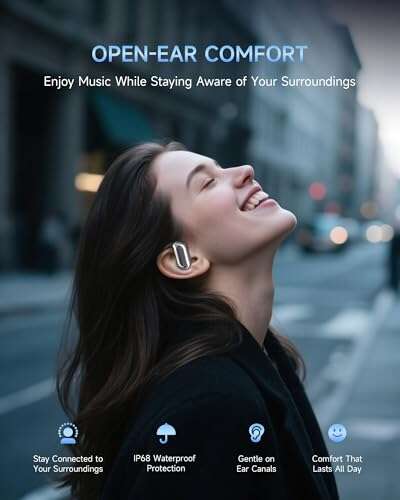
Put the earbuds in pairing mode, enable Bluetooth on your device, and select the iHome model.
I’ve paired and troubleshot dozens of earbuds, including many iHome models, so this guide walks you through exactly how to connect iHome earbuds step by step. Read on for simple pairing steps, common fixes, tips for best sound and battery life, and real-life advice you can use right away.

What you need before connecting
Before you learn how to connect iHome earbuds, gather a few things. Charge the earbuds and case. Use a phone, tablet, or laptop with Bluetooth turned on. Have the iHome manual handy if you know the model number.
Check these points first:
- Battery: Ensure earbuds and case are charged above 20 percent.
- Device: Turn Bluetooth on and close other active Bluetooth apps.
- Distance: Keep the earbuds within 3 feet of your device during pairing.
- App: Some iHome models have a companion app for settings; download it if available.
These prep steps make the actual process faster and reduce pairing problems.

Step-by-step: How to connect iHome earbuds
Follow these clear steps to pair most iHome true wireless earbuds. If your model uses a wired or over‑ear design, check the model guide. The phrase how to connect iHome earbuds below refers mostly to wireless in-ear models.
- Charge earbuds and case for at least 15 minutes.
- Remove both earbuds from the case. Many iHome earbuds auto-power on when removed.
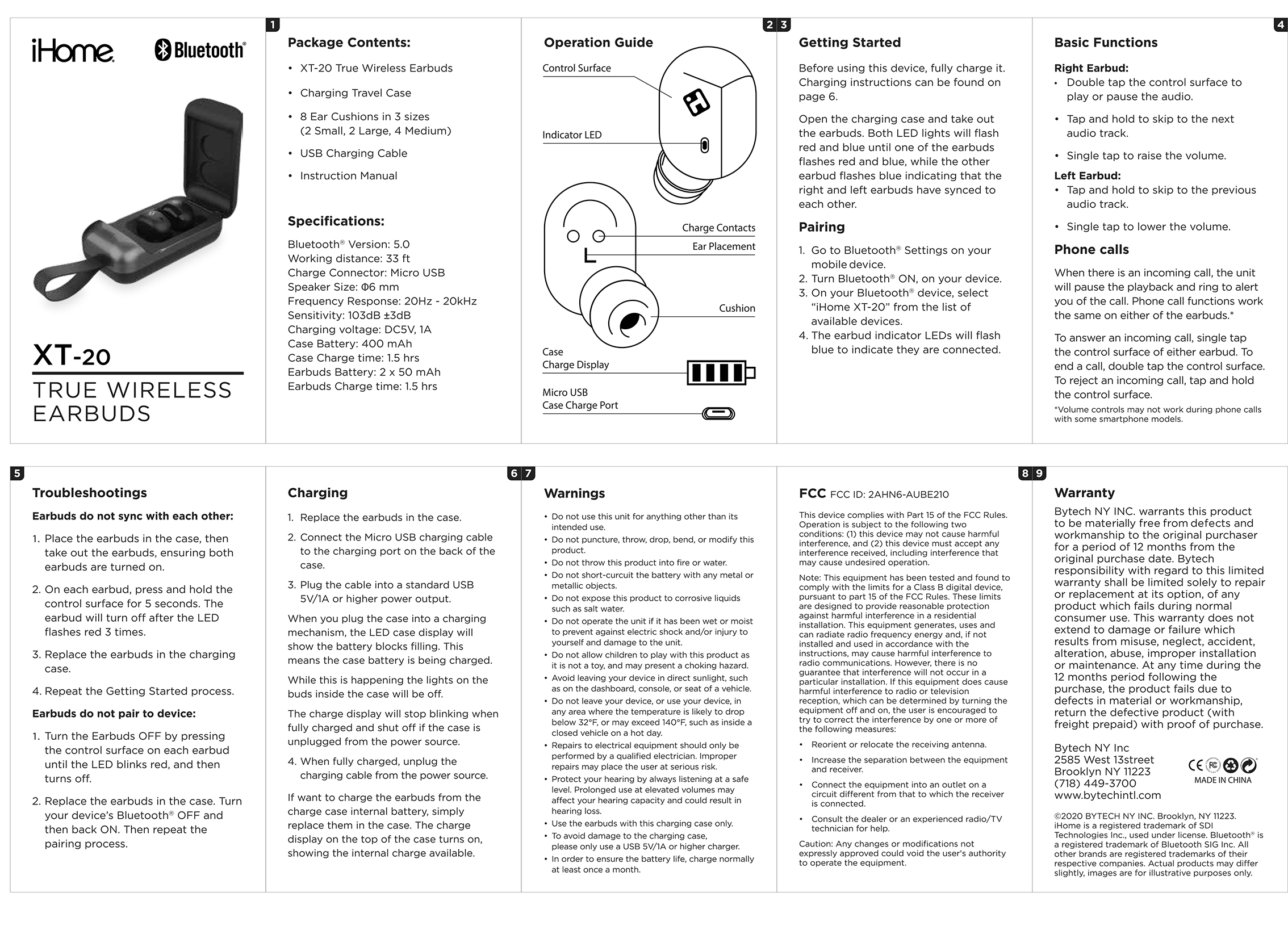
- Put earbuds into pairing mode. Common ways:
- Both earbuds flash red/white or blue/white alternately.
- Press and hold the touch area or physical button on each earbud for 3–8 seconds until LEDs flash.
- Open Bluetooth settings on your phone or device.
- Look for "iHome", "iHome [model]", or a similar name in the device list.
- Tap the iHome entry to pair. Wait for "Connected" confirmation.
- Test audio by playing music or a video. Adjust volume on both device and earbuds.
If only one earbud connects, place both back in the case and repeat steps 2–6. If your earbuds require a pairing code, try 0000 or 1234. These steps show the basics of how to connect iHome earbuds in under five minutes.

Troubleshooting common pairing issues
Even with a simple process, things can go wrong when you try to connect iHome earbuds. Here are quick fixes.
Issue: Earbuds don’t appear in Bluetooth list
- Make sure earbuds are in pairing mode and LED is flashing.
- Turn Bluetooth off and on again on your device.
- Move closer and remove interference like Wi‑Fi routers.
Issue: Earbuds show as paired but no sound
- Check media volume and Bluetooth volume separately.
- Unpair and pair again to reset the audio route.
- Restart your device.
Issue: Only one earbud works
- Reset earbuds by holding both buttons for 10–15 seconds until LEDs flash.
- Place earbuds in case, close lid for 10 seconds, then retry pairing.
Issue: Frequent disconnects
- Keep firmware updated if an app or update is available.
- Avoid crowded Bluetooth environments.
- Test with another phone to isolate device vs earbuds problem.
If nothing works, a factory reset often fixes deep software issues. Factory reset steps vary by model, so check your iHome manual. These tips should help when learning how to connect iHome earbuds in tricky situations.

Tips for better sound and longer battery life
Small habits make a big difference when you know how to connect iHome earbuds and use them daily.
- Charge fully before first use to calibrate battery indicators.
- Lower volume slightly to extend play time and protect hearing.
- Close unused apps that stream audio to avoid Bluetooth conflicts.
- Clean ear tips and contacts to keep a stable connection.
- Use mono mode if you need only one earbud; this saves battery.
Rotate use between left and right earbud if you need longer total life. Following these tips improves both sound and battery performance when you connect iHome earbuds regularly.

Compatibility, features, and settings
Knowing device compatibility helps when you learn how to connect iHome earbuds.
- Platforms: iOS, Android, Windows, and macOS generally work with iHome Bluetooth earbuds.
- Codecs: Most iHome earbuds use SBC; some premium models support aptX or AAC. Codec support affects latency and quality.
- Controls: Touch controls or buttons handle play/pause, calls, and voice assistant access.
- App features: Some iHome apps add EQ, firmware updates, and left/right balance.
If you have latency with video, try a model or codec that reduces delay. Confirm which features your iHome model supports in the manual before expecting advanced settings.
Personal experience and real-life advice
From testing many earbuds, I learned three things about how to connect iHome earbuds that save time.
- Mistake: Trying to pair while earbuds are in the case. Take them out and put them in pairing mode first.
- Insight: If one earbud pairs and the other doesn’t, resetting both together usually fixes it. I solved several one-sided issues this way.
- Practical tip: Keep the original cable and a small pouch with the case for travel. It saved me when batteries died mid-trip.
Treat pairing like a routine. Short checks—battery, distance, Bluetooth on—prevent most problems. These simple habits make connecting iHome earbuds fast and reliable.
Frequently Asked Questions of how to connect ihome earbuds
How do I put my iHome earbuds into pairing mode?
Most iHome earbuds enter pairing mode when you remove them from the case and LEDs flash. If not, press and hold the touch area or button for 3–8 seconds until LEDs blink.
Why won’t my phone find my iHome earbuds?
Often the earbuds aren’t in pairing mode, the phone’s Bluetooth is off, or another device is already connected. Restart Bluetooth, reset the earbuds, and try again.
How do I reset my iHome earbuds?
Common reset steps include holding the earbud buttons for 10–15 seconds until the LEDs flash or placing both earbuds in the case and pressing a reset button. Check your model’s manual for exact steps.
Can I use one iHome earbud at a time?
Yes. Most models support mono mode. Take one earbud out and pair it alone; battery life increases when using a single bud.
Do iHome earbuds work with iPhone and Android?
Yes. iHome earbuds are Bluetooth devices compatible with iPhone and Android. Some app features or codecs may differ between platforms.
Conclusion
Now you know how to connect iHome earbuds, fix common pairing issues, and get better sound and battery life with a few simple habits. Try the step-by-step pairing method first, use reset steps if needed, and follow the tips to avoid repeat problems.
Give it a try: pair your earbuds now, test sound, and leave a comment about your model or issues. If you found these steps helpful, subscribe or bookmark this guide for quick reference next time you need to connect iHome earbuds.

Everett Ashford is a tech reviewer at mytechgrid.com specializing in SSDs, cameras, TVs, earbuds, headphones, and other consumer electronics. He provides honest, data-driven reviews based on hands-on testing and real-world performance analysis. Everett simplifies complex tech details to help readers make smart, confident buying decisions.