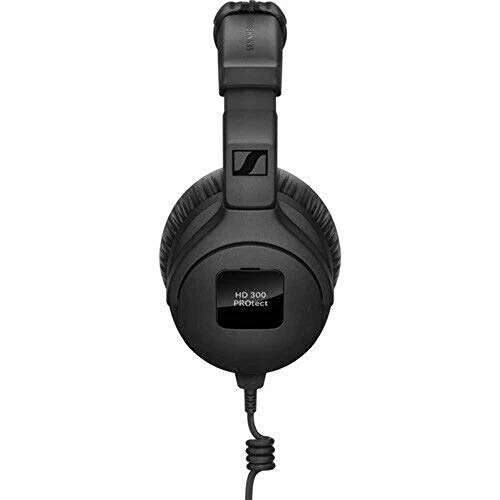
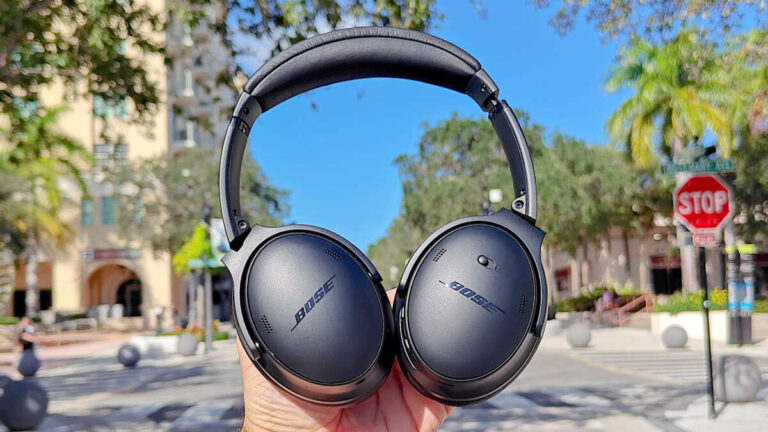
Better ear tips, careful EQ, a good seal, and clean source settings can greatly improve headphone bass.
Learning how to improve bass in headphones is not only about increasing the lowest slider in an equalizer. Strong, clear bass depends on fit, seal, headphone design, audio quality, device settings, and safe listening habits. This guide explains each factor in simple terms, with practical steps you can test at home.
Check the Headphone Fit and Seal
The ear seal is the first thing to check when you want to improve bass in headphones. This matters most with in-ear headphones and closed-back over-ear models. If air escapes around the ear cup or ear tip, low frequencies lose power and sound thin.
Bass waves need a sealed space to build pressure. Think of it like closing a car door before turning on the stereo. With the door open, much of the sound escapes. The same basic idea applies to headphones.
Try these simple checks:
• Adjust the headband so both ear cups sit evenly.
• Press each ear cup gently against your head. If the bass suddenly improves, the fit may be too loose.
• For earbuds, test several ear tip sizes. The largest comfortable size often creates the best seal.
• Twist in-ear monitors slightly after inserting them. This can improve both comfort and bass response.
• Check for glasses, thick hair, or jewelry that may create a small gap around the ear pads.
In my own headphone testing, poor fit has often looked like a weak driver problem. A small adjustment sometimes produced more bass than a large EQ boost. That is why fit should come before software changes.

Choose Better Ear Tips or Ear Pads
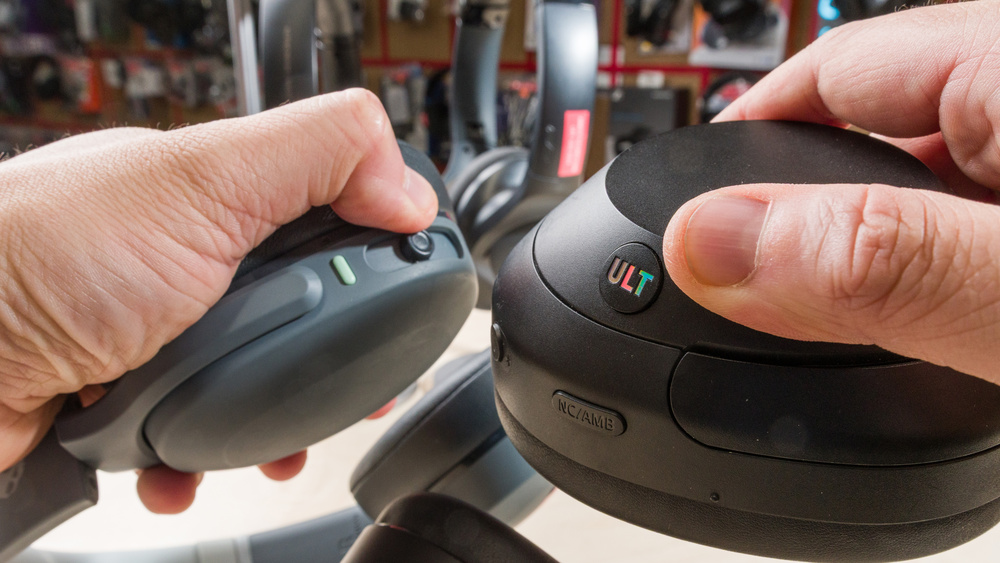
Changing the ear tips or pads can be one of the fastest ways to improve bass in headphones. These parts affect the seal, distance from the driver, and amount of sound absorbed around your ears.
For in-ear headphones, silicone tips offer a clean and lively sound. Foam tips often provide a stronger seal and better isolation. They can make bass feel fuller, although they may slightly soften treble.
For over-ear headphones, worn pads can cause bass to fade. As pads flatten, the ear cups move closer to your ears, and gaps may form around your head. Replacing old pads can restore the original sound.
Consider these points when choosing replacement parts:
• Use the correct size and shape for your headphones.
• Pick memory foam tips if isolation and deep bass are your main goals.
• Choose thicker over-ear pads if your ears touch the drivers.
• Avoid pads that create an uncomfortable clamp or excessive heat.
• Buy compatible parts from a reliable brand when possible.
Pad material can also change the sound. Leather and leather-like surfaces usually hold a seal well. Velour feels cooler but may allow more air to escape. Neither option is always best, so comfort and fit should guide your choice.
Use Equalization Carefully
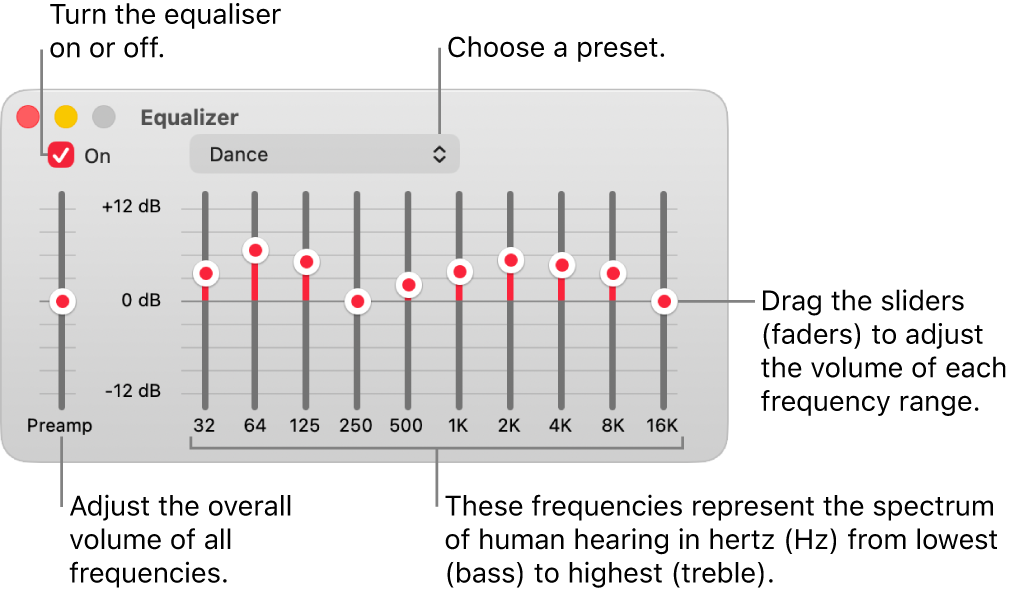
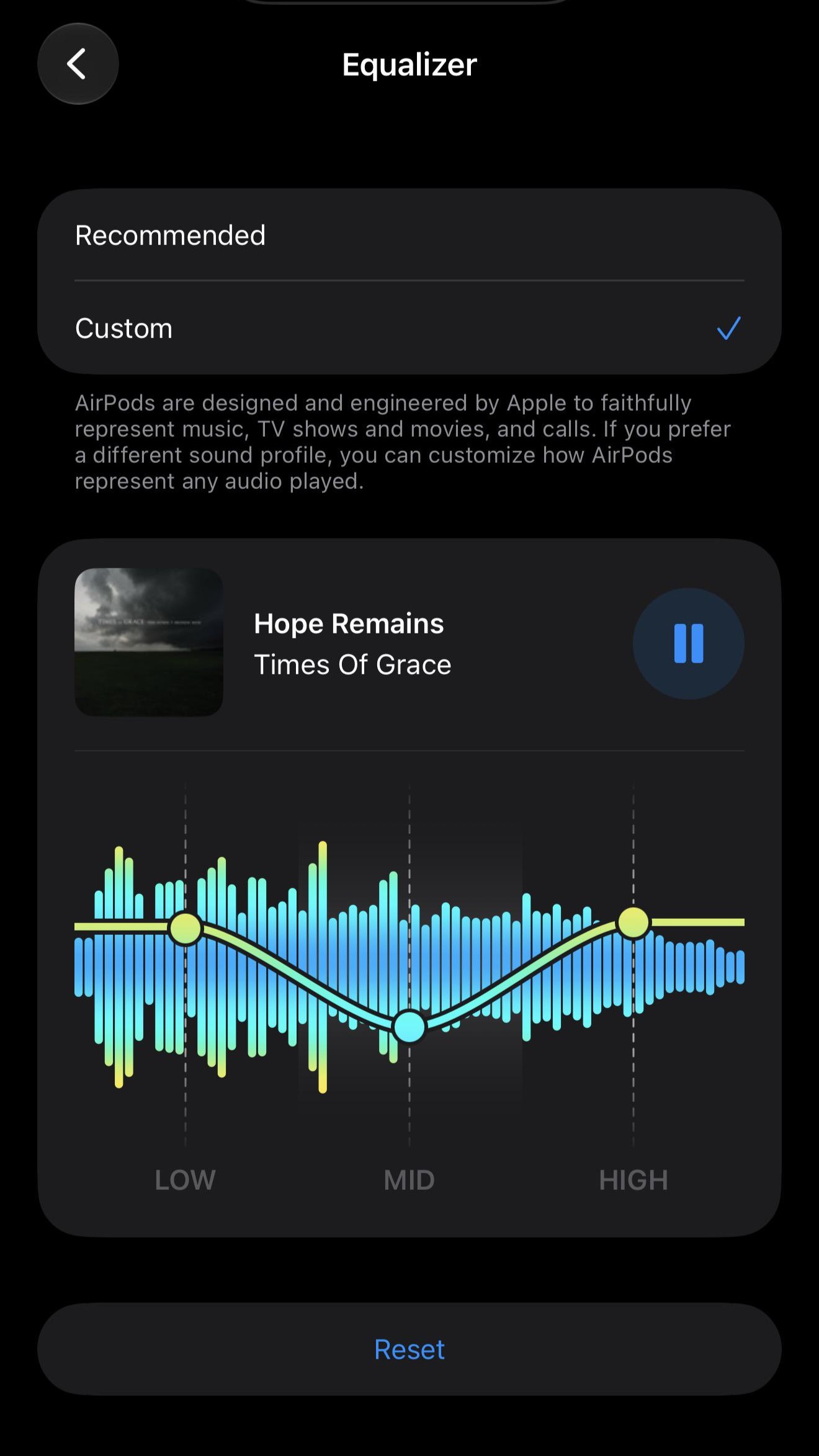
Equalization, or EQ, lets you raise or lower specific frequency ranges. It is one of the most useful tools for how to improve bass in headphones, but it works best when used with restraint.
Bass usually covers about 20 to 250 hertz. Sub-bass sits near 20 to 60 hertz and gives you rumble. Mid-bass sits near 60 to 250 hertz and gives drums, bass guitar, and kick drums their body.
Start with a gentle adjustment:
-
Open your music player, phone, computer, or headphone app EQ.
-
Raise the 60 to 100 hertz range by 2 or 3 decibels.
-
If you want more rumble, raise 30 to 60 hertz by 1 or 2 decibels.
-
Listen to several songs with drums, bass guitar, and electronic sub-bass.
-
Reduce the boost if vocals become muddy or distorted.
A broad boost often sounds more natural than pushing one narrow frequency. If your EQ includes a preamp control, lower the preamp by the same amount as your largest boost. This creates headroom and reduces clipping.
For example, if you boost bass by 4 decibels, set the preamp near minus 4 decibels. You may need to raise the volume slightly, but the sound should remain cleaner.
A common mistake is adding too much bass at once. I have found that a small boost often sounds better after several minutes because the ear adapts quickly to a dramatic change. Compare your EQ setting with the original at the same volume.

Try a Bass Shelf Instead of a Narrow Boost
A low-shelf filter can improve bass in headphones in a smooth and controlled way. It raises all frequencies below a chosen point instead of boosting only one small band.
A useful starting point is:
• Filter type: Low shelf
• Frequency: 80 to 120 hertz
• Gain: Plus 2 to 4 decibels
• Q value: Default or moderate
This approach can add weight without making one bass note jump out. It works well for pop, hip-hop, rock, film soundtracks, and games.
If the sound becomes dull or cloudy, lower the gain. If drums sound too thick, reduce the boost around 120 to 200 hertz instead of lowering the deepest bass. This distinction matters because excess mid-bass often causes muddiness.
Some headphones have a natural bass roll-off. In that case, a shelf may help. However, EQ cannot fully fix a weak amplifier, a damaged driver, or a poor acoustic seal.
Check Your Phone, Computer, and Music App
Device settings can affect bass before the audio reaches your headphones. Many phones and computers include sound enhancements, volume limits, or profiles that change the frequency response.
Review these settings:
• Turn off audio normalization if it makes songs sound flat or compressed.
• Check whether a “small speaker” or “voice” mode is active.
• Disable a low-bass preset before creating your own EQ.
• Confirm that the headphone app has saved the correct profile.
• Test both wired and wireless modes if your headphones support both.
Some streaming apps use loudness normalization. This does not always remove bass, but it can make one song seem weaker than another. Compare tracks at a similar volume before judging the headphones.
Your operating system may also apply a separate EQ. Using two bass boosts at once can create distortion. Keep one main EQ active while testing.

Improve the Audio Source
A better source can help you improve bass in headphones, especially when the current source is low quality or poorly configured. Still, expensive equipment is not always necessary.
Use high-quality audio files or a high-quality streaming setting when possible. Lossy audio compression does not always remove bass, but very low bit rates can reduce detail and impact. A clean digital source also makes EQ changes easier to judge.
For wired headphones, check the connection carefully. A loose plug can cause channel problems, reduced volume, or strange tonal balance. Clean visible dust from the plug and port, but do not force objects deep into the port.
For wireless headphones, keep these points in mind:
• Charge the headphones fully.
• Keep the phone or computer within a reasonable range.
• Update the headphone firmware through the official app.
• Test the manufacturer’s sound modes.
• Turn off unnecessary spatial effects when evaluating bass.
A digital-to-analog converter, or DAC, may help if your current device has audible noise or poor output. It will not automatically create powerful bass. The headphones, fit, and EQ usually make a larger difference.

Avoid Distortion and Clipping
More bass is not better if it produces distortion. Clipping happens when the audio signal becomes too strong for the system to reproduce cleanly. It can make kick drums sound harsh and bass notes lose their shape.
Watch for these warning signs:
• Crackling during deep bass notes
• A fuzzy or broken sound at high volume
• Bass that changes sharply when you raise the volume
• Vocals that become buried after an EQ boost
• A phone or computer volume control that stays near maximum
Lower the EQ preamp when using a bass boost. If distortion continues, reduce the bass gain. You can also lower the listening volume and compare the result.
Do not use bass boost to compensate for hearing fatigue. The Centers for Disease Control and Prevention and other public health agencies warn that loud sound exposure can damage hearing. A safer habit is to keep the volume moderate and take quiet breaks.
A simple rule is this: if you cannot hear someone speaking near you, the volume may be too high. This is not a medical test, but it is a useful daily reminder.

Match the Headphone Type to Your Goal
Different headphone designs produce different bass results. Understanding the design can help you choose the right solution.
Closed-back headphones
Closed-back models block outside sound and often create strong bass. They are useful in offices, travel, and noisy homes. A poor pad seal can still reduce low-end output.
Open-back headphones
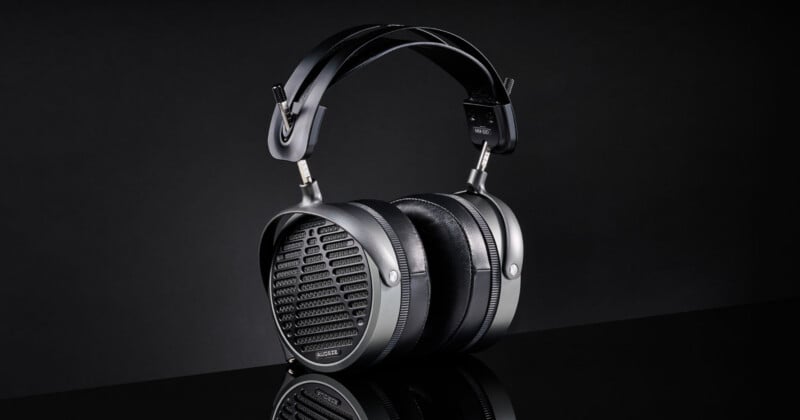
Open-back models allow air to pass through the ear cups. They often provide a wide, natural sound, but they usually have less physical bass and isolation. EQ can help, but open-back headphones cannot create the same sealed effect as closed-back models.
In-ear monitors
In-ear monitors can produce deep bass when the ear tips seal correctly. If the bass disappears when you move, the fit is likely the main problem.
Wireless headphones
Wireless models may include built-in EQ, active noise cancellation, and sound modes. Try the official app before adding a third-party EQ. Some models sound fuller with noise cancellation enabled because the processing changes the overall tuning.
Test Bass With Familiar Music
Use familiar songs when you improve bass in headphones. You know how the vocals, drums, and bass lines should sound, so changes are easier to notice.
Build a short test playlist with:
• A track with deep electronic sub-bass
• A song with acoustic or electric bass
• A recording with a strong kick drum
• A vocal track with little bass
• A movie scene with low-frequency effects
Listen at the same volume each time. Louder sound often seems to have more bass, even when the frequency balance has not changed. This is why careful volume matching is important.
Listen for control, not only impact. Good bass should sound deep, clean, and timed with the music. It should not cover vocals or turn every song into a dull rumble.
One lesson I learned from repeated listening tests is that bass quality matters more than bass quantity. A smaller, tighter bass response is often more enjoyable than a huge boost that hides the rest of the mix.
Know When the Headphones Need Repair or Replacement
Software cannot solve every problem. If one side has weaker bass, the issue may involve a damaged driver, blocked mesh, worn cable, or faulty connection.
Check the following:
• Test the headphones with another device.
• Play a mono recording to compare the left and right sides.
• Inspect the ear tips, pads, and driver openings.
• Try a different cable if the headphones use a detachable cable.
• Reset wireless headphones to their factory settings.
If only one side sounds weak, do not keep increasing the bass. That may make the healthy side distort while the faulty side remains quiet.
Headphones also have limits set by their driver size, enclosure, and tuning. A budget model may improve greatly with a better seal and mild EQ, but it may not deliver the clean sub-bass of a well-designed premium model.
Common Mistakes to Avoid
Many people make the same mistakes when trying to improve bass in headphones. Avoiding them can save time and protect both your equipment and hearing.
• Boosting every bass band at once can create muddy sound.
• Using a loose fit while blaming the headphone drivers can lead to unnecessary purchases.
• Running several EQ apps at the same time can cause clipping.
• Raising volume to create more impact increases hearing risk.
• Expecting an amplifier to transform headphones with a poor seal can waste money.
• Judging bass with only one song can give misleading results.
• Ignoring damaged pads can make a good headphone sound weak.
Make one change at a time. Listen for a few minutes, compare it with the original, and keep notes if needed. This method is slower than moving every slider, but it produces much more reliable results.
Frequently Asked Questions About How to Improve Bass in Headphones
How can I improve bass in headphones without an amplifier?
Start with a proper seal, new ear tips or pads, and a mild EQ boost. These steps usually make a bigger difference than adding an amplifier to an easy-to-drive headphone.
Why do my headphones have no bass?
The most common causes are a poor fit, an air leak, incorrect EQ, a damaged cable, or a blocked driver opening. Test the headphones on another device and check the seal before assuming the drivers are faulty.
Does increasing headphone volume increase bass?
Higher volume can make bass seem stronger, but it does not always improve the actual frequency response. Excessive volume can damage hearing, so use EQ and a better fit instead of relying on loudness.
Are foam ear tips better for bass?
Foam ear tips can improve bass because they often create a stronger seal. They may feel warmer and wear out faster than silicone tips, so comfort and replacement cost also matter.
Can EQ damage headphones?
A moderate EQ boost usually will not damage headphones at a safe listening level. Very large boosts combined with high volume can cause driver strain, clipping, and distortion.
Do open-back headphones have less bass?
Open-back headphones often have less physical bass and isolation than closed-back models because air moves through the ear cups. EQ may add some low-end energy, but it cannot fully change the design.
Is a DAC needed for better bass?
Most modern phones and computers can power many headphones well. A DAC may help with noise or poor output, but fit, pads, headphone tuning, and EQ usually matter more for bass.
Conclusion
The best way to improve bass in headphones is to start with the physical fit, then adjust the ear tips or pads, and finally use gentle EQ. Check your device settings, test a clean audio source, and reduce the preamp when boosting low frequencies. Always judge bass by clarity and control, not volume alone.
Make one change today: reseat your headphones, try a different tip or pad, and add a small low-shelf boost. Share your results, explore trusted audio guides, and keep learning which sound profile fits your music and listening habits best.

Everett Ashford is a tech reviewer at mytechgrid.com specializing in SSDs, cameras, TVs, earbuds, headphones, and other consumer electronics. He provides honest, data-driven reviews based on hands-on testing and real-world performance analysis. Everett simplifies complex tech details to help readers make smart, confident buying decisions.