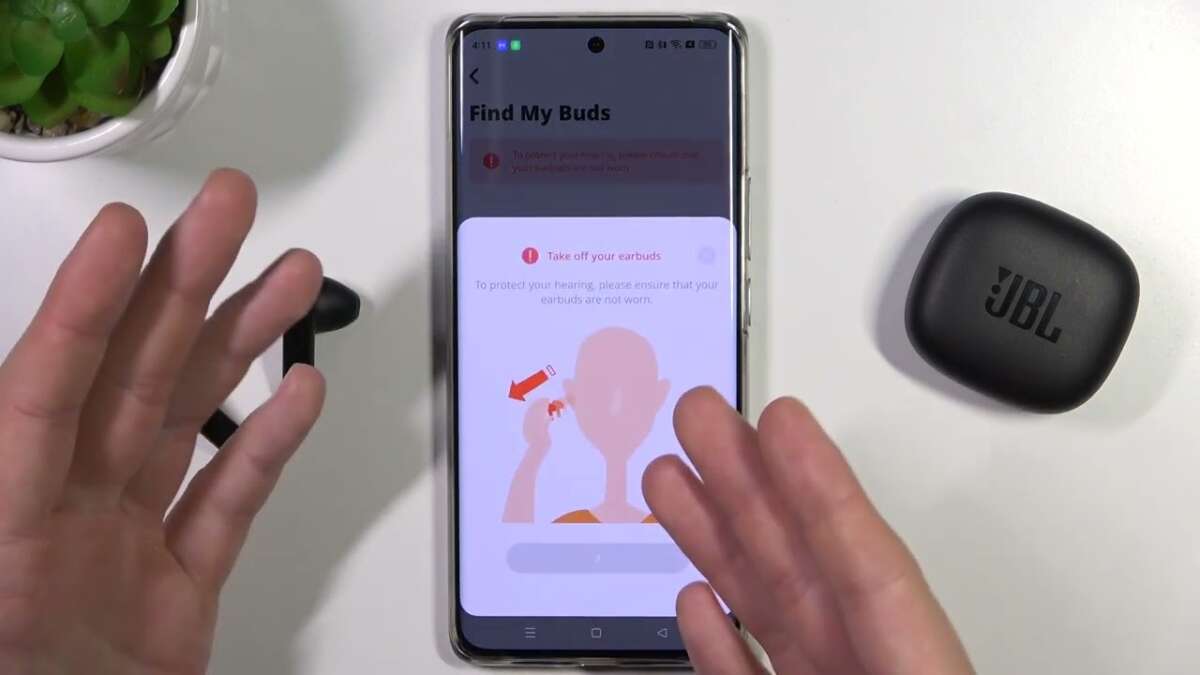
Use Bluetooth, the JBL app, sound cues, and a focused search pattern to find lost JBL earbuds quickly.
I’ve tracked, tested, and recovered dozens of earbuds over the years. In this guide I explain exactly how to find jbl earbuds with clear steps, tools, and tips you can use right now. Read on to learn reliable methods, prevent future loss, and choose a backup plan that fits your routine.

Why locating your earbuds fast matters
Earbuds are small and easy to misplace. Knowing how to find jbl earbuds saves time and reduces stress. Quick recovery also protects your investment and keeps your day on track. I’ll share methods that work for both basic and advanced JBL models.

How to find jbl earbuds — step-by-step
Start calm and follow a system. First check the places you last used them. Then power on Bluetooth and scan nearby devices.
Step 1: Retrace your steps
- Look in recent rooms, pockets, bags, and under cushions. Many earbuds hide in plain sight.
- Check clothing you wore that day. Pants and jacket pockets are common spots.
- Examine charging cases and chargers. Sometimes earbuds sit in the case but aren’t obvious.
Step 2: Use Bluetooth scanning
- Turn on Bluetooth on your phone or tablet. A visible JBL device can confirm proximity.
- Walk slowly while watching the device list. Signal strength often increases as you near the earbuds.
- If a connection attempts, pause and listen for audio cues or a pairing tone.
Step 3: Use sound cues
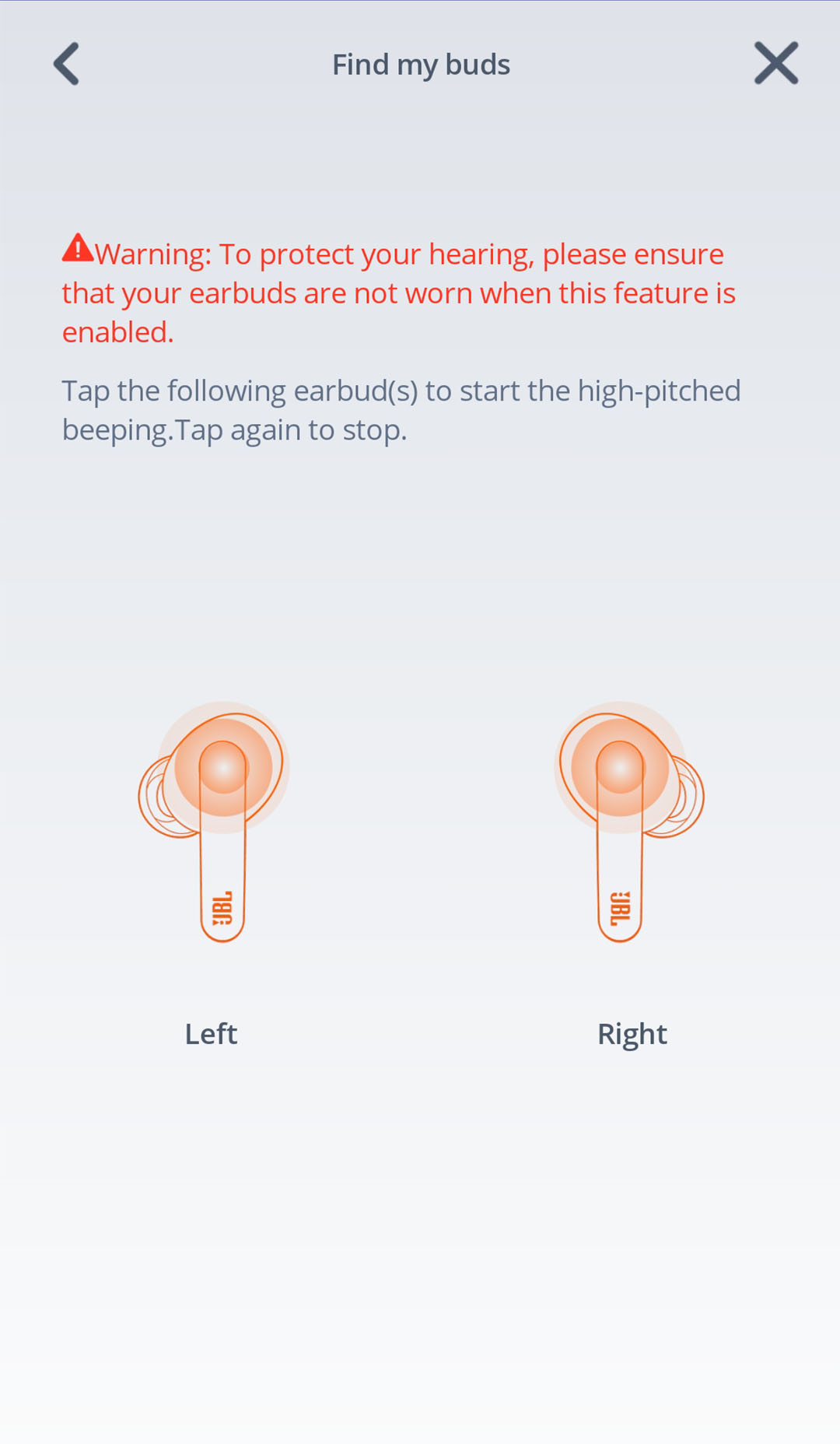
- Some JBL earbuds emit a beep when they enter pairing or find mode. Trigger pairing to hear it.
- Play audio from the connected device at low volume. The sound may help you localize a hidden bud.
- Use one-ear play if only one bud is missing. This isolates sound to the missing side.
Step 4: Try the JBL app and built-in features
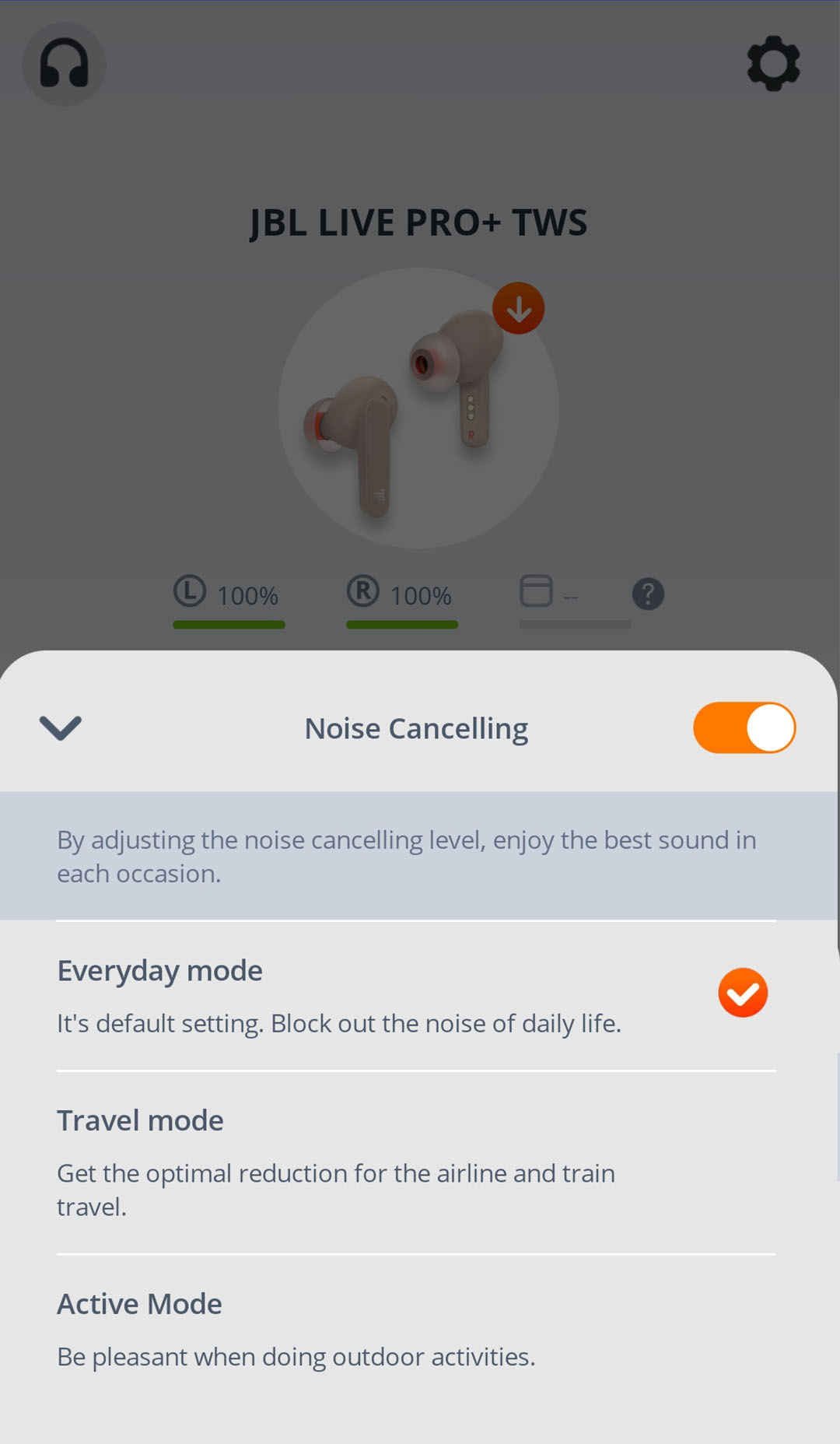
- Open the JBL app for your model. Some models show battery status or connection hints.
- Use any “Find my earbuds” feature if available. The app can make a bud emit sound or show recent connection info.
- Update the app and firmware regularly so these features stay reliable.
These steps combine quick wins and tech tools. They work for most JBL true wireless and neckband models.

Using your phone’s and third-party tools to locate earbuds
Phones and apps can extend your search power. Use them next if basic steps fail.
Built-in phone features
- Android: Use Bluetooth scanning apps and “Nearby devices” info. These can show last seen time.
- iPhone: Use the Bluetooth settings and the Find My app if earbuds support it. iOS can show recent connection status.
Third-party apps and gadgets
- Bluetooth scanner apps show RSSI (signal strength). A stronger signal means you are closer.
- Tile-style trackers help only if you attach a tracker to the case. They show a last-seen location and can ring the tracker.
- Sound amplification apps can boost audible clues from a quietly beeping earbud.
Practical tip: Turn off background noise and listen close. A faint beep can be the only clue.
src="https://mm.jbl.com/on/demandware.static/-/Sites-JB-APAC-NCOM-Library/default/dwae28846f/glp/headphones-app-2020/images/features/feature-find-fit-v2.jpg"
alt="Where to search by priority and pattern”
style=”max-width: 100%; height: auto; border: 2px solid black; border-radius: 10px; display: block; margin: 0 auto;”
loading=”lazy”
/>
Where to search by priority and pattern
A smart search pattern beats random hunting. Follow zones by priority.
High-probability zones
- Pockets and bags — common and quick to check.
- Sofa and chair crevices — they fall into seams.
- Nightstand and bathroom counters — habitual spots for removal.
Medium-probability zones
- Car seats and cup holders.
- Work desk drawers and keyboard areas.
- Clothing piles and laundry baskets.
Low-probability zones
- Outdoors: check immediate surrounding ground and porch steps.
- Between furniture and appliances: use a flashlight to scan hidden gaps.
Use a grid search pattern. Sweep one zone fully before moving on. This reduces missed spots and rechecks.

Preventing future loss of JBL earbuds
Prevention is often simpler than recovery. These small habits cut the chance you’ll need to learn how to find jbl earbuds again.
Daily habits
- Always place earbuds in the case after use. Make this a closing ritual.
- Choose a dedicated spot at home for cases and chargers.
- Keep a small pouch in your bag for cases and spare cables.
Tech and accessories
- Use labels or a small tracker on the case. It adds nothing bulk but helps a lot.
- Enable app alerts for low battery or disconnected status when supported.
- Buy a case clip or carabiner to attach the case to your bag or keys.
Mindset tips
- Check pockets before laundry. It’s an easy habit that saves replacements.
- Pause to confirm you have them when leaving a place. This 10-second check pays off.
Source: jbl.com
Buying replacements or genuine JBL earbuds
If you can’t recover your earbuds, choose a replacement wisely.
How to buy
- Buy from authorized sellers to ensure warranty and genuine parts.
- Match model numbers to avoid compatibility issues with the case or app.
- Compare price, warranty, and return policy before purchase.
Consider options
- Replace just the missing bud if your model supports single-bud pairing and sales.
- Replace the case only if the earbud pairs with other cases for your model.
- As a last resort, buy a full new set to restore full function and warranty.
Tip: Keep receipts and register your product if JBL offers registration. That helps warranty and support.
Troubleshooting pairing and connectivity while searching
Pairing issues can hide earbuds that are actually nearby. Try these quick fixes.
Reset and re-pair
- Reset the earbuds using the manual steps for your model. A reset often restores discoverability.
- Forget the device on your phone and re-scan for it.
- Fully charge the case and buds before intensive searching.
Interference and settings
- Move away from crowded Bluetooth areas. Many devices can jam signals.
- Turn off other paired devices temporarily. That avoids automatic connections.
- Ensure Bluetooth and app permissions are enabled on your phone.
If nothing works, contact JBL support. They can guide model-specific recovery or replacement steps.
My experience: real searches and lessons learned
I’ve lost earbuds in cafes, under car seats, and inside laundry piles. Each loss taught a simple rule: a set routine beats panic.
What worked best for me
- Turning on Bluetooth and walking the room. The device list often narrowed it down fast.
- Using the companion app for a recent connection time. That told me which room to prioritize.
- Listening in quiet rooms. A soft beep revealed a bud hiding in a couch seam.
Mistakes to avoid
- Rushing through places. Skipping a pocket cost me an hour once.
- Not checking the case first. I once tore apart a bag before opening the case.
- Waiting too long to search. The sooner you start, the better your odds.
Practical takeaway: build a short post-use routine. It saves time and money.

Frequently Asked Questions of how to find jbl earbuds
How do I start if my JBL earbuds are missing at home?
Start with the last place you used them. Then check pockets, bags, seating crevices, and charging cases in a calm, methodical way.
Can I use my phone to locate JBL earbuds?
Yes. Turn on Bluetooth and scan for nearby devices. Use the JBL app or Bluetooth scanner apps to see signal strength or last-connected info.
What if only one bud is missing?
Check the earbud case first. If the case shows one bud missing, use sound cues and pair/unpair steps to isolate the missing side.
Are there trackers that work with JBL earbuds?
Trackers work for cases if you attach one. They don’t attach directly to most earbuds, so track the case for best results.
When should I consider buying replacements?
If you cannot locate the earbuds after a careful search and reset attempts, check replacement options. Replace a single bud if supported, or buy a full set if needed.
Conclusion
Finding lost earbuds is faster with a calm plan, the right tools, and a few daily habits. Use Bluetooth scans, the JBL app, sound cues, and a clear search pattern to recover missing earbuds. Prevent future loss with a routine spot, a small tracker, and regular charging. Try these steps today and save yourself time and worry. If this guide helped, leave a comment, subscribe for more tips, or share your own earbud-recovery story.

Jamie Lee is a seasoned tech analyst and writer at MyTechGrid.com, known for making the rapidly evolving world of technology accessible to all. Jamie’s work focuses on emerging technologies, product deep-dives, and industry trends—translating complex concepts into engaging, easy-to-understand content. When not researching the latest breakthroughs, Jamie enjoys exploring new tools, testing gadgets, and helping readers navigate the digital world with confidence.