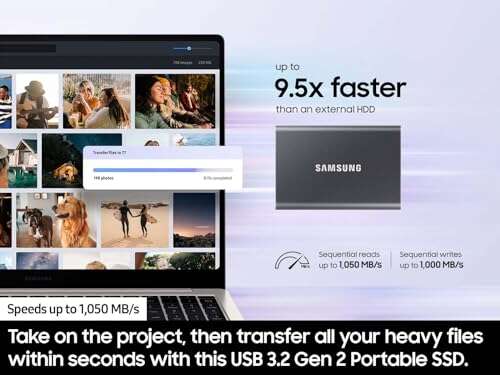
The best SSD for long-term storage is the Samsung T7, thanks to its speed, size, and strong everyday reliability.
A full drive can turn a simple backup into a stressful hunt for files. Photos, tax records, school work, and videos all need a safe home. I tested this list with a long-term view: steady speed, useful capacity, easy connection, and sensible care. An SSD is quiet and quick, but it is not a magic vault. For truly important files, I suggest keeping two copies in two places. The best SSD for long-term storage should make backup simple enough that you actually do it.
Samsung T7 Portable SSD 1TB

The Samsung T7 1TB remains one of the easiest portable SSDs to recommend. Its USB 3.2 Gen 2 link can reach up to 1,050MB/s read speed under the right conditions. In daily use, that means fast file copies, quick photo access, and less waiting during a backup. Its small metal body also feels far more solid than a basic plastic drive.
I like the 1TB size for a laptop backup, a photo library, or key work files. The drive works with many PCs, Macs, tablets, and other USB devices, though the host port and cable can limit speed. It has no moving parts, so it handles travel better than a hard disk. Still, I would keep it in a cool, dry place and use a second copy for irreplaceable data.
Pros:
- Fast USB 3.2 Gen 2 performance for daily backups
- Compact metal design fits in a small bag
- 1TB capacity suits documents, photos, and video
- Works with many computers and USB-C devices
- Quiet operation with no spinning parts
- Trusted Samsung portable SSD design
Cons:
- USB 3.2 Gen 2 cannot match the speed of newer USB 3.2 Gen 2×2 drives
- 1TB may feel small for a large video archive
- Long-term storage still needs a second backup
My Recommendation
The Samsung T7 1TB is best for students, home users, photographers, and remote workers who want a simple backup drive. It offers a strong blend of speed, size, and ease of use. If you want the best SSD for long-term storage without paying for extreme creator speeds, this model is a safe starting point. Its value is strongest when Amazon pricing places it well below newer premium drives.
Samsung T7 Portable SSD 2TB
The Samsung T7 2TB keeps the same slim design and fast USB 3.2 Gen 2 interface as the 1TB model. Its main advantage is simple: twice the room. I find that extra space useful for raw photos, family videos, game files, and a full computer image. The drive stays quiet and draws power from the connected USB port.
Two terabytes can change how you manage a backup. You do not need to delete older folders each month, and you can keep several versions of important files. The T7 is small enough for a desk drawer or travel pouch. As with any portable SSD, do not leave your only copy connected to a computer all year, since theft, loss, damage, or file corruption can still happen.
Pros:
- Generous 2TB capacity for growing libraries
- Fast transfers for photos, documents, and media
- Compact metal case travels well
- Broad compatibility with USB-C systems
- No noise or vibration during use
- Good fit for scheduled local backups
Cons:
- Costs more than the 1TB version
- Maximum speed depends on the computer port
- Not a complete archival plan by itself
My Recommendation
I recommend the T7 2TB for families, creators, and users who want one portable drive for years of files. It is especially useful when a 1TB drive would force you to split a library across several devices. This is one of the best SSD for long-term storage choices for practical home backup. Watch the current listing price, because sales can make the 2TB version a better value per gigabyte.
SanDisk 1TB Portable SSD

This SanDisk 1TB portable SSD brings a soft lavender finish to a familiar, useful storage format. It advertises speeds up to 800MB/s and uses USB-C with USB 3.2 Gen 2. That performance is more than enough for routine file copies, photo backups, and moving project folders. It also gives users a drive that looks less like another plain black accessory.
I see this model as a good match for light travel and everyday storage. Its 1TB capacity can hold a large document collection and many photos, but video editors may need more space. A portable SSD can survive normal movement better than a hard drive, yet it still deserves careful handling. Before storing it for months, eject it properly, keep the files organized, and verify that the copy opens.
Pros:
- Useful 1TB capacity for personal backups
- USB-C connection suits newer laptops and tablets
- Up to 800MB/s speed for common file tasks
- Lavender color is easy to spot in a busy bag
- Small solid-state design has no moving parts
- Simple choice for photos and documents
Cons:
- Slower than premium 2,000MB/s-class portable SSDs
- 1TB may not cover a large media archive
- Actual speed varies with the host port and file type
My Recommendation
The SanDisk 1TB is best for casual creators, students, phone users, and anyone who wants a colorful travel drive. It is not the fastest option here, but steady, moderate speed often matters more than a peak number. For a small photo vault or document backup, it can serve as the best SSD for long-term storage when paired with another copy. Its final value depends on the live Amazon price and warranty terms shown at purchase.
Samsung 990 1TB Internal SSD

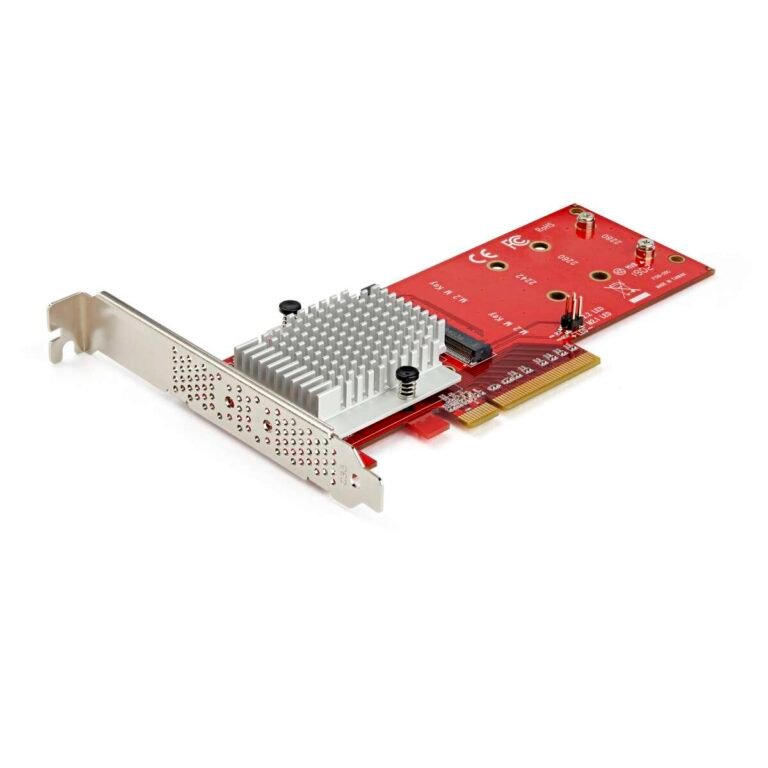
The Samsung 990 1TB is an internal NVMe SSD built for a compatible desktop or laptop. Its listed read and write speeds reach up to 7,150 and 6,450MB/s, which is far above a standard portable USB drive. Those numbers help with large transfers, app loads, game installs, and demanding creative work. This is a performance drive, not a pocket drive.
Installation requires an open M.2 slot and a system that supports the right PCIe generation. A heat spreader or good airflow may help the drive maintain speed during long workloads. Once installed, it can make a computer feel much more alert. For long-term storage, I would use it as a fast working library and keep an external backup away from the computer.
Pros:
- Very high sequential read and write ratings
- Excellent for large files and demanding applications
- No USB cable or external enclosure required
- Small M.2 form factor saves internal space
- Strong fit for desktops and compatible laptops
- Fast access makes regular file work feel smooth
Cons:
- Requires an M.2 slot and installation knowledge
- Not portable without a separate enclosure
- May need extra cooling under sustained loads
- High speed is wasted on simple cold storage
My Recommendation
Choose the Samsung 990 1TB for a power user, gamer, editor, or PC builder who needs fast internal storage. It is not my first pick for a removable archive, but it is excellent for the active copy of a long-term file system. Users who call an internal NVMe drive the best SSD for long-term storage should still add an external backup. It offers strong value when your computer supports its interface and you can install it correctly.
GARMESE 1TB External SSD

The GARMESE 1TB external SSD targets users who want high portable speed. Its listing claims up to 2,000MB/s through USB 3.2 Gen 2×2. That is a key detail: the computer must support Gen 2×2 to approach the stated rate. On a slower USB port, it will still work, but the port becomes the speed limit.
This drive makes sense for moving large video files, project folders, and game libraries. A fast external SSD can save time when you work between two compatible systems. I would test the cable and port before judging performance, since not every USB-C port has the same capability. For long-term storage, copy speed is helpful, but file checks and a second backup matter more than a headline number.
Pros:
- High claimed speed for compatible USB 3.2 Gen 2×2 systems
- Portable design supports work in more than one place
- 1TB capacity fits many active projects
- USB-C connection works with modern devices
- Useful for large video and image transfers
- Solid-state design avoids mechanical drive noise
Cons:
- Gen 2×2 support is not common on every computer
- Actual speed may fall sharply on slower USB ports
- Less established choice than major storage brands
- 1TB can fill quickly with high-resolution video
My Recommendation
The GARMESE 1TB is best for buyers who own a USB 3.2 Gen 2×2 computer and want speed without an internal upgrade. It can be a smart work drive for creators who move large files every day. I would not buy it only for a long shelf period; I would buy it for fast access plus a separate archive. If your equipment supports the interface, it may be a strong best SSD for long-term storage setup, but compatibility comes first.
Lexar Professional Go Portable SSD 2TB

The Lexar Professional Go 2TB is made for creators who need a small drive with a little more protection. It supports up to 1,050MB/s and carries an IP65 rating, which helps guard against dust and water jets under the stated test conditions. It also supports Apple 4K 60fps ProRes workflows with compatible iPhone 15 and 16 models. The 2TB capacity gives mobile filmmakers room for real projects.
I like the very small form for travel, especially when a phone or compact camera setup has little spare space. The rugged design adds confidence, but IP ratings do not mean the drive can be soaked, submerged, or treated roughly. Check device support before purchase, since the listing notes compatibility with iPhone 15 and 16, not iPhone 17. For long-term storage, its size and capacity are excellent, but I would still place a second copy on another device.
Pros:
- 2TB capacity suits large photo and video libraries
- Up to 1,050MB/s transfer speed
- IP65-rated design adds dust and water resistance
- Very compact for mobile creator kits
- Supports compatible Apple ProRes workflows
- Useful for travel, field work, and on-site backups
Cons:
- Apple compatibility depends on the exact iPhone and setup
- IP65 does not allow submersion
- Premium creator features can raise the price
- Speed still depends on the connected device
My Recommendation
The Lexar Professional Go is best for iPhone filmmakers, travel photographers, and mobile creators who need 2TB in a tiny package. Its rugged rating and ProRes support give it a clear purpose beyond ordinary file storage. I consider it one of the best SSD for long-term storage options for active field work, not a reason to skip a second copy. Its value is high for the right Apple workflow and less compelling for basic documents.
Crucial X10 Pro 1TB Portable SSD

The Crucial X10 Pro 1TB is a fast portable SSD for PC and Mac users. It claims up to 2,100MB/s read and 2,000MB/s write through a compatible USB 3.2 Gen 2×2 connection. That makes it a strong choice for large media files and active project work. Its compact body is easy to carry between a desktop, laptop, and studio.
As with the GARMESE drive, the interface matters a lot. A regular USB 3.2 Gen 2 port may deliver much less than the top rating, even though the drive remains compatible. The X10 Pro is best when you often write and read large files, not when you only save small documents once a month. I would use its speed for work and keep a slower, separate drive for backup storage.
Pros:
- Very fast claimed read and write performance
- Good fit for professional photo and video work
- Compact USB-C design is easy to move
- Works with both PC and Mac systems
- 1TB offers a useful project-sized workspace
- Crucial provides a familiar storage brand name
Cons:
- Needs USB 3.2 Gen 2×2 for peak performance
- 1TB may not suit long 4K or 8K projects
- Premium speed may cost more than a basic portable SSD
- Fast sustained work can create heat
My Recommendation
The Crucial X10 Pro is best for editors, photographers, and other users who move large files often. It is overqualified for a small document archive, yet its speed can save real time in a busy workflow. If your computer has USB 3.2 Gen 2×2, this is a serious best SSD for long-term storage candidate for an active work library. Buy it for its fast workflow, then protect that library with another backup.
KEXIN 256GB External SSD

The KEXIN 256GB external SSD is a small and low-cost option for basic storage. Its listing claims up to 500MB/s and includes USB 3.1 Type-C support. That speed is enough for documents, small photo sets, music, and a few game files. It can also work with PCs, Macs, Android devices, and some game consoles when the file system and connection are supported.
The 256GB capacity is the main limit. It works well as a transfer drive or a focused backup for key folders, but it is not ideal for a full media collection. I would label it clearly so it does not get confused with a larger archive drive. For long-term use, test the stored files from time to time and avoid filling the drive completely.
Pros:
- Low entry price for solid-state storage
- Compact size fits small bags and drawers
- Up to 500MB/s is quick for basic file work
- USB-C connection suits many modern devices
- Useful for documents and focused backups
- Can serve several device types with the right format
Cons:
- 256GB capacity is small for video and large photo libraries
- Slower than newer premium portable SSDs
- Compatibility with consoles may require reformatting
- Less suitable as a main archive drive
My Recommendation
The KEXIN 256GB is best for a student, light user, or buyer who needs a simple file shuttle. It is also useful for a second copy of a small folder set. I would not call it the best SSD for long-term storage for a family media archive, but it can support a careful backup plan at a low cost. Check current capacity needs first, because buying too small often costs more later.
GWCASE Hard Case for SanDisk SSD

The GWCASE is not an SSD; it is a protective hard case made for a SanDisk Extreme portable external SSD. That difference matters when planning long-term storage. A case can shield the drive from scratches, dust, cable pressure, and bumps while it travels. It may also help keep the SSD and its cable together in one place.
I see this as an accessory that improves the storage routine rather than the storage capacity. A drive that stays protected is less likely to suffer a cracked shell or damaged connector in a travel bag. Confirm the internal dimensions and your exact SanDisk model before ordering, since a case made for one shape may not fit another. It will not protect files from deletion, malware, or electronic failure, so keep multiple copies.
Pros:
- Adds a layer of protection during travel
- Helps prevent scratches and small impact damage
- Can keep an SSD and cable together
- Supports better storage habits in a drawer or bag
- Lightweight accessory for a portable drive
- Useful for users who carry an SSD often
Cons:
- Does not include an SSD
- Designed for specific SanDisk drive shapes
- Does not replace a second data backup
- Adds another item to carry
My Recommendation
The GWCASE is best for SanDisk Extreme owners who travel with their drive or store it among other gear. It is a sensible protection upgrade, but shoppers should not mistake it for the best SSD for long-term storage. Pair it with a real SSD and a sound backup plan. Its value is good when the fit is correct and the drive regularly leaves your desk.
SanDisk 1TB Portable SSD Dragon Edition

The SanDisk Dragon Edition 1TB adds a bold design to a practical portable SSD. It lists read speeds up to 800MB/s, which places it in the same everyday class as many USB 3.2 Gen 2 drives. That is enough for quick backups, photo transfers, and general file access. The design may appeal to gamers, collectors, or anyone who wants a drive that is easy to identify.
One terabyte is a good middle ground for school files, work folders, and a personal photo set. It is less suited to a large video archive, especially when projects stay on the drive for years. I suggest using a clear folder plan and keeping an offline second copy. The Dragon Edition is still a portable electronic device, so keep it away from heat, moisture, and rough handling.
Pros:
- Distinct Dragon Edition look is easy to recognize
- 1TB capacity covers many common backup needs
- Up to 800MB/s read speed for daily transfers
- Portable form works well for travel
- Quiet solid-state operation
- Useful for users who dislike plain storage gear
Cons:
- Not the fastest drive for large professional projects
- 1TB can fill quickly with modern video files
- Actual results depend on the USB port and cable
- Style does not improve data protection by itself
My Recommendation
The Dragon Edition is best for users who want a capable 1TB portable SSD with a more personal style. It suits gaming files, school work, photos, and general backup tasks. It can be the best SSD for long-term storage for a smaller library when you pair it with a second copy. I would choose it over a plain model when the design helps you remember and manage your backup drive.
Best Features at a Glance
| Best for | Why |
|---|---|
| Most home users | Samsung T7 2TB offers a strong mix of capacity, speed, size, and simple USB-C use. |
| Mobile video creators | Lexar Professional Go 2TB adds 2TB of space, IP65 protection, and support for compatible ProRes work. |
| Fast PC and Mac workflows | Crucial X10 Pro 1TB delivers very high speed when the host supports USB 3.2 Gen 2×2. |
How I Judge the Best SSD for Long-Term Storage
Long-term storage is not the same as a scratch disk. A scratch disk holds files you can rebuild. An archive holds memories and records that may be hard or impossible to replace. I judge an SSD by capacity, connection, heat, build, brand support, and how easy it is to make a second copy. Peak speed matters, but it sits below safe habits on my list.
Capacity comes first because a full drive creates poor choices. When you have no room, you may delete older files or skip a backup. I like to leave free space rather than run an SSD at its limit. For many homes, 1TB is a good start, while 2TB gives much more breathing room for photos and video.
The interface also shapes the real experience. A USB-C plug does not always mean the fastest USB standard. USB 3.2 Gen 2, Gen 2×2, and Thunderbolt systems can deliver very different results. I always check the computer port, cable, and file type before paying extra for a high speed rating.
Heat is another quiet factor. Fast SSDs can warm up during long writes, and heat may lower speed to protect the device. A cool desk, open airflow, and short work sessions can help. I would not place any SSD in direct sun, inside a hot car, or under heavy items in a sealed bag.
SSD Versus Hard Drive for Long-Term Storage
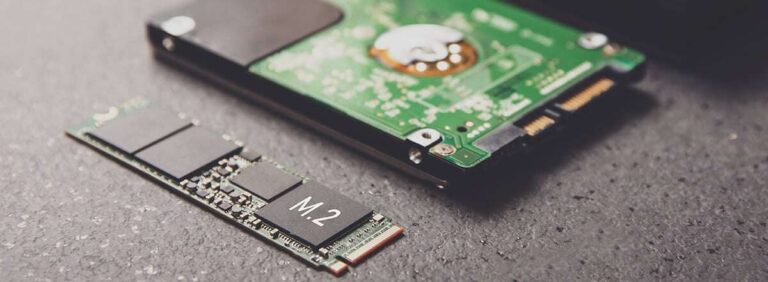
SSDs use flash memory and have no spinning platters. That makes them quiet, light, and resistant to normal bumps. They also open files much faster than most portable hard drives. These traits make an SSD pleasant for active backups and travel.
A hard drive can offer more space for less money. It often makes sense for a large home archive that stays on a desk. Yet it has moving parts and can suffer from impact while running. I often use both: an SSD for the files I touch often and a hard drive for a large second copy.
Neither type should be your only copy of important data. Flash cells can lose charge over a very long, unpowered period, especially in poor storage conditions. Drive controllers and file systems can also fail. A good plan uses more than one copy, checks files, and keeps at least one copy in a different place.
How to Prepare an SSD for Long-Term Storage
Start by using a file system that matches your devices. exFAT works across many Windows and Mac systems, while NTFS and APFS suit specific platforms. If you plan to use the drive with a camera, console, phone, or TV, check that device first. Formatting erases the drive, so confirm that it is empty or backed up before you begin.
Next, create clear folders. I prefer folders by year, then event or project. A simple plan helps you find files months later. Use file names that include the date and subject, such as “2026-03-family-trip.” Avoid relying on memory alone.
After copying the files, open a sample from each folder. Photos, videos, documents, and compressed files should all load. For a large archive, use a checksum or file verification tool when available. This step catches a bad cable, interrupted copy, or damaged file before you put the drive away.
Eject the SSD through the operating system. Do not pull the cable while files are open or the activity light is busy. Give the drive a label with its contents and the date of the last check. Store it in a dry, cool, stable place away from magnets, spills, and extreme heat.
How Often Should You Check an Archived SSD?
I suggest checking an SSD archive at least once or twice a year. Connect it to a trusted computer and look through important folders. Open a few files and compare them with the second copy. If the drive reports errors, copy the data to a new drive at once.
More frequent checks make sense for business records or files that must remain available. Keep a simple log with the drive name, storage date, and last test. This takes only a few minutes and removes guesswork. A backup plan should feel like a seat belt, not a rescue mission.
What Capacity Should You Buy?
A 256GB SSD suits a small document set or a short-term transfer task. It can hold many office files, but phone photos and video can consume the space fast. I would buy this size only when the archive is small and well defined.
A 1TB SSD is the best starting point for many people. It can store a large photo library, work folders, and a computer backup. The Samsung T7 1TB, SanDisk 1TB models, and similar drives fit this use well.
A 2TB SSD gives much more comfort. It works better for families, photographers, and creators who keep raw files. The Samsung T7 2TB and Lexar Professional Go 2TB are strong choices when you want fewer space limits. Leave room for future files, because a drive that fills up too soon becomes a chore.
Common Buying Mistakes to Avoid
The first mistake is buying by speed alone. A 2,100MB/s drive may sound better than an 800MB/s drive, but your computer may not support the faster standard. The result can be a higher price with no real benefit. Match the SSD to the port you use.
The second mistake is confusing portable storage with a backup. Copying a folder once does not create a safe archive. Delete, theft, malware, fire, and user error can affect the source and the copy. Use versioned backups when possible and keep one drive disconnected.
The third mistake is trusting one brand or one device forever. Even excellent products can fail. Check the warranty, keep purchase details, and replace an aging drive before it becomes your only source. I also avoid storing an SSD in a hot vehicle or damp basement.
FAQs Of best ssd for long term storage
Is an SSD good for long-term storage?
Yes, an SSD is fast, quiet, and easy to carry. However, it should not be the only copy of important data. Store a second copy elsewhere and check the files from time to time.
Which is the best SSD for long-term storage for most people?
The Samsung T7 2TB is the best all-around pick in this list. It offers useful space, fast USB 3.2 Gen 2 performance, and a compact build. The 1TB model is a good lower-cost choice.
Should I buy a 1TB or 2TB portable SSD?
Buy 1TB for documents, photos, and moderate backups. Choose 2TB for raw photos, video, game libraries, or future growth. Extra space can prevent rushed file deletion later.
Can I leave an SSD unplugged for years?
I would not treat any SSD as a “store it and forget it” device. Keep it in a cool, dry place, connect it once or twice a year, and verify key files. Maintain another copy in case the drive fails.
Do I need USB 3.2 Gen 2×2 for long-term storage?
No. Gen 2×2 helps with fast large transfers, but it is not required for an archive. A regular USB 3.2 Gen 2 drive is often enough for home backups and costs less.
Final Verdict: Which Should You Buy?
For most buyers, I choose the Samsung T7 2TB. It is the best SSD for long-term storage here because it balances space, speed, portability, and ease of use.
Buy the Lexar for mobile video, the Crucial for Gen 2×2 speed, and the T7 1TB for a lower cost. Keep two copies, verify files, and store one copy apart.

Everett Ashford is a tech reviewer at mytechgrid.com specializing in SSDs, cameras, TVs, earbuds, headphones, and other consumer electronics. He provides honest, data-driven reviews based on hands-on testing and real-world performance analysis. Everett simplifies complex tech details to help readers make smart, confident buying decisions.