Yes, Western Digital SSDs are good because they offer strong speed, broad model choices, and dependable everyday performance.
The answer to “is Western Digital SSD good” depends on the model, your device, and your workload. WD makes affordable SATA drives, fast NVMe SSDs, gaming models, and high endurance storage, so this guide will help you choose the right one with confidence.

Is Western Digital SSD good for most users?
Yes, Western Digital SSDs are good for most home, office, gaming, and creative tasks. The company has a long history in storage, and its SSD range covers many budgets and performance levels.
A Western Digital SSD can make an old computer feel much faster. Windows may start in seconds, apps open with less delay, and file transfers feel smoother. It is often one of the best upgrades for a slow laptop or desktop.
However, not every WD SSD offers the same speed or endurance. A basic SATA model is not equal to a high-end PCIe 4.0 NVMe model. The name on the drive matters, but the exact series matters more.
That is why the real answer to “is Western Digital SSD good” is simple: choose the model that matches your use.
Western Digital SSD product lines explained
Western Digital sells several SSD families. Each one targets a different type of user.
WD Green
WD Green SSDs are entry-level drives. They are made for light tasks such as web browsing, school work, email, and basic home use.
They usually cost less than higher-end models. Their performance is fine for a simple upgrade, but they may have lower endurance and fewer advanced features.
A WD Green drive can be a good choice for:
- An older desktop
- A basic laptop
- Office documents
- Light media storage
- A low-cost system upgrade
It may not be the best choice for heavy gaming, video editing, or constant large file transfers.
WD Blue
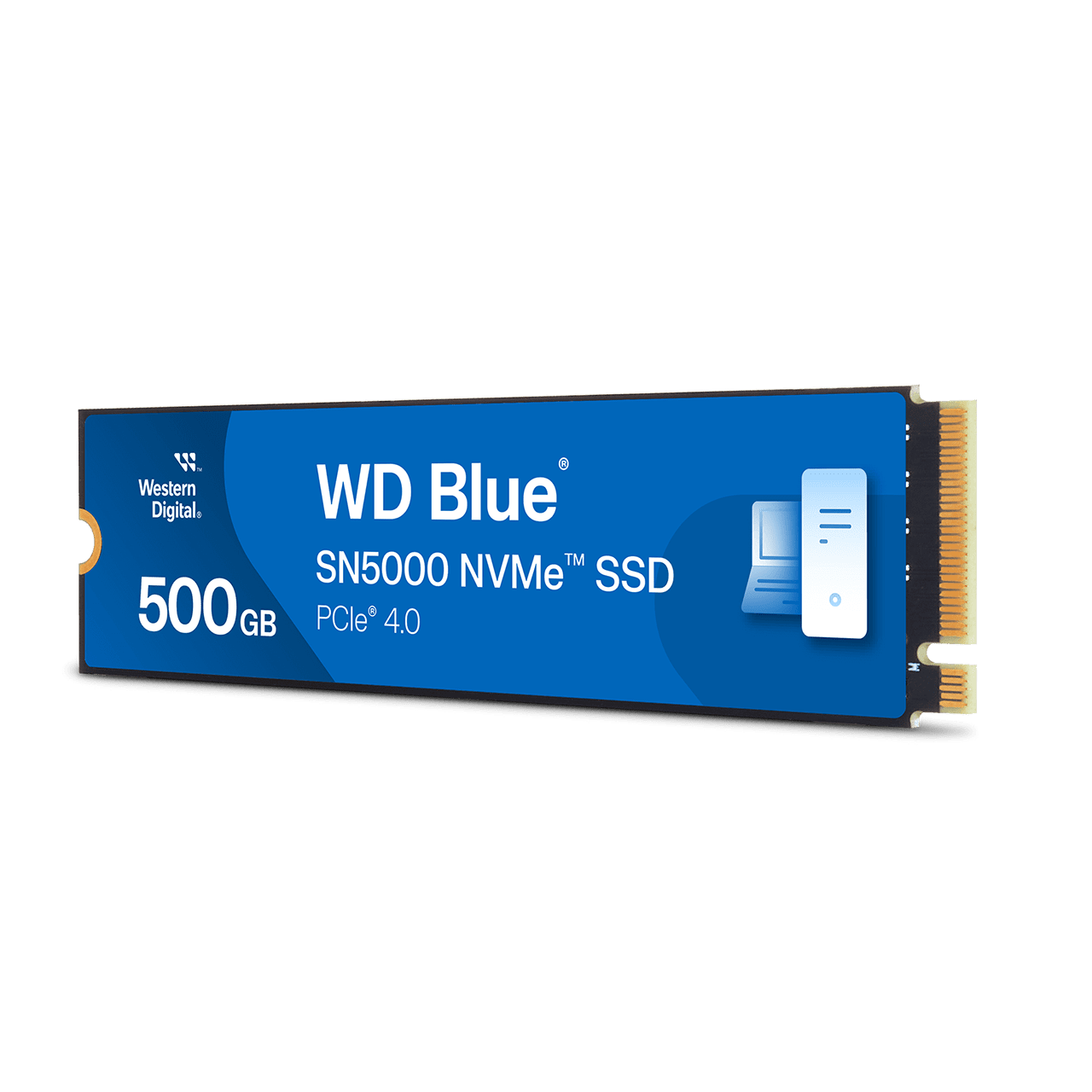
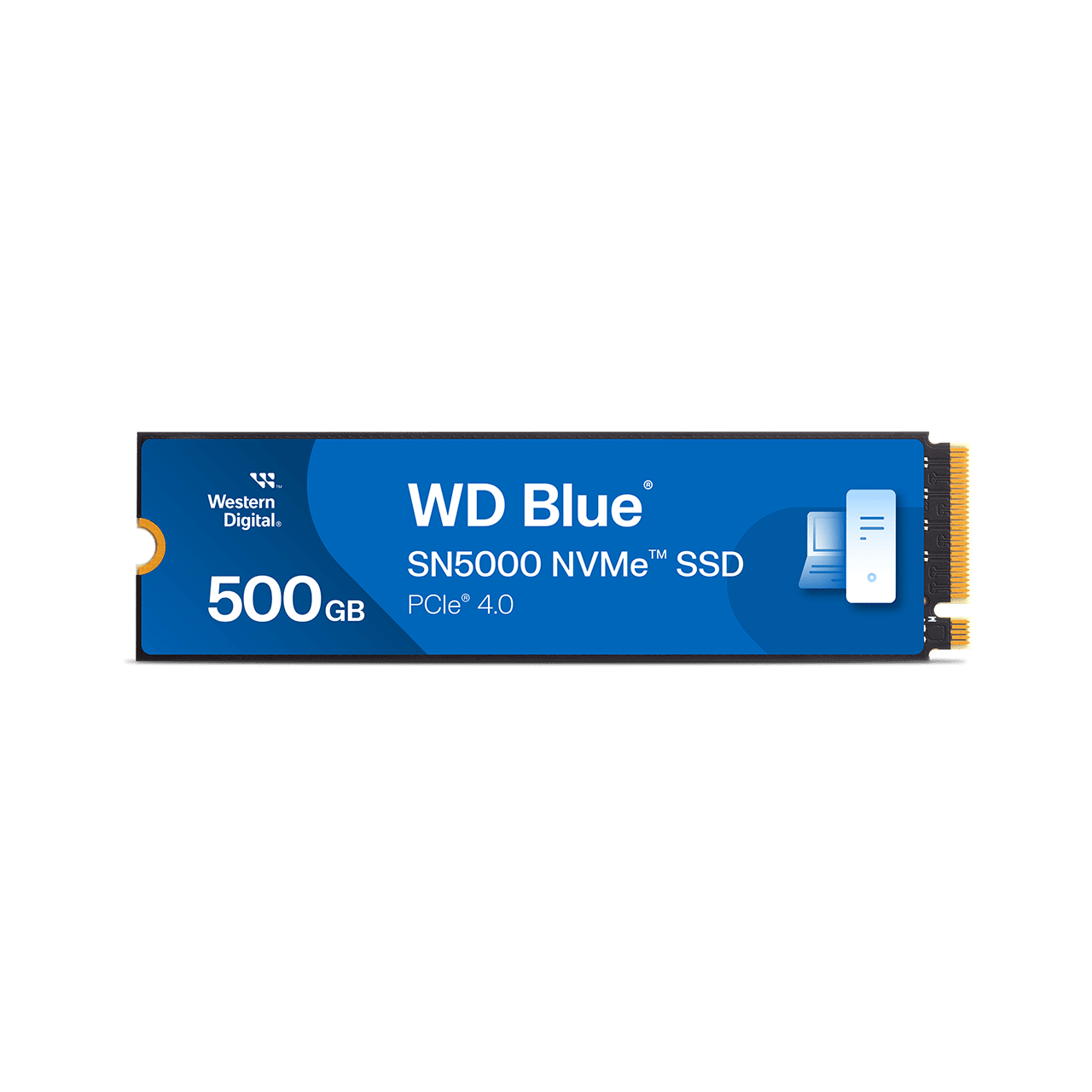
WD Blue SSDs are designed for general use. They usually offer a better balance of speed, price, and endurance than entry-level models.
WD Blue drives are available in both SATA and NVMe versions. The exact performance depends on the model generation and interface. A WD Blue NVMe SSD can be much faster than a WD Blue SATA SSD.
For many people asking “is Western Digital SSD good,” WD Blue is the safest starting point. It gives everyday users solid performance without the premium price of a flagship drive.
WD Black
WD Black SSDs target gamers, power users, and creators. They are usually built for higher performance, especially when used with a PCIe NVMe connection.
A WD Black SSD may include:
- Faster sequential read and write speeds
- Strong random performance
- Better cooling needs
- Gaming software features
- Higher endurance on some models
These drives can reduce game loading times and improve large project work. They are not always worth the extra cost for web browsing or office work, though.
WD Red
WD Red SSDs are made for network attached storage systems and similar workloads. They can be useful when a drive must operate for long periods in a home or small business storage system.
NAS users should check compatibility, endurance ratings, and workload limits before buying. A regular desktop SSD may not be the best fit for a storage server that runs all day.
WD Purple
WD Purple storage products focus on surveillance systems. They are designed around video recording needs and continuous workloads.
A WD Purple drive may make sense for cameras or monitoring systems. It is usually not the most suitable option for a gaming PC or everyday laptop.
SATA versus NVMe: Which Western Digital SSD is better?
The connection type has a major effect on SSD speed. SATA SSDs use an older interface, while NVMe SSDs use PCIe lanes for much faster communication.
A SATA SSD can reach around 500 to 560 MB per second in ideal conditions. An NVMe SSD can reach several thousand MB per second, depending on the PCIe generation and model.
SATA SSD benefits
- Works with many older laptops and desktops
- Easy to install
- Uses less complex hardware
- Much faster than a hard disk drive
- Often costs less
NVMe SSD benefits
- Much higher peak speed
- Better performance for large files
- Stronger results in demanding apps
- Excellent for modern gaming PCs
- Small M.2 form factor
For normal web use, the difference may not feel dramatic after the computer has started. Both drive types can make a system feel quick. The difference becomes clearer during video editing, file transfers, software development, and large game installations.
Before buying an NVMe model, check whether your computer has an M.2 slot that supports NVMe. Some M.2 slots support only SATA, and some laptops have size or single-sided drive limits.

Western Digital SSD performance in real use
SSD speed ratings are useful, but they do not tell the whole story. Manufacturers often list peak sequential speeds under ideal conditions. Everyday performance also depends on the controller, NAND type, cache, temperature, and computer hardware.
For example, opening a browser does not require several thousand MB per second. Random access and response time matter more. On the other hand, moving a large video file can benefit greatly from a fast NVMe SSD.
A Western Digital SSD can perform well in these common tasks:
- Starting Windows or macOS
- Opening programs
- Loading games
- Editing photos
- Managing office files
- Compiling software
- Moving large folders
Some drives slow down during long writes after their temporary cache fills. This is normal for many consumer SSDs. If you regularly write hundreds of gigabytes at once, look for a model with strong sustained performance and suitable endurance.
Thermal control also matters. Fast PCIe 4.0 and PCIe 5.0 drives can become warm. A motherboard heatsink or compatible laptop cooling system may help maintain steady speed.
Reliability, endurance, and warranty
Reliability is one of the most important parts of the question, “is Western Digital SSD good?” In general, modern SSDs are dependable when used within their rated workload and kept in good condition.
One key specification is TBW, or terabytes written. TBW estimates how much data a drive can write during its warranty period. It is not a guaranteed failure point, but it provides a useful comparison.
You should also check:
- Warranty length
- TBW rating
- NAND type
- Drive temperature
- Firmware support
- Power loss protection
- User reviews for the exact model
A drive with a higher TBW rating may be better for video editing, frequent backups, or business use. A lower-rated drive may still last many years in a light-use home computer.
No SSD should be treated as a permanent backup. SSDs can fail without much warning, and deleted files may be difficult to recover. Keep at least one separate backup of important photos, documents, and work files.

TLC, QLC, and DRAM: What do these terms mean?
The internal design affects SSD behavior. Understanding a few terms can help you avoid buying the wrong drive.
TLC NAND
TLC stores three bits per memory cell. It usually offers a good balance of speed, endurance, and price.
Many well-rounded consumer SSDs use TLC NAND. It is often a strong choice for gaming, work, and content creation.
QLC NAND
QLC stores four bits per memory cell. It allows manufacturers to offer more capacity at a lower price.
QLC drives can be excellent for large libraries and general storage. They may slow more during very large write jobs, especially after their cache fills. This does not make them bad, but it makes them less ideal for constant heavy writing.
DRAM cache
Some SSDs include dedicated DRAM. Others use a host memory buffer or have no dedicated DRAM.
DRAM can help with mapping data and sustained workloads. A DRAM-less SSD can still work well, especially for basic use, but it may show weaker performance in some demanding tasks.
The best design depends on your workload. Paying for a premium drive is not always useful if your computer mainly runs a browser and office apps.
Is Western Digital SSD good for gaming?
Yes, Western Digital makes good gaming SSDs. WD Black NVMe models are especially suited to gaming PCs that support PCIe NVMe storage.
A gaming SSD can improve:
- Game launch times
- Level loading
- System startup
- Game installation speed
- Updates and file transfers
An SSD does not usually increase your average frame rate. Your graphics card, processor, and memory have a larger effect on FPS. The SSD mainly reduces waiting and improves system response.
For a gaming build, a 1 TB or 2 TB NVMe SSD is often a practical choice. Modern games can be very large, so a small drive may fill quickly. Leave some free space to help the drive maintain performance.
Is Western Digital SSD good for laptops?
A Western Digital SSD can be a strong laptop upgrade, but compatibility comes first. You need to identify the laptop’s drive type, physical size, and interface.
Check these details before purchase:
- 2.5-inch SATA or M.2 drive
- SATA or NVMe support
- M.2 length, such as 2280 or 2230
- Maximum supported storage capacity
- Single-sided or double-sided drive support
- Operating system cloning options
A laptop with a 2.5-inch hard drive may accept a 2.5-inch SATA SSD. A newer laptop may use an M.2 NVMe drive instead.
Also consider power use and heat. A very fast drive can run warmer and use more power than a basic model. In a thin laptop, a balanced SSD may provide a better experience than the fastest option.

Is Western Digital SSD good for video editing and creative work?
Western Digital SSDs can work well for photo and video editing. The right model depends on the type of files and the size of your projects.
A fast NVMe drive helps with:
- Importing large video files
- Creating previews
- Moving project folders
- Loading editing software
- Managing scratch files
For professional work, capacity and sustained write speed matter as much as peak speed. A drive that looks very fast in a short test may slow during a long export or large file transfer.
A practical setup may use:
- One fast SSD for the operating system and applications.
- A second SSD for active project files.
- A separate hard drive or cloud service for backup.
Do not use a single SSD as the only copy of valuable client work. Redundant storage protects your work when hardware fails or files are accidentally deleted.
Common limitations of Western Digital SSDs
The answer to “is Western Digital SSD good” is positive, but WD drives are not perfect. Every product line has trade-offs.
Common limitations include:
- Model names can be confusing
- Performance varies between generations
- Some budget drives use QLC NAND
- High-end NVMe drives may need cooling
- Peak speeds are not sustained speeds
- Firmware updates may be important
- Prices can change often
Some online listings also use unclear model descriptions. Check the full model number, not only the brand name. Two drives with similar names may use different controllers, NAND, interfaces, and warranty terms.
It is also wise to compare current reviews. SSD components can change during a product’s life, and a later hardware revision may not perform exactly like an early review sample.

Western Digital SSD compared with Samsung, Crucial, and other brands
Western Digital is a major SSD brand, but it is not the only good option. Samsung, Crucial, Solidigm, Kingston, SK hynix, and others also make capable drives.
When comparing brands, focus on the exact model rather than the logo. Compare:
- Real-world performance
- NAND type
- TBW rating
- Warranty
- Price per terabyte
- Software support
- Thermal behavior
- Independent testing
Samsung often has a strong reputation for premium SSDs. Crucial may offer competitive value. Solidigm has models known for large capacity and balanced performance. WD often stands out because it offers a wide range of drives, from basic SATA storage to high-end gaming NVMe models.
The best SSD is the one that fits your system and workload. A cheaper drive with enough speed and capacity may be a better purchase than an expensive model whose performance you will never use.
How to choose the right Western Digital SSD
Use this simple process before buying.
Step 1: Check your computer
Find out which interface your system supports. Look at the computer manual, motherboard specifications, or the existing drive.
Step 2: Choose your capacity
For most users, 1 TB offers a useful balance. A 500 GB drive may work for a basic system, while gamers and creators may need 2 TB or more.
Step 3: Match the workload
Choose a basic model for light use, a mainstream model for everyday work, and a performance model for gaming or demanding creative tasks.
Step 4: Check endurance
Compare the TBW rating if you write large amounts of data. Do not rely on speed alone.
Step 5: Review cooling needs
A fast NVMe SSD may need a heatsink. Confirm that your motherboard or laptop can manage its heat.
Step 6: Compare the warranty
A longer warranty can provide extra peace of mind. Read the warranty terms and confirm whether the drive is covered in your region.
This process makes it easier to answer “is Western Digital SSD good” for your specific computer rather than relying on a general brand opinion.
Practical installation and maintenance tips
Installing a Western Digital SSD is usually simple, but careful preparation prevents problems.
Before installation:
- Back up important files
- Record your operating system login details
- Check the drive interface
- Create a recovery drive if needed
- Read the computer service instructions
If you are replacing a system drive, you can clone the old drive or perform a clean operating system installation. Cloning is faster, while a clean install can remove old software and clutter.
After installation, update the firmware only through trusted software or instructions. Keep the SSD’s firmware current when an update addresses stability or compatibility issues.
Leave some free space on the drive. A nearly full SSD may have less room for background maintenance and temporary data. Also, do not use traditional disk defragmentation on an SSD. Modern operating systems manage SSD optimization differently.
My practical take on Western Digital SSDs
When I compare SSD options, the mistake I see most often is choosing by advertised speed alone. Many people buy the fastest number on the box, then use the drive for email, streaming, and documents. In that situation, capacity, warranty, and price usually matter more.
Another common mistake is buying the wrong M.2 drive. The M.2 shape does not always tell you whether a drive uses SATA or NVMe. Always check the computer manual before ordering.
My practical rule is simple:
- Choose WD Green for light, low-cost use.
- Choose WD Blue for balanced everyday performance.
- Choose WD Black for gaming and demanding work.
- Choose WD Red or Purple for their intended storage systems.
This approach keeps the purchase sensible. It also avoids paying for performance your computer cannot use.
Frequently Asked Questions About Is Western Digital SSD Good
Is Western Digital a reliable SSD brand?
Yes, Western Digital is generally considered a reliable SSD brand. Reliability still depends on the exact model, workload, temperature, firmware, and proper backup habits.
Is Western Digital SSD good for gaming?
Yes, especially the WD Black NVMe range and other compatible WD NVMe models. They can reduce loading and installation times, although they do not usually increase game frame rates.
Is WD Blue SSD better than WD Green?
WD Blue is usually the better all-purpose choice because it often offers stronger performance and endurance. WD Green can be suitable for light use when keeping the cost low is the main goal.
How long does a Western Digital SSD last?
A Western Digital SSD can last for many years under normal use. Its expected endurance depends on the TBW rating, memory type, workload, temperature, and available free space.
Is a Western Digital SSD better than a hard drive?
Yes, an SSD is much faster, quieter, and more resistant to movement than a traditional hard drive. Hard drives can still provide more inexpensive capacity for backups and long-term storage.
Should I buy a SATA or NVMe Western Digital SSD?
Buy a SATA SSD if your computer lacks NVMe support or uses a 2.5-inch drive bay. Choose NVMe when your system supports it and you need faster performance for games, creative work, or large file transfers.
Do Western Digital SSDs need a heatsink?
Basic SATA SSDs usually do not need a heatsink. Fast NVMe models can benefit from one, especially during long workloads or inside systems with limited airflow.
Conclusion
So, is Western Digital SSD good? Yes, it is a strong choice when you select the right series for your needs. WD offers affordable drives for basic users, balanced models for everyday computers, and fast NVMe products for gaming and creative work.
Focus on compatibility, capacity, endurance, warranty, and real-world performance instead of the largest speed number. Back up important files, keep the drive cool, and compare the exact model before buying.
Use these tips to choose your next SSD with confidence, and share your Western Digital SSD experience in the comments.

Everett Ashford is a tech reviewer at mytechgrid.com specializing in SSDs, cameras, TVs, earbuds, headphones, and other consumer electronics. He provides honest, data-driven reviews based on hands-on testing and real-world performance analysis. Everett simplifies complex tech details to help readers make smart, confident buying decisions.