Yes, Crucial is a good SSD brand for reliable storage, fair prices, and strong everyday performance.
Crucial has earned trust through Micron’s long experience in NAND flash memory and storage technology. Its SSD range includes affordable SATA drives, fast PCIe 4.0 models, and high-end PCIe 5.0 options. Still, the best choice depends on your workload, budget, capacity needs, and the exact Crucial model you buy.

Is Crucial a Good SSD Brand?
Yes, Crucial is a good SSD brand for most home users, students, gamers, and office workers. The company offers solid performance, useful software, competitive prices, and a strong history in flash memory.
Crucial is the consumer storage brand of Micron, one of the world’s major memory and NAND flash manufacturers. That connection matters because NAND quality, controller design, firmware, and testing all affect an SSD’s real-world reliability.
When people ask, “Is Crucial a good SSD brand?” they often want to know three things:
• Will the drive last?
• Will it perform well?
• Is it worth the money?
For many buyers, the answer to all three is yes. However, performance can vary widely between models. A budget Crucial SATA SSD will not match a premium PCIe 5.0 drive, just as a compact sedan will not perform like a race car.
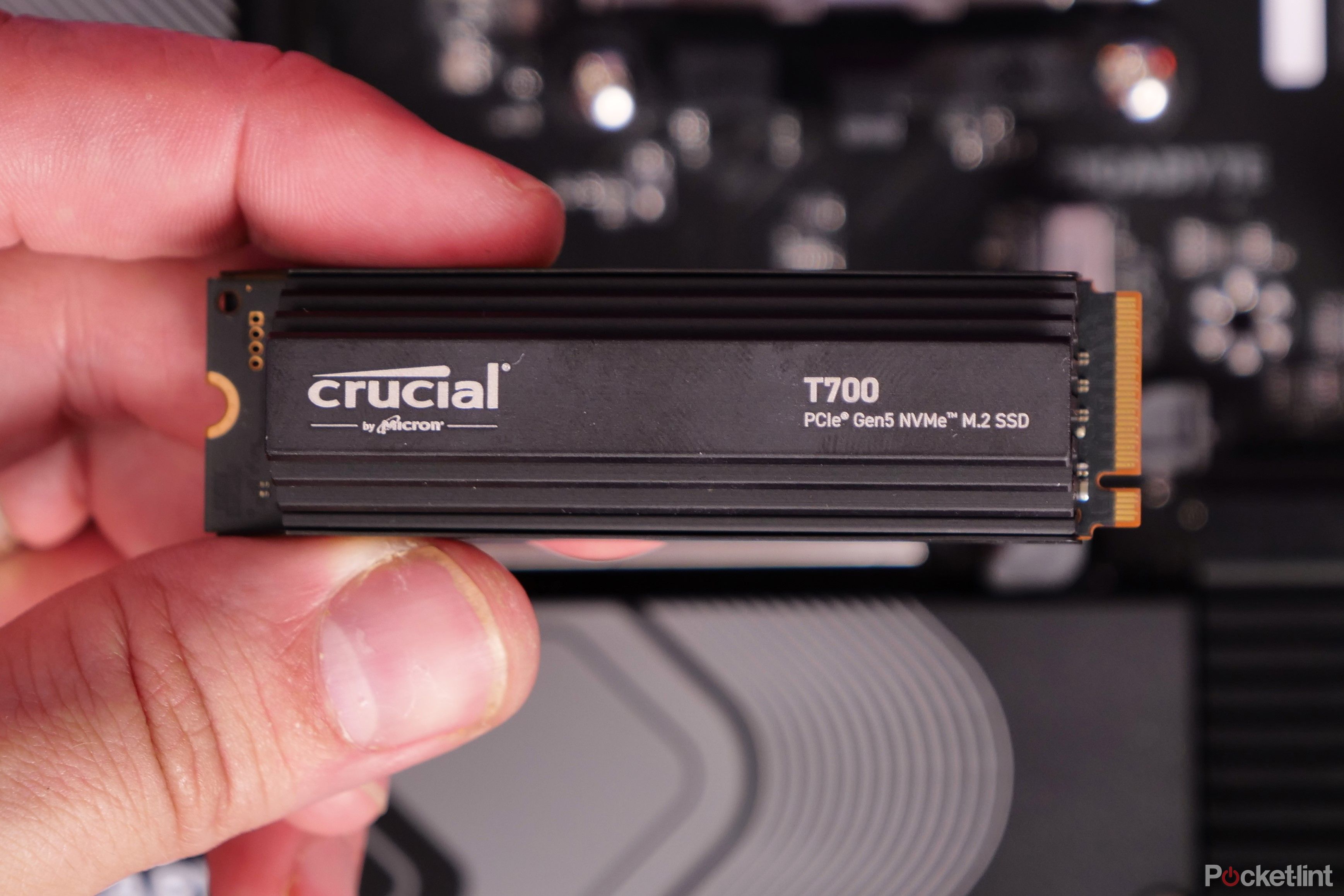
Why Is Crucial a Good SSD Brand?
Crucial benefits from Micron’s expertise in memory chips, storage design, and quality control. This gives the brand a strong technical foundation that many lesser-known SSD companies do not have.
Here are the main reasons buyers consider Crucial dependable:
Micron NAND flash memory
Many Crucial SSDs use NAND flash made by Micron. NAND is the storage layer that holds your files, apps, games, and operating system.
Using memory from an established manufacturer can improve consistency and quality. It does not make every model perfect, but it gives Crucial better control over key components.
A wide range of SSDs
Crucial sells several types of solid-state drives:
• SATA SSDs for older desktops and laptops
• PCIe 3.0 NVMe SSDs for affordable upgrades
• PCIe 4.0 NVMe SSDs for fast gaming and creative work
• PCIe 5.0 NVMe SSDs for high-end systems
• 2.5-inch drives for older computers
• M.2 drives for newer laptops and desktop motherboards
This range makes it easier to match a drive to your computer instead of paying for speed your system cannot use.
Competitive pricing
Crucial often competes well on price. Its SSDs regularly offer good cost per gigabyte, especially during sales.
That matters because capacity is often more useful than extreme speed. A 2TB PCIe 4.0 SSD can be a better purchase than a very fast 1TB drive if you store large games, videos, photos, or work files.
Useful management software
Crucial Storage Executive can help users check drive health, view firmware details, monitor temperature, and perform certain maintenance tasks.
Software cannot repair a failing drive, but it can help you notice warning signs before a problem becomes serious.

Crucial SSD Performance: What Should You Expect?
Is Crucial a good SSD brand for speed? In most cases, yes, but the answer depends on the model.
A SATA SSD usually reaches close to the limits of the SATA interface. Real sequential speeds often approach 500 to 550 MB per second. That is much faster than a hard disk drive, but much slower than modern NVMe storage.
A PCIe 4.0 NVMe SSD can offer several gigabytes per second of sequential read speed. Premium models may reach around 7,000 MB per second, depending on the drive, computer, firmware, and workload.
A PCIe 5.0 model can be faster still. Some drives exceed 10,000 MB per second in sequential tests. Yet these numbers do not tell the whole story.
Sequential speed versus random speed
Sequential speed measures large, continuous transfers. It is useful when copying large video files or disk images.
Random performance measures small, scattered tasks. It affects system boot time, app loading, browser use, and general responsiveness.
For daily work, random performance and latency often matter more than the maximum number printed on the box. A midrange NVMe SSD can feel just as responsive as a much faster premium model during normal use.
Speed after the cache fills
Many consumer SSDs use a portion of their flash as a fast temporary cache. Short transfers may look very fast, but sustained writing can slow down after that cache is full.
This is common across the SSD market, not only with Crucial. If you often write hundreds of gigabytes at once, check independent sustained-write tests before buying.

Is Crucial a Good SSD Brand for Gaming?
Is Crucial a good SSD brand for gaming? Yes. A suitable Crucial NVMe SSD can provide fast game loading, smooth updates, and quick system response.
Modern games benefit from SSD storage because game files can be accessed far faster than they can from a mechanical hard drive. An NVMe model is often a sensible choice for a new gaming PC or PlayStation 5 expansion, provided the model meets the console’s requirements.
Still, an expensive PCIe 5.0 drive may not give a large visible benefit over a good PCIe 4.0 drive in many games. Loading times depend on the game engine, CPU, system memory, and software optimization.
For most gaming PCs, focus on these features:
• At least 1TB of capacity
• PCIe 4.0 support if your system allows it
• A good thermal design
• Strong random read performance
• A useful warranty
• Enough free space for future games
Avoid filling an SSD to its limit. Keeping about 10% to 20% free can help maintain performance and give the controller room for internal maintenance.

Is Crucial a Good SSD Brand for Laptops?
Is Crucial a good SSD brand for laptops? It can be an excellent upgrade, but compatibility must come first.
Older laptops may use a 2.5-inch SATA drive. Newer models often use an M.2 NVMe drive. These formats are not interchangeable, even though both are called SSDs.
Before buying, check:
• The physical drive size
• The interface, such as SATA or NVMe
• The supported M.2 length
• Whether the laptop has a replaceable drive
• The maximum supported capacity
• The operating system and cloning requirements
Laptop cooling also matters. A fast NVMe SSD may run hotter than a SATA model. In a thin laptop with limited airflow, a lower-power drive may offer a better balance than a high-end model.
I have seen upgrade problems caused by buying the right capacity in the wrong format. A drive can be an excellent product and still fail to work if the laptop does not support its interface.
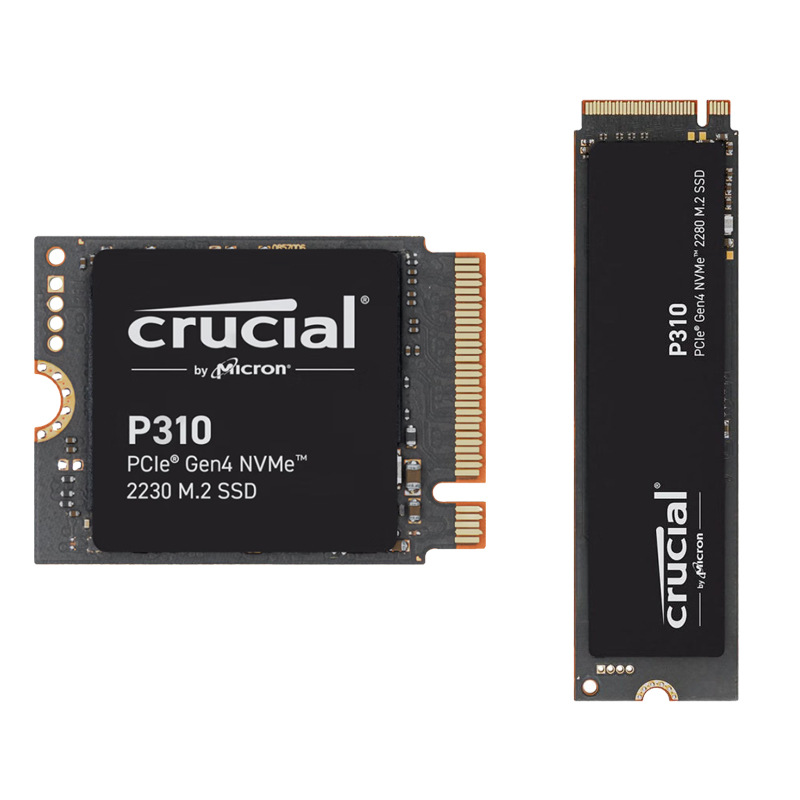
Popular Crucial SSD Models Explained
Crucial model names can be confusing. The following overview helps explain where common product families fit.
Crucial BX500
The BX500 is a budget 2.5-inch SATA SSD. It is mainly designed for replacing a slow hard drive in an older laptop or desktop.
It can make an old computer feel dramatically faster. Windows may boot more quickly, programs may open with less delay, and the system may feel less sluggish.
The BX500 is best for:
• Basic home use
• School work
• Web browsing
• Office applications
• Older computers
It is not the best choice for heavy, sustained writing or demanding professional workloads.
Crucial MX500
The MX500 is a more established SATA SSD line. It has been popular because it offers good everyday performance and features for older systems.
It is a strong choice when a computer supports only SATA storage. However, SATA technology has a speed ceiling, so it cannot compete with modern NVMe drives in bandwidth.
Crucial P3 and P3 Plus
The P3 series targets affordable NVMe storage. The P3 Plus supports PCIe 4.0 systems, while performance depends on the capacity and workload.
These drives can be attractive for gaming, office use, and general upgrades. Buyers should remember that budget NVMe models may use QLC NAND and may have lower sustained write performance than premium TLC drives.
Crucial T500
The T500 is aimed at users who want stronger PCIe 4.0 performance. It is suitable for gaming, content creation, large file transfers, and demanding desktop workloads.
A model with a heatsink may be useful in desktops or other systems with good space and airflow. Laptop buyers should check clearance before choosing a heatsink version.
Crucial T705
The T705 is a high-end PCIe 5.0 SSD. It targets users who have a compatible motherboard and want very high sequential performance.
It can be impressive in benchmarks, but it needs strong cooling. For basic office work, web browsing, and most games, its extra speed may not justify the higher price.

TLC, QLC, and What They Mean for Crucial SSDs
NAND type is one of the most important details when comparing SSDs.
TLC NAND
TLC stores three bits per memory cell. It usually provides a good balance of speed, endurance, cost, and reliability.
Many enthusiasts prefer TLC for heavier workloads because it often maintains stronger sustained write performance.
QLC NAND
QLC stores four bits per cell. It allows manufacturers to offer larger drives at lower prices.
QLC can work well for games, media libraries, documents, and normal home use. However, large writes may slow down more after the dynamic cache fills, and write endurance is often lower than with TLC.
That does not mean a QLC SSD will fail quickly. It means the drive is better suited to its intended workload. For example, a QLC drive may be a fine game library disk but a poor choice for constant 4K video editing.
TBW and endurance
TBW means terabytes written. It is an estimate of how much data a drive can write during its rated life.
Treat TBW as a useful comparison figure, not a guaranteed failure point. Most ordinary users write far less data than they expect. A home computer may take many years to reach the rated amount.

Crucial SSD Reliability and Lifespan
Is Crucial a good SSD brand for reliability? Generally, yes, but no storage brand is risk-free.
An SSD can fail because of controller problems, firmware issues, power events, manufacturing defects, or simple wear. Even a premium drive can stop working without warning.
Real-world lifespan depends on:
• Total data written
• Drive temperature
• Power stability
• Firmware quality
• Available free space
• Workload intensity
• Manufacturing variation
Most consumer SSDs last for years under normal use. A drive used for web browsing and documents has a much lighter workload than one used for video production, databases, or constant scratch files.
The most important lesson is simple: an SSD is not a backup. Keep important files in at least two separate locations. Cloud storage, an external drive, or a network backup can protect you when the main drive fails.
Crucial SSD Warranty and Support
Crucial SSD warranties vary by model and region. Some drives include a limited warranty based on a set number of years or a total written-data limit, whichever comes first.
Before purchasing, review:
• The warranty period
• The TBW rating
• The return policy
• The replacement process
• Any registration requirements
Keep your receipt and record the drive’s serial number. If a warranty claim becomes necessary, this information can make the process easier.
Warranty coverage does not replace backups. It may provide a replacement drive, but it normally cannot recover your personal files.
Crucial SSD Pros and Cons
Is Crucial a good SSD brand for every user? Not always. The brand has clear strengths, but each model has limits.
Advantages of Crucial SSDs
• Micron-backed NAND technology
• Broad product range
• Competitive prices
• Good options for old and new computers
• Helpful drive management software
• Strong everyday performance
• Widely available capacities
• Good upgrade path from hard drives
Potential disadvantages
• Some budget models use QLC NAND
• Sustained write speed can drop after the cache fills
• Model names may confuse new buyers
• High-end drives can require extra cooling
• Warranty terms vary between product families
• Benchmark performance may not match everyday gains
This is why the question “Is Crucial a good SSD brand?” should always include the exact model. Brand reputation helps, but product design matters more.
Crucial Versus Samsung, WD, Kingston, and Other Brands
Crucial competes with Samsung, Western Digital, Kingston, Solidigm, SK hynix, and several other SSD brands.
Samsung often has strong premium products and polished software. Western Digital offers a broad range of consumer and professional drives. Kingston has many affordable options, but its internal components can vary between product revisions, so model-specific reviews are useful.
Crucial’s main advantage is its connection to Micron and its balanced pricing. It may not always lead every benchmark, but it often offers a sensible mix of speed, capacity, and cost.
When comparing SSD brands, do not focus only on the logo. Compare:
• NAND type
• Controller
• DRAM or host memory buffer design
• Sequential and random performance
• Sustained write behavior
• TBW rating
• Warranty length
• Price per terabyte
• Independent review results
A trusted brand lowers risk, but it does not remove the need to compare the individual drive.
My Practical Lessons From Using SSDs
In hands-on computer upgrades, the biggest mistake I see is spending too much on speed and too little on capacity. A fast 500GB drive becomes frustrating when the operating system, apps, and games leave almost no free space.
A second mistake is ignoring heat. Some fast NVMe SSDs perform well in short tests but throttle when the controller becomes hot. A motherboard heatsink, better airflow, or a lower-power model can solve this issue.
A third mistake is skipping backups. I have seen users lose photos and work files because they assumed an SSD could not fail. Solid-state storage has no moving parts, but it still contains electronic parts that can stop working.
My practical buying rule is:
-
Check compatibility first.
-
Choose the capacity you truly need.
-
Select TLC for heavier workloads when the price difference is reasonable.
-
Read sustained-write and temperature tests.
-
Keep at least one backup of important files.
How to Choose the Right Crucial SSD
Is Crucial a good SSD brand for your computer? Use this simple checklist before buying.
For an older laptop
Choose a 2.5-inch SATA SSD if the laptop uses a standard hard drive. A 500GB or 1TB model is usually enough for basic work and faster boot times.
For a modern desktop
Choose a PCIe 4.0 NVMe SSD if the motherboard supports it. A 1TB or 2TB model offers a good balance for apps, games, and personal files.
For video editing
Consider a higher-end TLC NVMe drive with strong sustained write performance. Capacity matters because video files can fill a small drive very quickly.
For a game library
Prioritize capacity, temperature control, and price per terabyte. A midrange 2TB PCIe 4.0 SSD may be more useful than a premium 1TB PCIe 5.0 model.
For a PlayStation 5
Use a compatible M.2 NVMe SSD that meets Sony’s required speed, size, and heatsink guidelines. Always check the console’s current specifications before buying.
For a budget upgrade
A SATA SSD can still be a major improvement over a hard disk drive. The difference in daily use may feel larger than the difference between two high-end NVMe models.
Common Mistakes to Avoid
Even when you choose a good drive, installation and maintenance mistakes can reduce its value.
• Buying an M.2 SATA drive for an NVMe-only slot
• Buying an NVMe drive for a SATA-only slot
• Forgetting to check the laptop’s physical space
• Installing a high-speed drive without enough cooling
• Filling the drive completely
• Ignoring firmware updates when they fix known issues
• Using a clone without checking that the new drive boots
• Treating an SSD as a backup
• Choosing speed over capacity without a clear reason
• Trusting one benchmark instead of several independent tests
Check your motherboard or laptop manual before ordering. A few minutes of research can prevent an expensive return.
Is Crucial a Good SSD Brand for Professional Work?
Is Crucial a good SSD brand for professional work? It can be, but workload requirements matter.
For office work, programming, photo management, and many creative tasks, a good Crucial NVMe SSD can perform very well. For enterprise databases, nonstop surveillance recording, or heavy server workloads, an enterprise-class drive may be more appropriate.
Professional users should pay close attention to endurance, power-loss protection, sustained write speed, and support terms. Consumer SSDs are not always designed for constant workloads.
For demanding work, test the exact model with your own files if possible. A drive that performs well in a short benchmark may behave differently during long exports or repeated transfers.
Frequently Asked Questions About Is Crucial a Good SSD Brand
Is Crucial a good SSD brand for everyday use?
Yes, Crucial makes reliable SSDs for web browsing, office work, school tasks, and media storage. Choose the correct interface and capacity for your computer.
Is Crucial a good SSD brand for gaming?
Yes, especially its PCIe 4.0 NVMe models. Most gamers should focus on capacity, cooling, and value rather than paying extra for the highest benchmark speed.
Is Crucial a good SSD brand compared with Samsung?
Crucial can compete well with Samsung on price and everyday performance. The better choice depends on the exact model, NAND type, warranty, endurance rating, and current sale price.
Is Crucial a good SSD brand for laptops?
Yes, if the SSD matches the laptop’s size and interface. Confirm whether the laptop needs a 2.5-inch SATA drive, M.2 SATA drive, or M.2 NVMe drive before buying.
Is Crucial a good SSD brand for long-term storage?
Crucial SSDs can work well for active storage, but no SSD should be your only copy of important data. Use a second drive or a trusted cloud backup for long-term protection.
Is Crucial a good SSD brand for video editing?
Higher-end Crucial NVMe models can suit video editing, especially when they offer TLC NAND and strong sustained write performance. Editors should also choose enough capacity for large project files and cache data.
Conclusion
Crucial is a good SSD brand for most buyers because it combines Micron technology, broad compatibility, fair pricing, and dependable everyday performance. Its budget drives suit basic upgrades, while its faster NVMe models can handle gaming and demanding desktop work.
The key is to judge the exact model rather than the brand name alone. Check compatibility, NAND type, endurance, sustained speed, cooling needs, capacity, and warranty before you buy.
Choose the Crucial SSD that matches your real workload, keep free space available, and back up important files. Compare current models and independent tests before making your final decision.

Everett Ashford is a tech reviewer at mytechgrid.com specializing in SSDs, cameras, TVs, earbuds, headphones, and other consumer electronics. He provides honest, data-driven reviews based on hands-on testing and real-world performance analysis. Everett simplifies complex tech details to help readers make smart, confident buying decisions.