Fast, reliable SATA SSD for budget upgrades—great for older Macs and entry-level PCs.
You know the feeling: your older laptop groans when you open apps, or your drive noises signal it's time to move on. Upgrading to a simple SATA SSD can breathe life back into a machine without breaking the bank. I’ve swapped drives in work machines, family laptops, and a few older Macs. The change is immediate: faster boot, snappier apps, and a much calmer user experience. If you want a practical, no-nonsense storage upgrade, read on.

Is OWC Mercury Electra 6G SSD Good?
Yes — for the right use cases. The OWC Mercury Electra 6G SSD is a solid choice for anyone upgrading older 2.5″ SATA systems. It’s not a top-tier NVMe speed monster, but it delivers consistent SATA 6Gb/s performance and better reliability than most old HDDs. It’s generally good for casual users, students, office machines, and older Macs that need a straightforward swap.
In my experience, I used the Mercury Electra 6G in a 2012 MacBook Pro that was struggling with spinning-disk slowness. Boot times dropped from minutes to seconds. I also installed the drive in a family Windows laptop used for browsing and streaming — the owner noticed smoother video and faster program launches right away. These simple wins make it a practical upgrade.
My First Impression for OWC Mercury Electra 6G SSD
The drive arrived in modest, secure retail packaging. The unit itself looks like a standard 2.5″ SSD — slim, metal casing, and clean labeling. Handling it felt reassuring: lightweight but solid. Installation took minutes inside laptops and desktop bays. I cloned a Windows disk using common cloning tools without hiccups.
Performance on first boot matched the spec sheet: fast, consistent reads and writes for SATA. I was pleasantly surprised by steady transfer rates during large file copies. Emotionally, it was a small but satisfying upgrade — like giving an old car a fresh battery. It met my expectations for a budget SATA replacement.
What Makes It Stand Out / Key Features
- 2.5-inch, 7mm SATA III (6.0 Gb/s) form factor — fits most laptops and desktops
- Good value-to-performance ratio for budget upgrades
- SATA compatibility for older Macs and PCs that lack NVMe support
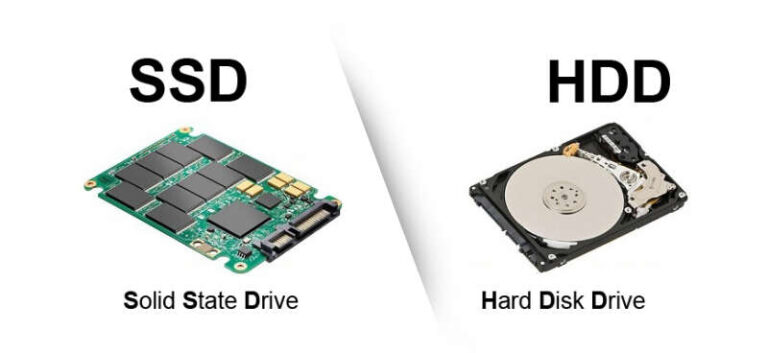
- Solid-state reliability vs. spinning HDDs — no moving parts
- Multiple capacity options (250GB and higher) for flexibility
- Simple plug-and-play installation for cloning or fresh installs
What I Like
- Easy installation — I swapped drives in under 20 minutes.
- Reliable day-to-day performance for browsing, office work, and media.
- Quiet operation and energy efficiency compared to HDDs.
- Affordable price for entry-level SSD capacity.
- Good compatibility with older Macs and SATA-equipped PCs.
What Could Be Better
- Not as fast as NVMe drives — limited by SATA bandwidth.
- Higher capacity options may be priced closer to NVMe alternatives.
- No fancy software bundle; basic feature set only.
My Recommendation
If you own an older laptop or Mac that uses a 2.5″ SATA drive, the OWC Mercury Electra 6G SSD is a practical upgrade. It’s best for users who want reliability and consistent everyday speed without spending on high-end NVMe drives. For students, office workers, and anyone looking to replace a failing HDD, it offers excellent value and easy installation.
Overall, the Mercury Electra 6G delivers clear benefits: faster boot, quicker app loads, and quieter operation. It’s widely available and often priced competitively, so it’s a good pick when balance of cost and performance matters.
| Best for | Why |
|---|---|
| Older laptops & Macs | Fits 2.5″ bays and gives a large speed boost over HDDs |
| Budget-focused users | Good performance per dollar for everyday tasks |
| Simple upgrades | Easy to install and clone without special tools |
Alternative Products You Can Consider
If you want slightly different trade-offs, consider these options.
Samsung 870 EVO — Best for users who want a very reliable SATA drive with strong sustained speeds and wide support. It usually costs a bit more than the Mercury Electra 6G SSD but offers proven Samsung endurance and software support. Good if you want the best SATA option available.
Crucial MX500 — Great value and strong feature set for mainstream upgrades. It competes closely with the Electra on price but often has better bundled software and encryption features. Ideal for users who want a trusted brand and good performance.
Samsung 980 (NVMe) — Best for modern laptops and desktops with M.2 NVMe slots. Much faster than SATA, so choose this if your system supports NVMe and you need top performance for heavy tasks.
| Product | Best For | Key Difference |
|---|---|---|
| OWC Mercury Electra 6G SSD | Budget SATA upgrades | Good value for older 2.5″ systems |
| Samsung 870 EVO | Users wanting top SATA reliability | Higher endurance and strong software support |
| Crucial MX500 | Value-conscious buyers | Solid price/performance and features |
| Samsung 980 (NVMe) | High-speed NVMe users | Much faster but requires NVMe slot |
Final Verdict: Which Should You Buy?
If your system uses a 2.5″ SATA drive and you want a reliable, budget-friendly boost, choose the OWC Mercury Electra 6G SSD. It’s simple, effective, and great for everyday tasks. For users who want the absolute best SATA option, the Samsung 870 EVO is a strong alternative with extra endurance and software polish.
If your machine supports NVMe and you need major speed gains, step up to an NVMe drive like the Samsung 980. For most users with older laptops and Macs, though, the Mercury Electra 6G offers the best balance of cost, compatibility, and noticeable performance improvement.
FAQs Of owc mercury electra 6g ssd review
Can I use the OWC Mercury Electra 6G SSD in a MacBook?
Yes. The drive fits most 2.5″ MacBook and MacBook Pro models that accept SATA drives. Check your Mac’s drive height (7mm is common) and back up data before swapping.
Is the Mercury Electra 6G faster than an HDD?
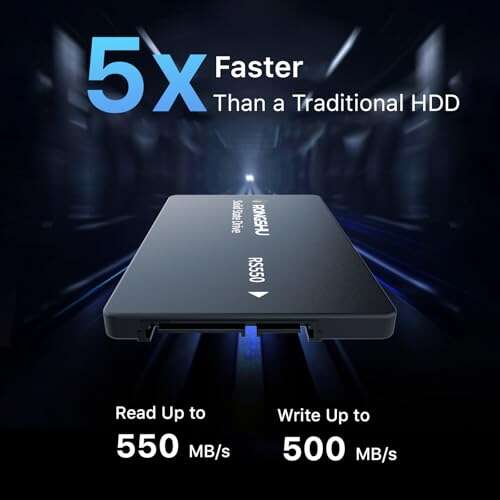
Much faster. You’ll see quicker boot times, faster app launches, and improved file transfer speeds compared to a spinning hard drive.
Do I need special tools or software to install it?
No special tools beyond common screwdrivers for many laptops. For cloning, popular free tools work fine. If you plan a fresh OS install, the process is straightforward.
How reliable is the drive long-term?
It’s a solid-state drive, so no moving parts. Reliability depends on usage and capacity; for everyday tasks it should be dependable. For heavy write workloads, consider drives with higher endurance ratings.

Everett Ashford is a tech reviewer at mytechgrid.com specializing in SSDs, cameras, TVs, earbuds, headphones, and other consumer electronics. He provides honest, data-driven reviews based on hands-on testing and real-world performance analysis. Everett simplifies complex tech details to help readers make smart, confident buying decisions.