A TLC SSD stores three bits per NAND flash cell, balancing strong speed, capacity, endurance, and price.
Understanding what is a TLC SSD can help you choose the right storage for a laptop, desktop, game console, or work system. TLC flash sits between cheaper, lower-end QLC storage and faster, more durable SLC or enterprise-grade designs. In this guide, you will learn how TLC NAND works, how it compares with other SSD types, and what to check before buying one.
What Is a TLC SSD?
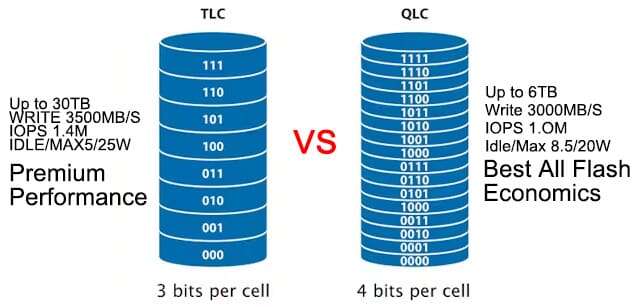
TLC SSD stands for Triple-Level Cell solid-state drive. It uses TLC NAND flash memory, with each memory cell storing three bits of data. Since three bits create eight possible voltage levels, the drive can store more information in less physical space.
Unlike a hard disk drive, a TLC SSD has no spinning platters or moving read heads. It stores data in NAND flash cells and uses a controller to manage reading, writing, error correction, and wear leveling.
A TLC SSD is popular because it offers a practical mix of:
• Good everyday speed
• High storage capacity
• Lower cost than premium flash types
• Better endurance than QLC in many designs
• Quiet operation and low power use
For most home users, students, office workers, gamers, and content creators, a TLC SSD is a strong middle-ground choice.

How Does TLC NAND Flash Work?
NAND flash stores data by holding different amounts of electrical charge inside memory cells. The controller reads the charge level and translates it into digital data.
A single-level cell, or SLC, stores one bit. A multi-level cell, or MLC, stores two bits. A triple-level cell, or TLC, stores three bits. A quad-level cell, or QLC, stores four bits.
More bits per cell increase storage density, but they also create more voltage states to manage. Think of it like a light switch:
• SLC is like a simple on or off switch.
• MLC has four possible states.
• TLC has eight possible states.
• QLC has sixteen possible states.
The more states a cell has, the harder it is for the controller to distinguish them. This can affect write speed, endurance, and error management.
Modern TLC SSDs use advanced controllers, error correction, firmware, and caching to reduce these limits. Many also use a small portion of faster NAND in SLC mode. This feature is often called an SLC cache.
What Is an SLC Cache?
An SLC cache temporarily treats TLC memory as if each cell stores only one bit. This makes short write operations much faster.
For example, copying a few gigabytes of photos may feel very quick because the data first enters the cache. When the cache fills, the drive may slow down while it writes directly to TLC NAND.
This means advertised peak speed does not always equal sustained speed. A drive may reach 7,000 MB/s during a short test but run much slower during a very large transfer.

TLC SSD Performance Explained
A TLC SSD can deliver excellent performance for common tasks. Its actual speed depends on more than the type of NAND flash.
Important performance factors include:
• The interface, such as SATA or PCIe NVMe
• The SSD controller
• The amount of DRAM or host memory buffer
• The size of the SLC cache
• Drive capacity
• Firmware quality
• Temperature and thermal throttling
• The type of workload
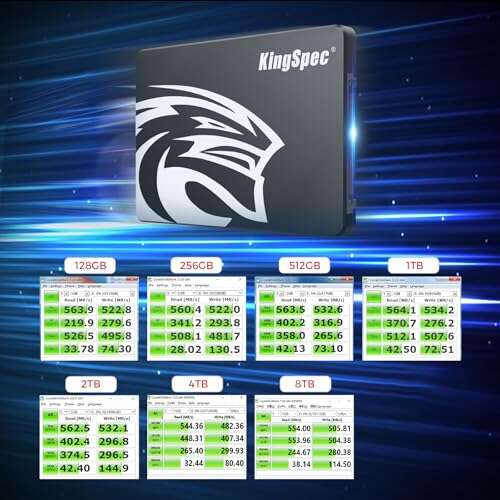
A SATA TLC SSD usually reaches close to the SATA interface limit. Sequential speeds often sit near 500 to 560 MB/s.
A PCIe NVMe TLC SSD can be much faster. PCIe 3.0 models may reach several thousand megabytes per second. PCIe 4.0 and PCIe 5.0 models can reach much higher peak speeds, though the real-world benefit depends on the computer and workload.
Everyday Performance
For booting Windows, opening apps, browsing the web, and loading games, a TLC SSD feels fast and responsive. Random access performance often matters more than maximum sequential speed.
You may notice little difference between two high-quality SSDs when launching a web browser. However, the difference can become clearer when you:
• Copy large video files
• Install large games
• Edit high-resolution media
• Run virtual machines
• Build software projects
• Work with large databases
TLC SSD Endurance and Lifespan
SSD endurance refers to how much data a drive can write before its memory cells may begin to wear out. Manufacturers often show this rating as TBW, or terabytes written.
TLC memory generally offers better endurance than QLC because each cell has fewer voltage levels to manage. However, endurance varies widely between models.
A drive’s lifespan also depends on:
• NAND quality
• Controller design
• Overprovisioning
• Cooling
• Write workload
• Error correction
• Firmware
• Drive capacity
A larger SSD often has a higher TBW rating because it has more memory cells available. It can also spread writes across more cells.
For normal home use, a quality TLC SSD can last many years. Most users write far less data than they expect. Web browsing, office work, gaming, and photo storage usually create a modest write load.
How to Read a TBW Rating
Suppose a 1TB SSD has a rating of 600 TBW. That means the manufacturer rates it for 600 terabytes of written data under its warranty terms.
This does not mean the drive will instantly fail after reaching 600 TB. It is a warranty and endurance guideline, not a guaranteed expiration point. Still, it helps you compare drives in the same class.
For heavy workloads, choose a model with a higher TBW rating and a longer warranty. Keep reliable backups because no SSD, regardless of NAND type, is immune to failure.

TLC SSD vs. QLC, MLC, and SLC
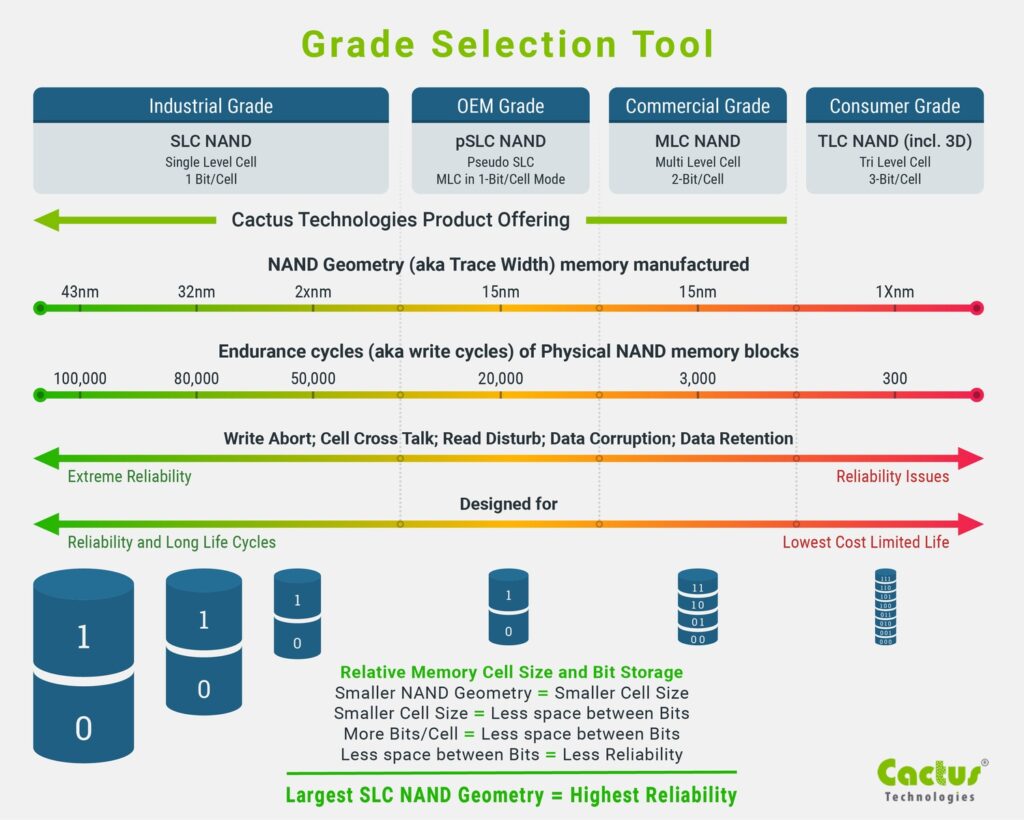
The main difference between NAND types is how many bits each cell stores. That choice affects cost, capacity, speed, and endurance.
| NAND type | Bits per cell | Typical strengths | Typical limits |
|---|---|---|---|
| SLC | 1 | Very high speed and endurance | Extremely expensive |
| MLC | 2 | Strong performance and endurance | Less common and costly |
| TLC | 3 | Balanced price, speed, and endurance | May slow during long writes |
| QLC | 4 | Low cost and high capacity | Lower endurance and slower sustained writes |
TLC vs. QLC
TLC is usually the better choice for frequent writes, gaming libraries, content creation, and long-term use. QLC can be a good option for secondary storage, media libraries, and budget systems with light write activity.
TLC vs. MLC
MLC can provide higher endurance and stronger sustained performance, but consumer MLC SSDs are now uncommon. TLC has become the mainstream option because it offers a better price-to-capacity balance.
TLC vs. SLC
SLC is excellent for demanding enterprise and industrial workloads. Its high cost makes it impractical for most consumer computers. Many consumer SSDs use SLC caching, but that does not make the entire drive a true SLC SSD.
Advantages of a TLC SSD
A TLC SSD remains one of the best choices for general-purpose storage. Its benefits are clear in both technical tests and daily use.
Strong Value
TLC stores more data per cell than SLC or MLC. This lowers the cost per gigabyte while preserving better endurance than QLC in many cases.
Fast Daily Performance
A good TLC SSD can make a computer feel much faster than a hard drive. Startup times become shorter, programs open quickly, and file searches feel more responsive.
Good Gaming Performance
Games mainly benefit from fast random access and low latency. A TLC SSD can reduce loading times and deliver consistent performance during game installs and updates.
Better Sustained Writes Than Many QLC Drives
Once an SLC cache fills, some QLC drives can slow sharply. TLC drives may also slow, but many maintain stronger direct-to-NAND write performance.
Wide Compatibility
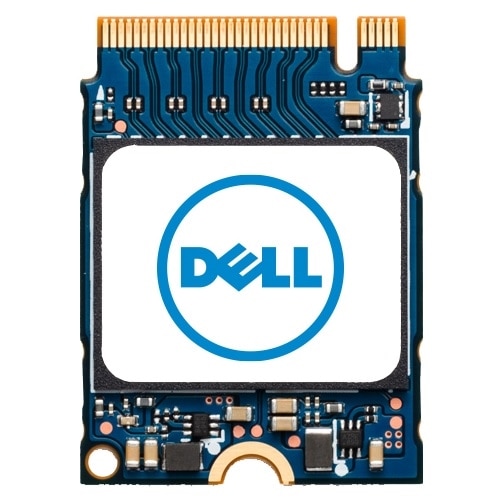
TLC SSDs are available in common formats, including:
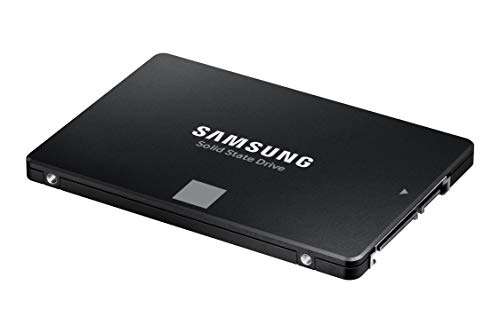
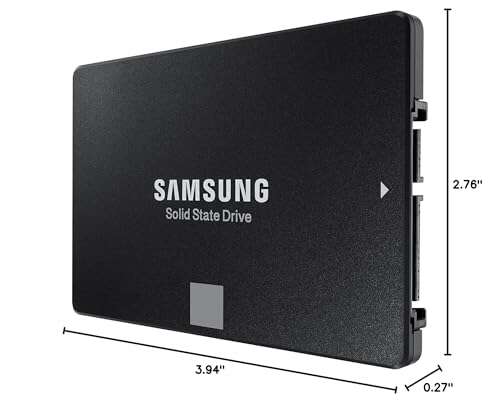
• 2.5-inch SATA
• M.2 SATA
• M.2 NVMe
• PCIe add-in cards
Limitations of a TLC SSD
A TLC SSD is not automatically the best drive for every situation. Understanding its limits helps prevent disappointment.
Speed Can Drop During Large Transfers
The SLC cache may fill during a large file copy. After that point, write speeds can fall. This matters when moving hundreds of gigabytes or recording large video files.
Endurance Is Not Unlimited
Flash cells wear as they are programmed and erased. A TLC SSD can last a long time, but heavy write workloads require a model designed for that purpose.
Performance May Change as the Drive Fills
An SSD often needs free space to manage data efficiently. Keeping about 10% to 20% free can help maintain performance, although the ideal amount varies by model.
Heat Can Reduce Speed
Fast NVMe TLC SSDs can become warm, especially during long transfers. When the controller reaches a thermal limit, it reduces speed to protect the drive.
Product Quality Varies
Two TLC SSDs can perform very differently. NAND type alone does not tell you the full story. Controller design, firmware, cache behavior, warranty, and independent testing all matter.
Is a TLC SSD Good for Gaming?
Yes, a TLC SSD is an excellent choice for gaming. It provides fast game loading, quick system startup, and strong performance during updates.
The difference between TLC and QLC may not be obvious when simply launching a game. However, TLC can be more dependable for users who install, remove, and update large games often.
When buying a gaming SSD, check: