To hang a frame TV safely, find the studs, use the right mount, and hide cables before securing it.
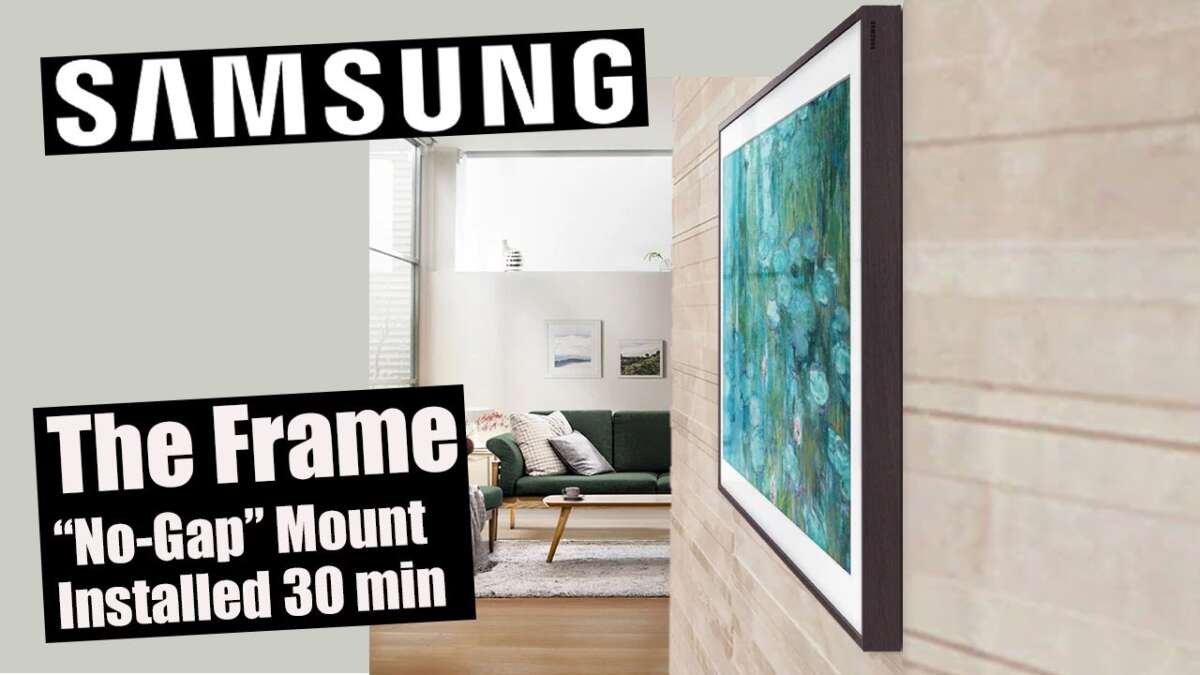
A frame TV can look like real wall art when it sits level, close to the wall, and has clean power. This guide explains how to hang a frame TV with the same care used for picture frames and professional TV installations. You will learn how to choose the wall, measure the height, attach the bracket, manage cables, and avoid common mistakes.

What You Need Before You Hang a Frame TV
Before learning how to hang a frame TV, check the TV manual, wall type, mounting pattern, and power location. Frame TVs often use a slim wall mount, so small measuring errors can affect the final look.
Most frame TVs use a VESA mounting pattern. VESA refers to the distance between the threaded holes on the back of the TV. Your mount must match this pattern and support the full weight of the television.
Gather these tools and supplies:
• Stud finder
• Tape measure
• Pencil
• Level, preferably 24 inches or longer
• Drill and drill bits
• Screwdriver or socket wrench
• Stud-rated mounting screws
• Wall anchors approved for your wall type, if needed
• Painter’s tape
• Cable ties or cable clips
• HDMI and power cables that fit the installation
• A second person to help lift the TV
A cordless drill makes the work faster, but it can also damage a wall or strip a screw if used with too much force. Use a low clutch setting near the final tightening stage.
A professional installer may also use a laser level, electronic stud scanner, and cable fishing tools. These are helpful, but careful measuring can produce a clean result without expensive equipment.

Choose the Best Wall and Viewing Height
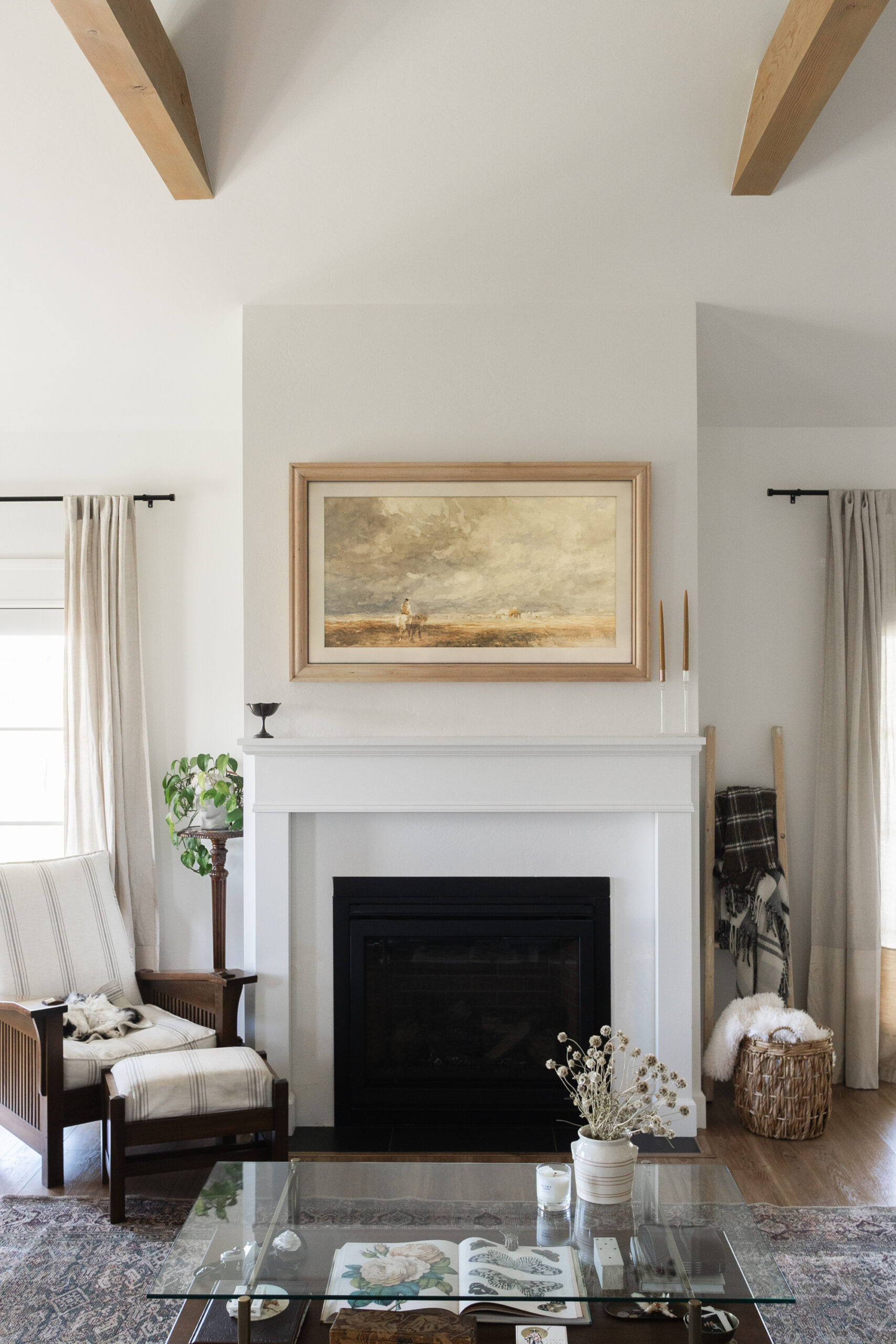
The best wall for a frame TV has solid support, a nearby power outlet, and enough space for the screen and frame. Avoid placing the TV where direct sunlight creates glare or where heat from a fireplace can damage the electronics.
If you plan to use Art Mode, think about lighting before you hang a frame TV. Strong windows, bright lamps, and overhead lights may reflect on the screen and reduce the artwork’s natural look.
For a living room, the center of the screen often sits close to seated eye level. A common starting point is to place the center of the TV about 42 inches above the floor, but your sofa height and room layout matter more than a fixed number.
Use this simple method:
-
Measure the distance from the floor to your eye level while seated.
-
Mark that height on the wall.
-
Measure the height of the TV.
-
Divide the TV height by two.
-
Place the center of the TV near your seated eye-level mark.
Many people mount a television too high because they copy fireplace or gallery layouts. Your neck should not tilt upward during normal viewing. If the TV will be watched from a bed or bar stool, adjust the height for that position.
Painter’s tape can help you test the size. Place tape on the wall around the planned screen area and sit in your usual seat. This quick test can reveal a height problem before you drill.
 structure”
style=”max-width: 100%; height: auto; border: 2px solid black; border-radius: 10px; display: block; margin: 0 auto;”
loading=”lazy”
/>
Find Studs and Check the Wall structure
finding studs is one of the most important parts of how to hang a frame TV. A stud provides much stronger support than drywall alone. Most wood studs are spaced about 16 inches apart, though some walls use 24-inch spacing.
Run a stud finder across the wall and mark both edges of each stud. Then confirm the center by measuring between the edges. Electronic stud finders can give false readings around pipes, wiring, metal framing, or thick sections of drywall.
You can also look for clues near outlets, trim, and light switches. Electrical boxes are often attached to a stud on one side. These clues are useful, but they should not replace careful scanning.
Check the wall type before choosing screws:
• Wood studs need suitable wood screws or lag screws.
• Concrete and brick need masonry bits and approved masonry anchors.
• Metal studs may need special toggle anchors or a mounting board.
• Drywall without a stud requires a mount designed for the load and anchor type.
Never assume that drywall anchors will safely hold a heavy television. Even a slim frame TV can weigh more than expected once the frame and accessories are included. The mount, screws, anchors, wall, and TV must work as one system.
Before drilling, scan for electrical wires and plumbing. Do not drill where you suspect hidden utilities. If the wall layout is unclear, ask a qualified professional to inspect it.

Measure the Mounting Points Carefully
To hang a frame TV evenly, measure from the TV’s mounting holes to its top, bottom, and sides. Do not rely only on the outside frame because the mounting bracket may sit several inches below the top edge.
Lay the TV face down on a clean blanket if the manufacturer allows it. Keep pressure off the screen. Measure the distance from the top of the TV to the upper mounting holes or the top of the mounting rail.
Next, hold the wall bracket against the wall and mark where its holes will sit. Account for the bracket’s position and the TV’s final height. This step prevents a common mistake: placing the bracket at the correct height but ending up with the screen too high or too low.
Use these checks before drilling:
• The bracket is centered on the viewing wall.
• The bracket holes line up with the stud centers.
• The bracket is level from side to side.
• The TV will not touch a ceiling, cabinet, or wall corner.
• The power cable can reach the outlet without strain.
• HDMI cables can reach the TV without sharp bends.
Mark the holes with a pencil. Then hold the bracket against the marks and check it again with a level. Measure twice and drill once. That old rule saves time, drywall, and frustration.

Install the Wall Mount
The exact mounting process depends on the brand and model, so follow the TV and mount manuals first. The steps below describe the usual fixed or slim-mount process.
-
Place the bracket on the wall at the marked position.
-
Confirm that the main holes line up with the studs or approved anchors.
-
Drill pilot holes that match the screw instructions.
-
Drive the mounting screws into the studs.
-
Tighten the screws until the bracket is secure, but do not overtighten them.
-
Check the bracket with a level before lifting the TV.
A pilot hole helps guide the screw and reduces the chance of splitting a wood stud. The drill bit should not be larger than the screw’s recommended pilot size.
If your mount uses spacers, washers, or different screw lengths, use them exactly as directed. The wrong screw can damage the TV or fail to hold the bracket firmly. Never force a screw that does not fit easily.
When the bracket is attached, pull it gently to test for movement. It should not shift, tilt, or pull away from the wall. This test is not a substitute for checking the mount’s weight rating, but it can reveal a loose screw or weak anchor.
This is the stage where many do-it-yourself projects go wrong. People often focus on getting the TV on the wall quickly and forget that a slightly loose bracket can become a major safety issue over time.
Attach the Frame TV to the Bracket
Most frame TVs attach to the wall bracket using hooks, rails, or locking points. A second person should help lift the television. Holding a large screen alone can cause back strain, scratched trim, or a dropped TV.
Before lifting, connect any cables that are difficult to reach after mounting. Leave enough slack for gentle adjustments, but do not create a large loop behind the screen.
Follow this basic process:
-
Lift the TV with one person on each side.
-
Align the TV’s hooks or rails with the wall bracket.
-
Lower the TV slowly until it seats fully.
-
Engage any safety locks or retaining screws.
-
Check the gap between the TV and wall.
-
Confirm that the TV does not rock or lift away from the mount.
Do not press on the screen to force the TV into place. If the TV does not sit correctly, lift it off and inspect the bracket. A hook may be sitting above the rail instead of inside it.
Some frame TVs include a separate connection box. This box may hold HDMI ports, power connections, and other inputs. Plan its location before you hang a frame TV so the cables remain hidden and accessible.

Hide and Manage the Cables
Cable management often determines whether a frame TV looks like art or like a regular television. The cleanest setup uses the manufacturer’s connection box and a cable path that stays behind the wall or inside a cable raceway.
There are two main options:
Use a surface cable raceway
A paintable raceway covers cables along the wall. It is simple, removable, and useful for renters. Choose a raceway wide enough for all cables, then paint it to match the wall.
Run cables inside the wall
In-wall cable routing creates a cleaner look, but it requires the right rated cables and careful planning. HDMI cables should be rated for in-wall use when they pass through a wall cavity. Do not place a standard power cord inside the wall.
For power, use a properly installed electrical outlet behind the TV or an approved in-wall power kit. Electrical work may require a licensed electrician or a local permit, depending on your area. The Consumer Product Safety Commission warns against unsafe extension-cord use and damaged electrical wiring.
Keep cables away from sharp metal edges and avoid tight bends. A damaged cable can cause signal problems or create a safety risk. Label HDMI cables before mounting if you have several devices, such as a game console, soundbar, and streaming box.
When you hang a frame TV, hide the cables only after testing the picture and sound. It is much easier to correct a connection while the TV is still accessible.
Connect Devices and Test the Installation
After the TV is mounted, connect the power cable, One Connect cable if supplied, HDMI devices, antenna, and sound system. Turn on each device and test it before finalizing the cable covers or wall plates.
Check the following:
• The TV turns on without flickering.
• The screen shows the correct input.
• The remote works from your normal seat.
• The soundbar or receiver produces audio.
• HDMI devices support the resolution and refresh rate you need.
• Wi-Fi or Ethernet works reliably.
• Art Mode or ambient mode displays correctly.
A thin wall mount may place the TV close to the wall. This looks attractive, but it can make ports difficult to reach. Use right-angle HDMI adapters only when the TV maker permits them and when they do not place pressure on the port.
If the screen is not level, do not immediately loosen every screw. Many mounts include small adjustment screws or horizontal shifts. Check the manual and make small changes. A one-degree tilt is easy to notice when the TV is designed to look like a picture frame.
Make a Frame TV Look Like Wall Art
Mounting a frame TV is only the first step. The visual details around it create the finished look.
Choose a frame color that fits the room. Black, white, wood, and metallic finishes can change how large the TV feels. A wide frame can make the screen look more like a painting, while a thin frame gives it a modern style.
Use these finishing tips:
• Set Art Mode brightness to match the room.
• Choose a matte artwork image when possible.
• Turn on a motion sensor only if it suits your daily routine.
• Keep the TV centered with nearby furniture.
• Use a slim soundbar or place speakers away from the frame.
• Hide the connection box inside a cabinet with proper ventilation.
• Leave enough airflow around the TV and external devices.
A frame TV should not be placed in a sealed cabinet unless the manufacturer allows it. Heat can shorten the life of electronic parts. Also, avoid covering ventilation openings with fabric, books, or decorative objects.
One lesson I have learned from wall-mounted screens is that symmetry matters more than people expect. A TV can be perfectly level yet still look wrong if it is not centered between windows, shelves, or furniture. Step back several feet and view the entire wall before making final adjustments.
Common Mistakes to Avoid
Knowing how to hang a frame TV also means knowing what not to do. Most problems come from rushed measuring, weak mounting points, or poor cable planning.
Avoid these mistakes:
• Mounting only into drywall without checking the weight rating.
• Using screws that are too short for the wall structure.
• Drilling without checking for wires or plumbing.
• Mounting the TV above comfortable eye level.
• Forgetting the depth of the frame and bracket.
• Hiding cables before testing the TV.
• Blocking ventilation around the connection box.
• Lifting the TV alone.
• Using an incompatible VESA mount.
• Skipping the mount’s safety locks.
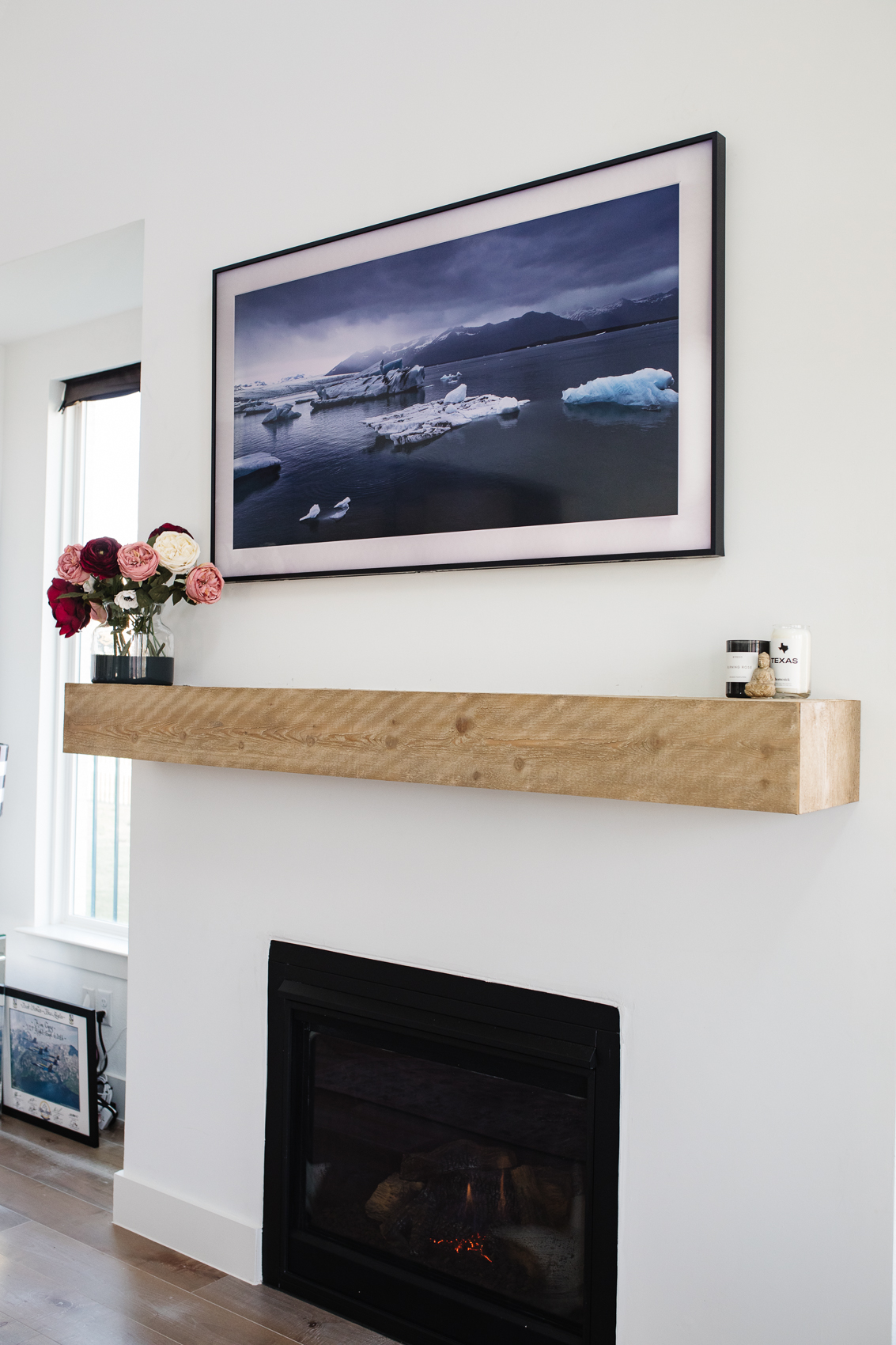
Another frequent mistake is using a fireplace as the main height guide. Heat can harm a TV, and the position may force you to look upward. If a fireplace is the only possible location, check heat levels and consider a pull-down mount designed for that setting.
Do not modify the wall bracket or drill new holes in it unless the manufacturer specifically permits this. Altering the bracket can weaken it and may void the warranty.
If the wall is made from plaster, stone, tile, or an unusual material, the correct anchor method may not be obvious. A local installer can often prevent expensive damage and provide a safer result.
When to Hire a Professional
Many homeowners can hang a frame TV with basic tools and careful planning. Professional help is wise when the TV is large, the wall is difficult, or cables must be installed inside the wall.
Consider hiring an installer when:
• The TV is very heavy or larger than 65 inches.
• The wall has metal studs or unusual construction.
• You need new electrical outlets.
• You want cables routed through the wall.
• The mount must attach to brick, stone, or tile.
• The TV will be above a fireplace.
• You cannot confirm the location of wires and plumbing.
• The wall feels soft, hollow, or damaged.
A professional can identify structural problems and use the correct hardware. An electrician should handle new outlets, power relocation, and other electrical changes. This is not just about appearance; it is about preventing shock, fire, and property damage.
A professional installation also helps when the TV must be perfectly flush with custom trim or cabinetry. Small alignment errors are more visible on a frame-style screen than on a regular TV.
How to Hang a Frame TV in Different Wall Types
Drywall with wood studs
This is the most common setup. Attach the mount directly to the center of two or more studs when the bracket design allows it. Use the screw size and depth listed in the mount instructions.
Brick or concrete
Use a masonry bit and anchors designed for the wall material. Do not use ordinary wood screws in masonry. Dust from drilling can damage electronics, so keep the TV away from the work area until the installation is complete.
Plaster walls
Plaster can crack when drilled too quickly. Locate the framing behind the plaster and use a slow drill speed with suitable pilot holes. If the plaster is old or fragile, professional assistance is safer.
Metal studs
Metal studs do not provide the same holding power as wood studs for every mount. You may need rated toggle anchors, a plywood backing board, or another approved reinforcement method.
Tile
Use a tile bit and drill slowly. Apply light pressure, avoid hammer mode until you are through the tile, and follow the anchor instructions. Cracked tile can be difficult and costly to replace.
The wall type changes the tools and anchors, but the basic rule stays the same: the mounting hardware must be rated for the TV’s weight and installed into a structure that can support it.
Safety Checks After You Hang a Frame TV
Once you hang a frame TV, inspect it again after a day or two. Materials can settle, and a loose screw or shifting anchor may become easier to notice.
Check that:
• The bracket remains firmly attached.
• The TV stays level.
• No cable is pinched behind the screen.
• The power cable is not hot, damaged, or stretched.
• The TV has adequate ventilation.
• Children and pets cannot pull on exposed cables.
• The wall shows no new cracks or movement.
Keep the TV manual and mount instructions in a safe place. You may need the VESA size, screw information, or removal steps later.
If you notice a burning smell, unusual heat, crackling sound, flickering, or movement, turn off the equipment and unplug it when safe to do so. Do not continue using a mount or cable that appears damaged.
Frequently Asked Questions About How to Hang a Frame TV
Can I hang a frame TV without finding a stud?
You may be able to use approved anchors if the mount and wall anchor system are rated for the TV’s weight. However, attaching the mount to studs is usually the strongest and safest option.
How high should a frame TV be mounted?
Place the center of the TV near seated eye level in the main viewing position. Around 42 inches from the floor is a common starting point, but sofa height and room use should guide the final measurement.
Can I use any TV wall mount for a frame TV?
No. The mount must support the TV’s weight, match its VESA pattern, and fit the required depth. A slim frame TV may also need a specific mount to sit correctly against the wall.
Should I mount a frame TV above a fireplace?
It is usually not ideal because the TV may be too high and exposed to heat. If it is the only location, check the fireplace temperature, follow the TV manufacturer’s limits, and consider a mount that allows safer viewing.
How do I hide cables when I hang a frame TV?
You can use a paintable surface raceway or route suitable cables inside the wall. Never place a standard TV power cord inside a wall; use a proper outlet or an approved in-wall power kit.
Do I need two people to hang a frame TV?
Two people are strongly recommended for lifting and aligning the TV. This lowers the risk of dropping the screen, damaging the frame, or injuring your back.
Why does my frame TV look crooked after mounting?
The bracket may not be level, or the TV may not be fully seated in its locking points. Check the mount’s adjustment screws and confirm that the hooks or rails are properly engaged.
Conclusion
Learning how to hang a frame TV is mostly about careful planning. Find solid support, match the VESA mount, measure the viewing height, manage cables safely, and use a second person when lifting the screen.
Take your time with the wall marks and test every connection before hiding the cables. A careful installation can make the TV feel like part of the room instead of an object attached to it. Use the steps above, follow your model’s manual, and share your own installation tips or questions in the comments.

Everett Ashford is a tech reviewer at mytechgrid.com specializing in SSDs, cameras, TVs, earbuds, headphones, and other consumer electronics. He provides honest, data-driven reviews based on hands-on testing and real-world performance analysis. Everett simplifies complex tech details to help readers make smart, confident buying decisions.