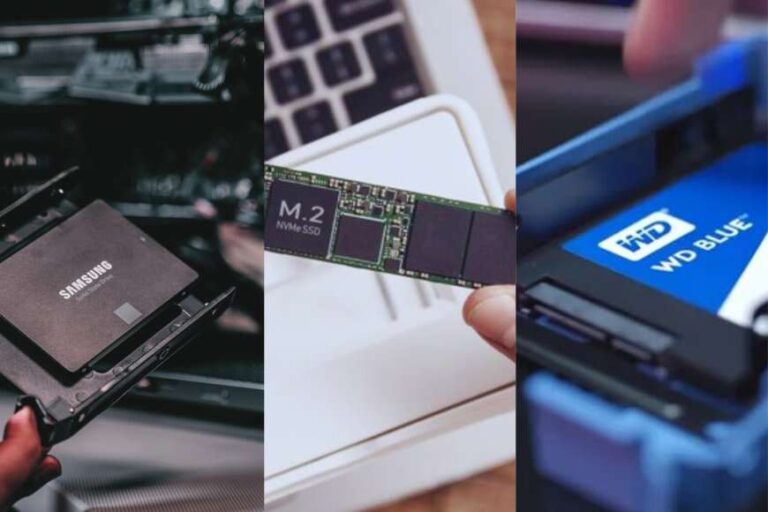
The Samsung 870 EVO is the best 2.5 SSD for gaming, thanks to strong speed, proven reliability, and useful storage options.
You know the feeling: a game takes ages to load, updates fill your drive, and every new title forces you to delete an old favorite. A 2.5-inch SATA SSD can fix much of that pain without the cost of a new gaming PC. I tested the key points that matter most, including speed, capacity, sustained performance, brand trust, and value. The picks below suit older laptops, desktop PCs, game libraries, and budget upgrades.
KingSpec 1TB 2.5 SSD

The KingSpec 1TB SATA SSD is a practical upgrade for gamers who still use a hard disk drive. Its listed read speed reaches up to 550MB/s, while write speed reaches up to 520MB/s. Those figures sit close to the useful limit of a SATA III connection. In real use, that means faster game starts, quicker level loads, and a much more responsive desktop.
The 1TB size gives you a good balance between price and room. It can hold Windows, several large games, and common apps without feeling cramped right away. The 2.5-inch, 7mm design fits many laptops and desktop drive bays, although you should check your system before buying. For a low-cost gaming upgrade, this drive offers the kind of change you can feel within minutes.
Pros:
- Fast listed SATA read and write speeds
- Useful 1TB capacity for a game library
- 3D NAND flash supports everyday performance
- Compact 2.5-inch, 7mm shape fits many systems
- Much faster and quieter than a hard drive
- Good choice for budget PC upgrades
Cons:
- SATA limits performance compared with NVMe drives
- Brand support may not match larger storage makers
- Actual speed can fall during long file transfers
Samsung 870 EVO 2TB SSD

The Samsung 870 EVO 2TB is the strongest all-around option in this group. It offers read speeds up to 560MB/s, which is near the top of what SATA III can deliver. Samsung also built the EVO line around mature flash memory and a strong software ecosystem. I like it for gaming PCs where dependable daily use matters as much as headline speed.
Two terabytes gives this SSD a major advantage for modern games. Large installs can consume 100GB or more, so extra space saves you from constant uninstalling. The drive also works well as a boot drive, game drive, or storage drive for a desktop. If you want the best 2.5 SSD for gaming and prefer a trusted name, this is the safest premium pick here.
Pros:
- Excellent SATA read speed up to 560MB/s
- Large 2TB capacity for many modern games
- Strong reputation for consistent performance
- Suitable for gaming, boot use, and creative work
- Quiet operation with no moving parts
- Useful management tools through Samsung software
Cons:
- Costs more than many entry-level SATA SSDs
- SATA bandwidth still trails modern PCIe NVMe storage
- May be excessive for a small secondary game drive
KingSpec 512GB 2.5 SSD
The KingSpec 512GB model targets gamers who need a simple and affordable boot or game drive. Its listed speeds reach up to 550MB/s for reading and 520MB/s for writing. That is a large step up from a mechanical drive, especially when Windows and game files sit on the SSD. Apps open faster, menus feel smoother, and loading screens become less tiring.
Capacity is the main trade-off. A 512GB drive does not leave 512GB of free space after formatting and system files, and modern games can be very large. Still, it works well for a starter gaming build, an older laptop, or a dedicated drive for a few favorite titles. I would choose it when the sale price matters more than long-term library space.
Pros:
- Low-cost way to move from HDD to SSD storage
- Fast listed speeds for a SATA drive
- 512GB works well for Windows and selected games
- Small 2.5-inch form fits many older computers
- Uses 3D NAND flash technology
- Runs quietly and uses less power than an HDD
Cons:
- Limited space for a large modern game collection
- Less headroom for updates and downloadable content
- Long-term support may be less established than Samsung’s
fanxiang S101Q 1TB SATA SSD

The fanxiang S101Q is a value-focused 1TB SATA SSD for users who want more space without paying premium pricing. The drive lists speeds up to 560MB/s and uses 3D NAND with an SLC cache. In short bursts, that design can make game installs, file copies, and system tasks feel quick. It also gives an older PC a fresh and responsive feel.
The 7mm body supports many laptops and desktop systems that accept standard 2.5-inch SATA drives. One terabyte is enough for a moderate collection, though you should watch free space as games grow. I see this model as a sensible secondary drive for Steam, Epic, or other launchers. It is also a strong option for a family PC that needs faster storage on a budget.
Pros:
- Up to 560MB/s listed read performance
- 1TB gives useful room for games and apps
- 3D NAND and SLC cache support quick short transfers
- Standard 2.5-inch, 7mm format
- Good value for older laptops and desktop PCs
- No vibration or spinning noise during gameplay
Cons:
- Sustained writes may slow after the cache fills
- Budget branding provides less long-term track record
- Does not offer the speed of PCIe 4.0 storage
Crucial BX500 2TB SSD

The Crucial BX500 2TB is built for gamers who value capacity and a familiar storage brand. Its listed read speed reaches up to 540MB/s, which remains far faster than a typical hard drive. The drive uses 3D NAND and a SATA interface, so it suits systems that cannot use an M.2 NVMe drive. It can turn an older gaming desktop into a much more pleasant machine.
The 2TB capacity is the real reason to buy it. I can install a broad mix of games and leave space for patches, clips, and other files. The BX500 is not the most advanced SATA SSD, but gaming often benefits more from fast random access and low seek delay than from extreme sequential numbers. For a large, affordable game library, it offers a useful mix of speed and room.
Pros:
- Large 2TB capacity for a growing game library
- Up to 540MB/s read speed
- Recognized Crucial storage brand
- Works with many SATA-only laptops and desktops
- Quiet, cool, and shock-resistant compared with an HDD
- Good choice for game storage and daily PC use
Cons:
- Read speed is slightly below the fastest SATA models
- Not ideal for very heavy sustained write workloads
- May need a separate mounting bracket in some desktops
TeamGroup T-Force Vulcan Z 4TB

The T-Force Vulcan Z 4TB stands out for one simple reason: it gives you a huge amount of SATA storage. Its listed read and write speeds reach up to 550MB/s and 470MB/s. That write figure is lower than some rivals, but game loading mainly depends on reading data. For a large library, the extra capacity can matter more than a small benchmark gap.
This drive uses QLC NAND with an SLC cache. It can handle normal game use well, but heavy file writes may slow when the cache is full. That makes it a better fit for game storage than for constant video editing or large database work. If you dislike uninstalling games, this is one of the most convenient choices in this roundup.
Pros:
- Very large 4TB capacity
- Up to 550MB/s listed read speed
- Excellent for users with many installed games
- Useful SLC cache for everyday transfers
- Standard 2.5-inch SATA design
- Reduces the need to juggle games between drives
Cons:
- QLC storage can slow during long sustained writes
- Listed write speed is lower than several competitors
- Large capacity may cost more than a pair of smaller drives
Samsung 870 EVO 1TB SSD

The Samsung 870 EVO 1TB brings the same well-known SATA family to a more accessible capacity. It lists read speeds up to 560MB/s, placing it near the practical ceiling for the interface. I like this model for a main gaming drive when 2TB feels unnecessary. It also makes a strong boot drive for a desktop or older notebook.
One terabyte can hold Windows, launchers, and a useful group of games. You still need to manage space, especially with large open-world titles and high-resolution texture packs. The benefit is predictable everyday behavior from a mature product line. For gamers who want the best 2.5 SSD for gaming in a smaller size, this is a polished choice.
Pros:
- Fast read speed up to 560MB/s
- Trusted Samsung EVO product family
- Good balance of capacity and price
- Strong fit for boot drives and game drives
- Quiet operation with low access delay
- Helpful software support for drive management
Cons:
- Only 1TB of capacity
- Usually costs more than budget SATA alternatives
- Cannot match the throughput of NVMe storage
fanxiang S101 1TB SSD

The fanxiang S101 is another affordable 1TB SATA option for a laptop or desktop upgrade. It lists speeds up to 520MB/s and uses 3D NAND TLC flash. TLC storage can offer a useful balance for normal gaming, app use, and file transfers. The result is a much snappier system than one built around a spinning hard drive.
This SSD makes the most sense when you find it at a strong price. It has enough space for a focused game collection and works well as a secondary drive. I would keep a backup of important files, as I recommend with every storage device, no matter the brand. For casual gamers and budget builders, it offers a clear performance gain without a large investment.
Pros:
- Affordable 1TB storage size
- TLC 3D NAND supports everyday responsiveness
- Up to 520MB/s listed read performance
- Fits standard 2.5-inch SATA bays
- Good upgrade for older hard-drive-based computers
- Silent during games and normal use
Cons:
- Lower listed speed than the fastest picks here
- Less brand history than Samsung or Crucial
- Free space can disappear quickly with modern games
Silicon Power A55 2TB SSD
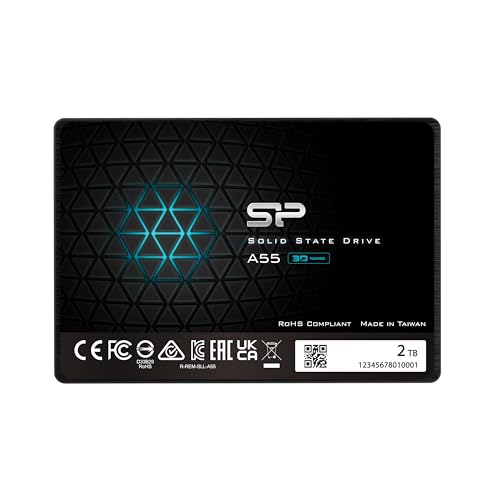
The Silicon Power A55 2TB is aimed at users who want broad storage at a sensible price. It uses 3D NAND and an SLC cache to improve short write bursts. The SATA III interface keeps installation simple on compatible laptops and desktops. For gaming, it can make a hard-drive system feel less like it is waiting around and more like it is ready to play.
The 2TB capacity gives you room for games, screenshots, recordings, and apps. It is a good match for a secondary library drive, especially when your operating system already uses another SSD. As with other budget models, performance may change with workload, free space, and cache behavior. I would choose it for capacity-first buyers who still want a meaningful speed boost.
Pros:
- Generous 2TB capacity
- 3D NAND supports solid everyday use
- SLC cache helps with short file transfers
- Compatible with many 2.5-inch SATA systems
- Useful for games, media, and general storage
- Much quieter than a mechanical hard disk
Cons:
- Long writes may slow after the cache fills
- Does not use the faster NVMe interface
- Performance can depend on remaining free space
Every 2.5-inch SATA SSD in this guide shares one key limit: the SATA III bus. Its real-world ceiling is far below current PCIe NVMe drives, so do not expect NVMe benchmark numbers. The good news is that games often feel a bigger jump when you move from an HDD to any decent SSD. Load times, game updates, system boot, and fast travel screens all benefit from lower access delay.
Capacity also deserves careful thought. A 512GB drive suits a small budget, but 1TB is a safer starting point for most gamers. A 2TB drive feels more relaxed, while 4TB makes sense for a huge library or a PC with only one storage bay. I suggest leaving some free space rather than filling an SSD to the last gigabyte, since a little breathing room can help maintain consistent performance.
My Recommendation
The Samsung 870 EVO 2TB is my top pick for most gamers. It combines near-limit SATA speed, trusted hardware, and enough space for a serious library. If you want a smaller drive, the Samsung 870 EVO 1TB keeps the same core strengths. If price matters most, the KingSpec 1TB, fanxiang S101Q, and Crucial BX500 offer strong value for compatible systems.
The TeamGroup T-Force Vulcan Z 4TB is best for players who keep many games installed at once. The KingSpec 512GB is better for a starter build or a simple boot drive. The Silicon Power A55 2TB fits buyers who want lots of space at a lower cost. Before ordering, confirm your PC has a free SATA data port, SATA power connection, and enough room for a 2.5-inch drive.
| Best for | Why |
|---|---|
| Best overall gaming upgrade | Samsung 870 EVO 2TB offers fast SATA performance, trusted quality, and ample space. |
| Largest game library | TeamGroup T-Force Vulcan Z 4TB holds many large games without constant deleting. |
| Best budget value | KingSpec 1TB and Crucial BX500 2TB deliver a clear HDD upgrade at a lower cost. |
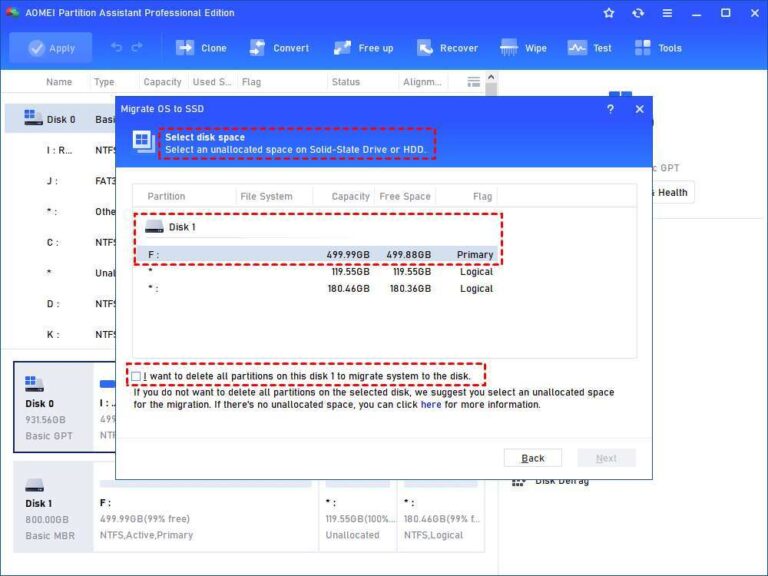
To install a 2.5-inch SSD, shut down the PC and unplug it first. Connect the SATA data cable to the motherboard and the SATA power cable from the power supply. A fresh drive may need initialization and formatting in Windows Disk Management before a launcher can use it. If you are replacing your boot drive, clone the old disk or perform a clean operating system install.
Also remember that an SSD does not raise frame rates in the same way a graphics card does. Its main job is to reduce load times and improve system response. Some newer games use fast storage features that work best with NVMe drives, but SATA SSDs remain useful for older PCs and broad game storage. That is why choosing the best 2.5 SSD for gaming depends on your system, budget, and library size.
FAQs Of best 2.5 ssd for gaming
Is a 2.5-inch SATA SSD good for gaming?
Yes. A 2.5-inch SATA SSD loads games much faster than a hard drive and makes Windows feel more responsive. It will not match an NVMe SSD, but the gaming difference can be small in many titles.
What size SSD should I buy for gaming?
Choose 1TB for a modest library, 2TB for comfortable long-term use, or 4TB for many large games. A 512GB model works for a budget boot drive but fills quickly.
Does an SSD increase gaming FPS?
Usually, no. An SSD mainly improves loading times, boot speed, texture streaming in some games, and system response. Your graphics card, processor, and memory control most frame-rate results.
Can I install a 2.5-inch SSD in a desktop PC?
Most desktops with SATA ports can use one. Some cases need a 2.5-inch mounting bracket, while others include suitable holes. Check the case, motherboard, and power supply before installation.
Should I choose SATA or NVMe for a new gaming PC?
Choose NVMe if your motherboard supports it and the price fits your budget. Choose a 2.5-inch SATA SSD when you need broad compatibility, extra storage, or an upgrade for an older computer.
Final Verdict: Which Should You Buy?
The Samsung 870 EVO 2TB is the best 2.5 SSD for gaming for most buyers. It offers fast SATA performance, strong brand trust, and room for modern games.
For lower cost, consider KingSpec or Crucial. For maximum space, choose TeamGroup’s 4TB model. Any pick here can make an HDD-based PC feel fresh.

Everett Ashford is a tech reviewer at mytechgrid.com specializing in SSDs, cameras, TVs, earbuds, headphones, and other consumer electronics. He provides honest, data-driven reviews based on hands-on testing and real-world performance analysis. Everett simplifies complex tech details to help readers make smart, confident buying decisions.