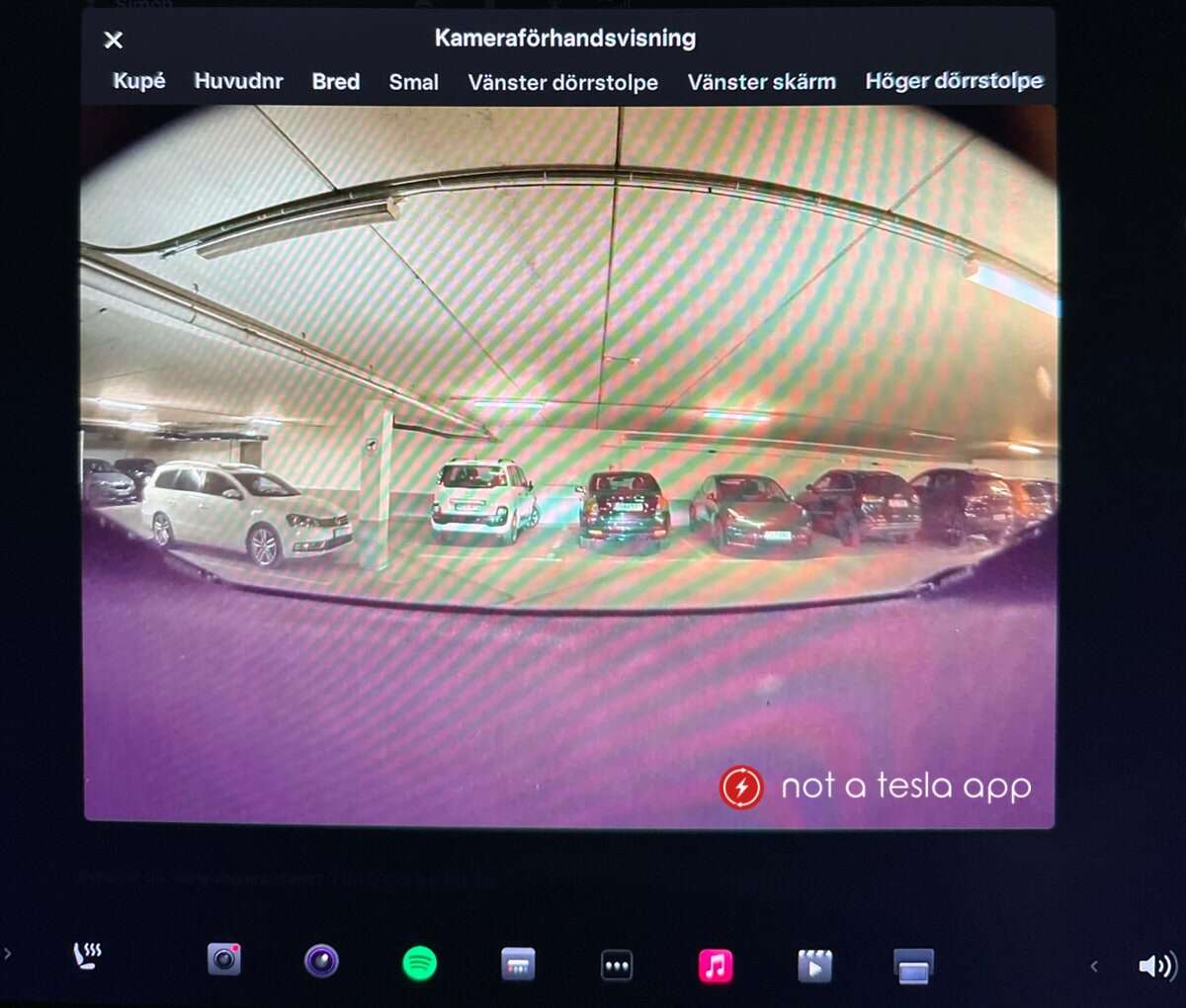
A typical modern Tesla has nine cameras: eight external surround cameras plus one cabin camera.
I have worked with Tesla vehicles and studied their sensor systems. In this article I will explain how many cameras does a tesla have, where they sit, what each camera does, and how the count changed over time. You will get clear, practical answers and owner tips you can use today. Read on to understand Tesla’s camera setup in plain language and to decide what it means for safety, privacy, and driving features.
How many cameras does a Tesla have? Full breakdown
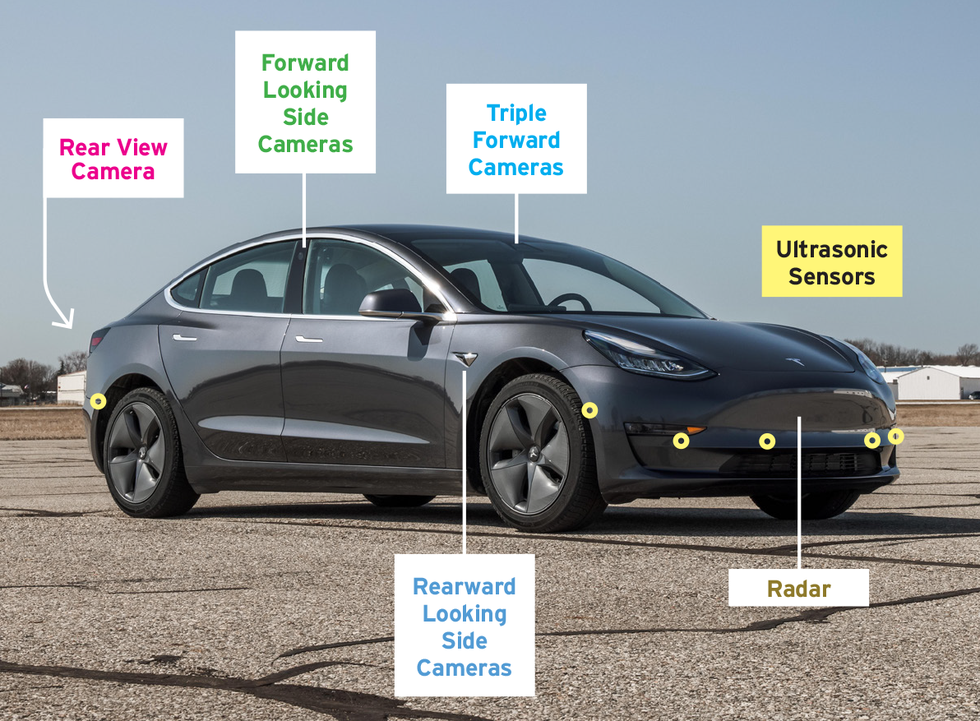
Tesla’s modern cars use a multi-camera system. The standard count for current Teslas is:
- Eight external cameras that form a 360-degree view around the car.
- One inward-facing cabin camera inside the cabin.
This gives a total of nine cameras on most recent models. Older Teslas and early autopilot hardware versions had fewer cameras. I’ll explain those differences and why the number matters for driver assistance and security.
Where are Tesla’s cameras located?
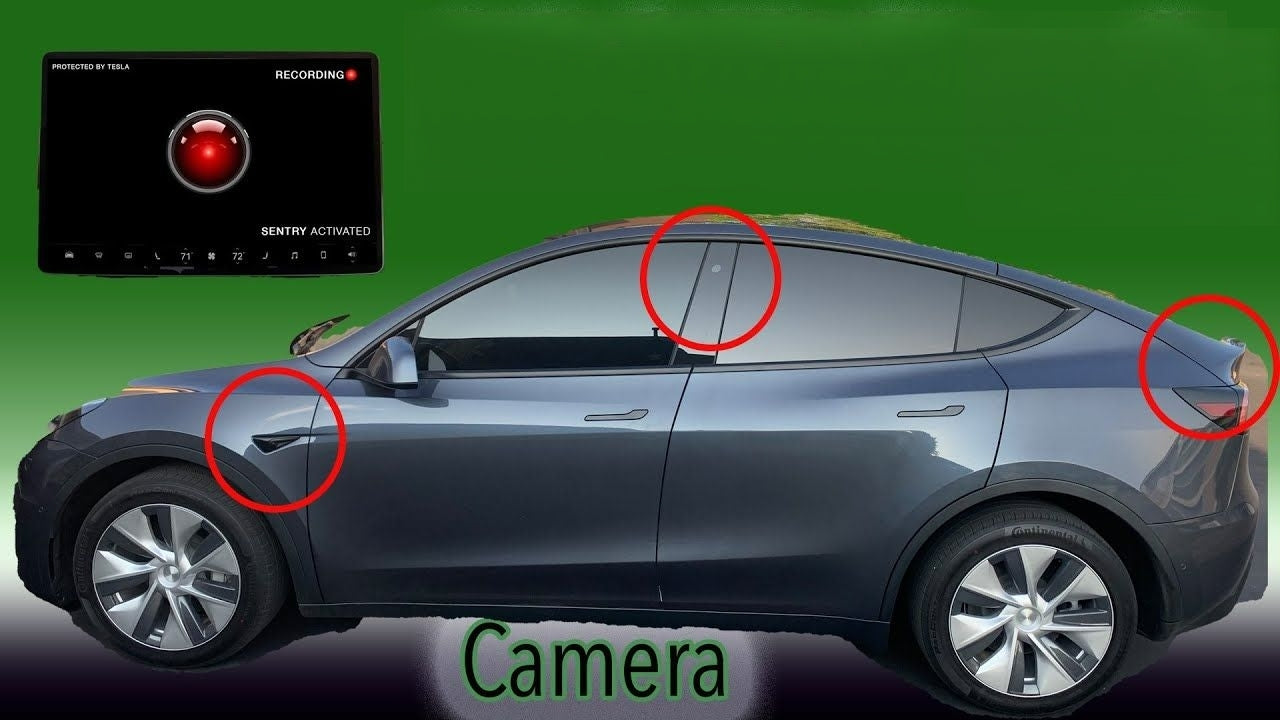
Tesla places cameras to cover forward, sides, and rear zones. The common layout is:
- Three forward-facing cameras mounted near the top center of the windshield to capture long, medium, and wide views.
- Two side cameras near the front fenders that look down the vehicle sides and help with lane changes.
- Two side/rear-facing cameras near the B-pillars or rear quarter panels to monitor adjacent lanes and approaching vehicles.
- One rearview camera near the trunk or liftgate to cover backing and close-range rear view.
- One inward-facing cabin camera mounted above the rearview mirror or on the windshield to monitor driver attention and cabin activity.
This arrangement creates an overlapping field of view. That helps the car see vehicles, lanes, signs, and pedestrians from many angles.
What each camera does: functions and use cases
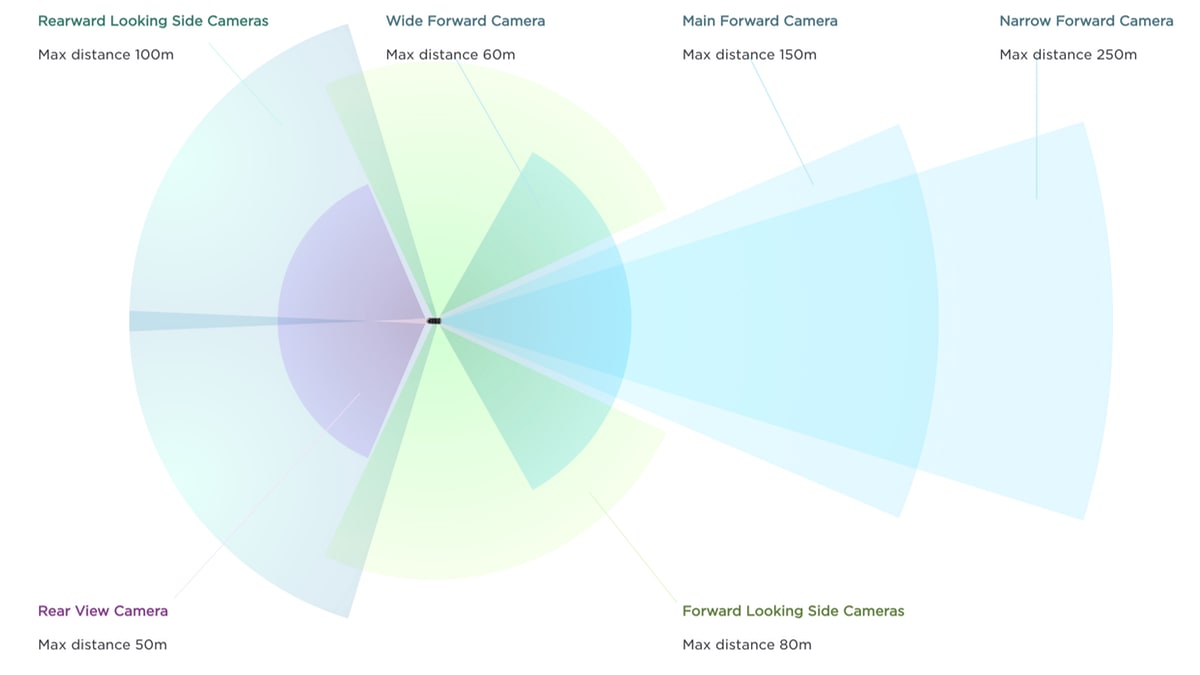
Tesla uses its cameras for several purposes. Each camera plays multiple roles.
- Forward cameras
- Detect traffic, objects, signs, and traffic lights.
- Support Autopilot lane keeping, adaptive cruise, and emergency braking.
- Side and rear cameras
- Monitor blind spots and assist with lane changes.
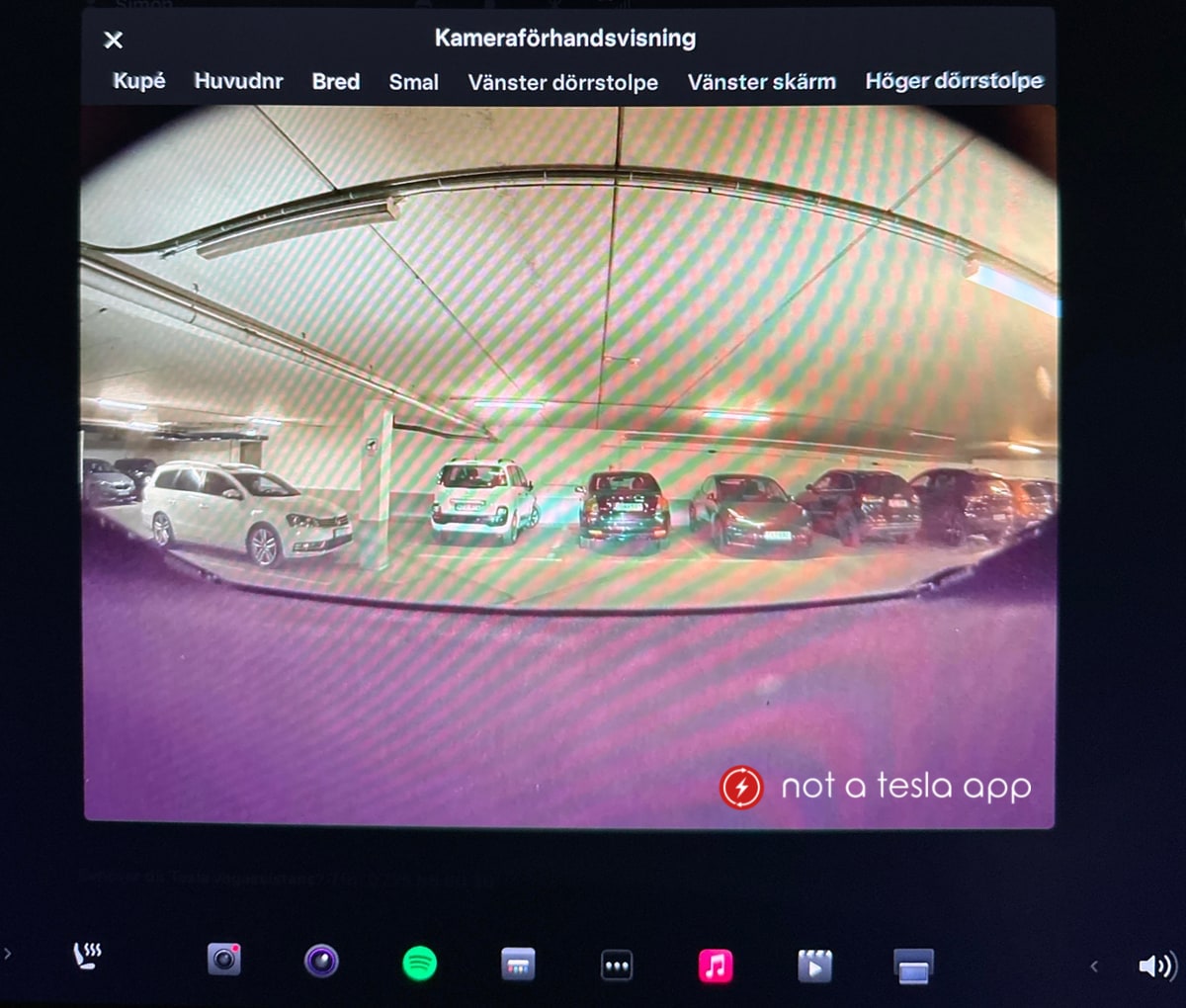
- Provide surround view for parking and Sentry Mode recording.
- Rear camera
- Enable backup visuals and assist with parking.
- Cabin camera
- Monitor driver attention for Autopilot and act as a safety feature.
- Optionally used for features like in-cabin alerts or future occupant monitoring.
Together, the cameras feed image data into Tesla’s computer. The system runs neural networks to detect objects and plan actions. The more cameras, the better the redundancy and the wider the field of view.
How the camera count changed by hardware and model year
Tesla’s camera count progressed with hardware updates. Key stages:
- Pre-HW2 (earlier Model S and Model X) — fewer cameras and sensors. These cars relied more on radar and ultrasonic sensors.
- HW2 and later (from around 2016) — Tesla introduced an eight-camera external layout. This is the basis for modern vision features.
- Cabin camera addition — later models and some refreshes added the inward-facing camera to monitor driver attention.
- Software and sensor shifts — Tesla moved to a vision-first approach, including removing radar on some models and relying more on cameras.
If you ask how many cameras does a tesla have, note that the answer can change with model year and optional hardware. Always check the specific model and production date.
Technical specs and limitations
Cameras provide rich visual data, but they have limits. Key points to know:
- Resolution and frame rate vary by camera. Wide-angle cameras favor field of view over fine detail.
- Cameras struggle in heavy fog, snow, glare, and direct low-light conditions.
- Weather and dirt degrade performance. Lens cleaning improves reliability.
- Software updates can change how cameras are used. Tesla often adds features via OTA updates.
- The system uses multiple cameras for redundancy. If one camera is blocked, others can help, but performance may drop.
Understanding these limits helps you use Autopilot and Full Self-Driving features safely.
Differences in features: Autopilot, FSD, Sentry, and Dashcam
Cameras support several Tesla functions. Here’s how they map:
- Autopilot and Full Self-Driving (FSD)
- Use the external cameras for lane following, traffic-aware cruise, and navigation features.
- Sentry Mode
- Uses external cameras to record suspicious activity while parked.
- Dashcam
- Stores short video clips from one or more external cameras for incidents.
- In-cabin monitoring
- Uses the cabin camera to check attention and to support safety prompts.
Knowing which features use which cameras clarifies why the camera count matters for safety and convenience.
My experience: practical tips and lessons learned
I have tested Teslas and reviewed footage from their cameras. A few hands-on tips:
- Keep camera lenses clean. A quick wipe removes most false warnings and restores sight.
- Use Sentry Mode sparingly in crowded areas; it records lots of footage and uses battery.
- If a camera shows obstruction warnings, check for ice, tape, stickers, or heavy mud.
- Expect software updates to improve camera performance over time. Install updates when safe.
These steps helped me reduce false alerts and improved the car’s object detection while driving.
Privacy, ownership, and legal notes
Cameras record public space and sometimes the cabin. Keep this in mind:
- Sentry and dashcam footage is stored locally on USB drives unless uploaded.
- Laws vary by region about recording audio and video. Check local rules before sharing footage.
- Tesla may use anonymized data for improvement. Read your privacy settings and opt in or out as needed.
Being aware of privacy and legal issues helps you use the system responsibly.
Practical checklist: what to do if a camera malfunction appears
If your Tesla reports a camera error or you notice odd behavior:
- Stop in a safe place and inspect visible lenses for dirt or ice.
- Reboot the vehicle’s screens using the manual reset instructions.
- Check for recent software updates that address camera issues.
- Schedule service if the error persists or if a camera alignment is needed.
This process solves most common camera problems quickly.
Frequently Asked Questions of how many cameras does a tesla have
How many cameras does a Tesla have on the outside?
Most modern Teslas have eight external cameras that provide a full surround view for driving and parking.
Does a Tesla have a camera inside the cabin?
Yes. Recent Tesla models include an inward-facing cabin camera to monitor driver attention and cabin activity.
Did older Teslas have fewer cameras?
Yes. Older models and early Autopilot hardware used fewer cameras and relied more on radar and ultrasonic sensors.
Do all Tesla models have the same number of cameras?
Not always. The number can vary by model year, hardware package, and any factory revisions or retrofits.
Can cameras be replaced or upgraded after purchase?
Some cameras can be replaced by service centers. Upgrading hardware is less common and usually depends on Tesla’s service policies.
Will software updates change how many cameras are used?
Software updates can change which cameras are prioritized or how their data is processed, but they do not add physical cameras.
Conclusion
Most modern Teslas use nine cameras: eight outside and one cabin camera. The full camera array is key to Autopilot, Sentry Mode, dashcam, and many safety features. Knowing how many cameras does a tesla have helps you maintain them, interpret warnings, and make smart choices about privacy and driving aids. Take simple steps now: keep lenses clean, watch for software updates, and learn your car’s warnings. If you found this guide helpful, try checking your car’s camera status, leave a comment with your experience, or subscribe for more practical Tesla tips.

Everett Ashford is a tech reviewer at mytechgrid.com specializing in SSDs, cameras, TVs, earbuds, headphones, and other consumer electronics. He provides honest, data-driven reviews based on hands-on testing and real-world performance analysis. Everett simplifies complex tech details to help readers make smart, confident buying decisions.